Cracking PicoCTF Challenge: GDB Baby Step 1
After learning how to use GDB, let’s now practice on some CTF challenges on PicoCTF website:
Cracking PicoCTF Challenge: GDB Baby Step 1
After learning how to use GDB, let’s now practice on some CTF challenges on PicoCTF website:
After registering on the site, you can find the challenge on the following link called GDB baby step 1:
https://play.picoctf.org/practice/challenge/395?category=3&page=1&search=GDB
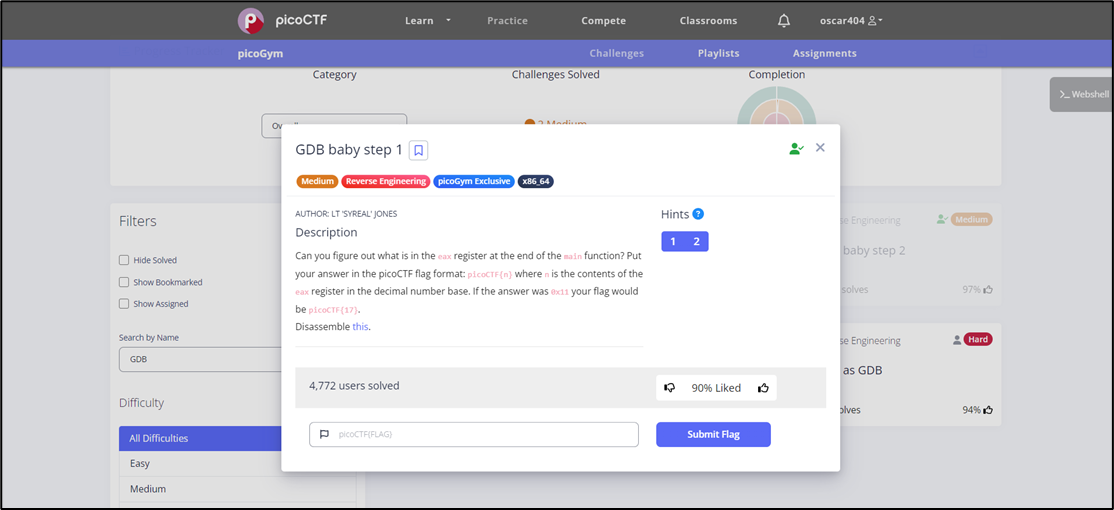
GDB baby step 1
This challenge is an executable file and our task is to do Reverse Engineering on it using GDB and find out the value contained in the EAX register at the end of the main function.
As you can see in the previous image, we click on the word this to download the challenge file, and then we continue the explanation:
- We should know some information about the file, and the file command in Linux will help us with this:
$ file debugger0_a
getting file information
There you have it; it is an .ELF file which means it runs on Linux, and it is also a 64-bit executable file.
- We open the program using GDB:
$ gdb debugger0_aThen we know the functions that the program contains:
(gdb) info functions

getting file functions
As you can see in the previous image, our target in this challenge is the main function which is located at address 0x1129 in memory.
But before we continue, we should remember that GDB uses AT&T by default, so we need to convert it to intel:
(gdb) set disassembly-flavor intelIn this way, when we do Disassembly, the assembly instructions will appear as we are used to.
- In the last step, we disassemble the main function or disassemble it using the following command:
(gdb) disassemble mainThe Disassembly process will show the following result:
The goal of this challenge is to know the value stored in the EAX register, and as you can see in the previous image, a value in Hexadecimal, which is 0x86342, is transferred inside EAX at the end of the function.
In the normal case, we must run the function itself and follow the value of the target Register to know the value it holds, but in our case, we do not need this because the value that will be placed in it is fixed and is placed explicitly, so we can simply know the result by printing the Hexadecimal in decimal: And we can do this using the print command as we mentioned previously:
(gdb) print 0x86342
Getting EAX value
As you can see in the previous image, this is the value that EAX contains, which is 549698.
Thus, the solution to the challenge becomes:
picoCTF{549698}
and here you are, we solved that challenge!
메타데이터
- post_id
- 2d77e8eab818
- slug
- cracking-picoctf-challenge-gdb-baby-step-1-2d77e8eab818
- url
- https://medium.com/@Oscar404/cracking-picoctf-challenge-gdb-baby-step-1-2d77e8eab818
- canonical_url
- https://medium.com/@Oscar404/cracking-picoctf-challenge-gdb-baby-step-1-2d77e8eab818
- author_url
- https://medium.com/@Oscar404
- status
- ok
- fetched_at
- 2026-06-27 10:07:59






