3 Weeks, One Developer, Zero Spec Docs — How Figma Make and Claude Rewrote the Design Handoff
A product designer’s case for letting Figma Make and Claude carry the translation layer
3 Weeks, One Developer, Zero Spec Docs — How Figma Make and Claude Rewrote the Design Handoff
A product designer’s case for letting Figma Make and Claude carry the translation layer
When I was brought in to design the responsive overhaul of FRCC’s news platform — a public-facing news product serving one of Colorado’s largest higher education institutions — the brief was clear: full responsive design, handed off to a developer, shipped on time. What I didn’t expect was how much of the production timeline I could compress by changing not what I designed, but how that design traveled from my Figma file to working code.
This isn’t a story about AI doing the design work. It’s about what happens in the space between a finished design and a running product — the handoff — and how two tools, Figma Make and Claude, fundamentally changed the cost of that space.

The Hidden Time Sink Every Designer Knows
Here’s where time actually disappears in a design-to-development project: not in the design phase, and not in the build phase. It disappears in the middle. The translation layer.
A developer opens a Figma file and has to mentally reconstruct intent. What happens to this card grid at a tablet breakpoint? Does the navigation collapse before or after the hero image reflows? When the article feed switches to a single column, does the sidebar disappear or stack below? Every one of those questions costs a message, a wait, a clarification, and often a rebuild when the answer wasn’t clear the first time.
For the FRCC news platform, this complexity was real. The design covered a multi-category news feed, responsive article layouts, a sticky navigation system, and breakpoint behavior across desktop, tablet, and mobile. Documenting all of that in static specs is tedious. Explaining it in back-and-forth Slack threads is slower. What I needed was a way to make the design demonstrate its own behavior — and then make sure the developer’s code reflected the actual design system, not their interpretation of it.
What Figma Make Actually Changed
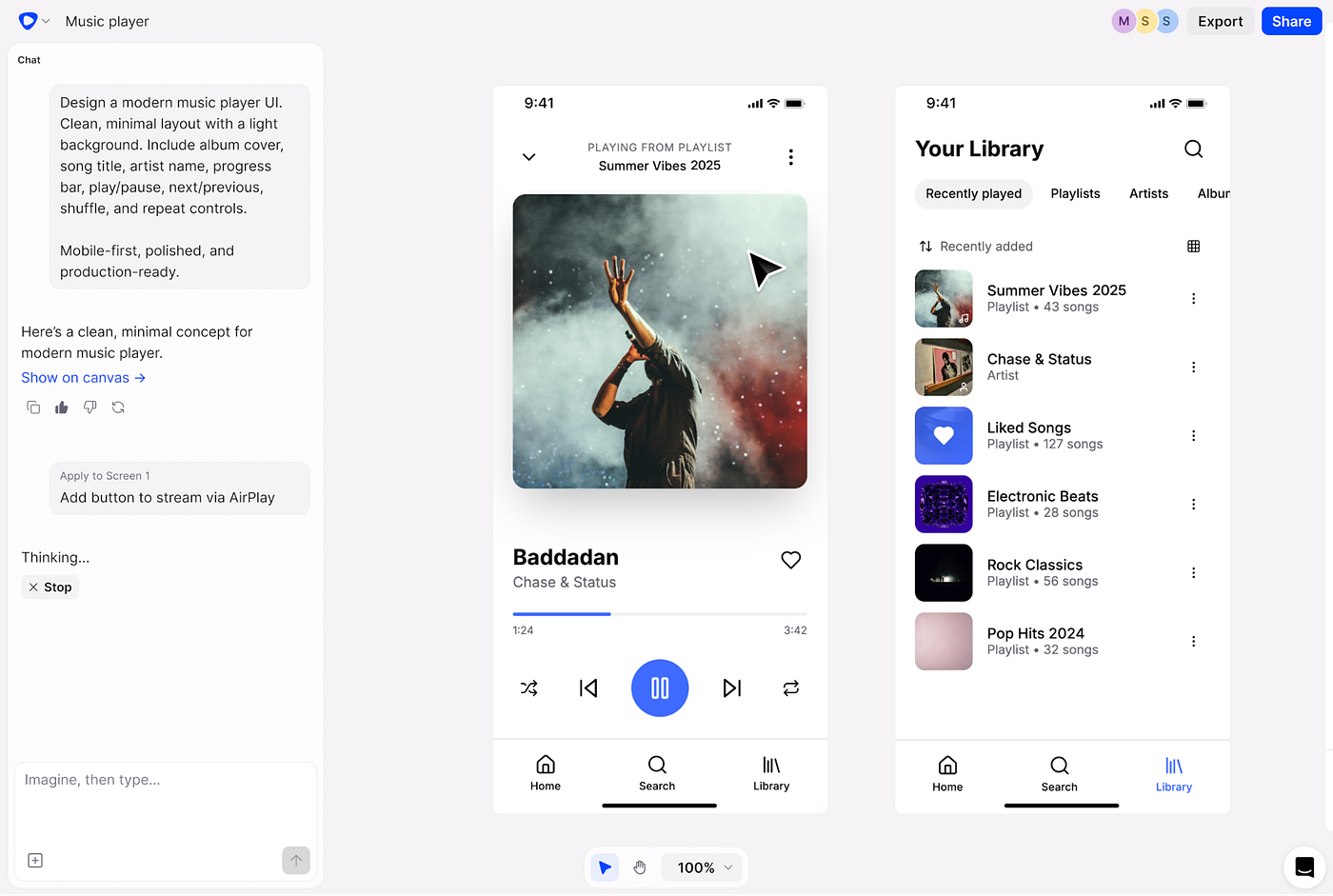
Figma Make is Figma’s AI-powered prototyping tool. You describe interactions in natural language, and it generates a working, clickable prototype — not a static mockup wired with arrows, but something that actually moves. For the FRCC platform, I used it to prototype the responsive behaviors that are hardest to communicate statically: how the article card grid reflows from three columns to one, how the breaking news ticker behaves at different viewport widths, how the category navigation collapses on mobile.
The result wasn’t production code. That’s an important distinction — Figma Make prototypes are built for validation and communication, not deployment. But that’s precisely what made it valuable in the handoff. Instead of writing a 12-page responsive spec document that a developer reads once and half-forgets, I handed them something they could resize, click through, and feel. The behavioral intent was embedded in the artifact itself.
This removed an entire category of clarification questions before they could be asked. When a developer can see a component behave correctly at every breakpoint, they don’t need to guess. They reference the prototype like a moving spec.

Where Claude Entered the Workflow
Claude handled a different, equally important layer: the reasoning layer.
Responsive design at this scale involves dozens of decisions that don’t live in the Figma file. Why does the sidebar disappear at the tablet breakpoint instead of collapsing? Why does the hero image use a different crop ratio on mobile rather than just scaling down? These decisions have logic behind them — user reading patterns, content hierarchy, performance considerations — and that logic almost never survives the handoff intact.
What I found was that my conversations with Claude, where I was working through these decisions, became a form of living documentation. I’d reason through a layout problem with Claude — weighing options, pushing on edge cases, arriving at a decision — and that conversation preserved the why behind the design choice. When the developer had a question about intent, I could point them to the reasoning, not just the outcome.
Beyond reasoning, Claude integrated directly with the Figma file through the Figma MCP server. This is where the most concrete time compression happened.
The Figma MCP Connection: Design to Code Without the Translation Tax
The Figma MCP (Model Context Protocol) server creates a live connection between Claude Code and your Figma design file. Instead of a developer manually reading spacing values, guessing at token names, and reverse-engineering grid logic from a static frame, Claude Code reads the actual Figma data — layout relationships, design token references, auto-layout rules, component structure — and generates code from that structured context.
For the FRCC platform, this meant the developer could point Claude Code at a specific frame — say, the article detail page layout — and receive component-level code that already spoke the language of the design system. Colors came through as token references, not raw hex values. Spacing reflected the auto-layout constraints, not hardcoded pixel estimates. The code wasn’t perfect out of the box, but it was grounded in the actual design rather than being an approximation of it. The developer’s job shifted from interpretation to refinement.
That shift matters enormously for production timelines. Interpretation is slow, error-prone, and generates rework. Refinement is fast, targeted, and produces a better final product.
What This Means for Any UX Designer Handing Off Complex Work
The FRCC platform is one instance of a broader pattern. Any UX designer working with a developer on a responsive, component-heavy interface is operating in a workflow where the design-to-code translation is a significant cost center — and that cost is largely invisible because it’s spread across dozens of small interactions over weeks.
Figma Make and Claude together address that cost at two distinct points. Figma Make closes the behavioral communication gap: the developer sees how the design moves, not just how it looks. Claude and the Figma MCP connection close the code fidelity gap: the generated code starts from the design system’s own data, not from a developer’s reading of it.
There’s a prerequisite for both of these to work well, and it’s worth being direct about it: your Figma file has to be clean. Named components, properly applied variables, consistent auto-layout, and annotated behaviors wherever the visual structure alone doesn’t explain the intent. A messy Figma file handed to an AI agent produces messy code that costs more time to fix than was saved. The tools amplify structure; they don’t create it.
The Production Timeline, Before and After
Before this workflow, the typical handoff on a project like this looked like: design → static spec document → developer reads and interprets → questions begin → clarifications → revisions → repeat. The feedback loop was long, and every iteration of “that’s not quite what I meant” added days.
With Figma Make prototypes as the behavioral spec and Claude Code reading the Figma file directly via MCP, the loop shortened to: design → interactive prototype the developer can feel → code generated from the actual design system → developer refines rather than rebuilds. The middle of the process — interpretation, misalignment, re-explanation — contracted significantly.
The time that remained was the work only a developer should be doing anyway: API integration, performance optimization, accessibility implementation, and the business logic that no design tool touches. That’s where their hours belong. Getting there faster is what this combination of tools actually delivers.
메타데이터
- post_id
- 2e095ffee839
- slug
- 3-weeks-one-developer-zero-spec-docs-how-figma-make-and-claude-rewrote-the-design-handoff-2e095ffee839
- url
- https://medium.com/@bhardwajkratin12/3-weeks-one-developer-zero-spec-docs-how-figma-make-and-claude-rewrote-the-design-handoff-2e095ffee839
- canonical_url
- https://medium.com/@bhardwajkratin12/3-weeks-one-developer-zero-spec-docs-how-figma-make-and-claude-rewrote-the-design-handoff-2e095ffee839
- author_url
- https://medium.com/@bhardwajkratin12
- status
- ok
- fetched_at
- 2026-06-09 15:37:30