Why I Stopped Using Photoshop for 90% of My Image Tasks
A design professional explains why browser-based image tools now replace Photoshop for the majority of everyday image tasks — and what…
Why I Stopped Using Photoshop for 90% of My Image Tasks
A design professional explains why browser-based image tools now replace Photoshop for the majority of everyday image tasks — and what Photoshop is still best for.
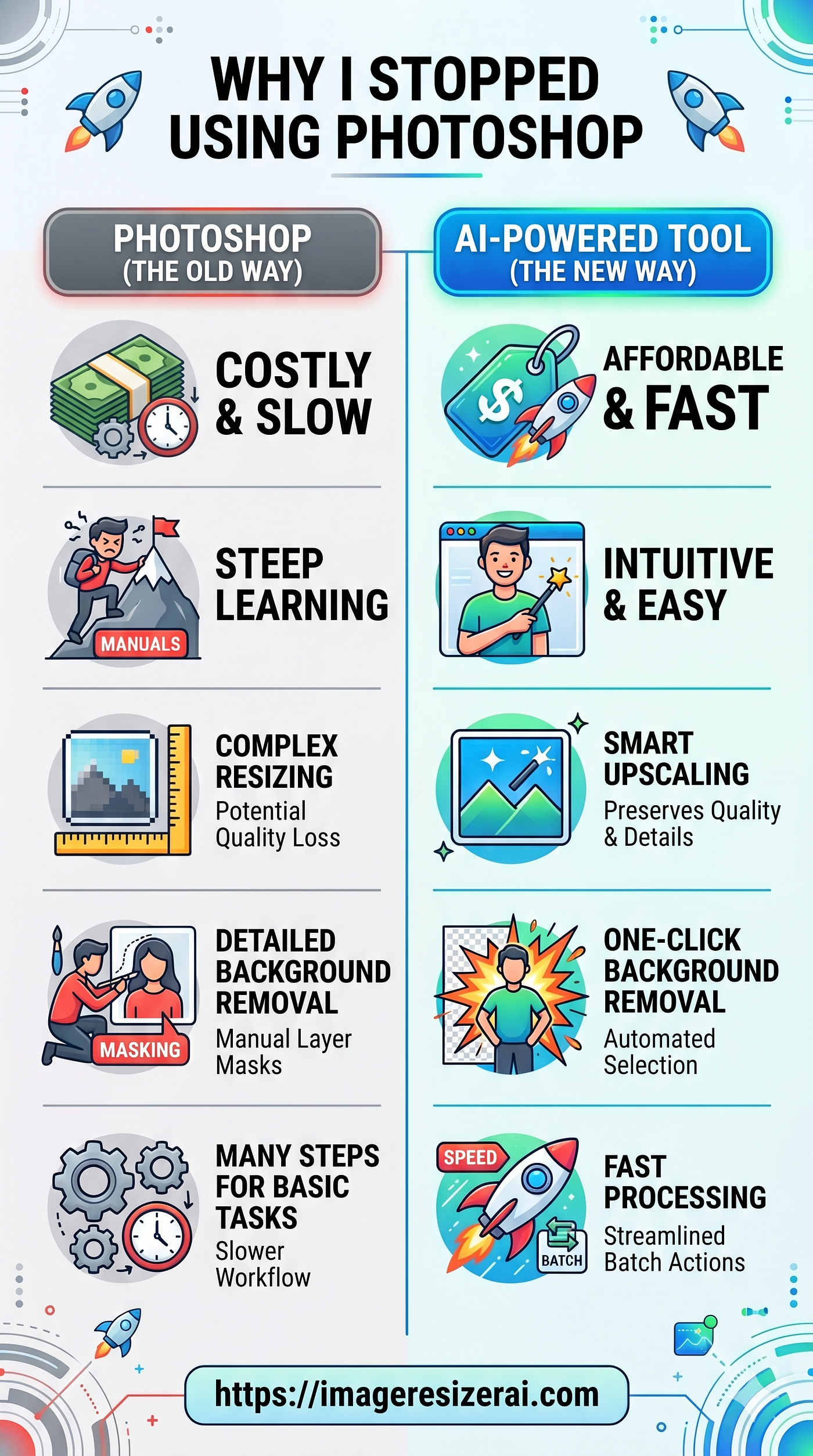
Image generated by Google Gemini
I have Used Photoshop for Over a Decade. I Still Have It. I Barely Open It Anymore.
That’s not a criticism of Photoshop — it’s genuinely extraordinary software. It’s an honest reflection of what my actual image tasks look like day-to-day, and how the tools available have shifted to match them.
What My Daily Image Tasks Actually Are
On any given week, the image-related tasks I need to complete look like this:
• Resize blog images to specific dimensions before uploading
• Compress product photos to under 150KB for a client’s WooCommerce store
• Convert iPhone HEIC photos to JPG for a client who can’t open them
• Batch resize 40 event photos for a newsletter
• Create a quick social media graphic at specific dimensions
None of these tasks require layers, selections, color grading, or any of Photoshop’s powerful features. They’re workflow tasks that benefit from speed, not depth.
Where Browser-Based Tools Win on Pure Speed
For the tasks above, here’s the comparison:
• Photoshop: Launch (30–60 seconds), File > Open, Image > Image Size, File > Export As, choose format/quality, save. Repeat.
• ImageResizerAI.com: Open tab (instant), drag image, enter dimensions, click resize, click download. Done.
For a single image, Photoshop takes 2–3 minutes. The online tool takes 20 seconds. For ten images, the difference is significant.
What Photoshop Is Still Irreplaceable For
I’m not suggesting Photoshop is obsolete. For the 10% of tasks that require it, nothing else comes close:
• Complex retouching: healing brush, clone stamp, frequency separation
• Compositing: cutting out subjects, merging images, masked layers
• Color grading: curves, selective color, Camera Raw
• Working with RAW files from professional cameras
• Typography and design work that will be printed at large scale
The Practical Conclusion
Use the right tool for the task. A 30-second resize job doesn’t justify a 60-second software launch. A complex composite doesn’t belong in a browser tab. The shift I’ve made isn’t about abandoning power tools — it’s about matching tool complexity to task complexity.
Wrapping Up
Browser-based image tools have genuinely matured. For resizing, compressing, converting, and basic format operations, they’re faster and simpler than any desktop application. For complex creative work, professional software still earns its cost.
✅ Try **ImageResizerAI.com** for your next image resize or compression task — you’ll keep coming back.
메타데이터
- post_id
- 2e26e57dc1b2
- slug
- why-i-stopped-using-photoshop-for-90-of-my-image-tasks-2e26e57dc1b2
- url
- https://medium.com/@imageresizerai/why-i-stopped-using-photoshop-for-90-of-my-image-tasks-2e26e57dc1b2
- canonical_url
- https://medium.com/@imageresizerai/why-i-stopped-using-photoshop-for-90-of-my-image-tasks-2e26e57dc1b2
- author_url
- https://medium.com/@imageresizerai
- status
- ok
- fetched_at
- 2026-06-09 15:37:30