Face Recognition Without the Cloud: An Open Source SDK That Never Sends a Single Photo Off the…
Face Recognition Without the Cloud: An Open Source SDK That Never Sends a Single Photo Off the Machine
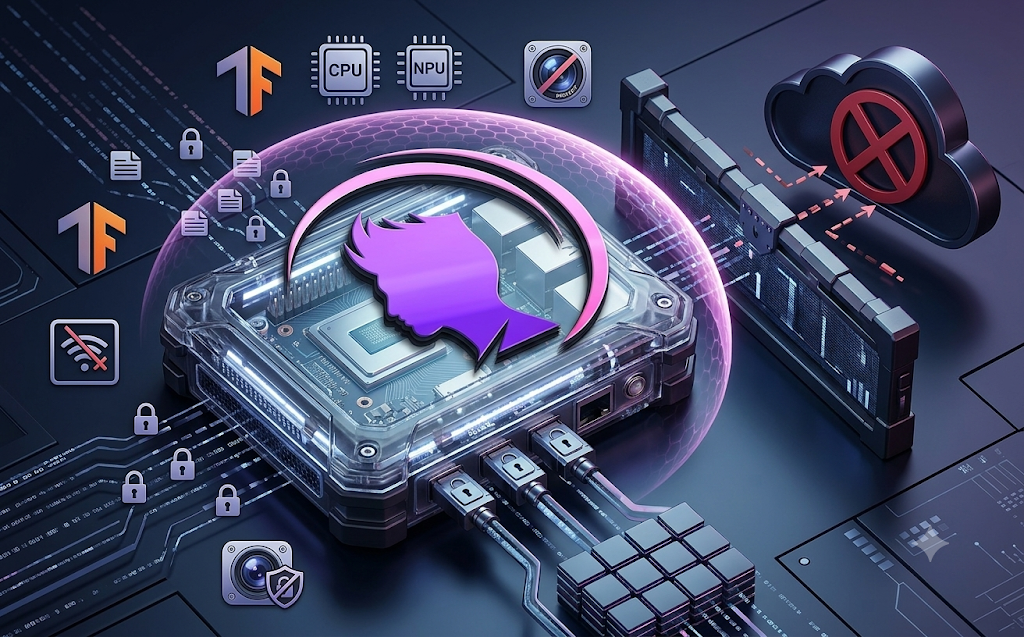
Every commercial face recognition service built in recent years has followed roughly the same business model: send an image to a remote server, pay per request, and trust that whoever operates that server is handling sensitive biometric data responsibly. That model works fine for many applications, but it comes with real costs beyond the per call billing, including latency, a dependency on continuous internet access, and a fundamental loss of control over exactly where a person’s facial data ends up being stored.
An open source project called the Open Source Face Recognition SDK, built by Faceplugin, takes a different approach entirely, running detection, landmark extraction, and embedding generation completely on the local machine, with nothing ever transmitted to an external server.
Why On Device Processing Matters
Understanding the significance of this project requires understanding what a typical cloud based face recognition pipeline actually involves. An image gets uploaded to a remote API. That server runs its own detection and embedding models, returns a result, and in many cases retains a copy of the submitted image or the resulting biometric embedding for its own purposes, whether that is model improvement, fraud prevention, or simple data retention policy. Every one of those steps introduces both cost and risk: recurring API charges that scale with usage, a dependency on network connectivity that can fail at exactly the wrong moment, and biometric information, one of the most sensitive categories of personal data that exists, sitting on infrastructure the end user typically has no visibility into or control over.
Running the entire pipeline locally removes each of those concerns simultaneously. There is no per call billing because there is no external call being made. There is no dependency on network connectivity because the models run directly on the device’s own processor. And critically, there is no biometric data leaving the machine at all, which sidesteps an entire category of privacy and compliance risk that cloud based alternatives cannot avoid by design.
What the SDK Actually Provides
The Open Source Face Recognition SDK positions itself as a complete, self contained alternative to the patchwork of separate cloud services that developers have traditionally had to combine to build face recognition functionality. Rather than requiring one service for detection, another for landmark extraction, and a third for generating comparable feature embeddings, this single toolkit handles all three stages internally, built on deep learning models that run entirely on premise.
Its core capabilities cover the full pipeline needed for practical face recognition work. Face detection identifies the presence and location of faces within an image, returning bounding box coordinates that mark exactly where each detected face sits. Facial landmark detection happens within the same processing pass, identifying specific reference points on a detected face, information commonly used for tasks such as face alignment or expression analysis. Feature embedding generation converts a detected face into a numerical vector representation, a compact mathematical fingerprint that can be stored, compared, or searched against later without needing to keep the original image around. Face to face similarity scoring compares two of these embeddings and produces a score between zero and one hundred, with a configurable threshold used to decide whether two faces likely belong to the same individual.
The project explicitly targets both Windows and Linux, runs perfectly well on CPU only systems, and supports GPU acceleration as an optional enhancement for workloads that need faster throughput. Multiple common image formats are supported, including JPG, PNG, BMP, and TIFF, and the toolkit is capable of detecting and processing multiple faces within a single image rather than being limited to one face per photo.
Setting Up the SDK
Getting the SDK running requires Python version 3.9 or newer, along with either Windows or Linux as the underlying operating system. Anaconda is recommended specifically for managing dependencies cleanly, since deep learning toolkits frequently involve fairly particular version requirements across several interdependent packages.
Setup begins with creating and activating a dedicated conda environment:
conda create -n facesdk python=3.9
conda activate facesdk
With the environment active, the required dependencies can be installed directly from the project’s requirements file:
pip install -r requirements.txtOnce installation finishes, a quick verification script confirms everything is working correctly:
python run.pyNotably, none of this setup requires Docker or any container runtime, and no cloud account or API key needs to be created at any point, which keeps the barrier to getting started genuinely minimal compared to signing up for and configuring a typical commercial face recognition API.
A First Look at Basic Usage
Once installed, interacting with the SDK from Python follows a fairly intuitive pattern. Initializing the toolkit and processing an image takes just a few lines:
from face_recognition_sdk import FaceRecognition
# Initialize the SDK
face_sdk = FaceRecognition()
# Process an image
image_path = "path/to/your/image.jpg"
face_info = face_sdk.GetImageInfo(image_path, faceMaxCount=10)
# Compare two faces
similarity = face_sdk.get_similarity(feature1, feature2)
The GetImageInfo call handles the entire detection and embedding pipeline in a single step, returning structured information about every detected face up to the specified maximum count.
Comparing Two Faces in Practice
A common real world task, verifying whether two separate photographs show the same individual, illustrates how the pieces of the SDK fit together in a complete example:
# Compare two images
image1 = "test/1.jpg"
image2 = "test/2.png"
# Get face information from both images
faces1 = face_sdk.GetImageInfo(image1, faceMaxCount=1)
faces2 = face_sdk.GetImageInfo(image2, faceMaxCount=1)
if faces1 and faces2:
    # Compare the first face from each image
    similarity = face_sdk.get_similarity(faces1[0]['embedding'], faces2[0]['embedding'])
    print(f"Similarity: {similarity}%")

    # Check if it's the same person (threshold = 75)
    is_same_person = similarity >= 75
    print(f"Same person: {is_same_person}")
This short example captures the essential workflow behind most face verification systems: detect a face in each image, extract its embedding, compare those two embeddings numerically, and apply a threshold to convert that numeric similarity score into a simple yes or no determination.
Understanding the Core API
Two functions form the heart of the SDK’s public interface, and understanding their inputs and outputs makes it straightforward to build more complex applications on top of them.
The GetImageInfo function extracts face information directly from an image file. It accepts the path to an input image along with a maximum face count parameter that limits how many detected faces get processed and returned. Its output is a list of dictionaries, one per detected face, each containing the bounding box coordinates marking that face’s location within the image, the set of facial landmark points identified for that face, and the numerical feature embedding vector that represents the face for comparison purposes.
The get_similarity function takes two previously generated face embeddings and compares them directly, returning a similarity score somewhere between zero and one hundred, where higher values indicate a closer match between the two faces being compared.
A default similarity threshold of seventy five is used as a reasonable starting point for determining whether two compared faces likely belong to the same person, though this value can be adjusted depending on how strict or lenient a given application needs to be. Stricter applications, such as those involved in physical security, would generally want a higher threshold to minimize the chance of a false positive match, while more casual applications might tolerate a lower threshold in exchange for fewer false rejections.
Where This Kind of SDK Gets Used
Face recognition technology spans a genuinely wide range of practical applications, and a self contained, locally running SDK like this one is well suited to several distinct categories of use.
Security and authentication represent one of the most established use cases, covering physical access control systems that unlock doors or gates based on facial verification, biometric login mechanisms that let users authenticate into an application without a password, and surveillance systems designed to monitor a space and generate alerts based on recognized or unrecognized individuals.
Business oriented applications form another significant category, including automated time and attendance systems that record employee check in and check out activity without manual clock punching, retail analytics systems that track customer movement and behavior patterns within a physical store, and visitor management systems that automate the process of recognizing and logging people entering an office or facility.
Mobile and embedded applications round out the picture, covering integration with smart devices and Internet of Things hardware, face recognition features built directly into mobile applications, and augmented reality applications that overlay digital content based on recognized facial features in a live camera feed.
Considerations Around Biometric Data and Privacy
Running face recognition entirely on a local device meaningfully reduces one major category of privacy risk, since biometric data never travels to a third party server where it could be retained, breached, or repurposed without the knowledge of the person it belongs to. That said, on device processing does not eliminate every privacy or legal consideration involved in deploying face recognition technology, and anyone building a real application on top of this kind of SDK should think carefully about a few important factors.
Biometric data is treated as a specially protected category of personal information under a growing number of privacy laws around the world, including comprehensive regulations such as the General Data Protection Regulation in the European Union and more specific biometric privacy statutes such as the Biometric Information Privacy Act in Illinois. These frameworks typically require clear, informed consent from anyone whose facial data is being captured and processed, along with defined limits on how long that data can be retained and what it can be used for. Running the processing locally does not automatically satisfy these legal obligations; it simply changes where the data lives rather than eliminating the underlying requirement to handle it responsibly.
Consent and transparency matter just as much in a locally processed system as in a cloud based one. Anyone deploying face recognition, whether for office access control, retail analytics, or any other purpose, should ensure that individuals being recognized are properly informed about the fact that facial recognition is happening, understand what their data will be used for, and have a genuine way to opt out where applicable. Surveillance style deployments in particular carry a heightened risk of running afoul of these expectations if consent and disclosure are treated as an afterthought rather than a core part of the system design from the outset.
Accuracy and fairness deserve attention as well. Deep learning based face recognition systems, across the industry broadly, have historically shown measurable differences in accuracy across different demographic groups, and any organization deploying this kind of technology for a security or access related purpose should independently validate performance across the specific population it will actually be used on, rather than assuming a general purpose accuracy claim applies uniformly to every group of users.
None of this is meant to suggest that face recognition technology cannot be deployed responsibly. It simply means that the technical advantage of local processing should be treated as one part of a broader responsible deployment strategy, rather than as a complete substitute for proper consent, transparency, legal compliance, and fairness testing.
How This Fits Into the Broader Landscape of Open Source AI Tools
The release of a fully self contained, locally running face recognition SDK reflects a broader pattern that has been building steadily across the open source AI ecosystem: capabilities that once required a paid cloud subscription are increasingly available as free, locally runnable software, provided a user has reasonably capable hardware available. Speech recognition, large language models, image generation, and now face recognition have all followed a similar trajectory, moving from proprietary, API gated services toward openly available models that anyone can download and run without ongoing cost or dependency on a third party’s infrastructure staying available and unchanged.
For developers specifically, this shift carries a meaningful practical benefit beyond cost savings. Building an application on top of a locally running SDK removes an entire category of external dependency risk: no risk of a cloud provider changing its pricing structure unexpectedly, no risk of an API being deprecated or rate limited, and no risk of a service outage taking down a feature that customers depend on. For applications specifically involving sensitive biometric data, that same local first approach also substantially simplifies the compliance story, since data residency and retention questions become far more straightforward to answer when the data in question never leaves the device where it was captured in the first place.
Conclusion
The Open Source Face Recognition SDK demonstrates that a complete, practical face recognition pipeline, spanning detection, landmark extraction, embedding generation, and similarity comparison, no longer requires stitching together several separate cloud services or accepting recurring per call costs and biometric data retention on infrastructure outside a developer’s control.
By running entirely on premise, supporting both Windows and Linux, working efficiently on CPU only hardware, and exposing a straightforward Python API, it lowers the barrier to building face recognition into a real application considerably. At the same time, the responsibility that comes with handling biometric data does not disappear simply because processing happens locally, and any team building on top of this kind of toolkit should pair its technical convenience with genuine attention to consent, transparency, legal compliance, and fairness across the people it will ultimately be used to recognize.
The repository is available at: https://github.com/Faceplugin-ltd/Open-Source-Face-Recognition-SDK
메타데이터
- post_id
- 2e31efa66ba2
- slug
- face-recognition-without-the-cloud-an-open-source-sdk-that-never-sends-a-single-photo-off-the-2e31efa66ba2
- url
- https://medium.com/open-intelligence/face-recognition-without-the-cloud-an-open-source-sdk-that-never-sends-a-single-photo-off-the-2e31efa66ba2
- canonical_url
- https://medium.com/open-intelligence/face-recognition-without-the-cloud-an-open-source-sdk-that-never-sends-a-single-photo-off-the-2e31efa66ba2
- author_url
- https://medium.com/@eng.fadishaar
- status
- ok
- fetched_at
- 2026-07-11 22:06:18