Best Terminal Apps for Mac in 2026: Tools for Developers, Sysadmins, and Power Users
Terminal emulators play a key role in macOS workflows, from developers running scripts to system administrators managing servers. In 2026…
Best Terminal Apps for Mac in 2026: Tools for Developers, Sysadmins, and Power Users

Terminal emulators play a key role in macOS workflows, from developers running scripts to system administrators managing servers. In 2026, terminal apps offer much more than basic shell access-they integrate new technologies, enhance user productivity, and support complex tasks like remote development, team collaboration, and performance optimization. In this article, we’ll explore the best terminal apps for Mac available in 2026, focusing on performance, customization, and modern features to help you choose the best terminal for Mac based on your needs.
What Makes a Modern Terminal App in 2026?
In 2026, a terminal app should be fast, customizable, and powerful enough to handle multiple tasks in real-time. Key factors for a modern terminal include:
- Performance: Speed is critical. Terminal apps with GPU acceleration, like Alacritty, can render commands and text faster.
- Customization: Modern terminals offer deep configurability, allowing users to adjust colors, key bindings, and layouts to fit their workflows.
- Integration: Built-in features like SSH, remote access, and automation allow seamless integration with development and sysadmin tasks.
- Collaboration and AI Features: Some terminals like Warp include AI-powered tools to automate tasks or assist with command suggestions, making them ideal for collaborative work environments.
With this in mind, let’s dive into the top options.
Top Terminal Apps for macOS
**Commander One** is a dual-pane file manager with a built-in terminal emulator that makes it unique among the best terminal apps for Mac. While it’s primarily known for its file management capabilities, its integrated terminal is a standout feature for users who frequently work with both file navigation and the command line.

It supports multiple shell types, making it perfect for those who want to switch between tasks without leaving the application. If you’re looking for a terminal that blends file management and command-line access in one, Commander One is the best terminal for Mac.
Commander One’s simple interface, support for FTP, SFTP, and even cloud storage management, along with its CLI functionality, makes it a versatile tool for developers and power users alike.
“Commander One allows you to manage files and terminal sessions seamlessly, creating a more fluid workflow.” — Wikipedia
iTerm2
For those who need a mature, reliable terminal, **iTerm2** has been a staple of macOS for years. Known for its stability and extensibility, iTerm2 offers split panes, hotkey windows, and advanced search capabilities. It’s highly customizable, allowing users to create profiles tailored to specific tasks, and includes integration with tools like tmux for session multiplexing.

iTerm2 is the best option for professionals who demand performance and flexibility in their workflows. Whether you’re coding, managing servers, or working with version control systems, iTerm2 delivers a robust experience.
“iTerm2 is the most versatile terminal for macOS, trusted by professionals for its reliability and flexibility.” — iTerm2 Wikipedia
Warp
**Warp** is revolutionizing terminal usage with its AI-powered capabilities. This next-gen terminal blends traditional shell functionality with a modern user interface and intelligent command suggestions. If you often forget commands or need quick access to frequently used tasks, Warp’s AI-powered features will automate and streamline your workflows. Additionally, Warp enables collaborative features, making it an ideal choice for teams.
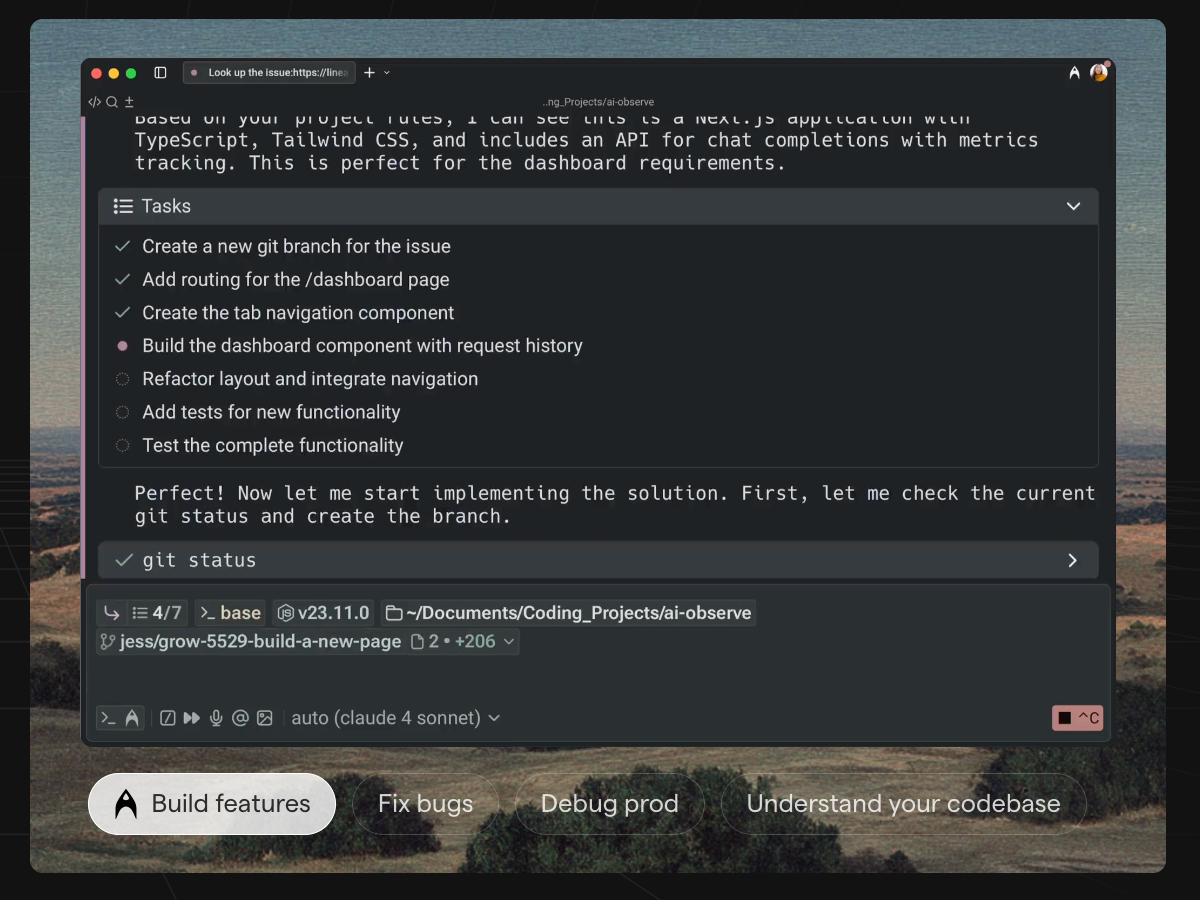
This terminal app is perfect for users who want a combination of performance, productivity features, and AI-enhanced workflows.
“Warp is the AI-powered terminal that helps teams collaborate and streamline their processes with smart automation.” — Warp Wikipedia
Alacritty
Alacritty’s focus is on speed and simplicity, making it one of the fastest best terminal apps for Mac. With GPU acceleration, Alacritty ensures fast rendering and smooth performance, especially when working with large outputs or complex scripts. However, it is minimalist, so users looking for advanced features like tabs and splits will need to rely on tools like tmux.

For users who prioritize performance over customization, Alacritty is the best choice. It’s a no-frills, high-performance terminal for those who want to get work done quickly and efficiently.
“Alacritty is the fastest terminal available for macOS, ideal for users who need raw performance.” — Alacritty on GitHub
WezTerm
**WezTerm s**tands out as a terminal emulator that offers both high performance and advanced features like session multiplexing. With built-in support for split panes and GPU rendering, WezTerm strikes a balance between customization and performance. Its Lua-based configuration system allows you to fine-tune every aspect of the terminal, from appearance to behavior.

WezTerm is perfect for power users who need both speed and deep configuration options. It’s an excellent choice for developers who want to customize their terminal environment without sacrificing performance.
“WezTerm is one of the most powerful terminals available, with rich customization and high performance.” — WezTerm on GitHub
Tabby
Tabby (formerly known as Terminus) is a cross-platform terminal app with a user-friendly interface. It includes features like split panes, SSH support, and a password manager, making it an excellent choice for those who need a simple but functional terminal. Tabby is particularly useful if you need to work across multiple platforms, as it offers a unified experience on macOS, Windows, and Linux.

While Tabby may not be as feature-rich as some of the other terminals, it’s a great option for users who prioritize ease of use and consistency across different operating systems.
“Tabby is an easy-to-use terminal that works seamlessly across different platforms.” — Tabby on GitHub
Hyper
**Hyper **is a terminal built using web technologies, leveraging the power of Electron to offer a highly customizable experience. It supports a wide range of plugins and themes, allowing users to tailor the terminal to their specific needs. However, because it’s built on Electron, it can be more resource-intensive than some of the other options on this list.

Hyper is ideal for users who enjoy customizing their environments with plugins and want a modern terminal interface that integrates well with other web technologies.
“Hyper offers an attractive, customizable interface that makes the terminal feel more like an app.” — Hyper on GitHub
Choosing the Right Terminal for Your Workflow
When selecting the best terminal for Mac, consider your needs:
- For heavy CLI use and customization: iTerm2 or WezTerm offer a rich feature set for developers and sysadmins.
- For maximum performance: Alacritty is the top choice for users who need speed above all else.
- For AI-enhanced workflows: Warp is the ideal terminal with intelligent features for modern users.
- For cross-platform consistency: Tabby is perfect for those who need a unified experience across different devices.
- For integrated file management and occasional CLI use: Commander One is the best option for users who want file management and terminal access in one application.
Each terminal app has its strengths, and the best one depends on your specific workflow and preferences.
Conclusion
In 2026, the best terminal apps for Mac are those that combine speed, flexibility, and modern features. Whether you’re managing remote servers, developing code, or simply organizing your workflow, the best terminal for Mac will depend on how you use it. Try different options to find the one that suits your productivity style and make the most out of your macOS environment.
메타데이터
- post_id
- 2e437d97f8ca
- slug
- best-terminal-apps-for-mac-in-2026-tools-for-developers-sysadmins-and-power-users-2e437d97f8ca
- url
- https://medium.com/@scarlettyung85/best-terminal-apps-for-mac-in-2026-tools-for-developers-sysadmins-and-power-users-2e437d97f8ca
- canonical_url
- https://medium.com/@scarlettyung85/best-terminal-apps-for-mac-in-2026-tools-for-developers-sysadmins-and-power-users-2e437d97f8ca
- author_url
- https://medium.com/@scarlettyung85
- status
- ok
- fetched_at
- 2026-07-27 23:51:09