Bots in Backpacks: 6 Platforms Teaching Kids to Code
A pragmatic guide to the kits, apps, and curricula helping K–12 students learn programming, electronics, and real-world problem solving —…
Bots in Backpacks: 6 Platforms Teaching Kids to Code
A pragmatic guide to the kits, apps, and curricula helping K–12 students learn programming, electronics, and real-world problem solving — with robots.
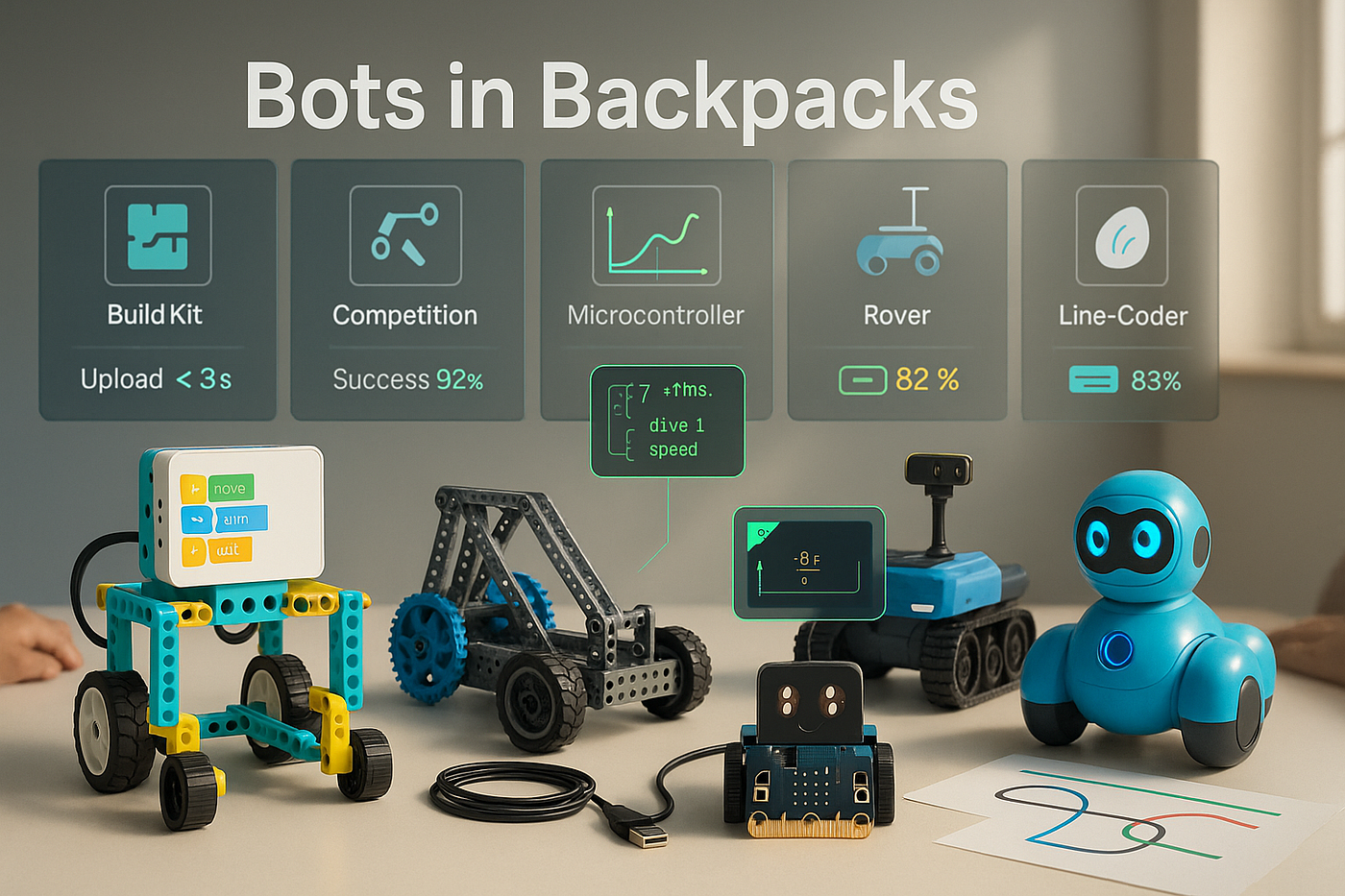
Explore 6 kid-friendly robotics platforms — LEGO SPIKE, VEX, micro:bit, Sphero RVR, Wonder Workshop, and Ozobot — plus classroom tips, code, and diagrams.
Short version: kids learn faster when code moves something they can touch. Longer version: robotics turns abstract syntax into cause and effect. Motors whir. LEDs blink. A bug becomes a bump into the chair leg and suddenly debugging makes sense.
You might be wondering, Isn’t robotics pricey or complex for schools? Let’s be real — some kits are. But the ecosystem has matured. Today’s classroom-ready platforms ship with drag-and-drop coding, Python/JavaScript paths, durable hardware, and teacher-friendly lesson plans. Below are six that consistently deliver.
What “good” looks like in K–12 robotics
- Low threshold, high ceiling: Blocks for beginners, text for growth.
- Fast feedback: Upload in seconds; see motion or lights immediately.
- Durability: Survive backpacks, tiled floors, and lunch.
- Extensibility: Sensors, expansion ports, and a path to real code.
- Pedagogy: Projects tied to math/science standards, not just gadgets.
1) LEGO Education SPIKE (Prime/Essential)
Why it works: The SPIKE kits keep LEGO’s legendary build system but layer in a robust hub, color sensor, distance sensor, and motors. The block-based SPIKE App transitions to Python, so the same robot a third grader drives with blocks becomes a middle-schooler’s Python project.
Great for: Grades 3–8; cross-curricular builds (art + engineering weeks). Signature aha moment: Students iterate chassis designs because they feel gearing, weight distribution, and traction — no lecture required.
Classroom tip: Assign “roles” (builder, coder, test driver, documentarian). Rotate every 20 minutes to keep everyone engaged.
2) VEX (VEX IQ + VEXcode)
Why it works: VEX IQ gives you structural parts closer to “real” robotics — shafts, gears, linkages — and VEXcode supports Scratch-like blocks, Python, and C++. It’s a smooth runway from first program to competitions.
Great for: Grades 4–12; students who love mechanisms and team events. Signature aha moment: Switching gear ratios to climb a ramp versus sprint on flat ground — and graphing the trade-off.
Classroom tip: Use “design logs” early. Ask teams to sketch gear trains before building them to reduce plastic chaos.
3) micro:bit + Classroom Robots (e.g., Maqueen, BitBot)
Why it works: The BBC micro:bit is a tiny, inexpensive board with a 5×5 LED matrix, buttons, accelerometer, and Bluetooth. Snap it into a budget-friendly robot chassis and you’ve got wheels, line sensors, and servos. Students can start with MakeCode blocks, then switch to MicroPython.
Great for: Grades 4–10; schools that want many robots at low cost. Signature aha moment: Writing a tilt-controlled driver using the micro:bit’s accelerometer — zero extra hardware.
MicroPython mini-snippet (line follow)
from microbit import *
left = pin0  # motor left PWM
right = pin1 # motor right PWM
def drive(l, r):
    left.write_analog(max(0, min(1023, l)))
    right.write_analog(max(0, min(1023, r)))

while True:
    # simple two-sensor line follow: 1 = black, 0 = white (invert if needed)
    sL = pin2.read_digital()
    sR = pin8.read_digital()
    if sL and not sR:         # drift right -> steer left
        drive(900, 600)
    elif sR and not sL:       # drift left -> steer right
        drive(600, 900)
    else:
        drive(800, 800)       # straight
Teacher note: This runs on many micro:bit robot bases with minor pin changes.
4) Sphero RVR/RVR+
Why it works: RVR is a robust, treaded platform with a swappable battery, encoders, and a 4-pin UART/5V port for add-ons (Raspberry Pi, micro:bit, etc.). Students start with the Sphero Edu app’s blocks and graduate to full Python. The sealed design shrugs off classroom abuse.
Great for: Grades 5–12; maker spaces that want extensibility. Signature aha moment: Mounting a tiny camera and streaming live video while the robot patrols a maze coded in Python.
Classroom tip: Build “missions” with constraints (battery budget, sensor-only turns, limited retries) to teach engineering trade-offs.
5) Wonder Workshop (Dash & Cue)
Why it works: Dash is approachable — friendly sounds, smooth movements, and a dead-simple Bluetooth pairing routine. Kids program with Blockly; older students step up to JavaScript-style syntax in the Cue app. Strong built-in curriculum makes it easy for non-CS teachers to run sessions.
Great for: Grades K–6; classrooms new to robotics. Signature aha moment: Event-driven programs — “if sound, then turn and blink” — that teach control flow without jargon.
Classroom tip: Use story-based challenges (“rescue the plush toy from the volcano”) to hook reluctant learners.
6) Ozobot (Bit/Bit+)
Why it works: Ozobot can be coded two ways: with markers on paper using color codes, and with the Ozobot Blockly web editor. That combo bridges hands-on art and on-screen logic, making it accessible for early grades while still offering algorithmic thinking.
Great for: Grades K–5; art/ELA integration and unplugged days. Signature aha moment: Students optimize a maze route by editing marker colors — then convert the same logic into blocks on screen.
A simple architecture that scales (ASCII)
[Students] → drag-and-drop editor → quick wins
      ↓                 ↑
 text mode (Python/JS)  │
      ↓                 │
[Robot firmware + sensors] ↔ [Classroom router / Bluetooth]
      ↓
[Teacher dashboard] → push code, collect logs, assess
Why this matters: The quickest path to confidence is a visible loop — edit → run → observe. The platforms above keep that loop under a minute, which is gold in a 45-minute period.
Project ideas that actually land
- Math + motion: Program constant-speed drives, then measure distance vs. time and fit a line.
- ELA + storytelling: Script robots to act out a scene — lighting, sound effects, and pauses teach timing and state machines.
- Science labs: Use light/temperature sensors to log real data, export CSVs, and graph in math class.
- Civics / service: Build a “delivery bot” for the library with safe routes and polite behavior when it sees feet.
Assessment without the groans
- Rubrics over scores: Evaluate design process (planning, testing, iteration) as much as final performance.
- Debug diaries: Students record the bug, the hypothesis, the test, and the result — short entries, big learning.
- Team retros: Five minutes at the end: “What surprised us? What will we try first next time?”
Safety & logistics (the unglamorous, necessary bits)
- Label batteries and rotate charging.
- Keep spare wheels, hubs, and sensor cables in a clear box — student-serviceable.
- Tape floors for challenge fields that roll up at day’s end.
- Adopt a “no flying parts” rule: if it launches or spins fast, teacher checks first.
Choosing for your school: quick matrix
| Goal                      | Best bets               | Rationale                                           |
| ------------------------- | ----------------------- | --------------------------------------------------- |
| Absolute beginners (K–3)  | Wonder Workshop, Ozobot | Friendly UX, instant success, strong curricula      |
| Grades 3–8 build-to-think | LEGO SPIKE              | Fast builds, Python path, broad lesson library      |
| Mechanisms + competitions | VEX IQ                  | Structural parts, strong competitions, C++ path     |
| Low-cost scale-up         | micro:bit + chassis     | Budget-friendly, tons of extensions, MicroPython    |
| Maker lab extensibility   | Sphero RVR              | Expandable I/O, robust base, Python + external SBCs |
A tiny teacher-facing script (check devices fast)
This quick pseudocode shows the habit more than the tool: verify connectivity and battery before class starts.
# scan and ping robots (names pre-set like TEAM-01..TEAM-10)
for id in {01..10}; do
  echo "Checking TEAM-$id..."
  # pseudo-commands: replace with your platform's CLI/app calls
  robotctl connect TEAM-$id && \
  robotctl battery TEAM-$id && \
  robotctl version TEAM-$id
done
Run your own version once per week; it saves you 15 minutes of “why won’t it pair?” drama.
The line that matters
Robotics education isn’t about turning every kid into an engineer. It’s about making thinking visible. When a fifth grader improves a loop and the robot finally nails the turn, you can see the concept click. That confidence compounds.
Start small: one cart, one hallway challenge, one rubric. Add text coding once the class demands it — because they will.
CTA: Which platform fits your classroom (or living room) best? Tell me your constraints — grade, budget, goals — and I’ll sketch a rollout plan you can start next week.
메타데이터
- post_id
- 2f17a74f2ba7
- slug
- bots-in-backpacks-6-platforms-teaching-kids-to-code-2f17a74f2ba7
- url
- https://medium.com/@jickpatel611/bots-in-backpacks-6-platforms-teaching-kids-to-code-2f17a74f2ba7
- canonical_url
- https://medium.com/@jickpatel611/bots-in-backpacks-6-platforms-teaching-kids-to-code-2f17a74f2ba7
- author_url
- https://medium.com/@jickpatel611
- status
- ok
- fetched_at
- 2026-06-09 15:37:30