The MALIBAL Aon S1
Ended my Search for the Best Linux (or Windows) Daily Driver
The MALIBAL Aon S1
Ended my Search for the Best Linux (or Windows) Daily Driver

Those of you following me here know that I left the Apple Ecosystem in 2018 and have since used a Lenovo X1 Carbon, System76 Lemur Pro, and a Starlabs Starbook as my daily driver and also moved to the Pixel series of phones with either Calyx OS or GrapheneOS. While I have been a Linux user since the 90’s and thoroughly enjoyed coming back to it full-time for many reasons including the much welcomed greater compatibility between my desktops, servers, laptops, and phones, I find that the “hardware choices” left me a bit dis-satisfied. Admittedly, I am a bit spoiled and tend to ask for a lot. I want something thin and light (3 lbs. MAX) so that I can travel with it but also powerful enough to be plugged back in on my desk as my main desktop replacement outside of any hardcore compiling or rendering which will still be left to my real desktops. It sounds simple but it’s quite hard to attain. I literally do miss many aspects of my Macbook in that sense. So I would say while I thoroughly enjoyed all of the mentioned laptops and still think they are wonderful products, I am not sure if my next laptop was going to be a later revision of any of the above mentioned but yet, I also don’t see a lot of better choices out there.
Let’s start by listing where each of these laptops excel and also where they fall short so that we have a basis for comparison:

- Lenovo X1 Carbon —Super light, solid build quality with a web cam shutter!, amazing classic Lenovo keyboard, and lasts forever. I mean forever. I still use it to this day in my home office workflow and testing. Nothing has broken except that I finally had to replace the 2018 battery last month. It’s literally the oldest member on my brigade other than my 2012 Macbook Air(which still runs btw). However, everything is soldered and lacks in the max ram department. I get it though. It’s supposed to be for business people and not resource hungry techies. While the battery was super durable, it’s not the biggest battery so running Linux means you don’t get that many hours with it on the road. The speaker on the 6th gen was also pretty horrible but they have improved the speakers since.

- System76 Lemur Pro — The lightest of them all while packing the biggest battery (74 whr) and the company does amazing work on the software side of the shop. I really think they are the best at both firmware and maintaining a distro (Pop! OS) that just works. I had some one-off manufacturing defect issue on my unit and their support was always super helpful and replaced everything free of charge. I mean, it’s not Lenovo enterprise level type support but for an independent system builder on a limited 1 year warranty, they are pretty amazing. The main downside is that the Clevo chasis uses materials that feels questionably cheap and is easily scratchable. It also had a max of 40GB of ram for a couple iterations before the latest revision which has a max of only 56GB. Perhaps the worse part of this laptop is the speaker both in quality and volume.
UPDATE ~ April, 27th, 2024
I saw the latest Lemur Pro in person today at LinuxFest Northwest and boy does the latest revision look sexy. The casing definitely has improved a lot!

- Starlabs Starbook MK VI — This is the heaviest of them all at 3 lbs. but not without reason because I have never had another machine that resembled a Macbook like shell as this one. In fact, it’s so well built that it’s more scratch and dent resistant than any Macbook I have ever had before. I have literally clipped it on a door frame as I walked by and yet, there’s no signs of damage at all. Keyboard is a joy to type on and the ANSI layout is an available option at purchase even though they are a UK company (This is super important and also why Tuxedo Infinitybook Pro is not on my list as it only offers ISO keyboards). The speakers are probably the best out of them all (minus maybe the latest X1) too but that doesn’t say much given its contenders. On the other hand, the fan has this high pitch whine when it spins up which I guess I can try to fix with replacing the fan but one would prefer to have a machine at this price to come with a better sounding fan instead right? Support, while just a little slow, has been great to me but perhaps I am too Hong Kong (ie. I need everything yesterday) and it sort of sucked for me especially given my usual bad luck with edge case manufacturing defects which required me to send parts or the whole laptop to them. That down time totally killed me. But hey, they use DHL! Shipping is the best part. Not only is it fast, it also usually arrives a day before its given ETA.

AND… just for completeness sake, I am going to quickly list a few strong contenders that I have played with but never owned:
- Razer Blade 14 — Amazing build with H processor and dedicated GPU option but limited RAM and quite heavy (well over 3 lbs) with a subpar keyboard.
- MSI Prestige EVO 13 — This is probably one of my favorite affordable brands and if there weren’t Linux system builders, it’s likely that I would go with this machine but it also lacks in the max ram department and the screen and battery is a bit too small for me. It’s a good looking machine though.
- Dell XPS 13 Plus — This one has an amazing display but often seems too small and it always felt quite heavy despite the fact that the latest revision is supposed to be well under 3 lbs. The keyboard also feels a bit odd… as if they are trying to pack too much into too small of a device. Last but not least, it falls short just like the X1 Carbon where the max ram is only 32GB and the battery is a 55 whr battery. I am also biased/shallow and simply never really liked the Dell logo. 😅️ Of course, that’s just my personal opinion. Subjectively, it’s still one of the best machines in the market and popular for a reason.
- Asus Zenbook Pro — This thing is a beast with an i9 H processor and an Nvidia RTX 4070 but it’s a whopping 3.5 lbs. I am also not sure if the motherboard can take more than 32GB of ram.
- Asus Zenbook — While the weight of this machine is more on-par at 2.8 lbs with a beautifully designed casing, you are forgoing a lot of power compared to the Pro version with the same max 32GB of ram. It does however have a 75 whr battery which is on-par with the Lemur Pro. This machine is a strong contender to the MSI Prestige EVO 13.
With that said, I’d like to mention that all of the above besides the Razer and Asus Zenbook Pro have p processors with integrated graphics which I have become accustomed to. It only seems like a logical trade off for having a light and thin machine.
That is until I came across the MALIBAL Aon S1…
A monster of a laptop with an intel 13th gen i7 H processor, 64GB max ram, Nvidia dedicated graphics option, Thunderbolt 4, 1080p webcam, and 99 whr battery that comes in a beautiful looking laptop at 2.8 lbs!!! (2.2 lbs if configured with 53 whr battery and without nvidia) It also can come with both either Windows or Ubuntu Linux installed.
I am not going to lie. At first, just like most of the others I have read on Reddit, I was a little hesitant and thought that it might be too good to be true. While MALIBAL has NASA, Boeing, Microsoft, and a few other big names listed on their website as customers, I have really never heard of them before besides seeing ads on distrowatch and some other sites. There’s practically no review of their recent machines online aside from 1 enthusiast homemade youtube video, some loose forum posts, and a ZDNET review that they also share on their website. Yet, the company supposedly has been around for 20 years? Sounds a little fishy right?
Since I didn’t really get my Starbook that long ago, I figured I would just hold off and see if more reviews popped up before taking a look again. However, one day in late December of last year, and it made sense since there’s recently a massive price drop in the 13th gen intel processors and the new generation of CPUs have already been hyped up even before CES, I noticed that MALIBAL had a big 25% discount for its laptops. This means that this fully decked out laptop with a 1TB NVMe and a 3 year warranty is less than $1600. At that price point, I thought to myself, let’s take a risk and go on a ride with this. I sort of went in with the similar mindset as if I was about to go in on the latest altcoin with promised actual real life utility that all my friends are talking about…
But boy… was I glad I took that leap of faith. When the laptop finally arrived in late January and it took a little while only because at the time, the Nvidia GPU was back ordered, I was so pleasantly surprised. First of all, let’s just say that the casing is just sexy. It’s not aluminum heavy but yet, aluminum sturdy. No part of it felt cheap at all and yes, you can open the lid with one hand. The keyboard felt like my old Macbook Air keyboard that I loved but better. The touch pad although is not a heptics touchpad which I don’t personally care for, it comes in a big glass surface and is very accurate. The WQXGA+ (2880 x 1800) 16:10; sRGB 100%; 90Hz; 400 nits display…. is pretty amazing. The laptop never heated up till I could feel it and the fan was never loud or even noticeable. Last but not least, while the speakers are still not quite as good as Macbooks, they hands down beat all of the other non-Apple thin and light laptops I have had. I am willing to bet that the speakers on the Aon S1 can beat all the machines I have mentioned above besides MAYBE the Razer, Dell, and Asus just because they are all big name 4 speakers setups. Needless to say, it’s been a joy watching youtube videos and listening to music when I am on the go without having to lug around my B&O portable speakers.
[embed]
Perhaps what’s also worth mentioning is that Pop! OS 22.04 works great on this machine. I am most of the time using hybrid graphics mode which has been getting comparable battery life to my Lemur Pro. I am thinking if I go integrated graphics only when I travel, battery life is probably going to be awesome with that 99 whr battery.
Why Pop! OS you may ask? Well, for a laptop with both Nvidia and Integrated graphics, Pop! OS just nails it. Like I mentioned before, System76 is just amazing with software. Otherwise, I would probably go with either Garuda or NixOS running Hyprland. However, we all know what the limitations are when running on Wayland given the hardware. I want my main laptop to be as general purpose as possible and if it means dealing with xorg for better compatibility, I will live. Plus, I have plenty of secondary machines that are already running Hyprland. With that said, if you are ok with vanilla Ubuntu, the machine can be purchased to come with Ubuntu pre-installed and configured working flawlessly. Hell, you can even get it with Windows pre-installed on it.

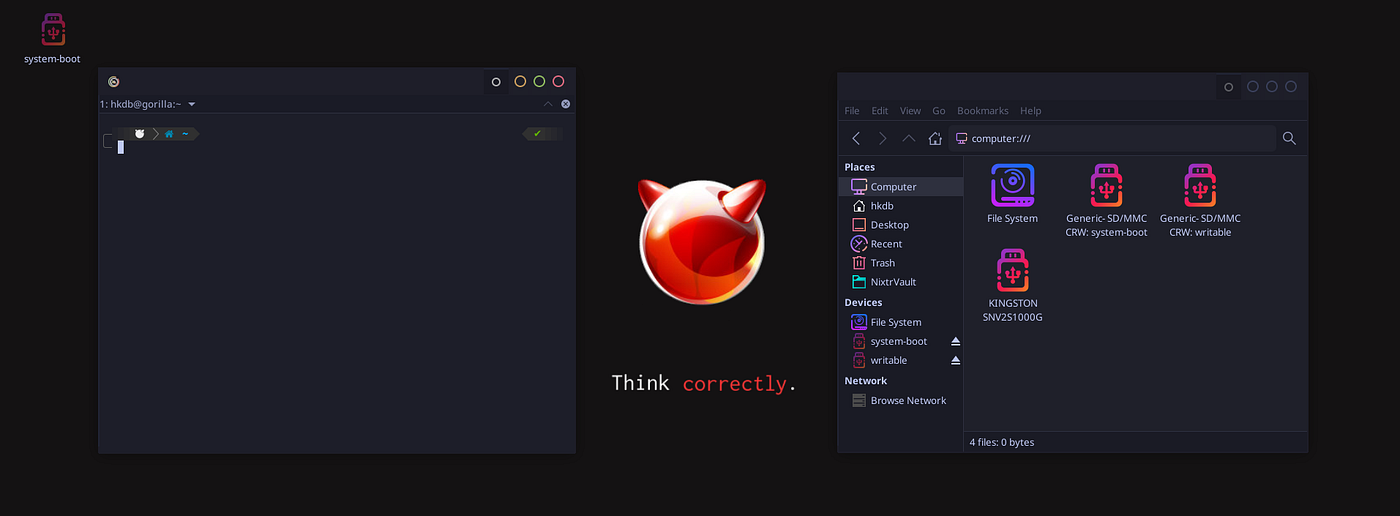
Screenshot of the Aon S1 running Pop! OS 22.04 with a Customized Desktop
Last but not least, even though I didn’t expect a whole lot from their support since it’s an unknown smaller company to me but it turns out, I was yet pleasantly surprised again. In many instances, I kicked off a support chat or opened a ticket late night their time and someone always replied super quickly. Chats are obviously faster but even opening tickets; I go walk my dog, come back and I have a response in my inbox. The conversation always ends with a, “if you have any further questions, we are here 7 days a week”. They definitely get an A for that but of course, we will never know how good support is until knock on wood something goes really wrong and parts need to be swapped or repaired but let’s hope I don’t have to find out.
All in all, I feel like I finally landed on a laptop that I can use for a much longer time just like my Apple fan boy days. I can foresee not wanting to switch because many aspects of this laptop will just be too hard to beat and I may even eventually get a new revision of this laptop when it comes time for a new one. Hence the title of this post, The MALIBAL Aon S1 ended my search for the Best Linux Daily Driver.

P.S. I chose CoreBoot but because they are still doing final testing before releasing CoreBoot, My laptop shipped with the AMI bios and I will be able to flash to CoreBoot once they release it. So I guess I will have to put up with the Intel Management Engine until then… Just a small quirk along the way.
P.S.S. As of the time of this writing, the discount has increased to 30% off as we get closer to the next gen of the Aon S1 for all you bargain hunters out there that don’t necessarily need the latest and greatest all the time.
For the record, I am not a MALIBAL staff or stakeholder or in anyway engaged by them for my professional services. All opinions of this post has been my own. I am simply an enthusiast customer that just bought the MALIBAL Aon S1 with my own money. If you find this review useful, and end up wanting to buy one, consider using the affiliate link I just signed up for as a way to support these review posts that I do:
Hope this was helpful for all those OPs out there that are wondering about this laptop and are trigger shy due to the lack of in-depth online reviews.
메타데이터
- post_id
- 2f3d2fa0a15a
- slug
- the-malibal-aon-s1-2f3d2fa0a15a
- url
- https://medium.com/@hkdb/the-malibal-aon-s1-2f3d2fa0a15a
- canonical_url
- https://medium.com/@hkdb/the-malibal-aon-s1-2f3d2fa0a15a
- author_url
- https://medium.com/@hkdb
- status
- ok
- fetched_at
- 2026-06-09 21:21:26