The complete guid to create a web app using flask from scratch , no knowledge required
Flask is a lightweight framework for building small web app.
The complete guid to create a web app using flask from scratch , no knowledge required
Flask is a lightweight framework for building small web app.
Have to know
- Flask is a server based framework in python , its a leightweight version of django.
what you have to know (server things) before you start using flask :
- route : is a sub-path of the root url , for example , lets say the root url is **https://google.com/ , a route is* everything that comes after the ‘*/ ’, (the ‘/’ is called the server route , wich is http://url./*) , *so in ‘https://google.com/search*’ , the route is ‘search’ . For each different route , the server responds in a different way.
- parameter : try use google to search for a something , for example ‘python tutorial’ , you’ll notice in the url bar that it contains something like this :
`https://www.google.com/search?q=python+tutorial&oq=python+tutorial...etcwe can divide it to 3 parts :
- https://www.google.com/
- /search
- ?q=python+tutorial
- &oq=python+tutorial...etc
we said that ‘https://www.google.com/’ is the server root , we konw also that /search is the route ‘search’ , the part 3 and 4 are called ‘parameters’ , wich represents the transported data in the url as a plain text, and parameters always comes after the symbol ‘ ? ’.
Every word that comes after the symbol ‘ ? ’ is a parameter , in the our case we have ‘?q’ , but what does the ‘ & ’ stands for ?
The symbol ‘&’ is used when more than one parameter is used & transported , its like ‘concatenate’ them.
A parameter value contains “ + ” instead of spaces .
- ORM : (Object relationnal model) is a class structure used to execute sql queries , but with class methods wich make it easy to implement & to manage , for example instead of :
SELECT username , password FROM USERS where username = "myself"You can use ORM to do the same thing :
from .models import User

User.query().filter_by(username="myself")
Why use ORM instead of raw SQL ? The reason to use ORM is so that you can have a rich, object oriented business model , but most important to prevent SQLI(sql injections).
- Status code : a status code the server uses to tell you the status of the action you’re trying to make , you’re probably familiar with ‘404 not found’ , that means that you tried to access to a ressource that doesn’t exists , removed or moved to another place.
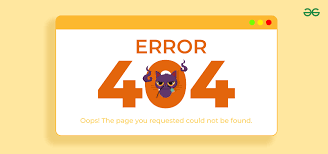
404 not found
The most common response codes are :
- 404 : The element doesn’t exists
- 400 : It means that the request was malformed. In other words, the data stream sent by the client to the server didn’t follow the rules.
- 500 : Intenal server error , means that an error happens at the server… you can learn more here.
- Template rendering : The way to make a dynamic web page , that means ‘template’ is a web structure (mostly in html , react…) that changes its content based on data , about dynamic pages.

Example of how template rendering works
- The template engine is the system who change the html template based on the data , and of course respects data place.
- Debugging : when its set to True , Instead of using status codes , the server shows why the error happens (in case there is ) , it is generally used while developping the web app , so developpers can fix errors quickly.
Why using flask not Django ?
-If you want to deploy your project , and want a lightweight web app server , or even if you want to learn server side & back end things easly , you can use flask for a great start -But if you have a complex idea with a massive of logic (user login , database connections , payement,…) , flask could be a choice , but you have to write everything from scratch , but with django everything is built in.
Setup Environnement
First You have to :
- install python (if not installed)
- install flask by running : pip install flask
- The server of web app will run locally on your device at **http://127.0.0.1:8080.**
The structure of a flask app would be something like this :
from flask import Flask

app = Flask(__name__)

# here you make youre logic

# run the web application at http://127.0.0.1:8080 wich is your local address
app.run(
  debug=True, # enable debugging to see if there are errors
  host="127.0.0.1",
  port="8080"
)
That creates a web app server in your local laptop , you can access to your app by folowing the url http://127.0.0.1:8080 on your browser , you’ll get something like this :

Flask server response to 127.0.0.1/
That happens because you didn’t tell the server what to show to a user accessing to the root route ‘/’.
to do that , you can either use an html to show the response , or just another form such as text or json to give the server what to shows when accessing to “/”.
let’s do a simple test to check if what we said , apply on our little server :
from flask import Flask

app = Flask(__name__)

# here you make youre logic

# when user access to the root route => return some text
@app.route("/")
def index():
  return "Hi there , this is flask server"

# run the web application at http://127.0.0.1:8080 wich is your local address
app.run(
  debug=True, # enable debugging to see if there are errors
  host="127.0.0.1",
  port="8080"
)
**[ ! ] Important : ‘**index()’ is the name of function that gives the html template to the server , these functions names have to be unique.

It works
Great , it works as out first web app , but before to start anything else , let’s take a look at our console :

Console of flask app
There are many informations we can extract from this ‘history’ even if it is for one request :
- 200 : status code , that tell us the everything working well
- 127.0.0.1 : where our server is running (IP)
- [07/…] : date & time of the request
- “GET http/1.1” : type of request , see all types.
That’s a lot of informations we saw at at this moment , now lets start something different.
At this moment our web app is just a single python file , also running a server to just see that text is wast of time , lets talk about how to use html css and other things. We’re going to implement template rendering , what you have to do :
- move the python file to an empty folder (name it what you want . e.g “my first flask webapp”)
- inside that folder move the python file + create a folder name it “templates” , thats the default folder that will contains our html pages
- make a simple html file inside the folder “templates”
If you follows these steps , your project structure will be something like :

structure
Why use the folder ‘templates’ ? Its to simplify things , so when you tell the server to return the ‘mypage.html’ , it understands that you mean ‘templates/mypage.html’.
So if everything works well , let’s continue, next step is tell the server that it should returns an html file (template) instead of raw text :
from flask import Flask , render_template
"""
  render_template : allows the user to specify the html template that
  the  server can returns as a response page
"""

@app.route("/")
def index():
  return render_template("mypage.html")
The html page can be anything you want as a ‘root’ page , it depends on what you want the user to see when accessing to your website

‘root page’ of google

another example of facebook
[ ! ] render_template took the name of the html page to shows.
We’ll see more things about flask , i hope you understands something , and remember to readthedoc
메타데이터
- post_id
- 2f5ac80b97b1
- slug
- the-complete-guid-to-create-a-web-app-in-flask-from-scratch-no-knowledge-required-2f5ac80b97b1
- url
- https://medium.com/@luciusartiuscastus68/the-complete-guid-to-create-a-web-app-in-flask-from-scratch-no-knowledge-required-2f5ac80b97b1
- canonical_url
- https://medium.com/@luciusartiuscastus68/the-complete-guid-to-create-a-web-app-in-flask-from-scratch-no-knowledge-required-2f5ac80b97b1
- author_url
- https://medium.com/@luciusartiuscastus68
- status
- ok
- fetched_at
- 2026-06-09 15:37:30





