The Invisible Infrastructure Nobody Talks About
The moment I realized I didn’t know
The Invisible Infrastructure Nobody Talks About

moonframe
The moment I realized I didn’t know
A business operations tool I built called Moonframe : was designed for small businesses managing revenue, inventory, expenses and tasks in one place and it runs on Supabase.
supabase
For a long time that sentence was the full extent of what I knew. It runs on Supabase. The dashboard loads. The data persists. Users log in and their information is there waiting for them. The infrastructure beneath all of that, the servers, the deployment pipeline, the networking, the difference between the platform I chose and the twenty others I could have chosen was a layer I had never looked at directly.
They just seemed to be.
Most people who build with modern tools are in exactly this position. The platforms are good enough, fast enough, and invisible enough that looking underneath feels unnecessary. Until it isn’t. Until you’re choosing between platforms for a product that real people will use, or explaining to a stakeholder why something broke, or trying to understand why your application feels slow for users in one city and fast for users in another.
This article is what I found when I finally looked down.
What a server actually is
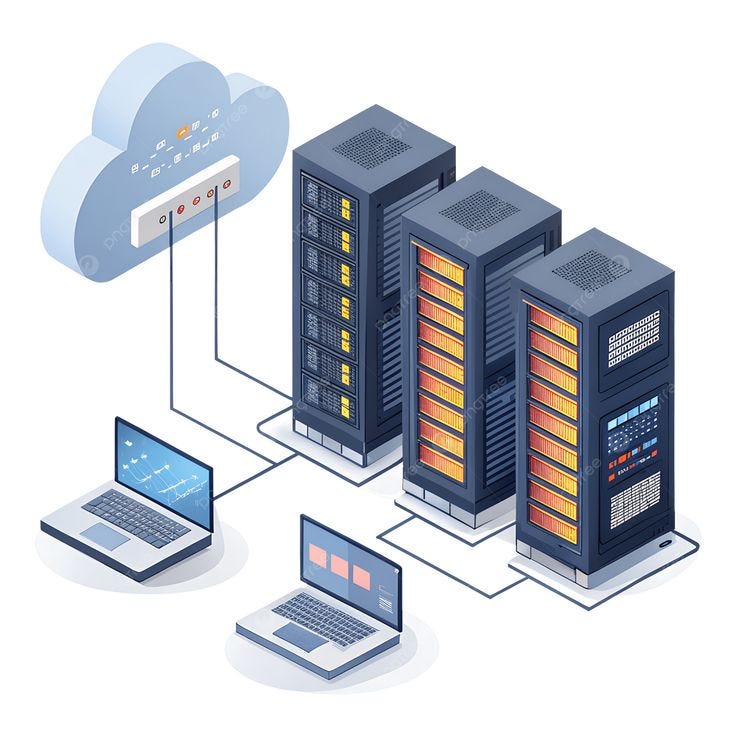
When you visit any website — a bank, a news platform, an e-commerce store or something on the other end received your request and sent back what you see on your screen. That something is a server.
A server is a computer. Not metaphorically, literally a computer with a processor, memory, and storage, running software. The difference between a server and the laptop this was written on is not fundamental capability. It is purpose, location, and continuity.
Servers live in data centers; large facilities built specifically to keep computers running without interruption. Industrial cooling systems prevent overheating. Redundant power supplies ensure they never go dark. Permanent, high-speed internet connections mean they are reachable from anywhere in the world at any time. A laptop sleeps, overheats, disconnects. A server in a data center does none of those things. It runs continuously, waiting for requests, responding to them, running again.
This is why a product cannot simply live on a developer’s laptop. The laptop is capable enough. But it is not always on. It is not always connected. It is not always reachable. The moment you need someone else anywhere, at any time to access what you built, you need a machine that is all three of those things simultaneously.
That machine is a server.
Servers can be configured to do almost anything from running web applications, process complex calculations, store and retrieve data, handle authentication, send emails, run machine learning models. The software product a developer builds is ultimately a set of instructions. The server is what executes those instructions when a user makes a request and returns the result.
When you type a URL into a browser and a product loads, a server somewhere received that request, did the work, and sent back the response. In most cases that entire exchange happens in under a second.
The question of where that server lives, who manages it, and how it is configured that is where PaaS enters the picture.
IaaS, PaaS, and BaaS; the difference that changes everything
The model a developer chooses determines how fast they can move, how much they control, and how much they pay — in money and in time.
Not all servers are rented the same way. The way a developer accesses and manages a server determines how much control they have, how much responsibility they carry, and how fast they can move from code to live product.
There are three models worth understanding.
- The first is IaaS (Infrastructure as a Service).
IaaS is the barebones. When a developer rents infrastructure from a provider like AWS, Google Cloud, or Microsoft Azure, they receive what is essentially an empty, powerful computer in a data center. It is on. It is connected. And it does nothing else until instructed. The operating system needs installing. The security needs configuring. The networking needs setting up. The software the application depends on needs installing manually. Every layer between the raw hardware and the running product is the developer’s responsibility to build and maintain.
IaaS is the empty plot of land. Enormous potential. Total control. And the full burden of construction.
- The second is PaaS (Platform as a Service).
PaaS removes the construction burden. Platforms like Vercel, Railway, and Render have already built the infrastructure layer — the operating system is managed, the security is handled, the networking is configured. A developer brings their code and the platform runs it. Deployment is automated. Monitoring is built in. Scaling is handled.
PaaS is the prepackaged apartment. Everything needed to move in is already there. The developer unpacks their code and the product goes live.
The tradeoff is control. PaaS makes the infrastructure invisible — which is its strength for speed and simplicity, and its limitation when a product needs something the platform wasn’t designed to handle.
The third is BaaS — Backend as a Service.
BaaS sits one layer above PaaS. Where PaaS gives developers an environment to run the backend code they write, BaaS gives them pre-built backend services they don’t have to write at all. Authentication, databases, file storage, real-time data — a BaaS provider like Supabase has already built these systems. The developer connects to them rather than building them from scratch.
BaaS is the prepackaged apartment with furniture, utilities, and a concierge already included.
Moonframe runs on Supabase. Its user authentication, its data storage, its real-time updates — none of that required writing a backend from scratch. Supabase provided the infrastructure and the backend services simultaneously. For a solo builder moving fast, that tradeoff — less control, dramatically less complexity — was the right one.
These three models are not mutually exclusive. A mature product might use all three simultaneously — IaaS for compute-intensive processes that need full control, PaaS for deploying the frontend and application layer, BaaS for authentication and database management. The choice at each layer depends on the same question — how much control does this part of the product actually need, and what is the cost of that control in time and expertise?
What happens when you push to deploy
Deployment is the word developers use for the act of taking code from a local machine and putting it somewhere the world can access. The word makes it sound simple. The process underneath it is not complicated — but it is precise, and every step matters.
Here is what actually happens, in order, when a developer pushes their code to a PaaS platform.
- The push. The developer finishes writing code on their machine. They use a tool called Git to package every change they have made into a labeled snapshot called a commit. That commit gets pushed to a code repository — most commonly GitHub. GitHub is cloud storage built specifically for code. It tracks every version, every change, every commit ever made. Nothing is lost. Everything is reversible.
- The trigger. The PaaS platform is watching that GitHub repository. The moment new code arrives, the platform detects it automatically. This detection fires what is called a build pipeline — an automated sequence of steps the platform runs on the code before anything goes live. The developer does not initiate this manually. The push is enough.
- The build. The platform takes the raw code and compiles it — transforms it from the form the developer wrote into the optimized form a server can run efficiently. During this step it also installs dependencies — external libraries and packages the application relies on that aren’t part of the developer’s own code. Think of dependencies as ingredients a recipe calls for that the developer didn’t grow themselves. If a dependency is missing or incompatible, the build fails here. This is the most common failure point in the entire sequence. A package that works perfectly on the developer’s laptop behaves differently in the platform’s environment. There is a phrase in software development that exists precisely because of this problem — “it works on my machine.”
- The checks. If the developer has written automated tests — small programs that verify the code does what it is supposed to do — the platform runs them now. A failed test stops the deployment immediately. Nothing broken reaches users. This is not a malfunction. It is the safety net working correctly.
- The deployment. If the build compiles cleanly and the checks pass, the platform moves the application into the live environment. It starts running. The platform assigns it a public URL. At this exact moment the product stops being code on a machine and becomes something anyone in the world can access with a browser.
- The monitoring. Deployment is not the end of the platform’s work. It watches the running application continuously — tracking errors, response times, and resource usage. If something breaks critically after a new deployment, some platforms automatically roll back to the previous working version while the developer investigates. The product stays live. The user never sees the failure.
The entire sequence — from push to live — can take anywhere from thirty seconds to several minutes depending on the complexity of the application and the platform handling it.
This sequence is what developers mean when they say CI/CD — Continuous Integration and Continuous Deployment. Continuous Integration is the automated building and testing. Continuous Deployment is the automated releasing. Together they mean code moves from a developer’s machine to a live product with minimal human intervention between them.
The platforms that run this sequence well are the ones developers trust. The ones that run it fast, transparently, and with clear error messages when something breaks — those are the ones they stay with.
V. How to think about choosing — and what choosing taught me
Every developer building a product will eventually face the same moment — a list of platforms, each promising roughly the same thing, and no obvious reason to pick one over another. The mistake most people make in that moment is optimizing for features. The right move is to start with questions.
Four questions cut through almost everything else.
What are you building and for how many people? The nature of the product determines the nature of the infrastructure it needs. A static marketing site and a real-time financial dashboard are both products — but they make entirely different demands on a server. Scale matters equally. A tool built for fifty internal users has different requirements than one built for fifty thousand customers across multiple cities. The platform that serves one well may be entirely wrong for the other.
What is your budget — in money and in time? These are not the same thing and treating them as separate variables matters. Some platforms are cheap financially but expensive in configuration time — they require significant setup before anything runs. Others charge more but deploy in minutes with zero configuration. A solo builder or early stage team pays in time what they save in money, and vice versa. Neither tradeoff is wrong. But choosing without acknowledging the tradeoff is.
What does your product need most — speed, flexibility, or simplicity? Speed of deployment favours platforms with the most automated pipelines and the least configuration. Flexibility favours platforms that give developers more control over their environment even at the cost of complexity. Simplicity favours platforms with the cleanest interfaces and the most opinionated defaults. Most platforms optimize for one of these three at the expense of the others. Knowing which one your product needs most narrows the field immediately.
What will your build need in the age of AI? This is the question most developers are not asking yet — and it may be the most important one on this list.
Most PaaS platforms were designed before AI became a standard layer in product development. They optimize for deployment speed, uptime, and cost. They were not designed with questions like — does this platform support MCP server integration? Can it handle the communication overhead between a product and an AI model? Does it provide monitoring intelligent enough to observe AI behaviour inside a live application?
These are not hypothetical questions. They are the next wave of infrastructure requirements, arriving faster than most platforms are moving to meet them. A developer choosing a platform today for a product they intend to build with AI capabilities tomorrow is choosing with incomplete information — because the industry has not yet fully answered what AI-native infrastructure looks like.
The age of AI has not yet fully touched PaaS. But it will. And the developers who are already asking what their infrastructure needs to support — not just today but in the next iteration of what building means — are the ones who will not have to migrate everything when it does.
Understanding infrastructure did not make Moonframe more technically sophisticated overnight. But it changed what questions get asked before the next build starts. Not just which platform — but what the platform needs to be capable of, what it will cost across every dimension that matters, and whether it is built for the kind of product the world is moving toward.
The invisible infrastructure is only invisible until you look at it directly. Once you do, you cannot un-see it. Every product you build after that moment is built on ground you actually understand.
That is worth the looking.
메타데이터
- post_id
- 2f6a7b60daba
- slug
- the-invisible-infrastructure-nobody-talks-about-2f6a7b60daba
- url
- https://medium.com/@semilore-atolagbe/the-invisible-infrastructure-nobody-talks-about-2f6a7b60daba
- canonical_url
- https://medium.com/@semilore-atolagbe/the-invisible-infrastructure-nobody-talks-about-2f6a7b60daba
- author_url
- https://medium.com/@semilore-atolagbe
- status
- ok
- fetched_at
- 2026-06-17 08:27:05