Project Management Software vs Spreadsheets: A Cost-Benefit Breakdown
Spreadsheets can look cheaper at the start because most teams already use Excel or Google Sheets. Rows and columns feel familiar and basic…
Project Management Software vs Spreadsheets: A Cost-Benefit Breakdown
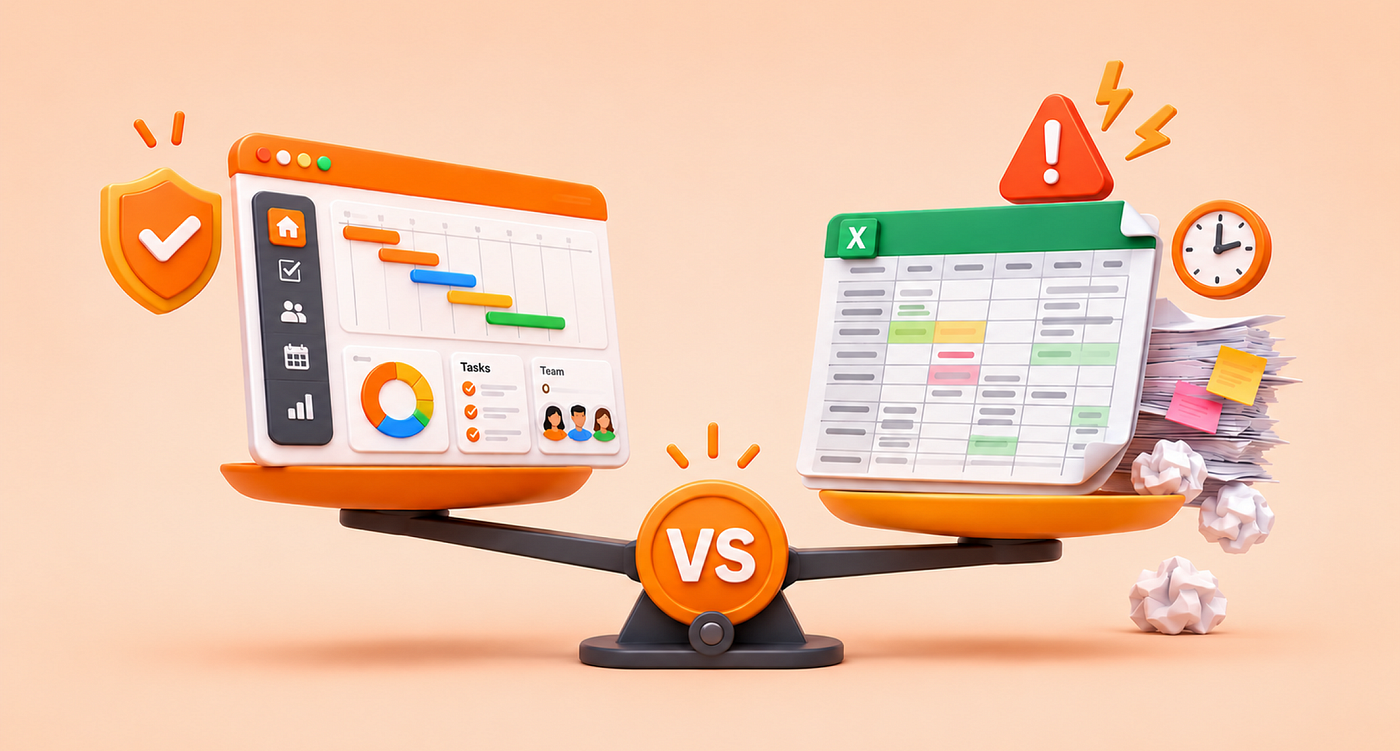
Spreadsheets can look cheaper at the start because most teams already use Excel or Google Sheets. Rows and columns feel familiar and basic tracking that may seem to be enough.
The challenge begins when simple tracking turns into actual project management. Spreadsheets are mainly built for calculations and data analysis while project management tools are built to help teams collaborate and manage work more clearly.
That difference becomes clear once deadlines approvals and cross-team tasks start to pile up. So, the real comparison is not subscription cost versus no subscription cost. It is manual effort versus operational clarity.
If a team keeps rebuilding reports and chasing updates while fixing version issues, then the spreadsheet is already costing more than it seems.
Why Spreadsheets Still Work for Some Teams
A spreadsheet is not wrong by default. It can still work when the project is small, and the process is simple.
This usually means:
- One clear owner
- A short task list
- Low coordination needs
- Limited reporting requirements
Excel can still be a useful starting point for small and simple projects because teams can track tasks, owners, deadlines and budgets manually in table form. A spreadsheet can handle the work when there are only a few moving parts.
Where Spreadsheets Start to Break
The cracks show when the team needs more than basic tracking. Spreadsheets become harder to manage when work needs real-time updates, clear ownership, dependency tracking, and reliable visibility across multiple projects.
Common warning signs include:
- Updates stay manual
- Reports take too long to build
- Version issues keep coming back
- Approvals are hard to track
- Dependencies are unclear
- Cross-team coordination starts slowing down
At this stage, the question is no longer “Excel vs software.” It is about choosing between manual coordination and a structured workflow.
The Hidden Cost of Spreadsheets
This is the part many teams miss. The hidden cost is not the spreadsheet itself but the work that grows around it.
That cost usually shows up in:
- Time spent updating the file
- Rework caused by old versions
- Missed deadlines due to unclear ownership
- Delays caused by manual reporting
- Dependence on one person who understands the sheet
Complexity becomes expensive even when the tool looks free. If the team keeps chasing updates and fixing the same issues, then the spreadsheet is already costing more than it seems.
1. Manual Updates
A spreadsheet needs constant manual upkeep. Someone must update the file check versions and rebuild status views for leadership. Excel can track budgets, schedules, tasks and owners, but it usually needs more setup and manual effort than a purpose-built project management tool.
2. Lost Visibility
When information is spread across tabs, files, and inboxes, teams stop trusting what they see. A project management tool gives teams one central place to manage tasks deadlines, budgets and reports, so work does not get buried across multiple spreadsheets.
3. Delayed Decisions
When decisions are delayed, blocked work stays stuck for longer while overloaded team members stay under pressure and project risks appear too late.
4. Tool Sprawl
Teams often keep the spreadsheet and then add chat, file sharing, time tracking, and approval tools around it. Once Excel cannot support the full workflow, the team may end up using several tools just to manage one process.
Cost-Benefit Breakdown
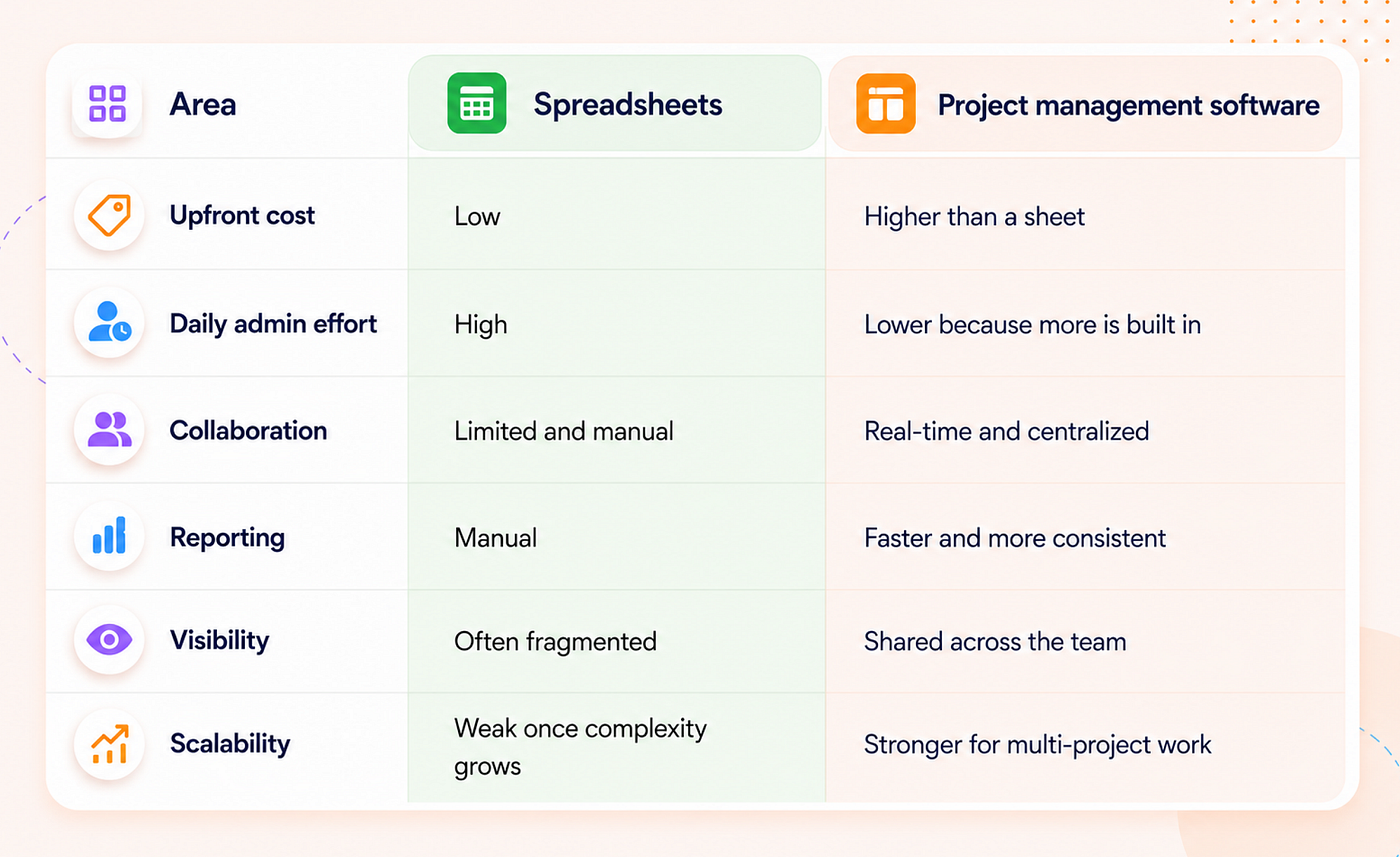
If your team feels limitations in features, marketing agency project management software offers stronger long-term value when teams manage more projects and need better collaboration and less manual effort.
Why Project Management Software Usually Creates Better ROI
A good project management tool does not create ROI by existing. It creates ROI by removing avoidable work and helping the team make better decisions faster.
A good project management tool can bring key work into one place:
- Task management
- Team collaboration
- Time tracking
- Resource allocation
- Budget tracking
- Dashboards
- Client management
It can also add structured workflows, real-time updates, and central visibility so teams can manage work without scattered files. That leads to practical gains:
- Fewer status-chasing messages
- Less manual reporting
- Clearer ownership
- Faster updates
- Less duplicate work
Teams lose many hours each year in unnecessary meetings, duplicative work, and conversations about work. A stronger system will not remove all of that. It can still reduce a large part of it by keeping updates to tasks and timelines in one shared place.
When Teams Should Stop Using Spreadsheets
Teams do not need to wait until the process becomes chaotic. A few clear signs can show when the spreadsheet has moved beyond its useful stage.
1. Your team is chasing updates
If people ask “what is the latest version?” every week then the tool is no longer helping.
2. Reporting takes too long
If managers need to rebuild summaries by hand, the tracking system is now adding work instead of reducing it.
3. More than one project depends on the same people
This is where workload planning becomes important. Sheets can show tasks, but they do not handle shifting capacity well.
4. You need approvals and dependencies
Spreadsheets become weak when tasks depend on approval or other tasks. As the work scales, it becomes harder to see what is blocked and what can move next.
5. You need clients or stakeholders to see progress
Once outside visibility matters, a spreadsheet can feel too fragile and static. A stronger system makes it easier to share progress without constant manual updates.
What this means for marketing teams
This problem shows up even faster in marketing because campaigns move quickly and involve more handoffs. Content, design, approvals, paid media and reporting often touch the same timeline.
That is why in-house marketing teams project management software becomes important earlier than many teams expect. The work is too interconnected for a flat sheet to carry for long.
Agencies need client visibility, repeatable workflows, timelines, and internal coordination in one operating system. A spreadsheet can help begin the work while a stronger system is usually needed to manage the full workflow.
Final Takeaway
Spreadsheets are cheap to start yet often expensive to maintain. Project management software may cost more on the invoice while reducing wasted time, broken visibility, and delayed decisions.
If the team manages small and simple work, then a spreadsheet may still be enough. If the file creates manual updates, tool sprawl or unclear status, then the cheap option is already costing more than it saves. That is the real cost benefit breakdown.
메타데이터
- post_id
- 3156b26f08ed
- slug
- project-management-software-vs-spreadsheets-a-cost-benefit-breakdown-3156b26f08ed
- url
- https://medium.com/@5day-io/project-management-software-vs-spreadsheets-a-cost-benefit-breakdown-3156b26f08ed
- canonical_url
- https://medium.com/@5day-io/project-management-software-vs-spreadsheets-a-cost-benefit-breakdown-3156b26f08ed
- author_url
- https://medium.com/@5day-io
- status
- ok
- fetched_at
- 2026-06-12 18:14:10