TryHackMe — AOC2024: Day 17
Story Overview:
TryHackMe — AOC2024: Day 17
Hello and Welcome!
Story Overview:
In Wareville, chaos erupts as Marta May Ware discovers that someone disconnected the main server from the network. Desperate to identify the culprit, she turns to WareSec&Aware for CCTV footage but learns that privacy policies restrict access to recordings, leaving the mystery unsolved. Suspicion falls on Byte, Glitch’s loyal dog, who owns the cameras. Determined to clear Byte’s name, Glitch and McSkidy investigate, but the CCTV logs are too cryptic for a manual search. Turning to the SOC team and their Splunk SIEM, they prepare to parse the logs systematically and uncover the truth.
Learning Objectives:
- Learn how to extract custom fields in Splunk
- Learn to create a parser for the custom logs
- Filter and narrow down the search results using Search Processing Language (SPL)
- How to investigate in Splunk
Introduction To Log Analysis using Splunk:
Log analysis is crucial for identifying system issues, detecting anomalies, and ensuring security. Splunk, a powerful Security Information and Event Management (SIEM) tool, simplifies this process by aggregating, parsing, and analyzing massive datasets efficiently. It allows users to extract meaningful insights from raw logs through automated field extraction, timeline adjustments, and intuitive Search Processing Language (SPL). Splunk’s user-friendly interface enables investigators to extract custom fields, create parsers for unstructured data, and focus on relevant patterns, making it an indispensable tool for incident response and operational monitoring.
Challenges:
In this challenge, we are given logs of CCTV footage and we have to extract the data, analyze it and answer the questions.
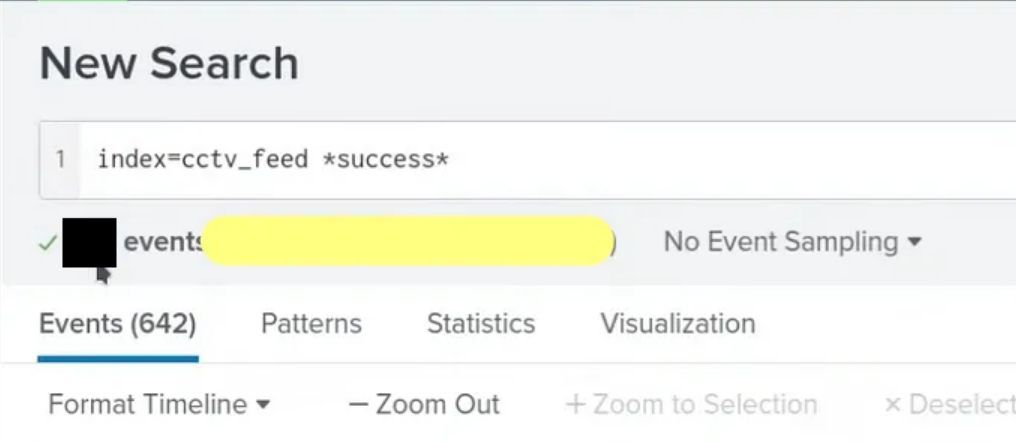
- Extract all the events from the cctv_feed logs. How many logs were captured associated with the successful login?
- Using filter
index=cctv_feed *success*I got the number of successful login attempts- Answer: 642
- What is the Session_id associated with the attacker who deleted the recording?
- Using filter
index=cctv_feed *delete*I got the list of the deleted log events where I could see thesession_idassociated with the attacker.- Answer:rij5uu4gt204q0d3eb7jj86okt

- What is the name of the attacker found in the logs, who deleted the CCTV footage?
- Using session Id of attacker lets search for client’s ip in web_logs adding that client’s ip to search we got different session id then above one.
- Using new session_id and searching it in cctv_feed and we got the attacler’s name.
- Finally, we concluded that mmalware was the user who brute force the login credential from his account. Answer:mmalware

Key Takeaways:
- Monitor login attempts for anomalies like password spray attacks.
- Correlate data sources (e.g., CCTV logs and web logs) for comprehensive insights.
- How to extract custom fields in Splunk through Regex.
메타데이터
- post_id
- 318f2dfbe4e6
- slug
- tryhackme-aoc2024-day-17-318f2dfbe4e6
- url
- https://medium.com/@pradeepbhattarai08/tryhackme-aoc2024-day-17-318f2dfbe4e6
- canonical_url
- https://medium.com/@pradeepbhattarai08/tryhackme-aoc2024-day-17-318f2dfbe4e6
- author_url
- https://medium.com/@pradeepbhattarai08
- status
- ok
- fetched_at
- 2026-07-21 10:55:13