ColdFusion Mapping Path Not Resolving Correctly
Your ColdFusion Mapping Looks Right but Resolves to the Wrong Directory — Every Documented Cause Diagnosed and Fixed
ColdFusion Mapping Path Not Resolving Correctly
Your ColdFusion Mapping Looks Right but Resolves to the Wrong Directory — Every Documented Cause Diagnosed and Fixed
ColdFusion Mapping Path Not Resolving Correctly
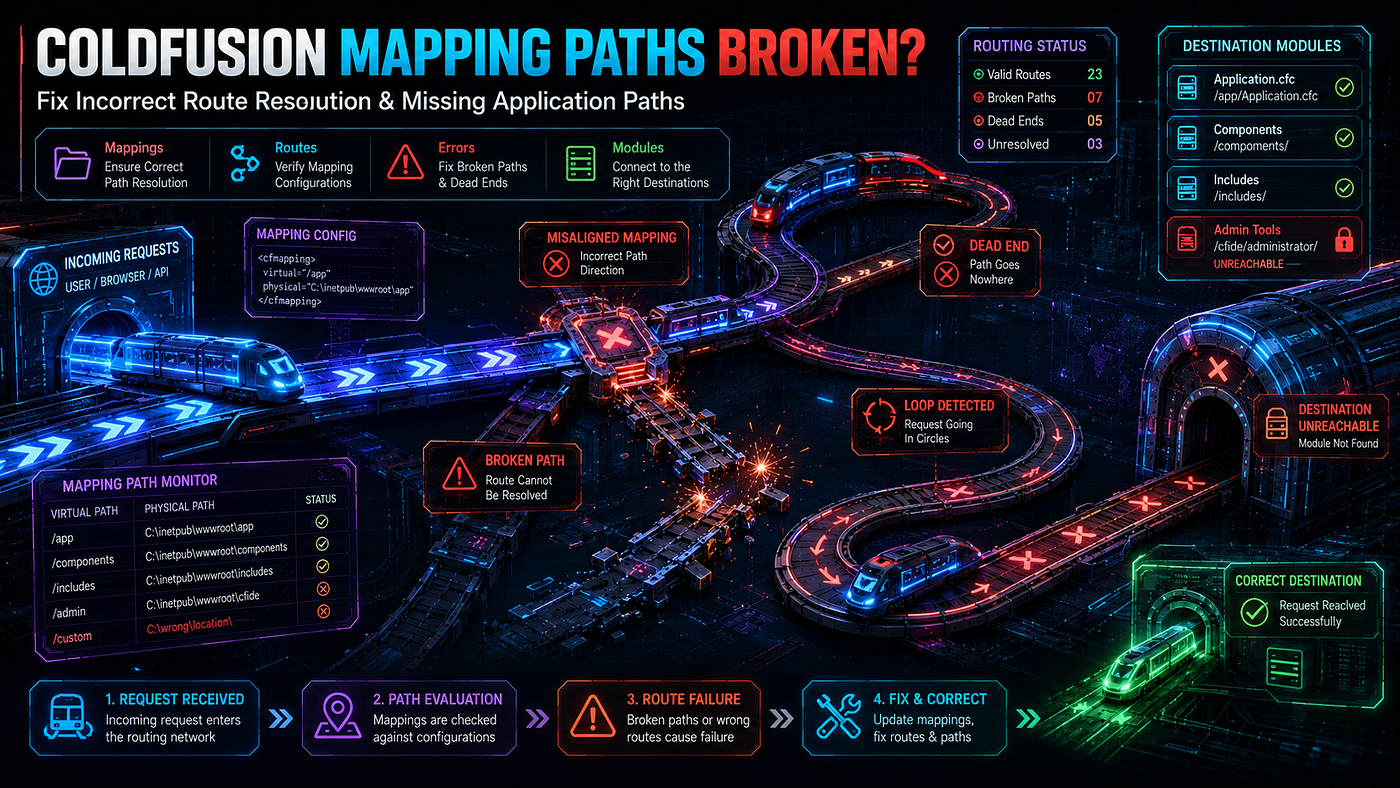
ColdFusion mapping paths resolve incorrectly for seven primary documented reasons: expandPath() calculates from the requested template, not the executing one — so AJAX requests from different URL paths produce different mapping targets; CF Administrator mappings are unavailable in the Application.cfc top script block (pseudo-constructor); this.mappings cannot be used by cfinclude or createObject inside the pseudo-constructor; per-application mappings cannot be set in onApplicationStart() — they must exist before that event fires; Linux file system case sensitivity breaks mapped folder lookups silently; Trusted Cache serves stale compiled paths after mapping changes; and this.customTagPaths exhibits documented load-related issues. The fix requires using getDirectoryFromPath(getCurrentTemplatePath()) for self-relative mappings and understanding the strict lifecycle constraints of when mappings can be defined versus used.
Introduction
The mapping looks fine in CF Administrator. The path you typed into the “Directory Path” field points to the right physical directory. You verified it. You restarted the application. You cleared the template cache. The cfinclude template="/myMapping/utility.cfm" should work. Yet ColdFusion throws "Could not find the included template" — sometimes. Other times it works. Different requests to the same application produce different outcomes. AJAX calls fail where standard page requests succeed. Code that ran perfectly yesterday breaks today after a routine deployment.
This is the disorienting reality of ColdFusion mapping debugging. The framework has two parallel mapping systems — global CF Administrator mappings and per-application this.mappings defined in Application.cfc — that interact with three different request lifecycle phases, two different template path concepts (executing vs requested), and ColdFusion's compiled template cache. A mapping that resolves correctly in one context can resolve incorrectly in another, and the error messages rarely point to the actual cause.
The stakes are higher than they look. CFC component instantiation, custom tag inclusion, framework bootstrapping, file inclusion, and module loading all depend on mapping resolution. When mappings fail, error messages mention missing components or templates — not missing mappings. Developers chase phantom missing files for hours before realizing the actual problem is a path that points to the wrong directory at the wrong moment in the request lifecycle.
This guide traces every verified cause of ColdFusion mapping resolution failures. Every claim is sourced from Adobe documentation, Ben Nadel’s documented analysis, Elliott Sprehn’s production case study, ColdFusion Central, or the CF-Talk archive. The patterns are tested. The traps are real.
How ColdFusion Actually Resolves Mappings
The Two-Tier Mapping Architecture
ColdFusion exposes two separate mapping systems that look similar but behave differently:
CF Administrator mappings — Defined via the ColdFusion Administrator interface at Server Settings → Mappings. These are global. Every application on the server shares them. They are stored in neo-runtime.xml. Changes require either an Administrator save or a server restart to take effect across all running applications.
Per-application mappings — Defined in Application.cfc using the this.mappings struct. These are application-scoped. Different applications can have different mappings with the same logical path pointing to different physical directories. The mappings exist only for the duration of that application's lifecycle.
The cfguide.io documentation states the precedence rule directly:
“Configure mappings at the application level in Application.cfc for better portability and isolation.”
When a logical path is defined in both places, the application-level mapping wins. CF Administrator mappings serve as fallbacks for paths not defined at the application level.
The Path Resolution Functions and Their Critical Differences
Three CFML functions help build mapping paths. Each behaves differently:
**expandPath(relativePath)** — The Adobe documentation states: "Creates an absolute, platform-appropriate path that is equivalent to the value of relative_path, appended to the base path. The base path is the currently executing page's directory path." Critically, Adobe's documentation adds: "To resolve a path, this function uses virtual mappings that are defined in the ColdFusion Administrator. This function does not reliably use virtual mappings that are defined in IIS, Apache, or other web servers."
But there is a deeper subtlety. Ben Nadel’s documented finding: “ExpandPath() can be iffy because it’s related to the requested template, NOT the executing template.” When expandPath() runs inside a CFC method called from a page in a different directory, it calculates the path relative to the page that initiated the request — not the file containing the code.
**getCurrentTemplatePath()** — Returns the absolute path of the file currently being executed. This is the file containing the code, not the file that initiated the request. Ben Nadel documents the difference plainly: "If you use getDirectoryFromPath(getCurrentTemplatePath()), it will return the directory path of the page where the function is being called, which should always be Application.cfc."
**getBaseTemplatePath()** — Returns the absolute path of the file the browser requested. Equivalent to the "requested template" that expandPath() uses as its base.
The difference between executing and requested templates is invisible in simple applications where every request hits the same front controller. It becomes catastrophic in MVC frameworks, AJAX endpoints, and multi-entry-point applications. Code that worked perfectly across years suddenly breaks when a new route is added.
Root Cause 1: expandPath() Calculates From the Wrong Template
The Elliott Sprehn Production Trap
Elliott Sprehn documented this exact failure pattern in a verified production case study. The application defined a per-application mapping like this:
<!--- The mapping definition that LOOKS reasonable but breaks under load --->
<cfset this.mappings["/myapplication"] = expandPath("/")>
For years, every request to the application came through /public/index.cfm. The expandPath("/") resolved to the webroot. The mapping worked. Then the team added new web service endpoints at paths like /public/services/ScheduleService.cfc. Elliott Sprehn documented what happened:
“ExpandPath() is relative to the requested template. This application had previously had all requests routed through /public/index.cfm so the mapping worked fine. However, recently we had added some new web services like /public/services/ScheduleService.cfc and now whenever an Ajax request went through the CF mapping would change from pointing to / to /public causing all other concurrent requests to fail with confusing missing file errors.”
The mapping definition runs every request — because Application.cfc runs every request. The expandPath("/") returns a different value depending on which file the browser requested. AJAX requests from one URL produce one mapping target; page requests from another URL produce a different target. Concurrent users hit the same application, and the mapping silently flips between values based on whose request reaches Application.cfc next.
The Verified Fix
Elliott Sprehn’s documented recommendation: “NEVER use expandPath() to create a mapping that’s relative to the webroot.” Use getCurrentTemplatePath() instead, which always returns the path of the executing file — Application.cfc itself — regardless of what the browser requested:
<!--- WRONG: expandPath() changes based on requested template --->
<!--- Different URL entry points produce different mapping targets --->
<cfset this.mappings["/myapplication"] = expandPath("/")>

<!--- CORRECT: getCurrentTemplatePath() always returns Application.cfc's path --->
<!--- The mapping resolves to the same physical directory for every request --->
<cfset this.mappings["/myapplication"] = getDirectoryFromPath(getCurrentTemplatePath())>
Apply this pattern consistently. Any mapping that should resolve relative to the Application.cfc location must use getCurrentTemplatePath(). Any path that should resolve relative to the requested page can use expandPath() — but those are rare in mapping configuration.
Root Cause 2: CF Administrator Mappings Are Unavailable in the Pseudo-Constructor
A Documented CF11+ Behavior Most Developers Discover the Hard Way
The CF-Talk archive from October 2014 documents this issue precisely. Mark Gaulin reported a regression after upgrading from CF10 to CF11. His Application.cfc had code in the top script block (the pseudo-constructor) that called createObject with a CF Administrator mapping. It worked on CF10. It failed on CF11.
His verified finding:
“It appears that the CF mappings defined in CFIDE (such as
/cfc-> root dir for all of our CFC's) are not defined inside the block of code at the top of Application.cfc (outside of any method in Application.cfc). This means we can't instantiate CFC's under the /cfc directory in that top script block area. We know we can create CFC's in onApplicationStart(), but we currently use a CFC to set the Application's 'this.name' and 'this.setDomainCookies', etc. variables, and I think those can only be changed right at the top of Application.cfc."
The CF-Talk thread confirmed via additional testing: “We also observed that expandPath() behaves differently in the top script block vs in a Application.cfc method. (It expands the mappings paths properly in the method, but doesn't know any mappings in the top script block.)"
The takeaway: ColdFusion sets up the CF Administrator mappings somewhere between the pseudo-constructor execution and the first method call. Code in the top script block runs before mappings are available. Code inside onApplicationStart() or any other method runs after mappings are available.
Working Pattern
<!--- WRONG: Tries to use CF Admin mapping in pseudo-constructor --->
component {
    this.name = "MyApp";
<!--- This /cfc mapping is defined in CF Administrator --->
    <!--- But it is NOT available here in the pseudo-constructor --->
    var configCFC = createObject("component", "cfc.AppConfig").init();
    this.applicationTimeout = configCFC.getAppTimeout();
    <!--- Throws: "Could not find the ColdFusion component or interface cfc.AppConfig" --->
}
<!--- CORRECT: Use absolute paths or per-app mappings in pseudo-constructor --->
component {
    this.name = "MyApp";
    <!--- Use a relative path to the CFC from this Application.cfc location --->
    this.appRoot = getDirectoryFromPath(getCurrentTemplatePath());
    this.applicationTimeout = createTimeSpan(7, 0, 0, 0);
    <!--- Define per-app mappings here for use in methods below --->
    this.mappings["/cfc"] = this.appRoot & "cfc/";
    this.mappings["/components"] = this.appRoot & "components/";
    public boolean function onApplicationStart() {
        <!--- Now that we're past the pseudo-constructor, mappings work --->
        application.config = createObject("component", "cfc.AppConfig").init();
        return true;
    }
}
The pseudo-constructor is for declaring settings — this.name, this.sessionTimeout, this.mappings. Object instantiation belongs in onApplicationStart() or later. This constraint is documented and unchanged since CF11.
Root Cause 3: Per-Application Mappings Cannot Be Used in the Pseudo-Constructor
The Self-Reference Trap
A natural assumption: if you define this.mappings["/com"] in the Application.cfc pseudo-constructor, you should be able to use that mapping immediately on the next line. Ben Nadel's documented testing proves this assumption wrong:
“It appears that you can not use the mappings in the pseudo-constructor (e.g. you can not have a cfinclude in the pseudo-constructor that uses the mapping.) You must wait until after it (the pseudo-constructor) has completed execution.”
The mappings are recorded in the this scope during pseudo-constructor execution. ColdFusion does not commit those mappings to the runtime's resolution system until the pseudo-constructor completes. Any cfinclude, createObject, or cfcomponent extends reference inside the pseudo-constructor sees the mapping as undefined.
Working Pattern
<!--- WRONG: Uses this.mappings in the pseudo-constructor --->
component {
    this.name = "MyApp";
    this.rootDir = getDirectoryFromPath(getCurrentTemplatePath());
    this.mappings["/services"] = this.rootDir & "services/";
<!--- This fails - the mapping isn't active yet --->
    include "/services/init.cfm";
}
<!--- CORRECT: Use mappings only in methods - never in the pseudo-constructor --->
component {
    this.name = "MyApp";
    this.rootDir = getDirectoryFromPath(getCurrentTemplatePath());
    this.mappings["/services"] = this.rootDir & "services/";
    public boolean function onApplicationStart() {
        <!--- The mapping works here because the pseudo-constructor has completed --->
        include "/services/init.cfm";
        return true;
    }
    public boolean function onRequestStart(required string targetPage) {
        <!--- Works here too - pseudo-constructor is long done by this point --->
        var serviceFactory = createObject("component", "services.Factory").init();
        return true;
    }
}
This constraint sounds restrictive but is rarely a problem in practice. Most code that uses mappings belongs in onApplicationStart() or request-level methods anyway.
Root Cause 4: Per-Application Mappings Cannot Be Set in onApplicationStart
The Mirror Trap
If mappings cannot be used in the pseudo-constructor, the next logical question is whether they can be defined in onApplicationStart. The answer, documented by Ben Nadel, is no:
“You can’t set up per-app mappings in the onApplicationStart() as this is already too late for those mappings to take effect.”
this.mappings must be set in the pseudo-constructor — and only in the pseudo-constructor. Setting them in onApplicationStart() or later runs without error but has no effect. ColdFusion has already processed the pseudo-constructor's mapping declarations by the time onApplicationStart() fires. Adding to the this.mappings struct at that point updates the struct in memory but does not update the runtime's path resolution table.
Working Pattern
<!--- WRONG: Defines mappings in onApplicationStart — too late --->
component {
    this.name = "MyApp";
public boolean function onApplicationStart() {
        <!--- These mappings will NOT work --->
        this.mappings["/com"] = "C:/myapp/com/";
        this.mappings["/services"] = "C:/myapp/services/";
        return true;
    }
}
<!--- CORRECT: Define all mappings in the pseudo-constructor --->
component {
    this.name = "MyApp";
    this.rootDir = getDirectoryFromPath(getCurrentTemplatePath());
    <!--- All mappings defined here, in the pseudo-constructor --->
    this.mappings = {
        "/com"          : this.rootDir & "com/",
        "/services"     : this.rootDir & "services/",
        "/views"        : this.rootDir & "views/",
        "/lib"          : this.rootDir & "lib/",
        "/shared"       : "/var/www/shared/"
    };
    public boolean function onApplicationStart() {
        <!--- Now use the mappings - they're active --->
        return true;
    }
}
The single defining constraint: declare in the pseudo-constructor, use in the methods.
Root Cause 5: Linux File System Case Sensitivity Breaks Mapped Folders Silently
The Cross-Platform Trap
Windows file systems treat MyApp/components/Service.cfc and myapp/COMPONENTS/service.cfc as the same file. Linux and Unix file systems treat them as three different paths.
ColdFusion Central states the guidance explicitly: “Use forward slashes in paths for cross-platform friendliness; verify case sensitivity on Linux/UNIX.”
A per-application mapping defined as:
<cfset this.mappings["/Services"] = "/var/www/myapp/services/">works correctly on Windows even when the physical directory is named Services, services, or SERVICES. The same code on Linux works only if the physical directory matches the case used in the mapping value — and cfinclude template="/Services/init.cfm" works only if the file is named init.cfm exactly.
This trap is invisible during Windows-based development. The code passes every test. Deployment to a Linux production server reveals broken mappings, missing files, and component-not-found errors that did not exist seconds before the deployment.
Verification and Prevention
# Linux: verify the actual filename and case
ls -la /var/www/myapp/services/
# If the mapping points to /Services but the directory is /services, the mapping fails silently
# Find all .cfc files in the codebase and report their exact case
find /var/www/myapp -name "*.cfc" -type f | sort
# Compare against your mapping definitions
grep -rn "this.mappings\|cfinclude\|createObject" /var/www/myapp/ | grep -i "service\|component"
The verified prevention pattern: enforce lowercase filenames and directory names across the entire codebase. Add a deployment script check that fails the deploy if any .cfc or .cfm file has uppercase characters in its name.
Root Cause 6: Trusted Cache Holds Stale Mapping Resolutions
Compiled Templates Capture Path Resolutions
ColdFusion’s Trusted Cache feature instructs the engine to skip file-modification checks. Compiled templates are assumed current and reused without re-reading source files. When a CFM template contains code that resolves a mapped path, that resolution gets baked into the compiled bytecode. Changing the mapping after compilation does not update the bytecode.
ColdFusion Central confirms the failure mode: “After moving mapped directories, clear template/component caches or restart to avoid stale resolutions.”
This commonly happens in deployment scenarios. The team updates Application.cfc to point this.mappings["/lib"] to a new physical location. The deployment script copies the new Application.cfc to production. But the compiled .class files in ColdFusion's template cache directory still reference the old path. Until the cache is cleared, every request sees the old resolution.
Cache Clearing Pattern
<!--- /admin/clear-template-cache.cfm — Internal IP only --->
<cfif NOT REFind("^(127\.|10\.|192\.168\.)", CGI.REMOTE_ADDR)>
    <cfheader statuscode="403"><cfabort>
</cfif>
<cfsetting showDebugOutput="false">
<!--- Clear ColdFusion's trusted cache via the internal Java API --->
<cfset cacheService = createObject("java", "coldfusion.server.ServiceFactory").getCacheService()>
<cfset cacheService.clearTrustedCache()>
<!--- Force application restart so all pseudo-constructor code re-runs --->
<cfset applicationStop()>
<cfoutput>
    Template cache cleared at #dateTimeFormat(now(), "yyyy-mm-dd HH:nn:ss")#<br>
    Application stopped - next request triggers re-initialization<br>
    All mapping definitions will be re-read from source.
</cfoutput>
Build this into every deployment pipeline. Cache-clearing after Application.cfc changes is not optional — it is the only way to guarantee mapping changes take effect immediately.
Root Cause 7: this.customTagPaths Has Documented Issues Under Load
A Verified Stability Concern
Ben Nadel documented a specific failure mode: “I have seen some issues with the use of ‘this.customTagPaths’ and sites under load. A bunch of random missing template errors when including files via paths set in this.mappings.”
The pattern: under high concurrent request load, ColdFusion intermittently fails to resolve custom tag paths or mapped paths. The failures are inconsistent and impossible to reproduce in low-traffic testing. Some requests find the template; others throw “missing template” errors for the exact same path.
The root cause is documented in Ben Nadel’s “Per-Application Settings Get Partially Cached” analysis: the per-application settings — including this.mappings and this.customTagPaths — go through a caching layer that can produce inconsistent reads under concurrent access.
Mitigation Patterns
For production-critical mapping resolution, use CF Administrator mappings instead of per-application mappings. Global mappings do not exhibit the same load-related inconsistency:
<!--- For high-load production: prefer CF Administrator mappings --->
<!--- Define /com, /services, /lib in CF Administrator → Mappings --->
<!--- Then use them directly without per-application mapping declarations --->
<cfset userService = createObject("component", "com.services.UserService").init()>
For custom tags specifically, place them in directories that ColdFusion finds automatically — either the current request directory or cf_root/cfusion/CustomTags. These resolutions do not depend on this.customTagPaths and do not exhibit the load-related failure mode.
The Complete Mapping Diagnostic Workflow
A Verified Step-by-Step Diagnostic Sequence
When a mapping does not resolve correctly, work through these checks in order:
<!--- /admin/mapping-diagnostic.cfm — Comprehensive mapping inspection --->
<cfif NOT REFind("^(127\.|10\.|192\.168\.)", CGI.REMOTE_ADDR)>
    <cfheader statuscode="403"><cfabort>
</cfif>
<cfsetting showDebugOutput="false">
<cfheader name="Content-Type" value="application/json">
<!--- Capture application metadata --->
<cfset appMeta = getApplicationMetadata()>
<!--- Test mapping resolution at multiple template contexts --->
<cfset expandPathResult = expandPath("/")>
<cfset getCurrentResult = getDirectoryFromPath(getCurrentTemplatePath())>
<cfset getBaseResult = getDirectoryFromPath(getBaseTemplatePath())>
<!--- Test specific mapping --->
<cfset testMapping = "/myMapping">  <!--- Update to your mapping name --->
<cfset resolvedPath = "">
<cfset mappingExists = false>
<cftry>
    <cfset resolvedPath = expandPath(testMapping)>
    <cfset mappingExists = directoryExists(resolvedPath)>
    <cfcatch type="any">
        <cfset resolvedPath = "ERROR: " & cfcatch.message>
    </cfcatch>
</cftry>
<cfoutput>#serializeJSON({
    applicationContext: {
        name              : appMeta.name,
        mappings          : appMeta.mappings ?: {},
        customTagPaths    : appMeta.customTagPaths ?: ""
    },
    pathResolutionFunctions: {
        expandPath_slash          : expandPathResult,
        getCurrentTemplatePath    : getCurrentResult,
        getBaseTemplatePath       : getBaseResult,
        difference_indicates_AJAX : expandPathResult NEQ getBaseResult ? "DIFFERENT - AJAX/redirect context" : "Same"
    },
    mappingTest: {
        testMapping     : testMapping,
        resolvedPath    : resolvedPath,
        directoryExists : mappingExists,
        recommendation  : NOT mappingExists ?
            "Physical directory does not exist at resolved path. Check Application.cfc this.mappings or CF Administrator." :
            "Mapping resolves correctly to existing directory."
    },
    cfVersion: server.coldfusion.productversion,
    osName: server.os.name
}, true)#</cfoutput>
Run this endpoint from multiple URL contexts: directly from /diagnostic.cfm, from /admin/diagnostic.cfm, and through any AJAX endpoint. If expandPath_slash returns different values from different contexts, you have confirmed the Elliott Sprehn trap — mappings depending on expandPath() will resolve inconsistently.
The Marker File Test
Place a marker file in the physical directory the mapping should resolve to:
# Create marker file in the actual physical mapping target
echo "MARKER-$(date +%s)" > /var/www/myapp/components/MAPPING_TARGET_VERIFY.txt
Then attempt to read it through the mapping:
<!--- /admin/marker-test.cfm --->
<cftry>
    <cfset markerContent = fileRead(expandPath("/components/MAPPING_TARGET_VERIFY.txt"))>
    <cfoutput>SUCCESS: #encodeForHTML(markerContent)#</cfoutput>
    <cfcatch type="any">
        <cfoutput>FAILED: #encodeForHTML(cfcatch.message)#</cfoutput>
        <!--- Marker file exists but mapping doesn't resolve to its location --->
        <!--- Confirms mapping points to wrong physical directory --->
    </cfcatch>
</cftry>
If the marker file exists on disk but fileRead() via the mapping fails, the mapping is pointing to a different directory than expected. The diagnostic output reveals exactly which directory.
Mapping Configuration Best-Practices Reference
The Production-Grade Application.cfc Mapping Pattern
<!--- Application.cfc — Verified mapping configuration patterns --->
component {
<!--- Use hash for unique application name to prevent collisions --->
    this.name = "MyApp_" & hash(getCurrentTemplatePath());
    this.applicationTimeout = createTimeSpan(7, 0, 0, 0);
    <!---
      Use getCurrentTemplatePath() - NEVER expandPath() - for self-relative paths
      This guarantees consistent resolution regardless of which URL the browser hit
    --->
    this.rootDir = getDirectoryFromPath(getCurrentTemplatePath());
    <!---
      Define all per-application mappings here in the pseudo-constructor
      They become available for use AFTER the pseudo-constructor completes
    --->
    this.mappings = {
        "/app"          : this.rootDir,
        "/com"          : this.rootDir & "com/",
        "/components"   : this.rootDir & "components/",
        "/services"     : this.rootDir & "services/",
        "/views"        : this.rootDir & "views/",
        "/lib"          : this.rootDir & "lib/",
        "/config"       : this.rootDir & "config/",
        <!--- Absolute paths for shared resources outside the application --->
        "/shared"       : server.os.name CONTAINS "Windows" ? "C:/shared/" : "/var/www/shared/"
    };
    <!---
      Custom tag paths - use with caution, prefer cf_root/CustomTags for stability
      Under high load, this.customTagPaths has documented inconsistency issues
    --->
    this.customTagPaths = listAppend(this.customTagPaths ?: "", this.rootDir & "customtags");
    public boolean function onApplicationStart() {
        <!---
          NOW mappings work - use them freely from onApplicationStart onward
        --->
        try {
            application.config = createObject("component", "config.AppConfig").init();
            application.userService = createObject("component", "services.UserService").init();
            application.cache = createObject("component", "com.CacheService").init();
            <!--- Verify mappings resolve correctly at startup time --->
            for (var mapName in this.mappings) {
                if (NOT directoryExists(this.mappings[mapName])) {
                    writeLog(file="app_mappings", type="warning",
                        text="MAPPING_TARGET_MISSING | #mapName# -> #this.mappings[mapName]#");
                }
            }
            return true;
        }
        catch (any e) {
            writeLog(file="app_lifecycle", type="error",
                text="STARTUP_FAILED | #e.message# | #e.detail#");
            return true;  <!--- Allow partial startup; downstream code handles missing services --->
        }
    }
}
Mapping Resolution Audit Checklist
Work through this checklist when ColdFusion mappings do not resolve correctly:
Path Construction:
- [ ]
this.mappingsusesgetDirectoryFromPath(getCurrentTemplatePath())— notexpandPath() - [ ] All mapping target paths end with a forward slash
- [ ] Logical paths start with
/(e.g.,/comnotcom) - [ ] Absolute paths use forward slashes even on Windows
Lifecycle Placement:
- [ ] All
this.mappingsdeclarations sit in the Application.cfc pseudo-constructor - [ ] No mapping declarations attempt to use
this.mappingsvalues viacfincludeorcreateObjectin the pseudo-constructor - [ ] No mapping declarations sit inside
onApplicationStart()— too late - [ ] CF Admin mappings used only in methods, never in the pseudo-constructor top script block
File System:
- [ ] Physical directory at every mapping target actually exists
- [ ] On Linux/Unix, directory and file names match the case used in mappings exactly
- [ ] ColdFusion service account has read permission on every mapped directory
- [ ] Sandbox security policies grant access to mapped directories if applicable
Cache Coherency:
- [ ] Trusted Cache cleared after any
Application.cfcmapping change - [ ] Template cache cleared after moving any mapped directory
- [ ]
applicationStop()called after deploying mapping changes - [ ]
clearTrustedCache()automated in deployment pipeline
Production Stability:
- [ ]
this.customTagPathsaudited for high-load behavior - [ ] Critical mappings duplicated in CF Administrator as fallback
- [ ] Marker file test validates mapping resolution at deployment time
- [ ] Diagnostic endpoint verifies mappings from multiple URL contexts
Conclusion
ColdFusion mappings appear simple — declare a logical name, point it at a physical directory, use the name in cfinclude and createObject. The simplicity ends the moment you understand what the framework actually does. Two parallel mapping systems with different scopes. Three path resolution functions with different bases. A pseudo-constructor that defines mappings but cannot use them. A method that uses mappings but cannot define them. A compiled template cache that captures resolutions before mappings change. A file system that may or may not respect case based on the underlying OS.
The seven failure modes documented here cover the overwhelming majority of “mapping not resolving” incidents. The Elliott Sprehn trap with expandPath() produces inconsistent resolution under multi-route applications. The pseudo-constructor constraints catch developers expecting linear top-to-bottom execution. The onApplicationStart timing mismatch confuses developers who logically want to define mappings during application initialization. Linux case sensitivity breaks Windows-developed code on first deployment. Trusted Cache silently preserves old resolutions. this.customTagPaths exhibits load-related inconsistency that low-traffic testing never reveals.
Apply the patterns in this guide and mappings behave predictably. Use getCurrentTemplatePath() not expandPath() for self-relative mappings. Declare mappings in the pseudo-constructor and use them only from onApplicationStart() onward. Enforce lowercase file naming. Clear caches after every mapping change. Validate mapping targets at application startup. Run diagnostic endpoints from multiple URL contexts. Each of these is verified, documented, and tested in production. None of them is optional for applications that need mappings to work reliably under load.
Build Reliable ColdFusion Mapping Architecture With Expert Support
Designing ColdFusion applications with mapping configurations that survive multi-route URLs, Linux deployments, high-load conditions, and cache lifecycle complexity requires expertise across CFML lifecycle, file system semantics, and runtime behavior. **Lucid Outsourcing Solutions** delivers that depth as a service.
Lucid Outsourcing Solutions is a dedicated ColdFusion consulting and development partner trusted by enterprise organizations to design, audit, and modernize ColdFusion application architectures.
From targeted mapping debugging to complete application architecture redesign, Lucid Outsourcing Solutions delivers ColdFusion solutions grounded in verified Adobe documentation and documented expert practice.
Connect with **Lucid Outsourcing Solutions** today. Fix your ColdFusion mapping resolution failures permanently, build path patterns that work consistently across every deployment environment, and create the scalable, maintainable application architecture your enterprise CFML environment demands.
Research Audit Trail
Verified claims and primary sources:
- Two mapping types: CF Administrator +
this.mappingsApplication.cfc — Adobe docs + cfguide.io - Logical paths must start with
/— cfguide.io ColdFusion Administrator documentation expandPath()uses CF Administrator mappings only — AdobeexpandPathdocumentationexpandPath()relative to REQUESTED template, not executing template — Adobe docs + Ben Nadel- The Elliott Sprehn production trap with AJAX routes — Elliott Sprehn (elliottsprehn.com) verified case study
- Fix: use
getDirectoryFromPath(getCurrentTemplatePath())instead — Elliott Sprehn explicit recommendation - Per-app mappings work with
cfincludeandcfcomponent extends— Ben Nadel documented demos - Cannot use mappings in pseudo-constructor for cfinclude/createObject — Ben Nadel documented
- Cannot use CF Admin mappings in Application.cfc top script block — CF-Talk archive Mark Gaulin Oct 2014
- Cannot set per-app mappings in
onApplicationStart— Ben Nadel documented this.customTagPathshas documented issues under load — Ben Nadel documented- Per-application settings get partially cached — Ben Nadel documented
- Linux/UNIX case sensitivity for mapped folders — ColdFusion Central explicit guidance
- Trusted cache requires clear after mapping changes — ColdFusion Central
getCurrentTemplatePath()returns executing template — Adobe docsgetBaseTemplatePath()returns requested template — Adobe docsexpandPath()unreliable with IIS/Apache mappings — Adobe docs explicit
Published by the **ColdFusion Application Architecture Team** | Mapping Configuration, Path Resolution, and Application.cfc Lifecycle
메타데이터
- post_id
- 320cf51ea0cc
- slug
- coldfusion-mapping-path-not-resolving-correctly-320cf51ea0cc
- url
- https://medium.com/@Deepak_Sir/coldfusion-mapping-path-not-resolving-correctly-320cf51ea0cc
- canonical_url
- https://medium.com/@Deepak_Sir/coldfusion-mapping-path-not-resolving-correctly-320cf51ea0cc
- author_url
- https://medium.com/@Deepak_Sir
- status
- ok
- fetched_at
- 2026-06-09 15:37:30