The 10 Best DocSend Alternatives in 2026 for Startups and VCs
Top 10 alternatives to DocSend for tracking, sharing, and securing investor documents and virtual data room.
The 10 Best DocSend Alternatives in 2026 for Startups and VCs
Top 10 alternatives to DocSend for tracking, sharing, and securing investor documents and virtual data room.

Still using DocSend?
A lot of startups are. But honestly, the market looks very different now.
Founders want more than just “someone opened your deck.”
They want:
- real engagement data
- stronger security
- easier sharing
- lower pricing
- cleaner workflows
And in many cases, DocSend just feels… limited.
Not terrible. Just outdated for some teams.
This guide breaks down the best DocSend alternatives in 2026. Especially for startups, VCs, and SaaS teams that share investor decks, proposals, or sensitive files all the time.
Some tools focus on fundraising.
Others are better for sales.
A few are built almost entirely around security.
Let’s get into it.
Why People Are Looking Beyond DocSend
DocSend still works fine for basic pitch deck sharing.
No question.
But newer platforms go deeper.
That’s the difference.
For example:
- PandaDoc handles contracts and approvals
- Digify focuses heavily on security
- Qwilr turns proposals into interactive pages
- Papermark gives you full data ownership
DocSend tries to do a little bit of everything.
Most modern tools don’t.
They specialize.
And honestly? That usually works better.
What Actually Matters in a DocSend Alternative
A huge feature list sounds nice.
But most teams only care about a few things.
1. Tracking
You want to know:
- who opened the file
- how long they stayed
- which pages they looked at
Simple.
2. Security
Especially if you’re sharing:
- financial documents
- investor updates
- contracts
- acquisition files
Look for:
- passwords
- watermarking
- expiry dates
- access control
Basic stuff. But important.
3. Ease of Use
Nobody wants a complicated setup just to send a pitch deck.
The best tools feel lightweight.
Fast upload. Fast sharing.
Done.
4. Pricing
Some platforms get expensive very quickly.
Especially once your team grows.
Watch for hidden limits too.
Storage caps. User limits. Restricted analytics.
It adds up.
5. Workflow Fit
This part matters more than people think.
A fundraising tool is different from a sales proposal platform.
And both are different from a secure virtual data room.
Pick the tool that matches the actual job.
Not the one with the longest feature page.
When Each Platform Beats DocSend
Looking for a DocSend alternative? Replace DocSend with these 10 best tools:
- Ellty → Better for pitch storytelling and slide-level insights
- Papermark → Better for data ownership and privacy
- PandaDoc → Better when deals require contracts + automation
- DocuSign → Better for compliance-heavy legal workflows
- Dropbox Sign → Better for simple, fast signatures
- ClearSlide → Better for tracking buyer engagement across funnel
- Digify → Better for secure investor data rooms
- Qwilr → Better for interactive proposals and block-level buyer analytics
- FirmRoom → Better for due diligence with granular room permissions
- Google Drive → Better for cloud storage, collaboration, and simple file sharing
1. Ellty
Best for startup fundraising and pitch deck sharing and tracking workflows
Rating: ⭐ 4.5 / 5 (G2)
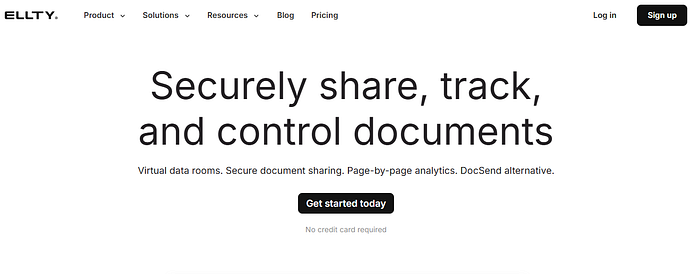
Ellty feels built for founders.
Not enterprise procurement teams.
That alone makes it refreshing.
It’s simple, fast, and focused on pitch deck tracking without unnecessary complexity.
Why It Beats DocSend
Ellty gives clearer slide-level insights.
You can actually see:
- where investors stopped reading
- which slides held attention
- what likely needs fixing
Very useful during fundraising.
Features
- Pitch deck analytics
- Engagement tracking
- Password protection
- Secure sharing links
Pros
- Easy to learn
- Startup-friendly pricing
- Clean dashboard
- Great for early-stage fundraising
Cons
- Fewer integrations
- Not ideal for large enterprises
Best For
Founders raising capital.
Especially early-stage startups.
Pricing Plan:
Free tier, paid tiers
2. Papermark
Best for open source document sharing with full file storage and data control
Rating: ⭐ 4.4 / 5 (Capterra)
Papermark is different.
It’s open source.
That means you can self-host it and fully control your files and data.
A lot of technical teams love that.
Why It Beats DocSend
DocSend controls the environment.
Papermark lets you control everything.
That’s a big deal for privacy-focused companies.

Features
- Self-hosting
- Unlimited uploads
- Analytics
- Custom domains
Pros
- Full ownership
- Free self-hosted version
- Flexible setup
- No upload limits
Cons
- Requires technical setup
- Interface feels less polished
Best For
Technical startups and privacy-focused teams.
Pricing Plan:
Fully free plan, cloud pricing plans
3. PandaDoc
Best for sales proposals, contracts, and document automation workflows
Rating: ⭐ 4.6 / 5 (G2)
PandaDoc is less about “sharing files.”
More about closing deals.
Different mindset completely.
It combines:
- proposals
- contracts
- e-signatures
- approvals
- automation
All in one place.
Why It Beats DocSend
Way stronger workflow automation.
Especially for sales teams.

Features
- Proposal builder
- E-signatures
- CRM integrations
- Approval workflows
Pros
- Saves time
- Strong automations
- Great for scaling teams
- Excellent integrations
Cons
- Expensive for small startups
- Too much for simple sharing
Best For
Sales and SaaS teams.
Pricing Plan:
Paid monthly plans
4. DocuSign
Best for secure legal agreements and compliant e-signature workflows
Rating: ⭐ 4.7 / 5 (G2)
DocuSign is basically the default choice for legal agreements now.
Most people already trust it.
That matters.
Why It Beats DocSend
Compliance.
Audit trails.
Legal reliability.
DocSend isn’t built for that level of contract handling.

Features
- Secure signatures
- Audit logs
- Approval workflows
- Compliance support
Pros
- Trusted globally
- Enterprise-ready
- Strong legal protection
- Very secure
Cons
- Higher pricing
- Weak analytics
Best For
Legal contracts and regulated workflows.
Pricing Plan:
Paid annual transparent pricing model
5. Dropbox Sign
Best for simple e-signatures with easy document workflows
Rating: ⭐ 4.5 / 5 (Capterra)
Some teams don’t need advanced workflows.
They just need signatures.
Quickly.
That’s where Dropbox Sign works well.
Why It Beats DocSend
It’s easier for lightweight signing tasks.
Less setup. Less friction.

Features
- Fast signatures
- Templates
- Dropbox integrations
- Clean interface
Pros
- Beginner friendly
- Fast setup
- Affordable
- Easy to manage
Cons
- Limited analytics
- Basic compared to enterprise tools
Best For
Small businesses and startups.
Pricing Plan:
Free, paid tiers
6. ClearSlide
Best for tracking sales engagement and content performance insights
Rating: ⭐ 4.3 / 5 (G2)
ClearSlide focuses heavily on sales engagement.
Not fundraising.
Not investor decks.
Sales.
That distinction matters.
Why It Beats DocSend
Its buyer tracking is deeper.
Sales teams can see:
- what prospects viewed
- what they ignored
- what content performs best
Useful for improving outreach.

Features
- Content analytics
- Prospect tracking
- Email integrations
- Sales presentation tools
Pros
- Deep engagement insights
- Good for outbound teams
- Helps optimize sales content
Cons
- Expensive
- Less useful for startups raising funding
Best For
Sales organizations.
Pricing Plan:
Paid annual plans
7. Digify
Rating: ⭐ 4.6 / 5 (Capterra)
Best for secure document sharing and document tracking with advanced data protection controls
If security is your biggest concern, Digify is one of the strongest options here.
Maybe the strongest.
Especially for investor documents and confidential files.
Why It Beats DocSend
Its protection features go much deeper.
You get:
- DRM protection
- advanced permissions
- watermarking
- file expiry
- restricted downloads
Very security-focused.

Features
- Secure data rooms
- Access controls
- File tracking
- Watermarking
- Viewer permissions
Pros
- Excellent security
- Strong tracking
- Great for sensitive files
- Reliable access control
Cons
- More expensive
- Slight learning curve
Best For
Investor data rooms and confidential business documents.
Pricing Plan:
Paid monthly plans
8. Qwilr
Rating: ⭐ 4.6 / 5 (Capterra)
Best for interactive proposals with buyer engagement analytics
Qwilr doesn’t feel like a normal proposal tool.
Its proposals look more like polished landing pages.
Which clients usually notice immediately.
Why It Beats DocSend
The experience feels more modern and interactive.
Especially for client-facing proposals.
Features
- Interactive proposals
- Block-level analytics
- Payments
- Approval flows
- Templates
Pros
- Beautiful design
- Great buyer experience
- Strong engagement tracking
Cons
- Can get expensive
- Some design limitations
Best For
Sales teams sending high-end proposals.
Pricing Plan:
Business starts at $35/user/month billed annually or $39/user/month billed monthly; Enterprise is $590/month. Qwilr also offers a 14-day free trial.
9. FirmRoom
Rating: ⭐ 4.6 / 5 (Capterra)
Best for due diligence data rooms with granular access control and document security
FirmRoom is built for serious document management.
Think:
- M&A
- fundraising
- due diligence
- investor access
Not casual sharing.
Why It Beats DocSend
Its permission controls are much stronger.
You can manage exactly who sees what.
Very useful during transactions.
Features
- Granular permissions
- NDA workflows
- Audit trails
- Watermarking
- Redaction tools
Pros
- Strong security
- Built for transactions
- Unlimited users
- Great admin controls
Cons
- Interface feels dated
- Upload process can feel slow
Best For
Fundraising and M&A workflows.
Pricing Plan:
Starts at $395/month, with higher tiers at $695/month and $995/month. FirmRoom offers monthly billing and a 14-day free trial.
10. Google Drive
Rating: ⭐ 4.7 / 5 (Capterra)
Best for cloud storage and basic file sharing
Google Drive is still one of the easiest tools for sharing files.
Probably the most familiar too.
And honestly? For many teams, that’s enough.
Why It Beats DocSend
Real-time collaboration.
That’s the big advantage.
Features
- Shared folders
- Live editing
- Permission settings
- Version history
- Google Workspace integrations
Pros
- Extremely easy to use
- Great collaboration
- Works everywhere
- Free storage available
Cons
- No advanced analytics
- Weak investor tracking
Best For
Teams that mainly need collaboration and storage.
Pricing Plan:
Free tier with 15 GB storage; Google One and Google Workspace plans start at $6/user/month for 100 GB storage and scale with more storage and Workspace features. (workspace.google.com/pricing)
Best DocSend Alternatives by Use Case
Best for Startups
- Ellty
- Papermark
Affordable. Simple. Founder-friendly.
Best for Sales Teams
- PandaDoc
- Qwilr
Better automation. Better proposals.
Best for Security
- Digify
- FirmRoom
Strong protection and access control.
Best Free Option
- Google Drive
- Papermark
Good for smaller teams.
Real-World Examples
Fundraising
A founder sends a deck to 20 investors.
With DocSend: You see opens.
With Ellty: You see where investors lose interest.
Big difference.
Sales Proposals
A SaaS company sends 50 proposals every month.
DocSend requires more manual follow-ups.
PandaDoc automates:
- approvals
- signatures
- reminders
Less busywork.
Faster deals.
Sensitive Financial Documents
A startup shares confidential reports.
DocSend offers basic controls.
Digify adds:
- watermarking
- restricted access
- DRM protection
- expiry settings
Safer overall.
Should You Move Away From DocSend?
Maybe.
Depends on your workflow.
You should probably switch if:
- pricing feels too high
- analytics feel limited
- security matters more now
- your team is growing
- you need proposal automation
- you want self-hosting
DocSend still works well for lightweight sharing.
But many startups eventually need something more specialized.
That’s really what this comes down to.
Frequently Asked Questions
Is there a free DocSend alternative?
Yes.
Papermark, Google Drive, and Ellty all offer free options.
What’s the best DocSend alternative for startups?
Ellty and Papermark are both strong choices for startups.
Especially early-stage teams.
Which tool is best for secure document sharing?
Digify and FirmRoom are the strongest options for security-focused workflows.
What’s best for sales proposals?
PandaDoc and Qwilr.
No question.
Final Verdict
There isn’t one “best” DocSend alternative for everyone.
That’s the wrong way to think about it.
The right platform depends on what you actually need.
Choose:
- Ellty for fundraising
- Papermark for privacy
- PandaDoc for automation
- Digify for security
- Qwilr for interactive proposals
- FirmRoom for due diligence
Simple as that.
The market moved beyond basic document sharing a while ago.
Now it’s about workflow fit.
메타데이터
- post_id
- 322f5dab54b5
- slug
- the-10-best-docsend-alternatives-in-2026-for-startups-and-vcs-322f5dab54b5
- url
- https://medium.com/@humairaahsan071/the-10-best-docsend-alternatives-in-2026-for-startups-and-vcs-322f5dab54b5
- canonical_url
- https://medium.com/@humairaahsan071/the-10-best-docsend-alternatives-in-2026-for-startups-and-vcs-322f5dab54b5
- author_url
- https://medium.com/@humairaahsan071
- status
- ok
- fetched_at
- 2026-07-11 13:52:56



