NSE 3 (FortiGate Operator) : Here’s What I Learned !
I recently completed the FortiGate Operator (NSE 3) course and earned the Fortinet Certified Associate (FCA) in Cybersecurity.
NSE 3 (FortiGate Operator) : Here’s What I Learned !
I recently completed the FortiGate Operator (NSE 3) course and earned the Fortinet Certified Associate (FCA) in Cybersecurity.
I wanted to write down and share everything important I learned. this course helped me refresh my knowledge and learn how to operate a FortiGate firewall properly.
Here is a clear summary of the key concepts from the course:
1. FortiGate Firewall Features
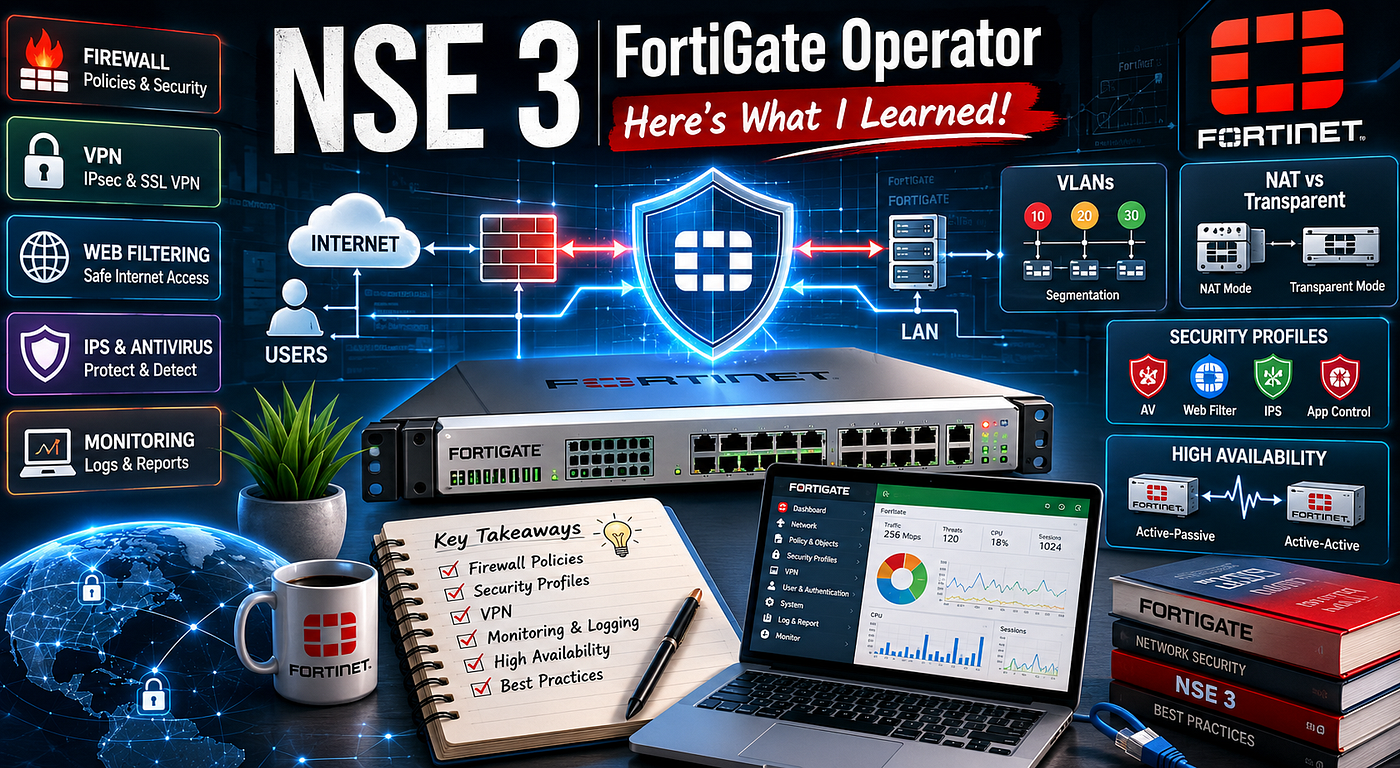
FortiGate is a Next-Generation Firewall with many useful features.
Main Features:
- Firewall Policies
- Authentication (both Local and Remote)
- VPN (IPsec and SSL VPN)
- Web Filtering
- Security Scanning (Antivirus, IPS, Application Control)
- Monitoring and Logging
Advanced Features:
- SD-WAN (intelligent management of multiple internet links)
- VDOMs (Virtual Domains — allows splitting one FortiGate into multiple virtual firewalls)
- Automation Stitches (automatic reactions to security events)
2. VLANs
- Each VLAN is a separate broadcast domain.
- Every VLAN has its own VLAN ID.
- The most popular tagging protocol is 802.1Q.
Why we use VLANs:
- For security isolation
- To separate different departments
- To separate traffic types (Data, Voice, Management)
3. NAT Mode vs Transparent Mode
NAT Mode (Layer 3): This is the most common mode. The FortiGate acts as a router. You can create security policies between VLANs, control traffic to the internet, and it fully supports NAT, DHCP, and SSL VPN.
Transparent Mode (Layer 2): In this mode, FortiGate acts like a smart bridge. VLAN tagged traffic can pass through while still being inspected by Antivirus, Web Filtering, and IPS. However, it does not support SSL VPN, DHCP Server, or full NAT. This mode is useful when you don’t want to make big changes to the existing network.
4. Firewall Policies
This was the most important part of the course.
A Firewall Policy is a set of rules used to control network traffic. Each policy needs these matching criteria:
- Incoming Interface
- Outgoing Interface
- Source (Address or User)
- Destination (Address or Internet Service)
- Service
- Schedule
- Action (Accept or Deny)
Key Points:
- Policies are checked from top to bottom.
- If no policy matches, the traffic is denied by default.
- Important/specific policies should be placed at the top.
- After accepting traffic, you can apply security profiles such as Antivirus, Web Filter, IPS, and Application Control.
- You must create Address Objects before using them in policies.
There are two inspection modes:
- Flow-based: Faster analyzes traffic packet by packet.
- Proxy-based: More thorough but slower.
5. Other Important Topics
- Authentication: Allows the firewall to identify users by credentials (not just IP address). Can be local or remote.
- SSL Inspection:
- Certificate Inspection (light)
- Deep Inspection (decrypts traffic, inspects it, then re-encrypts)
- Antivirus: Done by creating an Antivirus Profile and applying it to policies. Includes Grayware and ML/AI scanning.
- Web Filtering: Uses FortiGuard to categorize websites.
- IPS (Intrusion Prevention System): Analyzes traffic in real time using Protocol Decoders and Signatures.
- Application Control: Allows blocking or monitoring specific applications (e.g., blocking YouTube).
- SSL VPN: Used to give remote users secure access. Configuration involves user groups, portal settings, and a dedicated firewall policy.
6. Maintenance and Monitoring
- Regular backup of the configuration (can save to PC, USB, or FortiGate disk).
- Firmware upgrades should follow the recommended upgrade path.
- Monitor CPU, Memory, Sessions, and connected VPN users.
- Check logs for security events and system events.
7. Security Fabric and High Availability (HA)
- Security Fabric: Connects multiple Fortinet devices together.
- High Availability (HA): Allows multiple FortiGates to work together as a cluster for redundancy. It has two modes:
- Active-Passive (only one device actively processes traffic)
- Active-Active (all devices process traffic)
Final Thoughts
NSE 3 is a very practical course with lots of simulations. I feel much more confident now working with FortiGate firewalls, especially in the areas of Firewall Policies, Security Profiles, and VPN configuration.
The biggest lesson for me is that good firewall management is all about proper policy design, layered security, and regular maintenance.
If you are planning to take NSE 3, I definitely recommend it.
메타데이터
- post_id
- 3231e1b60af8
- slug
- nse-3-fortigate-operator-heres-what-i-learned-3231e1b60af8
- url
- https://medium.com/@G1GH4N/nse-3-fortigate-operator-heres-what-i-learned-3231e1b60af8
- canonical_url
- https://medium.com/@G1GH4N/nse-3-fortigate-operator-heres-what-i-learned-3231e1b60af8
- author_url
- https://medium.com/@G1GH4N
- status
- ok
- fetched_at
- 2026-06-13 07:35:29


