Claude Things Everyone Must Know
Stop Just Chatting with Claude. Become A power User of Claude
AI | Tools
Claude Things Everyone Must Know
Stop Just Chatting with Claude. Become A power User of Claude
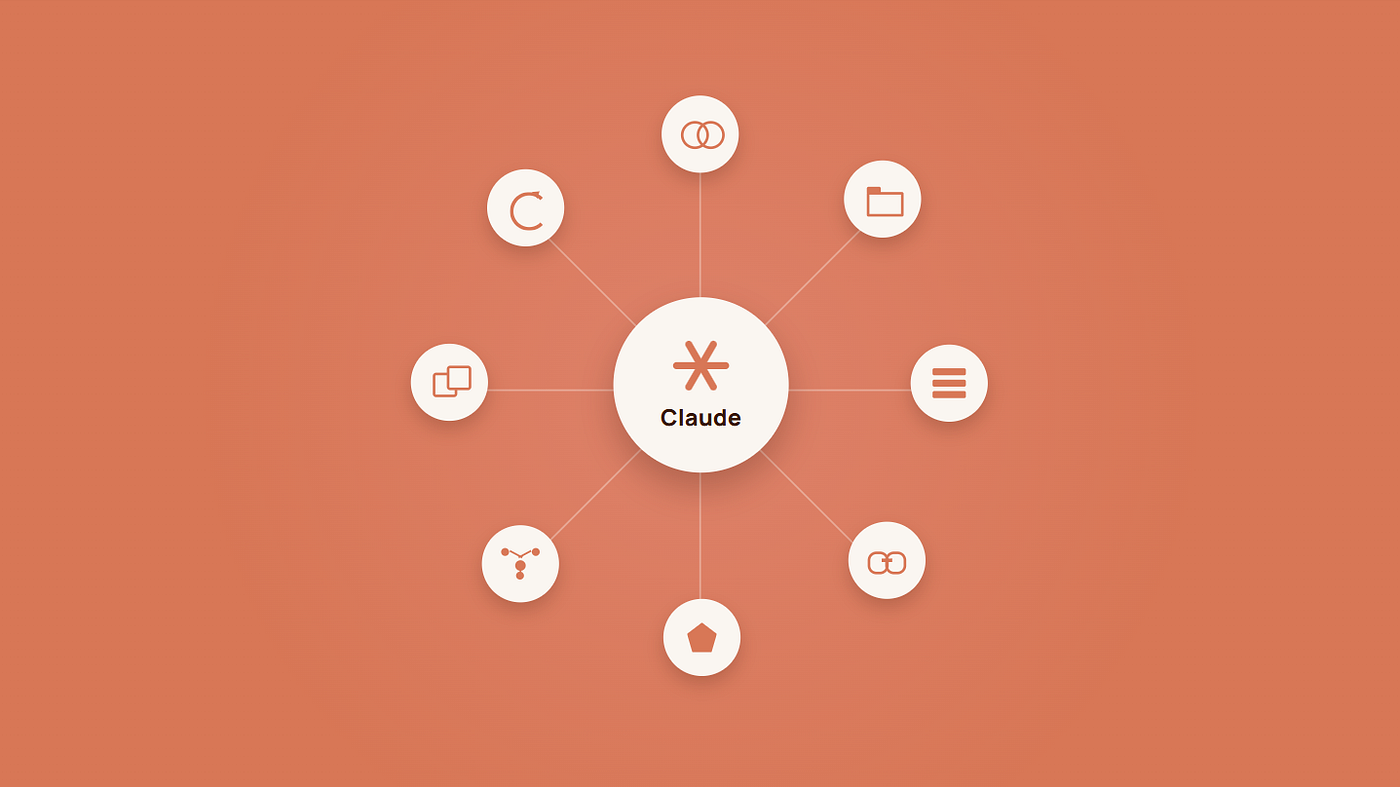
In 2026, most people are using Claude the simple way — open the chat, type a question, get an answer, close the tab. Yes, that’s a perfectly good way to use it, and honestly that’s how I started too. But I don’t use Claude like that anymore. I’ve built my entire workflow around Projects, Connectors, Cowork, Skills, Subagents, MCP Servers, Routines, and Plugins. I’ve been living inside this ecosystem since it started actually coming together, and at this point going back to “just chat” feels like using a text editor instead of a proper IDE. In this blog I will discuss what these terms means and how they work and when to use them
1. Projects - For Not Repeating Myself
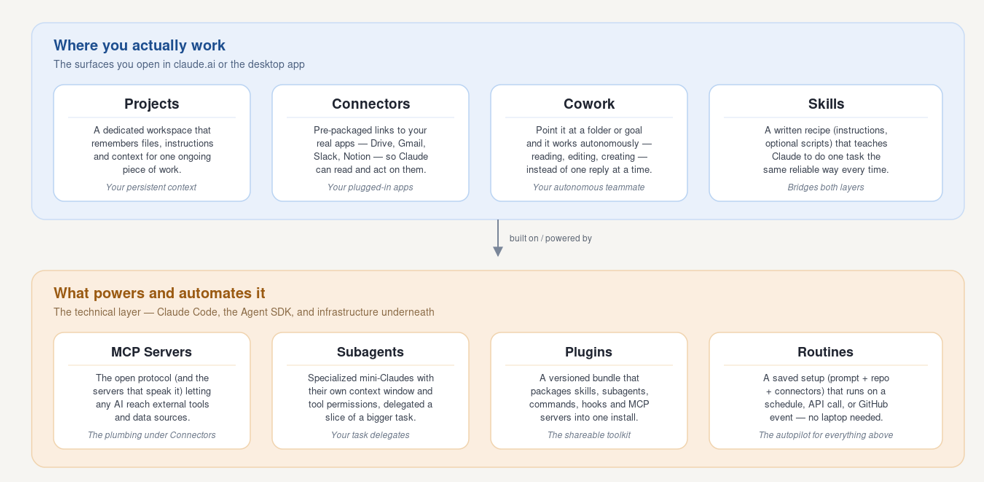
This is probably the feature I lean on the most. A Project is basically a dedicated space for one ongoing thing. I’ve got one for a long-running writing project and another for a client’s codebase and I dump reference files and instructions into it once. After that, every conversation inside that Project already knows the background. I used to start every single chat by re-explaining what I was working on. Now I don’t. That alone saved me more time than I expected.
2. Connectors - For Not Switching Context
If I need Claude to look something up in Drive, Gmail, or Slack, I don’t want to go copy-paste content between five tabs. Connectors let me turn that on once in settings, and after that Claude can just read the thing directly inside the chat. I use this constantly when I’m pulling notes from a doc into a conversation instead of exporting anything. It’s a small feature, but it removes so much of the annoying back-and-forth.
3. Cowork - For Tasks I Don’t Want to Supervise
Sometimes I don’t want to have a conversation, I just want something done. Cowork is for exactly that you point it at a folder, describe the outcome, and it works through the steps on its own: reading files, editing them, creating new ones, checking its own work. Once I had a folder full of receipt screenshots I needed turned into an expense report, and I just handed it the folder and walked away. That’s the whole pitch of this feature, and it delivers.
4. Skills - For Stop Retyping Instructions
I have a few tasks I do often enough that I got tired of typing the same detailed instructions every time. Skills fixed that. You write the instructions once as a SKILL.md, and after that you just invoke it by name. I've got one set up for how I like code reviewed, and I never have to explain my preferences again. It's basically a saved macro, and once you have two or three of these set up, you notice how much repetitive typing you used to be doing.
5. Subagents - For Splitting Up the Big Jobs
For anything large a big refactor, a task with a lot of moving parts. I let Claude Code split the work into subagents instead of doing it all in one long conversation. Each subagent gets its own context and its own permissions, does its one piece, and reports back. I use this whenever a task feels too big for one thread, because otherwise the conversation gets messy and the model starts losing track of earlier context. Handing off the noisy exploration to a subagent keeps the main thread clean.
6. Plugins - For Not Setting Everything Up by Hand Again
Once I had a working combination of Skills, Subagents, and Connectors set up for one project, I didn’t want to rebuild all of that from scratch on the next one. Plugins package the whole bundle so I can install it in one step, or hand it to a teammate so they don’t have to configure anything themselves. I use this every time I start a new project that looks even a little like one I’ve already set up.
7. MCP Servers - For the Tools Connectors Don’t Cover
Honestly most people don’t touch this one directly most of the time. MCP is just the protocol underneath Connectors when you turn on a Connector, you’re really connecting to an MCP server without ever seeing the wiring. But every now and then I need Claude to reach something that doesn’t have a consumer Connector yet, some internal tool or a niche data source, and that’s when I go looking for an MCP server directly instead. It’s not something I reach for daily, but when I need it, nothing else fills that gap.
8. Routines - For the Stuff I Don’t Want to Remember to Do
This is the newest one I’ve picked up, and it solves a problem none of the other seven really touch: what happens when I’m not the one who needs to ask? A routine is a saved Claude Code configuration a prompt, a repo, a set of connectors that just runs on Anthropic-managed cloud infrastructure, on a schedule or a trigger, without me opening my laptop. I’ve got one that runs a nightly check I used to do manually and kept forgetting about. Now it just happens, and I find out about it after the fact instead of having to remember to do it myself.
Long Story Sort
- Projects hold your context.
- Connectors and MCP servers reach your tools.
- Skills teach a task.
- Subagents split up the work.
- Plugins package it for a team.
- Cowork runs it autonomously.
- Routines run all of it without you.
Conclusion
There are people who just want to open Claude, type a prompt, and let one fully autonomous agent handle everything without learning any of these terms. That’s a valid way to work, and honestly it’s improving fast. But for me, understanding how these things actually fit together has made my day-to-day work noticeably smoother. I’m not saying you need to learn all of these on day one. I didn’t either. In my view, a tool doesn’t become useful just because it can act autonomously; it becomes useful when it fits how you actually work. This is just my take. I’d love to know what you guys think about this.
If you found this blog helpful, give it a clap and share it with your friends! Feel free to reach me on https://hirushafernando.com/
메타데이터
- post_id
- 35675d4ef0ca
- slug
- claude-things-everyone-must-know-35675d4ef0ca
- url
- https://levelup.gitconnected.com/claude-things-everyone-must-know-35675d4ef0ca
- canonical_url
- https://levelup.gitconnected.com/claude-things-everyone-must-know-35675d4ef0ca
- author_url
- https://medium.com/@heshanhfernando
- status
- ok
- fetched_at
- 2026-07-14 14:14:34









