How to Create a Professional Digital Signage System Using Only a USB Drive
Skip the Cloud. Skip the Complexity. Display Content on Your Screens in Minutes.
How to Create a Professional Digital Signage System Using Only a USB Drive
Skip the Cloud. Skip the Complexity. Display Content on Your Screens in Minutes.
Digital signage has become an essential tool for businesses. Whether you’re running a retail store, restaurant, clinic, gym, salon, reception area, or showroom, displaying engaging content on a screen helps attract attention and communicate important information.
The problem is that many digital signage solutions are expensive, require ongoing subscriptions, depend on cloud services, and often need complex setup procedures.
What if you could create a professional digital signage display using only a USB drive and an Android TV?
That’s exactly what Simple USB Signage was designed to do.
Why Many Businesses Struggle with Traditional Digital Signage
When small businesses start looking for digital signage software, they often encounter the same challenges:
- Expensive monthly fees
- Cloud account requirements
- Complex content management systems
- Internet dependency
- Difficult hardware setup
- Long learning curves
For many businesses, these solutions are simply overkill.
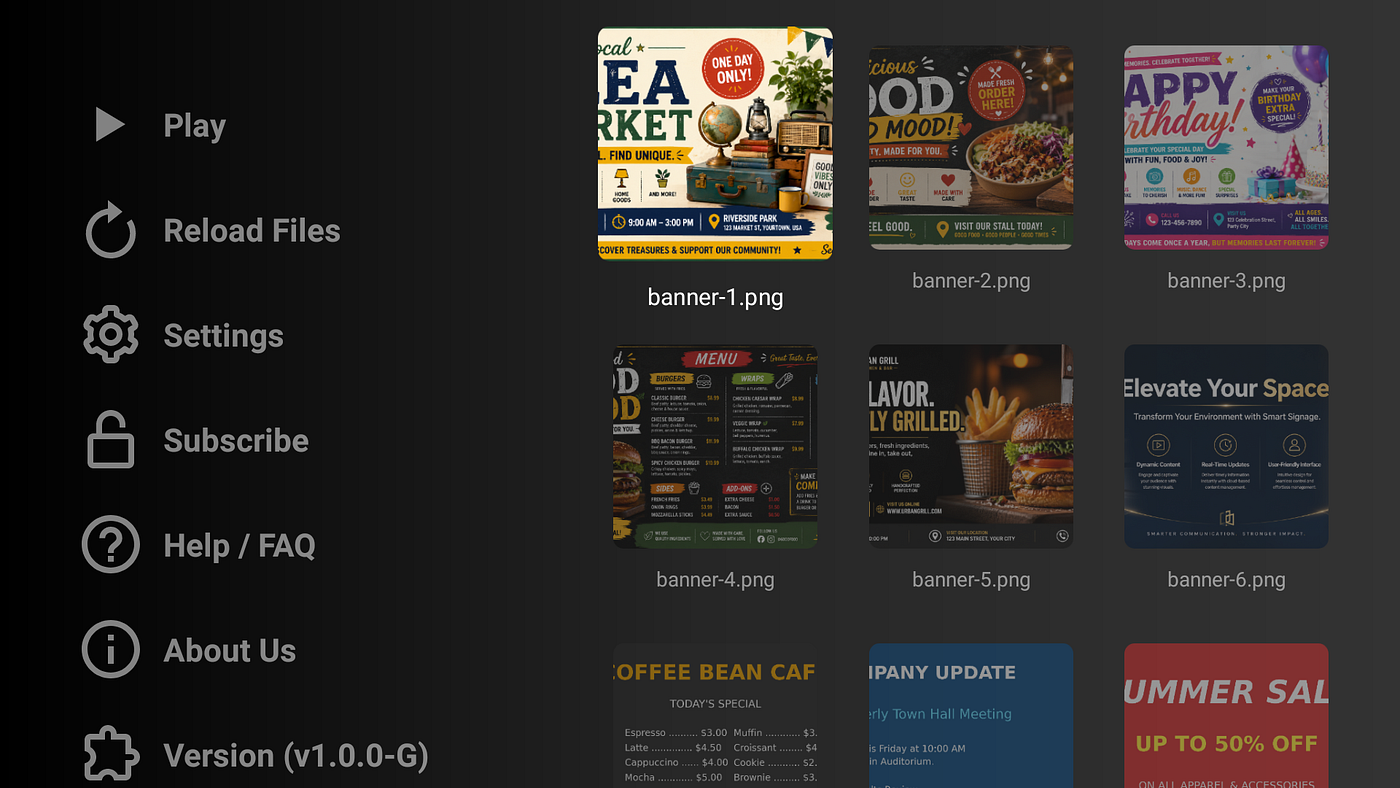
If your goal is to display images, promotional videos, announcements, menus, product catalogs, event information, or advertisements on a TV screen, you shouldn’t need a complicated infrastructure.
Sometimes, simple is better.
A Simpler Approach: USB-Based Digital Signage
Imagine this workflow:
- Copy your images and videos onto a USB drive.
- Plug the USB drive into your Android TV, Google TV, or compatible device.
- Launch Simple USB Signage.
- Start your slideshow.
That’s it.
No cloud dashboards.
No content syncing.
No user accounts.
No internet connection required for playback.
This approach makes digital signage accessible to businesses of any size.
Perfect for Small Businesses
Retail Stores
Display:
- Current promotions
- Seasonal sales
- Featured products
- New arrivals
- Brand advertisements
A continuously running slideshow helps customers discover offers they may otherwise miss.
Restaurants and Cafés
Show:
- Menu boards
- Daily specials
- Combo offers
- New dishes
- Customer reviews
Digital menus can be updated by simply replacing files on a USB drive.
Clinics and Healthcare Centers
Display:
- Health tips
- Service information
- Appointment instructions
- Doctor schedules
- Awareness campaigns
Keep patients informed while they wait.
Salons and Spas
Showcase:
- Service menus
- Before-and-after transformations
- Beauty packages
- Promotional offers
- Customer testimonials
Your screen becomes a silent salesperson.
Gyms and Fitness Centers
Display:
- Membership offers
- Workout tips
- Class schedules
- Trainer profiles
- Motivational content
Keep members engaged throughout the day.
Mix Images, Videos, and Background Music
Many businesses want more than static images.
Simple USB Signage supports:
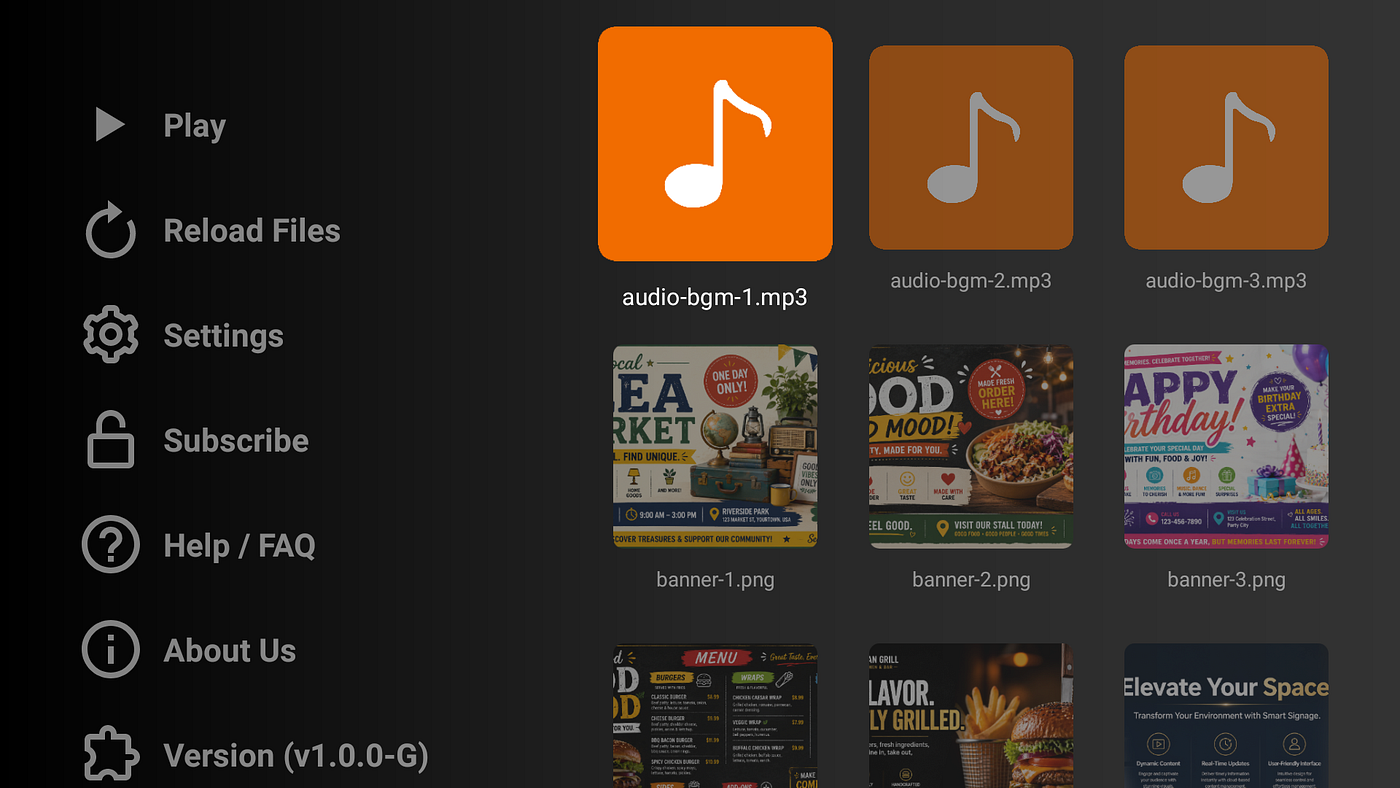
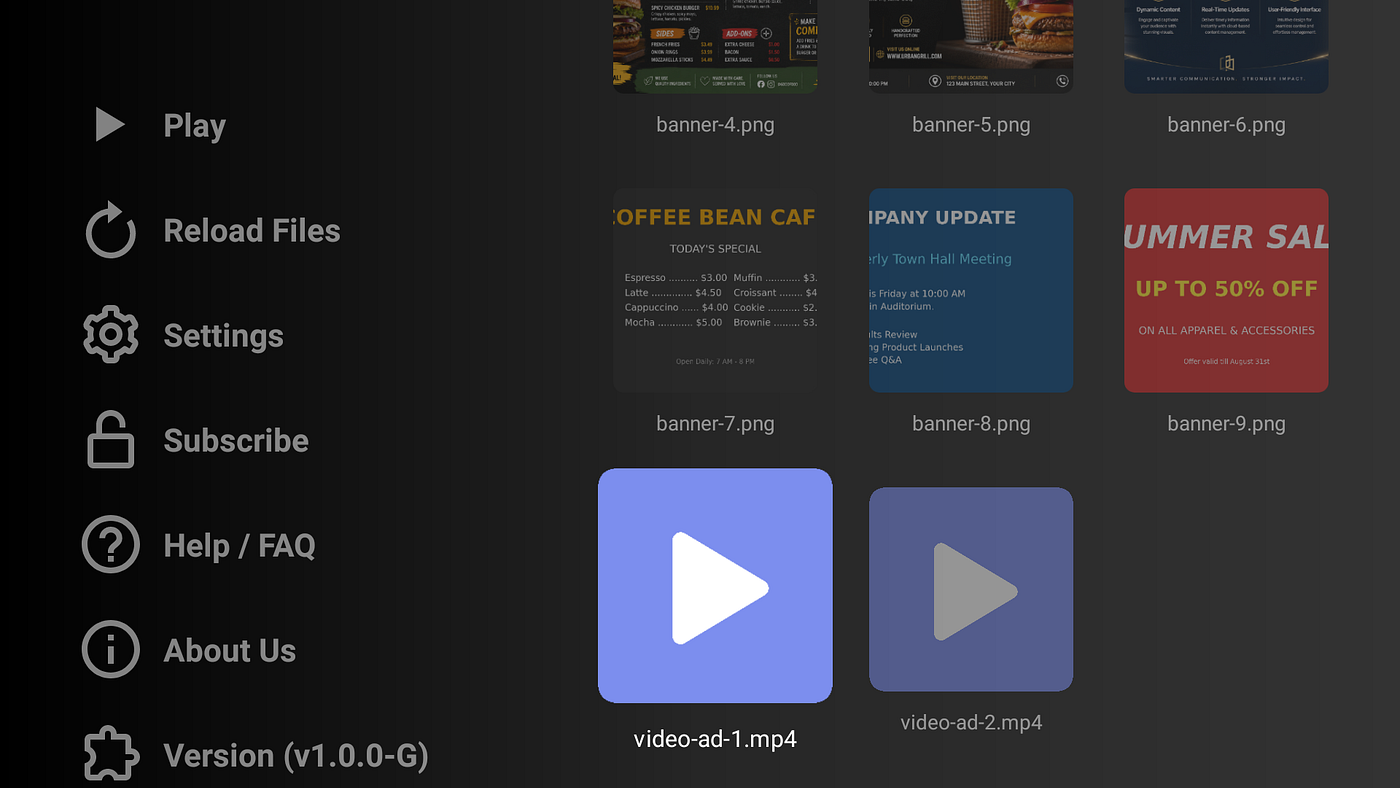
- Photo slideshows
- Promotional videos
- Mixed image and video playlists
- Optional background music
- Continuous looping playback
This allows you to create a more engaging display experience without investing in expensive signage systems.
For example:
A retail store can display promotional posters, product videos, and branded background music in a continuous loop throughout business hours.
Designed for Android TV and Google TV
Unlike many signage platforms that require dedicated hardware, Simple USB Signage works with Android TV and Google TV devices.
Benefits include:
- Affordable hardware
- Easy installation
- Remote-control friendly interface
- Fast setup
- No specialized training required
If you already have an Android TV connected to your display, you’re ready to get started.
Control How Your Content Appears
Every business has different display requirements.
Simple USB Signage includes options such as:
Adjustable Slide Duration
Control how long each image remains visible.
Perfect for:
- Fast-moving promotions
- Detailed informational slides
- Product catalogs
Fill Screen or Show Full Image
Choose between:
- Filling the screen completely
- Preserving the entire image without cropping
Background Color Selection
Select a display background that complements your content and branding.
Works Even Without Internet
One of the biggest advantages of USB-based signage is reliability.
Cloud-based systems can fail when:
- Internet connections drop
- Servers experience downtime
- Synchronization issues occur
With local USB playback:
- Content remains available
- Playback continues uninterrupted
- No network infrastructure is required
This makes the solution ideal for:
- Remote locations
- Temporary installations
- Trade fairs
- Small businesses
- Event venues
A Cost-Effective Alternative to Cloud Signage
Many businesses spend hundreds of dollars per year on signage subscriptions.
For businesses that simply need:
- Image slideshows
- Promotional videos
- Information screens
- Continuous playback
A USB-based solution can provide everything necessary without the complexity and cost of enterprise signage platforms.
Who Should Use Simple USB Signage?
Simple USB Signage is ideal for:
✅ Retail stores
✅ Restaurants
✅ Cafés
✅ Salons
✅ Clinics
✅ Gyms
✅ Reception areas
✅ Schools
✅ Community centers
✅ Churches
✅ Small businesses
✅ Event venues
If you have a screen and content to display, Simple USB Signage can help you turn it into a professional information and advertising display.
Get Started Today
Creating a professional digital signage system doesn’t have to be expensive or complicated.
With Simple USB Signage, you can transform an Android TV into a powerful signage display using content stored on a simple USB drive.
Whether you’re promoting products, sharing information, or creating a more engaging customer experience, getting started takes only a few minutes.
Learn more about Simple USB Signage and start building your signage display today.
Website: https://deepakpk.com/simpleusbsignage/
Google Play Store: https://play.google.com/store/apps/details?id=com.deepakpk.simpleusbsignage
Amazon App Store: https://www.amazon.com/dp/B0H2D655LT/
메타데이터
- post_id
- 35a43a5c9bc2
- slug
- how-to-create-a-professional-digital-signage-system-using-only-a-usb-drive-35a43a5c9bc2
- url
- https://medium.com/@deepakpk/how-to-create-a-professional-digital-signage-system-using-only-a-usb-drive-35a43a5c9bc2
- canonical_url
- https://medium.com/@deepakpk/how-to-create-a-professional-digital-signage-system-using-only-a-usb-drive-35a43a5c9bc2
- author_url
- https://medium.com/@deepakpk
- status
- ok
- fetched_at
- 2026-06-20 20:29:01
