Databricks Pro vs Classic SQL Warehouse: Choosing the Best Option for Data Workflows
What’s the best SQL warehouse for your data projects in Databricks?
Databricks Pro vs Classic SQL Warehouse: Choosing the Best Option for Data Workflows
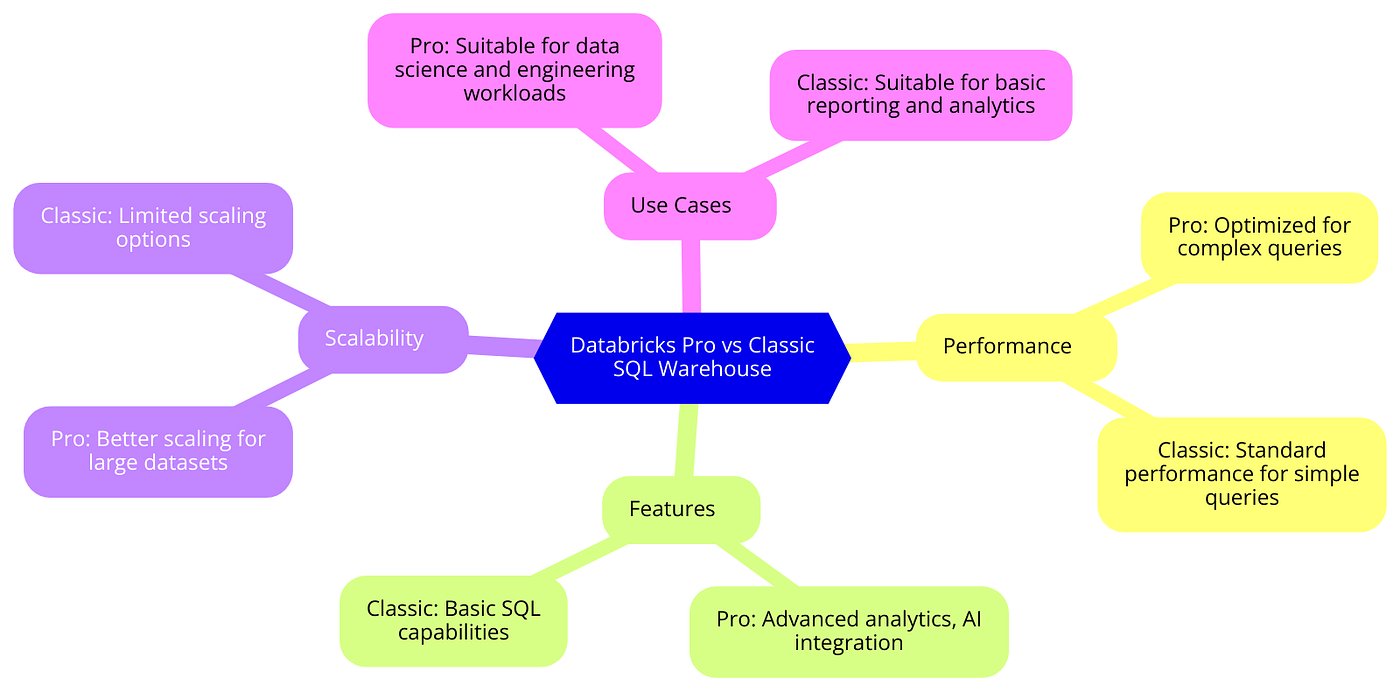
What’s the best SQL warehouse for your data projects in Databricks?
Choosing the right SQL warehouse in Databricks is crucial for optimizing our data analytics and machine learning workflows.
This baseline compares Databricks Pro SQL Warehouse and Classic SQL Warehouse, highlighting their key differences, use cases, and best practices.

Overview of Databricks Pro and Classic SQL Warehouse
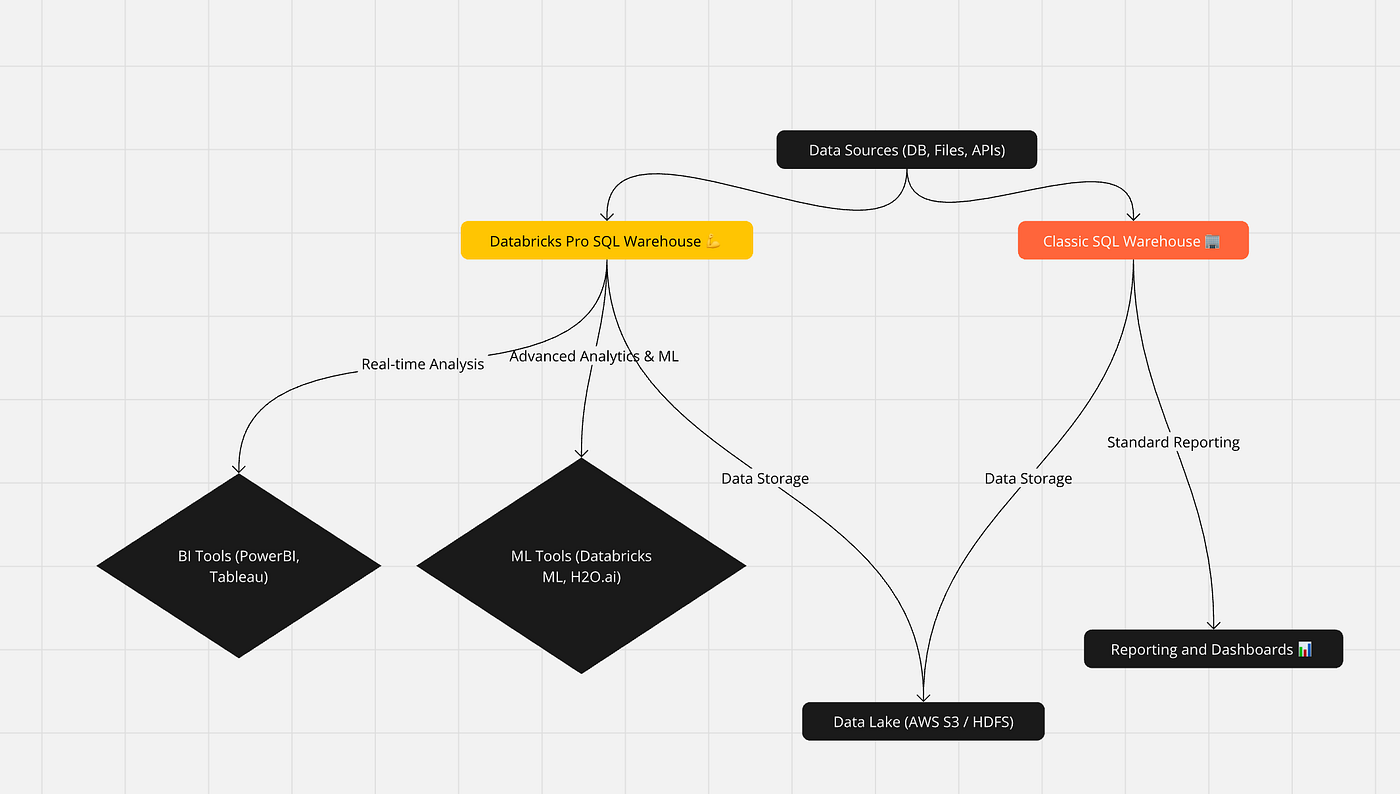
Databricks Pro SQL Warehouse and Classic SQL Warehouse are compute resources designed for querying and exploring data within Databricks. Each has distinct features and capabilities suited to different types of workloads and use cases.
Importance of Choosing the Right SQL Warehouse:
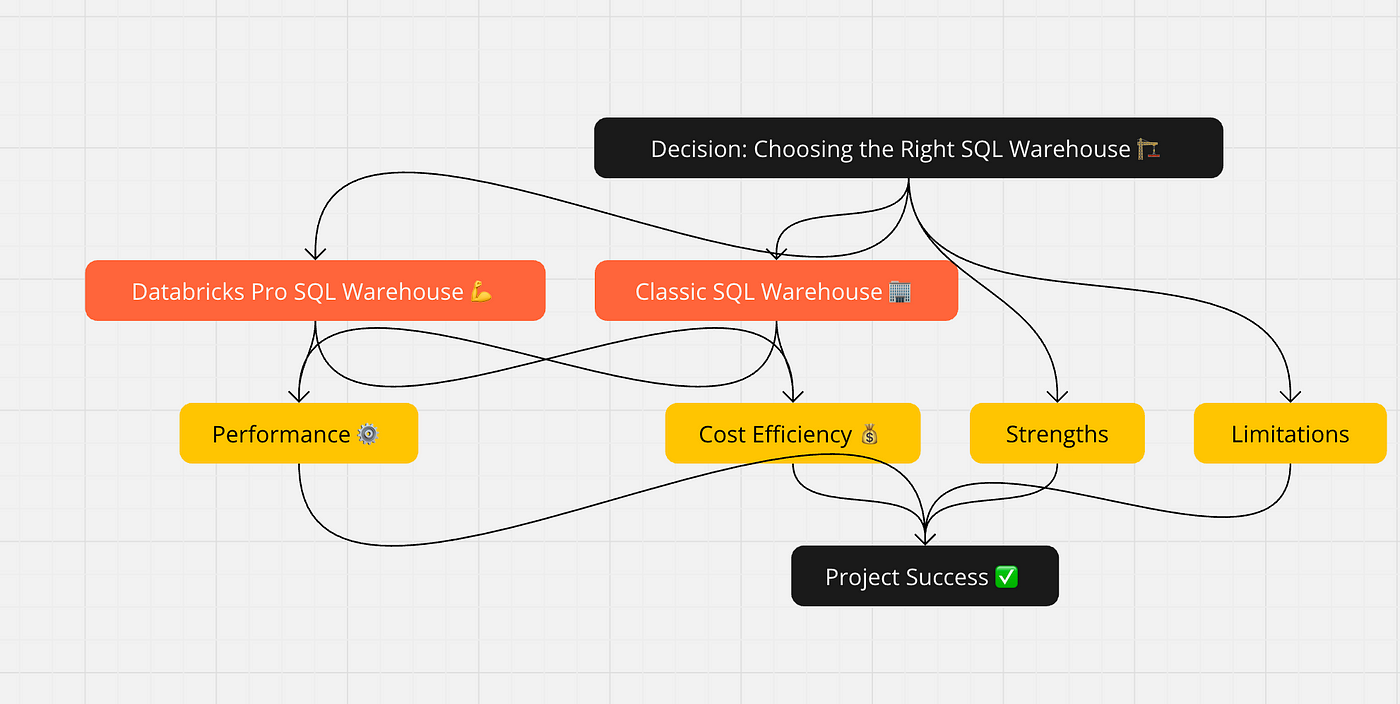
Selecting the appropriate SQL warehouse affects performance, cost-efficiency, and the overall success of your data projects. Understanding the strengths and limitations of each type helps you make informed decisions.
Key Differences Between Pro and Classic SQL Warehouse
Architecture
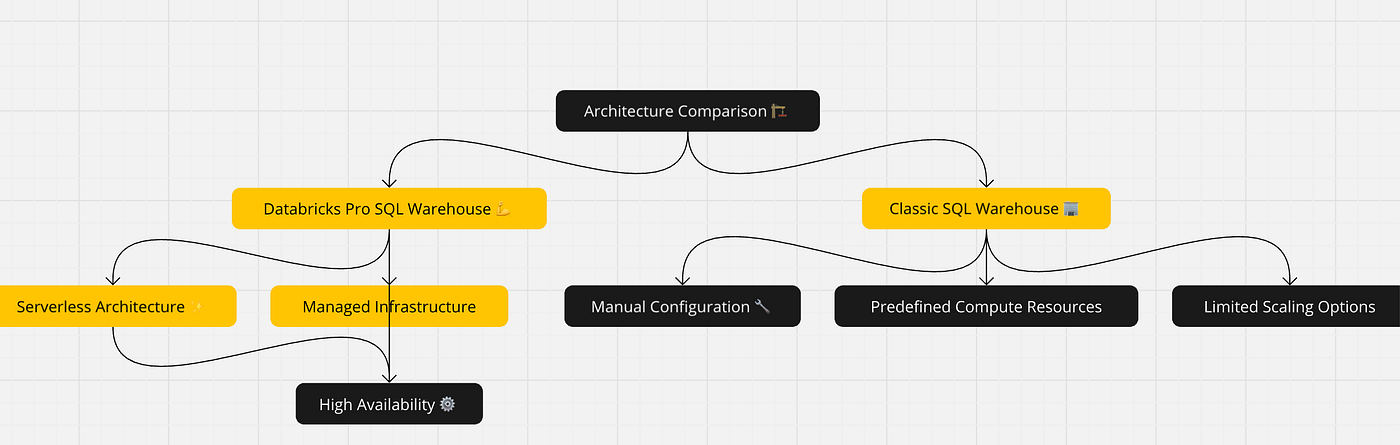
- Databricks Pro SQL Warehouse: Uses a serverless architecture, automatically managing infrastructure to provide seamless scalability and high availability.
- Classic SQL Warehouse: Typically involves more manual configuration and management, with predefined compute resources and less dynamic scaling.
Performance

- Databricks Pro SQL Warehouse: Optimized for high-performance, real-time analytics, and interactive querying, offering faster query execution and lower latency.
- Classic SQL Warehouse: Suitable for traditional BI and batch processing tasks, but may not match the performance levels of Pro SQL Warehouse for intensive workloads.
Cost

- Databricks Pro SQL Warehouse: Pay-as-you-go pricing model with automatic scaling can lead to cost savings for variable workloads but might be more expensive for consistently high usage.
- Classic SQL Warehouse: Typically more predictable in cost, suitable for steady, long-term workloads with reserved pricing options.
Features

- Databricks Pro SQL Warehouse: Enhanced features such as auto-scaling, serverless execution, and integration with real-time analytics and machine learning tools.
- Classic SQL Warehouse: Focuses on stable, reliable performance for traditional analytics and reporting, with less emphasis on real-time capabilities.
Use Cases for Databricks Pro SQL Warehouse

Real-Time Analytics
Ideal for applications requiring real-time data processing and instant insights, such as monitoring dashboards and interactive data exploration.
Interactive Queries
Supports ad-hoc querying and data exploration, enabling data scientists and analysts to quickly derive insights from large datasets.
Machine Learning
Seamlessly integrates with Databricks ML workflows, providing the necessary compute power for training and deploying machine learning models.
ETL Processes
Efficient for running complex ETL processes, handling large volumes of data with dynamic scaling.
Use Cases for Classic SQL Warehouse

Traditional BI Reporting
Suitable for generating regular business reports and dashboards, providing consistent performance for scheduled queries.
Scheduled Batch Processing
Ideal for batch processing tasks that can be scheduled during off-peak hours, ensuring resource availability.
Data Warehousing
Supports large-scale data warehousing needs, allowing for the storage and querying of vast amounts of structured data.
Legacy System Integration
Easily integrates with legacy systems that rely on traditional SQL queries and fixed resource allocation.
Setting Up Databricks Pro SQL Warehouse
Steps to Create a Pro SQL Warehouse:
- Access Databricks Workspace: Log into your Databricks workspace.
- Navigate to SQL Warehouses: Click on the Compute tab and select SQL Warehouses.
- Create Warehouse: Click on Create SQL Warehouse.
- Configure Settings: Choose a name, select the serverless option, and configure other settings like auto-scaling.
- Launch Warehouse: Click Create and wait for the warehouse to be provisioned.
Configuration Options
- Auto-Scaling: Enable auto-scaling to dynamically adjust resources based on workload.
- Concurrency: Configure concurrency settings to handle multiple simultaneous queries.
- Security: Set up security groups and access controls.
Best Practices
- Optimize Query Performance: Regularly monitor and optimize SQL queries.
- Use Auto-Scaling: Take advantage of auto-scaling to manage costs and performance.
- Implement Security Measures: Ensure robust security configurations to protect data.
Setting Up Classic SQL Warehouse
Steps to Create a Classic SQL Warehouse
- Access Databricks Workspace: Log into your Databricks workspace.
- Navigate to SQL Warehouses: Click on the Compute tab and select SQL Warehouses.
- Create Warehouse: Click on Create SQL Warehouse.
- Configure Settings: Choose a name, select the classic option, and configure resource allocation.
- Launch Warehouse: Click Create and wait for the warehouse to be provisioned.
Configuration Options
- Fixed Resources: Set specific compute resources for predictable performance.
- Scheduling: Schedule the warehouse to start and stop based on usage patterns.
Best Practices
- Consistent Workloads: Use for workloads with predictable resource needs.
- Monitor Usage: Regularly monitor resource usage to prevent over-provisioning.
- Security Configurations: Implement necessary security measures to safeguard data.
Performance Optimization:
Tuning Queries
Optimize SQL queries for better performance by indexing, partitioning, and using efficient query patterns.
Resource Allocation
Allocate appropriate resources based on workload requirements, ensuring optimal performance without over-provisioning.
Monitoring and Maintenance
Regularly monitor performance metrics and perform maintenance tasks such as updating configurations and scaling resources as needed.
Cost Management

Pricing Models
- Databricks Pro SQL Warehouse: Pay-as-you-go pricing with auto-scaling.
- Classic SQL Warehouse: Reserved pricing options for predictable costs.
Cost Optimization Strategies
- Use Auto-Scaling: Enable auto-scaling to manage resource costs dynamically.
- Monitor Usage: Track usage and adjust configurations to optimize costs.
- Choose the Right Warehouse: Select the appropriate warehouse type based on workload characteristics.
Integration with Other Tools

BI Tools
- Power BI: Connect to SQL warehouses to create and share interactive reports.
- Tableau: Leverage SQL warehouses for advanced data visualization and analytics.
ETL Tools
- Apache NiFi: Use to integrate and manage data flows between systems and SQL warehouses.
- Talend: Connect to SQL warehouses for data integration and transformation.
Machine Learning Platforms
- Databricks ML: Seamless integration for training and deploying machine learning models.
- H2O.ai: Use SQL warehouses to preprocess and analyze data for machine learning tasks.
Real-World Examples and Case Studies:

E-commerce Platforms
E-commerce companies use Databricks Pro SQL Warehouses for real-time analytics on customer behavior, inventory management, and sales optimization.
Financial Services
Financial institutions leverage Classic SQL Warehouses for regulatory reporting, risk analysis, and batch processing of transactional data.
Healthcare
Healthcare organizations use both types of SQL warehouses for patient data analysis, treatment optimization, and operational efficiency.
Media and Entertainment
Media companies utilize SQL warehouses for content recommendation engines, audience analytics, and real-time streaming analytics.
Follow me to stay updated on the latest in data engineering and cloud computing.
Databricks #SQLWarehouse #BigData #CloudComputing #DataEngineering #TechTips #LinkedInTech #DataArchitecture
If you found this valuable, please like, comment, and follow me for more insights on data architecture, cloud solutions, and advanced analytics! Let’s connect and learn together!
메타데이터
- post_id
- 35ba2569a95e
- slug
- databricks-pro-vs-classic-sql-warehouse-choosing-the-best-option-for-your-data-workflows-35ba2569a95e
- url
- https://medium.com/endtoenddata/databricks-pro-vs-classic-sql-warehouse-choosing-the-best-option-for-your-data-workflows-35ba2569a95e
- canonical_url
- https://medium.com/endtoenddata/databricks-pro-vs-classic-sql-warehouse-choosing-the-best-option-for-your-data-workflows-35ba2569a95e
- author_url
- https://medium.com/@premvishnoi
- status
- ok
- fetched_at
- 2026-07-09 13:13:48






