I Stopped Passing Raw JSON Everywhere — Here’s Why I Started Using Models in Flutter
When I first started learning Flutter, I didn’t think much about data models.
I Stopped Passing Raw JSON Everywhere — Here’s Why I Started Using Models in Flutter
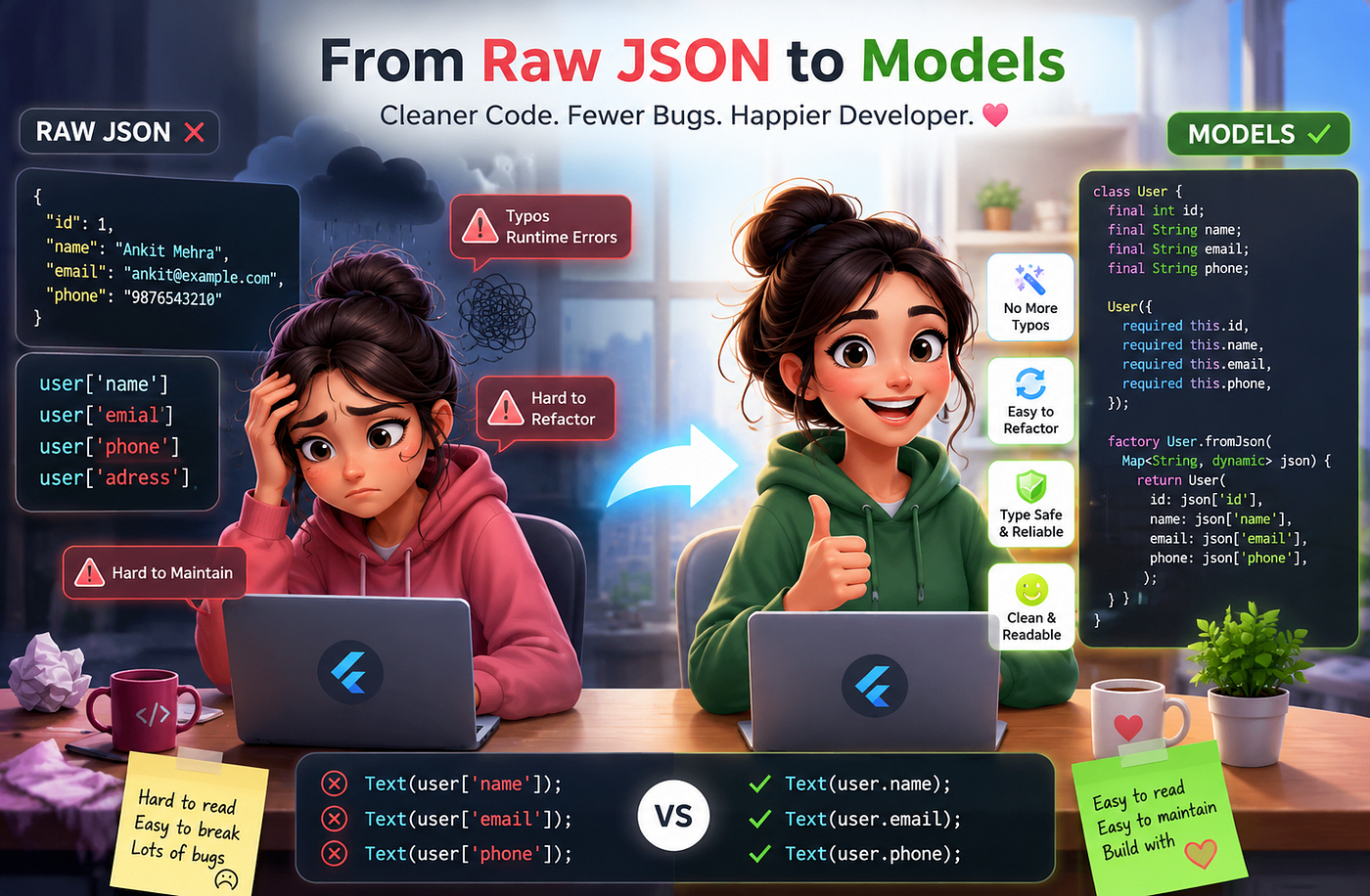
When I first started learning Flutter, I didn’t think much about data models.
I was focused on making things work. If an API returned JSON, I simply decoded it and started using the values directly throughout the app.
final data = jsonDecode(response.body);

Text(data['name']);
Text(data['email']);
Text(data['phone']);
At the time, this approach felt simple and fast.
There was no need to create extra classes. There was no additional setup. Everything seemed straightforward.
But as my projects became larger, I started running into problems that I hadn’t anticipated.
That’s when I realized why models are such an important part of Flutter development.
The Problem with Passing Raw JSON Everywhere
Using raw JSON works fine in very small applications. The trouble begins when your application starts growing.
Imagine you receive the following response from an API:
{
  "id": 1,
  "name": "Ankit Mehra",
  "email": "ankit@example.com",
  "phone": "9876543210"
}
Without models, you might access it like this:
final user = jsonDecode(response.body);

print(user['name']);
print(user['email']);
print(user['phone']);
Initially, this looks perfectly fine.
Then the same data starts being used in multiple screens.
You pass the entire map from one widget to another.
ProfileScreen(userData: user);
EditScreen(userData: user);
SettingsScreen(userData: user);
Suddenly, your entire application starts depending on string keys.
user['name']
user['email']
user['phone']
This is where problems begin.
Problem 1: Typos Become Runtime Errors
Suppose you accidentally write:
print(user['emial']);Notice the typo.
The code compiles successfully.
Flutter won’t warn you.
You only discover the mistake when the app behaves unexpectedly or crashes at runtime.
These types of bugs are frustrating because they are easy to make and sometimes difficult to identify.
Problem 2: Refactoring Becomes Difficult
Imagine your backend team changes:
"name"to
"full_name"Now you have to search your entire project and replace every occurrence of:
user['name']If you miss even one location, that particular screen breaks.
As the project grows, maintaining this becomes increasingly difficult.
Problem 3: The Code Stops Being Readable
Consider this code:
Text(user['name']);
Text(user['email']);
Text(user['phone']);
Now compare it with this:
Text(user.name);
Text(user.email);
Text(user.phone);
The second version immediately communicates what the data represents.
It feels like working with actual objects rather than a collection of random key-value pairs.
This improves readability significantly.
That’s When I Started Using Models
Instead of directly using maps everywhere, I started creating model classes.
For example:
class User {
  final int id;
  final String name;
  final String email;
  final String phone;

  User({
    required this.id,
    required this.name,
    required this.email,
    required this.phone,
  });
}
Now the data has a proper structure.
Instead of saying:
user['name']I can simply write:
user.nameThe code instantly becomes cleaner.
Converting JSON into a Model
The next step is converting API data into objects.
class User {
  final int id;
  final String name;
  final String email;
  final String phone;

  User({
    required this.id,
    required this.name,
    required this.email,
    required this.phone,
  });

  factory User.fromJson(Map<String, dynamic> json) {
    return User(
      id: json['id'],
      name: json['name'],
      email: json['email'],
      phone: json['phone'],
    );
  }
}
Now creating a user object becomes easy:
final data = jsonDecode(response.body);

User user = User.fromJson(data);

print(user.name);
print(user.email);
The code is cleaner and much easier to understand.
Sending Data Back to the API
Models are also useful when sending data to an API.
Map<String, dynamic> toJson() {
  return {
    'id': id,
    'name': name,
    'email': email,
    'phone': phone,
  };
}
Now converting an object back to JSON is simple.
final jsonData = user.toJson();Everything related to the user remains inside one class.
Models Improve Autocomplete
One of my favorite advantages of models is IDE support.
When using raw JSON:
user['...']You have to remember every key manually.
With models:
user.Your IDE immediately suggests:
- id
- name
- phone
This may seem like a small benefit, but it significantly improves the development experience, especially in large projects.
Models Make Code Easier to Maintain
As applications grow, maintainability becomes extremely important.
Suppose you decide to add an address field.
Without models, you may have to update dozens of files manually.
With models, you simply update the class.
class User {
  final int id;
  final String name;
  final String email;
  final String phone;
  final String address;

  User({
    required this.id,
    required this.name,
    required this.email,
    required this.phone,
    required this.address,
  });
}
The compiler then helps identify places that need updating.
This is much safer than discovering errors during runtime.
Models Fit Naturally with Flutter Architecture
As I started working on larger projects, I noticed that almost every architecture relies heavily on models.
For example:
API Layer
User.fromJson(responseData);Repository Layer
Future<User> getUser();State Management
User currentUser;UI Layer
Text(currentUser.name);The same object flows through the entire application.
Everything remains structured and predictable.
Are Models Always Necessary?
For a very small demo project, probably not.
If you’re displaying one or two values on a single screen, using raw JSON may be acceptable.
However, once your application starts growing, models quickly become worth the small amount of effort required to create them.
The benefits become obvious:
- Cleaner code
- Better readability
- Fewer runtime errors
- Easier refactoring
- Better autocomplete support
- Improved maintainability
- More scalable architecture
Final Thoughts
When I started building Flutter applications, passing raw JSON everywhere felt faster. Creating model classes seemed like unnecessary work.
But after building larger applications, I realized that the real cost wasn’t creating models. The real cost was maintaining messy code that relied on string keys spread across the entire project.
Today, creating models is one of the first things I do after integrating an API.
It adds a little structure upfront, but it saves a tremendous amount of time as the application grows.
I stopped passing raw JSON everywhere not because models are a Flutter rule, but because they made my code cleaner, safer, and significantly easier to maintain.
메타데이터
- post_id
- 369d72db4daf
- slug
- i-stopped-passing-raw-json-everywhere-heres-why-i-started-using-models-in-flutter-369d72db4daf
- url
- https://medium.com/@ankii8946/i-stopped-passing-raw-json-everywhere-heres-why-i-started-using-models-in-flutter-369d72db4daf
- canonical_url
- https://medium.com/@ankii8946/i-stopped-passing-raw-json-everywhere-heres-why-i-started-using-models-in-flutter-369d72db4daf
- author_url
- https://medium.com/@ankii8946
- status
- ok
- fetched_at
- 2026-08-21 00:49:35




