Fort Knox or Cardboard Box? Securing Your Cisco Fortress
Let’s be honest, in today’s threat landscape, network security isn’t a suggestion — it’s the bedrock of your digital operations. When it…
Fort Knox or Cardboard Box? Securing Your Cisco Fortress
Let’s be honest, in today’s threat landscape, network security isn’t a suggestion — it’s the bedrock of your digital operations. When it comes to your Cisco IOS devices, are you securing them like Fort Knox or leaving the keys in a cardboard box? Understanding the nuances of password protection is the first critical step.
The Danger of Clear Text and Weak Encryption: The most vulnerable approach is storing passwords in clear text — a big no-no! Even the service password-encryption command, while attempting to obfuscate with Cisco Type 7 encryption, offers a false sense of security. Numerous online tools can easily crack these "encrypted" passwords. Think of it as a flimsy lock that any determined intruder can pick in seconds.
**enable password- A Legacy Risk:** Theenable passwordcommand, used to protect privileged EXEC mode, also falls into this category of weak Type 7 encryption. While it might seem convenient, it's a significant security risk and should be avoided in modern configurations. Interestingly, Cisco allows you to configure bothenable passwordandenable secret. However, the device prioritizesenable secretif both are present, underscoring its intended use for robust security. If neither is configured, console users get a free pass to privileged mode (yikes!), while Telnet and SSH users are locked out.**enable secret- The Gold Standard:** This is where true security begins. Theenable secretcommand employs strong, one-way hashing algorithms like MD5, SHA-256, PBKDF2, and scrypt. Instead of storing the actual password, IOS stores a unique digital fingerprint (the hash). When you enter the enable password, IOS hashes what you typed and compares it to the stored hash. If they match, you're in! This means the actual password is never stored in a readable format, making it virtually impossible to retrieve even if the configuration file is compromised. Always, always useenable secret! You can even specify the hashing algorithm explicitly (e.g.,enable algorithm-type sha256 secret <password>). The Cisco enable secret command protects the password value by never even storing the clear-text password in the configuration. However, that one sentence may cause you a bit of confusion: If the router or switch does not remember the clear-text password, how can the switch know that the user typed the right password after using the enable command?

Step 1. -> IOS computes the MD5 hash of the password in the enable secret command and stores the hash of the password in the configuration.
Step 2 -> When the user types the enable command to reach enable mode, a password that needs to be checked against that configuration command, IOS hashes the clear-text password as typed by the user.
Step 3 -> IOS compares the two hashed values: if they are the same, the user-typed password must be the same as the configured password.
As a result, IOS can store the hash of the password but never store the clear-text password; however, it can still determine whether the user typed the same password.
Securing Local Usernames: password vs. secret: The same principle applies to local username authentication. Using username <user> password <pass> utilizes the weak Type 7 encryption. In contrast, username <user> secret <pass> leverages the same powerful hashing algorithms as enable secret. While some older authentication methods (like PAP and CHAP on serial links) might still require a clear-text password configured with the password keyword, in almost all other scenarios, **secret is the clear winner for robust user authentication**. IOS wisely allows only one password type per username, preventing confusion and encouraging the use of the more secure secret option.
Peeling Back the Layers — Encryption Algorithms for enable secret
When you configure the enable secret, you're not just setting a password; you're choosing an algorithm to protect it. Cisco IOS offers a range of options, each with varying levels of complexity and security. My notes highlighted some key algorithms:

- MD5 (Message Digest 5): This is a relatively older hashing algorithm. While still more secure than the reversible Type 7 encryption, MD5 is considered cryptographically weaker today due to known collision vulnerabilities. This means it’s theoretically possible for two different passwords to produce the same MD5 hash. While still better than clear text or Type 7, it’s not the strongest option available. You might see it configured as
enable algorithm-type md5 secret <password>.- PBKDF2 (Password-Based Key Derivation Function 2): This algorithm is significantly more robust than MD5. PBKDF2 employs a salt (random data added to the password before hashing) and multiple iterations (rounds of hashing) to make password cracking much more computationally expensive. This added complexity makes it far harder for attackers to brute-force or use pre-computed rainbow tables. You might encounter it implicitly or explicitly in newer IOS versions.
- SHA-256 (Secure Hash Algorithm 256-bit): Part of the SHA-2 family, SHA-256 is a widely respected and strong cryptographic hash function. It produces a longer hash value than MD5, further reducing the risk of collisions. Configuring it would look like
enable algorithm-type sha256 secret <password>.- scrypt: This is a more modern key derivation function that is specifically designed to be resistant to hardware-based attacks, such as those using GPUs or ASICs. Scrypt incorporates both salting and a significant memory cost, making it even more computationally intensive and memory-hard to crack. You might see it configured as on more recent IOS versions that support it.
enable algorithm-type scrypt secret <password>Contrast with service password-encryption: It's crucial to remember that the service password-encryption command uses a proprietary and much weaker Cisco Type 7 algorithm. It's not in the same league as the hashing algorithms used with enable secret. While it encrypts clear-text passwords in the configuration, its primary purpose was more about basic obfuscation than true security. As my notes mentioned, these Type 7 "encrypted" passwords can be easily decrypted with readily available online tools.
In essence, when configuring enable secret, you're choosing a robust, one-way hashing algorithm designed for security. The service password-encryption command, on the other hand, offers a superficial level of encryption that should not be relied upon for serious security.
Gating the Gates — Configuring Console and Virtual Terminal (VTY) Lines
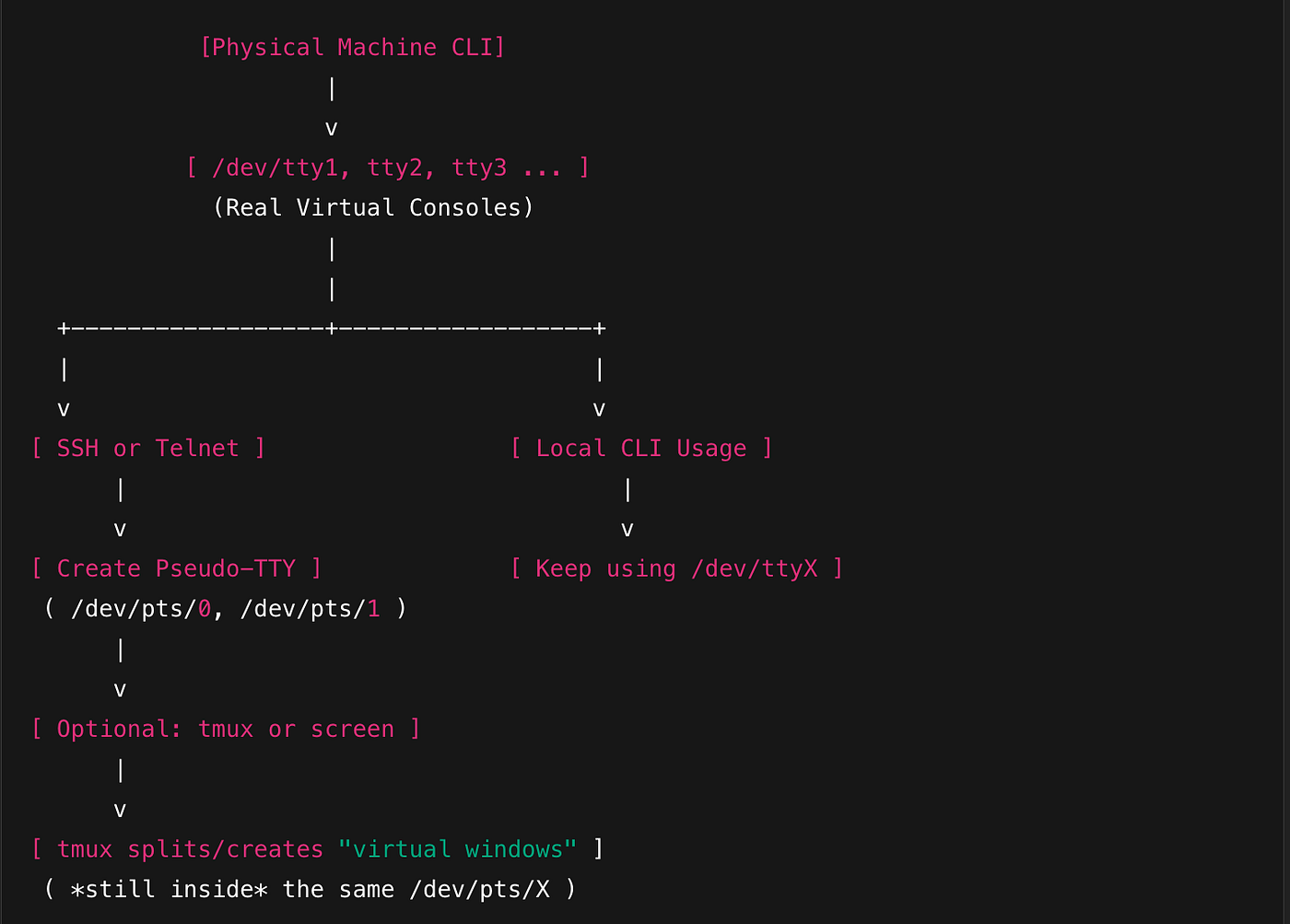
Think of the console and VTY lines as the physical and virtual doorways to your Cisco device’s command-line interface (CLI). Properly securing these entry points is fundamental to preventing unauthorized access. My notes highlighted their configuration and primary uses:
- Console Line (Physical Access —
line con 0): This represents the direct physical connection to the device, typically via a serial cable. It's often the first point of access for initial configuration and recovery. - CLI Access: The console port provides direct CLI access, even when the network is down. This makes it invaluable for troubleshooting boot issues or making fundamental configuration changes.
- Security Considerations: Because it’s a physical port, physical security is paramount. You can further secure it within the IOS configuration by setting a password using the
password <password>command under theline con 0configuration. You then need to enable login with thelogincommand. For example: Cisco CLI
line con 0
 password secureconsole
 login
While this adds a basic layer of security, remember the limitations of Type 7 encryption if you use the password command directly. For console access, especially in secure environments, consider physical access control as the primary defense.
- Virtual Terminal Lines (Remote Access —
line vty 0 15): These are software-based interfaces that allow for remote CLI access via protocols like Telnet and SSH. Theline vty 0 15command configures all 16 virtual terminal lines (numbered 0 through 15), allowing up to 16 concurrent remote sessions. - CLI and Telnet Access: Historically, VTY lines were primarily used for Telnet access, a protocol that transmits data, including passwords, in clear text. As my notes emphasized, this makes Telnet highly insecure and susceptible to eavesdropping. Therefore, Telnet should be avoided in production environments.
- Security Configuration for VTY Lines: To control access to VTY lines (whether for Telnet or SSH), you configure them similarly:
- Authentication: You can use the
login localcommand to authenticate against the local username database (configured with theusernamecommand). Alternatively, you can configure AAA for more centralized authentication. - Password (for Telnet — Avoid!): You can set a direct password using the
password <password>command under theline vtyconfiguration, followed by thelogincommand. However, due to the clear-text nature of Telnet, this offers minimal security. - Access Control Lists (ACLs): A much more robust security measure is to use ACLs to restrict which IP addresses can connect to the VTY lines. The
access-class <acl-number> incommand, applied under theline vtyconfiguration, filters incoming connection attempts based on the source IP address. - Execution Timeout (
exec-timeout <minutes> <seconds>): This command sets an inactivity timer, automatically disconnecting idle sessions, which is a good security practice. - Transport Protocols (
transport input <protocol-list>): This crucial command dictates which protocols are allowed on the VTY lines. To disable Telnet and allow only SSH, you would usetransport input ssh. Other options includetelnet,all, ornone.
In summary, the console line provides essential physical access, while VTY lines enable remote management. Securing both is critical. For VTY lines, prioritize strong authentication (like login local with strong secret passwords or AAA) and, most importantly, restrict access using ACLs and limit transport protocols to secure options like SSH.
SSH — The Secure Remote Access Champion
As my notes highlight, SSH (Secure Shell) emerged in 1995 as the much-needed replacement for the insecure Telnet protocol. While Telnet transmits everything in clear text, SSH encrypts all communication, including usernames, passwords, and commands, making it vastly superior for secure remote access to your Cisco devices.
Key Features:
- Encryption: SSH uses strong cryptographic algorithms to protect the confidentiality and integrity of data transmitted over the network.
- Authentication: SSH provides robust authentication mechanisms to verify the identity of both the client and the server.
- Security: SSH is considered a secure protocol for remote access, protecting against eavesdropping, session hijacking, and other attacks.
IOS Images and SSH: It’s important to note that not all Cisco IOS images support SSH. Images that do typically have “K9” in their name, indicating cryptographic capabilities. Conversely, “NPE” (No Payload Encryption) images lack support for cryptographic features like SSH due to export restrictions in some countries.
- Enabling and Configuring SSH: Enabling SSH involves several key steps, as outlined in my notes:
- Hostname: Set a unique hostname for the device using the
hostname <name>command. - Domain Name: Configure a domain name using the
ip domain name <domain>command. The fully qualified domain name (FQDN) is used in generating the RSA keys. - RSA Key Pair Generation: Generate an RSA key pair using the
crypto key generate rsacommand. The modulus length (key size) should be 768 bits or greater for SSHv2 compatibility. A longer key length generally provides stronger security. An alternate method iscrypto key generate rsa modulus <length>. - Authentication Credentials: Configure either an
enable secretpassword or local usernames and secrets (using theusername <user> secret <password>command). - SSH Version (Optional but Recommended): Restrict SSH to version 2 only using the
ip ssh version 2command. SSHv2 is more secure than SSHv1. - VTY Line Configuration: Configure the VTY lines (as we discussed earlier) to use local authentication (
login local) and, crucially, to only allow SSH connections using thetransport input sshcommand. You can also apply ACLs to the VTY lines (access-class <acl-number> in) to restrict access based on source IP address.
- Connecting with SSH: To connect to a Cisco device via SSH, you would typically use a command like
ssh -l <username> <ip-address>orssh <username>@<ip-address>. - VTY Lines and SSH: It’s essential to understand that SSH, like Telnet, uses the VTY lines for connection. Therefore, the same security considerations and configurations for VTY lines apply to SSH. The key difference is that SSH encrypts the entire session, while Telnet transmits everything in clear text.
In essence, SSH provides a secure and encrypted channel for remote access to your Cisco devices, making it the preferred protocol over the insecure Telnet. Proper configuration, including strong authentication, restricting access with ACLs, and limiting VTY lines to SSH only, is paramount for maintaining the security of your network infrastructure.
Summary: Hardening Your Cisco Devices — A Security-Focused Approach
Securing Cisco IOS devices is a multifaceted endeavor that goes beyond simply setting passwords. It involves a deep understanding of the vulnerabilities of older methods and the implementation of robust security practices.
We’ve covered several critical aspects:
- Password Protection: The
enable secretandusername <user> secret <pass>commands are paramount for protecting privileged EXEC mode and user authentication, respectively. These commands utilize strong, one-way hashing algorithms (like SHA-256 and scrypt) to prevent password disclosure, unlike the weak Type 7 encryption used byenable passwordandusername <user> password <pass>. Theservice password-encryptioncommand, while encrypting some passwords, offers minimal real security. - Encryption Algorithms: When configuring
enable secret, you choose an encryption algorithm. Options range from the older MD5 (less secure) to more modern and robust choices like SHA-256 and scrypt, which offer significantly stronger protection against password cracking. - Console and VTY Line Security: The console line provides direct physical access and should be protected primarily through physical security. VTY lines enable remote access via Telnet and SSH. Telnet is inherently insecure and should be avoided. VTY lines should be secured using strong authentication (like
login localwithsecretpasswords), access control lists (ACLs) to restrict access, and by limiting transport protocols to SSH only. - SSH Configuration: SSH provides secure, encrypted remote access and is the preferred protocol over Telnet. Enabling SSH requires configuring a hostname, domain name, generating RSA keys, setting strong authentication credentials, and configuring VTY lines to allow only SSH connections.
By implementing these security measures, network administrators can significantly reduce the risk of unauthorized access and protect their Cisco IOS devices from various threats.
Outro: Secure Today, Secure Tomorrow
In the ever-evolving landscape of cybersecurity, vigilance is key. The configurations we’ve discussed aren’t just one-time tasks; they’re the foundation of a security-conscious approach to network management. By prioritizing strong encryption, controlling access to your devices, and staying informed about best practices, you’re not just securing your network for today, but building a resilient defense for the challenges of tomorrow. Stay secure, stay ahead!
메타데이터
- post_id
- 36a3c85404c2
- slug
- fort-knox-or-cardboard-box-securing-your-cisco-fortress-36a3c85404c2
- url
- https://medium.com/@M4verick/fort-knox-or-cardboard-box-securing-your-cisco-fortress-36a3c85404c2
- canonical_url
- https://medium.com/@M4verick/fort-knox-or-cardboard-box-securing-your-cisco-fortress-36a3c85404c2
- author_url
- https://medium.com/@M4verick
- status
- ok
- fetched_at
- 2026-06-26 03:39:16