Building a Real-Time Open Data Lake Architecture with Flink, Iceberg, Nessie, dbt, Trino, and…
The architecture is designed to support both real-time data ingestion and batch processing in a modular and cloud-native way.
Building a Real-Time Open Data Lake Architecture with Flink, Iceberg, Nessie, dbt, Trino, and Airflow
Introduction
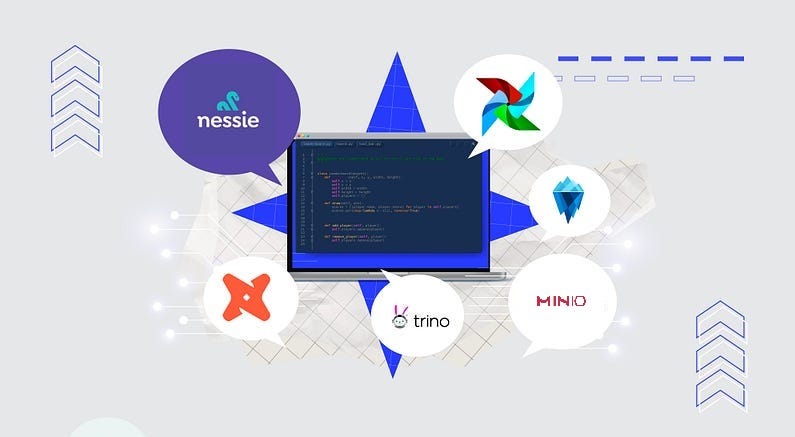
In modern data platforms, real-time processing, flexible data modeling, and long-term sustainability through open formats have become more important than ever. In this post, I’ll walk you through an Open Data Lake architecture I built using a set of open-source tools to handle both streaming and batch workloads seamlessly. The architecture brings together Apache Flink, Apache Iceberg, Nessie, MinIO, dbt, Trino, and Airflow to create an end-to-end scalable and version-controlled data infrastructure. All components are deployed on OpenShift, running in a containerized environment. The pipeline starts with consuming real-time events from RabbitMQ/Kafka using Flink, writing to an Iceberg table backed by MinIO and managed via Nessie. That same table is then modeled using dbt and processed in batch with Airflow. In the following sections, I’ll go over each component and the reasoning behind the design decisions in detail.

Architecture Overview
Architecture Overview
The architecture is designed to support both real-time data ingestion and batch processing in a modular and cloud-native way. Here’s a high-level breakdown of the components and how they interact:
- Apache Flink (Java): Used for real-time stream processing. It consumes messages from RabbitMQ or Kafka and writes them to an Apache Iceberg table using the Flink Iceberg connector.
- RabbitMQ or Kafka: Acts as the messaging backbone. It delivers real-time event data to Flink, allowing the system to react instantly to new data.
- Apache Iceberg: A modern table format that enables schema evolution, time travel, partitioning, and efficient querying. It’s used as the core data storage format in the lake.
- Project Nessie: Provides Git-like version control for Iceberg tables, enabling branching, committing, and rollback capabilities in the data catalog.
- MinIO: Serves as the S3-compatible object storage backend for Iceberg. It stores the actual data files and supports scalable, cloud-native storage operations.
- dbt: Handles transformation and modeling on top of the raw Iceberg tables. It brings software engineering practices like version control, testing, and documentation to data modeling.
- Trino: Acts as the SQL query engine for Iceberg. It enables interactive querying and powers dbt transformations. Trino also supports Nessie-based catalogs, allowing for branching and time travel directly through SQL.
- Apache Airflow: Orchestrates scheduled batch workflows and runs dbt models. It ensures reliable execution of downstream transformations.
- OpenShift: Hosts and manages all components in a containerized environment, enabling seamless deployment, scaling, and monitoring.
Together, these tools form a unified data platform that supports both the real-time ingestion of raw events and the batch transformation of modeled data — all within an open, flexible, and maintainable ecosystem.
Pipeline Walkthrough
Let’s walk through the end-to-end flow of how data moves through the system — from real-time ingestion to scheduled transformations.
- Event Ingestion from RabbitMQ or Kafka The pipeline could begin with a RabbitMQ queue or Kafka topic that continuously receives real-time event messages. These messages could originate from various sources such as applications, microservices, or IoT devices. Each message is a small JSON payload representing an event or transaction.
- Stream Processing with Apache Flink A Java-based Flink job is deployed on OpenShift, configured to consume messages from the RabbitMQ queue or Kafka topic. Using the Flink Iceberg connector, this job parses the incoming events and writes them directly to an Iceberg table. This process happens in near real-time, ensuring minimal latency between data arrival and storage.
- Data Lake Storage with Iceberg + MinIO + Nessie The Iceberg table is backed by MinIO, which provides S3-compatible object storage. Instead of writing directly to S3, Flink writes to Iceberg through a Nessie Catalog. This adds Git-like version control to the data lake, enabling safe commits, branching, and rollback — making your data lifecycle as manageable as your code.
- Modeling with dbt and Trino dbt connects to Trino, which acts as the query engine for the Iceberg tables. Models are written in standard SQL and materialized as Iceberg tables using Trino’s native support. Once the raw data is available in Iceberg, dbt takes over for modeling and transformation. dbt projects are also deployed on Minio and are triggered via Airflow. dbt reads from the raw Iceberg tables and creates cleaned, transformed models that are easier to consume for analytics or downstream applications.
- Batch Orchestration with Apache Airflow Airflow is responsible for scheduling and orchestrating dbt jobs. DAGs are defined to run transformations on a regular cadence (e.g., hourly, daily). This ensures that the latest ingested data is processed and modeled in sync with business requirements. Airflow runs dbt commands on a schedule. These connect to Trino, execute transformations, and refresh models or snapshots as Iceberg tables.
- End-to-End on OpenShift All components — Flink jobs, MinIO, Nessie, dbt, Trino, and Airflow — are deployed and managed on OpenShift. This provides robust container orchestration, simplified scaling, and a consistent platform for monitoring and managing the entire pipeline.
This pipeline design allows for real-time ingestion and analysis, while also supporting structured, maintainable, and versioned batch processing — all built entirely on open-source and cloud-native technologies.
Why I Built It This Way
When designing a modern data platform, my main goals were scalability, flexibility, and openness. I wanted to avoid vendor lock-in, enable both real-time and batch workloads, and make versioning and schema evolution first-class citizens of the system.
Here’s why I chose each of these components:
- Apache Flink was a natural fit for real-time stream processing. It provides exactly-once semantics, powerful windowing capabilities, and a mature ecosystem for production-grade stream applications.
- Apache Iceberg brings the kind of table-level control and long-term maintainability that traditional file-based lakes lack. It supports schema evolution, time travel, and ACID guarantees — crucial for building reliable data systems.
- Nessie adds Git-like version control to Iceberg. This allows me to create isolated branches for development or testing, commit changes safely, and roll back in case of issues — just like I would in source code.
- MinIO was selected as the S3-compatible object store because it’s lightweight, easy to deploy, and works perfectly in containerized environments like OpenShift.
- dbt makes transformations modular, testable, and version-controlled. It allowed me to apply software engineering best practices to data modeling, making collaboration and CI/CD possible in the analytics layer.
- Trino serves as the SQL query layer on top of Iceberg. It enabled me to query and materialize Iceberg tables using ANSI SQL, integrate seamlessly with dbt, and even leverage Nessie’s branching and time travel via Trino catalogs. This allowed analysts and data scientists to access the lakehouse interactively using familiar SQL syntax.
- Airflow is the backbone of orchestration. It coordinates the batch jobs, manages dependencies, and provides monitoring and retry capabilities — all essential for stable production pipelines.
This combination gave me the best of both worlds: real-time ingestion with strong consistency and structured batch processing with clean versioning and governance — all while staying within the open-source ecosystem.
Key Components of the Architecture
🌀 Apache Flink — Real-Time Stream Processing
Apache Flink is the heart of the real-time ingestion layer. I implemented a Java-based Flink job that listens to messages from RabbitMQ or Kafka and transforms them into structured records before writing them into Iceberg tables.
Key configurations:
- Source: RabbitMQ/Kafka connector consuming from a durable queue/topic.
- Sink: Flink Iceberg Sink using the Nessie Catalog.
- Checkpointing: Enabled for exactly-once guarantees.
- Parallelism: Tuned for optimal throughput and latency.
This setup ensures near real-time availability of events in the data lake with strong consistency and fault-tolerance.
- Docker file for Flink Cluster You can deploy your Flink Cluster via this Dockerfile.
# Dockerfile for Flink Cluster

## Start from the official Flink image
FROM flink:1.19.1-scala_2.12

###############################################
## Download Neccessary Jars to Flink Class Path
###############################################

## Iceberg Flink Library
RUN curl -L https://repo1.maven.org/maven2/org/apache/iceberg/iceberg-flink-runtime-1.19/1.6.1/iceberg-flink-runtime-1.19-1.6.1.jar -o /opt/flink/lib/iceberg-flink-runtime-1.19-1.6.1.jar

## Hive Flink Library
RUN curl -L https://repo1.maven.org/maven2/org/apache/flink/flink-sql-connector-hive-2.3.9_2.12/1.19.1/flink-sql-connector-hive-2.3.9_2.12-1.19.1.jar -o /opt/flink/lib/flink-sql-connector-hive-2.3.9_2.12-1.19.1.jar

## Hadoop Common Classes
RUN curl -L https://repo1.maven.org/maven2/org/apache/hadoop/hadoop-common/2.8.3/hadoop-common-2.8.3.jar -o /opt/flink/lib/hadoop-common-2.8.3.jar

## Hadoop AWS Classes
RUN curl -L https://repo.maven.apache.org/maven2/org/apache/flink/flink-shaded-hadoop-2-uber/2.8.3-10.0/flink-shaded-hadoop-2-uber-2.8.3-10.0.jar -o /opt/flink/lib/flink-shaded-hadoop-2-uber-2.8.3-10.0.jar

## AWS Bundled Classes
RUN curl -L https://repo1.maven.org/maven2/software/amazon/awssdk/bundle/2.20.18/bundle-2.20.18.jar -o /opt/flink/lib/bundle-2.20.18.jar
RUN curl -L https://repo1.maven.org/maven2/software/amazon/awssdk/s3/2.20.18/s3-2.20.18.jar -o /opt/flink/lib/s3-2.20.18.jar

## Apache Kafka
RUN curl -L https://repo1.maven.org/maven2/org/apache/kafka/kafka_2.13/2.5.0/kafka_2.13-2.5.0.jar -o /opt/flink/lib/kafka_2.13-2.5.0.jar
RUN curl -L https://repo1.maven.org/maven2/org/apache/kafka/kafka-clients/2.5.0/kafka-clients-2.5.0.jar -o /opt/flink/lib/kafka-clients-2.5.0.jar

## Flink Parquet
RUN curl -L https://repo1.maven.org/maven2/org/apache/flink/flink-parquet/1.19.1/flink-parquet-1.19.1.jar -o /opt/flink/lib/flink-parquet-1.19.1.jar
RUN curl -L https://repo1.maven.org/maven2/org/apache/avro/avro/1.11.1/avro-1.11.1.jar -o /opt/flink/lib/avro-1.11.1.jar
RUN curl -L https://repo1.maven.org/maven2/org/apache/parquet/parquet-hadoop/1.11.1/parquet-hadoop-1.11.1.jar -o /opt/flink/lib/parquet-hadoop-1.11.1.jar
RUN curl -L https://repo1.maven.org/maven2/org/apache/parquet/parquet-avro/1.11.1/parquet-avro-1.11.1.jar -o /opt/flink/lib/parquet-avro-1.11.1.jar
RUN curl -L https://repo1.maven.org/maven2/org/apache/parquet/parquet-column/1.11.1/parquet-column-1.11.1.jar -o /opt/flink/lib/parquet-column-1.11.1.jar
RUN curl -L https://repo1.maven.org/maven2/org/apache/parquet/parquet-common/1.11.1/parquet-common-1.11.1.jar -o /opt/flink/lib/parquet-common-1.11.1.jar

## Install Nano to edit files
##RUN apt update && apt install -y nano

CMD ["./bin/start-cluster.sh"]- Simple Java Class for Flink Application
import org.apache.flink.api.common.time.Time;
import org.apache.flink.streaming.api.datastream.DataStream;
import org.apache.flink.streaming.api.environment.CheckpointConfig;
import org.apache.flink.streaming.api.environment.StreamExecutionEnvironment;
import org.apache.flink.table.data.RowData;
import org.apache.hadoop.conf.Configuration;
import org.apache.iceberg.catalog.TableIdentifier;
import org.apache.iceberg.flink.CatalogLoader;
import org.apache.iceberg.flink.TableLoader;
import org.apache.iceberg.flink.sink.FlinkSink;
import java.util.HashMap;
import java.util.Map;
import java.util.Optional;
import java.util.Properties;

public class DummyStreamJob {
    public static void run() throws Exception {

        StreamExecutionEnvironment env = StreamExecutionEnvironment.getExecutionEnvironment();

        env.enableCheckpointing(1000 * 60 * 15);
        env.getCheckpointConfig().setMinPauseBetweenCheckpoints(500);
        env.getCheckpointConfig().setCheckpointTimeout(60000);
        env.getCheckpointConfig().setTolerableCheckpointFailureNumber(2);
        env.getCheckpointConfig().setMaxConcurrentCheckpoints(1);
        env.getCheckpointConfig().setExternalizedCheckpointCleanup(CheckpointConfig.ExternalizedCheckpointCleanup.RETAIN_ON_CANCELLATION);

        Properties nessieCatalog = ConfigLoader.loadConfig("nessie-catalog.properties");
        String s3accessKey = Optional.ofNullable(System.getenv("AWS_ACCESS_KEY_ID")).orElse("null");
        String s3secretKey = Optional.ofNullable(System.getenv("AWS_SECRET_ACCESS_KEY")).orElse("null");

        Map<String, String> catalogOptions = new HashMap<>();
        catalogOptions.put("type", nessieCatalog.getProperty("type"));
        catalogOptions.put("catalog-type", nessieCatalog.getProperty("catalog-type"));
        catalogOptions.put("uri", nessieCatalog.getProperty("uri"));
        catalogOptions.put("ref", nessieCatalog.getProperty("ref"));
        catalogOptions.put("nessie.auth.type", nessieCatalog.getProperty("nessie.auth.type"));
        catalogOptions.put("warehouse", nessieCatalog.getProperty("warehouse"));
        catalogOptions.put("s3.endpoint", nessieCatalog.getProperty("s3.endpoint"));
        catalogOptions.put("s3.aws-access-key", s3accessKey);
        catalogOptions.put("s3.aws-secret-key", s3secretKey);
        catalogOptions.put("client.assume-role.region", nessieCatalog.getProperty("client.assume-role.region"));
        catalogOptions.put("s3.path-style-access", nessieCatalog.getProperty("s3.path-style-access"));
        catalogOptions.put("fs.native-s3.enabled", nessieCatalog.getProperty("fs.native-s3.enabled"));
        catalogOptions.put("io-impl", nessieCatalog.getProperty("io-impl"));
        catalogOptions.put("catalog-impl", nessieCatalog.getProperty("catalog-impl"));

        Configuration hadopConf = new Configuration();
        hadopConf.set("fs.s3a.access.key", s3accessKey);
        hadopConf.set("fs.s3a.secret.key", s3secretKey);
        hadopConf.set("fs.s3a.endpoint", nessieCatalog.getProperty("s3.endpoint"));
        hadopConf.set("fs.s3a.path.style.access", nessieCatalog.getProperty("s3.path-style-access"));
        hadopConf.set("fs.native-s3.enabled", nessieCatalog.getProperty("fs.native-s3.enabled"));

        // Iceberg Catalog Definition
        CatalogLoader catalogLoader = CatalogLoader.custom("nessie_catalog", catalogOptions, hadopConf, nessieCatalog.getProperty("catalog-impl"));

        // Iceberg Table Setting
        TableLoader tableLoader = TableLoader.fromCatalog(catalogLoader, TableIdentifier.of("my_dummy_schema", "my_dummy_iceberg_table"));

        // RabbitMQ Config Properties
        Properties sourceRabbitMQProps = ConfigLoader.loadConfig("dummy-rabbitmq-source.properties");

        // Creating Flink DataStream object from RabbitMQ Event Data
        DataStream<String> dummyEventString = DummyEventProcessor.DummyEventStream(env, sourceRabbitMQProps);

        // Creating DataStream<RowData> object for Flink Iceberg Sink Process
        DataStream<RowData> rowDataDataStream = dummyEventString.map(new RawStringToRowDataMapper());

        // Appending event data to s3 backend (Minio) as a Iceberg table data
        FlinkSink.forRowData(rowDataDataStream).tableLoader(tableLoader).append();

        // Flink Job Execution
        env.execute("RabbitMQ to Iceberg");

    }
}- Example of pom.xml
<project xmlns="http://maven.apache.org/POM/4.0.0" xmlns:xsi="http://www.w3.org/2001/XMLSchema-instance" xsi:schemaLocation="http://maven.apache.org/POM/4.0.0 http://maven.apache.org/xsd/maven-4.0.0.xsd">
  <modelVersion>4.0.0</modelVersion>
  <artifactId>flink-iceberg-streaming</artifactId>
  <version>1.0.0</version>
  <packaging>jar</packaging>

  <properties>
    <project.build.sourceEncoding>UTF-8</project.build.sourceEncoding>
    <flink.version>1.19.1</flink.version>
    <flink.connector.version>3.2.0-1.19</flink.connector.version>
    <java.version>11</java.version>
    <kafka.version>2.5.0</kafka.version>
    <scala.binary.version>2.12</scala.binary.version>
    <maven.compiler.source>${java.version}</maven.compiler.source>
    <maven.compiler.target>${java.version}</maven.compiler.target>
  </properties>

  <dependencies>
    <!-- These dependencies are provided, we're expecting these libraries will be exist in server/classpath. -->
    <dependency>
      <groupId>org.apache.flink</groupId>
      <artifactId>flink-clients</artifactId>
      <version>${flink.version}</version>
      <scope>provided</scope>
    </dependency>
    <dependency>
      <groupId>org.apache.flink</groupId>
      <artifactId>flink-table-api-java</artifactId>
      <version>${flink.version}</version>
      <scope>provided</scope>
    </dependency>
    <dependency>
      <groupId>org.apache.flink</groupId>
      <artifactId>flink-table-api-java-bridge</artifactId>
      <version>${flink.version}</version>
      <scope>provided</scope>
    </dependency>
    <dependency>
      <groupId>org.apache.flink</groupId>
      <artifactId>flink-streaming-scala_${scala.binary.version}</artifactId>
      <version>${flink.version}</version>
      <scope>provided</scope>
    </dependency>
    <dependency>
      <groupId>org.apache.flink</groupId>
      <artifactId>flink-table-planner-loader</artifactId>
      <version>${flink.version}</version>
      <scope>provided</scope>
    </dependency>
    <dependency>
      <groupId>org.apache.flink</groupId>
      <artifactId>flink-table-runtime</artifactId>
      <version>${flink.version}</version>
      <scope>provided</scope>
    </dependency>
    <dependency>
      <groupId>org.apache.flink</groupId>
      <artifactId>flink-json</artifactId>
      <version>${flink.version}</version>
      <scope>provided</scope>
    </dependency>
    <dependency>
      <groupId>org.apache.flink</groupId>
      <artifactId>flink-parquet</artifactId>
      <version>${flink.version}</version>
      <scope>provided</scope>
    </dependency>
    <dependency>
      <groupId>org.apache.flink</groupId>
      <artifactId>flink-connector-files</artifactId>
      <version>${flink.version}</version>
      <scope>provided</scope>
    </dependency>
    <dependency>
      <groupId>org.apache.hadoop</groupId>
      <artifactId>hadoop-client</artifactId>
      <version>3.1.1</version>
      <scope>provided</scope>
    </dependency>
    <dependency>
      <groupId>org.apache.avro</groupId>
      <artifactId>avro</artifactId>
      <version>1.11.1</version>
      <scope>provided</scope>
    </dependency>
    <dependency>
      <groupId>org.apache.kafka</groupId>
      <artifactId>kafka-clients</artifactId>
      <version>${kafka.version}</version>
      <scope>provided</scope>
    </dependency>
    <dependency>
      <groupId>org.apache.iceberg</groupId>
      <artifactId>iceberg-flink-runtime-1.19</artifactId>
      <version>1.6.1</version>
      <scope>provided</scope>
    </dependency>
    <!-- These dependencies are not provided, these libraries should be packaged into the JAR file. -->
    <dependency>
      <groupId>org.apache.flink</groupId>
      <artifactId>flink-connector-kafka</artifactId>
      <version>${flink.connector.version}</version>
    </dependency>
    <dependency>
      <groupId>org.apache.flink</groupId>
      <artifactId>flink-connector-rabbitmq</artifactId>
      <version>1.16.1</version> <!-- There is no newest library for RabbitMQ Flink Connector -->
    </dependency>
  </dependencies>

  <build>
    <plugins>
      <plugin>
        <groupId>org.apache.maven.plugins</groupId>
        <artifactId>maven-shade-plugin</artifactId>
        <version>3.6.0</version>
        <executions>
          <execution>
            <phase>package</phase>
            <goals>
              <goal>shade</goal>
            </goals>
          </execution>
        </executions>
      </plugin>
    </plugins>
  </build>

</project>- Example of Nessie Properties File
# Implementation Class
catalog-impl=org.apache.iceberg.nessie.NessieCatalog
io-impl=org.apache.iceberg.aws.s3.S3FileIO

# Nessie
type=iceberg
catalog-type=nessie
uri=http://your_nessie_host:19120/api/v1
nessie.auth.type=NONE
ref=main
warehouse=s3a://your_bucket_name

# Minio/s3
s3.endpoint=http://your_minio_host:9000
s3.path-style-access=true
fs.native-s3.enabled=true
client.assume-role.region=us-east-1
With Flink cluster deployment, and JAR file creation, you can deploy your JAR to Flink Cluster via Flink Web UI.

Flink Cluster Web UI
🧊 Apache Iceberg — Data Lake Table Format
Iceberg provides a modern data layout that overcomes the limitations of older file-based systems like Hive or plain Parquet.
Why Iceberg?
- Schema evolution without breaking downstream processes.
- Partition evolution and hidden partitioning support.
- ACID guarantees for concurrent writes.
- Time travel and snapshot-based queries.
All raw and transformed datasets are stored as Iceberg tables, ensuring reliability, consistency, and long-term maintainability.
Example of schema and table creation:
create schema my_dummy_schema;

create table my_dummy_schema.my_dummy_iceberg_table
(
   data_date date,
   my_string_column varchar,
   my_integer_column integer
) with
( partitioning = array['data_date']);
Iceberg Table Metadata by Nessie
🌿 Project Nessie — Git for Data
Project Nessie serves as the version-controlled catalog layer for Apache Iceberg tables. It introduces Git-like semantics into the data world — including branches, commits, and tags — bringing reproducibility, collaboration, and safety to data operations.
🧠 Why Nessie Matters: In traditional catalogs (like Hive Metastore or Glue), all changes are applied directly to the main branch, and there’s no built-in way to test transformations in isolation or roll back easily. Nessie changes that.
✅ Key Benefits with Practical Examples:
- Isolated development with branching → Just like in Git, you can create a development branch to safely test new transformations.
Example: You want to test a new dbt model that introduces a new schema. You simply:
nessie branch dev-feature-x mainThen, you run dbt pointing to the dev-feature-x branch. No risk to production data.
- Safe schema changes → Apply schema evolutions (like adding a column or changing a type) in a branch first, verify downstream jobs, and only then merge.
Example: You add a new field in Flink’s output schema. By writing to a dev branch, you verify that dbt models still work. Once validated:
nessie merge dev-feature-x into main- Time travel and rollback → Every commit acts as a snapshot. If something breaks, just reset the branch to a known good commit.
Example: A bad data load corrupts your daily report. You can:
nessie reset main to commit_hash- Automated testing in CI/CD → For each pull request, spin up a dedicated Nessie branch to run tests on the latest version of your transformations. Once checks pass, merge into main — just like with code.
Example of Nessie Commit:

Nessie Commit History for Iceberg Tables
📦 MinIO — Object Storage Backend
MinIO provides the S3-compatible backend for storing actual Iceberg data files. It’s cloud-native, lightweight, and integrates seamlessly with Iceberg and Nessie.
Why MinIO?
- S3 compatibility without needing a full cloud provider.
- Easy to deploy on OpenShift.
- High performance for object storage operations.
Iceberg Table s3 Path via Minio Web UI:

Iceberg Table Metadata Folder in Minio s3
🛠️ dbt — Transformations and Modeling
dbt handles the transformation layer, reading from raw Iceberg tables and generating curated models for reporting or downstream analytics.
Key practices:
- Materializations: incremental, snapshot, view based on needs.
- Tests: Schema and data tests integrated into each model.
- Versioning: Models are Git-controlled and branch-aware via Nessie.
dbt profiles.yml for Trino/Iceberg:
dbt_iceberg:
  target: dev
  outputs:
    dev:
      type: trino
      method: none
      user: admin
      database: datalake
      host: your-trino-host
      port: 8080
      schema: your-schema
      threads: 1
🔗 Trino (SQL Query Engine for Iceberg)
Trino acts as the SQL engine that bridges dbt with Apache Iceberg. It provides:
- ANSI SQL support over object storage (S3 via MinIO).
- Native Iceberg table read/write capabilities.
- Integration with dbt for both transformation and testing.
- Optional Nessie catalog integration for versioned queries.
✅ I configured Trino to use the Iceberg catalog pointing to MinIO and optionally plugged in Nessie to manage branching.
Iceberg Nessie Connector Config for Trino:
  datalake: |
    connector.name=iceberg
    iceberg.catalog.type=nessie
    iceberg.nessie-catalog.uri=http://nessie-host:19120/api/v1
    iceberg.nessie-catalog.default-warehouse-dir=s3a://iceberg-bucket/
    iceberg.nessie-catalog.ref=main
    iceberg.register-table-procedure.enabled=true
    iceberg.file-format=parquet
    fs.native-s3.enabled=true
    s3.exclusive-create=false
    s3.path-style-access=true
    s3.endpoint=http://minio-host:9000
    s3.region=us-east-1
    s3.aws-access-key=XXXX
    s3.aws-secret-key=YYYY
⏱ Apache Airflow — Orchestration Layer
Airflow orchestrates batch workflows that run dbt models on a scheduled basis.
Details:
- DAGs manage the execution of dbt models.
- Tasks are monitored, retried, and logged.
- Airflow is containerized and deployed on OpenShift.
This ensures regular, reliable processing of data with full visibility into job health and status.
Airflow Docker File:
FROM apache/airflow:2.8.1-python3.10

RUN pip install --no-cache-dir \
    dbt-core==1.8.3 \
    dbt-postgres==1.8.2 \
    dbt-trino==1.8.3 \
    boto3==1.34.84 \
    awscli==1.32.84

USER root

RUN apt-get update && apt-get install -y \
    git && apt-get clean && rm -rf /var/lib/apt/lists/*

USER airflow
Airflow DAG for DAG Sync from Minio:
from airflow import DAG
from airflow.operators.python import PythonOperator
from datetime import datetime
import os
import boto3

MINIO_ENDPOINT = os.getenv("S3_ENDPOINT_URL", "http://minio:9000")
MINIO_ACCESS_KEY = os.getenv("AWS_ACCESS_KEY_ID", "minioadmin")
MINIO_SECRET_KEY = os.getenv("AWS_SECRET_ACCESS_KEY", "minioadmin")
DAGS_BUCKET_NAME = "airflow-dags"
DAGS_FOLDER = os.getenv("AIRFLOW__CORE__DAGS_FOLDER", "/opt/airflow/dags")

def download_dags_from_minio():
    s3 = boto3.client(
        's3',
        endpoint_url=MINIO_ENDPOINT,
        aws_access_key_id=MINIO_ACCESS_KEY,
        aws_secret_access_key=MINIO_SECRET_KEY,
    )

    objects = s3.list_objects_v2(Bucket=DAGS_BUCKET_NAME)

    if "Contents" not in objects:
        print("No DAGs found in bucket.")
        return

    for obj in objects["Contents"]:
        key = obj["Key"]
        if not key.endswith(".py"):
            continue

        local_path = os.path.join(DAGS_FOLDER, os.path.basename(key))
        s3.download_file(DAGS_BUCKET_NAME, key, local_path)
        print(f"Downloaded {key} to {local_path}")

with DAG(
    dag_id="sync_dags_from_minio",
    start_date=datetime(2025, 1, 1),
    schedule_interval="@hourly",
    catchup=False,
    tags=["maintenance"],
) as dag:

    sync_task = PythonOperator(
        task_id="sync_dags_from_minio",
        python_callable=download_dags_from_minio
    )
Airflow DAG for dbt Project Sync from Minio:
from airflow import DAG
from airflow.operators.python import PythonOperator
from datetime import datetime
import os
import boto3

MINIO_ENDPOINT = os.getenv("S3_ENDPOINT_URL", "http://minio:9000")
MINIO_ACCESS_KEY = os.getenv("AWS_ACCESS_KEY_ID", "minioadmin")
MINIO_SECRET_KEY = os.getenv("AWS_SECRET_ACCESS_KEY", "minioadmin")
DBT_BUCKET_NAME = "dbt-project"
DBT_FOLDER = "/opt/airflow/dbt"

def download_dags_from_minio():
    s3 = boto3.client(
        's3',
        endpoint_url=MINIO_ENDPOINT,
        aws_access_key_id=MINIO_ACCESS_KEY,
        aws_secret_access_key=MINIO_SECRET_KEY,
    )

    objects = s3.list_objects_v2(Bucket=DBT_BUCKET_NAME)

    if "Contents" not in objects:
        print("No dbt files found in bucket.")
        return

    for obj in objects["Contents"]:
        key = obj["Key"]

        dest_path = os.path.join(DBT_FOLDER, key)
        dest_dir = os.path.dirname(dest_path)

        os.makedirs(dest_dir, exist_ok=True)
        s3.download_file(DBT_BUCKET_NAME, key, dest_path)
        print(f"Downloaded {key} to {dest_path}")

with DAG(
    dag_id="sync_dbt_from_minio",
    start_date=datetime(2025, 1, 1),
    schedule_interval="@hourly",
    catchup=False,
    tags=["dbt"],
) as dag:

    sync_task = PythonOperator(
        task_id="sync_dbt_from_minio",
        python_callable=download_dags_from_minio
    )
Airflow DAG for running dbt Models
from airflow import DAG
from airflow.operators.bash import BashOperator
from datetime import datetime

DBT_FOLDER = "/opt/airflow/dbt"

with DAG(
    dag_id="run_dbt_project",
    start_date=datetime(2025, 1, 1),
    schedule_interval="@hourly",
    catchup=False,
    tags=["dbt"],
) as dag:

    dbt_run = BashOperator(
        task_id="dbt_run",
        bash_command=f"cd {DBT_FOLDER} && dbt run"
    )

    dbt_run
Airflow DAG for dbt documentation to Minio:
from airflow import DAG
from airflow.operators.bash import BashOperator
from airflow.operators.python import PythonOperator
from datetime import datetime
import boto3
import os

def upload_docs_to_minio(**kwargs):
    s3 = boto3.client(
        's3',
        endpoint_url=os.getenv("S3_ENDPOINT_URL"),
        aws_access_key_id=os.getenv("AWS_ACCESS_KEY_ID"),
        aws_secret_access_key=os.getenv("AWS_SECRET_ACCESS_KEY")
    )

    bucket_name = "dbt-project"
    local_docs_path = "/opt/airflow/dbt/target"

    for root, _, files in os.walk(local_docs_path):
        for file in files:
            full_path = os.path.join(root, file)
            relative_path = os.path.relpath(full_path, local_docs_path)
            s3_key = f"docs/{relative_path}"
            s3.upload_file(full_path, bucket_name, s3_key)
            print(f"Uploaded {file} to s3://{bucket_name}/{s3_key}")

default_args = {
    'start_date': datetime(2024, 1, 1),
}

with DAG(
    dag_id='dbt_docs_to_minio',
    schedule_interval=None,
    catchup=False,
    default_args=default_args,
    description='Generate dbt docs and upload to MinIO S3',
) as dag:

    generate_docs = BashOperator(
        task_id='generate_dbt_docs',
        bash_command='cd /opt/airflow/dbt && dbt docs generate'
    )

    upload_to_s3 = PythonOperator(
        task_id='upload_docs_to_minio',
        python_callable=upload_docs_to_minio
    )

    generate_docs >> upload_to_s3
Airflow Web UI:

Airflow Web UI
🚀 Performance & Scalability
Designing for performance and scalability was a key goal from day one. Each component in this stack was chosen for its ability to scale independently and operate efficiently in distributed environments:
- Apache Flink scales horizontally and can process millions of events per second with exactly-once guarantees. We tuned parallelism, checkpointing, and buffer timeouts to ensure low-latency ingestion under production loads.
- Apache Iceberg enables efficient reads and writes through hidden partitioning and metadata pruning. Even as data volume grows, query performance remains stable thanks to Iceberg’s snapshot isolation and manifest-based planning.
- MinIO performs remarkably well as a self-hosted object store on OpenShift, allowing for high-throughput parallel writes from Flink and fast reads by Trino.
- Trino’s distributed query engine supports fast, federated queries across Iceberg tables, even with high concurrency and multi-tenant workloads.
- Airflow and dbt scale horizontally by design. dbt models can be grouped and run in parallel, while Airflow DAGs handle dependencies and retries seamlessly in a Kubernetes-native way.
By keeping the architecture modular, each component can be tuned or scaled independently based on evolving data loads, ensuring both cost-efficiency and reliability.
🧠 Challenges & Lessons Learned
While building this architecture, I ran into several technical challenges. Here are some of the key lessons learned:
- Snapshot and Branch Management in Nessie: It took time to adopt a versioned mindset when managing tables. Developers needed to treat the data lake more like a Git repo — which was unfamiliar at first, but incredibly powerful once mastered.
- Checkpointing in Flink with S3 (MinIO): Integrating Flink with an object store for checkpointing and state backend was tricky. We had to fine-tune filesystem consistency settings and increase checkpoint timeouts to make it stable under bursty loads.
- Schema Evolution Across Tools: While Iceberg supports schema evolution, getting dbt and Trino to reflect schema changes dynamically required discipline in modeling and catalog management.
- Debugging in a Distributed Setup: With multiple services deployed on OpenShift, having centralized observability was critical. We relied on OpenShift’s built-in monitoring and OpenShift Logging to trace issues across Flink, Trino, and batch workflows. This provided sufficient insight without introducing external tooling like ELK.
Conclusion & Final Words
Building this open data lakehouse architecture gave me a deeper appreciation for the power and flexibility of the modern data ecosystem. By combining tools like Flink, Iceberg, Nessie, dbt, Trino, and Airflow — all orchestrated on OpenShift — I was able to design a system that supports both real-time and batch processing, with strong versioning, and modular transformation layers.
If you’re working on a modern data stack or thinking of building your own lakehouse, I hope this write-up gives you some inspiration and practical guidance. Feel free to reach out or share your thoughts — I’d love to hear how others are solving similar challenges!
메타데이터
- post_id
- 36c32abae1cd
- slug
- building-a-real-time-open-data-lake-architecture-with-flink-iceberg-nessie-dbt-trino-and-36c32abae1cd
- url
- https://medium.com/yapi-kredi-teknoloji/building-a-real-time-open-data-lake-architecture-with-flink-iceberg-nessie-dbt-trino-and-36c32abae1cd
- canonical_url
- https://medium.com/yapi-kredi-teknoloji/building-a-real-time-open-data-lake-architecture-with-flink-iceberg-nessie-dbt-trino-and-36c32abae1cd
- author_url
- https://medium.com/@onurtashan
- status
- ok
- fetched_at
- 2026-06-09 15:37:30