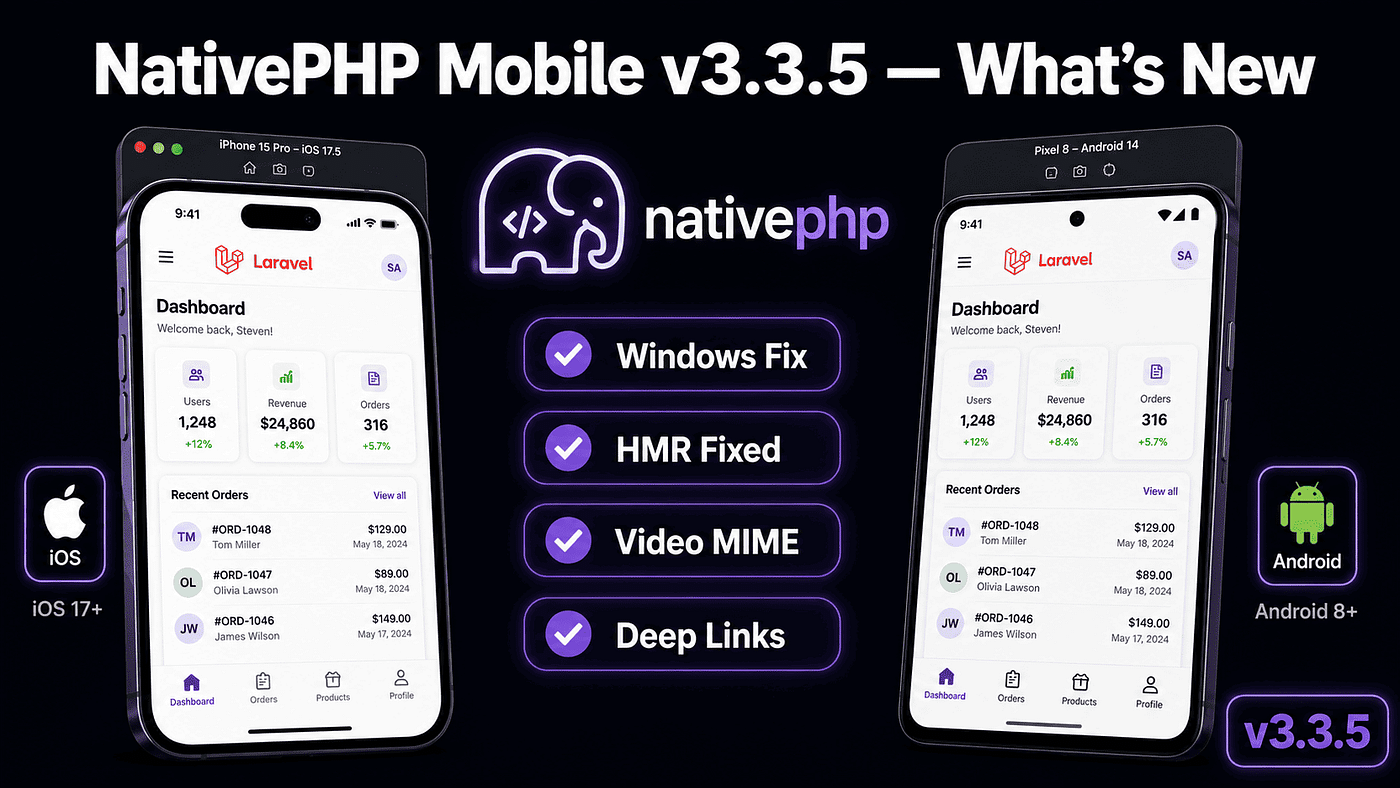
NativePHP Mobile v3.3.5 — Windows Fix, HMR, Video MIME Types, and More
A small patch, but if you develop NativePHP on Windows or rely on hot reload during development — this is the update you’ve been waiting…
NativePHP Mobile v3.3.5 — Windows Fix, HMR, Video MIME Types, and More
A small patch, but if you develop NativePHP on Windows or rely on hot reload during development — this is the update you’ve been waiting for.
For Laravel developers who’ve long dreamed of shipping native mobile apps without learning Swift or Kotlin, NativePHP is the answer that keeps getting better. On May 19, 2026, the NativePHP team released v3.3.5 — a patch release focused on bug fixes and quality-of-life improvements that make a real difference in daily development workflow.
Before we get into what changed, there’s one piece of context worth knowing upfront: NativePHP for Mobile is now free. Starting with v3, the core framework and essential plugins are available at zero cost. The entire Laravel community can now build native iOS and Android apps without paying a cent. That makes v3.3.5 an even better time to take it seriously if you haven’t already.
Quick Background: What Is NativePHP Mobile?
NativePHP is a framework that lets Laravel developers build native iOS and Android apps using the PHP and Laravel code they already know. No React Native, no Flutter, no Kotlin or Swift to learn. Apps run natively through an embedded PHP runtime optimized for each platform.
You build your Laravel application just as you normally would, sprinkling native functionality in where needed using NativePHP’s built-in APIs. The package is a standard Composer package containing the PHP code needed to interface with the NativePHP extension, the tools to install and run your applications, and all the native application code for both iOS and Android.
Since v3.1, NativePHP uses a Persistent PHP Runtime — Laravel boots once and the kernel is reused across all subsequent requests, bringing response times from ~200–300ms down to ~5–30ms. That’s a 10x improvement that makes apps feel genuinely native.
What Changed in v3.3.5
Based on the official changelog released May 19, 2026, there are eight notable changes:
1. Bail native:run on Host PHP / nativephp.lock Mismatch
This fix prevents a particularly confusing failure mode. Previously, if the PHP version on your host machine didn’t match what was recorded in nativephp.lock, native:run would proceed anyway — producing unpredictable results with no clear explanation.
Now it bails immediately with a clear error message:
# Before the fix — runs anyway, something breaks mysteriously
php artisan native:run

# After the fix - bails immediately with a clear message
php artisan native:run

# Error: PHP version mismatch detected.
# Host PHP: 8.3.0
# nativephp.lock expects: 8.4.0
# Run `php artisan native:install --force` to update.
This is especially useful for teams with multiple developers on different PHP setups, or anyone managing multiple PHP versions via Herd, XAMPP, or Docker.
2. Support for Nested Meta-data Inside Android Manifest Components
Previously, you couldn’t define nested <meta-data> entries inside Android manifest components directly from NativePHP's configuration. Now you can.
This matters for integrating certain Android libraries that require layered manifest metadata — Firebase, Google Maps SDK, and other libraries with more complex manifest requirements:
// config/nativephp.php
'android' => [
    'manifest' => [
        'components' => [
            [
                'type' => 'service',
                'name' => '.MyFirebaseMessagingService',
                'intent-filters' => [
                    ['action' => 'com.google.firebase.MESSAGING_EVENT']
                ],
                'meta-data' => [
                    [
                        'name'  => 'com.google.firebase.messaging.default_notification_channel_id',
                        'value' => 'default_channel'
                    ],
                    // Nested meta-data now supported
                    [
                        'name'     => 'com.google.firebase.messaging.default_notification_icon',
                        'resource' => '@drawable/ic_notification'
                    ]
                ]
            ]
        ]
    ]
]
3. Default App Version to DEBUG
Previously, forgetting to set a version in your config could cause builds to fail or use a meaningless default. Now, if no version is specified, the app version automatically defaults to DEBUG:
// config/nativephp.php

// Before: empty version could cause problems
'version' => env('NATIVEPHP_APP_VERSION', ''),

// After: no version set → defaults to DEBUG
// Safer and more informative during development
'version' => env('NATIVEPHP_APP_VERSION', 'DEBUG'),
Small change, but genuinely helpful — you can immediately tell on any device whether you’re running a development build or a properly versioned one.
4. Fix native:jump Hang on Windows + Hardened Port Detection
This is one of the most significant fixes in v3.3.5, especially for Windows developers.
native:jump is the command for fast-switching between routes in your app without a full reload. Previously, the command would hang on Windows — the process would never complete and you'd have to kill it manually.
v3.3.5 ships two improvements here at once:
# native:jump no longer hangs on Windows
php artisan native:jump /dashboard

# Port detection is also more robust now
# Before: could crash if a port was in use by another process
# After: detects and falls back to the next available port
This fix came through two separate pull requests — one from lead maintainer Simon Hamp and one from the community — which is a good signal of how active the open-source contributions are on this project.
5. Video and Audio MIME Types Added to Scheme Handlers
NativePHP’s scheme handlers manage asset loading from local storage. Previously, they didn’t recognize video and audio MIME types — meaning if you embedded <video> or <audio> elements in your app, local media files wouldn't load correctly.
All common video and audio MIME types are now supported:
{{-- resources/views/components/media-player.blade.php --}}

{{-- Local video - now loads correctly without any workaround --}}
<video controls class="w-full rounded-lg">
    <source src="{{ asset('videos/tutorial.mp4') }}" type="video/mp4">
    <source src="{{ asset('videos/tutorial.webm') }}" type="video/webm">
</video>

{{-- Local audio --}}
<audio controls class="w-full">
    <source src="{{ asset('audio/notification.mp3') }}" type="audio/mpeg">
    <source src="{{ asset('audio/notification.ogg') }}" type="audio/ogg">
</audio>
Before this fix, the workaround was base64 encoding or hosting media on an external URL. Neither of those is necessary anymore.
6. Fix Hot Reload and HMR for the Persistent PHP Runtime
This is the fix that persistent runtime users have been waiting for.
The Persistent PHP Runtime (introduced in v3.1) boots Laravel once and reuses the kernel across requests — the source of that 10x performance improvement. But it came with a trade-off: hot reload and HMR (Hot Module Replacement) didn’t work correctly once the runtime was persisted. Code changes weren’t reflected without a manual restart, which made the development loop noticeably slower.
v3.3.5 fixes this:
// vite.config.js — HMR now works correctly with the persistent runtime
import { defineConfig } from 'vite'
import laravel from 'laravel-vite-plugin'

export default defineConfig({
    plugins: [
        laravel({
            input: ['resources/css/app.css', 'resources/js/app.js'],
            refresh: true,  // Now works properly with persistent runtime
        }),
    ],
    server: {
        hmr: {
            host: 'localhost',
        },
    },
})
# Development workflow that now works as expected:
# Terminal 1 - run the native runner
php artisan native:run ios
# Terminal 2 - run Vite with HMR
npm run dev
# Every change to Blade/CSS/JS now hot-reloads in the simulator
# automatically - no manual restarts neededThis makes the day-to-day development loop significantly faster.
7. Ignore File URLs in DeepLinkRouter
There was a bug where DeepLinkRouter tried to process file:// URLs as deep links — which they obviously aren't. This could cause unexpected behavior and unnecessary error logs.
The fix makes the router ignore file:// URLs entirely:
// Valid deep links — processed as expected
// myapp://product/123
// myapp://checkout/confirm

// file:// URLs - now ignored by DeepLinkRouter
// file:///var/mobile/Containers/Data/Application/...
// file:///android_asset/...
// Deep link registration in AppServiceProvider stays the same
NativeApp::deepLinks([
    'product/{id}' => function ($id) {
        return redirect()->route('products.show', $id);
    },
]);
8. iOS Emoji Extraction Fix + Android Receiver Meta-data Support
Two fixes bundled together:
iOS Emoji Extraction — a bug where emoji characters inside strings extracted from iOS binaries weren’t handled correctly, causing encoding issues or crashes on certain devices.
Android Receiver Meta-data — similar to fix #2, but specifically for Android <receiver> components in the manifest. You can now define metadata inside receiver components:
// config/nativephp.php — Android receiver with meta-data
'android' => [
    'manifest' => [
        'receivers' => [
            [
                'name'           => '.BootReceiver',
                'enabled'        => true,
                'exported'       => false,
                'intent-filters' => [
                    ['action' => 'android.intent.action.BOOT_COMPLETED']
                ],
                'meta-data' => [
                    [
                        'name'  => 'startup_delay',
                        'value' => '500'
                    ]
                ]
            ]
        ]
    ]
]
How to Update to v3.3.5
The update is straightforward — no breaking changes:
# Update via Composer
composer update nativephp/mobile

# Verify the installed version
composer show nativephp/mobile | grep versions

# Reinstall native dependencies - important after any update
php artisan native:install --force

# Platform-specific force install
php artisan native:install ios --force
php artisan native:install android --force

# Verify everything is working
php artisan native:run ios

# or
php artisan native:run android
Per NativePHP’s versioning policy, patch releases don’t contain breaking changes, but they can include minor native API updates. Because v3.3.5 touches the native layer (Android manifest support, HMR fix), running native:install --force ensures project files, PHP binaries, and config are all on the latest versions.
Context: NativePHP’s Journey from v3.0 to v3.3.5
For anyone new to NativePHP, here’s the quick history of v3:
v3.0 — Plugin Architecture
With v3, almost every piece of native functionality moved from the monolithic core to a modular plugin system. Camera, Biometrics, Dialog, and other core APIs became individual plugins installable on demand.
More importantly: NativePHP for Mobile became free. Not a limited trial, not a freemium tier. The core framework and essential plugins — everything you need to build and ship a native mobile app with Laravel — now costs nothing.
v3.1 — Persistent Runtime & Performance
The single biggest performance update ever shipped to NativePHP. Persistent PHP Runtime brought response times from 200–300ms down to 5–30ms. Background job processing, Android 8+ support, full ICU on iOS, PHP 8.3–8.5 automatic version matching, and binary caching all landed in this release.
v3.2 through v3.3.5 — Stabilization and Polish
The focus since v3.2 has been stability, bug fixes, and developer experience — including everything in v3.3.5 covered here.
Real Usage: Building an App with the Plugin System
The modular plugin system is one of the most compelling things about v3.x. Here’s a practical example using several core plugins together:
# Install the plugins you need
composer require nativephp/camera nativephp/biometrics nativephp/secure-storage
// app/Http/Controllers/ProfileController.php
use NativePHP\Mobile\Plugins\Camera\Camera;
use NativePHP\Mobile\Plugins\Biometrics\Biometrics;
use NativePHP\Mobile\Plugins\SecureStorage\SecureStorage;
class ProfileController extends Controller
{
public function updatePhoto()
{
// Open the native camera to capture a profile photo
return Camera::capture(
quality: 85,
maxWidth: 800,
maxHeight: 800
);
}
public function enableBiometricLogin()
{
// Enable Face ID / Fingerprint login
return Biometrics::authenticate(
reason: 'Verify your identity to enable biometric login',
onSuccess: function () {
SecureStorage::set('biometric_enabled', 'true');
return response()->json(['enabled' => true]);
},
onFailure: function () {
return response()->json(['enabled' => false], 401);
}
);
}
public function getSecureData()
{
$token = SecureStorage::get('api_token');
return response()->json(['token' => $token]);
}
}// routes/web.php
Route::middleware(['auth'])->group(function () {
Route::post('/profile/photo', [ProfileController::class, 'updatePhoto']);
Route::post('/profile/biometric', [ProfileController::class, 'enableBiometricLogin']);
Route::get('/profile/secure', [ProfileController::class, 'getSecureData']);
});{{-- resources/views/profile.blade.php --}}
<div class="space-y-4 p-6">
{{-- Trigger native camera --}}
<button
hx-post="/profile/photo"
hx-target="#profile-photo"
class="btn-primary w-full">
📷 Update Profile Photo
</button>
{{-- Toggle biometric login --}}
<button
hx-post="/profile/biometric"
class="btn-secondary w-full">
👆 Enable Biometric Login
</button>
{{-- Local video - now works correctly with v3.3.5 MIME fix --}}
<video controls class="w-full rounded-xl">
<source src="{{ asset('videos/onboarding.mp4') }}" type="video/mp4">
</video>
</div>Deep Link Setup — Now More Reliable with the v3.3.5 Fix
Deep linking is one of NativePHP’s most powerful features. With the DeepLinkRouter fix in v3.3.5, the setup is also cleaner:
// app/Providers/NativeAppServiceProvider.php
use NativePHP\Mobile\Facades\NativeApp;

class NativeAppServiceProvider extends ServiceProvider
{
    public function boot(): void
    {
        NativeApp::deepLinks([
            // Link directly to a product
            'product/{id}' => function ($id) {
                return redirect()->route('products.show', $id);
            },
            // Link to the checkout flow
            'checkout/{orderId}' => function ($orderId) {
                return redirect()->route('checkout.show', $orderId);
            },
            // Password reset from an email link
            'reset-password/{token}' => function ($token) {
                return redirect()->route('password.reset', [
                    'token' => $token
                ]);
            },
        ]);
    }
}
// config/nativephp.php
return [
'deeplinks' => [
'scheme' => env('NATIVEPHP_DEEPLINK_SCHEME', 'myapp'),
// myapp://product/123
// myapp://checkout/ORD-456
],
];Mimi: Vibe Coding for NativePHP
One more thing worth mentioning that launched alongside v3: Mimi — a vibe coding add-on for NativePHP available through Bifrost, NativePHP’s deployment platform.
Named after the Norse god of wisdom ‘Mimir’, Mimi lets you start a session with state-of-the-art AI models and have them write your NativePHP app for you. If you have an active Bifrost subscription, describe what you want to build and Mimi generates NativePHP code that follows the correct architecture and patterns.
Given that NativePHP has its own conventions, idioms, and plugin system, having a model that’s specifically tuned to it is more useful than a general-purpose code assistant working from documentation alone.
What’s Coming Next
Based on the official NativePHP roadmap:
- More core plugins — expanding the plugin ecosystem
- Plugin marketplace — a place for the community to publish and discover plugins
- Improved testing tools — better support for unit and feature testing native functionality
- Continued performance improvements — further optimizing the persistent runtime
Closing
v3.3.5 is a patch release, but it targets the things that create the most friction in daily development — particularly on Windows. The native:jump hang fix, the HMR fix for the persistent runtime, and video/audio MIME type support are all improvements that show up immediately in your workflow.
The bigger picture is the momentum behind it. NativePHP has answered the question that’s been floating around the PHP community for years: can we build native mobile apps with Laravel? The answer is yes — and each release makes that yes more solid.
If you’re a Laravel developer who hasn’t tried NativePHP yet, v3.3.5 with a free core and a persistent runtime that’s 10x faster than it used to be is the best entry point there’s ever been.
# Start fresh with NativePHP Mobile v3
composer create-project laravel/laravel my-native-app
cd my-native-app

# Install NativePHP Mobile
composer require nativephp/mobile

# Set up for your target platform
php artisan native:install ios      # for iOS
php artisan native:install android  # for Android

# Run in the simulator
php artisan native:run ios
Now go build something.
References:
- NativePHP Official Changelog v3.3.5 (May 19, 2026) — nativephp.com/docs/mobile/3/getting-started/changelog
메타데이터
- post_id
- 36c8330b5cd6
- slug
- nativephp-mobile-v3-3-5-windows-fix-hmr-video-mime-types-and-more-36c8330b5cd6
- url
- https://medium.com/@developerawam/nativephp-mobile-v3-3-5-windows-fix-hmr-video-mime-types-and-more-36c8330b5cd6
- canonical_url
- https://medium.com/@developerawam/nativephp-mobile-v3-3-5-windows-fix-hmr-video-mime-types-and-more-36c8330b5cd6
- author_url
- https://medium.com/@developerawam
- status
- ok
- fetched_at
- 2026-06-09 15:37:30