Threat hunting — Popular process misbehaving
My favorite type of detection rules are the ones that do not rely on any upfront threat intelligence signals. No domains, IPs, commands…
Threat hunting — Popular process misbehaving
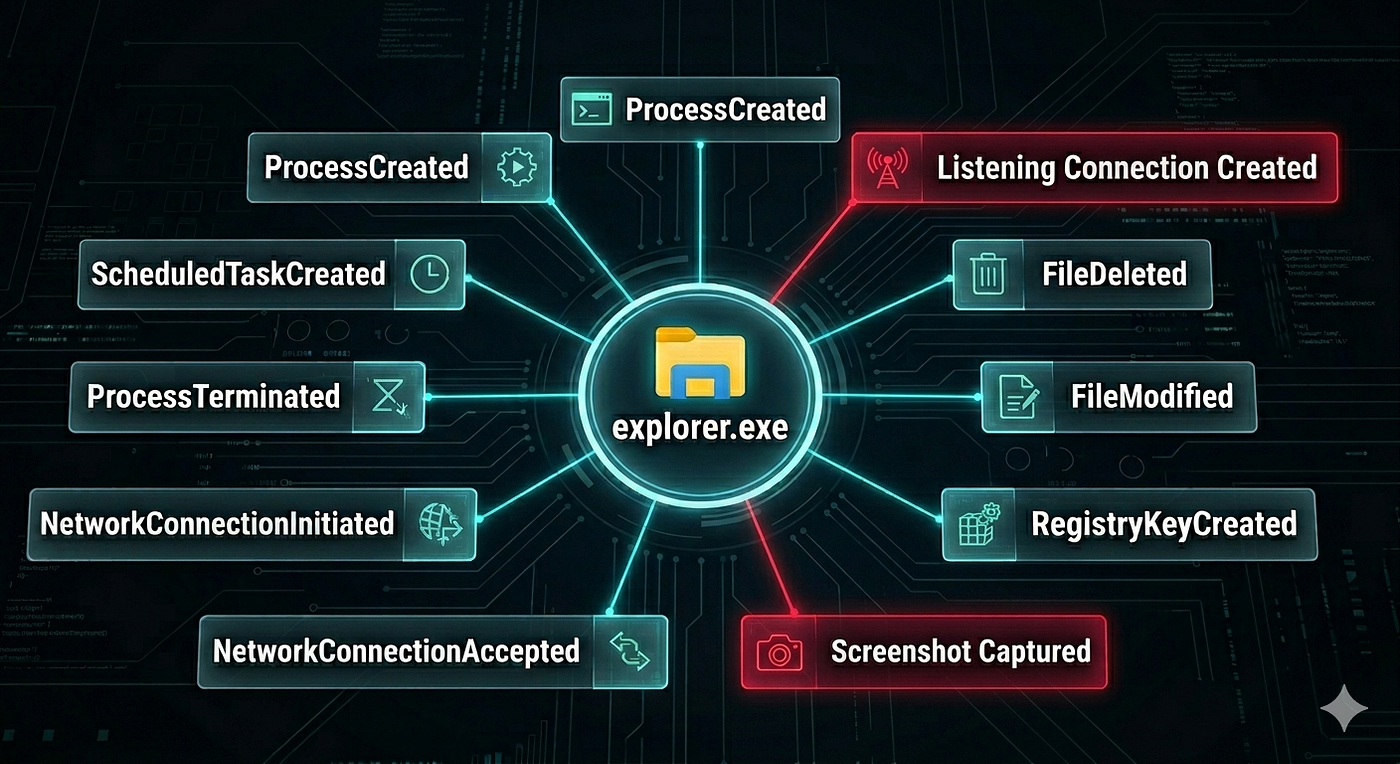
My favorite type of detection rules are the ones that do not rely on any upfront threat intelligence signals. No domains, IPs, commands, patterns. Nothing.
Just an idea.
TL;DR: copy this code 🔗, run and let me know how many interesting cases you’ve discovered this way :)
Why I created this rule
What I’ve seen many times during red team exercises and incidents was that after initial foothold on the endpoint, after successful code execution, it is time for the threat actor to blend in. Time to migrate session to benign process, that is not an anomaly in the data. Be it a browser, notepad.exe, svchost or whatever else. Time to disappear.
From the blue team / detection engineering perspective, this is a problem because popular processes are usually the ones that create the most noise and eventually get filtered out.
Let me show you one of my earliest hunts, created in KQL for Microsoft Defender XDR, with which I’m trying to fill the mentioned gap.
I call it “Popular process misbehaving”.
- Goal Find processes that are popular within the organization, that deviate from normal behavior on a small set of devices.
- Data set In Microsoft Defender XDR, the best data to do this is in DeviceEvents. Microsoft describes it as “The miscellaneous device events (…) contains information about various event types, including events triggered by security controls, such as Microsoft Defender Antivirus and exploit protection”. It contains over 125 distinct Action Types, which will be the main source of data for this detection.
- Action Type selection Some actions are so prevalent in the data, they do not provide a value for that kind of detection and you can filter some of them out. You can use the query below to find out the percentage of devices that have seen specific action type and select those that cross specific threshold or you deem less interesting. Code here jkb/th 🔗.

DeviceEvents ActionType popularity kql query

Most prevalent action types
- Baseline We establish a baseline by focusing on processes that show up on at least X number of devices. I found 500 to be a good threshold value if you have 80–100k endpoints in scope. You can try different values and check how many hits you will have. It is always a compromise between accuracy and workload.
- Count devices where process made specific action Once you settle on a specific threshold value for what makes the process popular, calculate per process on how many devices specific action was observed. For example, how many devices have seen explorer.exe making a screenshot? Challenge: if the software installs updates on a single device, it can behave differently than during normal operations. To mitigate this we can establish a threshold on count of anomalous actions per process to limit the impact of one-off anomalies. Obviously for known anomalous actions and processes we can create filters later on.
- Find processes that made multiple anomalous actions on a single device, summarize this activity after joining with original data.
Final query (code 🔗):

KQL query for “Popular process misbehaving”
Make sure to check from time to time if the Action Type you selected as noisy is still noisy. Microsoft likes to change things and Action Type that I had selected couple of years ago as the most noisy, is no longer in the top 100.
I welcome any and all improvement suggestions and critique, so feel free to leave a comment or message me on LinkedIn. If it worked for you and it found interesting anomalies — let me know as this the the best reward for me.
메타데이터
- post_id
- 38528d9df366
- slug
- threat-hunting-popular-process-misbehaving-38528d9df366
- url
- https://medium.com/@jszu_31138/threat-hunting-popular-process-misbehaving-38528d9df366
- canonical_url
- https://medium.com/@jszu_31138/threat-hunting-popular-process-misbehaving-38528d9df366
- author_url
- https://medium.com/@jszu_31138
- status
- ok
- fetched_at
- 2026-06-24 23:31:39




