NVIDIA’s DGX Spark: Your Personal AI Supercomputer Just Got Desk-Sized
How a $3,999 mini-PC is bringing petaflop-scale AI compute to developers, researchers, and makers everywhere
NVIDIA’s DGX Spark: Your Personal AI Supercomputer Just Got Desk-Sized
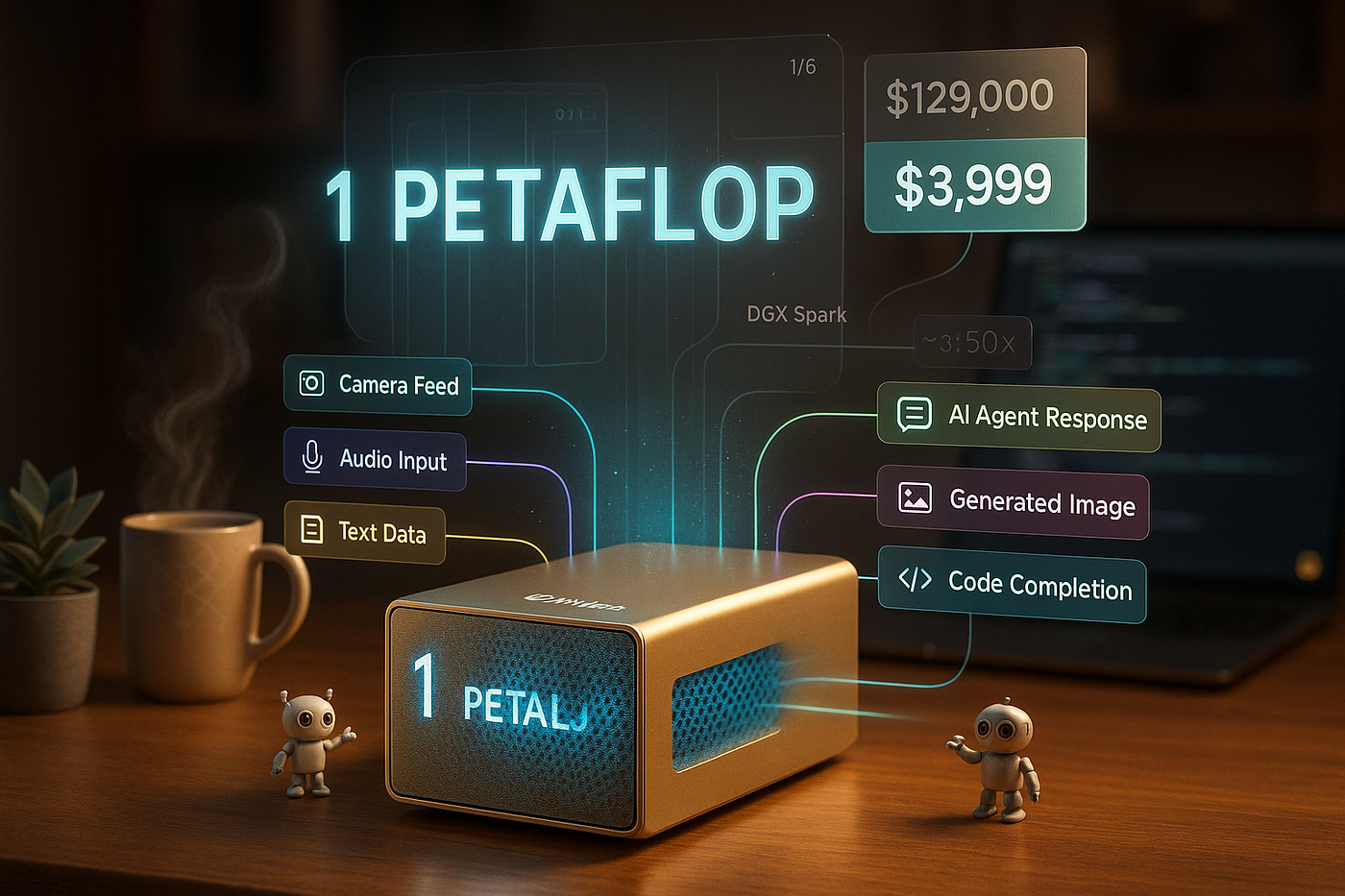
all images generated by gpt-image-1 and agents
How a $3,999 mini-PC is bringing petaflop-scale AI compute to developers, researchers, and makers everywhere
Imagine this: You’re working on your next AI breakthrough. Maybe it’s a chatbot that truly understands context, or an AI agent that can automate your entire workflow. You write some code, hit run, and… your laptop starts wheezing like it’s running a marathon in a sauna.
Sound familiar?
For years, AI developers have faced an impossible choice: work with toy models on their laptops, or shell out thousands monthly for cloud GPU time. But what if there was a third option? What if you could have data-center-class AI performance sitting right next to your morning coffee?
Enter the NVIDIA DGX Spark — a mini-PC that packs up to one petaFLOP of AI compute into a 1.1-liter chassis. Yes, you read that right. A petaflop. On your desk.

From Server Racks to Desktop: The Evolution Nobody Saw Coming
Let me paint you a picture of how far we’ve come.
Back in 2016, NVIDIA’s first DGX-1 was a beast: 60 kilograms, 3.2 kilowatts of power, and 170 teraFLOPs of AI performance. It cost $129,000 and required a dedicated server room. Fast forward to 2025, and the DGX Spark weighs just 1.2 kg, sips 240W of power, and delivers 1 petaFLOP of AI performance for under $4,000.
That’s not just progress — that’s a revolution.

What Actually Is This Thing?
The DGX Spark (originally codenamed “Project DIGITS”) isn’t just a small computer with a big GPU. It’s a fundamentally different approach to AI development hardware.
At its heart is NVIDIA’s Grace Blackwell GB10 Superchip — a hybrid CPU-GPU design that changes the game entirely. Here’s what’s inside this compact powerhouse:

The Brain: Grace Blackwell GB10
The GB10 combines a 20-core ARM-based Grace CPU with an integrated Blackwell GPU on a single chip. Think of it like Apple’s M-series silicon, but specifically designed for AI workloads.
The CPU side:
- 10 high-performance cores (Cortex-X925 @ 4.0 GHz)
- 10 efficiency cores (Cortex-A725 @ 2.8 GHz)
- Handles data preprocessing, orchestration, and general tasks
The GPU side:
- 5th-gen Tensor Cores with FP4/INT8 acceleration
- Up to 1,000 TOPS (tera-operations per second)
- Roughly equivalent to a GeForce RTX 5070, but optimized for AI

The Game-Changer: 128GB Unified Memory
Here’s where things get really interesting.
Traditional systems have separate RAM for the CPU and VRAM for the GPU. Data has to shuttle back and forth between them — a slow, inefficient process. The DGX Spark uses 128GB of LPDDR5x unified memory that both CPU and GPU can access directly.
What does this mean for you? You can load massive AI models — we’re talking 100–200 billion parameters — entirely into memory without juggling data between different memory pools.

The trade-off? Bandwidth. At ~273 GB/s, it’s slower than high-end GPU GDDR memory. But for many AI tasks, capacity beats bandwidth — and 128GB is a lot of capacity.
The Rest of the Specs
Storage: 4TB NVMe SSD (PCIe Gen5) — plenty of room for datasets and model checkpoints
Networking: This is where it gets wild. Beyond standard 10GbE, Wi-Fi 7, and Bluetooth, the Spark includes dual NVIDIA ConnectX-7 200 Gb/s QSFP ports. Why? You can link two Sparks together for distributed workloads on models up to ~400 billion parameters.
Power: 240W via USB-C power delivery. Yes, USB-C. No bulky power supply inside — just an external brick.
Size: Roughly 15 × 15 × 5 cm (about 6″ × 6″ × 2″). Smaller than most gaming consoles.
![Image Prompt: Create an exploded view technical illustration of the DGX Spark showing the internal components in a hyper-realistic 3D style. Display the Grace Blackwell chip, unified memory modules, NVMe SSD, cooling system, and QSFP ports with clean labels and connecting lines. Use a dark background with accent lighting highlighting each component. Style: Technical blueprint meets premium product visualization, educational focus with playful color-coded components.]
Why This Matters for AI Developers (Like You)
Okay, specs are cool and all, but what can you actually do with this thing?

1. Run Massive Language Models Locally
Remember when running GPT-style models meant either using an API or having access to a GPU cluster? Those days are over.
With the DGX Spark, you can:
- Run inference on models up to ~200 billion parameters
- Fine-tune models up to ~70B parameters locally
- Host multiple smaller models simultaneously
Imagine downloading Llama 2 130B, loading it into memory on your desk, and just… querying it. No cloud bills. No API limits. No data leaving your machine.
# Example: Running a large language model on DGX Spark
import torch
from transformers import AutoModelForCausalLM, AutoTokenizer

# Load a 70B parameter model - this actually works on Spark!
model_name = "meta-llama/Llama-2-70b-hf"
tokenizer = AutoTokenizer.from_pretrained(model_name)
model = AutoModelForCausalLM.from_pretrained(
    model_name,
    torch_dtype=torch.float16,  # Use FP16 for efficiency
    device_map="auto"  # Automatically use unified memory
)

# Generate text
inputs = tokenizer("The future of AI development is", return_tensors="pt")
outputs = model.generate(**inputs, max_length=100)
print(tokenizer.decode(outputs[0]))
2. Build Complex AI Agents
The real power of the Spark shines when you’re building multi-modal AI agents — systems that need to see, hear, understand, and act.
Picture this workflow running on a single machine:
- Camera feed → Vision model (understanding what’s happening)
- Audio input → Speech recognition model
- Both → Large language model (reasoning and decision making)
- Output → Text-to-speech model or action execution

Before the Spark, this would require either:
- Multiple machines orchestrated over a network
- Expensive cloud infrastructure
- Significant compromises on model quality
Now? It all runs locally, with fast memory access between models.

3. Privacy-First AI Development
Here’s something nobody talks about enough: data privacy.
If you’re working with sensitive data — medical records, financial information, proprietary business data — sending it to cloud APIs is a non-starter. The DGX Spark lets you:
- Develop and run AI models entirely on-premises
- Keep confidential data within your four walls
- Comply with strict data regulations (HIPAA, GDPR, etc.)
A hospital could prototype a diagnostic AI using patient data without it ever leaving the building. A financial firm could build fraud detection models on real transaction data locally.

4. Replace (Some) Cloud Costs
Let’s do some quick math.
Running an 8x A100 GPU instance on AWS costs roughly $30–40 per hour. If you’re doing serious AI development, you might burn through $1,000+ per month in cloud GPU costs.
The DGX Spark costs $3,999 upfront. That’s about 4 months of moderate cloud usage. After that? Free compute forever (well, plus electricity).
Obviously, the Spark won’t replace all cloud usage — you’ll still need clusters for massive training runs. But it can handle the bulk of your iteration, prototyping, and testing locally.

The Developer Experience: What’s It Actually Like?
Let me be straight with you: the DGX Spark is not a general-purpose computer. It’s a specialized AI development machine.
What It Runs
The Spark comes with DGX OS — essentially Ubuntu 24.04 LTS with NVIDIA’s full AI software stack pre-installed. That means:
- PyTorch, TensorFlow, and popular frameworks (ready to go)
- CUDA libraries and drivers (pre-configured)
- JupyterLab for interactive development
- Docker with GPU support
- Sample models and tutorials
It’s designed to be plug-and-play for AI work. Connect power, boot it up, and you can start running models within minutes.
What It Doesn’t Run
Here’s what you can’t do:
- Install Windows (it’s ARM-based Linux only)
- Play AAA games (one user tried Cyberpunk 2077 — barely got 50 FPS at 1080p medium)
- Run x86-only software without emulation (which is slow)
Think of it as an AI workstation, not a desktop replacement.
Two Ways to Set It Up
![Image Prompt: Create a split-screen comparison showing two setups. Left side: DGX Spark with monitor, keyboard, and mouse in a traditional desktop arrangement with warm office lighting. Right side: DGX Spark alone in a server closet with network cables, accessed remotely via a sleek laptop dashboard interface. Modern tech aesthetic, professional photography, clear visual distinction between the two approaches.]
Desktop Mode: Connect a monitor (HDMI), keyboard, and mouse. You get a full Linux desktop environment for hands-on work.
Headless Mode: Skip the peripherals entirely. The Spark creates a Wi-Fi hotspot or joins your network, and you access it remotely via:
- SSH for terminal work
- DGX Sync — NVIDIA’s tool that gives you a dashboard to launch JupyterLab or VS Code
- Web interfaces for monitoring and management
Most developers prefer headless mode. Do your coding on your laptop, send heavy workloads to the Spark over the network. It’s like having your own personal AI server.

Real-World Use Cases: Who’s This Actually For?
For Indie Developers and Hobbyists
You’re building the next big AI app in your spare time. Maybe it’s a coding assistant, maybe it’s a content generation tool. The Spark lets you experiment with state-of-the-art models without breaking the bank.
Cost comparison:
- Cloud GPUs: $30–40/hour × 25 hours/month = $750–1000/month
- DGX Spark: $3,999 one-time (pays for itself in 4–5 months)
Plus, you own it. No usage limits, no surprise bills, no “oops we’re deprecating this API.”
For Startups
Your AI startup needs to move fast. The Spark becomes your R&D workstation — handle prototyping and testing locally, then scale to cloud infrastructure when you’re ready for production.
You could even deploy multiple Sparks as a mini-cluster. Two linked Sparks can handle ~400B parameter models. Four could be a legitimate development infrastructure.
For Enterprise Teams
Give each AI engineer their own Spark. Instead of queueing for time on shared GPU servers, developers can iterate independently. The consistent software environment (same stack as NVIDIA’s enterprise platforms) means code developed on Spark deploys seamlessly to production clusters.
For Researchers and Educators
Universities can outfit AI labs with Sparks instead of shared servers. Students get hands-on experience with real AI supercomputer environments, not just toy examples.
Researchers can prototype on Spark, then transition to larger systems for full-scale experiments. The workflow is consistent throughout.
For Robotics and Physical AI
The Spark’s small form factor makes it interesting for robotics labs. Mount it on a stationary robot or autonomous vehicle development setup. Run vision models, reinforcement learning, and control algorithms locally instead of streaming data to a remote server.

The Ecosystem: Tools and Optimization Tips
NVIDIA didn’t just ship hardware — they built an entire support ecosystem around the Spark.
NVIDIA’s DGX Spark Playbooks
These are interactive, step-by-step guides for common tasks:
- Running LLM inference
- Generating images with diffusion models
- Fine-tuning language models
- Training vision models
They’re tailored specifically to the Spark’s hardware, so following them ensures you’re using recommended practices.

Optimization: Getting the Most Performance
Here’s how to squeeze maximum speed out of your Spark:
1. Use Quantization
The Blackwell GPU excels at FP8/FP4 and INT8 operations. Convert your models to lower precision formats for massive speed-ups.
# Example: Quantizing a model for better Spark performance
from transformers import AutoModelForCausalLM, BitsAndBytesConfig

quantization_config = BitsAndBytesConfig(
    load_in_4bit=True,  # Use 4-bit quantization
    bnb_4bit_compute_dtype=torch.float16
)

model = AutoModelForCausalLM.from_pretrained(
    "meta-llama/Llama-2-70b-hf",
    quantization_config=quantization_config,
    device_map="auto"
)
2. Leverage TensorRT
NVIDIA’s TensorRT optimizes models specifically for their hardware. Converting your PyTorch model to TensorRT can yield 2–5x speed improvements.
3. Batch Processing
The unified memory architecture loves batch processing. Instead of running one inference at a time, batch multiple requests together.
4. Use NGC Containers
NVIDIA provides pre-built Docker containers with optimized frameworks. These are tuned for Grace-Blackwell architecture.
# Pull an optimized PyTorch container
docker pull nvcr.io/nvidia/pytorch:24.10-py3

# Run with GPU support
docker run --gpus all -it nvcr.io/nvidia/pytorch:24.10-py3
Community Support
Because the Spark is new (ARM-based, new GPU architecture), community resources are evolving. Early adopters are sharing:
- Compilation guides for tools like llama.cpp with CUDA support on ARM
- Performance benchmarks for various models
- Compatibility lists for popular libraries
Join NVIDIA’s developer forums and GitHub discussions to stay updated.

The Honest Truth: Limitations and Trade-offs
Let’s talk about what the Spark can’t do — because no piece of technology is perfect.
Limited Memory Bandwidth
128GB of capacity is amazing. But at ~273 GB/s bandwidth, it’s significantly slower than high-end GPU GDDR memory (which can hit 1–2 TB/s).
What this means: For very large models (150B+ parameters), you might hit memory bandwidth bottlenecks. The model fits in memory, but feeding data to the compute units is slower than ideal.
Solution: Use quantization (4-bit models) to reduce data size, or stick to models in the 10–70B range where the Spark really shines.
Not for Massive-Scale Training
Training a model from scratch with hundreds of billions of parameters? You still need a data center. The Spark is for:
- Fine-tuning pre-trained models
- Inference and prototyping
- Smaller-scale training experiments
Think of it as your development workstation, not your production training cluster.
ARM Architecture Challenges
Some software isn’t ARM-compatible yet. Most popular AI tools work fine, but you might encounter:
- Missing pre-built binaries (need to compile from source)
- x86-only closed-source tools that won’t run
- Edge cases with certain libraries
The good news? Major companies (Hugging Face, Anaconda, Docker) got early units to optimize their tools for Spark, so support is improving rapidly.
It’s Expensive (But Worth It?)
$3,999 isn’t pocket change. Compare it to:
- High-end gaming PC: $2,000–3,000 (but can’t run 70B models)
- Used server with multiple GPUs: $4,000–8,000 (loud, power-hungry, complex)
- Cloud GPUs for 4 months: ~$4,000 (then you keep paying)
The Spark occupies a unique niche. It’s expensive for a personal device, but cheap for AI infrastructure.
Pricing and Where to Buy
Base price: $3,999 USD (128GB RAM, 4TB SSD configuration)
Availability: The initial “Founders Edition” (champagne-gold chassis) sold out quickly. Now available through OEM partners:
- Acer — Veriton GN100 AI Mini Workstation
- ASUS — Ascent GX10
- Dell, Lenovo, GIGABYTE, MSI, HPE — various branded versions
You can buy through:
- NVIDIA’s official store (when in stock)
- Enterprise distributors
- Select retailers like Micro Center (US)
Regional pricing: Varies with taxes and currency. In Canada, it’s around $6,300 CAD.
The Future Is Local (Again)
There’s something poetic about the DGX Spark.
We spent the last decade moving everything to the cloud. “The cloud is just someone else’s computer,” we joked. But for AI development, that someone else’s computer was often the only option powerful enough to run serious models.
The Spark represents a pendulum swing back toward local compute. Not because cloud is bad, but because having powerful AI infrastructure at your fingertips unlocks a different way of working:
- Faster iteration (no upload/download delays)
- True privacy (data never leaves your possession)
- Predictable costs (one upfront payment, not ongoing bills)
- Always available (no internet outages or service disruptions)
It’s the best of both worlds: cloud-class performance with the control and immediacy of local development.
Getting Started: Your First Steps
So you’re convinced. You want a DGX Spark. What should you do?
Step 1: Understand your needs
- Are you running inference or fine-tuning?
- What model sizes do you typically work with?
- Do you need privacy/on-premises compute?
Step 2: Check software compatibility
- List your must-have tools and frameworks
- Verify they support ARM64 Linux (most do now)
- Join NVIDIA’s developer forums for compatibility discussions
Step 3: Order through a partner
- Check NVIDIA’s official partner list
- Compare offerings (some may include support plans)
- Expect potential wait times — demand is high
Step 4: Prepare your workspace
- Ensure good ventilation (it will get warm under load)
- Plan your network setup (10GbE is nice if you have it)
- Decide: desktop mode or headless?
Step 5: Follow NVIDIA’s playbooks
- Start with provided tutorials
- Run benchmark tests to verify performance
- Join the community and share your experiences
Final Thoughts: A New Era of AI Development
The NVIDIA DGX Spark isn’t perfect. It’s expensive, it’s limited to Linux, and it won’t replace data centers for massive workloads.
But here’s what it does do: it democratizes access to serious AI infrastructure.
A grad student can afford one. A startup can equip their team. A hobbyist can experiment with models that were impossible to run just a year ago. That’s powerful.
Jensen Huang said NVIDIA’s goal was to “put a Grace Blackwell-powered AI supercomputer on every desk.” With the Spark, they’re making good on that promise.
The question isn’t whether the DGX Spark is powerful enough for you. The question is: what will you build when you have a petaflop of AI compute sitting next to your coffee?
The barriers to entry in AI development just got a lot lower. The next breakthrough in AI agents, language models, or creative tools might not come from a big tech company with unlimited resources.
It might come from someone’s garage. With a DGX Spark humming quietly on their desk.
Want to Learn More?
- Official specs and details: NVIDIA DGX Spark Product Page
- Developer resources: NVIDIA Developer Portal — DGX Spark
- Community discussions: NVIDIA Developer Forums
- Purchase options: NVIDIA Partners Directory
Have you had a chance to work with the DGX Spark? What are you building with it? Drop your thoughts in the comments — I’d love to hear about your experiences!
About This Article: This deep dive into the NVIDIA DGX Spark is based on official documentation, early user reviews, and hands-on reports from the AI development community. All specifications are accurate as of November 2025.
If you found this helpful, give it a clap 👏 and follow for more AI development insights!
메타데이터
- post_id
- 38a41fe39cbf
- slug
- nvidias-dgx-spark-your-personal-ai-supercomputer-just-got-desk-sized-38a41fe39cbf
- url
- https://medium.com/@Micheal-Lanham/nvidias-dgx-spark-your-personal-ai-supercomputer-just-got-desk-sized-38a41fe39cbf
- canonical_url
- https://medium.com/@Micheal-Lanham/nvidias-dgx-spark-your-personal-ai-supercomputer-just-got-desk-sized-38a41fe39cbf
- author_url
- https://medium.com/@Micheal-Lanham
- status
- ok
- fetched_at
- 2026-06-09 15:37:30