10 Python One Liners You’ll Actually Use
The small Python tricks that aren’t just clever, they’re practical
10 Python One Liners You’ll Actually Use
The small Python tricks that aren’t just clever, they’re practical
There’s a weird culture around Python one liners.
Some of them are useful. Some of them are just showing off. And some are the kind of thing you write once, feel smart about, and then never use again.
This isn’t about the clever for the sake of clever stuff.
These are the one liners that actually show up in real code. The ones you end up typing without thinking after a few months of writing Python seriously.
Not magic. Not tricks. Just tools.
Canva
1. Flatten a Nested List
flat = [item for sublist in nested for item in sublist]This is one of those things that looks slightly confusing the first time you see it.
But it’s just two for loops compressed into a list comprehension.
Instead of writing
flat = []
for sublist in nested:
    for item in sublist:
        flat.append(item)
You write it once. Done.
It works whether your nested structure is a matrix, uneven lists, or something like
nested = [[1, 2], [3], [4, 5, 6]]You don’t care about lengths. You don’t care about structure depth (as long as it’s one level).
You just flatten it.
Practical use? Data processing. Parsing APIs. Cleaning inputs. Happens more often than people think.
2. Swap Variables Without a Temp
a, b = b, aThis still surprises people who come from other languages.
In many languages you need a temporary variable.
temp = a
a = b
b = temp
In Python? Tuple unpacking.
It also works for more than two variables.
x, y, z = z, x, yYou won’t use this constantly. But when you need it, you’ll be glad Python lets you avoid the ceremony.
And yes, it works with list elements too.
3. Read a File Into a List of Lines
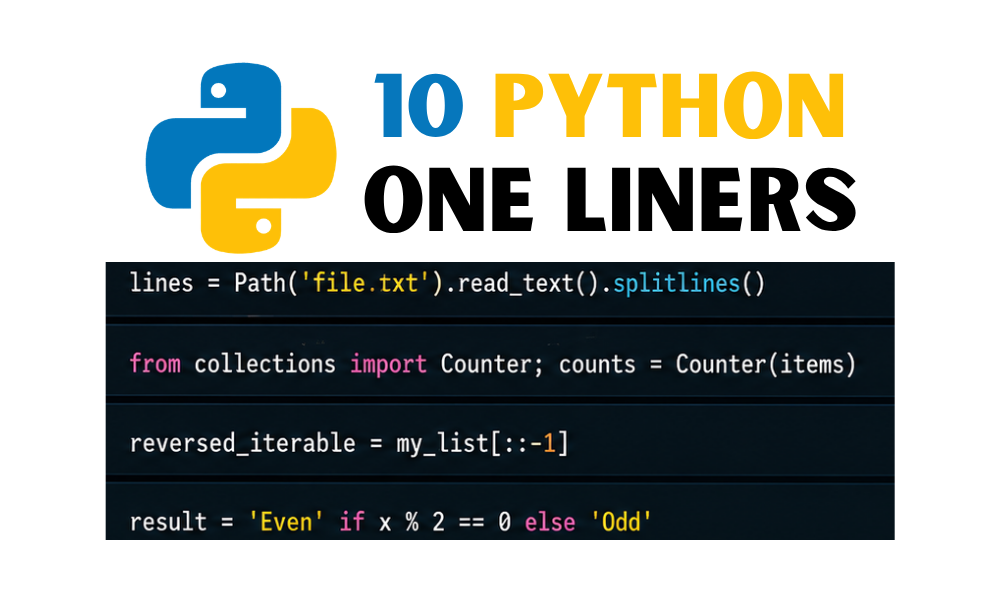
lines = open("file.txt").read().splitlines()In production, yes, use a context manager.
But the key idea here is .splitlines().
It reads the file and splits by newline without keeping \n at the end of each line.
That alone saves you from writing strip() everywhere later.
If you work with config files, logs, JSON, random text dumps — this shows up.
It’s not flashy. It’s just useful.
4. Count Occurrences with Counter
From the collections module
from collections import Counter
counts = Counter(data)
Instead of writing a loop and manually building a dictionary.
Counter returns something dictionary-like with frequencies.
Counter(['a', 'b', 'a'])
# {'a': 2, 'b': 1}
You also get .most_common() for free.
It works on words, numbers, anything hashable.
A lot of people forget the collections module exists. That’s a mistake.
5. Reverse Any Iterable
reversed_value = value[::-1]This is slicing.
Format is [start:stop:step].
If you only provide -1 as the step, Python walks backwards.
It works on
- Strings
- Lists
- Tuples
Checking for palindromes becomes:
s == s[::-1]Simple. Clear.
The alternative is calling reversed() and converting back. Which is fine. But this is shorter and readable.
6. Inline Conditional Assignment
result = "even" if x % 2 == 0 else "odd"It’s basically a compact if/else.
Useful when assigning values.
Not useful when logic gets complicated.
If the condition spans half your screen, stop. Use normal if blocks.
But for simple value decisions, this keeps code tighter.
You’ll see it often inside list comprehensions too.
7. Chained Comparisons
Instead of
if a < b and b < c:You can write
if a < b < c:It’s not syntactic sugar. It’s valid comparison chaining.
Also useful for range checks
if 0 < x < 10:This reads closer to math.
It’s cleaner. That’s it.
8. Join a List Into a String
", ".join(map(str, values))If everything is already a string
", ".join(values)You choose the delimiter. Comma, pipe, dash, whatever.
If you forget to convert numbers to strings first, Python will remind you.
This shows up constantly in logging, CSV creation, output formatting.
You won’t escape it.
9. Pretty Print Nested Structures
from pprint import pprint
pprint(data)
Printing raw dictionaries or JSON responses usually produces a single unreadable line.
pprint formats it.
You can tweak indentation, depth, width.
If you work with APIs even occasionally, this becomes habit.
There’s no reason to manually inspect a giant dictionary without formatting it.
10. The Easter Eggs
Not practical. But funny.
from __future__ import bracesPython replies with
SyntaxError: not a chanceAlso
import antigravityIt opens the famous XKCD comic.
Python has personality. Whether you care about that is another question.
About One Liners
One liners are not a badge of intelligence.
If something becomes unreadable, break it into multiple lines.
Clarity beats cleverness.
But there’s a difference between clever and concise.
The one-liners above remove noise. They don’t hide logic.
That’s the line.
Use them because they simplify your thinking, not because they look impressive in a code review.
And if someone tells you shorter code is always better, they probably haven’t debugged enough production systems yet.
That’s it.
If there’s a Python one liner you use constantly that isn’t here, I’m curious what it is.
Some of these become muscle memory. Others don’t. That’s fine.
메타데이터
- post_id
- 38c0740bef12
- slug
- 10-python-one-liners-youll-actually-use-38c0740bef12
- url
- https://medium.com/pythonic-af/10-python-one-liners-youll-actually-use-38c0740bef12
- canonical_url
- https://medium.com/pythonic-af/10-python-one-liners-youll-actually-use-38c0740bef12
- author_url
- https://medium.com/@tricky16122000
- status
- ok
- fetched_at
- 2026-06-09 15:37:30