AR for Reading: Turning Static Pages into Immersive Storytelling Experiences
What if a book could do more than just tell a story? What if the characters, scenes, and ideas within its pages could break free from the…
AR for Reading: Turning Static Pages into Immersive Storytelling Experiences
What if a book could do more than just tell a story? What if the characters, scenes, and ideas within its pages could break free from the paper, materialize right in front of you, and even interact with you?
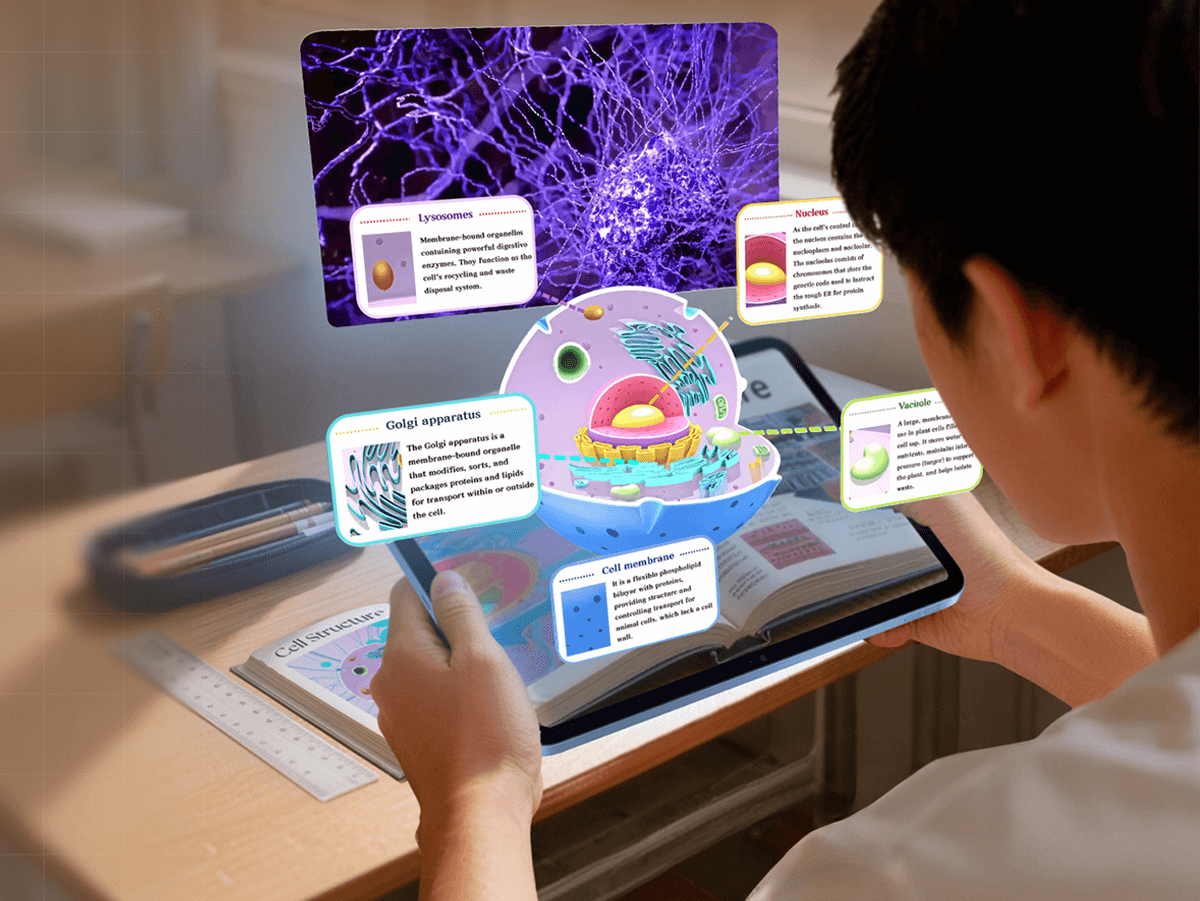
AR makes knowledge visual and easier for readers to understand
This isn’t science fiction anymore. Augmented Reality (AR) is driving a profound transformation in the publishing industry, turning static books into immersive, interactive portals that redefine how we read, learn, and connect with stories. For creators, publishers, and educators alike, AR isn’t just a tech upgrade — it’s a new way to make reading magical for all ages. And thanks to no-code WebAR tools like Kivicube, this innovation is now accessible to anyone, with zero technical barriers to entry.
Why Do Books Need AR? Four Core Benefits
In an age of information overload and short attention spans, static text and flat images often struggle to capture engagement — especially for younger readers — and fail to convey complex ideas with clarity. AR solves these pain points by overlaying dynamic digital content onto physical book pages, creating a multi-sensory reading experience that elevates traditional publishing in four game-changing ways:
1. Expanding Information Depth Beyond the Page
AR shatters the physical limits of a book. What was once a single page of text or a single illustration can now embed 3D models, animated sequences, pre-recorded videos, and audio narration, turning a book into a multimedia knowledge hub. A history book can bring ancient civilizations to life with moving reenactments; a nature guide can let readers explore a forest’s ecosystem through interactive clips. The result? Richer, deeper content that goes far beyond what words and static images can communicate.
2. Reinventing the Reading Experience as Active Exploration
Reading has long been a passive activity — we absorb words, but we rarely interact with them. AR flips this script. Dynamic, interactive visuals instantly pull readers into the story, turning passive consumption into active exploration. A child following a fairy tale can watch the protagonist walk across their bedroom floor; a student studying poetry can see the metaphors in the verse visualized in real time. For young audiences, in particular, this interactivity turns reading from a chore into an adventure.
3. Simplifying Complex Concepts with Visual Clarity
Abstract ideas, microscopic structures, and complex systems (think human organs, molecular movement, or planetary orbits) are notoriously hard to explain with text alone. AR visualizes these concepts in 3D, interactive form, making the unintuitive intuitive. A biology textbook can display a rotating human heart, letting readers zoom in on its chambers and watch it beat; a chemistry book can show atoms bonding to form molecules. Suddenly, difficult topics become easy to understand — and remember.
4. Boosting Engagement and Learning Efficiency
Immersive, multi-sensory experiences make reading more enjoyable, and enjoyment drives better focus and information retention. Studies and real-world use cases confirm that AR-enhanced reading keeps readers engaged longer, and they retain up to 70% more information than with traditional books. For educators, this means AR isn’t just a “fun add-on” — it’s a powerful tool to boost learning outcomes. For publishers, it’s a way to create books that readers actually connect with.
AR in Action: Real-World Book Applications Across Genres
AR technology isn’t just a theoretical concept — it’s already transforming books across every genre, from art and science to children’s literature. These real-world use cases prove that AR isn’t just about “adding flash” — it’s about enhancing the core purpose of a book: to inform, inspire, and entertain.
AR Art Books: Revealing the Creative Process Behind the Work
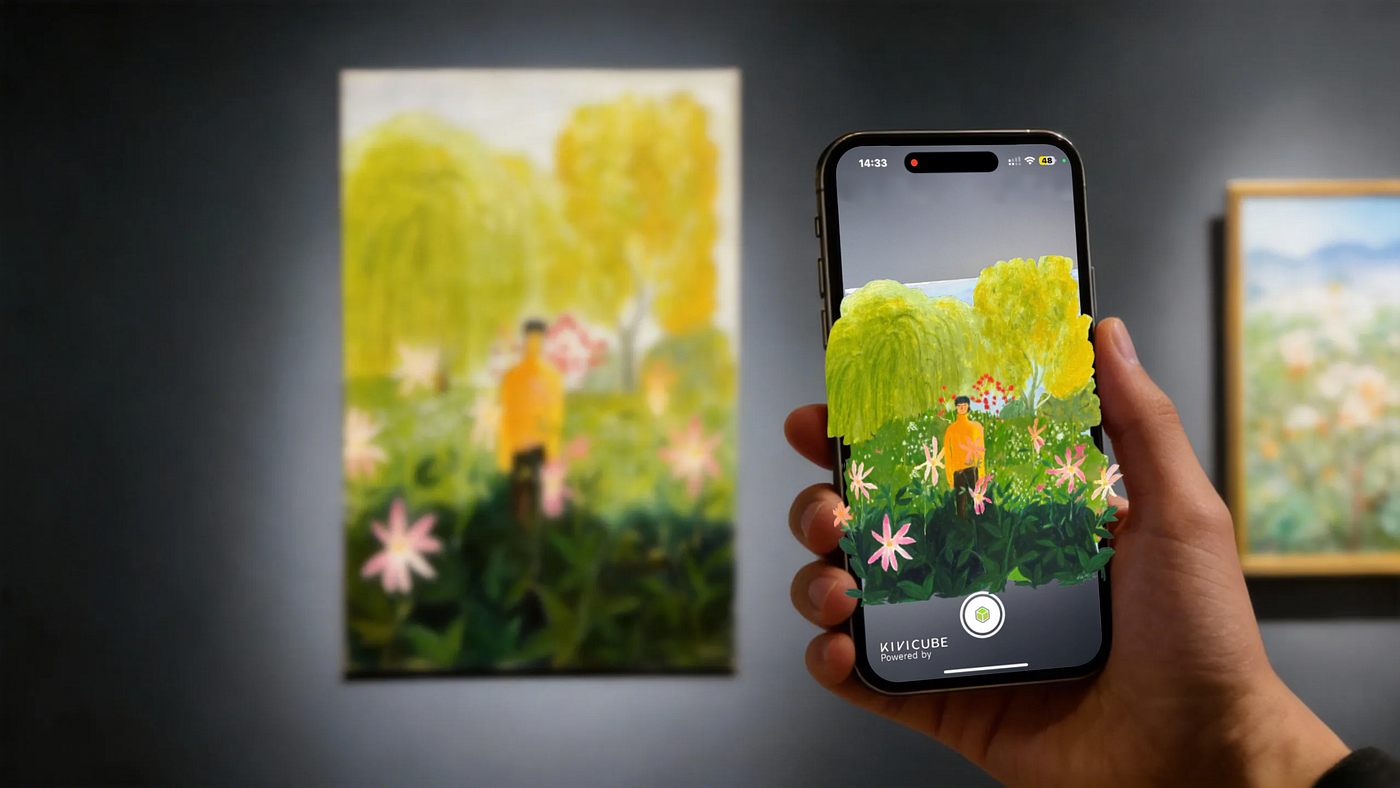
Art books traditionally let readers view finished artworks — but they rarely tell the story of how the art was made. AR changes this. Readers scan the pages of an AR art book to unlock behind-the-scenes artist interviews, time-lapse painting videos, and commentary on each piece. What was once a simple viewing experience becomes a deep dive into the creative process, letting art lovers understand the inspiration, techniques, and stories behind the work. For artists and publishers, it’s a way to make art more accessible and meaningful.

Scan the art book page and watch AR bring it to life instantly.
AR Popular Science Books: Making Abstract Knowledge Tangible
Science and nonfiction books often grapple with abstract concepts that are hard to visualize. AR turns these concepts into tangible, interactive experiences. Take iExplore Human Body, a popular AR science book: it transforms traditional anatomy content by displaying 3D, interactive human body models that readers can rotate, zoom in on, and manipulate. Readers can observe the heart beating, the lungs expanding, and the neurons firing — turning complex physiology into a clear, visual experience that no textbook can match. For students and casual learners alike, this makes science feel less intimidating and more fascinating.

AR encourages active learning and makes studying more engaging for students
AR Children’s Picture Books: Stories That Perform Themselves
Children’s literature is where AR truly shines, turning picture books into interactive storytelling theaters. Take classic Ukrainian folk tale Kolobok or the timeless The Three Little Pigs — AR versions let the characters leap off the page, act out scenes in the reader’s physical space, and pair with voice narration to create a fully immersive experience. Young readers don’t just read the story — they live it. This sparks imagination, deepens emotional engagement with the characters, and fosters a lifelong love of reading — something every parent and educator can get behind.
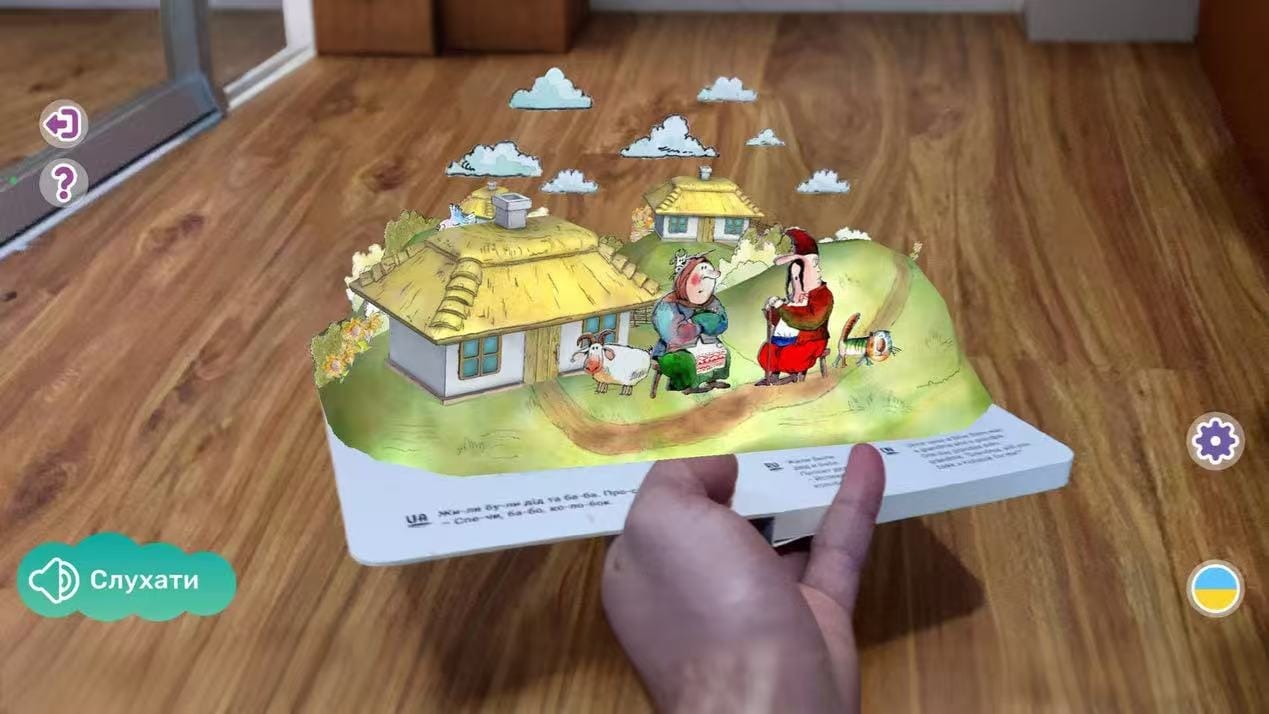
AR Story Book: The Three Little Pigs
The Key to Accessible AR Books: No-Code WebAR with Kivicube
In the past, creating an AR book was a costly, time-consuming endeavor. It required big budgets, custom mobile apps, and a team of developers and designers — putting it out of reach for independent creators, small publishers, and educators. Today, WebAR changes everything: it lets readers access AR experiences directly through a mobile browser, with no app downloads required. And no-code WebAR platforms like Kivicube remove the technical barriers entirely, making AR book creation accessible to anyone.
[embed]Kivicube WebAR Platform Capabilities Overview
Why Kivicube Is the Go-To Tool for AR Book Creators
Kivicube is built for creators — publishers, authors, educators, and hobbyists — who want to make AR books without learning to code or hiring a technical team. Here’s what sets it apart:
- No-Code Visual Editor: Build AR scenes as easily as creating a PowerPoint presentation. Use a simple drag-and-drop interface to add 3D models, videos, audio, and animations — no programming required.
- Pure WebAR Experience: Readers scan a QR code in the book and access the AR content instantly through their phone’s browser. No app downloads, no sign-ups, no friction — just instant immersion.
- Extensive Built-in Resources: Access over 100,000 free 3D models and animations, plus 200+ industry-specific templates (including pre-made AR book scenes). No need to create digital assets from scratch — start building in minutes.
- Advanced Interaction & Scalability: Add interactive animations (e.g., click to trigger a scene, swipe to rotate a 3D model) and use open APIs for customizations. Kivicube works for simple children’s book projects and complex, large-scale publishing solutions.
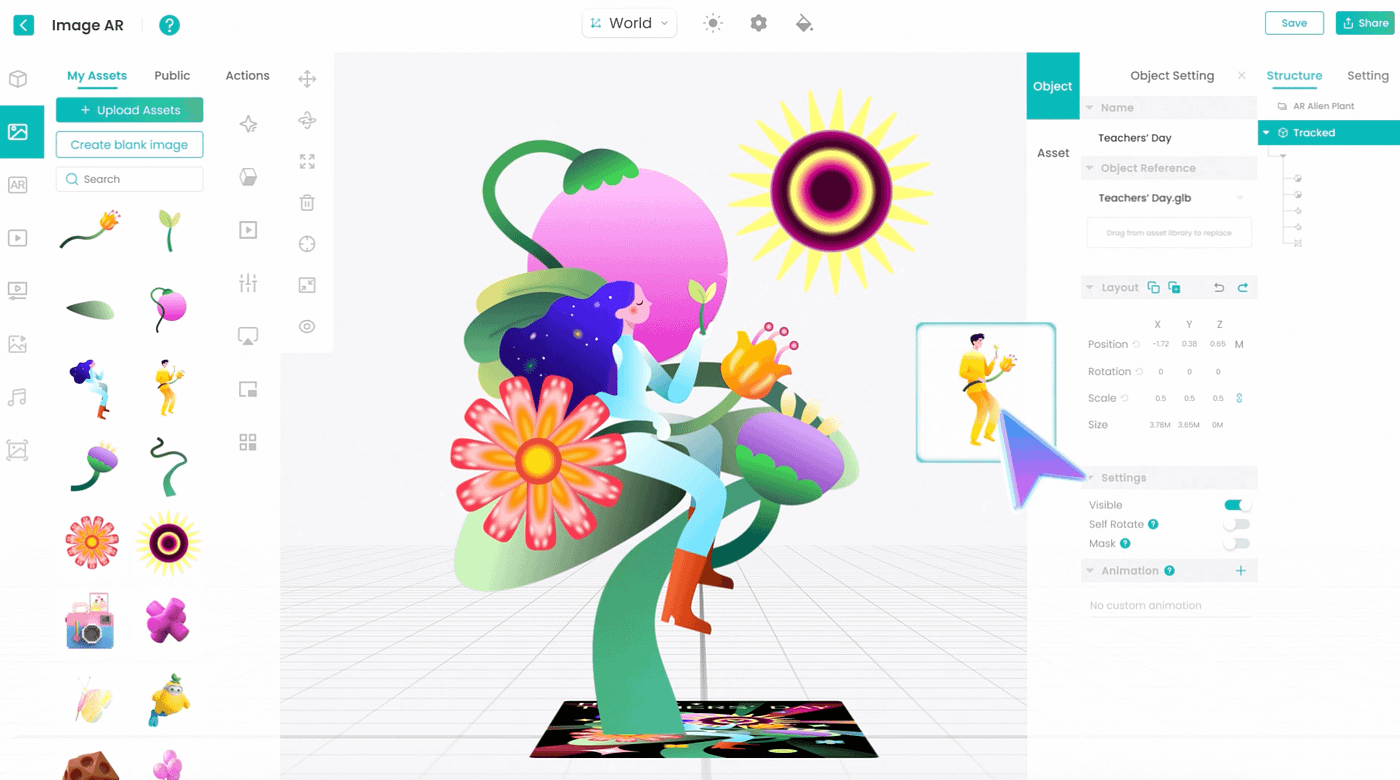
Kivicube WebAR Editor
Three Simple Steps to Create Your First AR Book with Kivicube
Creating an AR book with Kivicube is straightforward — even if you’ve never worked with AR before. Follow these three steps to turn your book into an immersive experience:
Step 1: Prepare Your Content
First, map out which pages of your book you want to enhance with AR. Gather your digital assets: this could include 3D models, short videos, audio clips, images, or additional text. For example, if you’re creating an AR children’s book, you might have 3D models of the main characters and animated clips of key scenes.
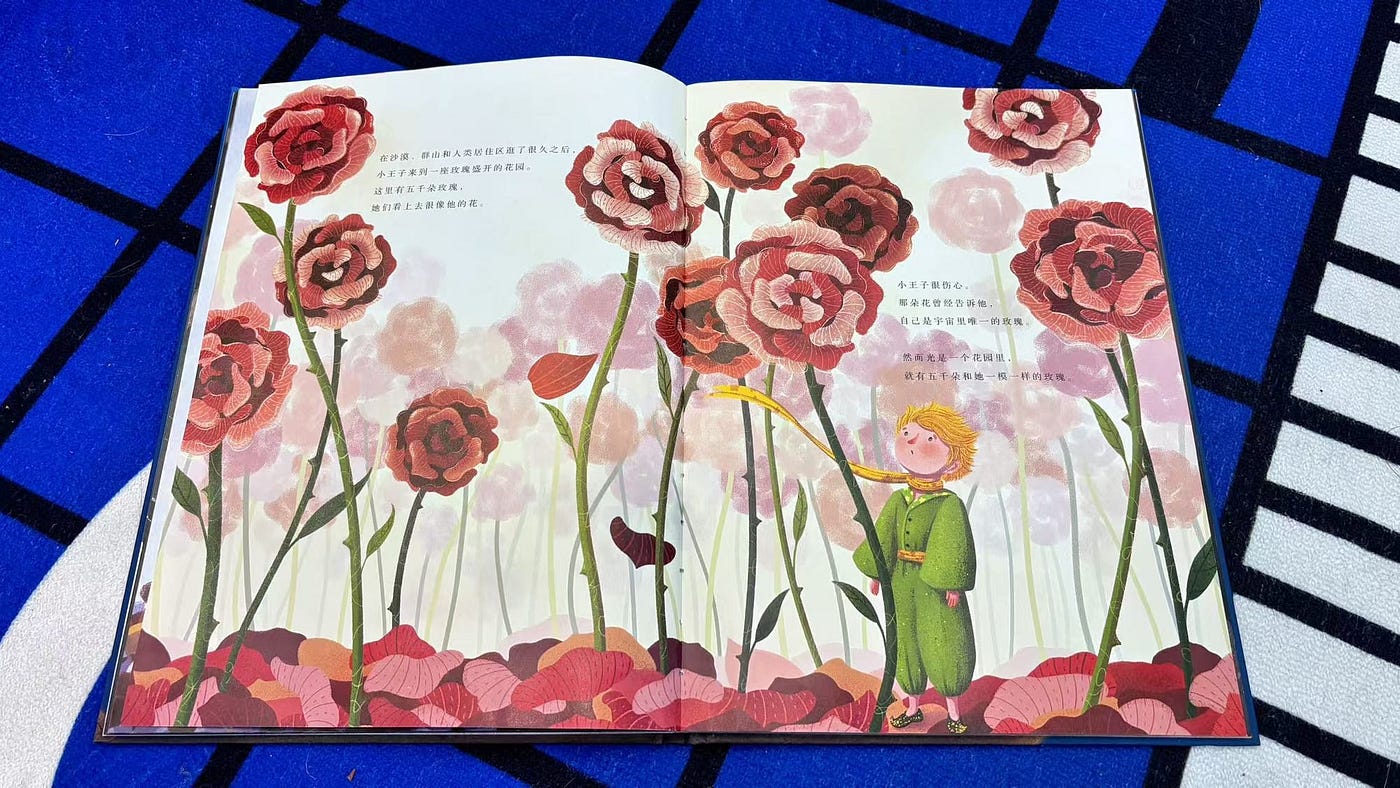
Take a photo of the storybook
Step 2: Build Your AR Scenes
Log into Kivicube and create a new AR scene. Upload your digital assets to the platform, then use the drag-and-drop editor to arrange them and add interactions. For instance, you can set a character to “leap off the page” when the reader scans the QR code, or add a voice narration that plays when the reader taps the screen. Kivicube’s intuitive tools let you fine-tune every detail — from animation speed to 3D model size — with just a few clicks.
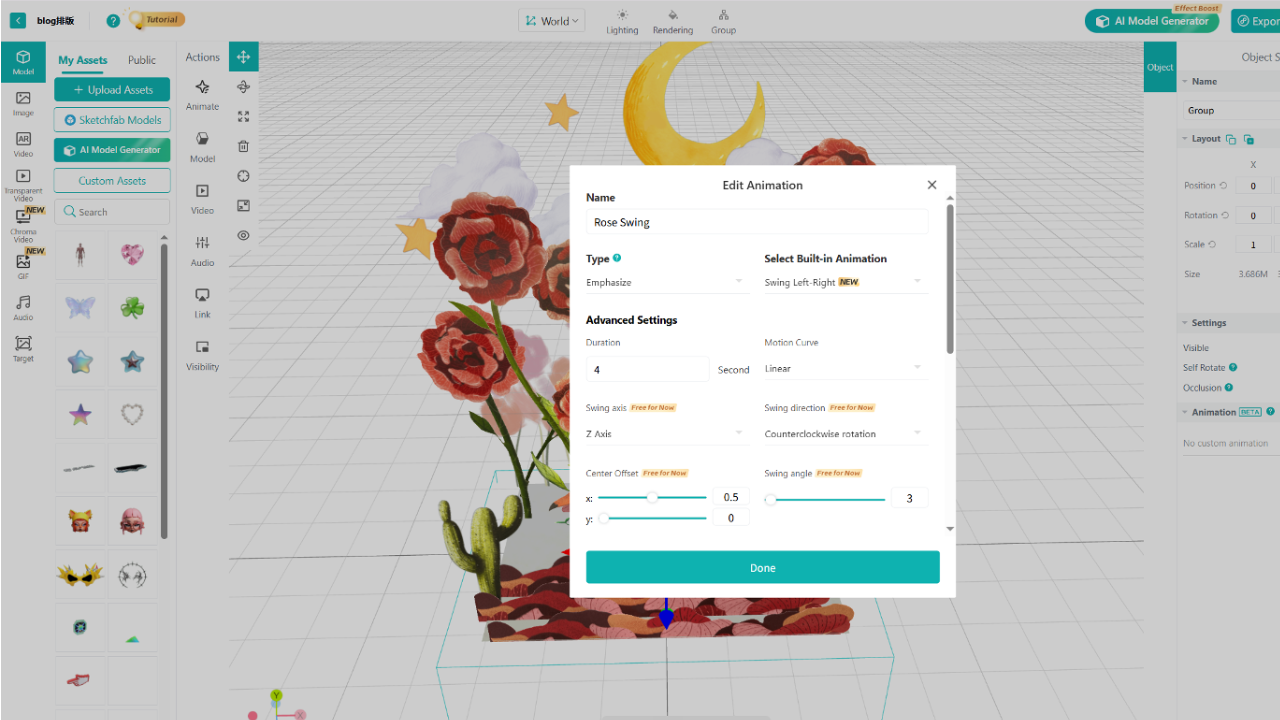
Add AR interaction to your book
Step 3: Publish & Print Your AR Book
Once your AR scenes are ready, publish them with one click on Kivicube. The platform will generate a unique QR code for each AR scene — simply print these QR codes on the corresponding pages of your book. When readers scan the QR code with their phone’s camera, they’ll instantly access your AR content through their browser, with no extra steps required.
[embed]Tap to watch the AR book effect we just created
Conclusion: Enter the Era of AR Publishing
AR is not just a trend in the publishing industry — it’s the future of reading. It turns static books into immersive, interactive experiences that capture attention, simplify complex ideas, and make reading fun for all ages. And thanks to WebAR and no-code platforms like Kivicube, AR publishing is no longer reserved for big publishers with unlimited budgets. It’s now accessible to every creator — whether you’re an independent author writing a children’s book, a teacher creating educational materials, or a small publisher looking to stand out in a crowded market.
The pages of a book no longer have to be a boundary. With AR, stories can leap off the page, ideas can come to life, and reading can become an experience that stays with readers long after they close the book.
It’s time to step into the future of storytelling — one AR book at a time.
메타데이터
- post_id
- 398cc01b60ce
- slug
- ar-for-reading-turning-static-pages-into-immersive-storytelling-experiences-398cc01b60ce
- url
- https://medium.com/@mindy.liu333/ar-for-reading-turning-static-pages-into-immersive-storytelling-experiences-398cc01b60ce
- canonical_url
- https://medium.com/@mindy.liu333/ar-for-reading-turning-static-pages-into-immersive-storytelling-experiences-398cc01b60ce
- author_url
- https://medium.com/@mindy.liu333
- status
- ok
- fetched_at
- 2026-07-13 06:23:13