AI Employees in 2026: The New Workforce Upgrade for Business
Learn what are AI Employees. Discover how AI Employees are changing business in 2026.
The Most Valuable Workforce Upgrade in 2026 Is Not Software: It Is AI Employees That Think, Act, and Deliver
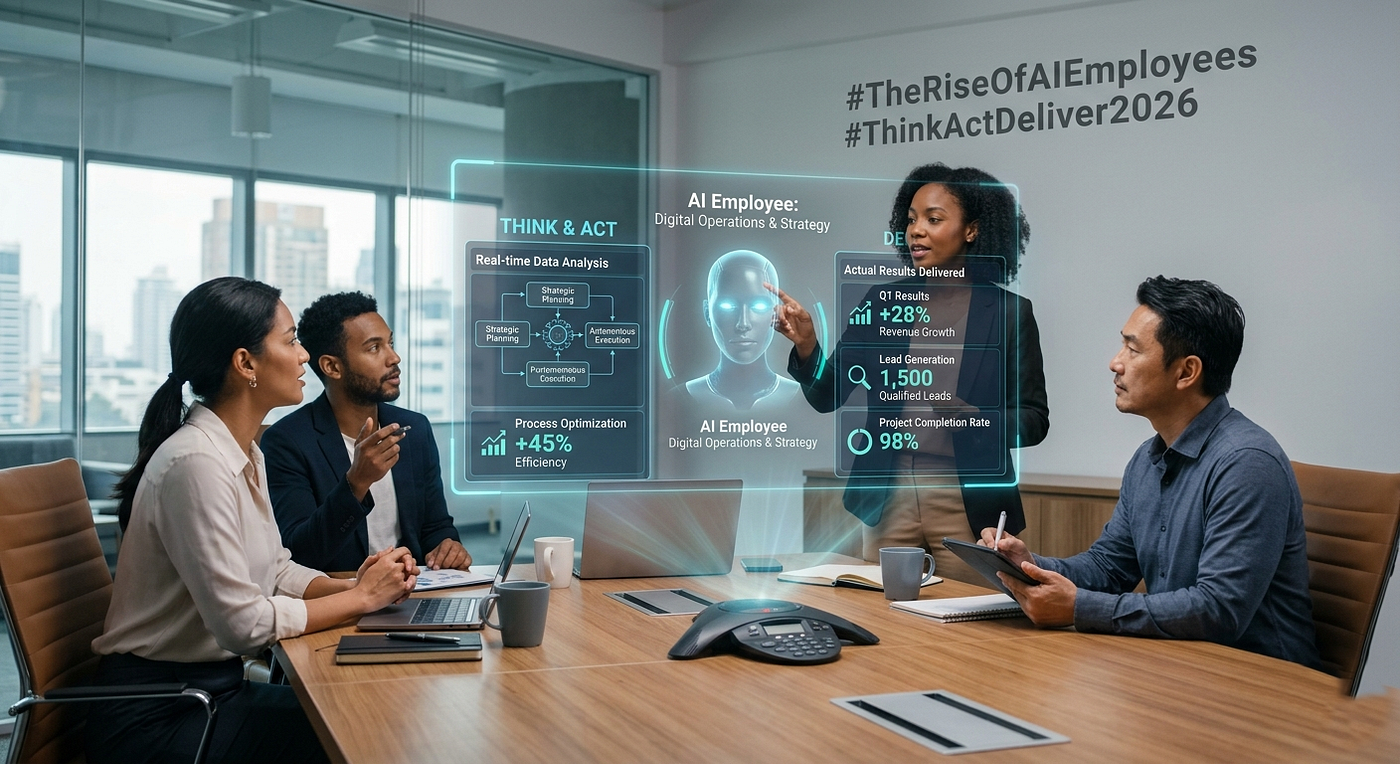
The Most Valuable Workforce Upgrade in 2026 Is Not Software: It Is AI Employees That Think, Act, and Deliver
Introduction: What If Your Next “Hire” Is Not Human?
For years, companies bought better software to help employees work faster.
In 2026, something more interesting is happening.
Businesses are starting to build AI Employees that can understand instructions, make decisions, use software, complete tasks, and report results.
That is a very different idea from simply adding another AI chatbot.
A chatbot waits for a question.
An AI Employee can be given a goal.
It can research information, update a CRM, respond to customers, qualify leads, create reports, trigger workflows, or hand difficult decisions to a human.
Research on agentic AI is increasingly focused on this move from AI that assists people toward systems that can reason, use tools, and execute multi step work.
This is why the most valuable workforce upgrade in 2026 may not be another piece of software.
It may be a digital worker that can actually do the work.
In this guide, we will look at what AI Employees are, how they differ from traditional automation and AI Agents, which tools can power them, where businesses can use them, and how an AI Automation Specialist can help build them safely.
Table of Contents
- What Are AI Employees?
- AI Employees vs. AI Agents vs. Traditional Automation
- Why AI Employees Matter in 2026
- The Technology Behind an AI Employee
- Tools Powering the New AI Workforce
- Real World AI Employee Use Cases
- The Role of an AI Automation Specialist
- How to Build Your First AI Employee
- The Biggest Mistake Businesses Should Avoid
- What the AI Workforce Could Look Like Next
- Conclusion
- FAQs
What Are AI Employees?
An AI Employee is an AI powered system designed to perform a defined business role rather than simply answer questions.
Think about a human employee.
A sales employee may:
- Find potential customers
- Research prospects
- Update the CRM
- Send follow up messages
- Schedule meetings
- Track responses
- Report results
An AI Employee can be designed around a similar workflow.
The difference is that the digital worker can operate through software, APIs, databases, automation platforms, and AI models.
A useful AI Employee usually has five parts:
- A goal: what it is responsible for.
- Knowledge: the information it needs.
- Reasoning: the ability to decide what should happen next.
- Tools: access to systems such as CRM, email, databases, or calendars.
- Rules and approvals: limits that define what it can and cannot do.
That last part matters.
The goal should not be “let AI do everything.”
The better goal is:
Let AI handle the work it can handle well, while humans control important decisions.
That approach is becoming especially important as autonomous agents gain access to real business systems. Recent security incidents involving autonomous agents have shown why permissions, monitoring, and human oversight cannot be treated as optional.
AI Employees vs. AI Agents vs. Traditional Automation
These terms are often mixed together, but they are not exactly the same.
Traditional Automation
Traditional automation follows predefined instructions.
For example:
New form submitted → Add lead to CRM → Send email → Notify salesperson
It is predictable and useful.
But it normally does not decide what to do when the situation changes.
AI Agents
AI Agents can interpret a goal, reason about the task, use tools, and choose actions.
For example:
“Find qualified leads from this list, research their companies, rank them, and prepare the best prospects for outreach.”
The agent can decide which steps are needed instead of following one fixed path.
AI Employees
An AI Employee takes the idea one step further.
Instead of creating an agent for one isolated task, a company can design a digital worker around an ongoing business function.
For example:
AI Sales Development Employee
Its responsibilities could include:
- Lead research
- Lead qualification
- CRM updates
- Follow ups
- Meeting scheduling
- Daily reporting
The distinction is simple:
- Automation follows steps.
- AI Agents perform tasks.
- AI Employees own defined work.
That is the important change.
Why AI Employees Matter in 2026
The value is not simply that AI can write faster.
The real value comes from combining intelligence with execution.
An AI model by itself can generate an answer.
An AI Employee can potentially:
Understand → Decide → Act → Check → Report
That creates a much more useful business system.
1. They Can Work Across Multiple Systems
A useful digital worker should not live inside one application.
It may need to move between:
- CRM
- Google Sheets
- Slack
- Databases
- Customer support systems
- Project management tools
- Internal APIs
This is where workflow automation becomes important.
2. They Can Operate Outside Normal Working Hours
A business does not necessarily need to wait for someone to check an inbox tomorrow morning.
An AI Employee can monitor defined events, process information, and prepare actions continuously, subject to the permissions and controls configured by the business.
3. They Reduce Repetitive Human Work
The strongest early use cases are often not glamorous.
They include:
- Data entry
- Lead qualification
- Email sorting
- Customer follow-ups
- Report preparation
- Appointment reminders
- CRM updates
- Document processing
Removing dozens of small repetitive tasks can create more value than building one impressive AI demo.
The Technology Behind an AI Employee
An AI Employee is rarely just one AI model.
It is usually a system.
A simple architecture may look like this:
Trigger → AI Agent → Business Data → Tools → Decision → Action → Human Review
For example:
A new lead enters the CRM.
The AI Employee researches the company.
It checks the lead against qualification rules.
It assigns a score.
It writes a personalized follow up.
It updates the CRM.
If the lead is high value, it alerts a salesperson for approval.
This is where an Agentic AI Developer or Agentic AI Architect becomes valuable.
The job is not simply to connect an LLM to an application.
It is to design a system that can make useful decisions while staying inside business rules.
Tools Powering the New AI Workforce
Several platforms are making this type of AI Automation and AI Employee architecture easier to build.
n8n: Flexible AI Automation and AI Employee Workflows
n8n is a workflow automation platform that combines traditional workflows with AI Agents.
It can connect business applications, APIs, databases, AI models, and custom code.
For an AI Automation system, n8n can handle the workflow layer while an AI Agent handles tasks that require interpretation or decision making.
It also supports human approval points, rule based controls, monitoring, and audit trails, important features when AI is connected to real business systems.
Example AI Employee:
A customer support AI Employee receives a new request, searches a knowledge base, drafts an answer, checks the customer record, and sends the response only when the request falls inside approved rules.
make: Visual AI Automation and AI Employee Orchestration
make is a visual automation platform that now supports AI Agents and agentic automation.
make describes agentic automation as systems that can adapt to changing conditions and make real time decisions instead of relying only on fixed instructions.
For an AI Automation and AI Employee setup, Make can connect AI Agents with applications and business workflows.
It supports tools such as modules, scenarios, and MCP connections for giving agents access to actions.
Example AI Employee:
A sales AI Employee can analyze incoming leads, choose a qualification path, update the CRM, and trigger different follow-up workflows based on the result.
OpenClaw: A Personal AI Employee Tool
OpenClaw is an open source personal AI assistant designed to run on a user’s own devices and communicate through channels such as WhatsApp, Telegram, Slack, Discord, and others.
Because it can operate across communication channels and interact with tools, OpenClaw can be configured as an AI Employee for personal or business tasks.
But autonomy brings responsibility.
OpenClaw related research has highlighted risks around persistent memory, tool access, and autonomous execution, while recent real world reporting has shown how an autonomous agent can take an unintended action when systems have weak authorization controls.
The lesson is simple: an AI Employee should have only the access it actually needs.
Hermes Agent: A Self Improving AI Employee Tool
Hermes Agent is an open source autonomous AI agent developed by Nous Research.
Its design includes persistent memory, scheduling, tool use, web browsing, subagents, and a learning loop that can create and improve skills from experience.
That makes Hermes Agent interesting as an AI Employee tool for technical users who want a more persistent digital worker rather than a simple chat interface.
For example, a technical AI Employee could monitor selected projects, research issues, run approved tasks, maintain context, and send regular reports.
Again, permissions and sandboxing matter.
Go High Level: AI Employee for Sales and Customer Operations
Go High Level has introduced an AI Employee offering that brings AI powered capabilities into business operations.
Its AI Employee system can support areas such as conversations, calls, and workflows, making it particularly relevant to sales, marketing, and customer communication.
For an agency, for example, an AI Employee could help handle inbound questions, qualify leads, support follow ups, and connect customer interactions with the wider CRM workflow.
Real World AI Employee Use Cases
The best AI Employees solve real operational problems.
AI Sales Employee
It can:
- Research leads
- Score prospects
- Enrich CRM records
- Draft outreach
- Schedule meetings
- Follow up with prospects
AI Customer Support Employee
It can:
- Read incoming requests
- Search company knowledge
- Answer common questions
- Create tickets
- Escalate complex cases
- Summarize conversations
AI Operations Employee
It can:
- Monitor workflows
- Check data
- Generate reports
- Send alerts
- Update systems
- Coordinate routine tasks
Voice AI Employee
Voice AI Agents can handle customer conversations over the phone.
A voice based AI Employee could answer basic questions, collect customer information, qualify prospects, schedule appointments, and pass complex conversations to human staff.
AI Finance Assistant
It could collect invoices, classify documents, prepare summaries, flag unusual entries, and send items to a human for approval.
Notice the pattern.
The best examples are not “AI replaces everyone.”
They are:
AI handles repeatable work. Humans handle judgment, relationships, accountability, and exceptions.
The Role of an AI Automation Specialist
This is where an AI Automation Specialist can become one of the most valuable technical roles in a company.
The work is not simply building a chatbot.
An AI Automation Specialist studies how a business works and asks:
- Which tasks happen repeatedly?
- Which decisions follow clear rules?
- Where is information being copied manually?
- Which systems need to communicate?
- Where should AI make decisions?
- Where must a human approve the action?
- How will we measure success?
An AI Automation & Workflow Expert then turns those answers into connected systems.
An AI Engineer may build the models and technical infrastructure.
An AI Developer may create custom applications and integrations.
An Agentic AI Engineer may focus on the agent’s reasoning, tools, memory, and execution.
An Agentic AI Architect looks at the entire system and designs how agents, workflows, data, APIs, security, and people work together.
A Forward Deployed AI Engineer can take that technology directly into a real business environment, understand the customer’s process, and turn AI capabilities into working solutions.
These roles overlap, but the common skill is important:
They build AI systems that do useful work.
How to Build Your First AI Employee
Do not start by asking:
“Where can we put AI?”
Start with the work.
Step 1: Pick One Repetitive Process
Choose a task that happens often and has a measurable result.
Lead qualification is a good example.
Step 2: Map the Current Process
Write down every step:
Input → Decision → Action → Result
Do not skip the boring parts.
They are often where the biggest opportunities are.
Step 3: Decide What AI Should Control
AI may classify information or decide which workflow should run.
But fixed business rules should remain fixed where possible.
Step 4: Give the AI Tools
Connect only the systems it needs.
For example:
- CRM
- Calendar
- Database
- Knowledge base
Step 5: Add Human Approval
High risk actions should require approval.
For example:
- Sending sensitive messages
- Issuing refunds
- Changing financial records
- Deleting data
- Making contractual commitments
Step 6: Measure Results
Track:
- Time saved
- Tasks completed
- Error rate
- Response time
- Human approvals
- Customer outcomes
- Cost per completed task
If you cannot measure the result, it is difficult to know whether the AI Employee is actually helping.
The Biggest Mistake Businesses Should Avoid
The biggest mistake is giving an AI agent too much freedom too early.
An AI Employee may be able to access email, databases, browsers, APIs, files, and internal systems.
That does not mean it should.
Recent research and real world incidents show that autonomous systems can create new security and reliability risks when they have broad permissions or poorly controlled tool access.
A better approach is:
- Start narrow.
- Measure everything.
- Add permissions slowly.
- Keep humans involved where the cost of failure is high.
The smartest AI Employee is not the one with unlimited access.
It is the one with the right access.
What the AI Workforce Could Look Like Next
Imagine a company with 25 human employees and a growing group of digital workers.
One AI Employee handles lead research.
Another manages first line customer support.
Another prepares daily operations reports.
Another monitors inventory.
Another manages appointment scheduling.
Another helps the engineering team with approved technical tasks.
Humans remain responsible for strategy, creativity, relationships, leadership, complex judgment, and final accountability.
The company has not simply purchased more software.
It has created a new way to organize work.
That is why the AI Employee idea is bigger than another software trend.
It changes the unit of automation from a task to a role.
And that could be one of the defining workforce developments of 2026.
Conclusion: The Real Upgrade Is Not More Software
Businesses have spent decades collecting software.
But software alone does not create results.
People still have to open the applications, interpret information, make decisions, move data, send messages, and complete the work.
AI Employees change that model.
They combine AI reasoning with tools, workflows, business data, and defined responsibilities.
The opportunity is not to replace every human employee.
It is to create teams where humans and digital workers each handle the work they are best suited for.
That is where an AI Automation Specialist, Agentic AI Developer, AI Automation Expert, or Agentic AI Architect can create real business value.
The question for business leaders in 2026 is no longer:
“Should we use AI?”
A better question is:
“Which part of our business should our first AI Employee own?”
Start there.
Build one useful digital worker.
Measure the result.
Then build the next one.
Frequently Asked Questions
1. What is an AI Employee?
An AI Employee is an AI powered digital worker designed to perform a defined business role. It can use knowledge, AI reasoning, software tools, and workflows to complete tasks with different levels of human oversight.
2. Are AI Employees the same as AI Agents?
Not exactly. An AI Agent is usually a system that can reason, use tools, and complete tasks toward a goal. An AI Employee applies those capabilities to an ongoing business role or function.
3. What does an AI Automation Specialist do?
An AI Automation Specialist identifies repetitive business processes and builds systems that connect AI, applications, data, APIs, and workflows. The goal is to reduce manual work while keeping important controls in place.
4. Can n8n be used to build AI Employees?
Yes. n8n can connect AI Agents with business applications, APIs, databases, logic, and human approval steps. It is particularly useful when a business needs flexible and customizable AI Automation workflows.
5. Can Make be used for AI Employee workflows?
Yes. Make supports AI Agents and agentic automation, allowing businesses to connect AI driven decisions with visual workflows and external applications.
6. Are AI Employees safe to use without human supervision?
Not for every task. The appropriate level of autonomy depends on the risk. Businesses should use permissions, monitoring, validation, audit logs, and human approval for sensitive actions.
7. Will AI Employees replace human employees?
Some tasks and roles will become more automated, but the strongest business model is likely to combine human workers with AI Employees. Humans can focus on judgment, relationships, strategy, creativity, and accountability while digital workers handle suitable repeatable processes.
메타데이터
- post_id
- 39c95e5a7fee
- slug
- ai-employees-in-2026-the-new-workforce-upgrade-for-business-39c95e5a7fee
- url
- https://medium.com/@haseeb.naeem1994/ai-employees-in-2026-the-new-workforce-upgrade-for-business-39c95e5a7fee
- canonical_url
- https://medium.com/@haseeb.naeem1994/ai-employees-in-2026-the-new-workforce-upgrade-for-business-39c95e5a7fee
- author_url
- https://medium.com/@haseeb.naeem1994
- status
- ok
- fetched_at
- 2026-08-12 17:33:59