Hashing
Hashing :
Hashing
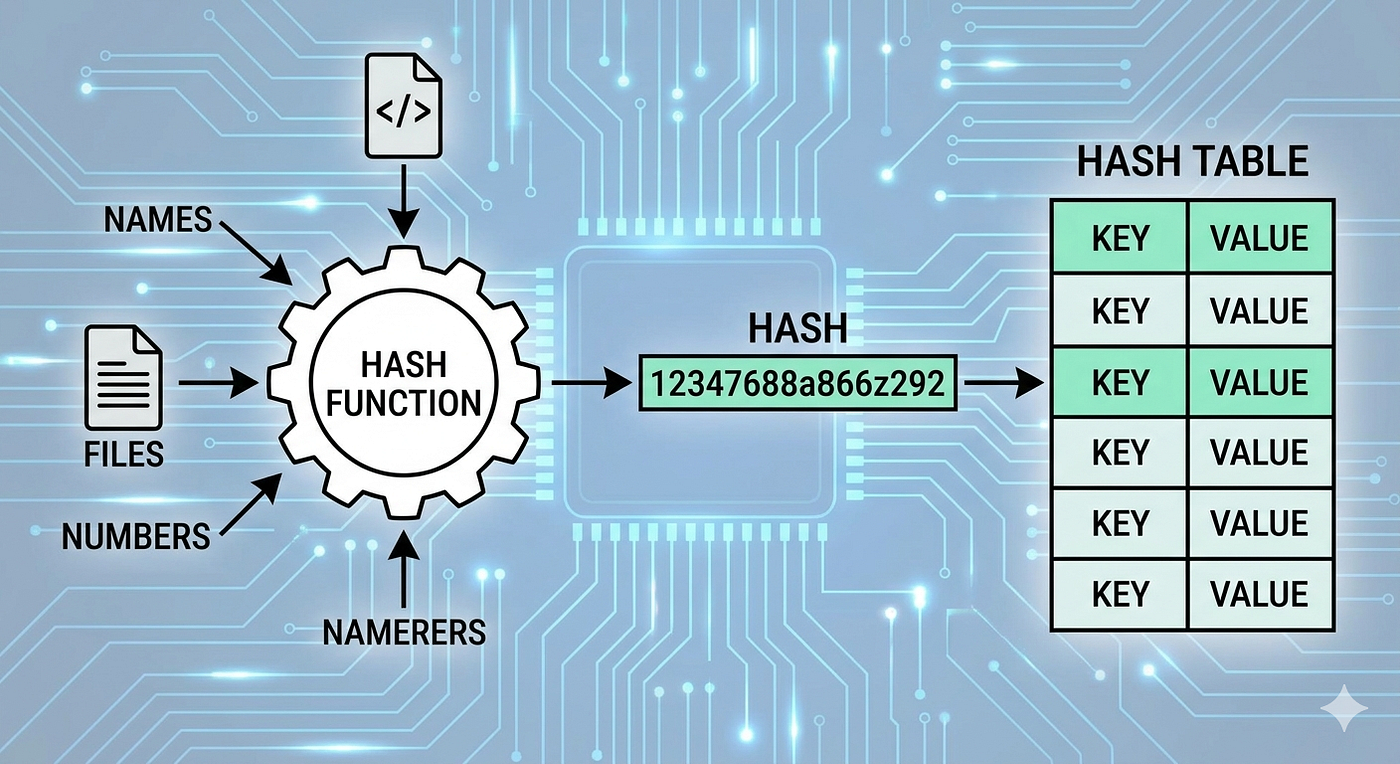
Hashing :
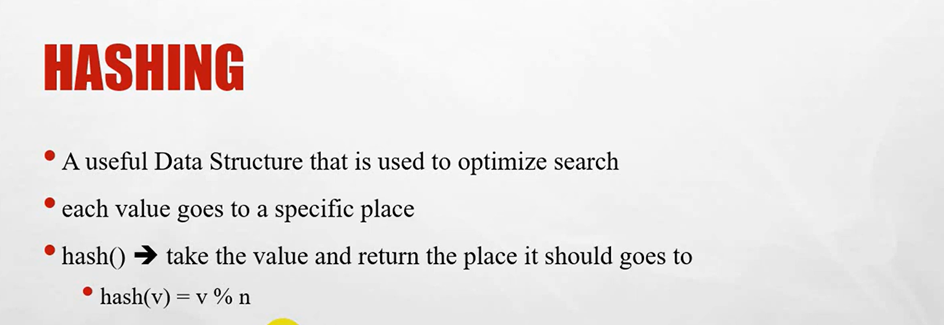
- A useful Data Structure that is used to optimize search
- each value goes to a specific place
- hash() ➔ take the value and return the place it should goes to
- hash(v) = v % n (where% is modules )
-example :
If we have array of 7 places
So :
Hash(8) = 8%7 = 1 // Go to index 1
Hash(30)= 30%7 = 2 // Go to index 2
Hash(15) = 15%7 = 1 // Go to index 1 = Collision because there is 2 values goes to the same place or index
-Collision :
when two values is mapping to the same hash
-way to handle collision :
1-Separate Chaining
2-Open addressing
-example :
Explain hashing
class HashTable {
    // Step 1: Initialize the table with a fixed size
    constructor(size = 7) {
        this.size = size;
        // Create an array of buckets to handle collisions (Chaining)
        this.table = Array.from({ length: this.size }, () => []);
    }

    // Step 2: The Hash Function (Using Modulus as explained in the video)
    _hash(key) {
        return key % this.size;
    }

    // Step 3: Insert a key into the table
    insert(key) {
        const index = this._hash(key);
        const bucket = this.table[index];

        // Check if the key already exists to prevent duplicates
        if (!bucket.includes(key)) {
            bucket.push(key);
            console.log(`Inserted ${key} at index ${index}`);
        } else {
            console.log(`${key} already exists at index ${index}`);
        }
    }

    // Step 4: Search for a key in constant time O(1) average
    search(key) {
        const index = this._hash(key);
        const bucket = this.table[index];

        // Directly look inside the specific bucket
        return bucket.includes(key);
    }

    // Helper method to visually display the table structure
    display() {
        console.log("\n--- Current Hash Table State ---");
        this.table.forEach((bucket, index) => {
            console.log(`Index ${index}: ${JSON.stringify(bucket)}`);
        });
        console.log("--------------------------------\n");
    }
}

// --- Execution and Testing ---

const myHash = new HashTable(7); // Create a table of size 7

// 1. Regular Insertion
myHash.insert(8); // 8 % 7 = 1 (Goes to Index 1)

// 2. Collision Simulation (As mentioned in the video)
myHash.insert(15); // 15 % 7 = 1 (Collision! Solved via Chaining)

// 3. Inserting more values
myHash.insert(3);  // 3 % 7 = 3
myHash.insert(10); // 10 % 7 = 3 (Collision! Appends to Index 3)

// Print the table structure to see the chains
myHash.display();

// 4. Searching for elements
console.log("Is 15 in the table?", myHash.search(15)); // Returns true
console.log("Is 99 in the table?", myHash.search(99)); // Returns false

console.log(myHash.table);  // [ [], [ 8, 15 ], [], [ 3, 10 ], [], [], [] ]
/*
How it works: We pick a table size of 7.
Instead of making a flat array, we make an array of small arrays ([]).
This allows multiple items to safely sit at the exact same index if a collision happens.
*/
Step-by-Step Explanation
1. The Constructor (constructor)
- What it does: Sets up the empty storage room.
- How it works: We pick a table size of 7. Instead of making a flat array, we make an array of small arrays ([]). This allows multiple items to safely sit at the exact same index if a collision happens.
2. The Hash Function (_hash)
- What it does: Calculates the exact index for any number.
- How it works: It uses the arithmetic modulo operator %. For example, 15 % 7 yields 1. This guarantees that no matter how large the input number is, the index will always stay between 0 and 6.
3. The Insertion (insert)
- What it does: Places the data into the calculated index.
- How it works: It runs the key through the hash function, grabs the correct bucket at that index, and pushes the key inside.
4. Handling Collisions (Chaining)
- What it does: Resolves the overlap when two keys yield the same index.
- How it works: When 8 is inserted, index 1 becomes [8]. When 15 is inserted, it also targets index 1. Instead of overwriting 8, the code appends 15 to the list, turning index 1 into [8, 15].
5. The Search (search)
- What it does: Finds data instantly without looping through the entire table.
- How it works: To check if 15 exists, it doesn’t scan indexes 0, 2, 3, etc. It jumps directly to index 1 (15 % 7), checks the small list [8, 15], and instantly finds it.
🧩 Array.from Explanation
this.table = Array.from({ length: this.size }, () => []);- Array.from
- Array.from() is a method that creates a new array from an iterable or array-like object.
- Here, we’re passing an object { length: this.size } which acts like an array with a specific length but no actual values.
- Length property
- { length: this.size } tells JavaScript: “Make an array with this.size number of slots.”
- Example: if this.size = 7, then we’re creating an array with 7 elements.
- Mapping function
- The second argument of Array.from is a mapping function.
- () => [] means: for each slot, return a new empty array.
- Resulting structure
- Each element of the main array (this.table) is itself an empty array.
- So if this.size = 7, the result looks like this:
this.table = [ [], [], [], [], [] , [] , []];That’s an array of arrays — often used in data structures like hash tables or adjacency lists.
📖 Why Use This?
- Hash table buckets In a hash table, each index (bucket) may hold multiple values due to collisions. Initializing with empty arrays ensures each bucket is ready to store values.
- Avoid shared references Using () => [] creates a new array for each slot. If we used Array(this.size).fill([]), all slots would point to the same array, which is a common bug.
-Check if an array is subset of another array
Given two arrays a[] and b[] of size m and n respectively, the task is to determine whether b[] is a subset of a[]. Both arrays are not sorted, and elements are distinct.
Examples:
Input: a[] = [11, 1, 13, 21, 3, 7], b[] = [11, 3, 7, 1] Output: true
Input: a[]= [1, 2, 3, 4, 5, 6], b = [1, 2, 4] Output: true
Input: a[] = [10, 5, 2, 23, 19], b = [19, 5, 3] Output: false
-link : https://www.geeksforgeeks.org/dsa/find-whether-an-array-is-subset-of-another-array-set-1/
/*
-link :  https://www.geeksforgeeks.org/dsa/find-whether-an-array-is-subset-of-another-array-set-1/

We can use a hash set to store elements of a[], this will help us in constant time complexity searching.
 We first insert all elements of a[] into a hash set.
 Then, for each element in b[], we check if it exists in the hash set.
*/
function isSubset(a, b) {

    // Create a hash set and insert all elements of a
    const hashSet = new Set(a);

    // Check each element of b in the hash set
    for (const num of b) {
        if (!hashSet.has(num)) {
            return false;
        }
    }

    // If all elements of b are found in the hash set
    return true;
}

// Driver code
const a = [11, 1, 13, 21, 3, 7];
const b = [11, 3, 7, 1];

if (isSubset(a, b)) {
    console.log("true");
} else {
    console.log("false");
}
메타데이터
- post_id
- 3a2c8f09b2f7
- slug
- hashing-3a2c8f09b2f7
- url
- https://medium.com/@emad-mohamed/hashing-3a2c8f09b2f7
- canonical_url
- https://medium.com/@emad-mohamed/hashing-3a2c8f09b2f7
- author_url
- https://medium.com/@emad-mohamed
- status
- ok
- fetched_at
- 2026-06-09 15:37:30