Mapping between Domain and Data Transfer Objects (DTOs)
Mapping between Domain and Data Transfer Objects (DTOs)
Introduction
In most real-world .NET applications, especially APIs and layered systems, the objects you use internally are rarely the same objects you expose to the outside world. Your database entities are designed around persistence and business rules, while your API responses are designed around clarity, security, and consumer needs.
Mapping is the process of transforming one object type into another in a controlled and predictable way. In .NET, this usually means converting domain or entity models into Data Transfer Objects (DTOs) and sometimes converting DTOs back into entities. The two most common approaches are manual mapping, where you explicitly assign values yourself, and AutoMapper, where a library handles the mapping based on configuration. Understanding both approaches deeply helps you make more informed architectural decisions as your projects evolve.
Domain Models vs DTOs
We can’t discuss mapping without providing a brief introduction to Domain and Data transfer objects. One of the primary objectives of mapping is to abstract certain properties that clients are not permitted to see. What then are domain and DTO models?
Domain models, often referred to as Entities, represent how your application understands and works with data internally. It often mirrors database tables and contains properties that should never be exposed publicly, such as internal IDs, audit fields, or sensitive values.
Data transfer objects (DTOs) are lightweight objects used to transfer data between layers. They are usually simpler, flatter, and intentionally limited compared to domain objects. They strip away business logic, focusing only on carrying the necessary fields for communication, such as API requests or responses. This separation prevents exposing internal domain complexity and helps optimize performance by reducing unnecessary data.
Mapping between domain models and DTOs matters because it ensures a clean boundary between the business core and external interfaces. Proper mapping avoids leaking domain rules into external systems, maintains security by controlling what data is shared, and improves flexibility by allowing the domain to evolve independently of how data is transmitted. Without careful mapping, systems risk tight coupling, data inconsistencies, and exposure of sensitive internal logic.
Practical Example
Suppose we have a simple sales management system that allows clients to create, retrieve, update, and delete sales. The system should generate unique internal references for each sale, record product information, amount, and timestamp, and expose only the necessary data via DTOs while keeping sensitive internal details hidden. It should support retrieving single sales and lists of sales, enforce a clear separation between internal entities and external data contracts, and maintain flexibility for future enhancements or integration with persistent storage.
Sales.cs — Entity (Domain Model)
This class represents a single sales transaction record, capturing product details, sale amount, date/time, and internal tracking reference.
namespace SalesManagementSystem.Models.Entities
{
    public class Sale
    {
        public int Id { get; set; }
        public string ProductName { get; set; } = string.Empty;
        public decimal Amount { get; set; }
        public DateTime SoldAt { get; set; }
        public string InternalReference { get; set; } = string.Empty;
    }
}
CreateSalesDto.cs, SaleDto.cs — DTOs
namespace SalesManagementSystem.Models.DTOs
{
    public class CreateSaleDto
    {
        public string ProductName { get; set; } = string.Empty;
        public decimal Amount { get; set; }
    }

   public class SaleDto
   {
       public int Id { get; set; }
       public string ProductName { get; set; } = string.Empty;
       public decimal Amount { get; set; }
       public string SoldAt { get; set; } = string.Empty;
   }
}
The CreateSaleDto represents incoming data, while SaleDto represents outgoing data, with the SoldAt property formatted as a string for external presentation.
ISalesService.cs - Interface
The ISalesService interface defines the contract for managing sales within the system. It specifies the core operations that any sales service implementation must provide, including creating a new sale from input data (CreateSaleDto), retrieving a single sale by its identifier, listing all sales, updating an existing sale, and deleting a sale. By using DTOs (CreateSaleDto and SaleDto), it ensures a clear separation between the data received from clients and the data returned, making the service easier to maintain, test, and extend while enforcing consistency across the application.
using SalesManagementSystem.Models.DTOs;

namespace SalesManagementSystem.Services.Interfaces
{
    public interface ISalesService
    {
        SaleDto CreateSale(CreateSaleDto dto);
        SaleDto GetSaleById(int id);
        List<SaleDto> GetAllSales();
        SaleDto UpdateSale(int id, CreateSaleDto dto);
        string DeleteSale(int id);
    }
}
SalesService_Manual.cs — Manual Mapping Service Implementation
The SalesService_Manual class is a lightweight, in‑memory implementation of the ISalesService interface designed for managing sales records without relying on a database. It maintains all sales in a static list and uses a counter to generate unique IDs, making it suitable for testing, prototyping, or small applications.
This service provides methods to create, retrieve, update, and delete sales records, as well as to list all sales. When creating a new sale, it automatically assigns a timestamp and internal reference. Each operation works directly on the in‑memory list and returns results as SaleDto objects, ensuring that only relevant data is exposed externally.
Sales data is manually mapped between the Sale entity and the SaleDto, with special handling to format the SoldAt property as a readable string for external representation.
In an ideal environment, you would employ a database, such as SQL Server, rather than an in-memory list.
using SalesManagementSystem.Models.DTOs;
using SalesManagementSystem.Models.Entities;
using SalesManagementSystem.Services.Interfaces;

namespace SalesManagementSystem.Services.Implementations
{
    public class SalesService_Manual : ISalesService
    {
        // In-memory storage for sales records
        private static readonly List<Sale> _sales = new();

        // Counter to generate unique IDs for each sale
        private static int _idCounter = 1;

        public SaleDto CreateSale(CreateSaleDto dto)
        {
            var watTimestamp = DateTime.UtcNow.AddHours(1);

            // Create a new Sale entity from the provided DTO
            var sale = new Sale
            {
                Id = _idCounter++,
                ProductName = dto.ProductName,
                Amount = dto.Amount,
                SoldAt = watTimestamp,
                InternalReference = $"Sales-{watTimestamp:yyyyMMddHHmmssfff}" // Unique internal reference
            };

            _sales.Add(sale); // Add sale to in-memory list
            return MapToDto(sale); // Return DTO representation

        }
        public SaleDto GetSaleById(int id)
        {
            // Try to find the sale with the given ID
            var sale = _sales.FirstOrDefault(x => x.Id == id);

            // If no sale is found, handle gracefully
            if (sale == null)
            {
                 return null;
            }

            // Map the entity to a DTO and return
            return MapToDto(sale);
        }

        public List<SaleDto> GetAllSales()
        {
            // Create a new list to hold the mapped DTOs
            var salesDtos = new List<SaleDto>();

            // Iterate through each Sale in the in-memory list
            foreach (var sale in _sales)
            {
                // Convert Sale entity to SaleDto and add to the result list
                salesDtos.Add(MapToDto(sale));
            }

            return salesDtos;
        }
        public SaleDto UpdateSale(int id, CreateSaleDto dto)
        {
            // Find the sale in the in-memory list that matches the given ID.
            var sale = _sales.FirstOrDefault(x => x.Id == id);

            if(sale == null)
            {
                return null;
            }

            // Update the sale's properties with the new values provided in the DTO.
            sale.ProductName = dto.ProductName;
            sale.Amount = dto.Amount;

            // Convert the updated Sale entity into a SaleDto and return it.
            return MapToDto(sale);
        }
        public string DeleteSale(int id)
        {
            // Attempt to find the sale with the given ID in the in-memory list.
            var sale = _sales.FirstOrDefault(x => x.Id == id);

            // If no sale is found, return a descriptive message.
            if (sale == null)
            {
                //return $"Sale with ID '{id}' not found.";
                return null;
            }

            // Remove the found sale from the in-memory list.
            _sales.Remove(sale);

            // Return a confirmation message indicating successful deletion.
            return $"Sale with ID '{id}' has been deleted.";
        }

        #region Helpers
        // Manually map Sale entity to SaleDto
        private static SaleDto MapToDto(Sale sale)
        {
            return new SaleDto
            {
                Id = sale.Id,
                ProductName = sale.ProductName,
                Amount = sale.Amount,
                SoldAt = sale.SoldAt.ToString("ddd, MMM dd, hh:mm:ss tt")
            };
        }
        #endregion
    }
}
Using Automapper
AutoMapper is a convention-based object-to-object mapper that helps in mapping properties between different models or DTOs without manually writing mapping code. It is particularly useful for scenarios like mapping complex domain models to Data Transfer Objects (DTOs). It inspects both objects, matches properties with the same names and compatible types, and transfers values accordingly. Developers configure mappings once using AutoMapper’s fluent API, and then AutoMapper consistently applies those rules whenever a source object needs to be projected into a simpler destination object.
To use AutoMapper, you must first install the following package via the NuGet Package Manager:
AutoMapperNext, you have to set up an AutoMapper profile, which is a configuration class that defines and organizes mapping rules between source and destination models in your project. It also specifies how the SoldAt property in the Sale entity (a DateTime) is converted to a formatted string in the SaleDto for external presentation.
using AutoMapper;
using SalesManagementSystem.Models.DTOs;
using SalesManagementSystem.Models.Entities;

namespace SalesManagementSystem.Mapping
{
    public class SaleMappingProfile:Profile
    {
        public SaleMappingProfile()
        {
            CreateMap<Sale, SaleDto>()
                // Map the SoldAt property from DateTime to formatted string
                .ForMember(dest => dest.SoldAt,
               opt => opt.MapFrom(src => src.SoldAt.ToString("ddd, MMM dd, hh:mm:ss tt")));
            CreateMap<CreateSaleDto, Sale>();
        }
    }
}
Creating the AutoMapper service implementation of ISalesService.cs.
The class is an in‑memory implementation of the ISalesService interface that uses AutoMapper to simplify the conversion between DTOs (CreateSaleDto, SaleDto) and the entity model (Sale). It maintains a static list of sales records and an incrementing counter for unique IDs. The service provides methods to create new sales (automatically assigning an ID, timestamp in WAT, and internal reference), retrieve a sale by ID, list all sales, update existing sales by mapping new DTO values onto the entity, and delete sales.
using AutoMapper;
using SalesManagementSystem.Models.DTOs;
using SalesManagementSystem.Models.Entities;
using SalesManagementSystem.Services.Interfaces;

namespace SalesManagementSystem.Services.Implementations
{
    public class SalesService_AutoMapper:ISalesService
    {
        private static readonly List<Sale> _sales = new();
        private static int _idCounter = 1;
        private readonly IMapper _mapper;

        public SalesService_AutoMapper(IMapper mapper)
        {
            _mapper = mapper;
        }

        public SaleDto CreateSale(CreateSaleDto dto)
        {
            // Map the incoming CreateSaleDto to a new Sale entity
            var sale = _mapper.Map<Sale>(dto);

            // Assign a unique Id using an incrementing counter
            sale.Id = _idCounter++;

            var watTimestamp = DateTime.UtcNow.AddHours(1);

            // Record the current UTC time as the sale timestamp, incrementing by a hour to represent WAT region
            sale.SoldAt = watTimestamp;

            // Generate a unique internal reference string based on the current timestamp
            sale.InternalReference = $"Sales-{watTimestamp:yyyyMMddHHmmssfff}";

            // Add the new Sale entity to the in-memory sales collection
            _sales.Add(sale);

            var saleDto = _mapper.Map<SaleDto>(sale);

            // Map the Sale entity back to a SaleDto for returning to the caller
            return saleDto;
        }

        public SaleDto GetSaleById(int id)
        {
            // Find the first Sale in the _sales collection that matches the given Id
            var sale = _sales.FirstOrDefault(x => x.Id == id);

            if (sale == null)
            {
                return null;
            }

            var result = _mapper.Map<SaleDto>(sale);

            // Map the Sale entity to a SaleDto for returning to the caller
            return result;
        }

        public List<SaleDto> GetAllSales()
        {
            // Map the entire _sales collection (List<Sale>)
            // into a List<SaleDto> using AutoMapper

            var result = _mapper.Map<List<SaleDto>>(_sales);
            return result;
        }

        public SaleDto UpdateSale(int id, CreateSaleDto dto)
        {
            // Find the first Sale in the _sales collection that matches the given Id
            var sale = _sales.FirstOrDefault(x => x.Id == id);

            if (sale == null)
            {
                return null;
            }

            // Map the incoming CreateSaleDto onto the existing Sale entity
            // This updates the Sale's properties with values from the DTO
            _mapper.Map(dto, sale);

            // Map the updated Sale entity back to a SaleDto for returning to the caller
            var result = _mapper.Map<SaleDto>(sale);

            return result;
        }

        public string DeleteSale(int id)
        {
            // Attempt to find the sale with the given ID in the in-memory list.
            var sale = _sales.FirstOrDefault(x => x.Id == id);

            // If no sale is found, return a descriptive message.
            if (sale == null)
            {
                //return $"Sale with ID {id} not found.";
                return null;
            }

            // Remove the found sale from the in-memory list.
            _sales.Remove(sale);

            // Return a confirmation message indicating successful deletion.
            return $"Sale with ID {id} has been deleted.";
        }
    }
}
SalesController.cs — Controller Class
This class exposes endpoints for managing sales through HTTP requests. It relies on the ISalesService interface to perform the actual business logic, keeping the controller focused on handling requests and responses. Each method corresponds to a RESTful operation:
using Microsoft.AspNetCore.Mvc;
using SalesManagementSystem.Models.DTOs;
using SalesManagementSystem.Services.Interfaces;

namespace SalesManagementSystem.Controllers
{
    [ApiController]
    [Route("api/[controller]")]
    public class SalesController : Controller
    {
        private readonly ISalesService _salesService;

        public SalesController(ISalesService salesService)
        {
            _salesService = salesService;
        }

        [HttpPost("CreateSales")]
        public IActionResult Create(CreateSaleDto dto)
        {
            var result = _salesService.CreateSale(dto);
            return Ok(result);
        }

        [HttpGet("GetSalesById/{id}")]
        public IActionResult Get(int id)
        {
            var result = _salesService.GetSaleById(id);

            if (result == null)
            {
                return NotFound(result);
            }

            return Ok(result);
        }

        [HttpGet("GetAllSales")]
        public IActionResult GetAll()
        {
            var result = _salesService.GetAllSales();
            return Ok(result);
        }

        [HttpPut("UpdateSalesById/{id}")]
        public IActionResult Update(int id, CreateSaleDto dto)
        {
            var result = _salesService.UpdateSale(id, dto);

            if (result == null)
            {
                return NotFound(result);
            }

            return Ok(result);
        }

        [HttpDelete("DeleteSalesById/{id}")]
        public IActionResult Delete(int id)
        {
            var result = _salesService.DeleteSale(id);

            if (result == null)
            {
                return NotFound(result);
            }

            return Ok(result);
        }
    }
}
Program.cs — Service Registration
Add the line below to register SalesService_Manual as the scoped implementation of ISalesService to enable it for use via DI.
builder.Services.AddScoped<ISalesService, SalesService_Manual>();Alternatively, if you prefer to use the AutoMapper service class, add the line below:
// Register the AutoMapper profiles available in the assembly and bind the ISalesService to SalesService_AutoMapper
builder.Services.AddAutoMapper(cfg =>
{
    cfg.AddProfile<SaleMappingProfile>();
});
builder.Services.AddScoped<ISalesService, SalesService_AutoMapper>();
For multiple mapping profiles, you can use the AddProfile() method.
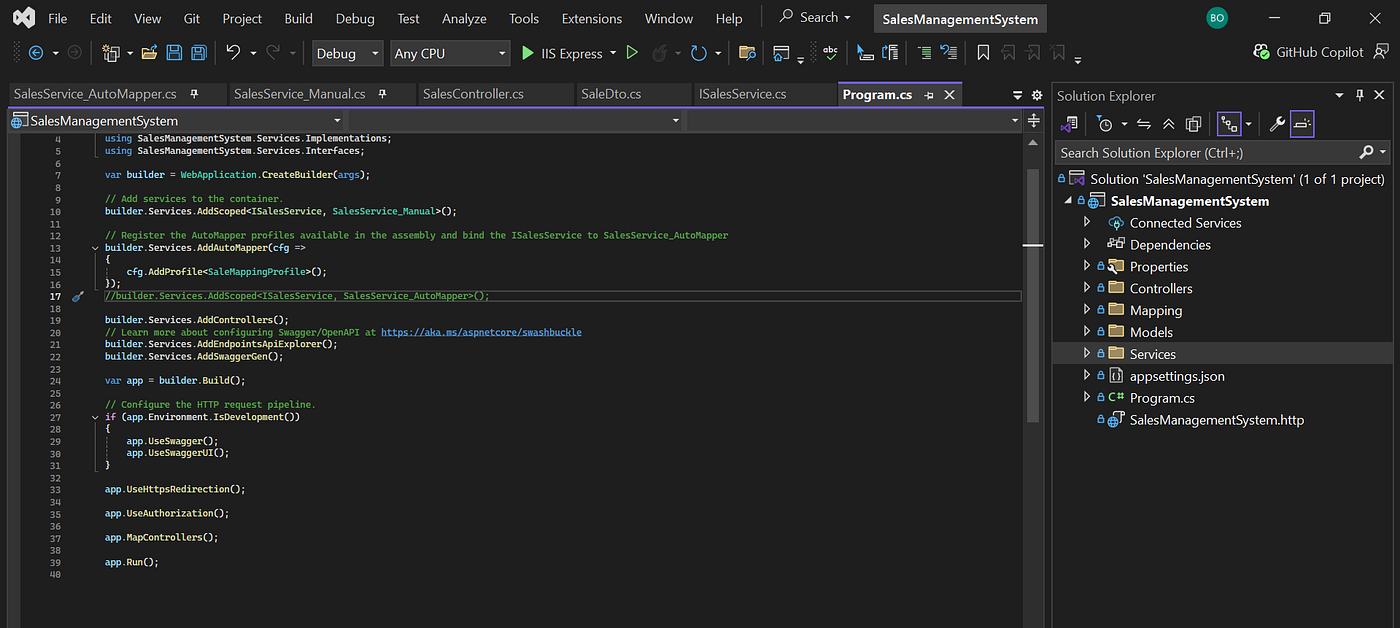
The beauty of Dependency Injection (DI) is that it enables us to easily swap out implementations at will. Our Program.cs class currently looks like this:
using AutoMapper;
using Microsoft.Extensions.DependencyInjection;
using SalesManagementSystem.Mapping;
using SalesManagementSystem.Services.Implementations;
using SalesManagementSystem.Services.Interfaces;

var builder = WebApplication.CreateBuilder(args);

// Add services to the container.
//builder.Services.AddScoped<ISalesService, SalesService_Manual>();

// Register the AutoMapper profiles available in the assembly and bind the ISalesService to SalesService_AutoMapper
builder.Services.AddAutoMapper(cfg =>
{
    cfg.AddProfile<SaleMappingProfile>();
});
builder.Services.AddScoped<ISalesService, SalesService_AutoMapper>();

builder.Services.AddControllers();
// Learn more about configuring Swagger/OpenAPI at https://aka.ms/aspnetcore/swashbuckle
builder.Services.AddEndpointsApiExplorer();
builder.Services.AddSwaggerGen();

var app = builder.Build();

// Configure the HTTP request pipeline.
if (app.Environment.IsDevelopment())
{
    app.UseSwagger();
    app.UseSwaggerUI();
}

app.UseHttpsRedirection();

app.UseAuthorization();

app.MapControllers();

app.Run();
Conclusion
Entity mapping is a foundational concept in modern .NET applications because it enforces clean boundaries between layers and protects your domain from external concerns. Manual mapping teaches you exactly what is happening during data transformation and is invaluable for building intuition and handling edge cases. AutoMapper builds on that understanding by abstracting repetition and enabling cleaner, more maintainable code at scale.
When I first started in .NET development, I discovered AutoMapper and instantly got stuck on it. But as time progresses, I’ve come to understand that most developers prefer the manual approach because of the flexibility and control it gives them.
However, if you are working in a corporate environment with an established system, it is best to stick with what the team uses. Usually, dependency on third-party libraries is kept to a minimum and is only used when the need arises, and there are no better internal alternatives.
Sample Screenshots
- Program.cs
- SalesController.cs

- Swagger UI

References
- Link to repo: https://github.com/Benedict-Ik/SalesManagementSystem
메타데이터
- post_id
- 3a9f96d2dc2f
- slug
- mapping-between-domain-and-data-transfer-objects-dtos-3a9f96d2dc2f
- url
- https://medium.com/@benedictodoh/mapping-between-domain-and-data-transfer-objects-dtos-3a9f96d2dc2f
- canonical_url
- https://medium.com/@benedictodoh/mapping-between-domain-and-data-transfer-objects-dtos-3a9f96d2dc2f
- author_url
- https://medium.com/@benedictodoh
- status
- ok
- fetched_at
- 2026-06-09 15:37:30