10 Creative Ways to Use the CraftMyPDF Image Generation API
A few months ago, I found myself doing something painfully repetitive, opening Canva, changing the name, exporting the image, and doing it…
10 Creative Ways to Use the CraftMyPDF Image Generation API
A few months ago, I found myself doing something painfully repetitive, opening Canva, changing the name, exporting the image, and doing it all over again.
At first, it felt manageable, but then the requests started piling up: certificates for webinars, social media quote cards, promotional graphics, report covers, and event visuals. Every task looked tiny on its own, but together, they quietly consumed hours.
The worst part? None of it was actually creative work. It was just copy-paste work disguised as creativity.
That’s when I started exploring image generation APIs. Initially, I thought these tools were only useful for developers building complex SaaS products. But after experimenting with its Image Generation API, I realised something interesting:
You don’t need a massive tech team to automate visual content anymore. You can just turn spreadsheets into graphics, forms into certificates, and data into branded visuals. Even boring workflows into something surprisingly smooth.
And honestly, once you start using APIs for image generation, going back to manual editing feels like using a flip phone in 2026.
So if you’ve ever spent hours updating the same design again and again, this blog is for you.
Here are 10 genuinely creative ways to use the CraftMyPDF Image Generation API beyond basic PDFs and documents.
1. Auto-Generate Event Certificates Without Touching Photoshop
This is probably the first use case most people think about, but the interesting part is how far you can take it.
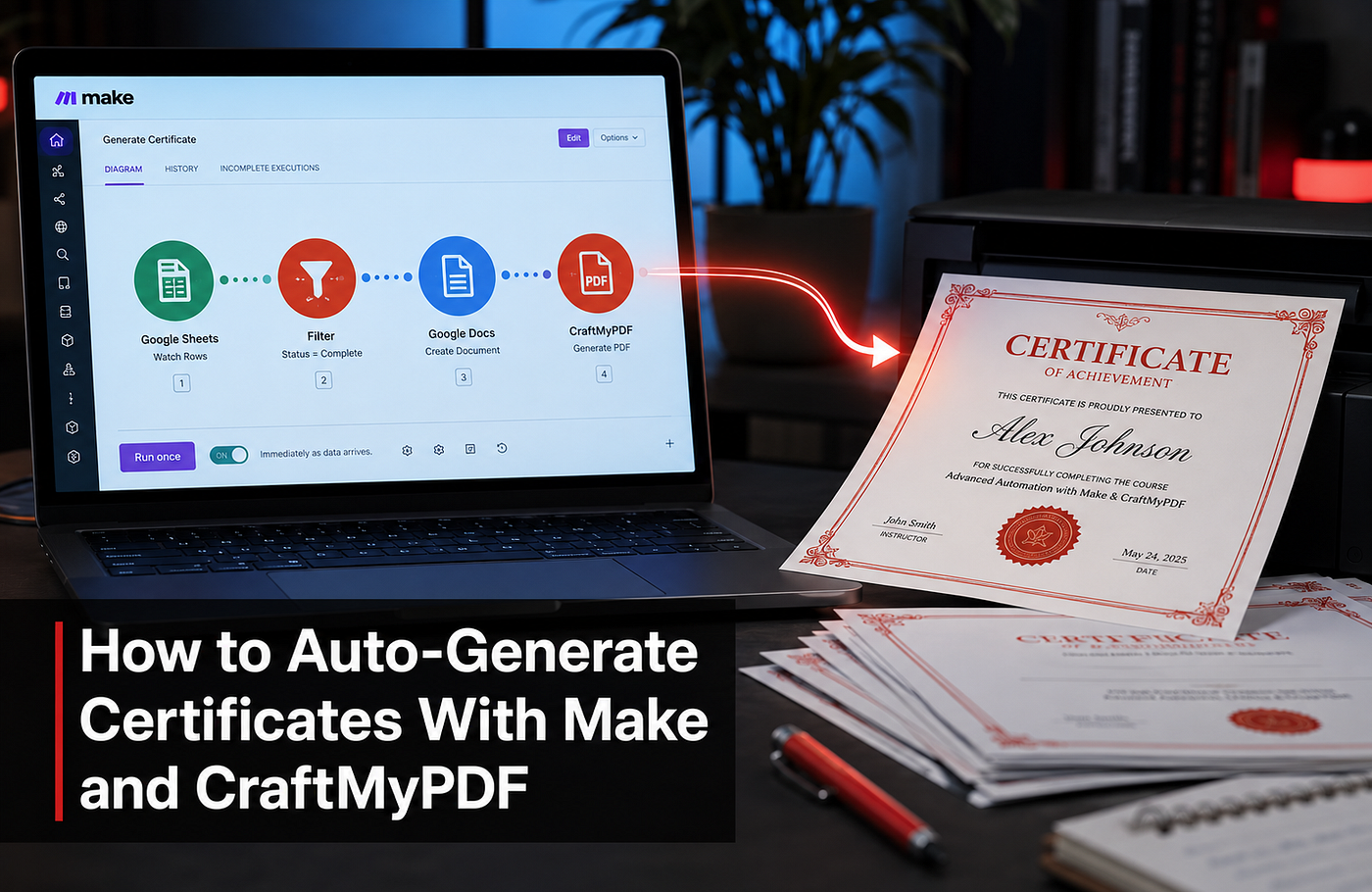
Instead of manually editing names for every participant, you can connect a Google Form or Typeform to CraftMyPDF and generate certificates automatically the moment someone submits the form.
A participant fills out the form, the certificate gets generated instantly, and then an email arrives seconds later.
That speed matters more than it seems because timely recognition tends to feel more meaningful. We explored this in more detail in **Award Certificate Generator: Recognition Is a Frequency Problem, Not a Design One**.
No designer is involved in this, and no downloading templates repeatedly.
I once manually edited over 70 workshop certificates late at night before a deadline. That experience alone made automation feel worth it.
This works brilliantly for:
- Online workshops
- Employee recognition
- University events
- Webinars
- Online courses
And once the workflow is ready, it quietly runs in the background forever.
2. Create Social Media Quote Cards in Bulk
Most quote pages look active online, but behind the scenes, many creators are exhausted. Designing daily quote graphics sounds simple until you need 30 of them every month. This is where the API becomes ridiculously useful.
You can store quotes inside Google Sheets or Airtable and automatically generate branded quote cards in bulk.
Now imagine scaling this for:
- Startup founder quotes
- Marketing tips
- Renewable energy facts
- Finance pages
- Productivity content
Instead of spending Sunday evening making next week’s posts manually, you can generate an entire month’s content in minutes.
That shift changes everything.
3. Build Dynamic Product Mockups for E-commerce
One product image is never enough anymore. Customers want lifestyle visuals, seasonal themes, Sale banners, different colour combinations, and personalisation.
Manually creating all those variations takes forever. With this API, you can generate multiple product creatives automatically using the same base design.
For example:
- Valentine’s Day versions
- Festive sale versions
- Minimal aesthetic backgrounds
- “Limited Offer” variations
- Personalised customer-name mockups
Imagine uploading one jewellery image and instantly generating ten promotional variations without reopening your design software every time.
4. Automatically Create Blog Featured Images
Blog thumbnails quietly affect clicks more than most people realise. A strong headline image can completely change how people react to an article, but designing custom graphics for every post becomes tiring fast, especially if you publish frequently.
This use case is perfect for:
- News websites
- SaaS blogs
- Media publications
- SEO agencies
- Niche magazines
You can automatically pull:
- Blog title
- Author name
- Category
- Brand colours
- Background image
- Generate featured visuals instantly.
For publishers pushing multiple articles daily, this saves an absurd amount of time.
5. Generate Personalized Cold Email Images
Cold emails usually fail for one reason: they feel cold, but when someone receives an image containing their company name, website screenshot, or personalised message, the entire interaction changes.
Suddenly, the email feels intentional.
You can combine:
- Web scraping tools
- Screenshot APIs
- CraftMyPDF Image Generation API
You can generate outreach visuals automatically.
For example, a SaaS founder receives a custom image showing their homepage inside a growth audit mockup.
That instantly stands out more than another “Hey {{FirstName}}” email.
Personalisation works best when it feels visual, not sound robotic.
6. Turn Form Responses Into Branded Reports
Most forms end their lives inside spreadsheets nobody opens again, and that feels like wasted potential.
Instead, you can turn form submissions into clean, branded reports automatically.
It is Perfect for:
- SEO audits
- Student assessment
- Fitness plans
- Consultation summaries
- Marketing reports
Someone submits a form, and then the API generates a polished PDF or visual report. The client instantly receives something professional-looking.
Small agencies can suddenly look much bigger than they actually are, and the best part?
The workflow keeps working while you sleep.
7. Create Real Estate and Hotel Promo Cards Automatically
Property listings change constantly, prices, offers, and availability change, but updating promotional graphics manually every single time becomes exhausting.
With the API, you can automatically generate visuals using live data, such as:
- Hotel prices
- Ratings
- Property images
- Discount offers
- Locations
This becomes incredibly useful for:
- Travel agencies
- Hotel comparison websites
- Real estate firms
- Airbnb marketers
Imagine hotel prices updating automatically every morning while fresh promotional creatives get generated in the background.
8. Generate Festival Greetings at Scale
Most bulk greetings feel lifeless. The message says “personalised,” but the design clearly isn’t.
The platform totally changes that.
You can generate personalised visuals for:
- Diwali campaigns
- Christmas greetings
- New Year wishes
- Employee appreciation
- Customer loyalty campaigns
Every image can contain:
- The customer’s name
- Their company logo
- Custom messages
- Unique visuals
This works especially well for brands sending WhatsApp campaigns or email newsletters. Mass personalisation usually looks robotic, but visual personalisation feels human.
9. Create Auto-Updating Infographics From Live Data
Static infographics age badly and sometimes within hours. This API becomes powerful when connected with live data sources.
You can automatically generate:
- Crypto market snapshots
- Solar industry statistics
- Website analytics cards
- SEO ranking visuals
- Stock market updates
Now imagine waking up every morning while your dashboard graphics have already updated themselves automatically.
No designer opened Canva, and no one dragged elements manually. The system simply handled it. That’s the kind of automation that quietly saves teams hundreds of hours yearly.
10. Build Fun User-Facing Tools and Meme Generators
Not every use case needs to be serious. Some of the smartest growth strategies online come from interactive tools that people enjoy sharing.
You can build:
- Meme generators
- Roast cards
- AI quote generators
- “Rate My Startup” visuals
- Funny downloadable cards
The magic happens because users generate content themselves, and people love sharing personalised visuals online. Some SaaS companies spend thousands on ads while ignoring how powerful simple interactive tools can be. A funny generated image often spreads faster than a polished campaign.
Final Thoughts
The biggest misconception about image generation APIs is that they’re only about creating graphics, but they’re not. They’re about removing repetitive work that quietly drains creative energy every single day, and that’s the real value.
When repetitive tasks disappear, teams move faster, and creators publish more consistently. Agencies scale without drowning in manual work, while small businesses begin operating like much larger teams.
The image is just the final output, but the real value is the time, energy, and repetitive work you never have to deal with again. Once you experience that shift, manually editing the same design over and over again starts feeling painfully outdated.
메타데이터
- post_id
- 3ab94fcf8632
- slug
- 10-creative-ways-to-use-the-craftmypdf-image-generation-api-3ab94fcf8632
- url
- https://medium.com/@JackyKiatTan/10-creative-ways-to-use-the-craftmypdf-image-generation-api-3ab94fcf8632
- canonical_url
- https://medium.com/@JackyKiatTan/10-creative-ways-to-use-the-craftmypdf-image-generation-api-3ab94fcf8632
- author_url
- https://medium.com/@JackyKiatTan
- status
- ok
- fetched_at
- 2026-06-26 03:39:16