How to create .exe file from .sln solution project file
From the above link, download the file.
How to create .exe file from .sln solution project file
From the above link, download the file.
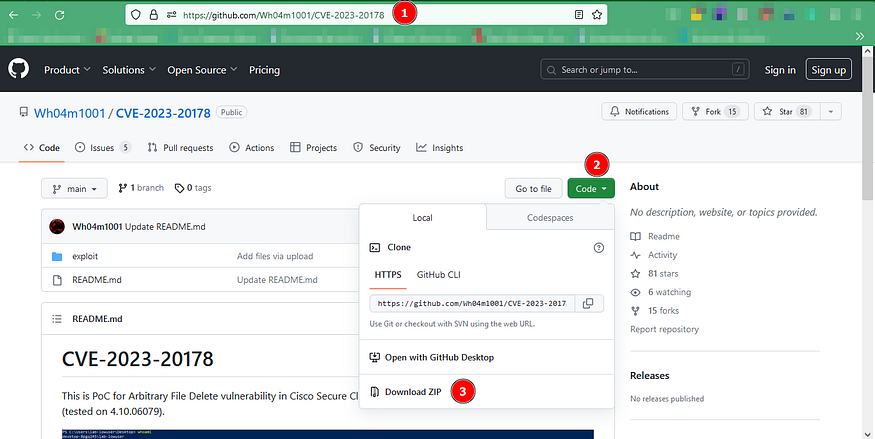
I am assuming you have already installed visual studio 2022.
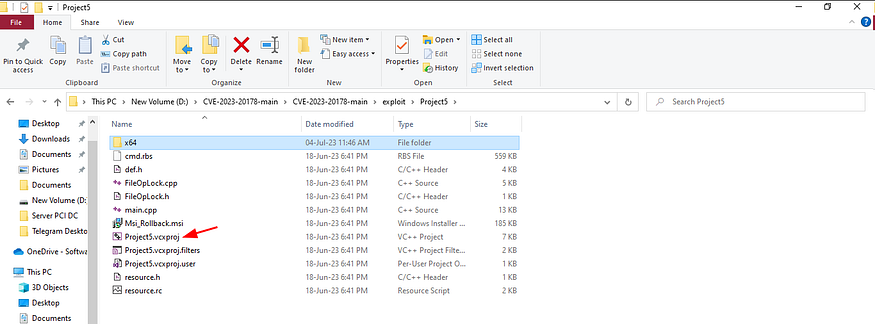
Navigate to the folder mentioned in the above screenshot. Now rename the Project5.vcxproj.xml to Project5.vcxproj
Please note, the above renaming part is only applicable for this poc. In other poc, you don’t need to rename this kind of file.
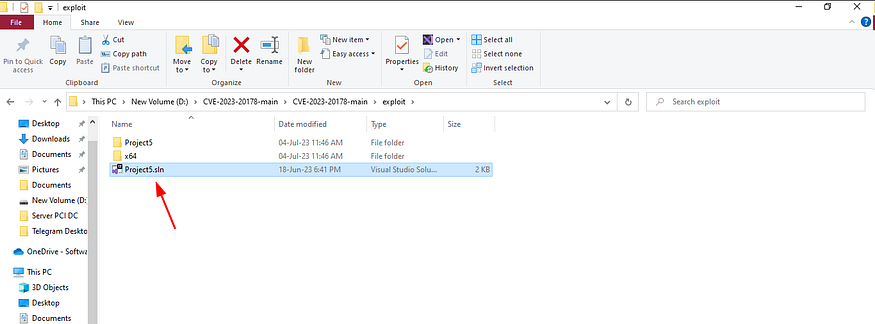
Now open this Project.sln file using visual studio 2022.
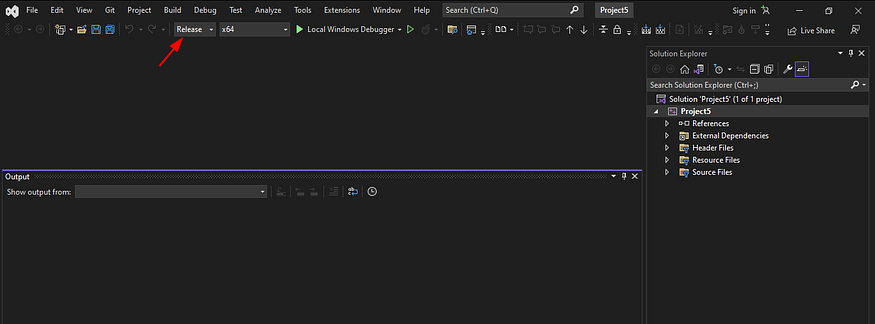
Change from Build to Release or you can keep it to Build (In some cases you need to change it from Build to Release). If you keep it to Build then in that case file size will be slight bigger.
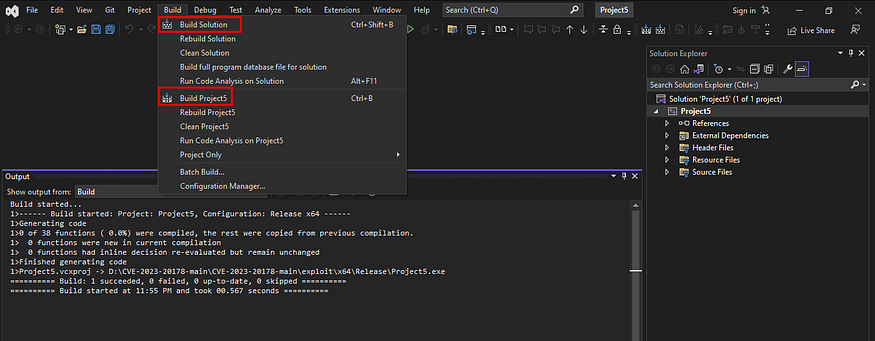
After that you need to click on either Build Solution or Build Project5
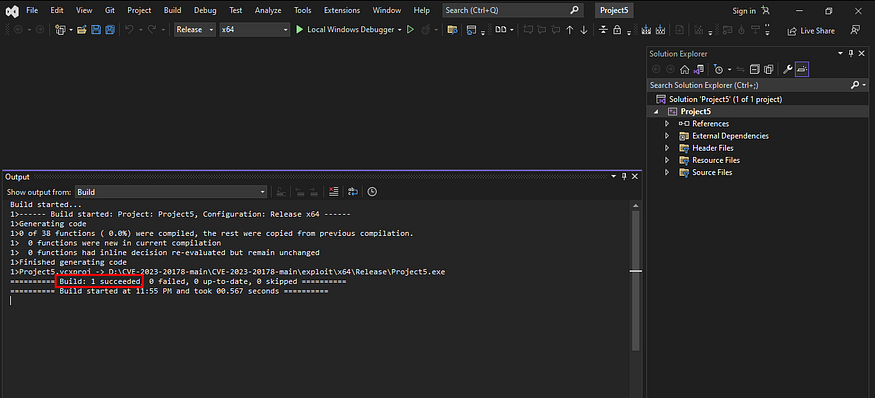
You can see that this is successfully build.
Thank’s hope you like it. Please subscribe below.
LinkedIn:
https://www.linkedin.com/in/md-mahimbin-firoj-7b8a5a113/ https://www.linkedin.com/newsletters/bin-ec-7382653539690450945
YouTube:
메타데이터
- post_id
- 3adbb48643ee
- slug
- how-to-create-exe-file-from-sln-solution-project-file-3adbb48643ee
- url
- https://medium.com/@mahimavi/how-to-create-exe-file-from-sln-solution-project-file-3adbb48643ee
- canonical_url
- https://medium.com/@mahimavi/how-to-create-exe-file-from-sln-solution-project-file-3adbb48643ee
- author_url
- https://medium.com/@mahimavi
- status
- ok
- fetched_at
- 2026-06-11 05:11:55