Building With AI: A TinyURL Service
Introduction
Building With AI: A TinyURL Service
Introduction
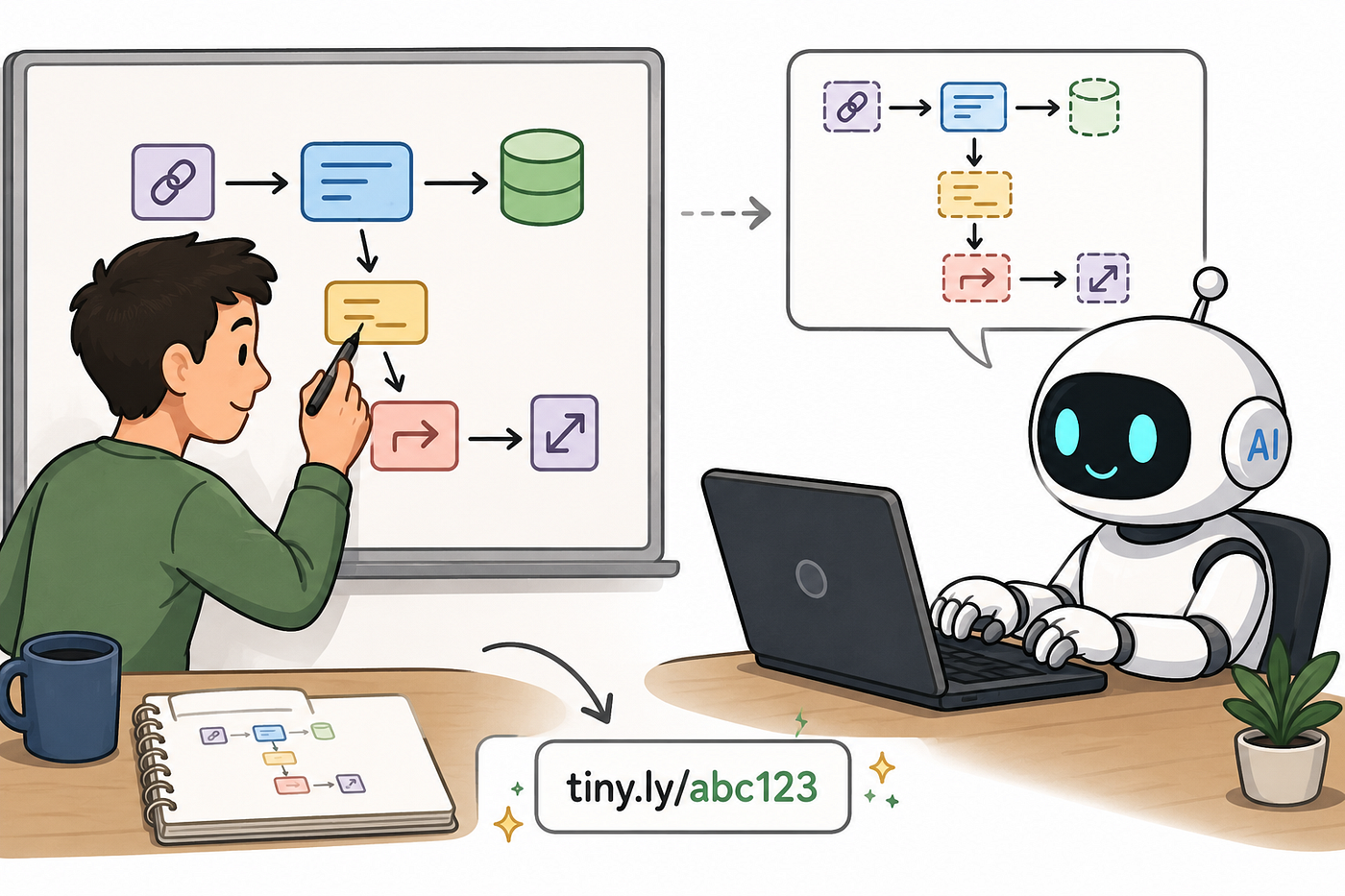
Recently I’ve been struggling with overuse of AI agents and losing control and context on what I’m building. I was moving fast but losing the enjoyment of — and control over — what was being created.
In this series, I’m going to document a new practice I’m following to control AI slop better, and at the same time walk through some system design concepts. AI lets us actually implement the systems we usually only get to talk about in interviews — giving us deep respect and knowledge of how things work, with no hand-waving.
This point in the code corresponds to this GitHub link.
The Process
My process might change over time, but this is the initial version (which Claude helped me come up with) that keeps me in control:
- Draw out the system. Sketch the architecture, identify the components, and map how data flows between them.
- Define the contracts. Nail down types, interfaces, and API shapes at the boundaries between components. This is where human judgment lives, and what AI will lean on hardest later.
- Hand-code one vertical slice. Build a single complete path through the system (UI → API → DB, or input → logic → output) entirely by hand. This establishes the conventions, error handling, and naming that everything else will pattern-match against.
- Add unit and end-to-end tests. Cover the vertical with tests that act as an executable spec. These become the guardrails that constrain AI output in the next step.
- Let AI expand to more verticals. Point it at the reference vertical, the contracts, and the tests as context. This is the difference between vibe-prompting and giving AI a real foundation to build from.
- Review and refactor AI output. Catch the drift: inconsistent naming, slightly different error patterns, dead code, subtly wrong abstractions. The goal here is to know what to look for and bring it back in line.
Let’s start and see how this goes.
Setup
I asked AI to give me a system and some requirements. Here’s what it came back with:
TinyURL — System Design Problem
Background
You are designing a URL shortening service similar to TinyURL. Users submit long URLs and receive short links; when someone visits a short link, the service resolves it to the original URL and redirects the client.
The service is read-heavy: creates are relatively infrequent, but lookups (redirects) dominate traffic. Your design should reflect that asymmetry.
Functional Requirements
- Shorten a URL — Given a long URL, return a unique short code (or short URL) that maps to it.
- Resolve a short code — Given a short code, return the original long URL so the client can be redirected.
- Pluggable ID generation — Short codes must be produced by a swappable strategy. The system must support multiple generation approaches without changing core shorten/resolve logic:
- Counter-based — Monotonic numeric IDs encoded into a short string (e.g. base-62).
- Hash-based — Derive a short code from the long URL (or its content) via a hash function.
- Random — Generate cryptographically or pseudo-random short codes until an unused one is found.
4. Strategy selection at runtime — Which generator is active must be configurable (e.g. via config or environment), not hard-coded. A factory (or equivalent) constructs the correct strategy implementation from that configuration.
Non-Functional Requirements
- Low latency on redirect — Lookups are the hot path; p95 redirect latency should stay in the low milliseconds under normal load.
- High availability on read path — Redirect failures are user-visible; the lookup path should tolerate partial failures (e.g. cache + DB fallback) where reasonable.
- Uniqueness — Every short code maps to at most one long URL at a time. Collisions must be detected and handled, not silently overwritten.
- Scalability — The design should scale with growing URL volume and redirect QPS without requiring a full rewrite of the ID-generation contract.
A couple of requirements jumped out right away:
- Read-heavy — we’ll need a cache on the read side, while the write side can afford a slower write to the DB.
- High availability — if our cache goes down, we can degrade but we can’t go down entirely, so we need a fallback to the DB.
- Pluggable ID generation with no collisions — a factory pattern feels like a natural fit, paired with a generator interface. There are a few hashing approaches we could use: cryptographic hashing is probabilistically very unlikely to collide, but if we shorten the code we may need to check against the DB. We could also hash an atomic incrementing counter stored in the DB. We may even want consistent hashing so the same URL always generates the same code. Whatever we pick, it should be easy to swap one for another — maybe using an environment variable.
Designing the System
Time for step one in the process: designing the system.
High Level Design
These requirements led me to this design. It checks all our initial boxes for pluggable generators, high availability, and a read-heavy workload. From here we can go a level deeper and think about how each service’s logic should function.

Create Code — Low Level Design
As mentioned, a factory pattern feels great here: use an env variable to choose between multiple implementors of a shared generator interface. Once we have the code, we need to write to the DB. We’ll use a DB pool so we don’t overwhelm the database. That’s fine for us — we’re not write-heavy and don’t prioritize write latency, so writes can wait for an available connection. Once the entry is successfully stored, we return the code to the user.

Get URL — Low Level Design
The Get URL logic takes the code from the user and first tries Redis for the URL, falling back to the slower DB on a cache miss or if the Redis cluster is unavailable. On cache misses, we write back to the cache so it’s faster next time. Then we return the URL to the user.

At this point I have a very clear understanding of exactly how my service will work. Now I can prompt and review the agent with real direction, not vibes.
Defining Contracts
We’re not quite ready to let the agentic side loose on our repo yet. One important step still belongs to the human: defining the contracts — requests, responses, data types, and interfaces — that everything else will hang off of. This is where we really think through and guide the interconnections between our systems.
Types
The first thing I like to do is spec out the data that will flow around. We sketched some of this at the edges of our HLD and LLDs, but now we can codify it for the LLM to use later.
// CREATE SHORT URL
export type CreateShortURLRequest = {
    url: string
}
export type CreateShortURLResponse = CreateShortURLResponseSuccess | CreateShortURLResponseError;
type CreateShortURLResponseSuccess = {
    code: string
}
type CreateShortURLResponseError = {
    error: string
}
// GET URL
export type GetURLRequest = {
    code: string
}
type GetURLResponseSuccess = {
    url: string
}
type GetURLResponseError = {
    error: string
}
export type GetURLResponse = GetURLResponseSuccess | GetURLResponseError;
// URL DB ENTRY
export interface URLDBEntry {
    code: string // pk
    url: string
    generator: string
    createdAt: string
}
These are pretty standard — a response type should usually have either the response payload or an error stating what went wrong. The DB entry could be pared down even further for our use case right now, but I thought it would be interesting to see which generators end up most popular in our fake service.
Interfaces
We have the data flowing between services. Now we’ll define the actual contracts the services will use to talk to one another.
export interface CodeGenerator {
    generate(url: string): Promise<string>
    get name(): string
}
export interface Service<TInput, TOutput> {
    execute(input: TInput): Promise<TOutput>
}
export interface Repository<T> {
    save(data: T): Promise<void> // throws error if failed
    load(key: string): Promise<T | null>
}
Our code generator takes a URL and returns a code. I made it async in case we have strategies that need to make DB calls. I also threw a name into the contract so we can populate the DB entry.
Our services have an execute function that takes a request and returns a response.
Our repository interface is how we talk to our data planes — we need to save data and load data from them. I think it’s important these days to annotate interfaces with extra context so the LLM knows how we intend them to behave (e.g. // throws error if failed).
That’s it — a nice clean contract. It’s worth walking through every edge and making sure each one is accounted for, with an interface and a type flowing through it.
Hand Coding
Now, to solidify our understanding of the system and set up a good example for the LLM to copy, we’ll hand-code a very simple vertical along with a set of unit tests. Make this vertical very clean and exactly how you want it, because the LLM will copy whatever it sees.
I’ll implement the Create code service, a simple crypto code generator, and the DB repository. Once those are set up, we’ll let AI take the reins to finish the other service, generator(s), and Redis repository.
Generator
I started with the Generator since it’s simple and doesn’t depend on any other service being set up.
import { CodeGenerator } from "../interface";
import crypto from "crypto";

export class CryptoGenerator implements CodeGenerator {
    generate(url: string): Promise<string> {
        const hash = crypto.hash('sha256', url);
        return Promise.resolve(hash);
    }
    get name(): string {
        return "crypto";
    }
}
Repository
I didn’t actually implement the DB — just stubbed it out so the LLM could take over.
import { Repository } from "../interface";
import { URLDBEntry } from "../types";

// TODO: connect to postgres database and implement the repository
export class ShortUrlDB implements Repository<URLDBEntry> {
    async save(data: URLDBEntry): Promise<void> {
        throw new Error("Not implemented");
    }
}
Connecting to a Postgres instance is a very standard, un-opinionated thing to do, so I feel safe letting the LLM handle it.
Service
I set the service up the way I want all services to look: it uses dependency injection via interfaces instead of concrete implementations, it uses helper functions like validateInput, it properly wraps possible failure calls in try-catch, and it's nicely commented to communicate the flow I want every service to follow.
import { CodeGenerator, Repository, Service } from "../interface";
import { CreateShortURLRequest, CreateShortURLResponse, URLDBEntry } from "../types";

export class CreateTinyURLService implements Service<CreateShortURLRequest, CreateShortURLResponse> {
    private _generator: CodeGenerator;
    private _dbRepository: Repository<URLDBEntry>;
    constructor(generator: CodeGenerator, dbRepository: Repository<URLDBEntry>) {
        this._generator = generator;
        this._dbRepository = dbRepository;
    }
    async execute(input: CreateShortURLRequest): Promise<CreateShortURLResponse> {
        // validate inputs first to shallow check
        try {
            this.validateInput(input);
        } catch (error) {
            return {
                error: (error as Error).message
            };
        }
        // use injected generator to generate code
        const { url } = input;
        const code = await this._generator.generate(url);
        // try to save to the db
        try {
            await this._dbRepository.save({
                code,
                url,
                generator: this._generator.name,
                createdAt: new Date().toISOString()
            });
        } catch (error) {
            return {
                error: (error as Error).message
            };
        }
        // return the code
        return {
            code
        };
    }
    private validateInput(input: CreateShortURLRequest): void {
        if (!input.url) {
            throw new Error("URL is required");
        }
        try {
            new URL(input.url);
        } catch (error) {
            throw new Error("Invalid URL");
        }
    }
}
These classes also came with a solid set of unit tests — AI-generated, but then pared down by me to give the AI a good sense of how much coverage we want, how I want things mocked, and how tests should be structured.
Agentic Coding
Now that we have a lot of context and understanding of the project, we can zoom out a level and delegate the parts we conceptually know how to do but don’t want to bother reviewing syntax for or typing out.
The first thing I needed was a Docker setup. I told the AI my requirements: an env variable for indicating which generator to use, a Postgres instance, a Redis cluster, and our own service — all wired together in Docker.
Here’s the Dockerfile it gave me:
FROM node:20-alpine
WORKDIR /app
COPY package.json .
COPY package-lock.json .
RUN npm install
COPY . .
CMD ["npm", "start"]
And the docker-compose:
services:
  postgres:
    image: postgres:16-alpine
    environment:
      POSTGRES_USER: tinyurl
      POSTGRES_PASSWORD: tinyurl
      POSTGRES_DB: tinyurl
    ports:
      - "5432:5432"
    volumes:
      - postgres_data:/var/lib/postgresql/data
    healthcheck:
      test: ["CMD-SHELL", "pg_isready -U tinyurl -d tinyurl"]
      interval: 5s
      timeout: 5s
      retries: 5
redis:
    image: redis:7-alpine
    ports:
      - "6379:6379"
    volumes:
      - redis_data:/data
    healthcheck:
      test: ["CMD", "redis-cli", "ping"]
      interval: 5s
      timeout: 5s
      retries: 5
  tiny-url-service:
    build:
      context: ./tiny-url-service
    ports:
      - "3000:3000"
    environment:
      DATABASE_URL: postgresql://tinyurl:tinyurl@postgres:5432/tinyurl
      REDIS_URL: redis://redis:6379
      CODE_GENERATOR: crypto
    depends_on:
      postgres:
        condition: service_healthy
      redis:
        condition: service_healthy
volumes:
  postgres_data:
  redis_data:
At this point I also realized I’d forgotten to set up the factory for the generators, so I asked the LLM to set that up — along with another generator using a DB-increment strategy.
export function createCodeGenerator(pool: pg.Pool): CodeGenerator {
    const generatorType = process.env.CODE_GENERATOR;
    switch (generatorType) {
            case "base62":
            case "postgres":
                return new PostgresCodeGenerator(pool);
            case "random":
                return new CryptoGenerator();
            default:
                throw new Error(
                    `Unknown or missing CODE_GENERATOR env var: "${generatorType}". Valid values are: base62, postgres, random`
                );
        }
    }
And here’s the Postgres base62 generator:
const BASE62_CHARS = "0123456789ABCDEFGHIJKLMNOPQRSTUVWXYZabcdefghijklmnopqrstuvwxyz";
export function encodeBase62(n: number): string {
    if (n === 0) return BASE62_CHARS[0];
    let result = "";
    while (n > 0) {
        result = BASE62_CHARS[n % 62] + result;
        n = Math.floor(n / 62);
    }
    return result;
}
export class PostgresCodeGenerator implements CodeGenerator {
    constructor(private pool: pg.Pool) {}
    async generate(_url: string): Promise<string> {
        const result = await this.pool.query<{ nextval: string }>(
            `SELECT nextval('url_counter')`
        );
        const counter = parseInt(result.rows[0].nextval, 10);
        return encodeBase62(counter);
    }
    get name(): string {
        return "postgres-base62";
    }
}
Then I asked Claude to actually implement the Postgres repository:
export class ShortUrlDB implements Repository<URLDBEntry> {
    constructor(private pool: pg.Pool) {}
    async save(data: URLDBEntry): Promise<void> {
        await this.pool.query(
            `INSERT INTO urls (code, url, generator, created_at) VALUES ($1, $2, $3, $4)`,
            [data.code, data.url, data.generator, data.createdAt]
        );
    }
    async load(code: string): Promise<URLDBEntry | null> {
        const result = await this.pool.query(
            `SELECT code, url, generator, created_at FROM urls WHERE code = $1`,
            [code]
        );
        const row = result.rows[0];
        if (!row) return null;
        return {
            code: row.code,
            url: row.url,
            generator: row.generator,
            createdAt: row.created_at instanceof Date
                ? row.created_at.toISOString()
                : row.created_at,
        };
    }
}
Once I was happy with that, I asked it to do the Redis one too:
export class RedisShortUrlDB implements Repository<URLDBEntry> {
    constructor(private client: Redis) {}
    async save(data: URLDBEntry): Promise<void> {
        await this.client.set(data.code, JSON.stringify(data));
    }
    async load(code: string): Promise<URLDBEntry | null> {
        const raw = await this.client.get(code);
        if (raw === null) return null;
        return JSON.parse(raw) as URLDBEntry;
    }
}
It also added a really nice third repository that implemented the write-through cache I’d sketched in my HLD — without me even asking:
export class CachingShortUrlDB implements Repository<URLDBEntry> {
    constructor(
        private primary: Repository<URLDBEntry>,
        private cache: Repository<URLDBEntry>
    ) {}
    async save(data: URLDBEntry): Promise<void> {
        await this.primary.save(data);
        await this.cache.save(data);
    }
    async load(code: string): Promise<URLDBEntry | null> {
        const cached = await this.cache.load(code);
        if (cached !== null) return cached;
        return this.primary.load(code);
    }
}
This was a nice little abstraction. I’d originally intended to have two separate repositories in the services, but this wrapper repository removed the need for the service to know anything about the fallback cache. Very nice.
Last but not least, I asked AI to give me the GetTinyURLService:
export class GetTinyURLService implements Service<GetURLRequest, GetURLResponse> {
    private _repository: Repository<URLDBEntry>;
    constructor(repository: Repository<URLDBEntry>) {
        this._repository = repository;
    }
    async execute(input: GetURLRequest): Promise<GetURLResponse> {
        if (!input.code) {
            return { error: "Code is required" };
        }
        const entry = await this._repository.load(input.code);
        if (!entry) {
            return { error: "URL not found" };
        }
        return { url: entry.url };
    }
}
With all this guided AI code and the associated unit tests in place, we had a fully working service — which we could now stand up and ask Claude to write some end-to-end tests for.
const DATABASE_URL = process.env.DATABASE_URL;
const REDIS_URL = process.env.REDIS_URL;

if (!DATABASE_URL || !REDIS_URL) {
  console.log("Skipping full e2e test: DATABASE_URL and REDIS_URL must be set");
} else {
  describe("full URL flow", () => {
    let pool: pg.Pool;
    let redis: Redis;
    let cachingRepo: CachingShortUrlDB;
    let createService: CreateTinyURLService;
    before(async () => {
      process.env.CODE_GENERATOR = "random";
      pool = new pg.Pool({ connectionString: DATABASE_URL });
      redis = new Redis(REDIS_URL);
      await pool.query(`CREATE TABLE IF NOT EXISTS urls (
        code        VARCHAR PRIMARY KEY,
        url         TEXT NOT NULL,
        generator   TEXT NOT NULL,
        created_at  TIMESTAMPTZ NOT NULL
      )`);
      const primaryRepo = new ShortUrlDB(pool);
      const cacheRepo = new RedisShortUrlDB(redis);
      cachingRepo = new CachingShortUrlDB(primaryRepo, cacheRepo);
      createService = new CreateTinyURLService(createCodeGenerator(pool), cachingRepo);
    });
    after(async () => {
      await pool.end();
      await redis.quit();
    });
    test("returns null before save, then returns URL after save", async () => {
      const missingCode = `e2e-missing-${Date.now()}`;
      const missing = await cachingRepo.load(missingCode);
      assert.equal(missing, null);
      const createResult = await createService.execute({
        url: `https://example.com/e2e/${Date.now()}`,
      });
      assert.ok("code" in createResult, `create failed: ${JSON.stringify(createResult)}`);
      if (!("code" in createResult)) return;
      const loaded = await cachingRepo.load(createResult.code);
      assert.ok(loaded);
      assert.equal(loaded?.url.startsWith("https://example.com/e2e/"), true);
    });
  });
}
Conclusion
I’m a big fan of this approach. I didn’t just say “build me a tiny URL service to support high read throughput” and let Claude go wild. I felt completely in control the entire time, and I was able to spin off very focused subtasks to multiple agents in parallel.
I also felt much more comfortable reviewing the code, because at that point Claude was less like an engineer with a mind of its own and more like a very fast typist I could communicate my ideas to — one that would happily type them out for me, and occasionally throw in a nice suggestion of its own (like the CachingShortUrlDB abstraction).
메타데이터
- post_id
- 3bb1bf3e912f
- slug
- building-with-ai-a-tinyurl-service-3bb1bf3e912f
- url
- https://medium.com/@matthewmacfarquhar/building-with-ai-a-tinyurl-service-3bb1bf3e912f
- canonical_url
- https://medium.com/@matthewmacfarquhar/building-with-ai-a-tinyurl-service-3bb1bf3e912f
- author_url
- https://medium.com/@matthewmacfarquhar
- status
- ok
- fetched_at
- 2026-06-09 15:37:30