Effortlessly Generate BibTeX Entries with CiteDrive’s Online Tool
By CiteDrive Team | May 4, 2025
Effortlessly Generate BibTeX Entries with CiteDrive’s Online Tool
By CiteDrive Team | May 4, 2025
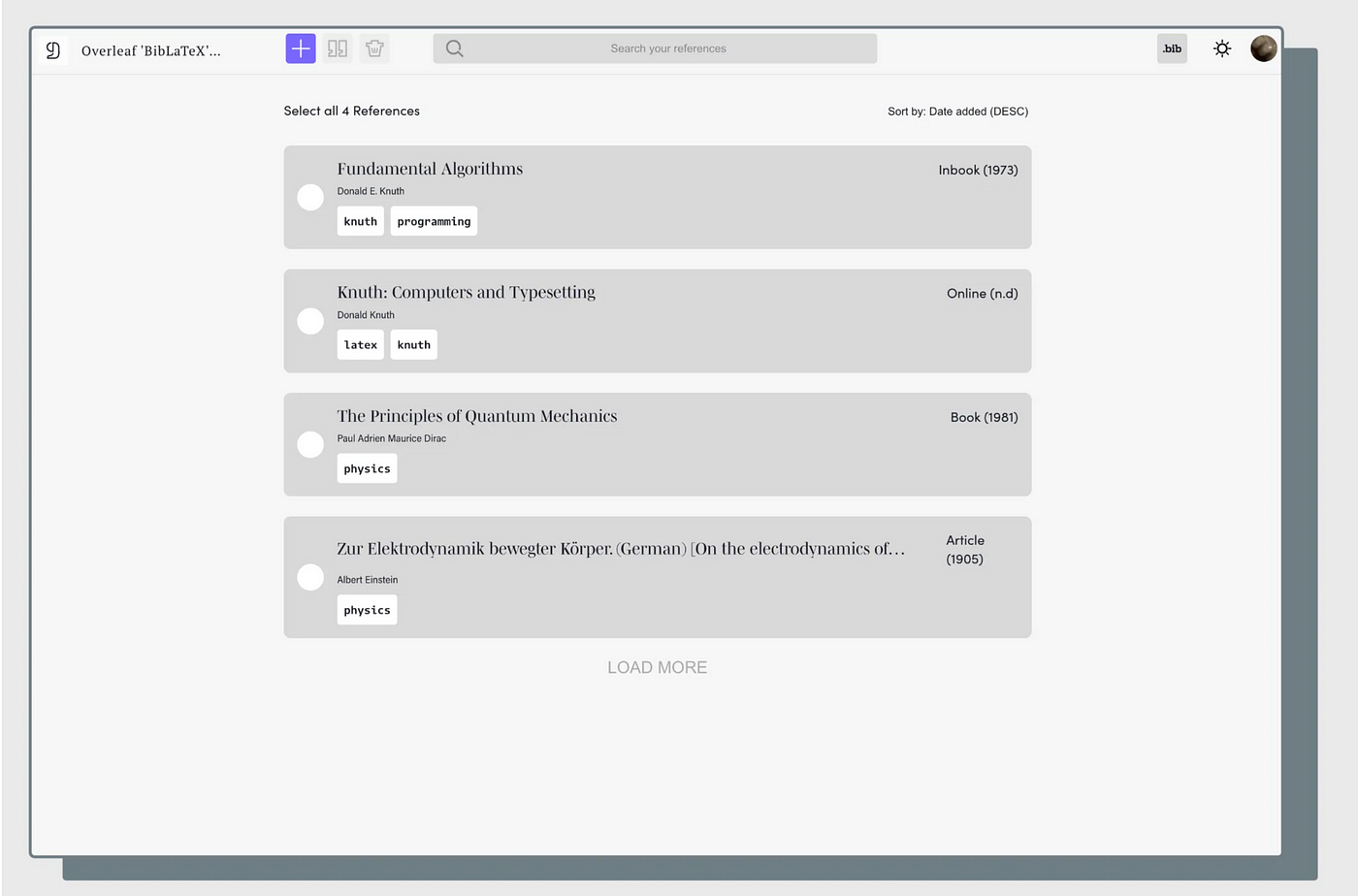
Managing academic references can quickly become a time-consuming task, especially when you’re working on multiple research projects or collaborating with others. Fortunately, CiteDrive’s free online BibTeX generator is here to simplify the process. Whether you’re using LaTeX, Quarto, or R Markdown, this tool lets you quickly generate accurate BibTeX and BibLaTeX entries, so you can focus on your research rather than manual referencing.
Photo by Michael Dziedzic on Unsplash
Why Choose CiteDrive’s BibTeX Generator?
Typing out each BibTeX entry by hand is not only tedious but can also lead to errors. Even small mistakes, like missing commas or incorrect formatting, can cause issues down the line. With an online BibTeX generator, you can:
- Instantly create BibTeX and BibLaTeX entries from DOIs, ISBNs, or web pages
- Avoid common syntax and formatting mistakes
- Maintain consistency across your bibliography
- Save time and collaborate seamlessly with colleagues
CiteDrive’s generator goes beyond just basic BibTeX creation. It’s designed to work seamlessly for researchers, writers, and teams, offering a modern, integrated solution for reference management.
What Makes CiteDrive More Than Just a BibTeX Generator?
While CiteDrive specializes in BibTeX, it’s a full-featured reference manager. Here’s how it stands out:
- Web-based: No installation required, accessible from anywhere
- Collaborative: Organize references into projects, groups, and tags, and invite collaborators
- Flexible: Perfect for anyone working on multiple papers or in large teams
With CiteDrive, you’re not just generating references — you’re building organized, ready-to-export bibliographies.
How to Generate BibTeX Entries with CiteDrive
CiteDrive makes it easy to create accurate BibTeX entries from a variety of sources:
- From DOI or ISBN: Simply paste a DOI or ISBN, and CiteDrive automatically generates the reference in the correct format.
- From Web Pages: Using the Chrome extension, you can save references from journal articles, websites, or even blog posts, with metadata including access dates. The extension works across browsers like Firefox, Edge, Brave, and Opera.
Install the Chrome Extension to get started.
Integration with Overleaf, Quarto, and R Markdown
CiteDrive integrates with the tools you’re already using, making your workflow smoother:
- Overleaf: Sync your .bib file directly with your Overleaf documents for real-time updates
- Quarto: Manage citations effortlessly for reproducible documents
- R Markdown: Keep references organized across all your R-based reports and notebooks
No more manual updates or copy-pasting — just seamless sync and go.
How Does the CiteDrive BibTeX Generator Work?
It’s simple to start using CiteDrive’s BibTeX generator. Here’s how it works:
- Paste a DOI or ISBN to auto-generate a reference
- Use the extension to capture metadata from articles or websites
- Manually edit or create entries with our intuitive form and templates
- Organize your references by project, group, or tag
- Export or sync your references to your chosen platform (e.g., Overleaf)
You can even download your references as .bib files or copy them directly from the generator.
Get Started with CiteDrive’s BibTeX Generator — Free to Use
Ready to try it out? Whether you need one reference or hundreds, CiteDrive’s free BibTeX Generator offers a fast, flexible solution for researchers who want to streamline their reference management.
👉 Start Using CiteDrive’s BibTeX Generator Today
Frequently Asked Questions (FAQ)
❓ What is a BibTeX Generator? A BibTeX generator automatically creates valid BibTeX entries based on inputs like DOI, ISBN, or metadata from websites.
❓ Does CiteDrive support BibLaTeX? Yes! CiteDrive fully supports both BibTeX and BibLaTeX, with complete field and entry type support.
❓ Can I use CiteDrive with Overleaf? Yes, CiteDrive syncs directly with Overleaf to keep your bibliography up to date in real time.
❓ What types of references can I generate? You can generate all major BibTeX types, including @article, @book, @misc, @online, @inproceedings, and more.
❓ Is there a browser extension? Yes! Our extension lets you capture references directly from academic websites. Install it here.
메타데이터
- post_id
- 3bdf5e0ccd26
- slug
- effortlessly-generate-bibtex-entries-with-citedrives-online-tool-3bdf5e0ccd26
- url
- https://medium.com/@citedrive/effortlessly-generate-bibtex-entries-with-citedrives-online-tool-3bdf5e0ccd26
- canonical_url
- https://medium.com/@citedrive/effortlessly-generate-bibtex-entries-with-citedrives-online-tool-3bdf5e0ccd26
- author_url
- https://medium.com/@citedrive
- status
- ok
- fetched_at
- 2026-07-20 02:17:25