CyberShield CTF 2025 Writeup
Introduction
CyberShield CTF 2025 Writeup

Introduction
From 31st July 2025, 6:00 PM EAT to 2nd August 2025, 9:59 PM EAT, I participated in CyberShield CTF 2025, a 2.5-day virtual Capture the Flag competition organized by the MMU Tech Community. Tailored for beginners and intermediate-level players, this Jeopardy-style event provided a hands-on environment to practice real-world cybersecurity skills.
The CTF featured a wide variety of challenges across multiple domains including:
- Stego
- Misc
- Web Exploitation
- Reverse Engineering
- PWN
- Forensics
- Network Forensics
- Cryptography
Stego
1. Meet my X
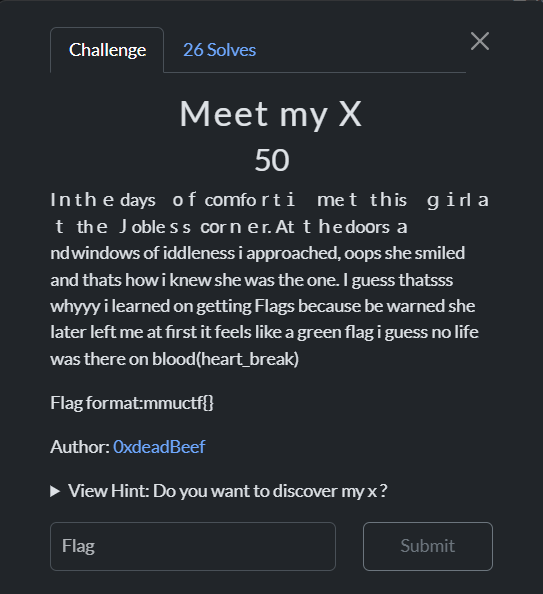
While looking into the description, it seemed that there might be some hidden steganography using Unicode text.
So, I tried **Unicode steganography techniques, but they didn’t work. After that, I noticed the title of the challenge mentioned “X**”, which refers to Twitter.
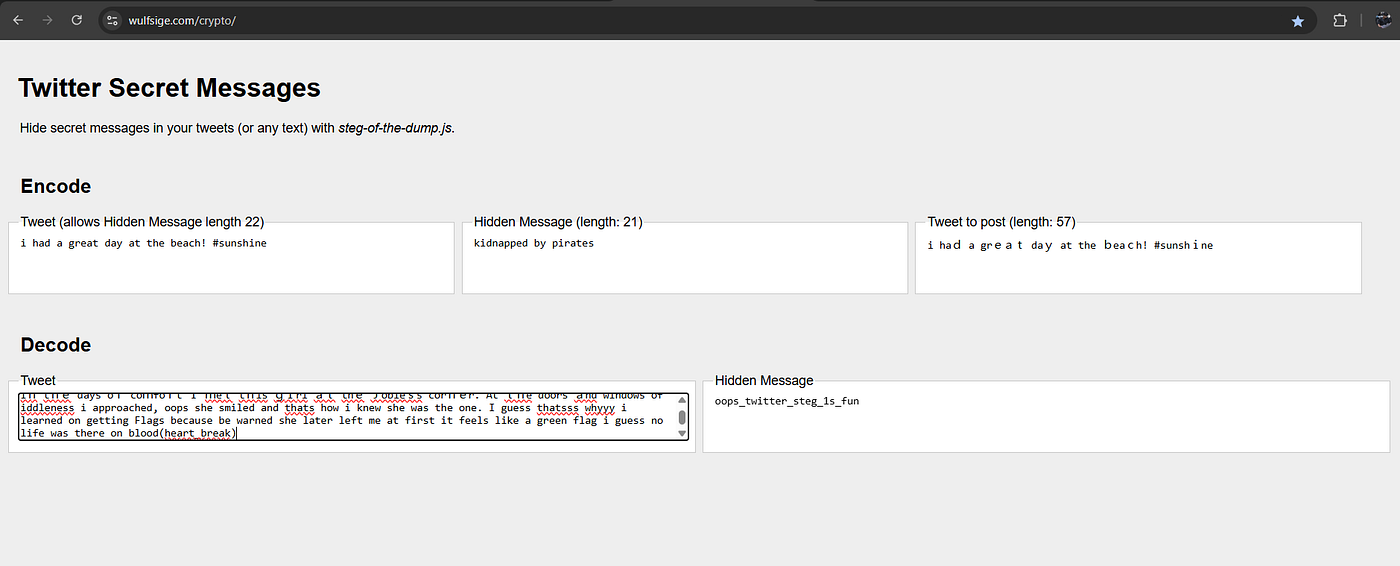
Then, I used a **Twitter decoder **and found the flag.
Flag:mmuctf{oops_twitter_steg_1s_fun}
2. Shadow
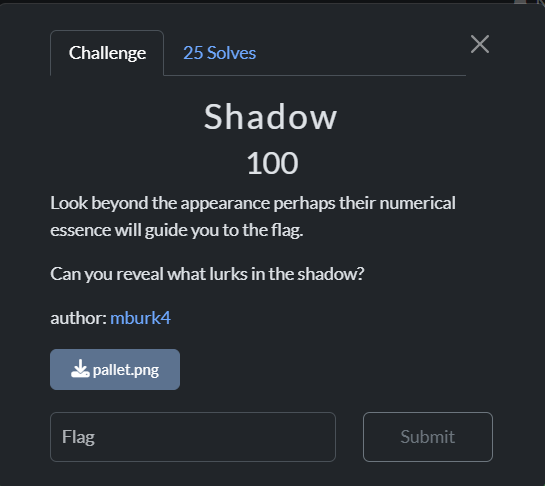
As the image contained different colors, and having solved many similar challenges before, I used PowerToys (Windows) to approach this one.

By using it, I was able to identify the color hex values.
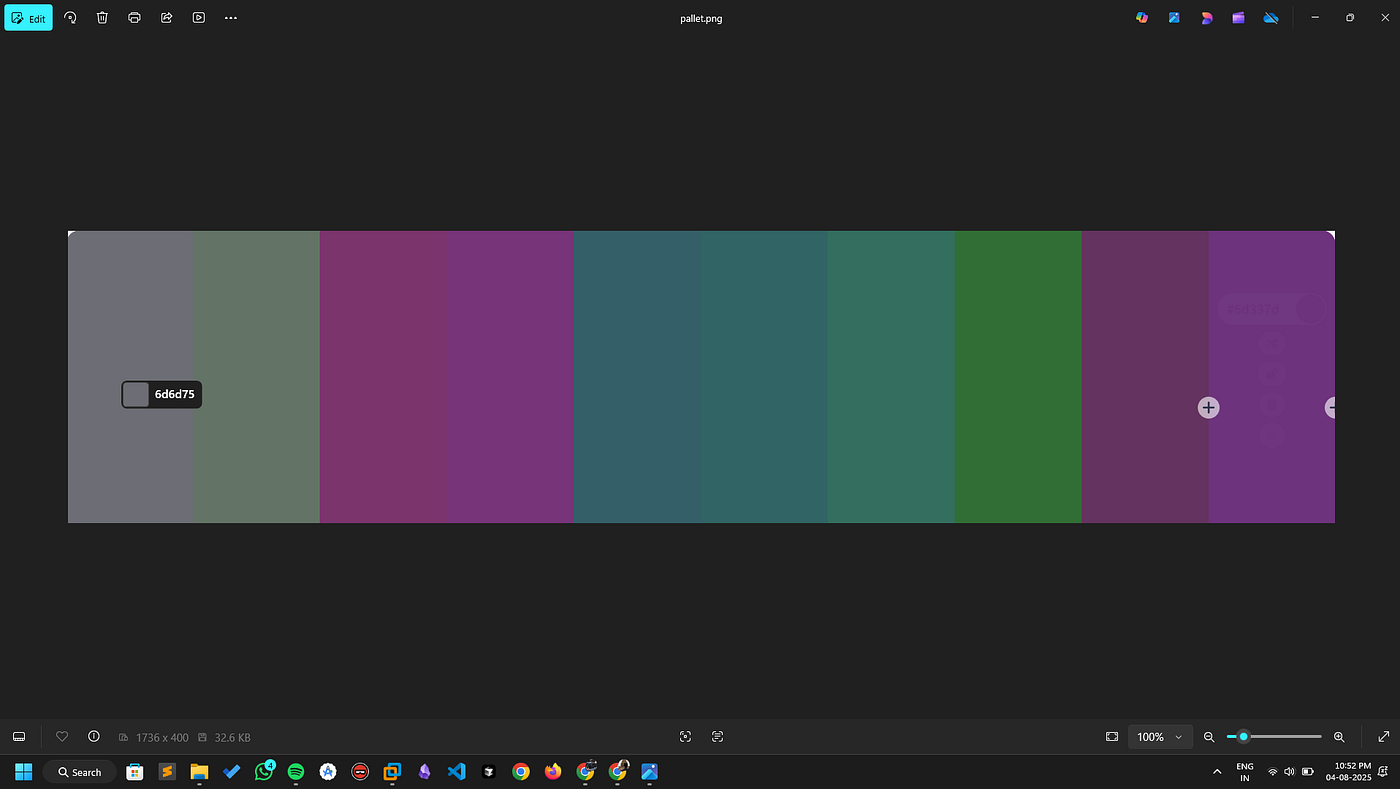
I entered all the hex values into CyberChef for decoding and found the flag.
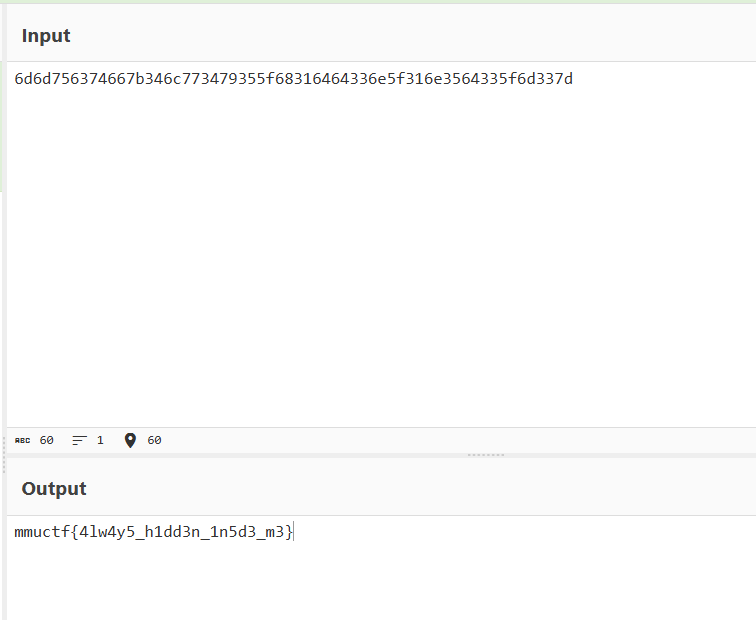
Flag: mmuctf{4lw4y5_h1dd3n_1n5d3_m3}
3.Echoes of War
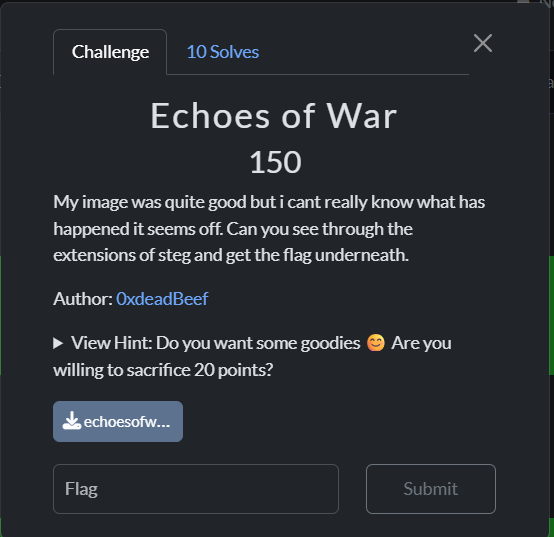
The given image was in PNG format, but it wasn’t opening. So, I checked its file signature using Wikipedia to verify the format.

Thus, I needed to change the file format from PNG to JPG using the CyberChef tool.
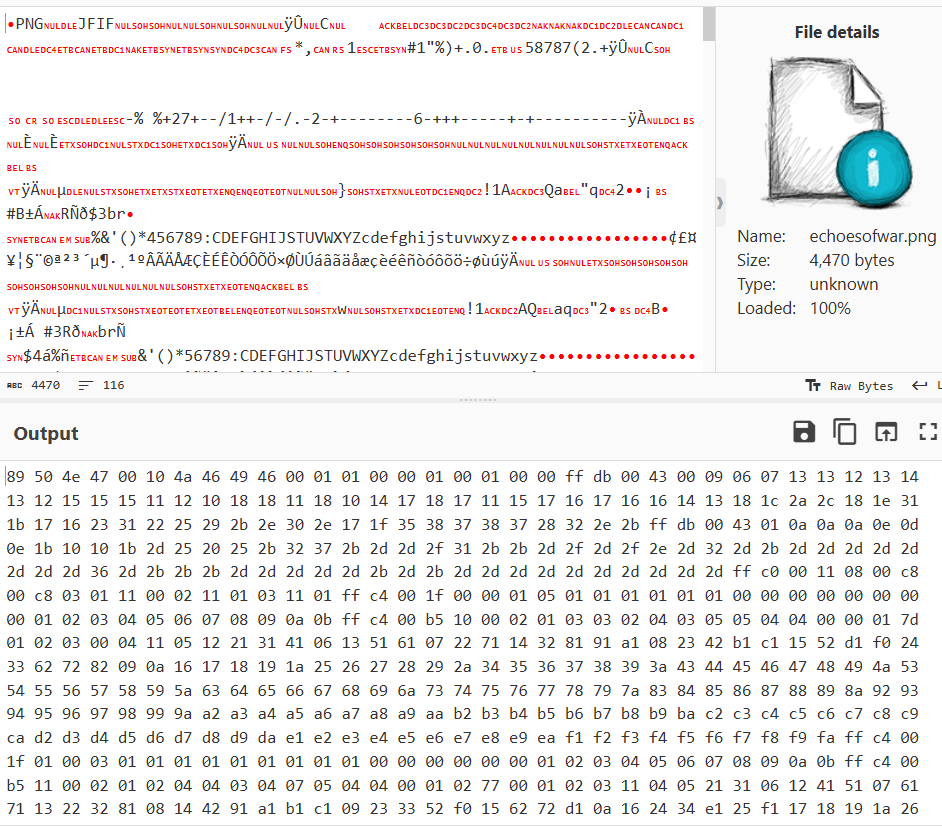
After the modigication of the Hex values, I got the Image.
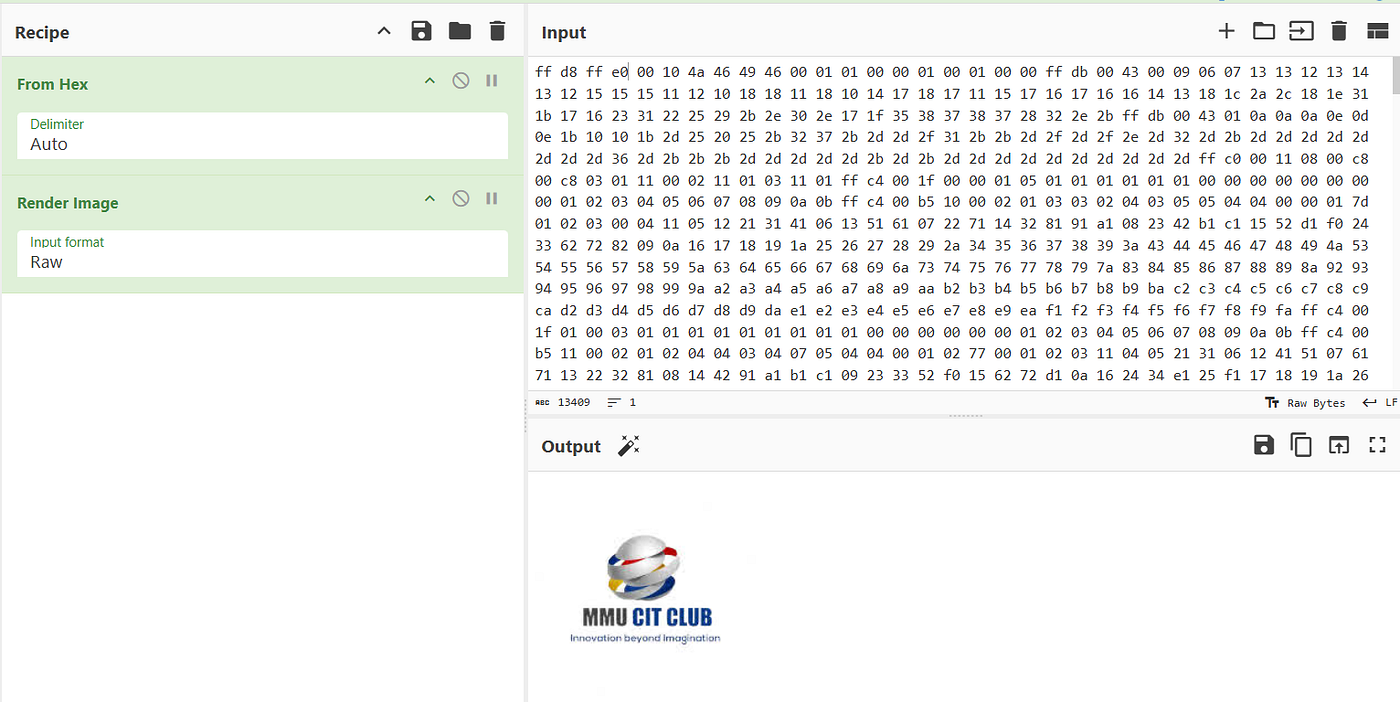
But there was no flag in the image, so I downloaded and saved it.
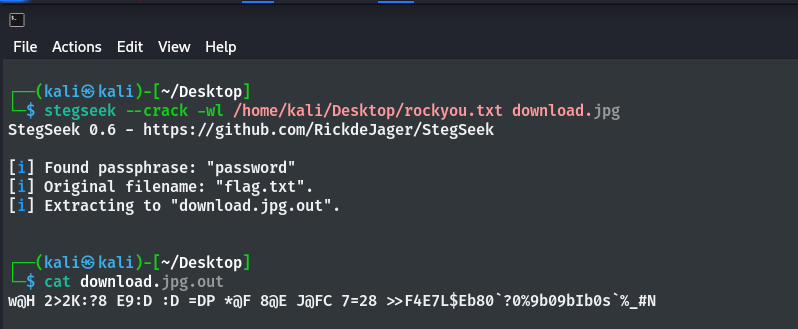
After a few tries, I checked with stegseek and found a file named “flag.txt”
It contained text encoded with the ROT47 cipher, which I decoded to obtain the flag.
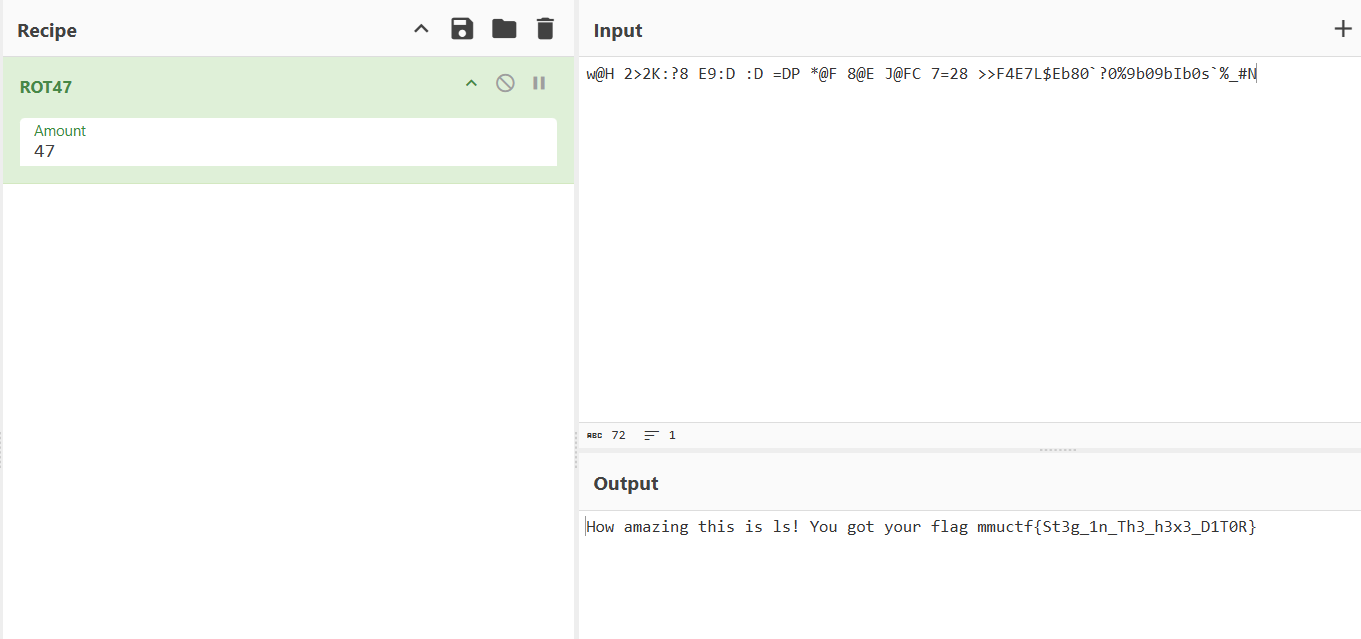
Flag: mmuctf{St3g_1n_Th3_h3x3_D1T0R}
4. Speak My Language
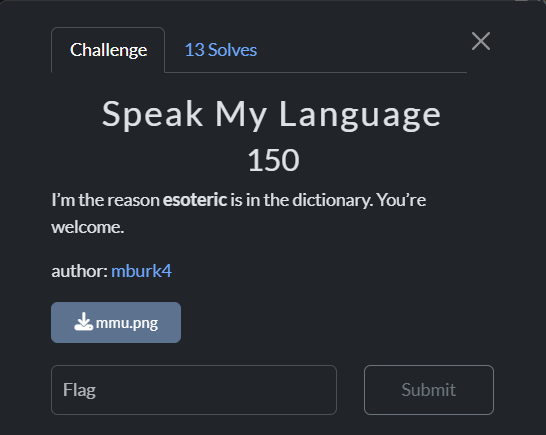
Initially, I had a PNG image, but after checking the header and using the file command, I found it was actually a JPEG file.
So, I changed the extension and tried stegseek again. This time, I also got a file named “mmuctf.txt”.
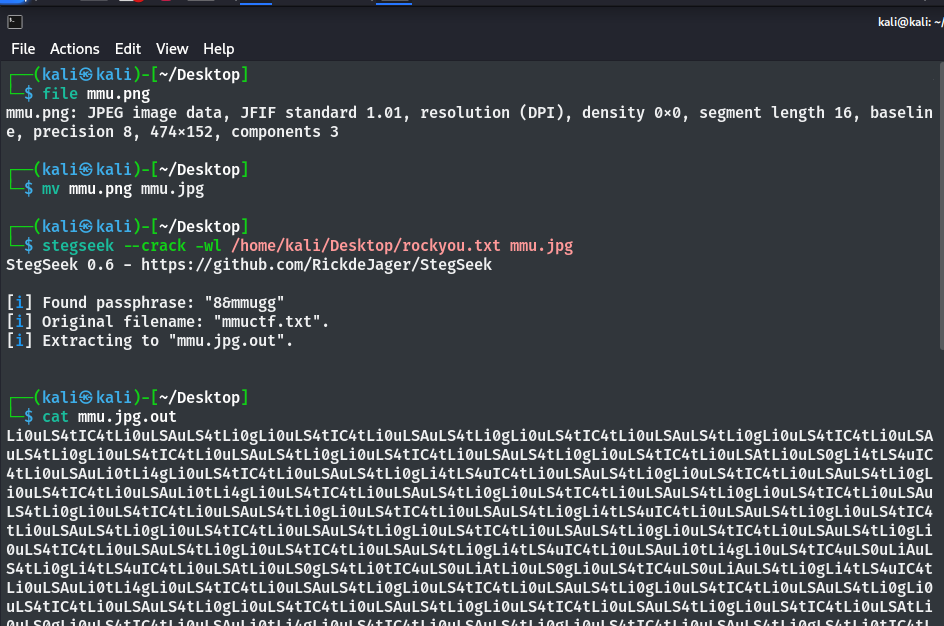
The file contained some Base64-encoded characters.

But after decoding it, I found a different type of cipher.
So, I tried a cipher identifier and discovered that it was an esoteric language called “Ook! Programming”.
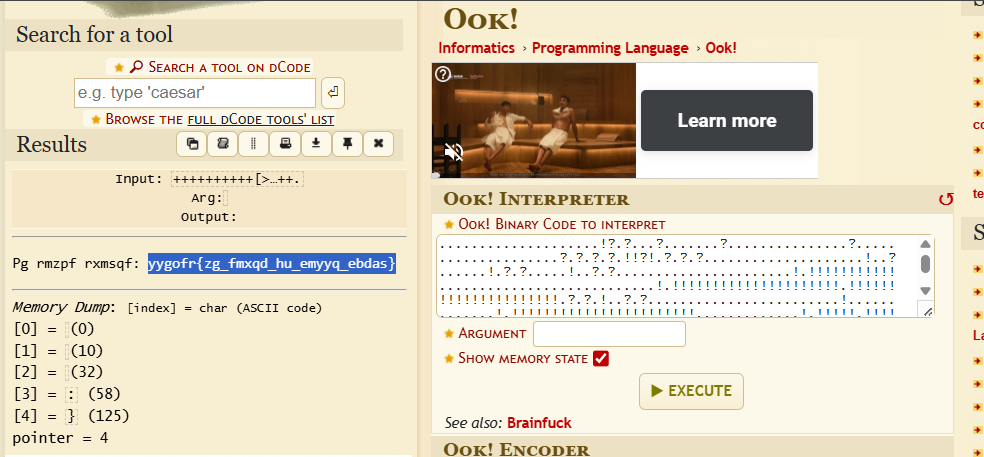
Then I got a Caesar cipher encoded message, with the key being 14, and successfully retrieved the flag.

Flag:mmuctf{nu_taler_vi_samme_sprog}
MISC
1. Welcome

As always, the welcome challenge flag was present on the main page of the CTFd site.
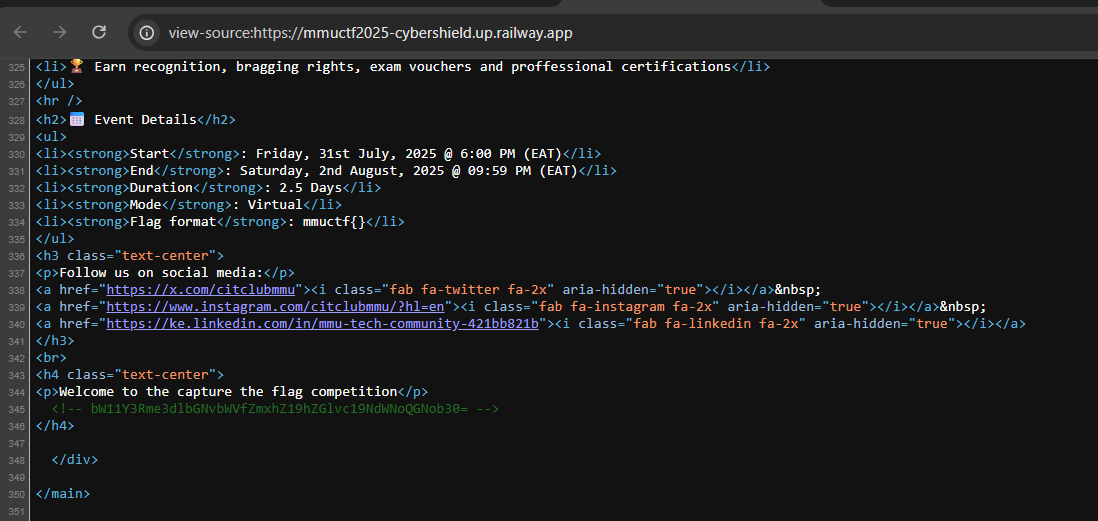
By decoding the Base64-encoded characters, I was able to retrieve the flag.
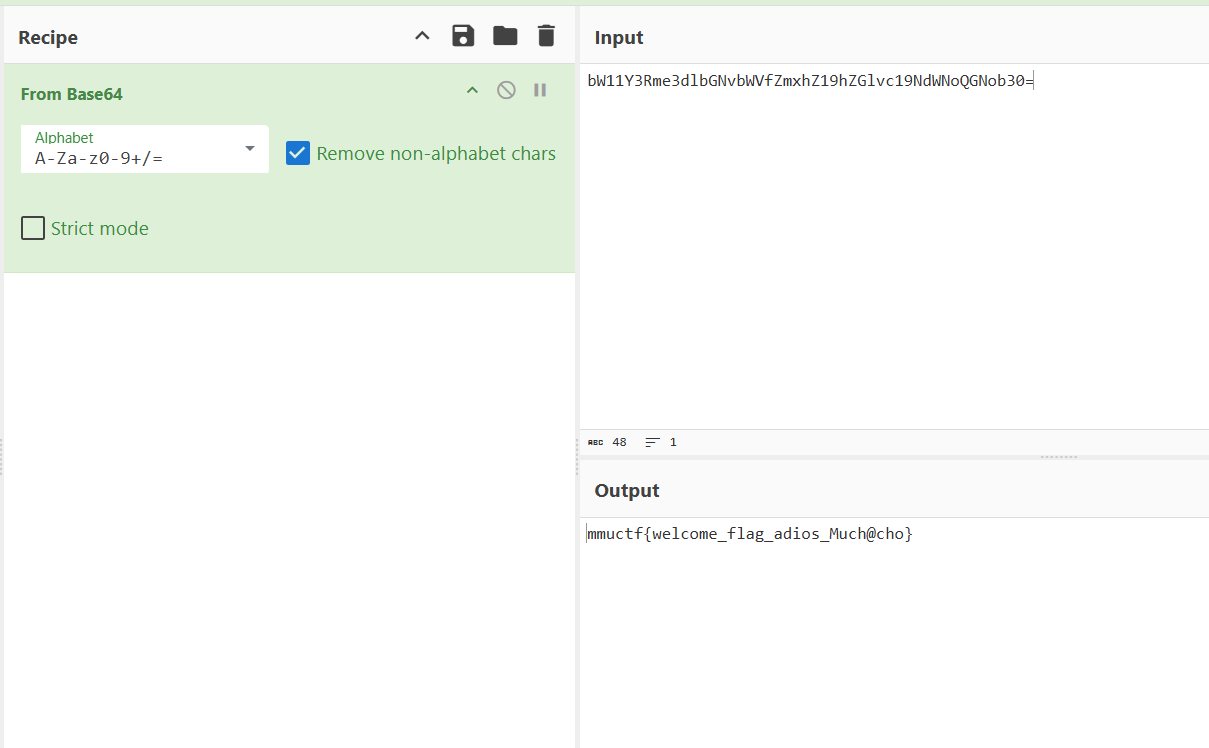
Flag: mmuctf{welcome_flag_adios_Much@cho}
2. KeepGoin
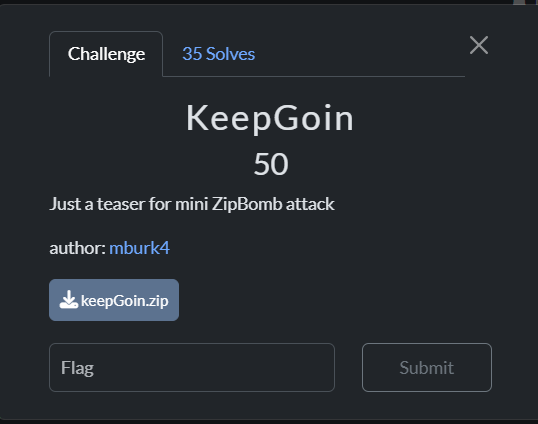
The given ZIP file contained many random.txt files.

After inspecting some files, I found a PNG file among them.

Basically, I used the grep command with the flag format to find the flag.
grep -Ri "mmuctf{"
Flag:mmuctf{z1pT4st1c_$kiLl$$$}
3. Muabyte
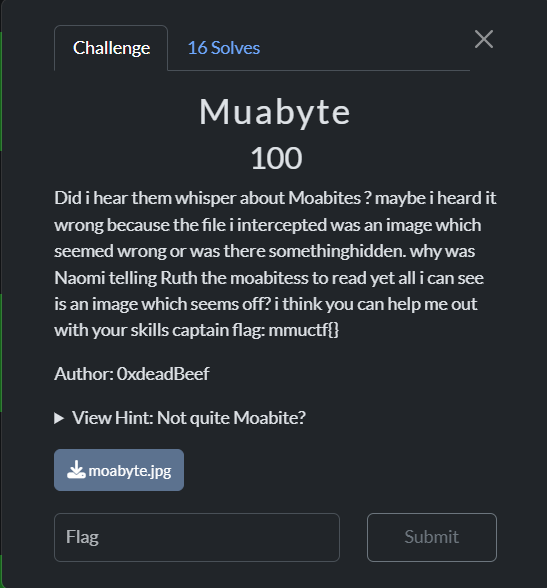
The given file contained some numbers that were neither hexadecimal nor decimal.
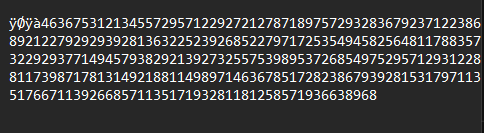
So that, I used a cipher identifier to determine the type of number system.

Then, by using a Morbit cipher decoder, I found the flag.
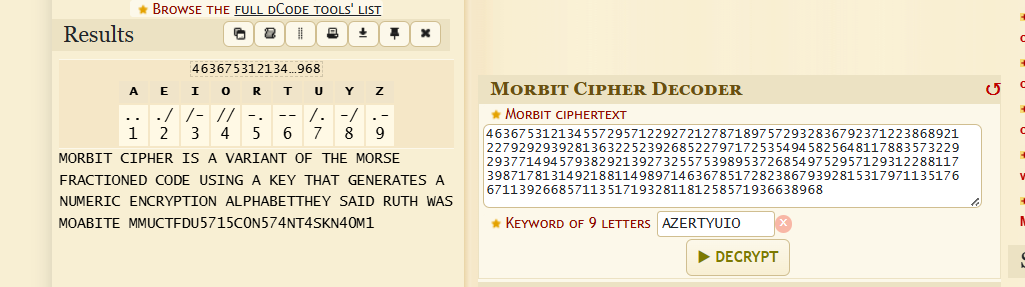
Flag:mmuctf{DU5715C0N574NT4SKN40M1}
Web
1. My First App

The site had a basic front-end for creating a new account.
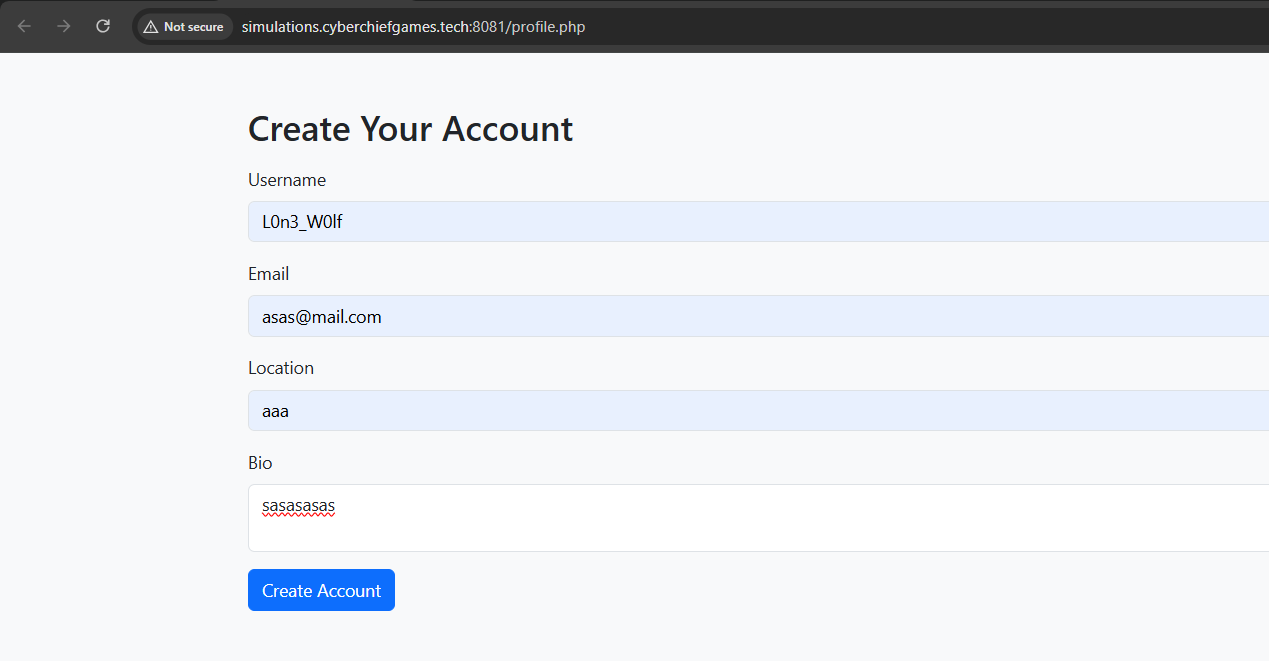
After creating an account, I noticed that the URL contained the id=5.
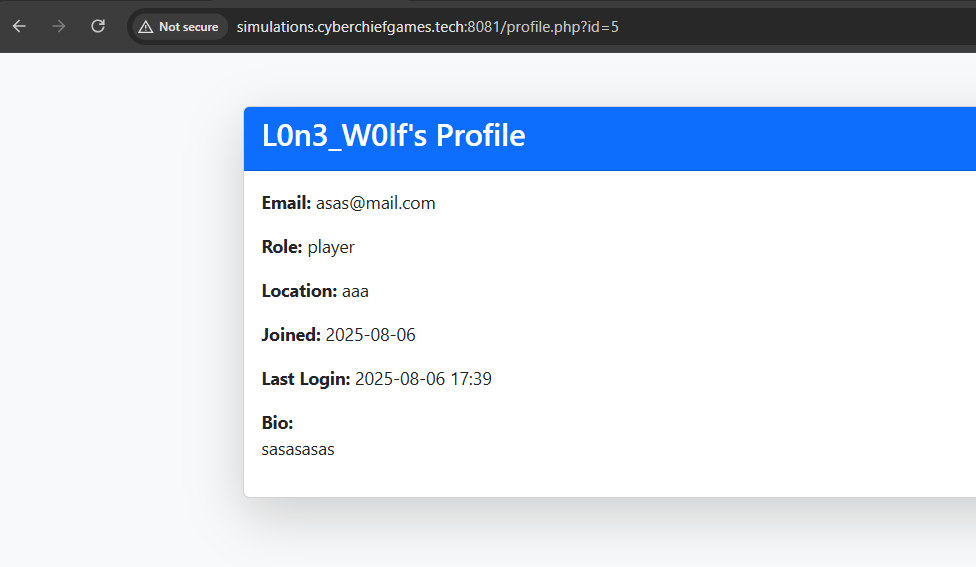
I tried changing the id=1, and I directly obtained the flag.
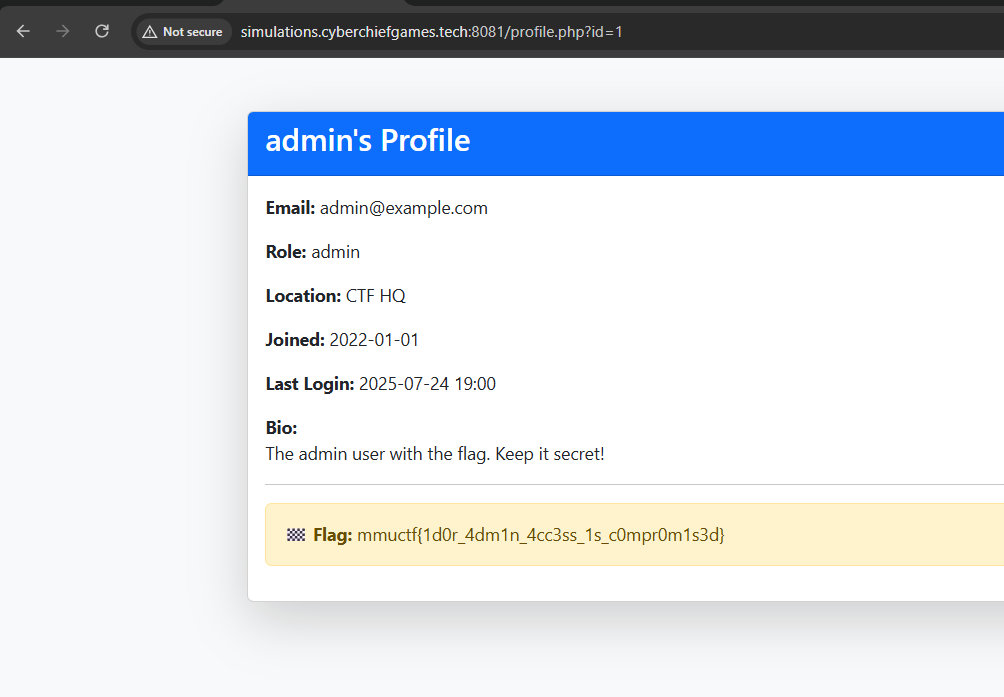
Flag: mmuctf{1d0r_4dm1n_4cc3ss_1s_c0mpr0m1s3d}
2. Ledilect
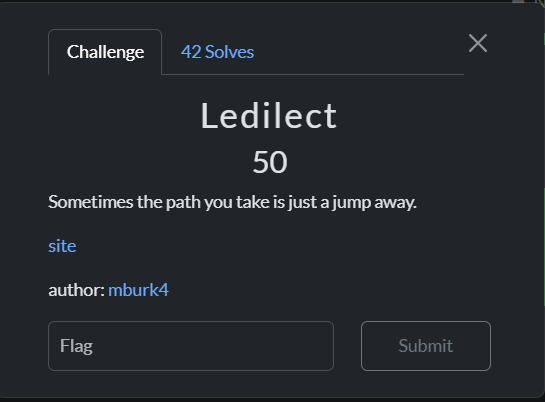
This site runs on PHP, with a directory structure like /portal/home.php.
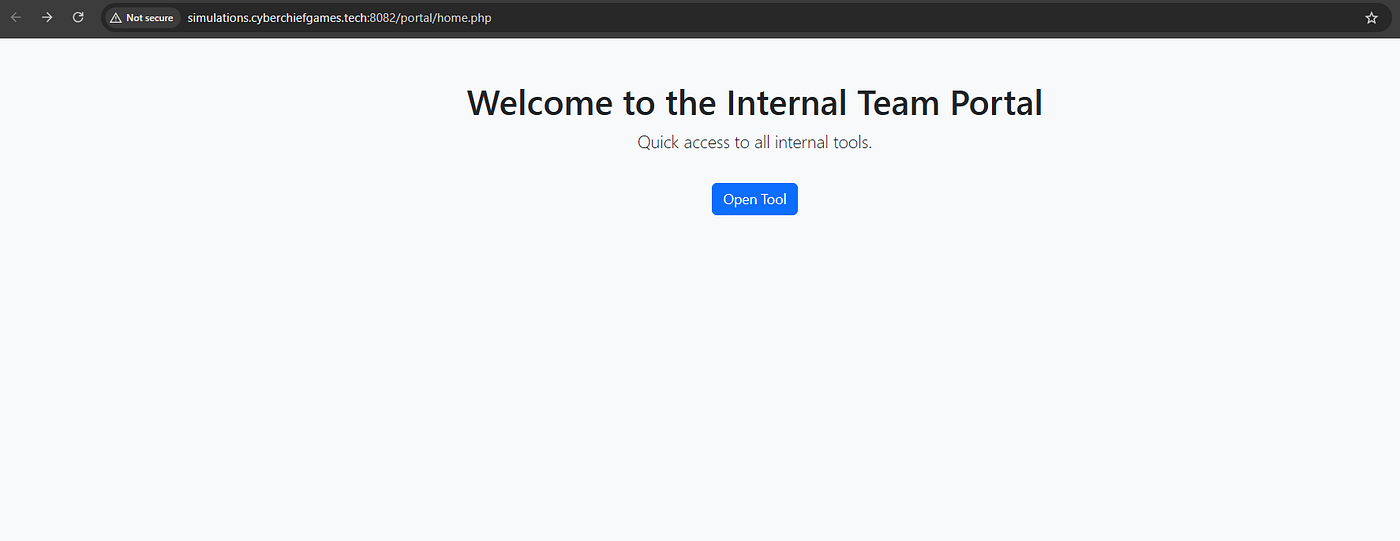
After some tries, I found the flag in the /portal/flag.php directory
Guessy one…..

Flag: mmuctf{0p3n_r3d1r3ct_3xp0s3d_and_acc3ss}
REV
1. Revealme

The given binary file was uploaded to the Dogbolt website for analysis, and the flag was found in its strings.
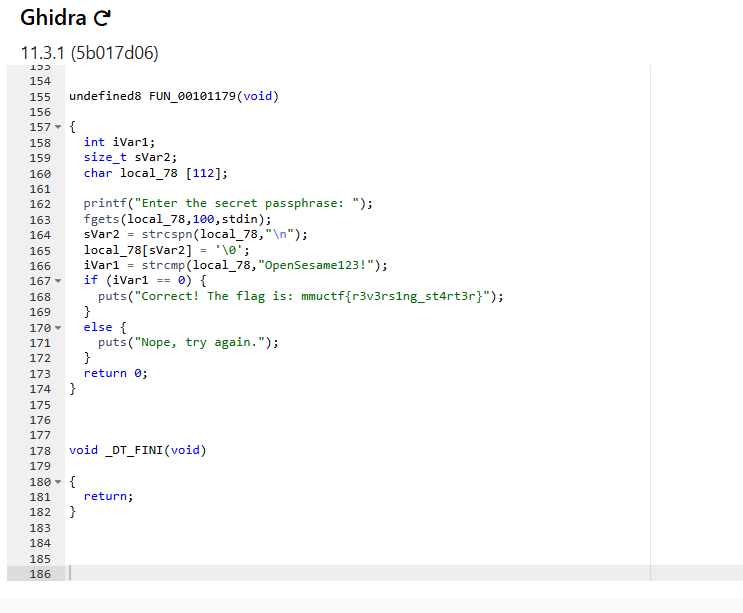
Flag: mmuctf{r3v3rs1ng_st4rt3r}
2. Flicker
The APK file was opened using jadx-gui in Windows, where I found a Base64-encoded image file in the “com.example.blink” folder.

By decoding the Base64 characters, I obtained an image containing the flag.
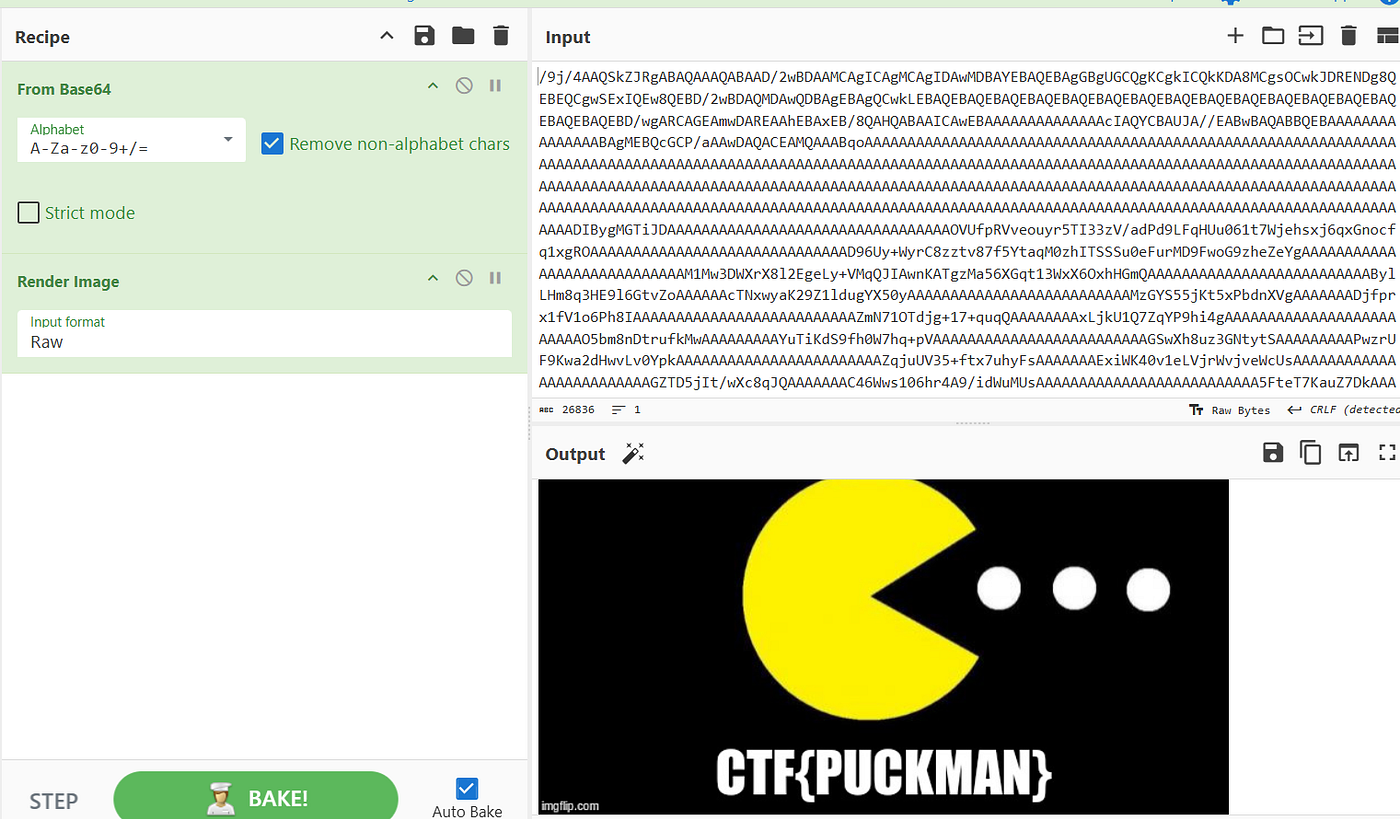
Flag: mmuctf{PUCKMAN}
3. Eye Promise
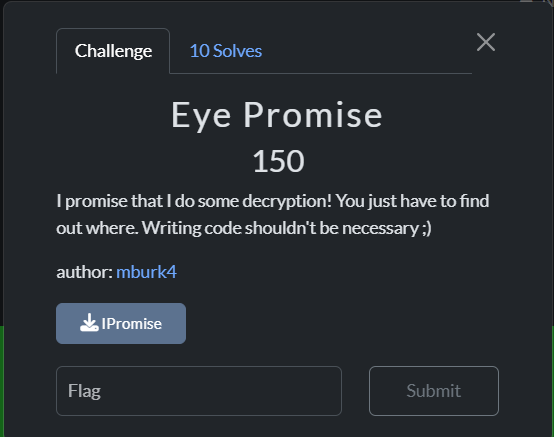
The given file was a binary, and when I opened it using Binary Ninja, I found some functions related to AES encryption.
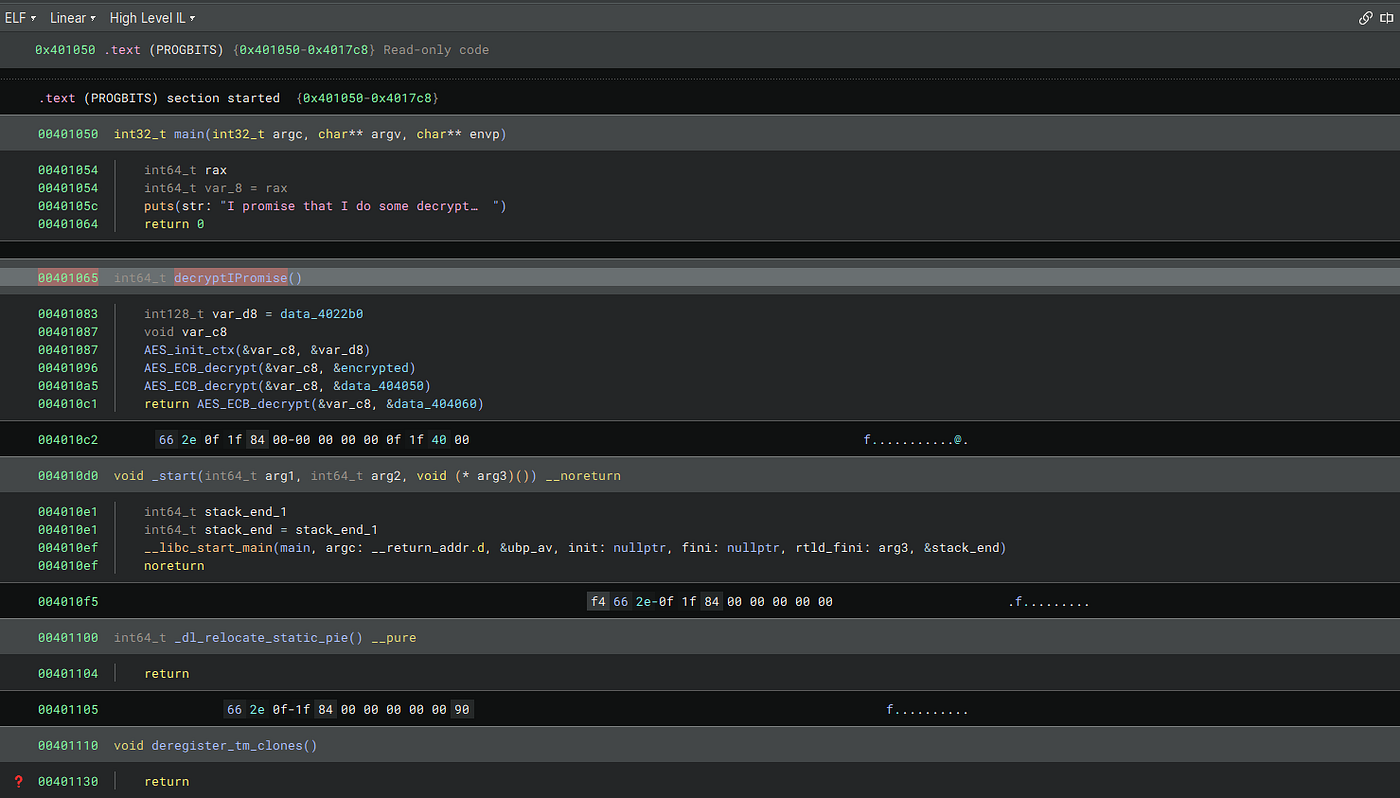
from Crypto.Cipher import AES

key = bytes.fromhex('2b7e151628aed2a6abf7158809cf4f3c')
ciphertext = bytes.fromhex('0f5fa3b909237150bb4f6f6b881d96c280295fe0719064a6e5358664b40ccbb4d8236f120254e20b9483de09f43e6d24')

cipher = AES.new(key, AES.MODE_ECB)

decrypted_padded = cipher.decrypt(ciphertext)
print(f"{decrypted_padded.decode(errors='ignore')}")
Flag: mmuctf{d41d8cd98f00b204e9800998ecf8427e}
4.taylor
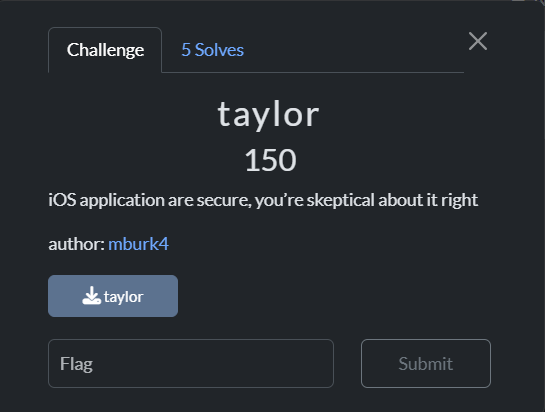
The given binary file was opened using Dogbolt for decompilation.
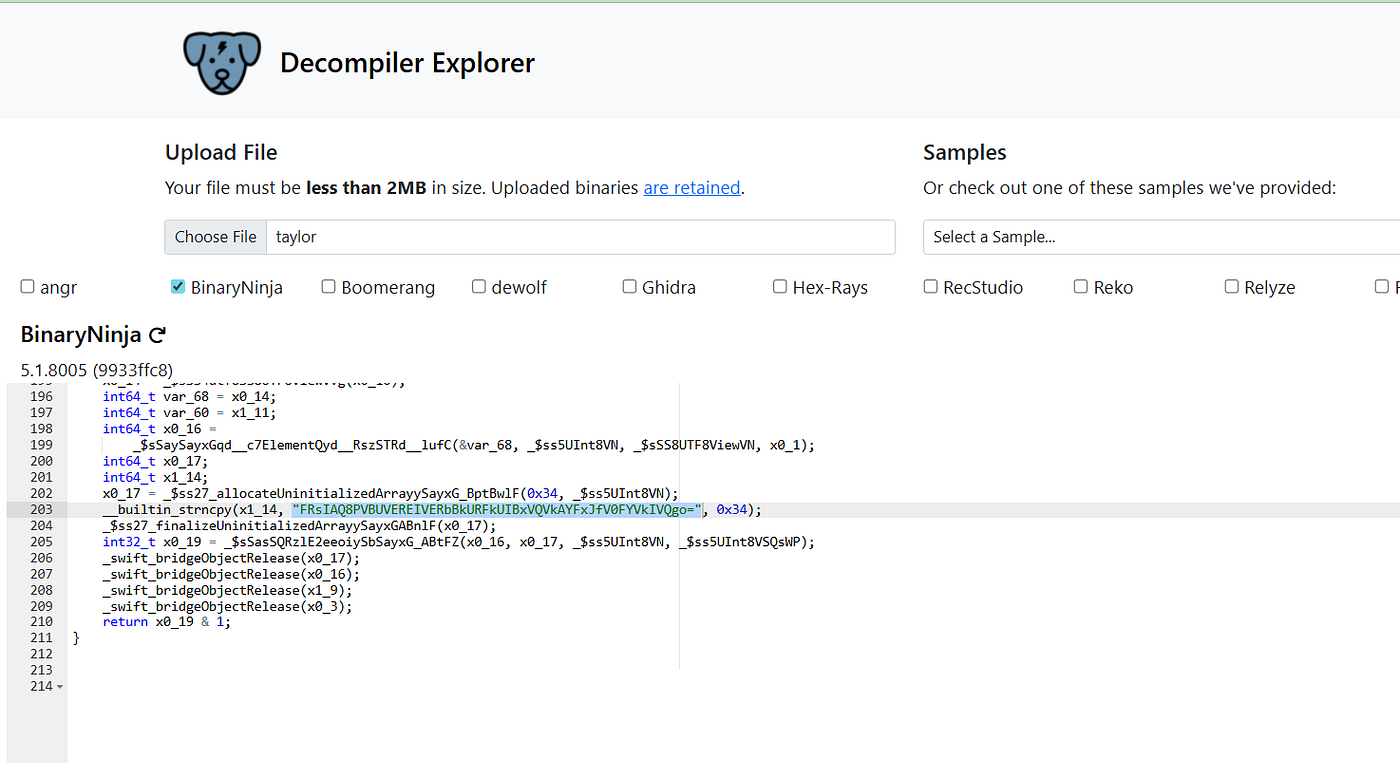
I identified that it was taking some Base64-encoded string, decoding it, and then performing an XOR operation with the key “swifties!” to get the flag.
import base64

encoded_target = "FRsIAQ8PVBUVEREIVERbBkURFkUIBxVQVkAYFxJfV0FYVkIVQgo="
key = b"swifties!"

encrypted_data = base64.b64decode(encoded_target)

decrypted_data = bytearray()
for i in range(len(encrypted_data)):
    decrypted_byte = encrypted_data[i] ^ key[i % len(key)]
    decrypted_data.append(decrypted_byte)

flag = decrypted_data.decode('utf-8')

print(f"{flag}")
Flag: mmuctf{f1f4bfa202c60e2aaa9339de61513141}
Forensics
1.Coat of many Layers

The given chall.bin has the binary code(0’s and 1’s) in it.By decoding various layers of encryption, starting from the binary → ROT47 → Base64 → Hex.
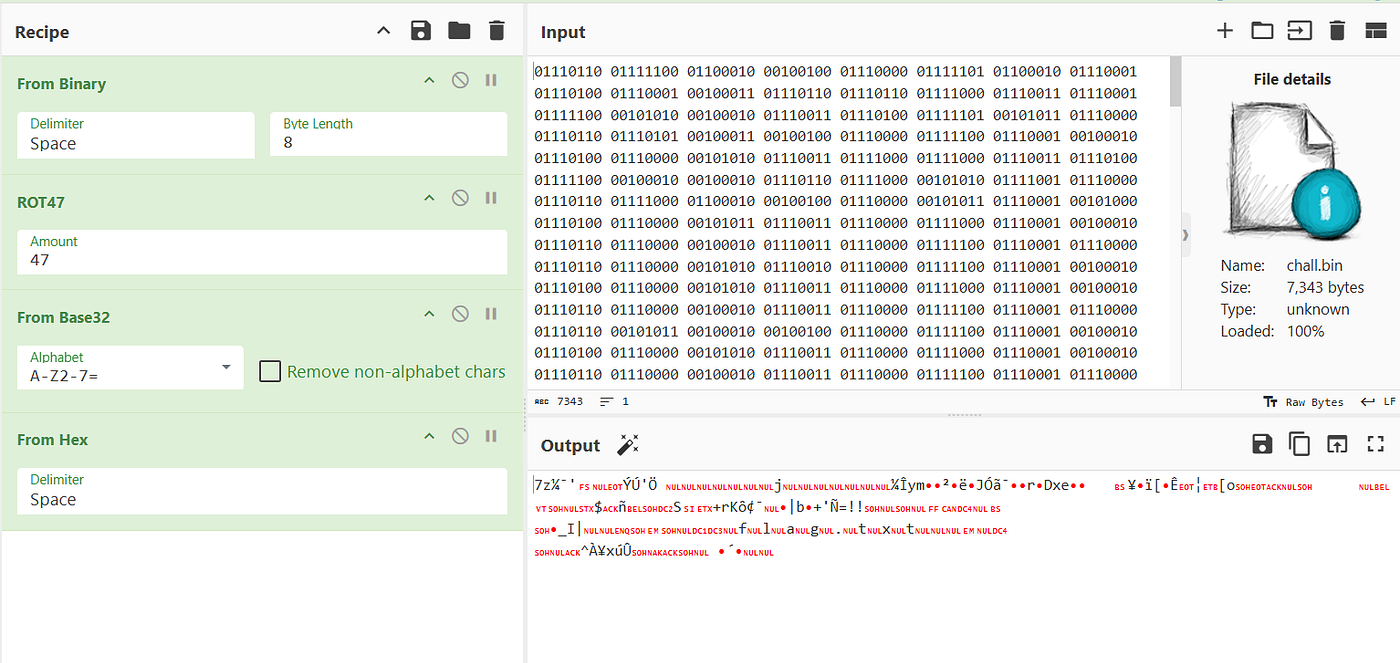
Then I identified it as a 7zip file and tried to open it, but it was password-protected.

So, I used Hashcat to crack the hash of the 7zip password.
hashcat -m 11600 -a 0 hash.txt rockyou.txt --show
$7z$2$19$0$$16$032b724bf4a2af00887c629c2b27d13d$2085183388$32$24$9b98b28aeb8d4ad3e3af979f7299447865858c0908a5adef5b95ca04a6175b6f$20$00:kupal
Password: kupal
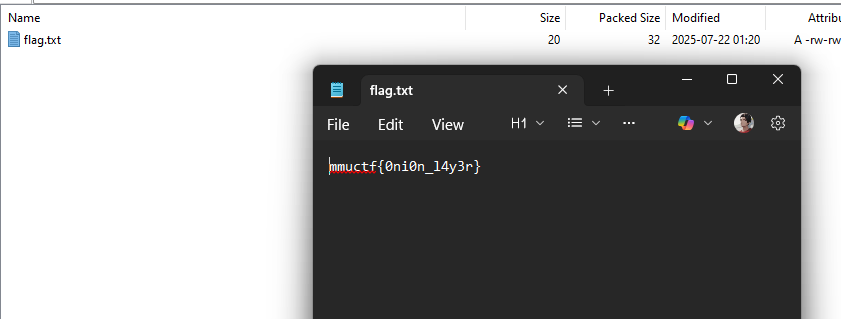
Flag: mmuctf{0ni0n_l4y3r}
2. Conundrum
I have open the given disk image using FTK imager
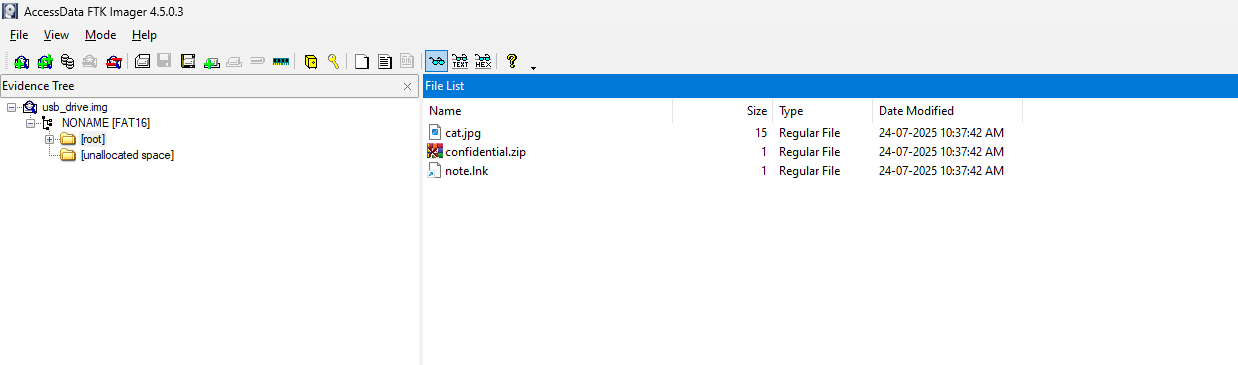
Then I found 2files:
→ cat.jpg
→ confidential.zip (password protected)
By using Stegseek on the “cat.jpg”, I have found password.txt and which has the password of the confidential.zip file
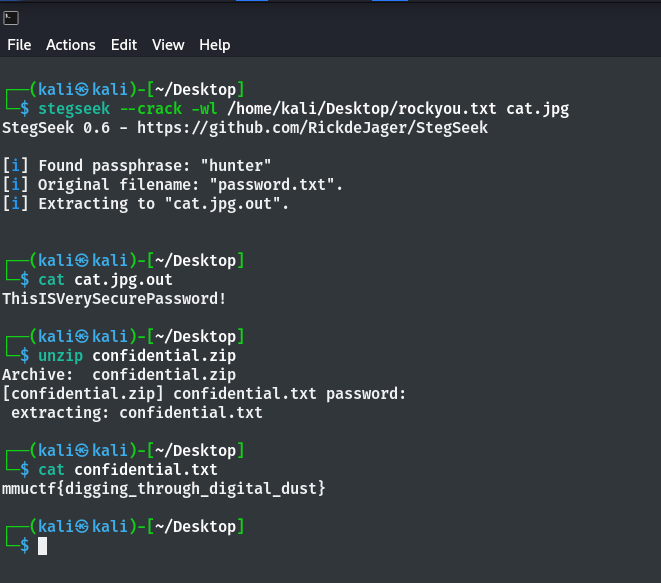
By unzipping the file with the password, I obtained confidential.txt, which contained the flag.
Flag: mmuctf{digging_through_digital_dust}
3. Just BC
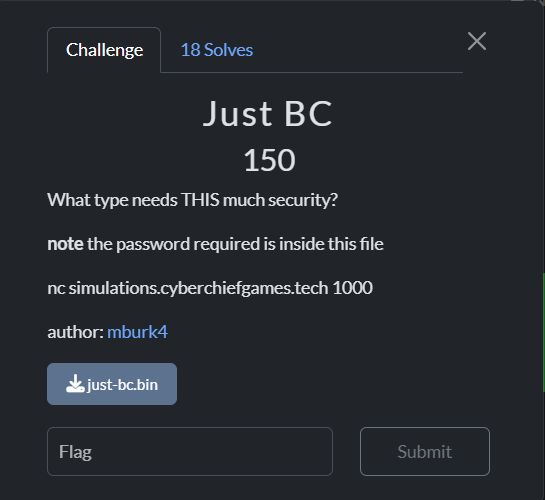
The given file is an LLVM IR file, basically it’s an intermediate representation of code generated by the LLVM compiler framework.
It’s like a low-level, human-readable version of what the program does before it turns into actual machine code, so you can analyze the logic without dealing with raw assembly.
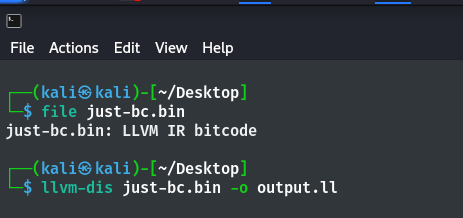
Since the file was in LLVM IR format,
llvm-dis hello.bin -o output.llThis gave me the human-readable LLVM IR code for further analysis.

By finding the password, I got the flag, which runs in Netcat.
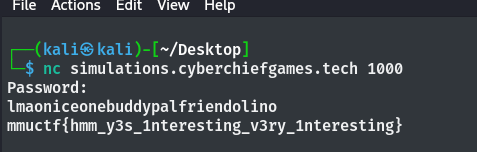
Flag: mmuctf{hmm_y3s_1nteresting_v3ry_1nteresting}
Network Forensic
1. Open_Secrets
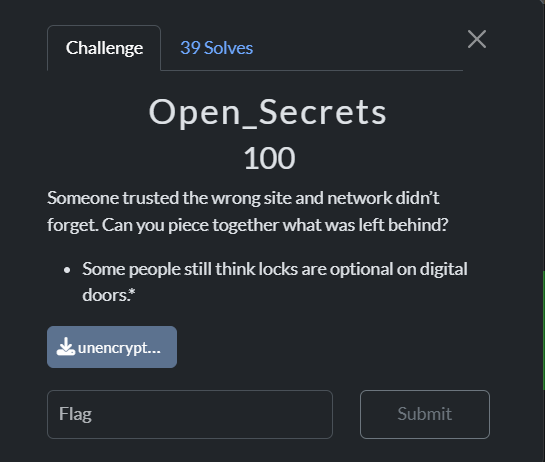
The Given file is “unencrypted.pcap” file

By analyzing the file in the TCP packets, I found a stream containing a username and password.
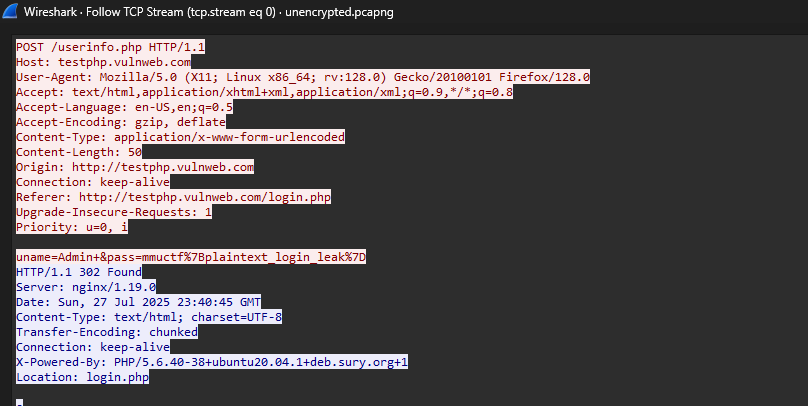
The pass contains the flag.
Flag: mmuctf{plaintext_login_leak}
2. C-x C-s
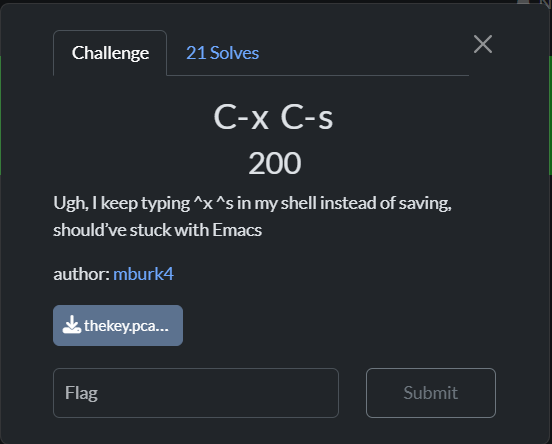
The given PCAPNG file contained streams of USB capture packets.
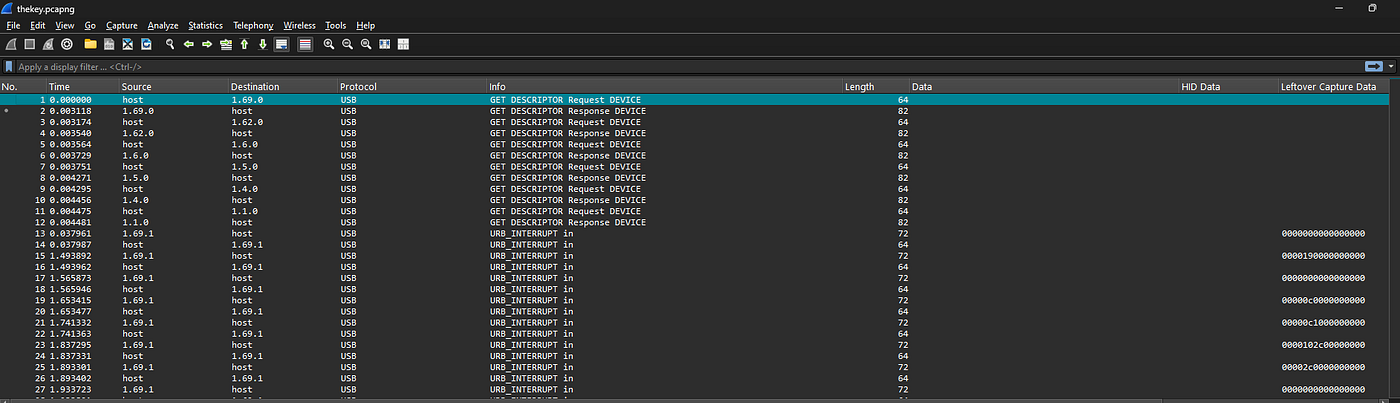
By using the Usb_Keyboard_Parser.py script with the PCAPNG file, I found the flag.
ubuntu:~$ python3 Usb_Keyboard_Parser.py thekey.pcapng

[+] Using filter "usb.capdata" Retrived HID Data is :

viim flaag.ttxt
iTthe flaag is ctf[ESC]vbUuA{[my_favoritte_editor_is_vim}[ESC]hhhhhhhhhhhhhhhhhhhau[ESC]vi{U[ESC]:;wq
Flag: mmuctf{my_favoritte_editor_is_vim}
Thank you for reading 😉…..
메타데이터
- post_id
- 3be4e5c2e990
- slug
- cybershield-ctf-2025-writeup-3be4e5c2e990
- url
- https://medium.com/@kishanjaisoorya16/cybershield-ctf-2025-writeup-3be4e5c2e990
- canonical_url
- https://medium.com/@kishanjaisoorya16/cybershield-ctf-2025-writeup-3be4e5c2e990
- author_url
- https://medium.com/@kishanjaisoorya16
- status
- ok
- fetched_at
- 2026-07-29 02:21:17