Log Collection Using Splunk Forwarder
Objective
Log Collection Using Splunk Forwarder
Objective
The objective of Day 15 was to collect and centralize security logs from the monitoring system into the SIEM platform using a lightweight log forwarding agent. Instead of manually uploading log files, the forwarder automatically sends logs from the monitored machine to the centralized analysis server.
This allows security analysts to monitor attacks in near real time and investigate incidents efficiently.
Tool used: Splunk Universal Forwarder sending logs to Splunk Enterprise
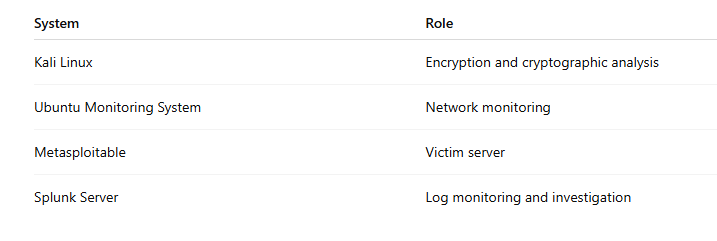
Lab Environment
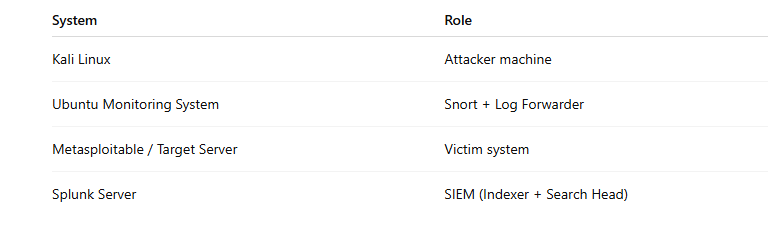
Log sources forwarded:
- Snort IDS alerts
- System authentication logs
- FTP logs
Phase 1: Install Splunk Universal Forwarder
The forwarder was installed on the monitoring machine (Ubuntu system running Snort).
First, navigate to the download directory and install the package.
Example command:
sudo dpkg -i splunkforwarder-9.x.x-linux-amd64.deb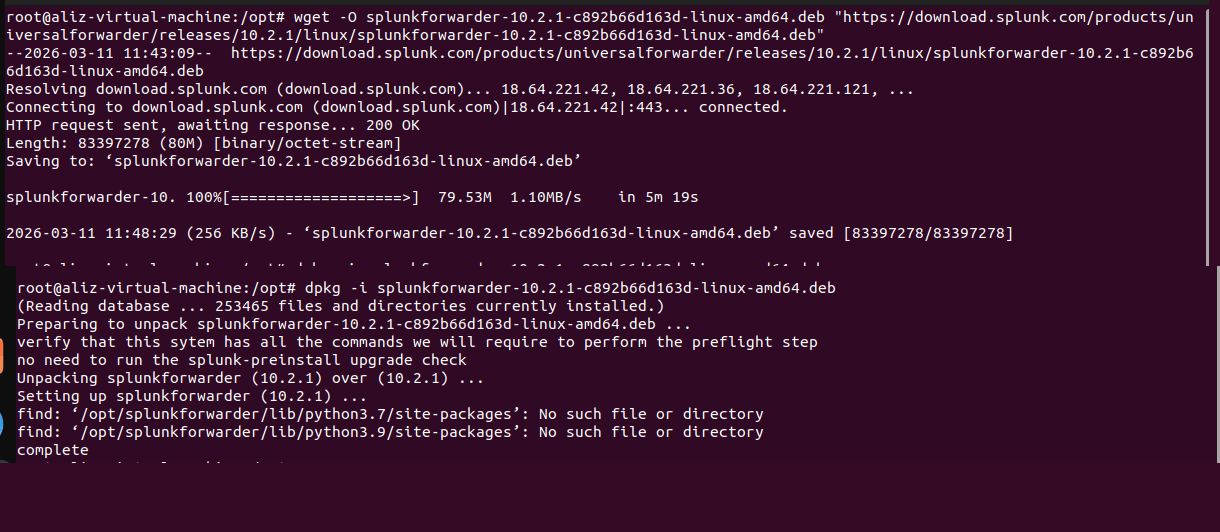
After installation, the forwarder directory is located at:
/opt/splunkforwarderPhase 2: Start the Forwarder Service
The forwarder service must be started before it can send logs.
Command used:
sudo /opt/splunkforwarder/bin/splunk startThe system prompts for license acceptance.
Type:
y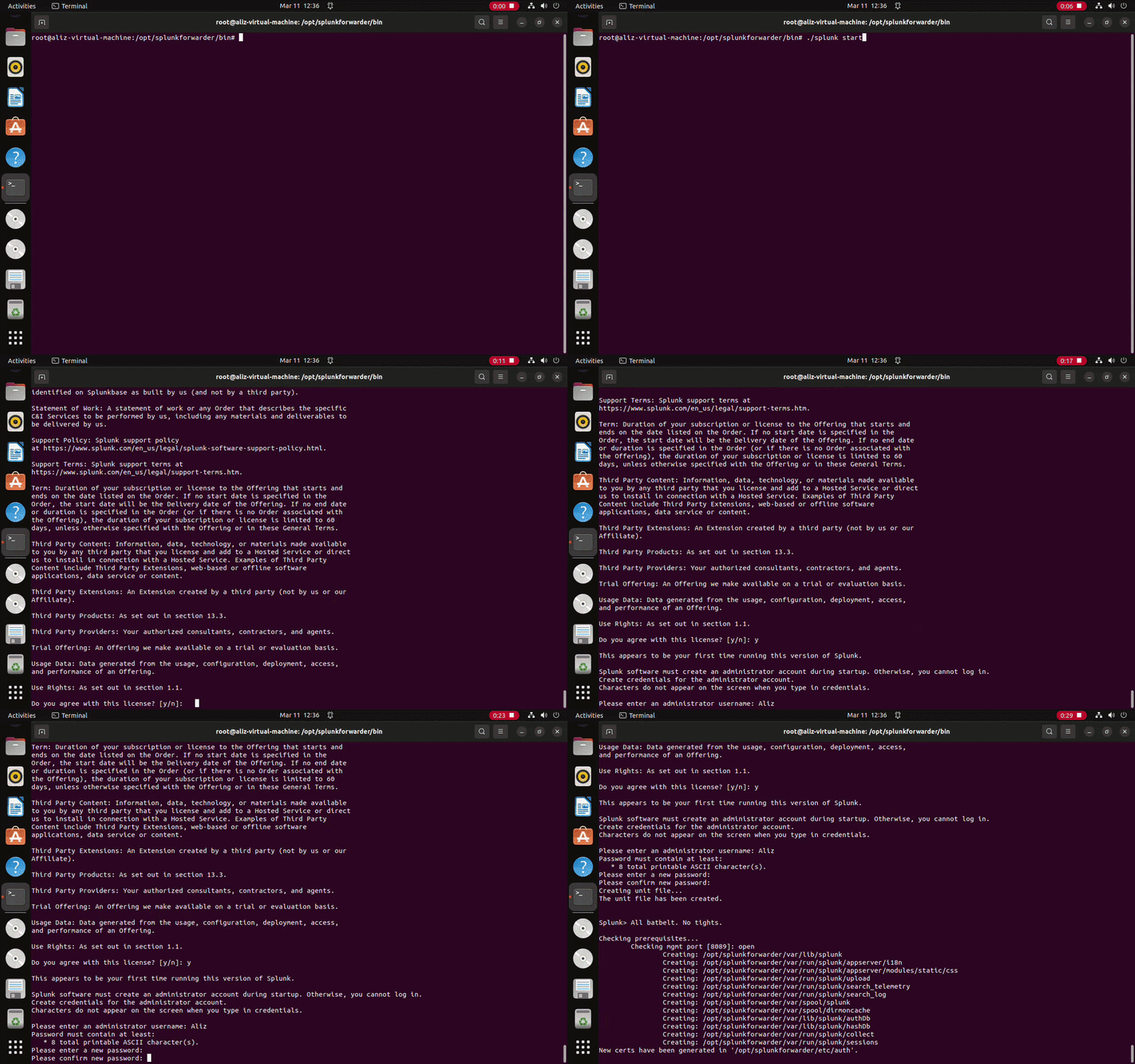
Then create administrator credentials for the forwarder.
Phase 3: Connect Forwarder to Splunk Server
Next, the forwarder was configured to send logs to the central Splunk server.
Command used:
sudo /opt/splunkforwarder/bin/splunk add forward-server <Splunk_Server_IP>:9997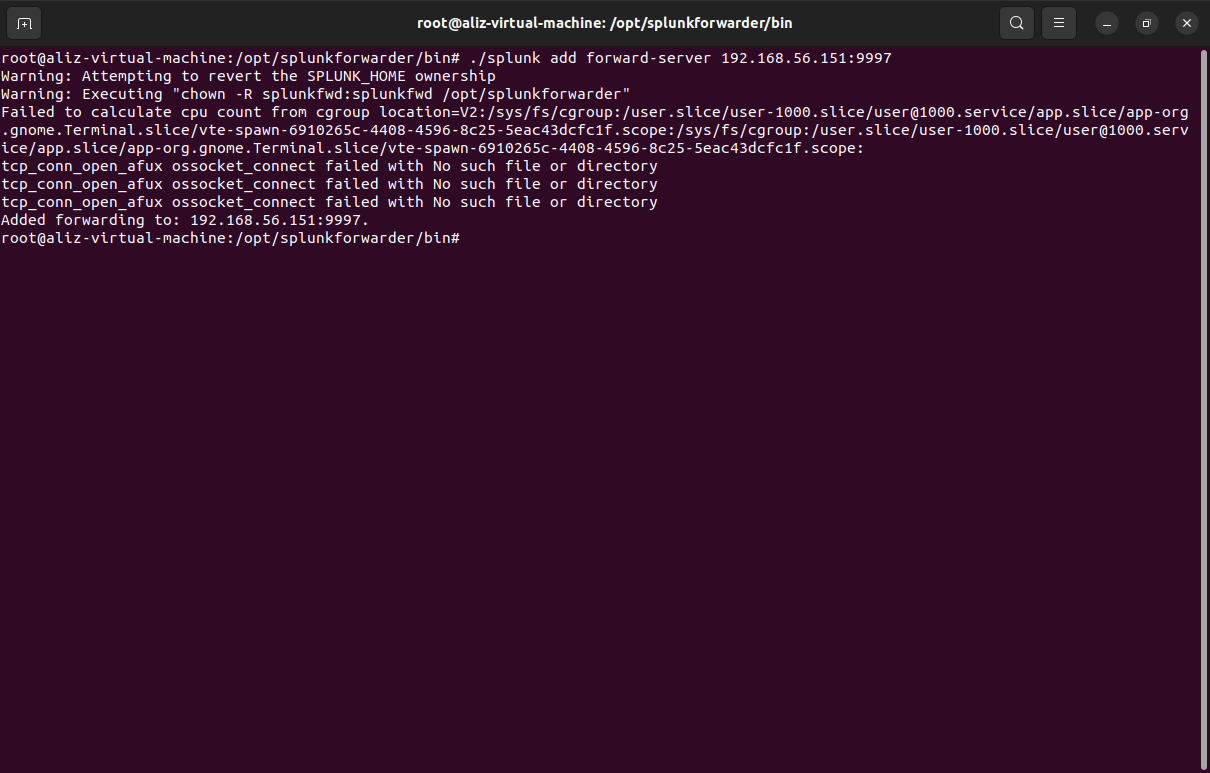
Explanation:

This establishes communication between the forwarder and the SIEM platform.
Phase 4: Enable Log Monitoring
The forwarder was configured to monitor important log files generated during the attack simulation.
Monitor Snort IDS Logs
Command:
sudo /opt/splunkforwarder/bin/splunk add monitor /var/log/snort/alert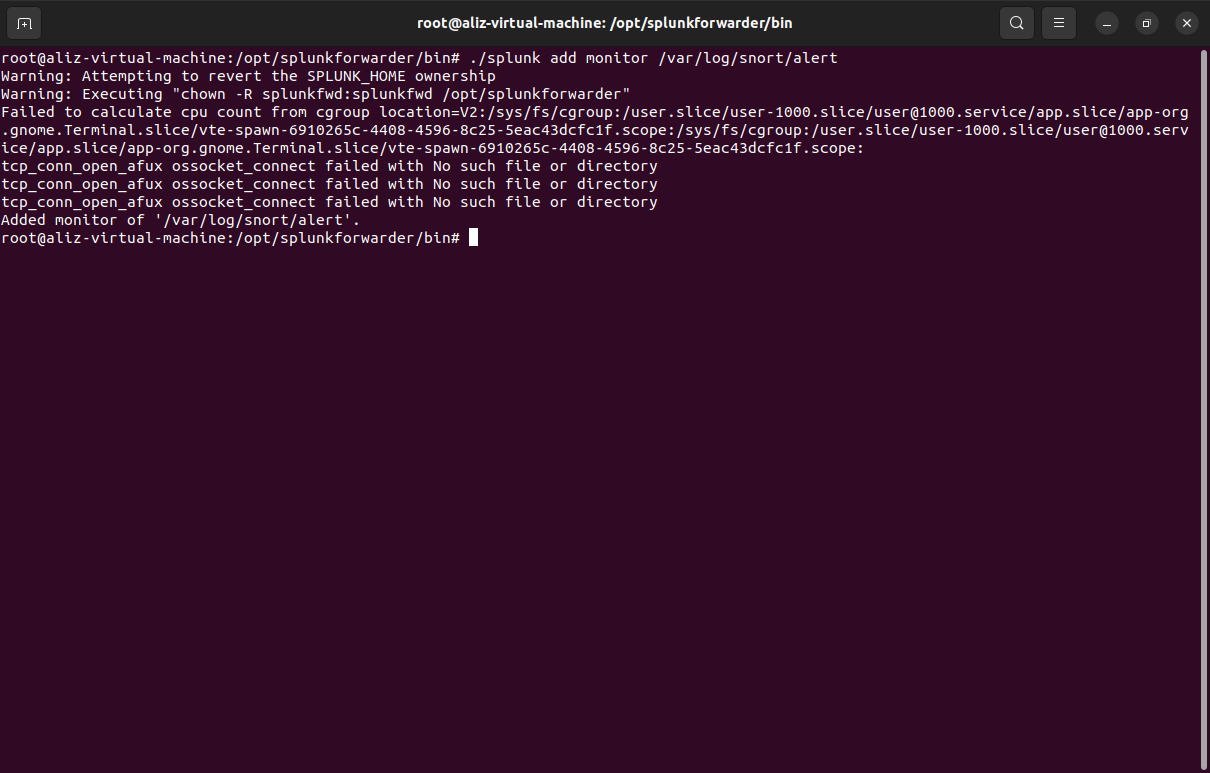
This allows the IDS alerts to be forwarded to the Splunk server.
Monitor Authentication Logs
Command:
sudo /opt/splunkforwarder/bin/splunk add monitor /var/log/auth.log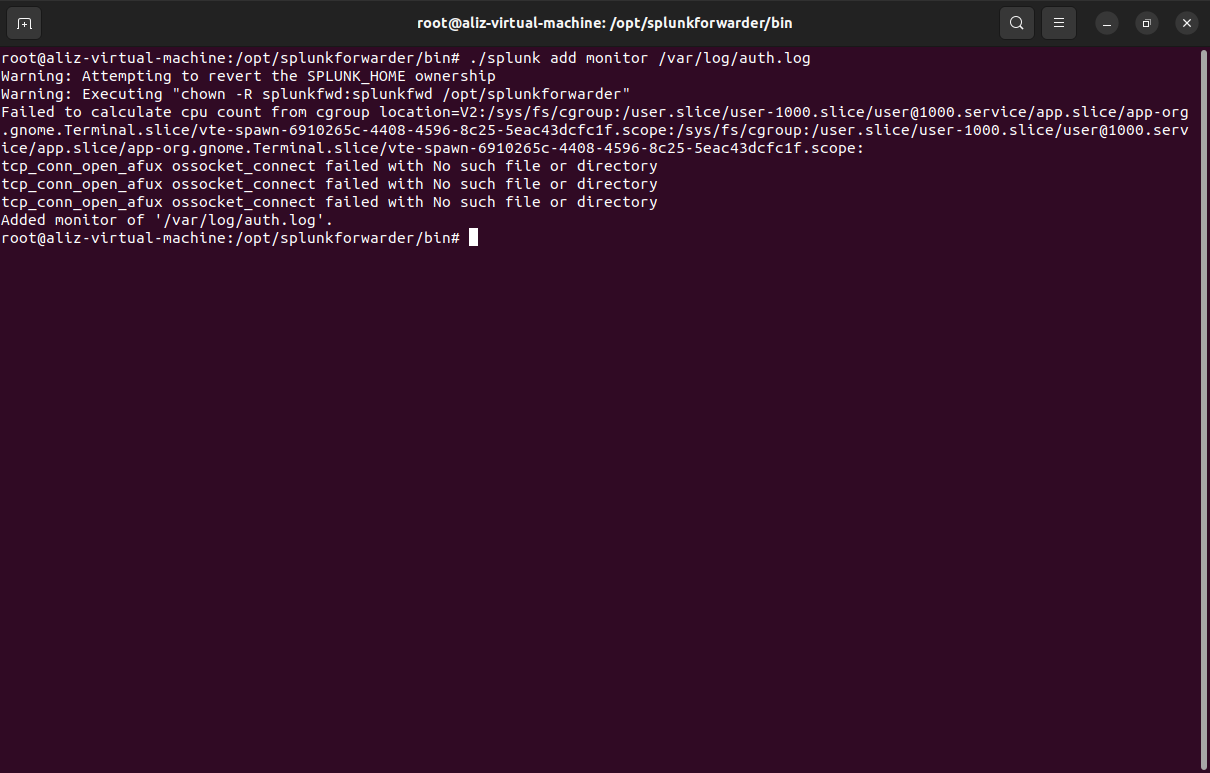
This log file records SSH login attempts and authentication failures.
Phase 5: Verify Logs in Splunk
On the Splunk server, the logs were verified using the search interface.
Access Splunk via browser:
http://<Splunk_Server_IP>:8000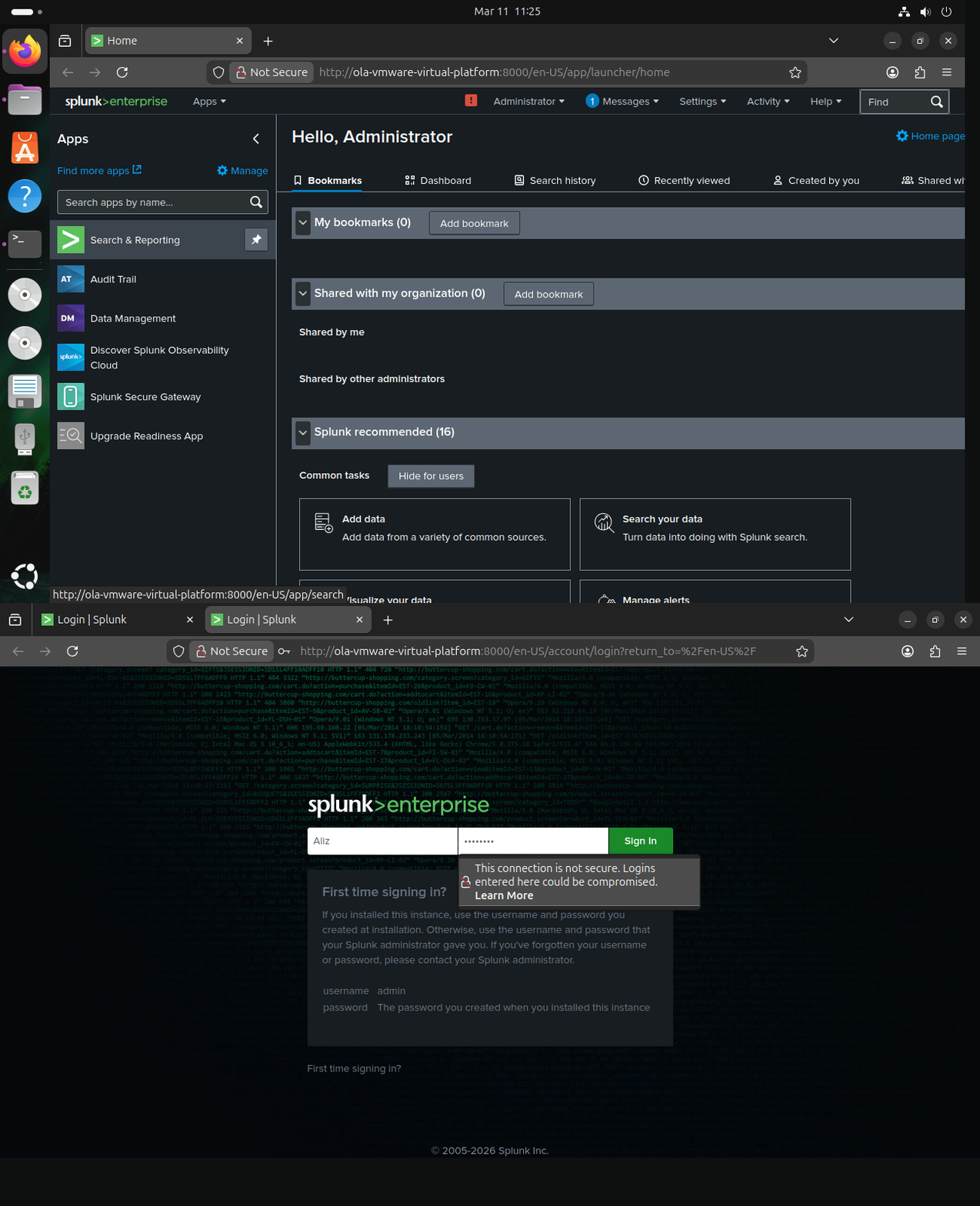
Search query used:
index=main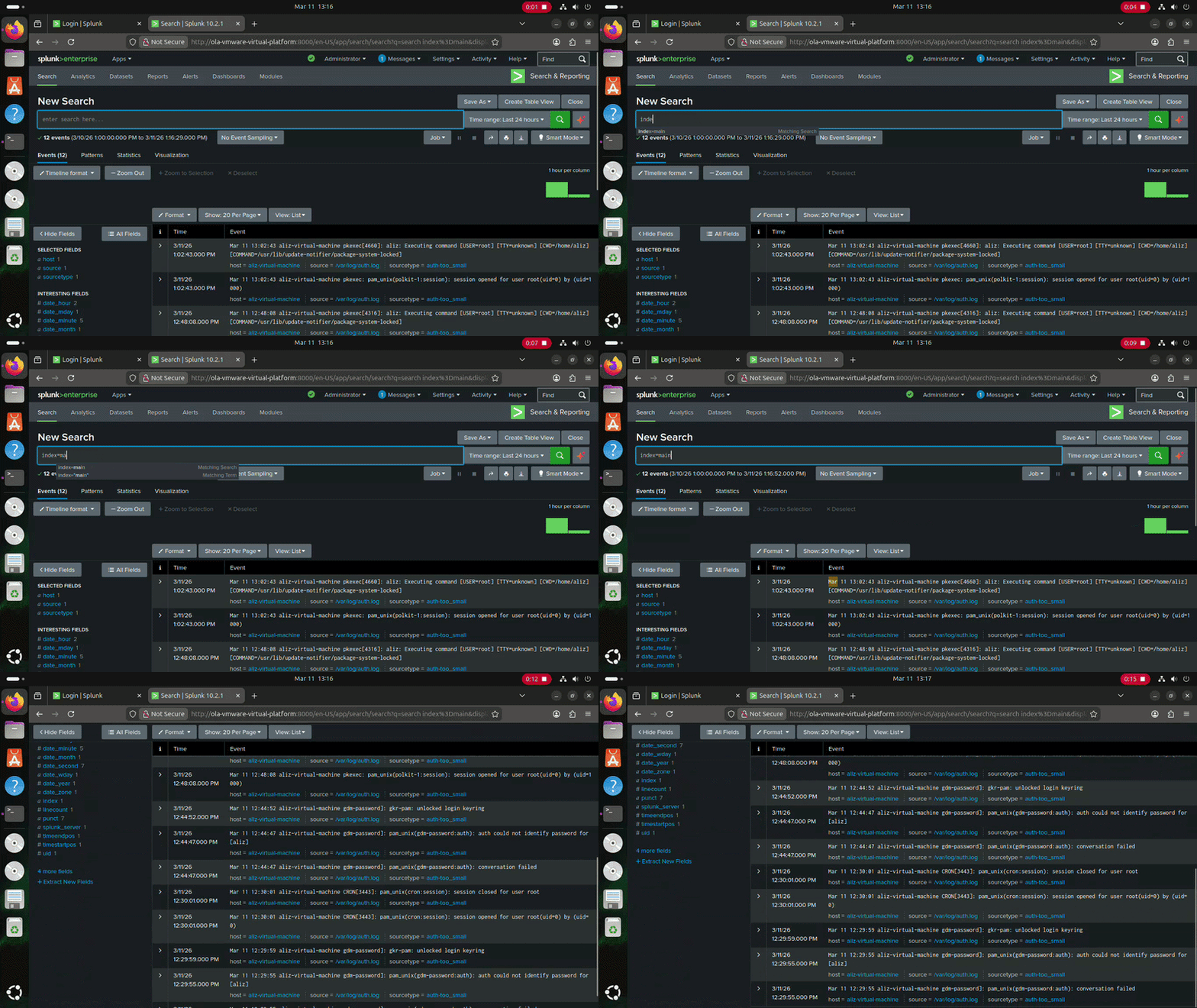
This displays all ingested events.
Phase 6: Verify Logs in Splunk
In the Splunk web dashboard, the logs were searched using:
index=main sourcetype=snort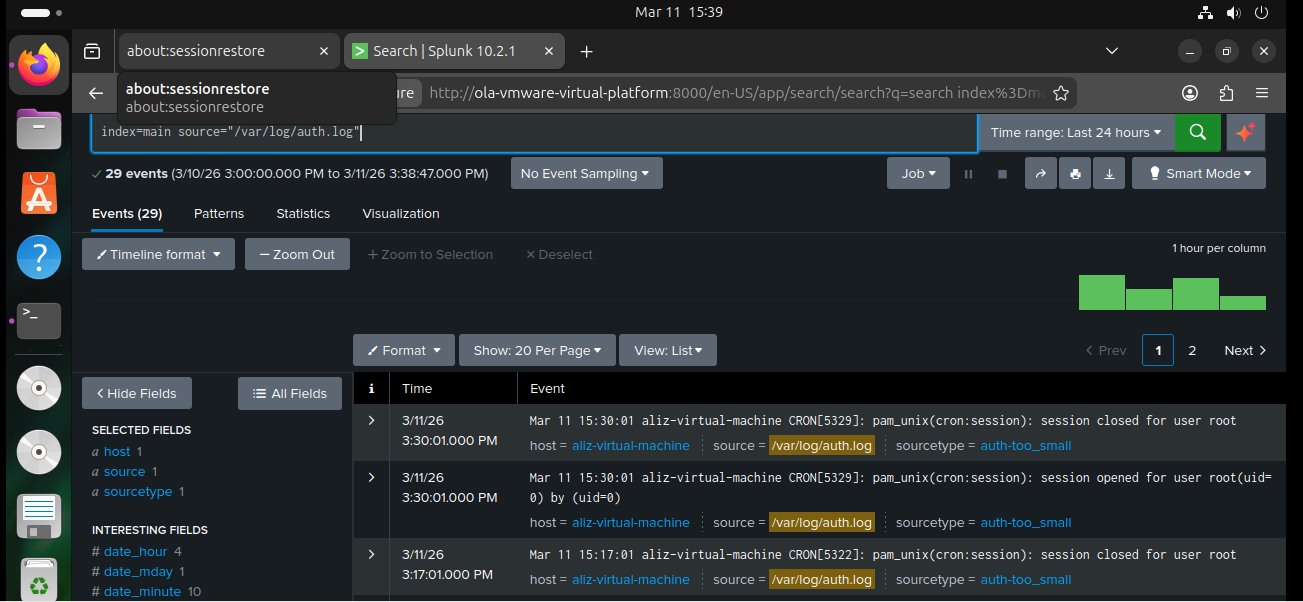
Example alerts observed:
Port Scan Detected
SSH Brute Force Attempt Detected
Possible SYN Flood Attack
These alerts confirmed that the Splunk forwarder successfully delivered IDS logs to the SIEM platform.
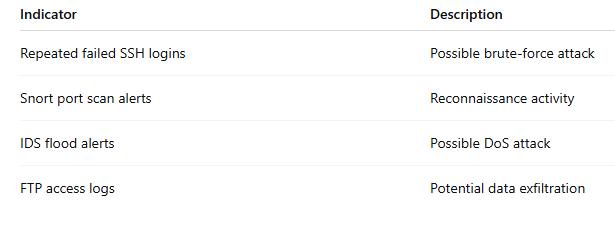
Indicators of Compromise
Several suspicious indicators were identified during the investigation.
Skills Practiced
- SIEM log forwarding configuration
- Splunk forwarder deployment
- Centralized log collection
- Security event analysis
- Attack detection using log correlation
Security Insight
Centralized logging is a critical component of modern cybersecurity operations. By forwarding logs from multiple systems into a SIEM platform, security teams gain visibility across the entire network. This allows analysts to detect suspicious behavior quickly and respond to attacks before significant damage occurs.
Log forwarding agents such as the Splunk Universal Forwarder make this process efficient by continuously streaming logs to the SIEM server.
Outcome of Day 15
The Splunk Universal Forwarder was successfully deployed on the monitoring system, enabling automatic transmission of Snort alerts and system logs to the Splunk SIEM platform. This allowed centralized monitoring of security events and provided deeper visibility into attack activity across the network.
The next phase of the project is:
Day 16: Password Hash Extraction and Credential Cracking
In this phase you will:
- Extract password hashes from
/etc/shadow - Crack the hashes using John the Ripper or Hashcat
- Verify compromised credentials
- Investigate the security risks of weak password
메타데이터
- post_id
- 3ccf82e09f7e
- slug
- log-collection-using-splunk-forwarder-3ccf82e09f7e
- url
- https://medium.com/@olamidealiyu2929/log-collection-using-splunk-forwarder-3ccf82e09f7e
- canonical_url
- https://medium.com/@olamidealiyu2929/log-collection-using-splunk-forwarder-3ccf82e09f7e
- author_url
- https://medium.com/@olamidealiyu2929
- status
- ok
- fetched_at
- 2026-07-11 10:04:19