Your WordPress Admin Already Knows Every Post ID. It Just Never Tells You
The number you hunt by hovering the Edit link is printed about a hundred times on the screen you are already looking at. Here is where it…
Your WordPress Admin Already Knows Every Post ID. It Just Never Tells You
The number you hunt by hovering the Edit link is printed about a hundred times on the screen you are already looking at. Here is where it hides, why your IDs look random, and the migration warning no tutorial gives you.
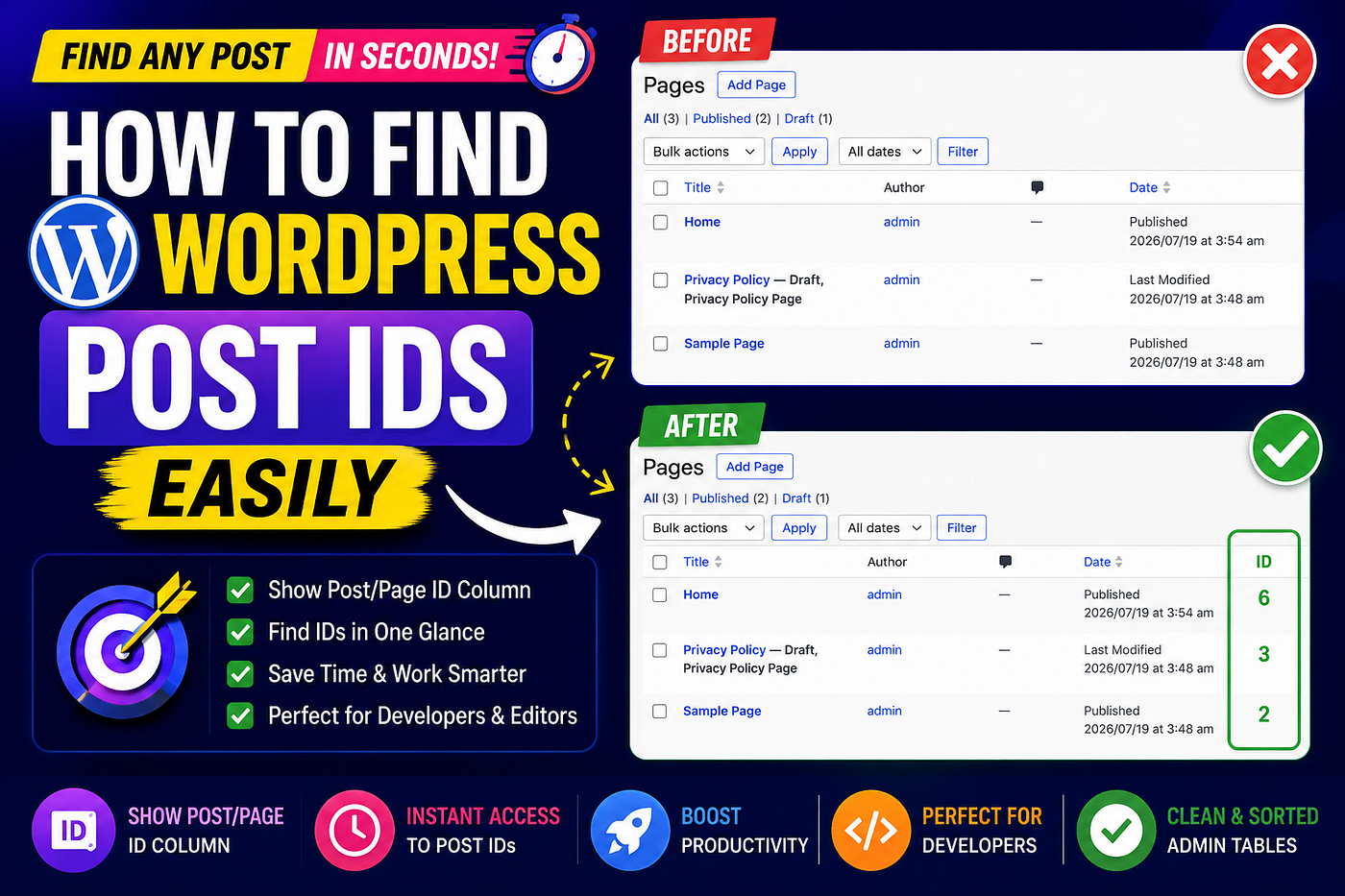
Show post and page IDs in the WordPress admin by enabling Custom Admin Columns in WP Adminify: go to WP Adminify > Productivity, turn on Custom Admin Columns, tick Show Post/Page ID Column, and save, and an ID column appears on the Posts and Pages list screens. WordPress core has never printed the ID in that list even though every row already carries it, because the list table renders each row as <tr id="post-123"> and every Edit link in the row already points at post.php?post=123, so the ID is loaded and printed into the page HTML while the only built-in way to read it is hovering a link and checking the browser status bar one post at a time.
That paragraph is the answer. What follows is the part the how-to posts skip, where the ID actually hides, why yours look random, and the warning that costs people real money.
The workaround everybody teaches is the evidence
Search this topic and every result says the same thing. Hover the Edit link, read the number off the status bar. Or open the post and read it out of the address bar. Fast, muscle memory, fine.
Nobody stops on the obvious implication. If the ID is in the Edit link, the ID is already on the page.
Where it hides
Here is what the list table emits for a single row:
<tr id="post-123"
    class="iedit author-self level-0 post-123 type-page status-publish hentry">
  <td class="title column-title">
    <a href="/wp-admin/post.php?post=123&action=edit">Sample Page</a>
    <div class="row-actions">
      <span class="edit"><a href="/wp-admin/post.php?post=123&action=edit">Edit</a></span>
      <span class="trash"><a href="/wp-admin/post.php?post=123&action=trash">Trash</a></span>
      <span class="view"><a href="/?page_id=123">View</a></span>
    </div>
  </td>
</tr>
The ID is the row’s HTML id. It repeats in the row classes, courtesy of [get_post_class()](https://developer.wordpress.org/reference/functions/get_post_class/). It appears in four URLs. On a twenty row screen, the number you are hunting is printed roughly a hundred times.
The post ID is not missing from your admin list. It is already in every row, in the row id, in the row classes, and in four URLs. WordPress just never prints it where a human can read it.
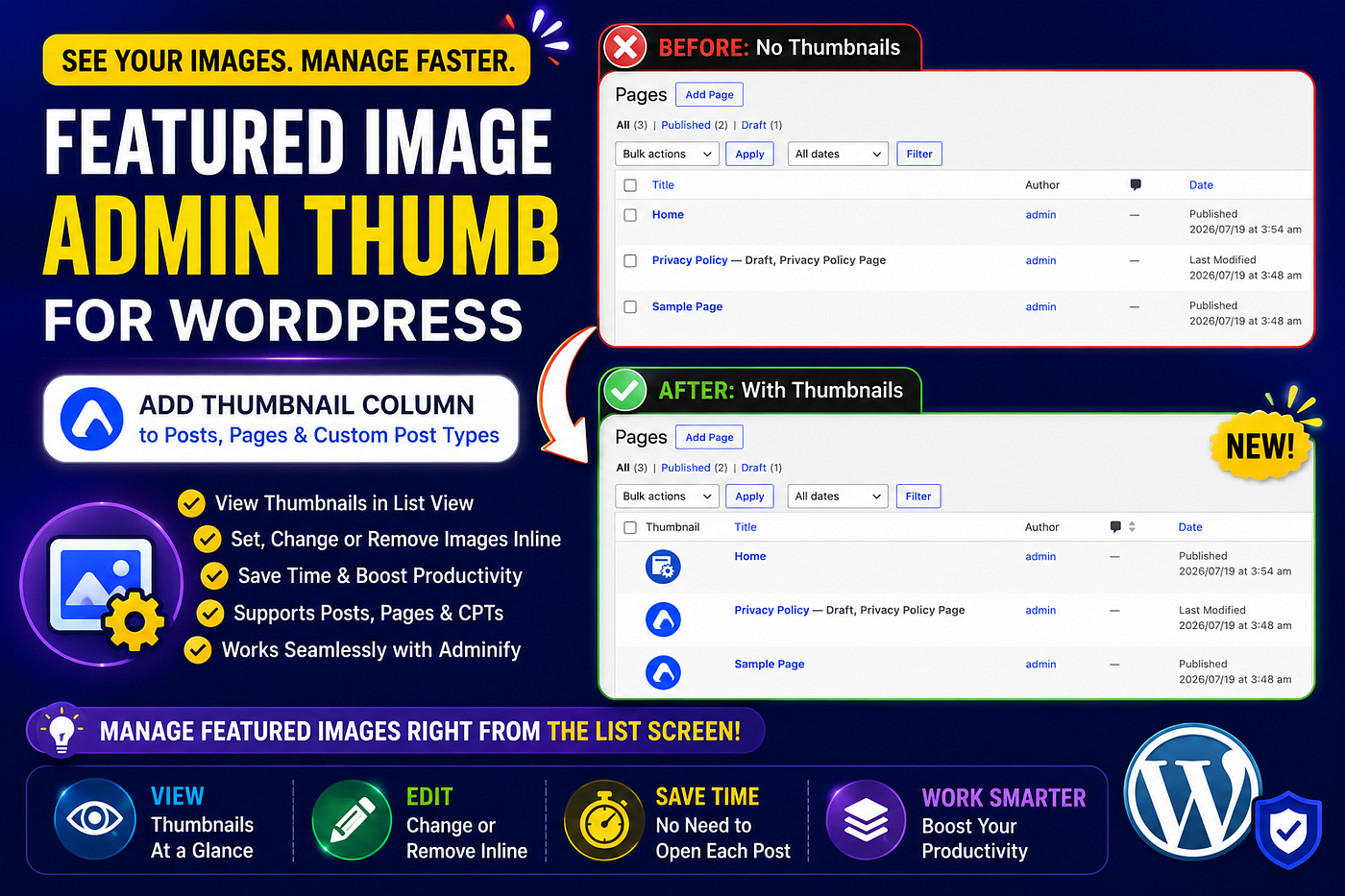
This is worth separating from the other famous admin blind spot, the missing featured image column. That one is a real absence, the featured image is postmeta and the list table does not render postmeta. The post ID is the opposite. It is the primary key of the row the table is already looping over, and it is printed all over the markup. It is present and unreadable, because core treats the ID as a database internal rather than a publishing fact.
Why your IDs look broken
The follow-up question everyone has: why is the third page on a clean install ID 6?
Because wp_posts has one auto_increment primary key and everything shares it. Posts, pages, custom post types, attachments, revisions, autosaves and menu items all draw from the same counter:
ID 1  -> "Hello world!" post
ID 2  -> "Sample Page"
ID 3  -> "Privacy Policy" (auto-draft)
ID 4  -> an autosave / revision
ID 5  -> an uploaded image (attachment)
ID 6  -> "Home"
Which is exactly what a fresh install shows: Home 6, Privacy Policy 3, Sample Page 2. There is no per-post-type sequence, gaps are normal, and no amount of counting rows will get you an ID.
What the blind spot costs
One ID is a five second hover. The pain is bulk. An Elementor loop excluding twelve pages. A gallery shortcode taking a comma-separated list. A [post__in argument](https://developer.wordpress.org/reference/classes/wp_query/) on a template query. A [wp post get 123](https://developer.wordpress.org/cli/commands/post/get/) against a client site. Two pages both called "Home", where the ID is the only unambiguous handle either of you has.
Twelve IDs means twelve hovers and twelve numbers transcribed by hand. And IDs fail in a specific, nasty way: a wrong digit does not error. Exclude 124 instead of 123 and the loop renders happily with the wrong content. Somebody notices three weeks later.
The code route, and its fine print
Adding the column yourself is a filter and an action per screen, using the [manage_{$post_type}_posts_columns](https://developer.wordpress.org/reference/hooks/manage_post_type_posts_columns/) hook:
// functions.php: ID column on posts and pages
add_filter('manage_posts_columns', 'wpa_id_column');
add_filter('manage_pages_columns', 'wpa_id_column');
function wpa_id_column($columns) {
    return array_slice($columns, 0, 1, true)
         + ['wpa_id' => 'ID']
         + array_slice($columns, 1, null, true);
}

add_action('manage_posts_custom_column', 'wpa_id_value', 10, 2);
add_action('manage_pages_custom_column', 'wpa_id_value', 10, 2);
function wpa_id_value($column, $post_id) {
    if ($column === 'wpa_id') {
        echo (int) $post_id;
    }
}
Then the fine print arrives. Posts and pages take separate filter pairs. Every custom post type wants its own. Sorting is a third hook plus a pre_get_posts tweak. The column takes whatever width it likes until you add admin CSS. And it lives in functions.php, which means it dies on theme switch unless you promote it to a must-use plugin.
The checkbox route
I ran this pass with WP Adminify’s Productivity module. One toggle, Custom Admin Columns, one checkbox, Show Post/Page ID Column, save. The Posts and Pages lists show an ID per row.
The same settings panel carries the other list-screen columns people otherwise snippet in one at a time, a Comment ID column that also shows parent ID, a Taxonomy ID column, a URL Path column with per-post-type selection, and a Last Login column for users, all documented on the Custom Admin Columns docs page. If you outgrow fixed checkboxes, the standalone Admin Columns Editor builds columns for arbitrary fields, and the walkthrough on adding an ACF field to an admin column is the worked example for meta. The rundown of necessary admin columns for WordPress is a sane map of which columns earn their width, column customization for any post type covers the CPT side, and the wider Productivity toolset lives in the same place.
The conditions I put on it
An ID column is display, not magic. It does not validate anything and it does not make an ID portable. It costs horizontal space on a screen that is already crowded, and Screen Options is where you claw that back. The docs describe the checkbox as being for “post and page table lists”, so I am not claiming custom post type coverage until it is verified on a real CPT, and the column is not documented as sortable, so treat sorting by ID as unconfirmed.
The warning that matters more than the column
A post ID belongs to a database, not to a site.
Export and re-import the content, rebuild staging from a fresh install, migrate hosts with a content-level tool, and the same page comes back with a different ID. Every template, shortcode, exclude list and option referencing the old number keeps running. Nothing throws an error. The wrong content renders.
So read IDs freely, prefer slugs wherever the API accepts one, and where you do hardcode, put the number in one config constant or option rather than scattering it through templates. Then the fix after a migration is one line instead of a grep across the theme.
Try it right now, before you turn any column on: open your Pages list, right click a row, inspect. Read the tr id. It has been sitting there the whole time.
https://youtube.com/shorts/R0ojOEG9UX4?feature=share
Docs: Show Post/Page ID Column in WP Adminify
Related, and part of the same admin control set: the Admin Columns Editor, the ACF field column walkthrough, the necessary admin columns rundown, column customization for any post type, and the Productivity toolset.
Core references: [WP_Posts_List_Table](https://developer.wordpress.org/reference/classes/wp_posts_list_table/), [manage_{$post_type}_posts_columns](https://developer.wordpress.org/reference/hooks/manage_post_type_posts_columns/), [get_post_class()](https://developer.wordpress.org/reference/functions/get_post_class/), [WP_Query](https://developer.wordpress.org/reference/classes/wp_query/), WP-CLI post get.
메타데이터
- post_id
- 3ceddbd2e6e9
- slug
- your-wordpress-admin-already-knows-every-post-id-it-just-never-tells-you-3ceddbd2e6e9
- url
- https://medium.com/@lucasfenw/your-wordpress-admin-already-knows-every-post-id-it-just-never-tells-you-3ceddbd2e6e9
- canonical_url
- https://medium.com/@lucasfenw/your-wordpress-admin-already-knows-every-post-id-it-just-never-tells-you-3ceddbd2e6e9
- author_url
- https://medium.com/@lucasfenw
- status
- ok
- fetched_at
- 2026-07-22 13:40:40