Still Looking Up Sports Stats by Hand? Get Results in 12 Seconds
Still copying league tables and player achievements off Transfermarkt by hand? Pull league tables, player trophies, and injury lists from…
Still Looking Up Sports Stats by Hand? Get Results in 12 Seconds
Still copying league tables and player achievements off Transfermarkt by hand? Pull league tables, player trophies, and injury lists from any Transfermarkt page in one run. Here’s the exact setup.

The Problem with Manual Transfermarkt Research
If you’ve ever tried to build a proper football dataset from Transfermarkt, you know how the work piles up fast.
One research task turns into:
- Manually copying league standings row by row into a spreadsheet
- Clicking through every player page to record trophy history by season
- Opening injury list pages for each league separately before every match weekend
- Data that’s already a page reload out of date by the time you finish
Premier League standings. Messi’s full trophy list. Two separate pages, thirty minutes of clicking. I knew there had to be a better way.
The Tool That Changed Everything
What if you could paste any Transfermarkt URL and get back clean, structured records?
That’s exactly what the **Transfermarkt Scraper** does.
Paste one URL or fifty. Mix league tables, player achievements, and injury lists in the same run. The actor reads the URL path, picks the right parser automatically, and returns structured JSON records. No configuration per page type. No manual scraping.
Depending on the URL you paste, it returns:
- League tables: position, club, played, won, drawn, lost, goals, points
- Player achievements: competition category and the season the trophy was won
- Injury lists: player name, club, injury type, date since, and expected return date
- Any other Transfermarkt table (transfer history, stats, squad pages) via automatic generic extraction
To test it, I ran the Premier League table and Lionel Messi’s achievements page in one batch.
In 12 seconds, the actor pushed 20 records from both URLs. Every standings row. Every trophy entry. Clean and ready to open in Excel.
Two URLs in. Twenty structured records out. That’s when I stopped copying Transfermarkt data by hand.
The setup process (3 minutes, no code required)

Let’s walk through the setup. No technical skills needed. Three steps and you’re running.
Step 1: Access the scraper
Go to the Transfermarkt Scraper page on Apify and click “Try for free.” The button is right there in the top right corner. You can’t miss it.

The actor page on Apify. Click “Try for free” to open the input form and run your first scrape.
Step 2: Log in to Apify
You’ll need an Apify account. If you don’t have one, there’s a “Sign up” link right on the login screen. I already had an account so I just entered my email and password. The whole login takes about 20 seconds.
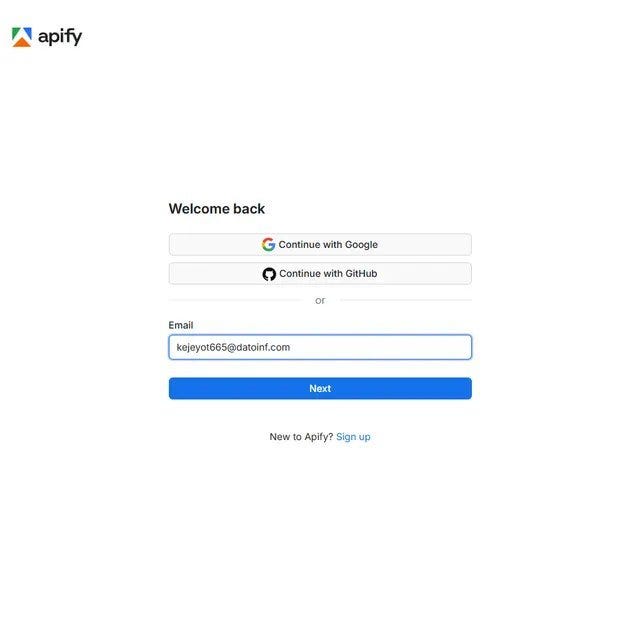
Step 2a: Enter your Apify email. You can also log in with Google or GitHub if that’s faster.
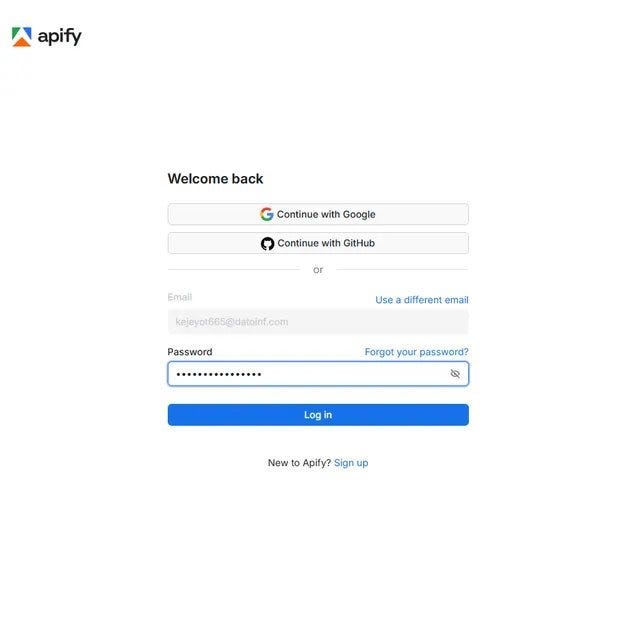
Step 2b: Enter your password and hit Log in. Standard stuff, takes seconds.
Step 3: Paste your Transfermarkt URLs and hit Start
The input form has one main field: Multiple Transfermarkt URLs. Paste any Transfermarkt URL here. League table, player achievements page, injury list, transfer history: it doesn’t matter. Use the “+ Add” button to add more URLs and run them all in one go.
I used the Premier League table URL and Messi’s achievements URL. Max items controls how many total records to collect across all URLs. I left it at 20 for this test. Delay between requests defaults to 1000ms, which is a safe rate for avoiding blocks.
Click the green Start button at the bottom left. The red arrow in the screenshot points right to it.

Step 3: Paste your Transfermarkt URLs into the highlighted field. Add as many as you need. Hit Start. That’s the full setup.
What happens when it runs
The Log tab shows the actor working in real time. You can see it identifying each URL by type, fetching the page through a residential proxy, and pushing records to the dataset as they come in.
My test processed URL 1 as league_table and pushed 20 records from the Premier League standings. Then it moved to URL 2, identified it as achievements, found 27 achievement entries for Messi, and stopped at the maxItems limit. Total: 20 records in 12 seconds.

The run log in real time. Each line shows the actor identifying the page type, fetching via proxy, and pushing records. 2 URLs, 12 seconds, clean exit.
The Part That Impressed Me Most
Speed is nice.
The automatic page type detection is even better.
When the run finished, records from both URLs came back in the same dataset, already differentiated by what they contain:
- League table rows have
position,club,played,won,drawn,lost,goals,points - Achievement rows have
category(e.g. "Champions League") andachievement(the winning season) - Every record has a
sourceUrlso you always know which URL it came from - Every record has a
scrapedAttimestamp for versioning and freshness tracking
No cleanup. No post-processing to figure out which row came from which page.
Just a dataset ready to open in Excel or pipe straight into a dashboard.
What used to take thirty minutes of clicking and copying now takes 12 seconds. The automatic URL type detection was what sold me.
Before vs. After Using the Scraper
Manual Research
- ⏱️ 15 to 30 minutes per Transfermarkt page
- 📦 One page at a time, one tab at a time
- ⚠️ Trophy seasons and injury return dates often missed
- ⚽ Re-doing the same league table every match week
Using the Scraper
- ⚡ 12 seconds for 2 URLs and 20 records
- 📦 Mix any page types in one batch run
- ✅ League tables, trophies, and injuries all structured the same way
- ⚽ Schedule runs before every match week automatically
The difference is simple: more pages, more data types, and zero manual copying.
Getting your data out
When the run finishes, click Storage in the top nav. The Dataset tab shows your item count and file size. My 20-record test was tiny at 896 bytes. Pick your format (JSON, CSV, Excel, JSONL, or HTML Table) and hit Download.
For league standings analysis or injury tracking, CSV opens directly in Google Sheets. For dashboards or pipelines, JSON keeps the structure clean. The Dataset ID also lets you pull data via the Apify API or push results to Google Sheets through Apify integrations automatically after each run.

The Storage tab after a completed run. 20 items. One click to download in JSON, CSV, XML, or Excel. Use the Dataset ID to pull data via the API or push to Google Sheets after every scheduled run.
Who Needs This?

Still copying Transfermarkt data into spreadsheets before match weekends?
Then you’re probably the right audience for this.
The Transfermarkt Scraper is useful for:
- ⚽ Football analysts tracking league table movement across Arsenal, Chelsea, and Liverpool over multiple seasons
- 📰 Sports journalists pulling injury lists for Premier League, Bundesliga, or La Liga before writing match previews
- 🎮 Fantasy football managers checking expected return dates across every club before their deadline
- 🔭 Scouts building trophy histories for players like Messi, Mbappe, or Ronaldo side by side
What Could You Build With This?

Automate the scraping and a lot becomes possible.
⚽ Live League Table Dashboard Schedule runs every weekend after matches finish for the Premier League, Bundesliga, La Liga, and Serie A. Push results to a Google Sheet that auto-updates a standings chart. Football fans and analysts get a live cross-league view without opening four browser tabs.
🚑 Pre-Match Injury Briefing Tool
Run injury list URLs for all top leagues every Friday. Pipe the expectedReturn field into an email digest sent to a subscriber list. Fantasy football players pay for exactly this kind of pre-deadline injury intel. Arsenal, Chelsea, Man United, Liverpool squad updates in one place.
🏆 Player Trophy Comparison Tool Pull the achievements URL for 10 to 20 players. Build a comparison table showing trophies by competition. Users can filter by Champions League wins, La Liga titles, or World Cup entries. The kind of “who has more trophies” debate content that gets serious engagement from football communities.
Ready to pull Transfermarkt football data at scale?
**Try the Transfermarkt Scraper on Apify**
No infrastructure. No maintenance. Just run it and get your data.
Final thoughts
I’m not trying to sell you anything. I’m just sharing what worked after too many Friday nights copying Premier League injury lists by hand before a fantasy football deadline.
The Transfermarkt Scraper took three minutes to set up and replaced a routine I was doing every single match week. The automatic page type detection and the sourceUrl field on every record are things I would have had to build myself. And it runs the same way every time.
Have you tried automating football data research? Leave a comment. I’m always looking for better methods.
메타데이터
- post_id
- 3d334f8ec2b3
- slug
- still-looking-up-sports-stats-by-hand-get-results-in-12-seconds-3d334f8ec2b3
- url
- https://medium.com/@bigiByte/still-looking-up-sports-stats-by-hand-get-results-in-12-seconds-3d334f8ec2b3
- canonical_url
- https://medium.com/@bigiByte/still-looking-up-sports-stats-by-hand-get-results-in-12-seconds-3d334f8ec2b3
- author_url
- https://medium.com/@bigiByte
- status
- ok
- fetched_at
- 2026-06-17 10:49:34