How to Secure Docker Images (Production Guide)
1. Introduction
How to Secure Docker Images (Production Guide)
1. Introduction
Docker images are the foundation of containerized applications. If an image is insecure, every container built from it becomes vulnerable.
Securing Docker images is a critical part of DevOps and production-grade deployment. The goal is to reduce vulnerabilities, minimize attack surface, and ensure only trusted and verified software runs in containers.
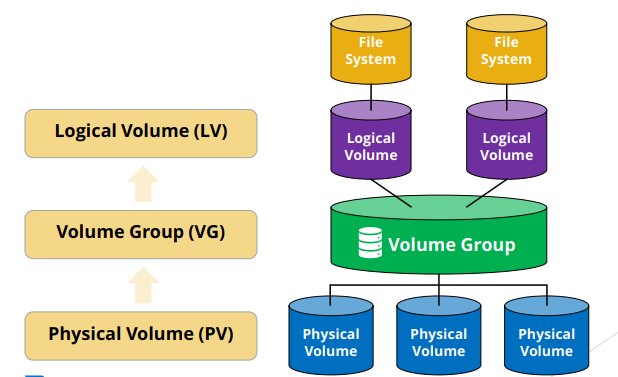
Docker Image Security Architecture

2. Use Minimal Base Images
Always start with lightweight base images to reduce attack surface.
Preferred base images:
- alpine
- python:slim
- node:alpine
Example:
FROM python:3.12-slimSmaller images reduce:
- Vulnerability exposure
- Package footprint
- Build complexity
3. Avoid Running Containers as Root
Running as root increases risk if the container is compromised.
Example:
FROM python:3.12-slimWORKDIR /appRUN useradd -m appuser
USER appuserCOPY . .
CMD ["python", "app.py"]This limits system-level access inside the container.
4. Scan Images for Vulnerabilities
Always scan images before deploying to production.
Common tools:
- Trivy
- Snyk
- Docker Scout
- Clair
Example:
trivy image my-app:latestThis detects:
- Known CVEs
- Outdated dependencies
- Security misconfigurations
5. Use Trusted Base Images
Only use official or verified images.
Preferred:
- Official Docker Hub images
- Verified publisher images
Avoid:
- Unknown community images
- Unmaintained repositories
6. Reduce Image Layers
Each layer increases complexity and attack surface.
Bad:
RUN apt-get update
RUN apt-get install -y curl
Better:
RUN apt-get update && apt-get install -y curl && rm -rf /var/lib/apt/lists/*7. Never Store Secrets in Images
Do not hardcode sensitive data.
Bad:
ENV SECRET_KEY=123456Better alternatives:
- Environment variables
- Docker secrets
- Vault systems (AWS Secrets Manager, HashiCorp Vault)
8. Use Multi-Stage Builds
Multi-stage builds reduce final image size and remove build dependencies.
Example:
FROM node:20 AS builder
WORKDIR /app
COPY . .
RUN npm install && npm run build
FROM nginx:alpine
COPY --from=builder /app/dist /usr/share/nginx/htmlOnly production artifacts remain in the final image.
9. Keep Images Updated
Outdated images contain known vulnerabilities.
Best practice:
docker pull python:3.12-slim
docker build --no-cache .
Regular updates reduce exposure to security issues.
10. Use Read-Only Containers
Restrict write access inside containers.
docker run --read-only my-appThis prevents runtime file modification attacks.
11. Limit Container Capabilities
Reduce Linux privileges:
docker run --cap-drop ALL --cap-add NET_BIND_SERVICE my-appThis enforces least privilege principles.
12. Use Image Signing
Ensure image authenticity using Docker Content Trust.
export DOCKER_CONTENT_TRUST=1Signed images prevent tampering in supply chains.
13. Use .dockerignore File
Exclude unnecessary files from images:
.git
.env
node_modules
__pycache__
This reduces image size and prevents sensitive data leakage.
14. Run Security Benchmarks
Use Docker Bench Security to audit configuration:
docker run --net host --pid host --cap-add audit_control \\
  docker/docker-bench-security
15. Conclusion
Securing Docker images requires a combination of good practices, automation, and continuous monitoring.
Core principles:
- Use minimal images
- Avoid root users
- Scan for vulnerabilities
- Never store secrets in images
- Use multi-stage builds
- Keep images updated
- Apply least privilege principles
A secure Docker image reduces risk and ensures stable production systems.
메타데이터
- post_id
- 3da7da5e90e0
- slug
- how-to-secure-docker-images-production-guide-3da7da5e90e0
- url
- https://medium.com/@ygce108/how-to-secure-docker-images-production-guide-3da7da5e90e0
- canonical_url
- https://medium.com/@ygce108/how-to-secure-docker-images-production-guide-3da7da5e90e0
- author_url
- https://medium.com/@ygce108
- status
- ok
- fetched_at
- 2026-06-21 07:44:09