From REST APIs to MCP Tools Governed, Secured and Cost-Effective
Introduction
From REST APIs to MCP Tools Governed, Secured and Cost-Effective
Introduction
Making ours REST APIs AI Agent-ready requires security, governance and managing the costs.
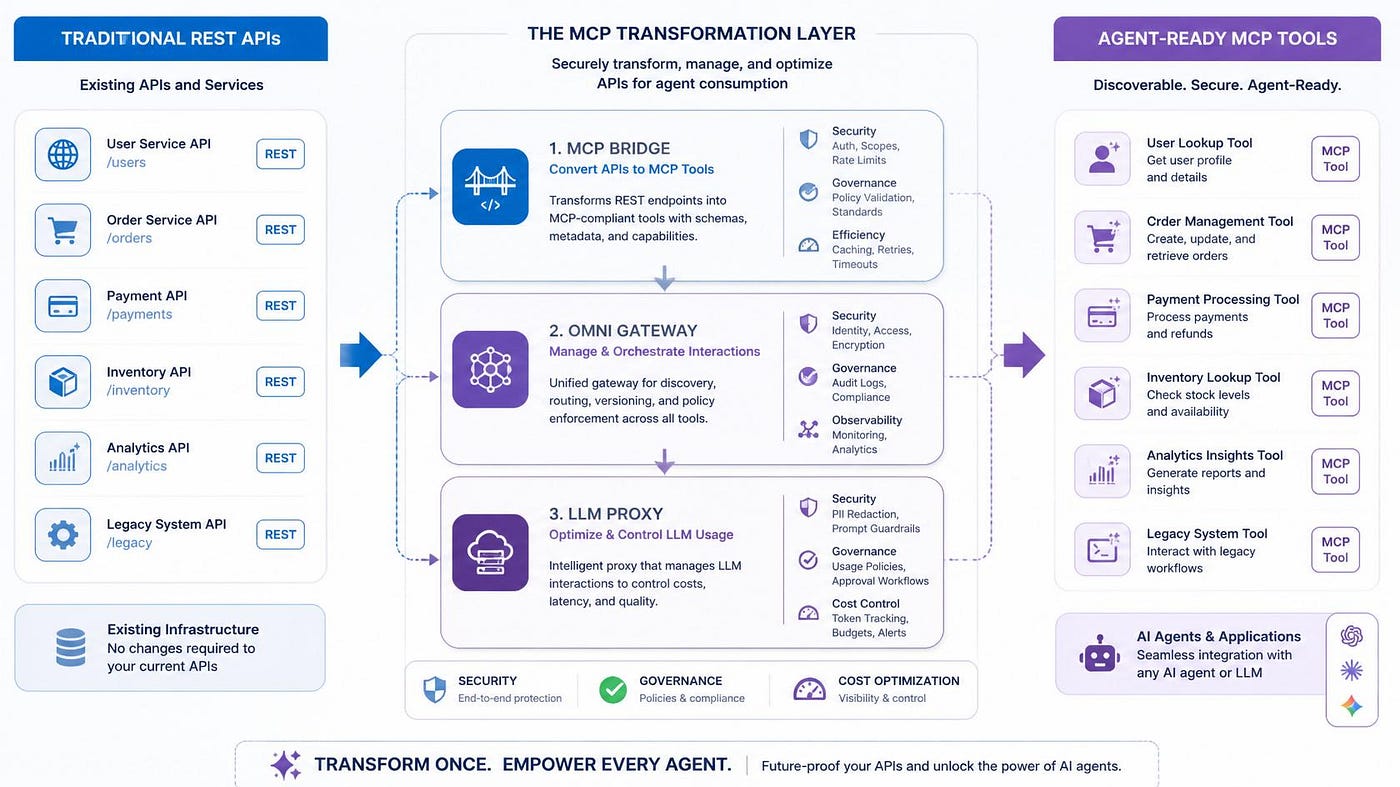
In this article we are going to show the practical steps to turn your REST APIs to be Agent-ready readable in a secure, governed, and cost control way with the help of
- MCP Bridge: MCP Bridge provides a convenient, guided way to expose existing APIs to agents without having to rewrite services or compromise governance
- Omni Gateway: Omni Gateway is the MuleSoft’s enterprise gateway for the agent era, managing every API, LLM, and agent interaction from one place, on any gateway you already use
- LLM Proxy: LLM Proxy provides a unified access layer for multiple Large Language Model (LLM) providers ensuring token tracking usage and optimizing the costs
Before to proceed to show the practical steps to migrate the REST APIs to MCP Tools, we are going to understand
- the differences between REST API vs Agent-ready API
- why we need the MCP (Model Context Protocol) standard for this migration
- MCP Bridge
- MuleSoft Omni Gateway
- LLM Proxy
REST API vs Agent-ready API
REST API
- Consumed by users or systems
- Deterministic and linear execution flow
- Documentation designed for human learning
- Error messages with standard codes
- Detailed response payloads
Agent-ready API
- Consumed by AI Agents or LLM Models
- Dynamic and probabilistic execution flow
- Machine-readable documentation
- Descriptive error messages
- Minimal payload to avoid token consumption
Differences
REST API ≠ Agent-ready API and the former are AI-ready but cannot be used directly by agents.
So, the challenge is to maintain the security, governance and controlling the costs.
REST API to MCP (Model Context Protocol)
Agents cannot execute business processes based solely on user input. This requires secure and controlled access to enterprise systems. MCP defines the standard for agent-to-agent communication and MuleSoft applies the same principles of API-led connectivity to the agentic era.
MCP Architecture and Components
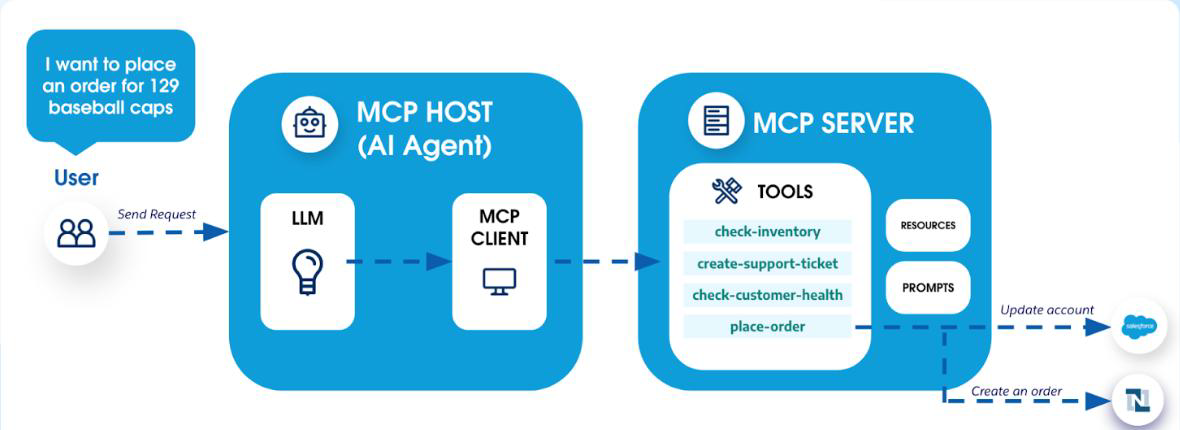
- Host: where the AI agent operates
- Client: integrated into the AI application and which communicates with the Server
- Server: exposes data and functions securely and responds to Clients
- Tool: function exposed on the server that clients can discover and execute
In this architecture
- User ask to an agent to place an order for 129 baseball caps
- The request goes to the MCP Host’s LLM, which interprets intent and required parameters
- The LLM invokes the MCP Client, packaging the action name and arguments
- MCP Client calls the MCP Server, specifying which “tool” to run (place-order in this case)
- MCP Server call the required APIs to achieve the request (Update account and Create an order in this case)
MuleSoft MCP Bridge
MCP Bridge provides a convenient, guided way to expose existing APIs to agents without having to rewrite services or compromise governance. This is all done through guided steps within API Manager, which configures instance data and policies.
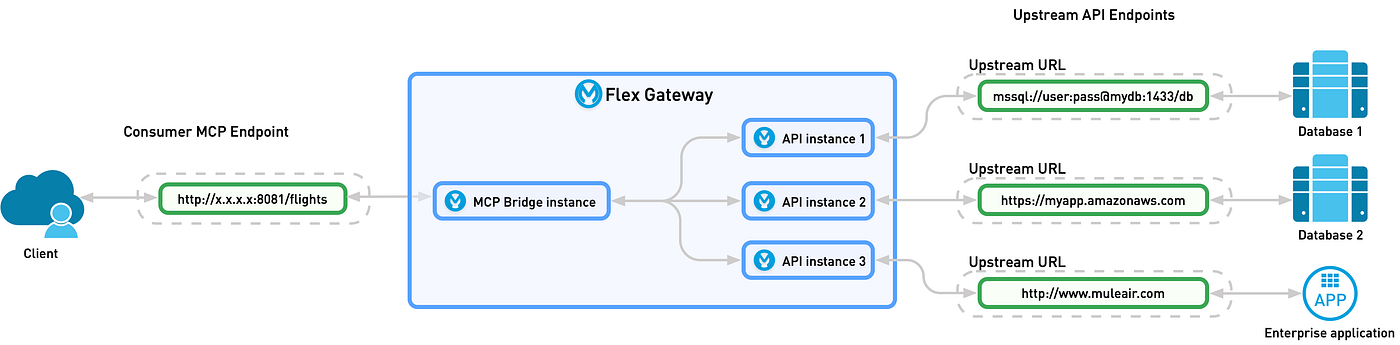
In this Architecture
- The client sends an HTTP request to the Consumer MCP Endpoint (e.g. GET http://x.x.x.x:8081/flights)
- The request enters the Flex Gateway (now Omni Gateway), landing on the MCP Bridge instance
- The MCP Bridge routes (and load-balances) the call to one of its internal API instances: — API instance 1 — API instance 2 — API instance 3
- Each API instance is configured with a distinct upstream URL and target system: — Instance 1 → mssql://user:pass@mydb:1433/db → Database 1 — Instance 2 → https://myapp.amazonaws.com → Database 2 — Instance 3 → http://www.muliair.com → Enterprise application
- The chosen API instance invokes its upstream endpoint, which processes the query in the backend (database or enterprise app)
- The backend returns a response to the same API instance
- The response then flows back through the MCP Bridge and Flex Gateway to the original client
- In this way the Flex Gateway (via the MCP Bridge) acts as a single entry point, dynamically dispatching requests to multiple upstream systems.
MuleSoft Omni Gateway
Omni Gateway is the MuleSoft’s enterprise gateway for the agentic era. It manages every API, LLM, and agent interaction from a single location, on any gateway you already use.
How does Omni Gateway make existing APIs accessible to AI agents?
With automated MCP conversion, REST, gRPC, GraphQL, and WebSocket APIs become governed and agent-ready in minutes.
How does Omni Gateway manage the cost and security of LLM interactions?
Token consumption, cost control, content security measures, LLM routing, and vector database query management all reside in a single, shared policy layer.
Transform REST API to Agent-ready API with MCP Bridge
Setup Omni Gateway
The first step is to setup the Omni Gateway (Managed or Self-Managed based on own use case). In this article we are going to use the Managed one.
From Runtime Manager, click on the Omni Gateway from the left menu and then click on “Add Managed Omni Gateway”.
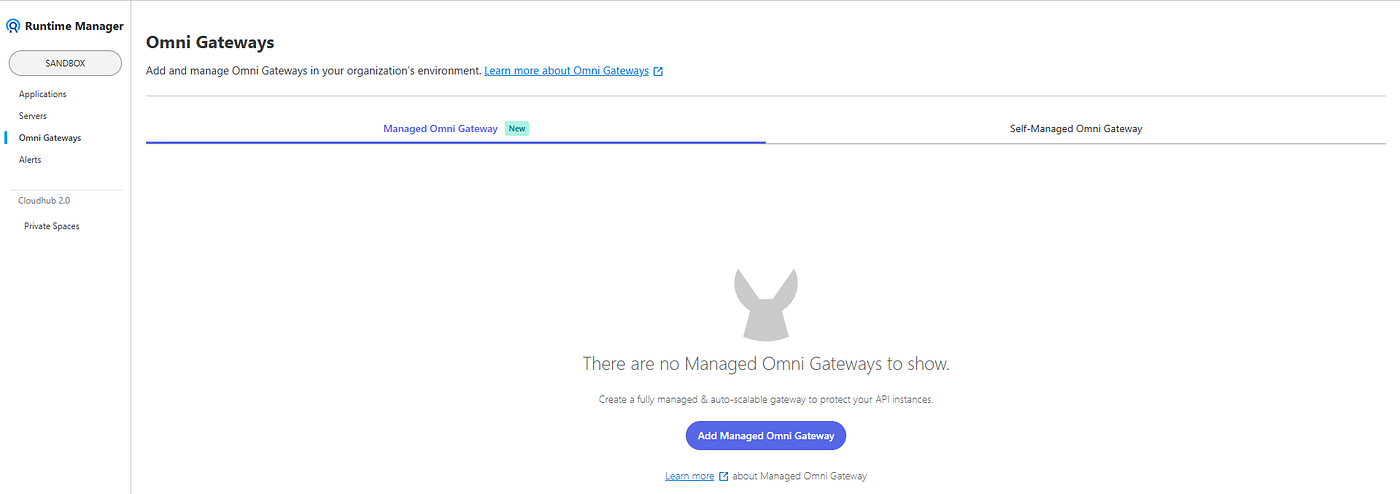
Once clicked, MuleSoft show the following page asking to enter a name for the Gateway and the type.
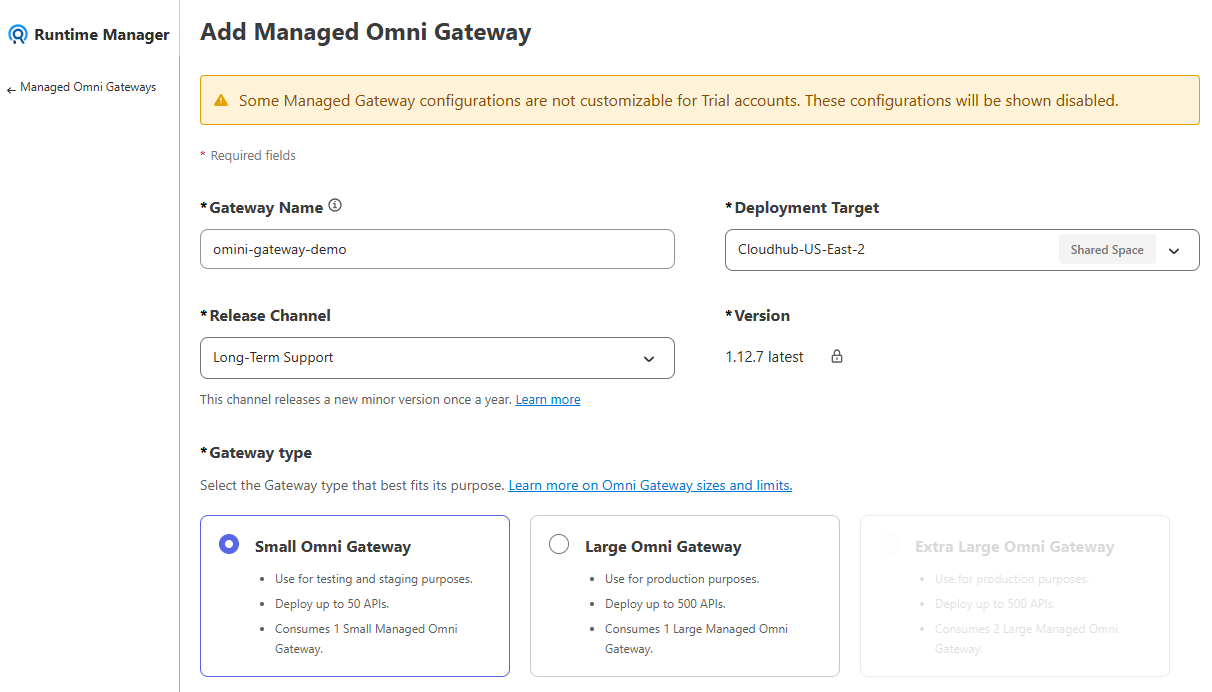
Now we can click to “Save & deploy”
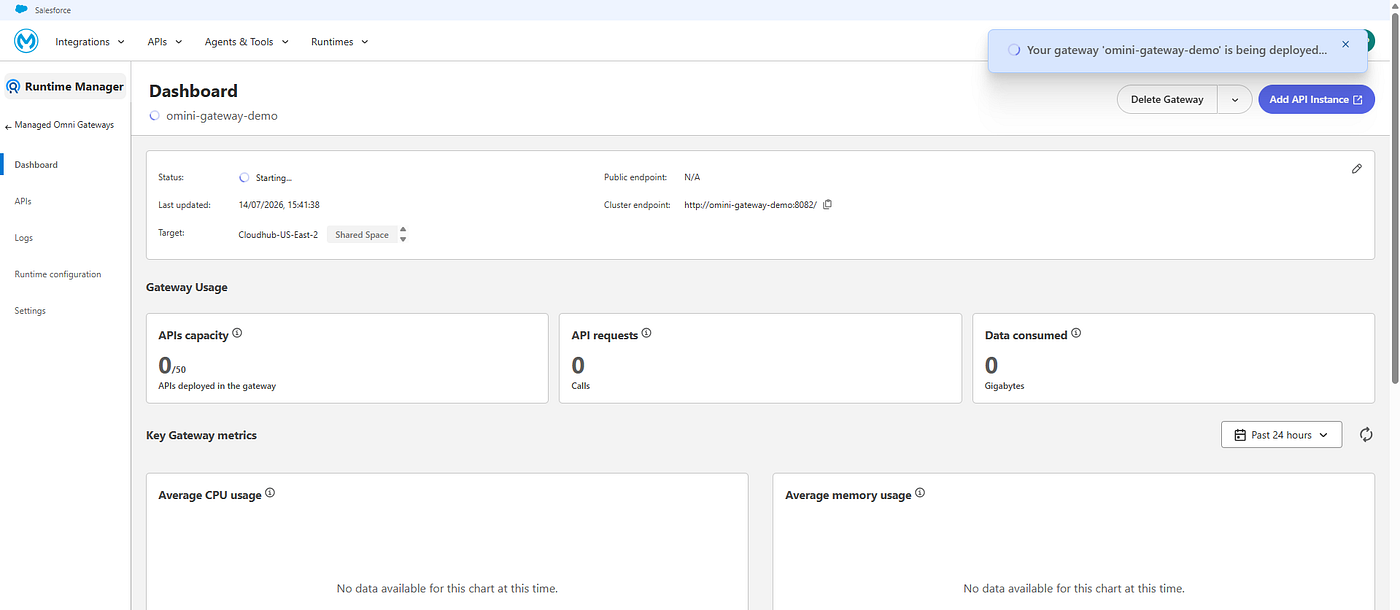
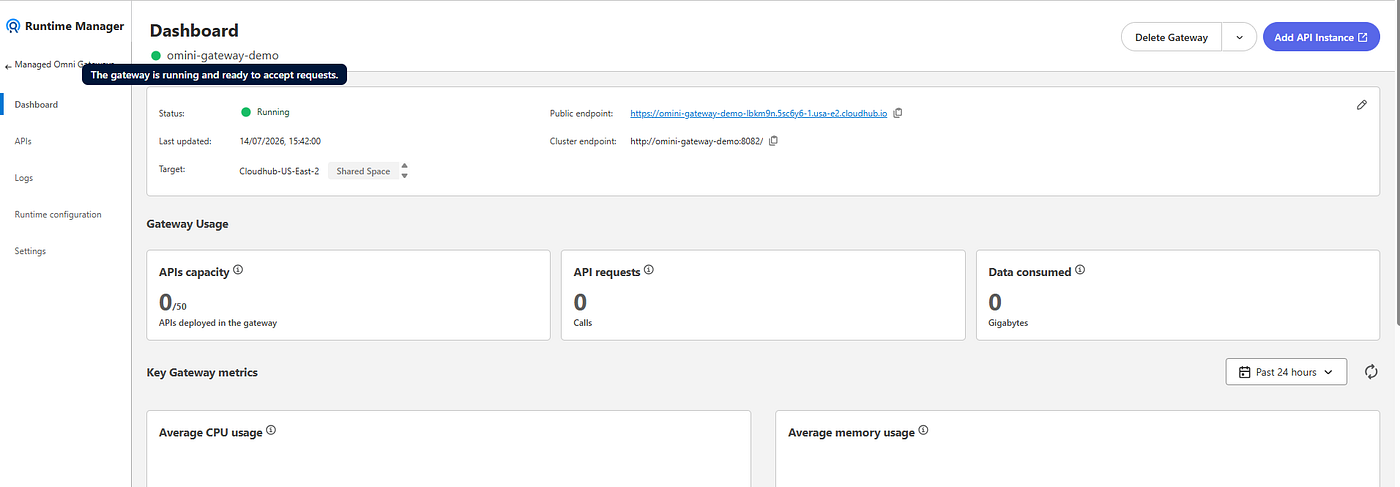
Once deployed successfull, we have the following
MCP Bridge
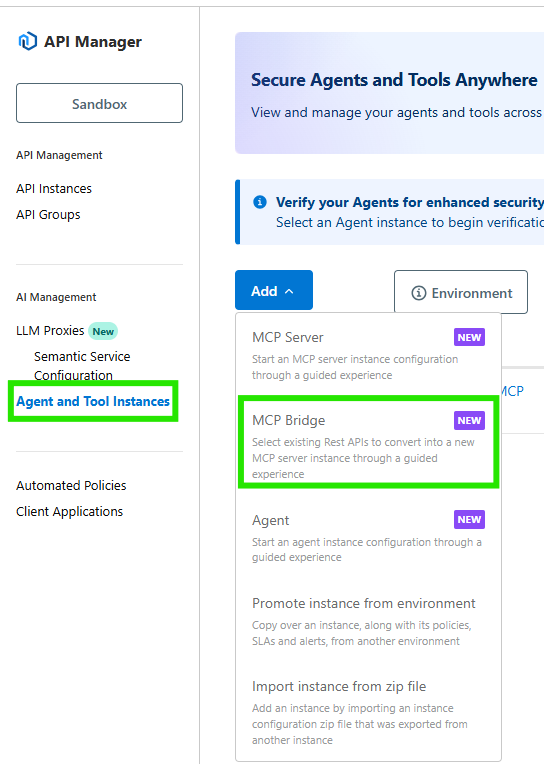
The setup starts from API Manager under “Agent and Tool Instances” menu
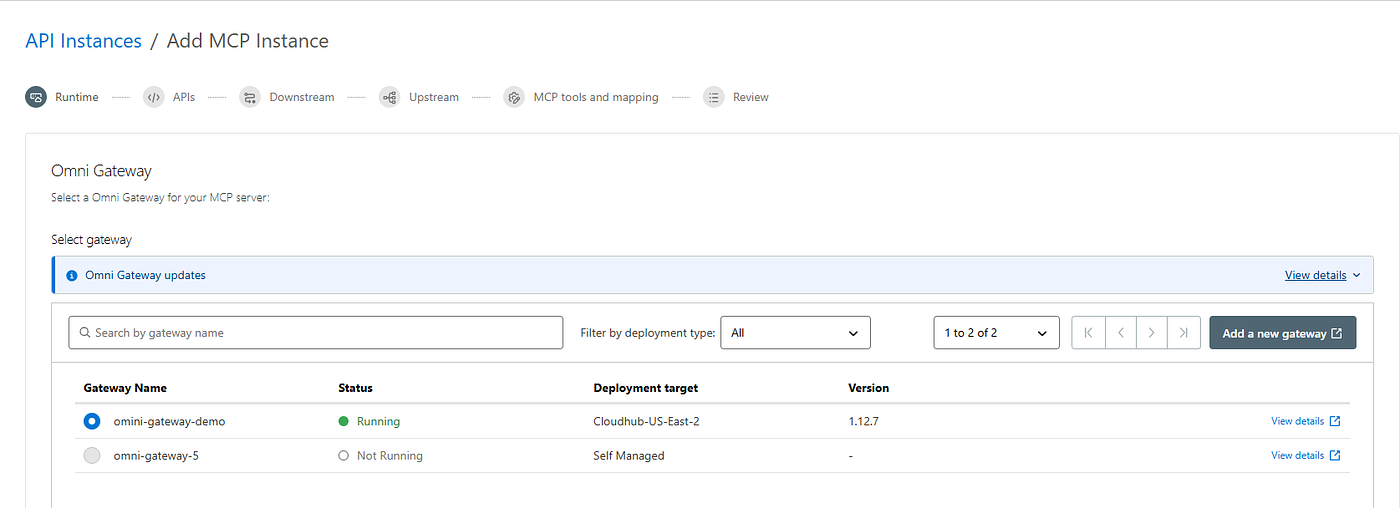
Now we have to choose the target gateway
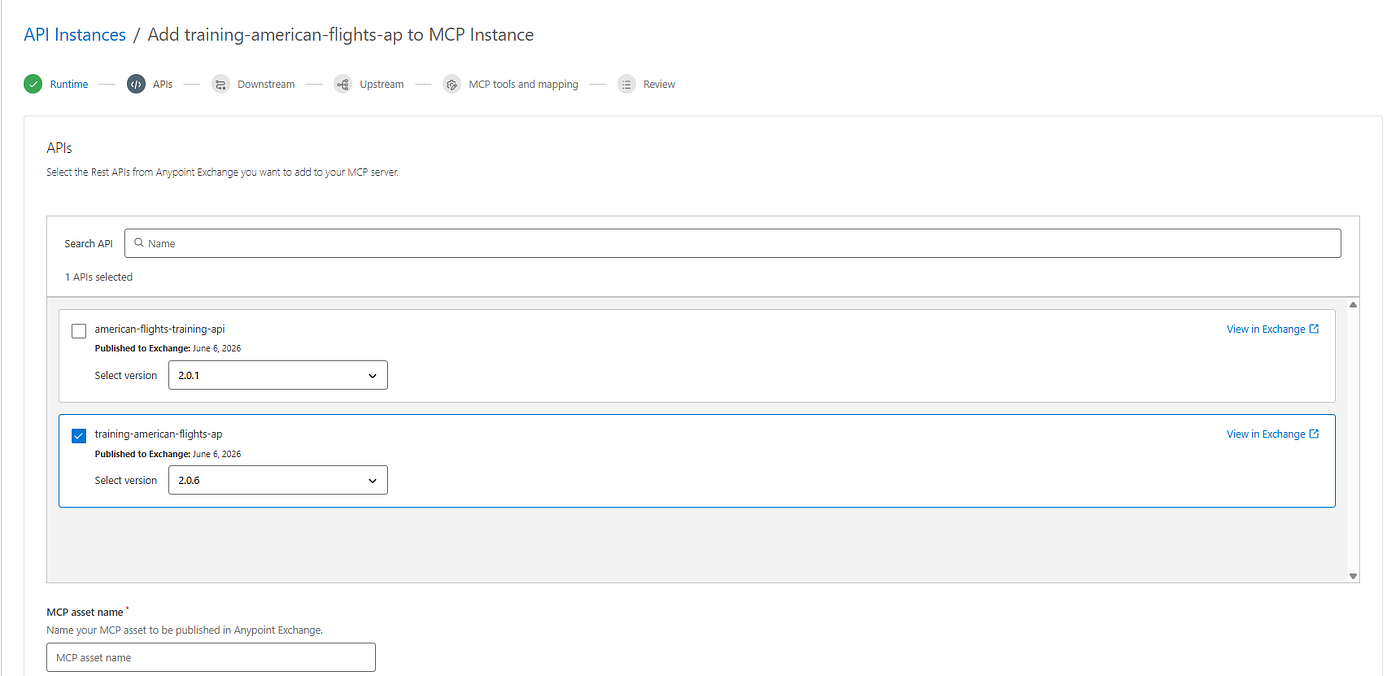
Select the APIs to associate to this Gateway and provide the MCP asset name
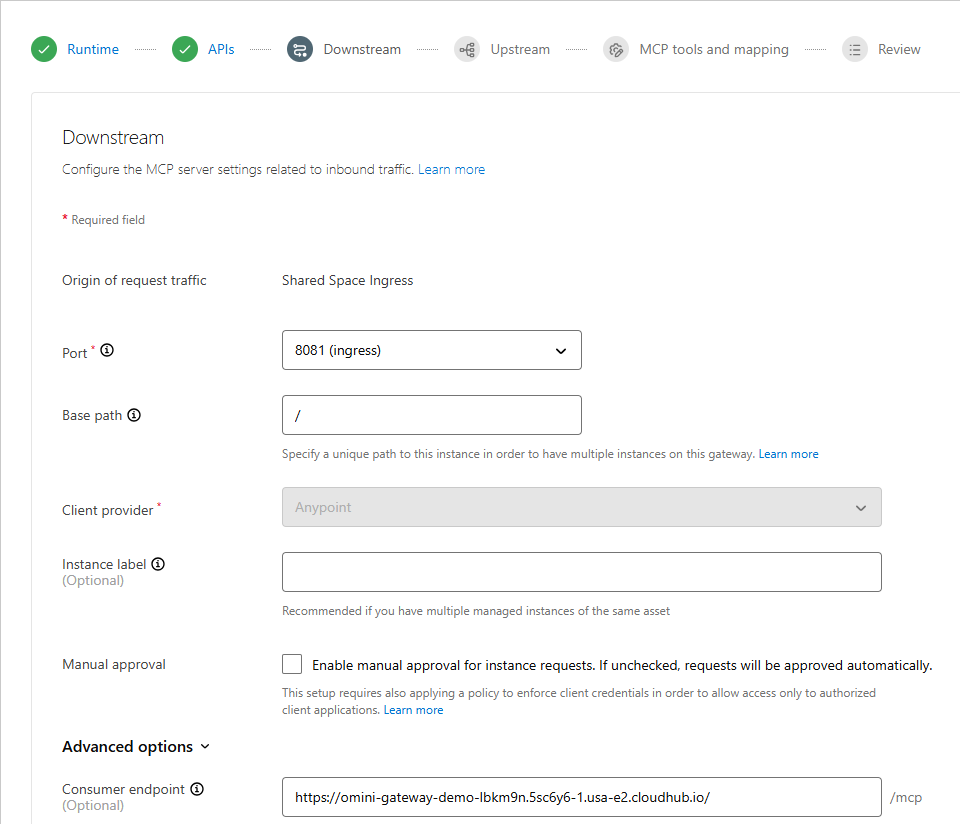
On the next wizard step, it propose the Downstream configuration and we need to specify a unique base path (do not leave as ‘/’ as then will go in conflict when you are going to setup the LLM Proxy)
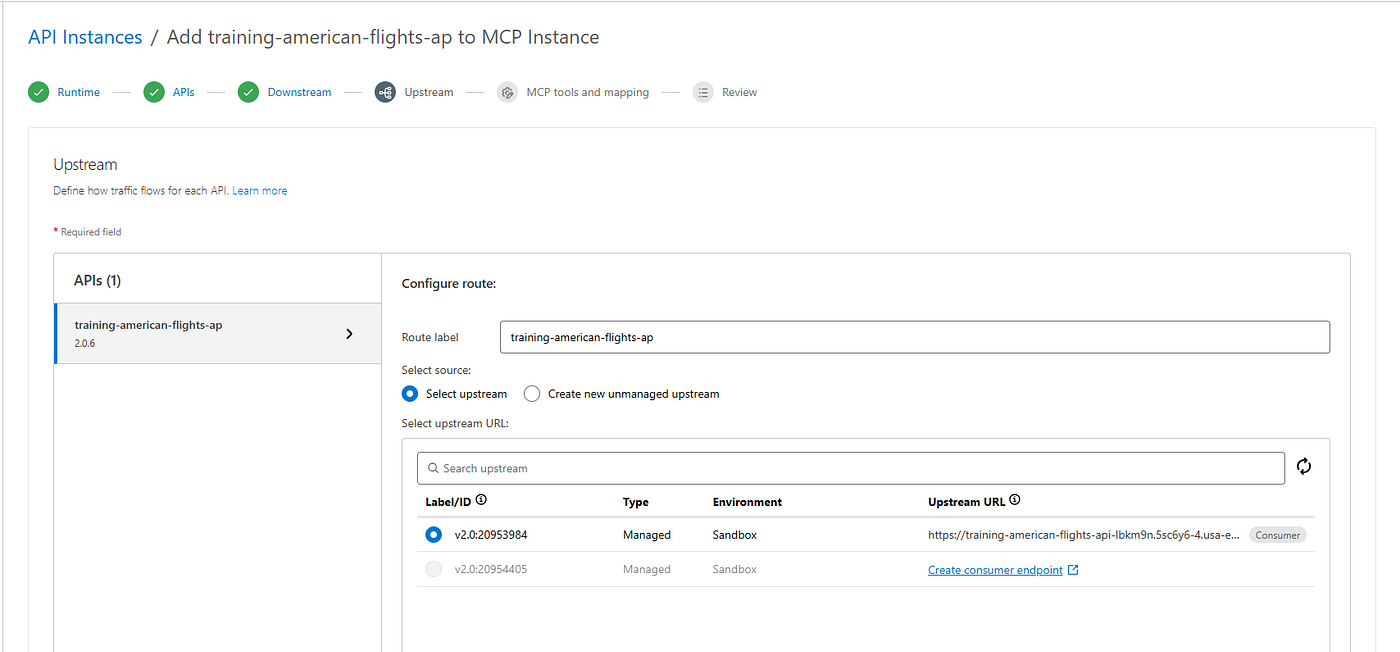
Next is the times for the Upstream configuration where we have to choose the version for each APIs we chosen on first step.
The next step is the MCP tools and mapping configuration where we can choose which tool expose.
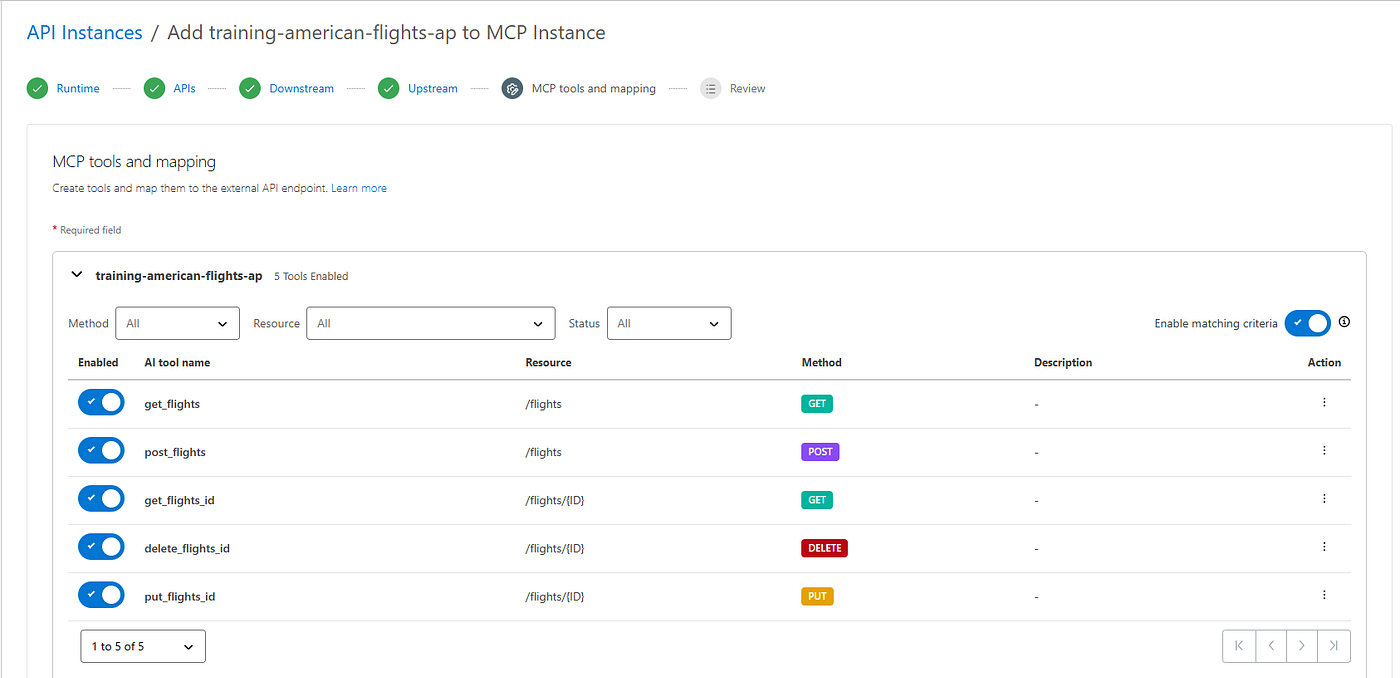
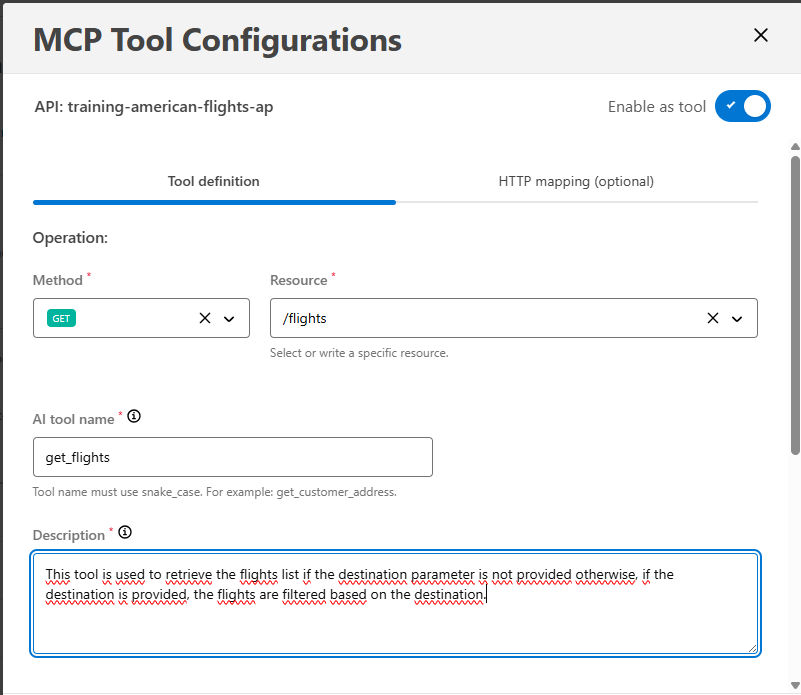
For each one we have to provide a tool description that there will be the one used from the LLM to interpret the user request. To do the we have to click on specific tool vertical three dots and then click “Edit”

The wizard will show the “MCP Tool Configurations” and the textarea field where add the tool description.
When added the description for all, we can go ahead and review all the configuration added
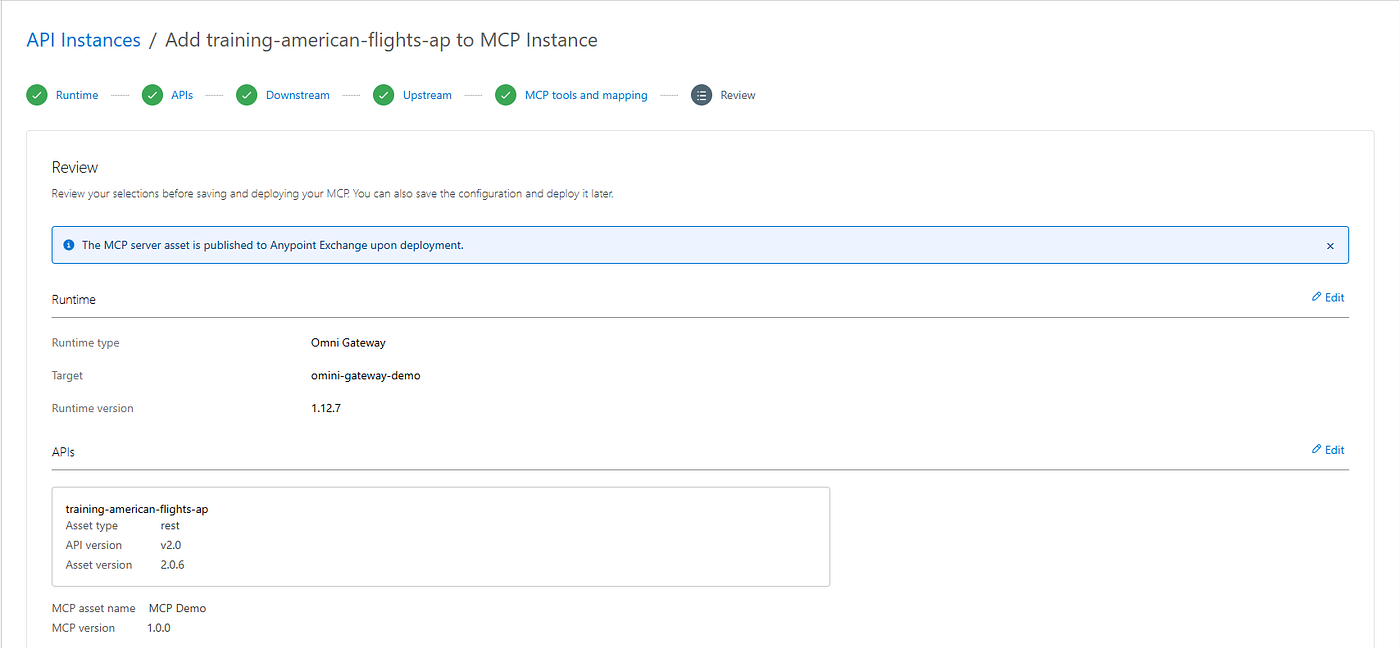
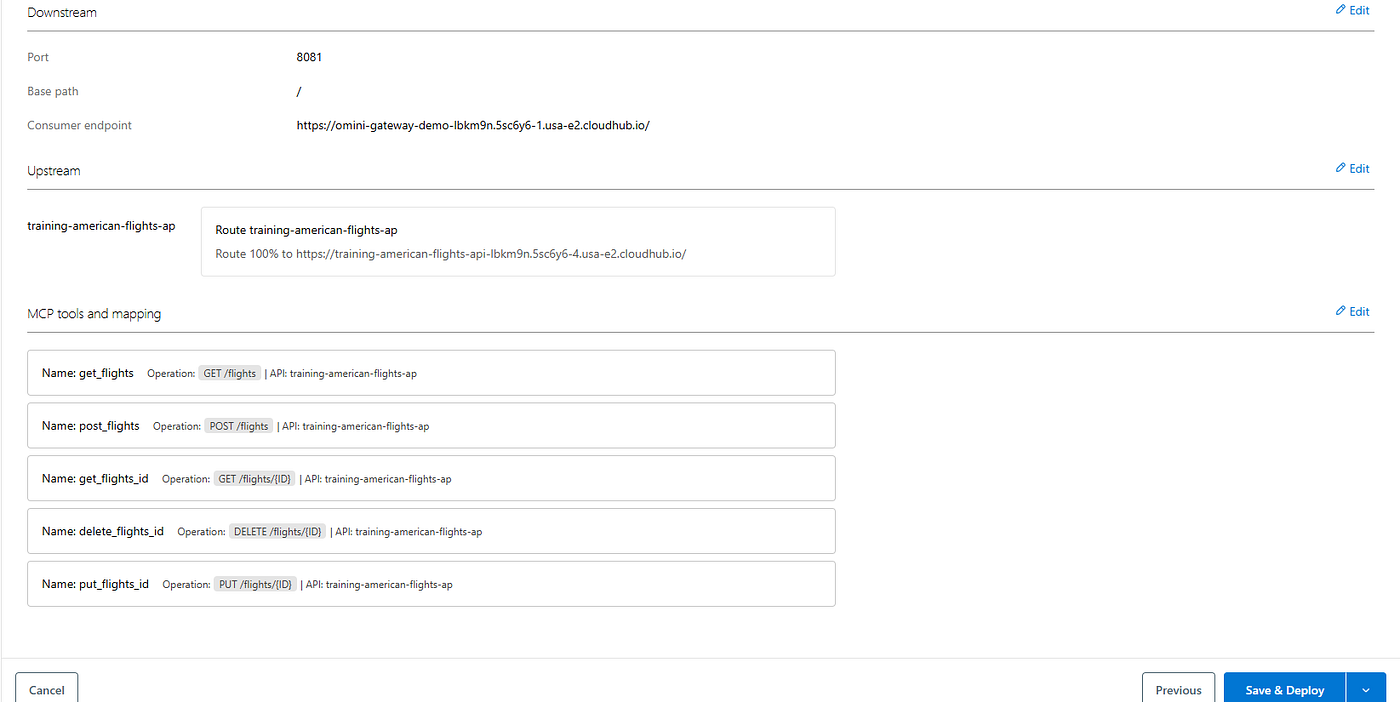
Finally we are ready to “Save & Deploy” the MCP Instance.
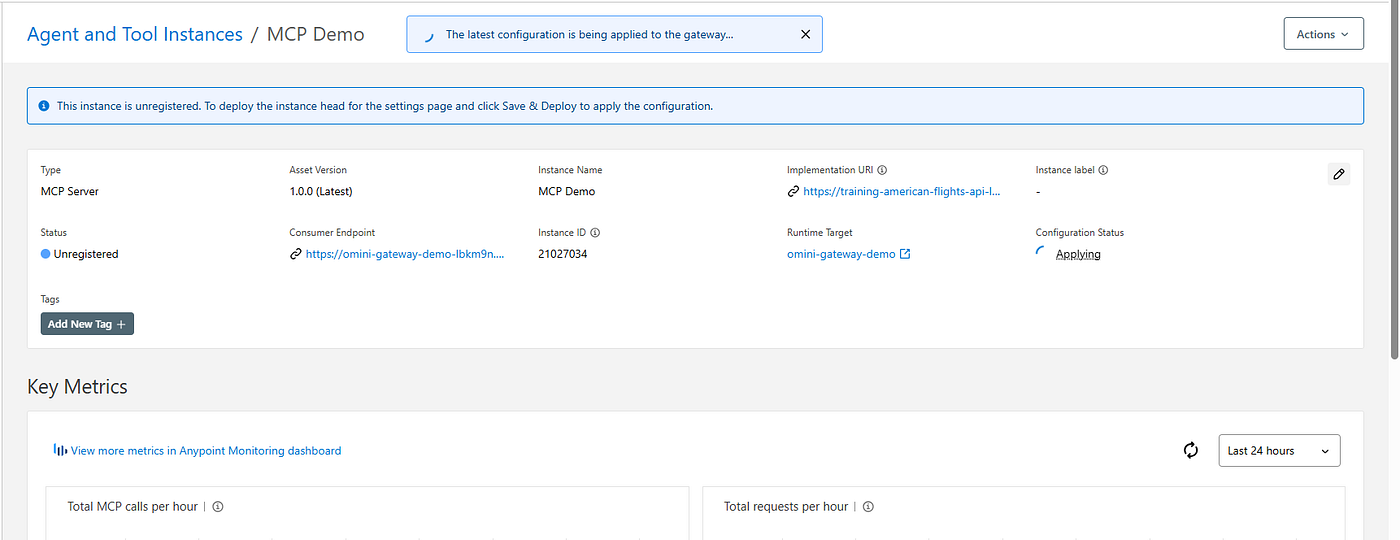
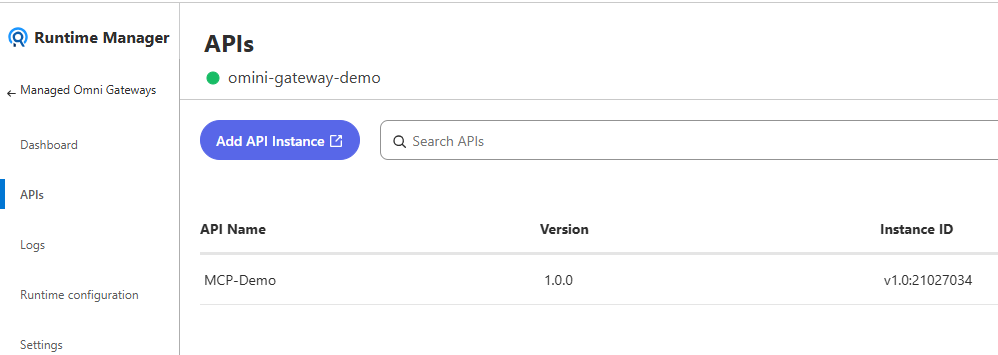
If all went fine, we will see the MCP Instance “Active”

and will be associated to the related Omni Gateway
Policies
Once the MCP Instance is ready, by defualt are applied the following Inbound and Outbound policies.
Inbound:
- MCP Support → Adds MCP support to an Omni Gateway MCP server instance. This policy is required for the MCP server instance to function properly
- MCP Schema Validation → Validates MCP requests to ensure they comply with MCP specifications
- MCP Transcoding Router → Translates standard HTTP responses from existing backend REST APIs into the structured Model Context Protocol (MCP) formats expected by AI agents
Outbound
- MCP Transcoding → It takes the standard HTTP response returned by the downstream API. It reformats it into a valid MCP-compliant tool result before sending it back to the LLM
As this MCP Instance is reachable from Internet is better to add further access protection as adding the “Client ID Enforcement” policies to restrict the access to specific clients.
Exchange
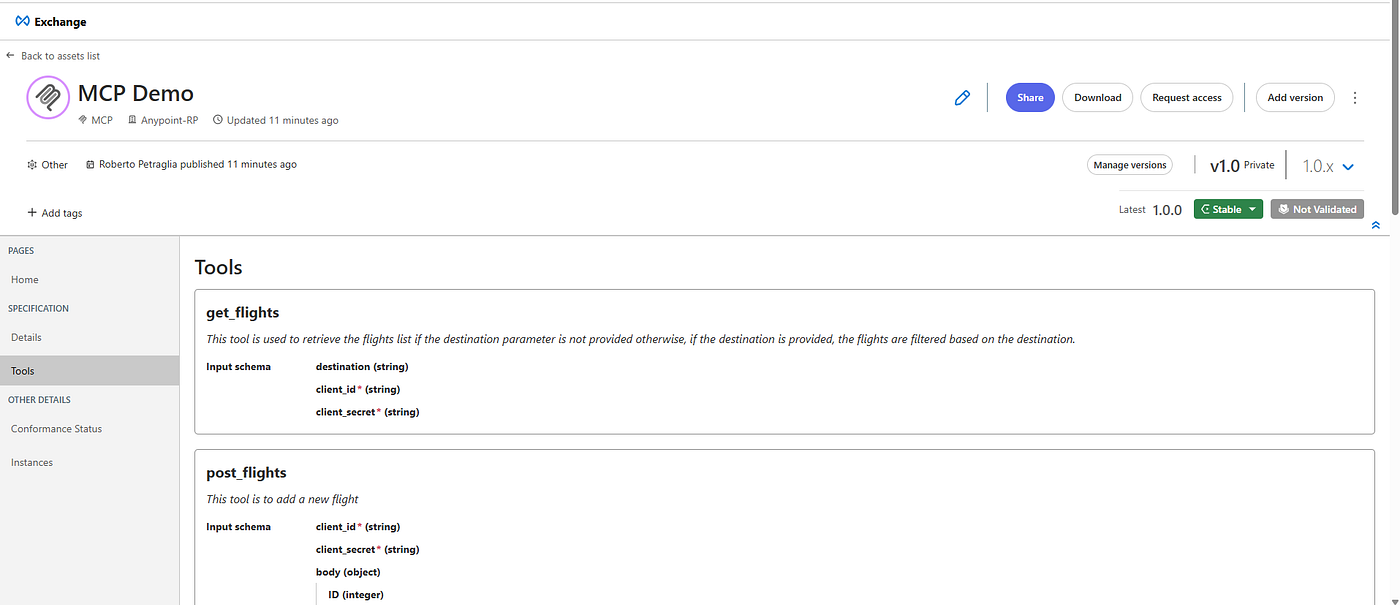
On Exchange, as happen with the REST API and other assets, the MCP Instance is published and show the “Tool Contract”.
MCP Tool Testing
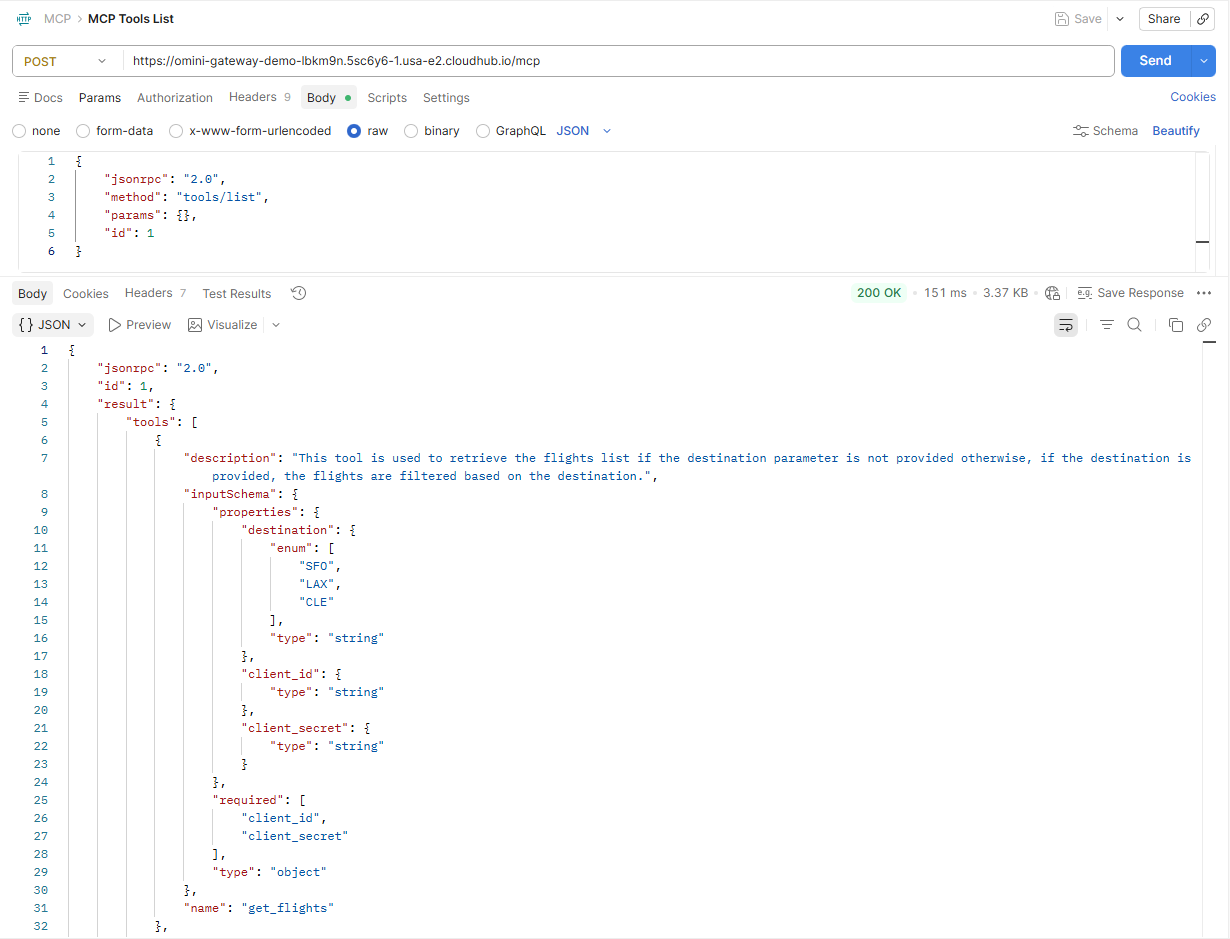
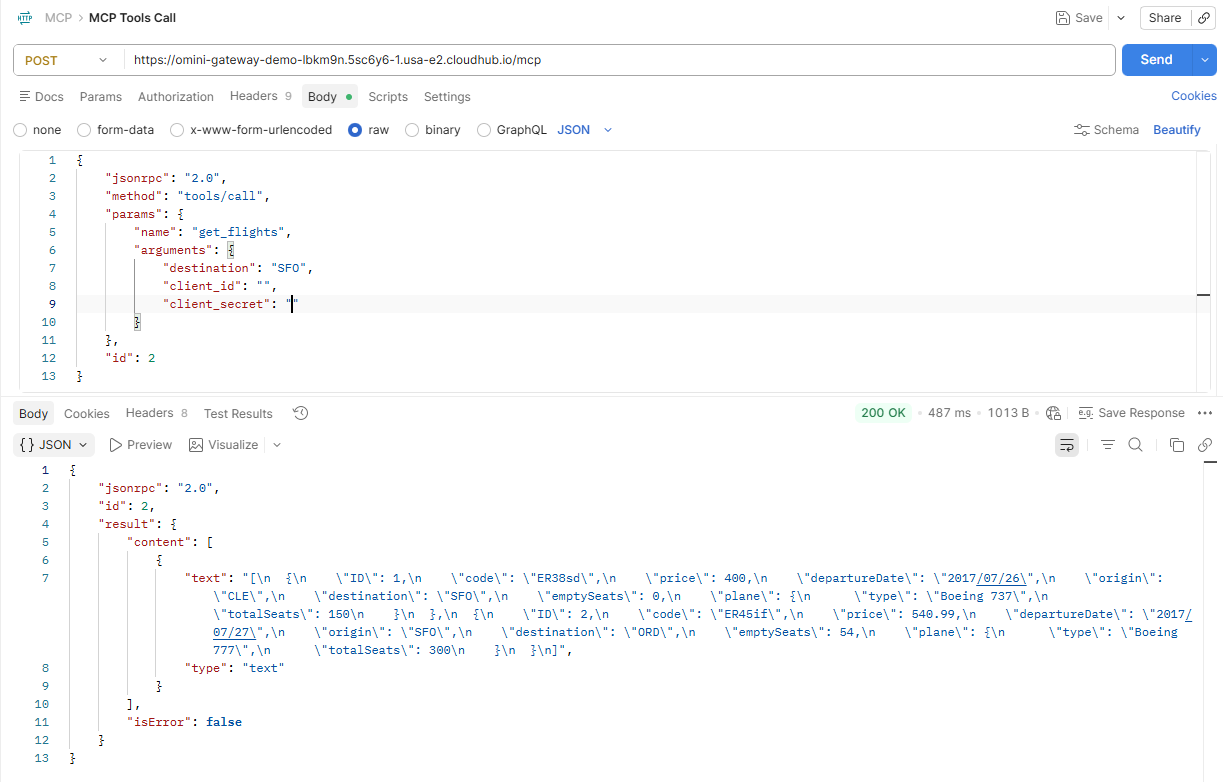
Now that we have all in place we can proceed to test our exposed tools using any REST APIs tool (in my case I will use Postman).
Tools/List
Tools/Call
AI Gateway and LLM Proxy
LLM Proxy provides a unified access layer for multiple Large Language Model (LLM) providers.
LLM proxies are deployed on Omni Gateway to enable governance, intelligent routing, and cost management for AI applications.
Depending on the configuration, the proxy sends the request to the user-defined model or dynamically sends it to the provider that best matches the request.
- Model-Based Routing (Static Routing) → The user specifies which model the LLM proxy should send the request
- Semantic Routing (Dynamic Routing) → The LLM proxy chooses which model send the request based on the request content
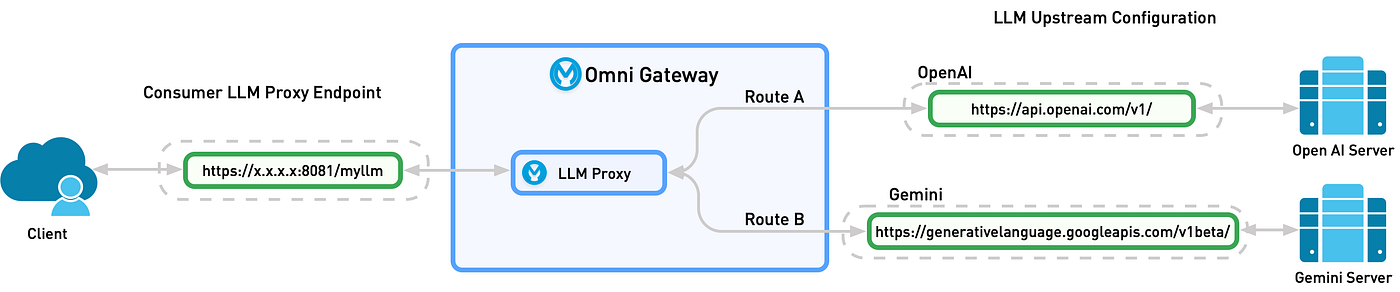
In this architecture
- The client issues an HTTP request to the Consumer LLM Proxy Endpoint (e.g. https://x.x.x.x:8081/myllm)
- The request arrives at the Omni Gateway and is handed off to its LLM Proxy component
- Based on routing rules or headers, the LLM Proxy selects one of two routes: — Route A: forward to the OpenAI upstream URL (https://api.openai.com/v1/) — Route B: forward to the Gemini upstream URL (https://generativelanguage.googleapis.com/v1beta/)
- The chosen upstream LLM server (OpenAI or Gemini) processes the prompt and returns a completion
- The response travels back through the Omni Gateway’s LLM Proxy
- Finally, the Omni Gateway returns the LLM’s output to the original client requestor
Setup LLM Proxy
From API Manager click on the “LLM Proxy” menu.
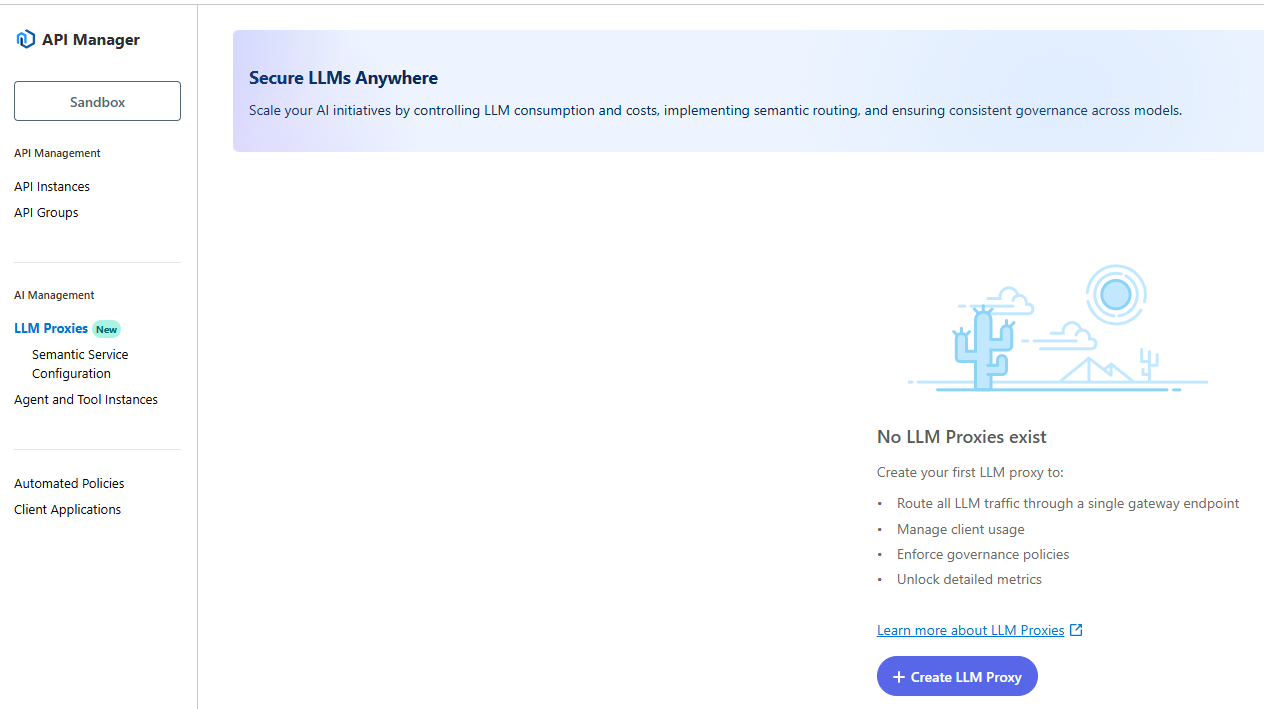
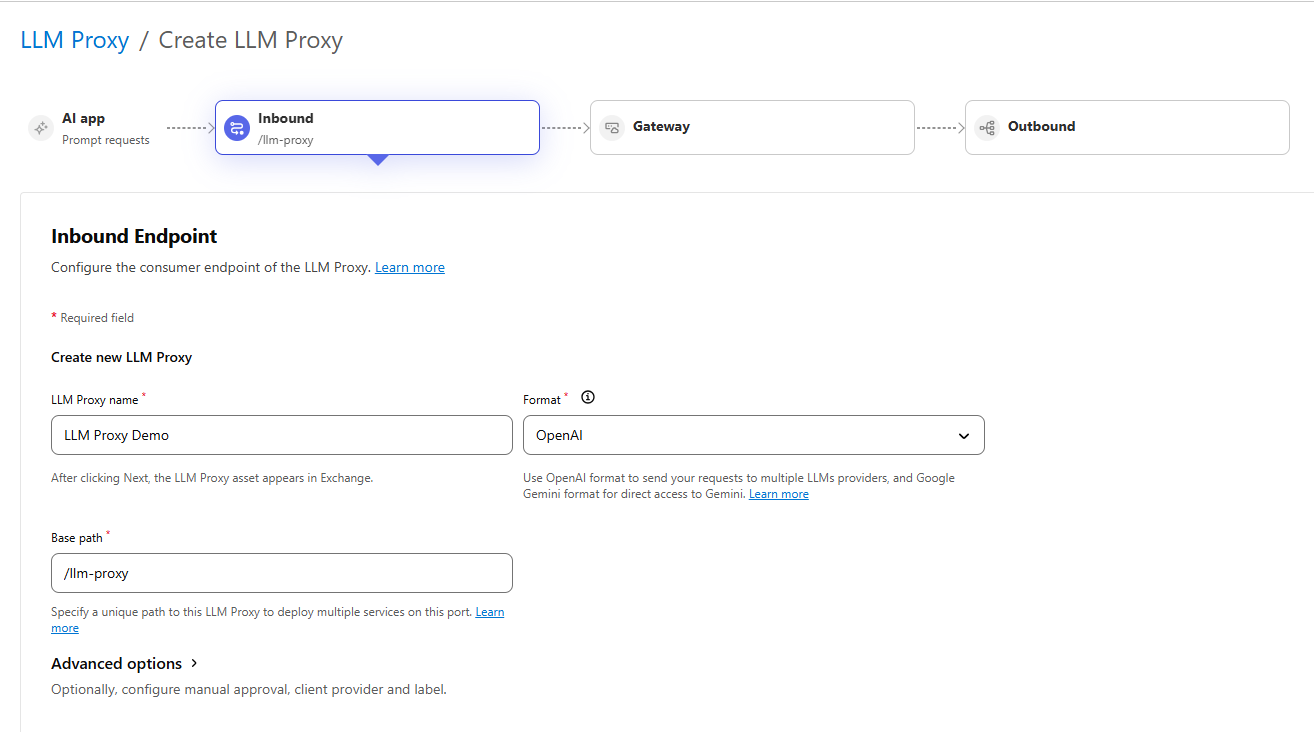
The first step is to configure the Inbound.
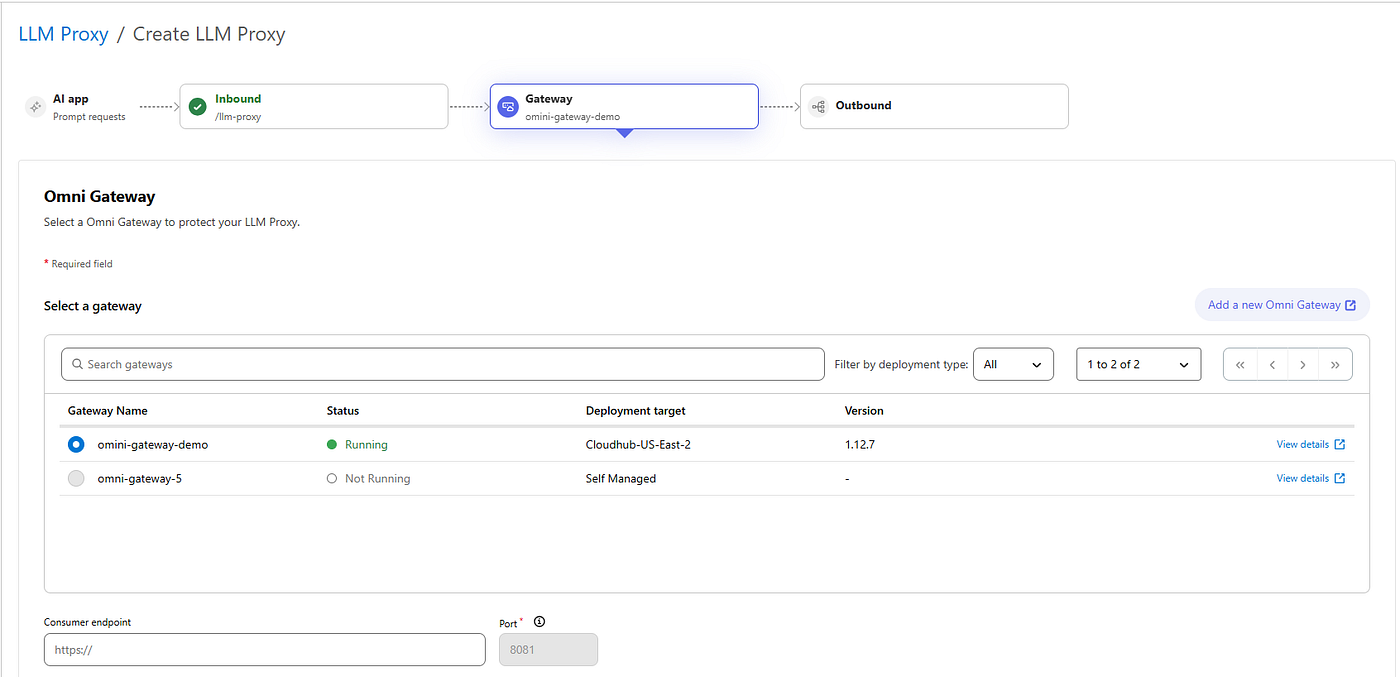
The second step is the Gateway association
The last step let you choose the LLM providers to use and the fallback routes if you have more than one LLM provider you would to use. In case of only one, the fallback section will disappear.
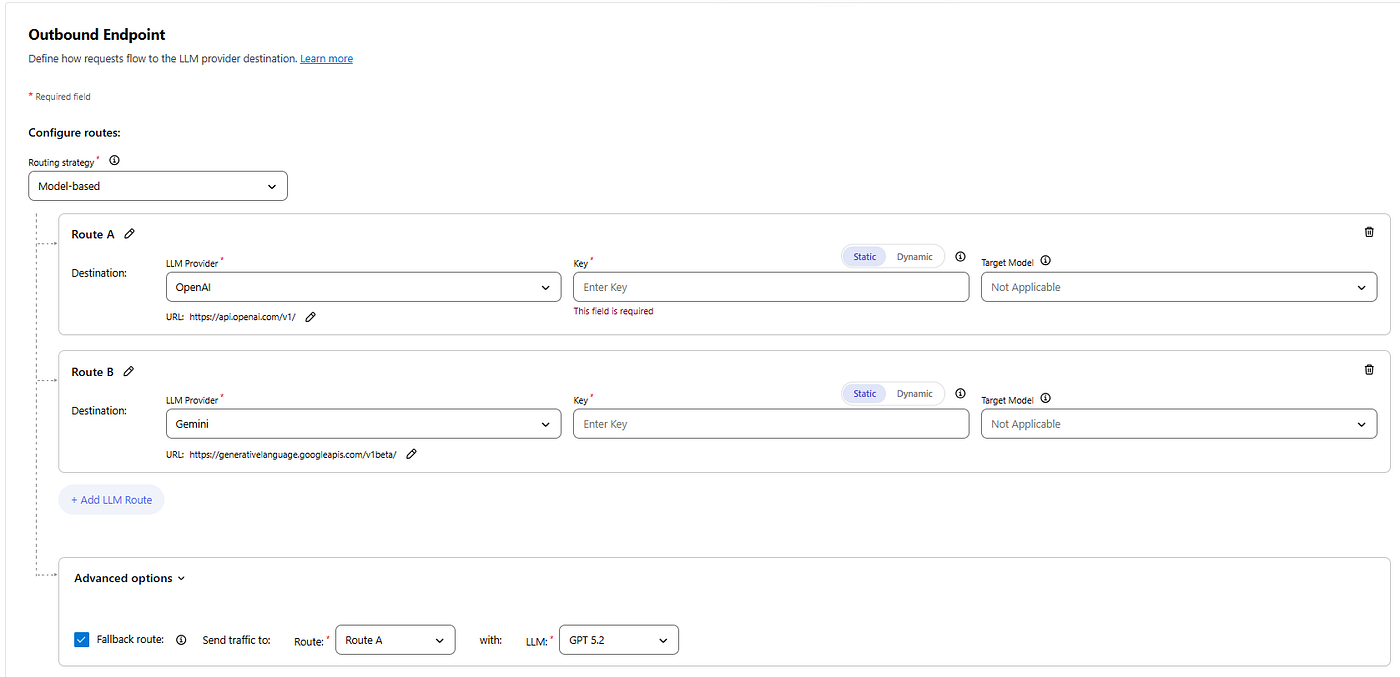
Once configured the LLM Provider we can proceed to “Save & Deploy”
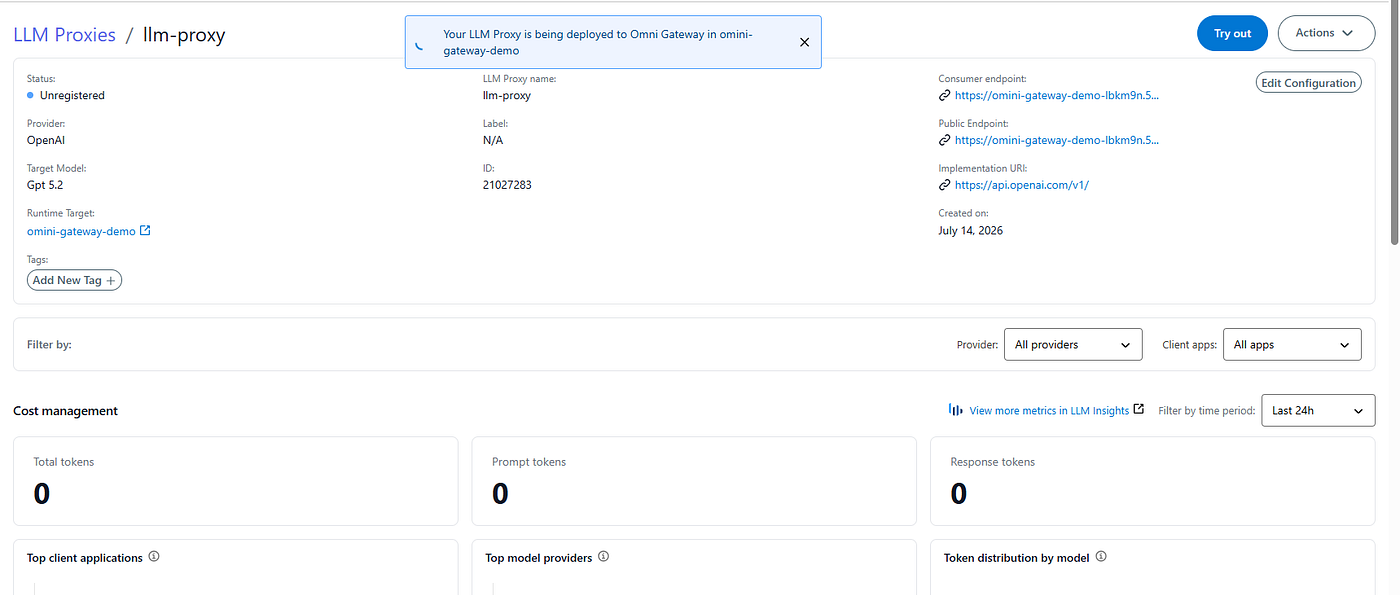
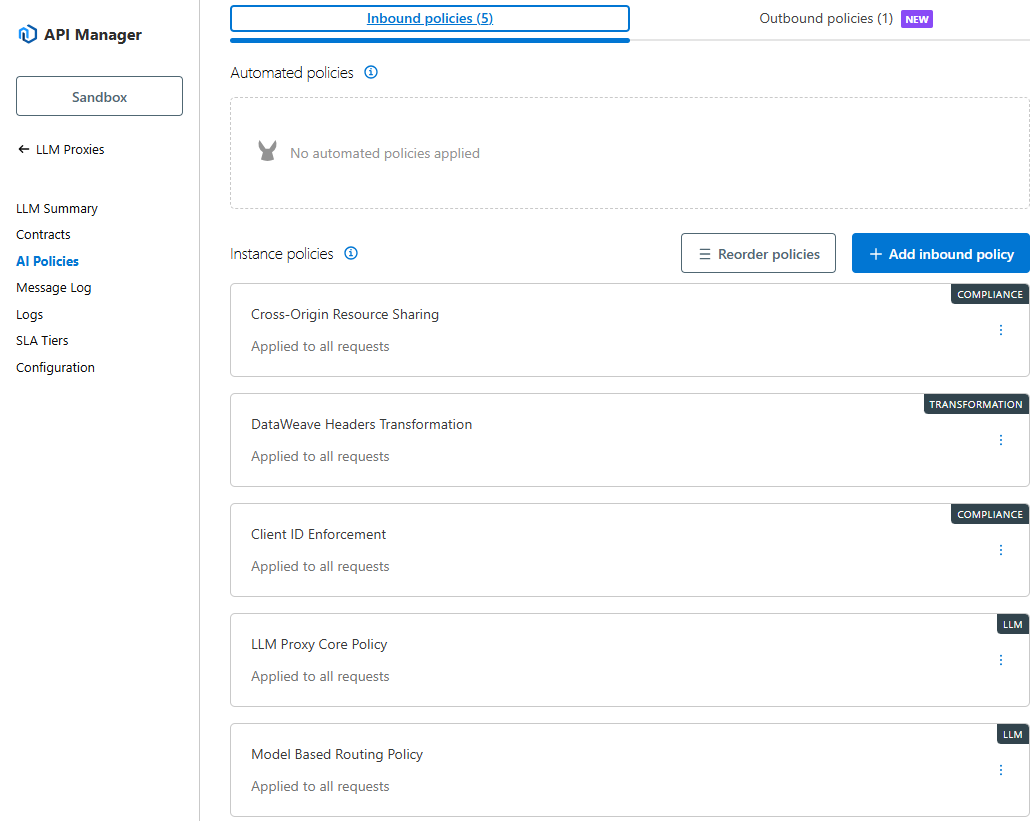
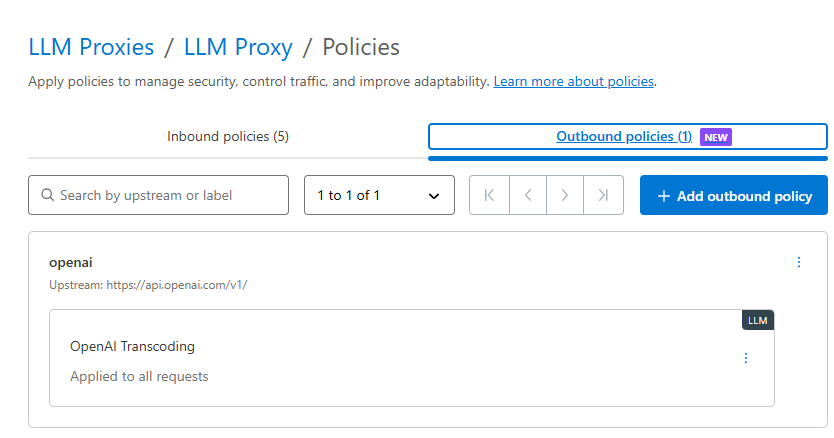
Once deployed it will apply the following Inbound and Outbound policies
and it will be also associate to the Omni Gateway and the asset is published on Exchange
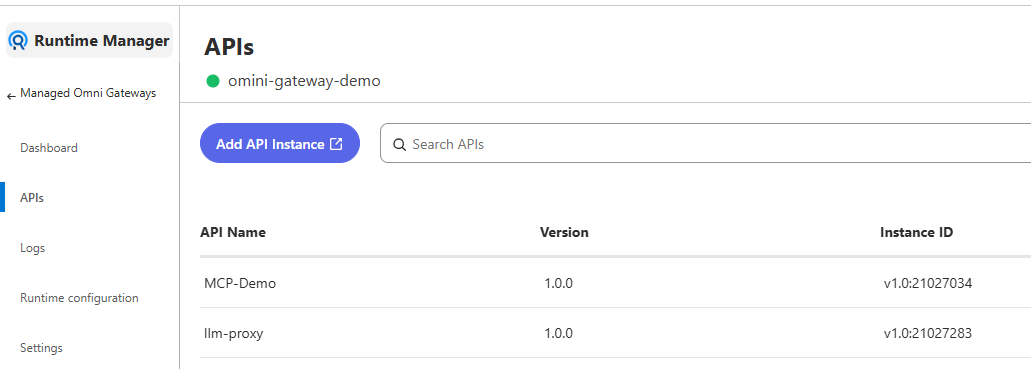
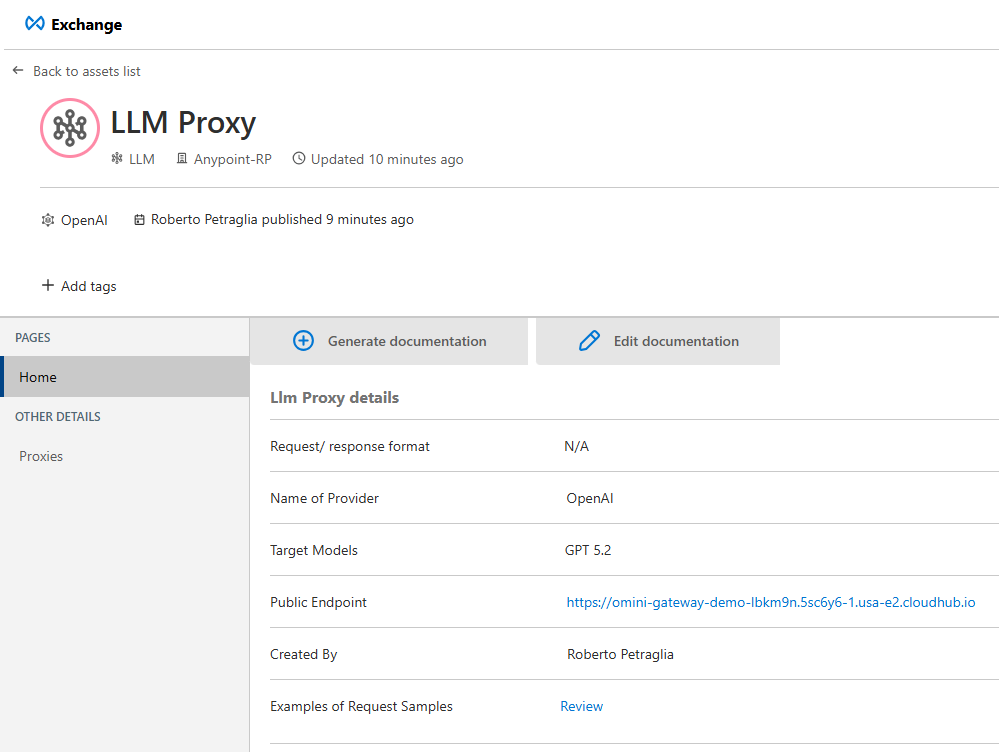
As we saw on the Policies menu, is applied by default the “Client ID Enforcement” that means we need to proceed to request the access on Exchange in order to call and use it.
Semantic Service Configuration
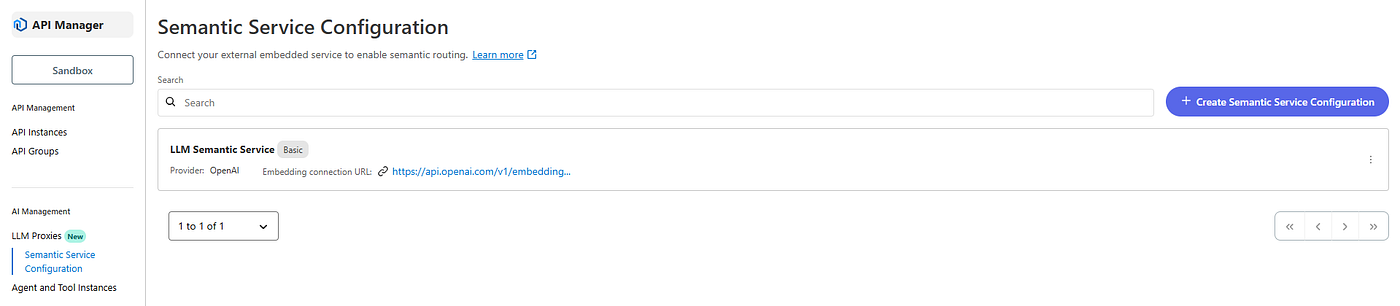
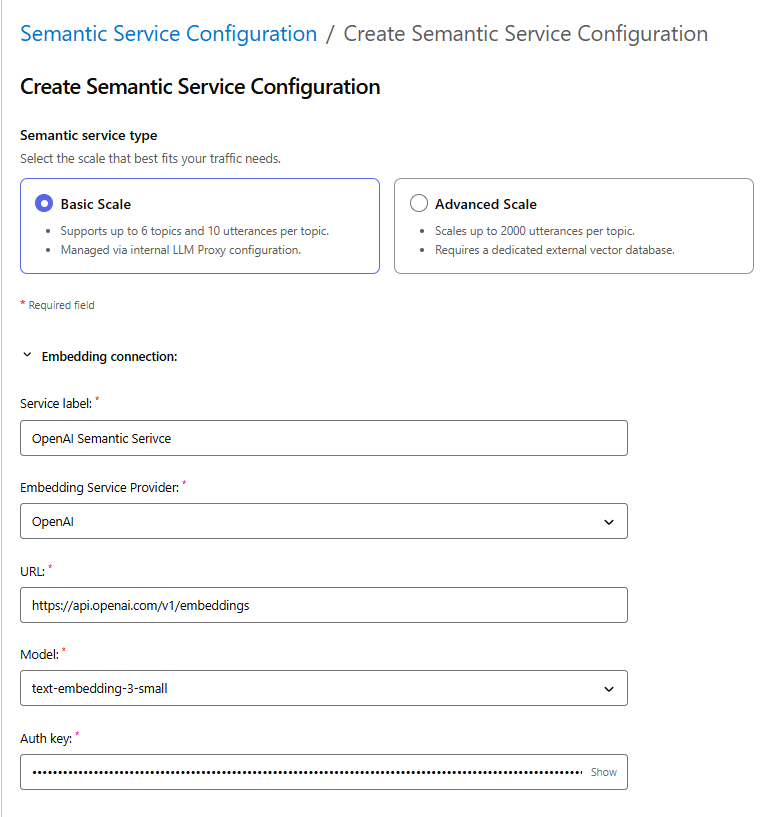
As described on the above section, we can configure the LLM proxy to work in Basic or Advanced scale based on the routing complexity.
From API Manager click on “Semantic Service Configuration” and on related “create” button on the right
and provide the related information
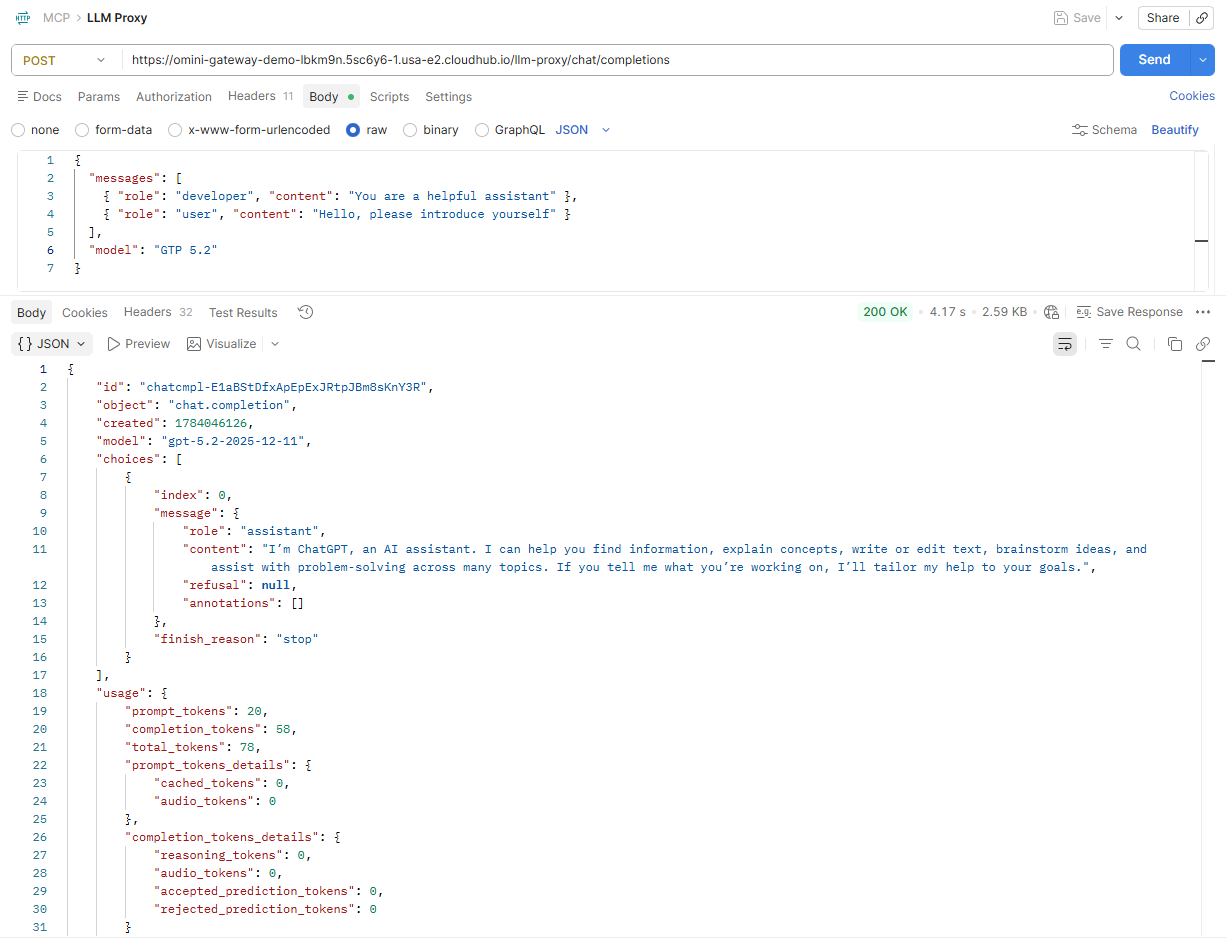
LLM Proxy Testing
Now that we have all in place we can proceed to test our exposed tools using any REST APIs tool (in my case I will use Postman).
Governance and Cost control
To control the costs generated by LLMs, Anypoint Platform provides different ways.
The first one is to control API usage by enforcing token-based rate limits for LLM APIs defining the maximum number of tokens allowed in a specific time period. This can achieved adding the “LLM Token Based Rate Limit” policy to the LLM Proxy defined in API Manager.
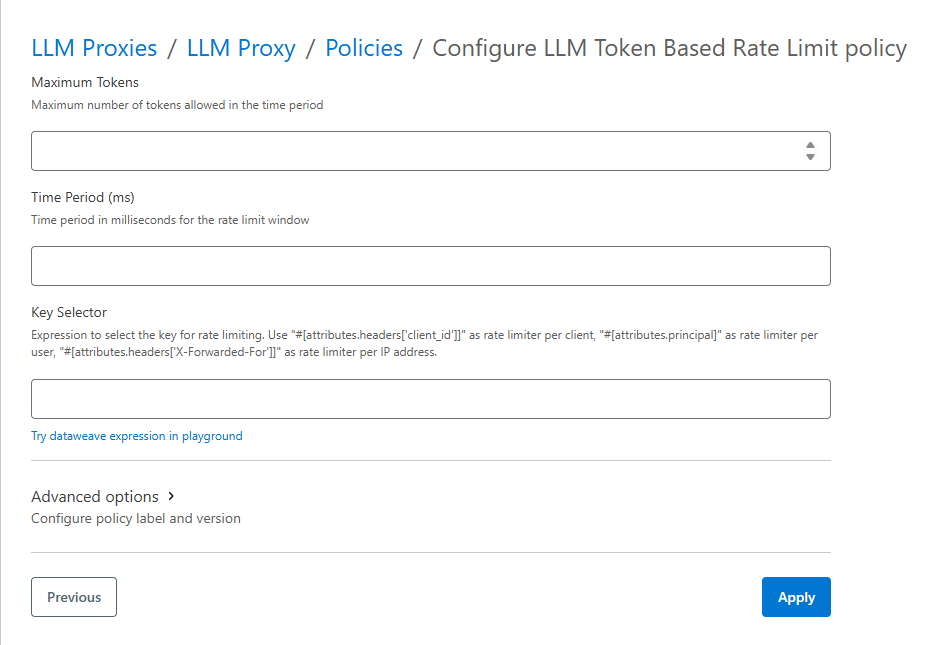
Here we can define how many token can be used in a specific time period for the “Key Selector” defined (for example limiting the token based on client id, principal, etc)
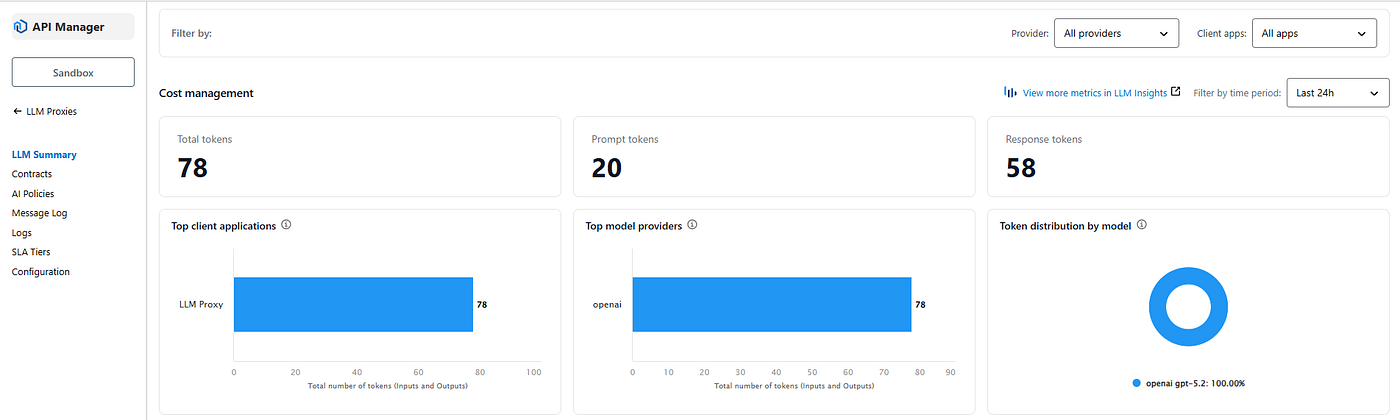
Another way is looking for metrics inside the LLM Proxy
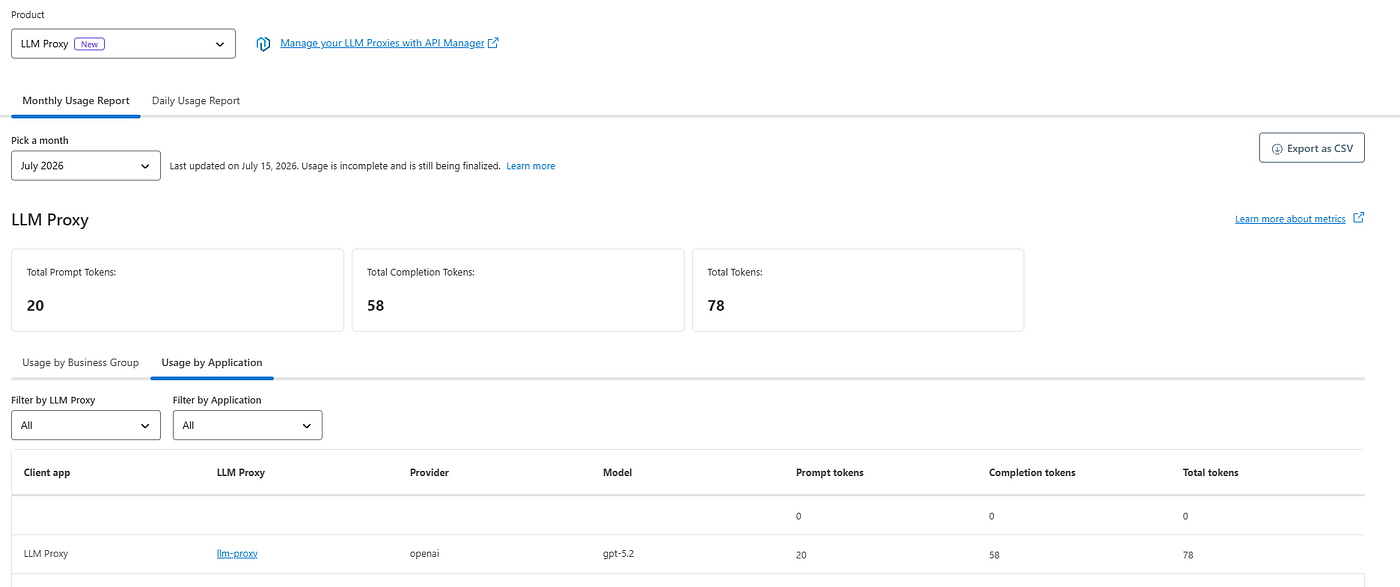
or inside the “Usage Reports” where it reports the usage based on a monthly o daily base
Furthermore, we can leverage the latest updates from MuleSoft and use the “Enhanced Developer UI” where we can found the “Cost Management” menu showing information as “Total Tokesn”, “Tools Call”, “MCP Server Instances” and “Service & Instances”.
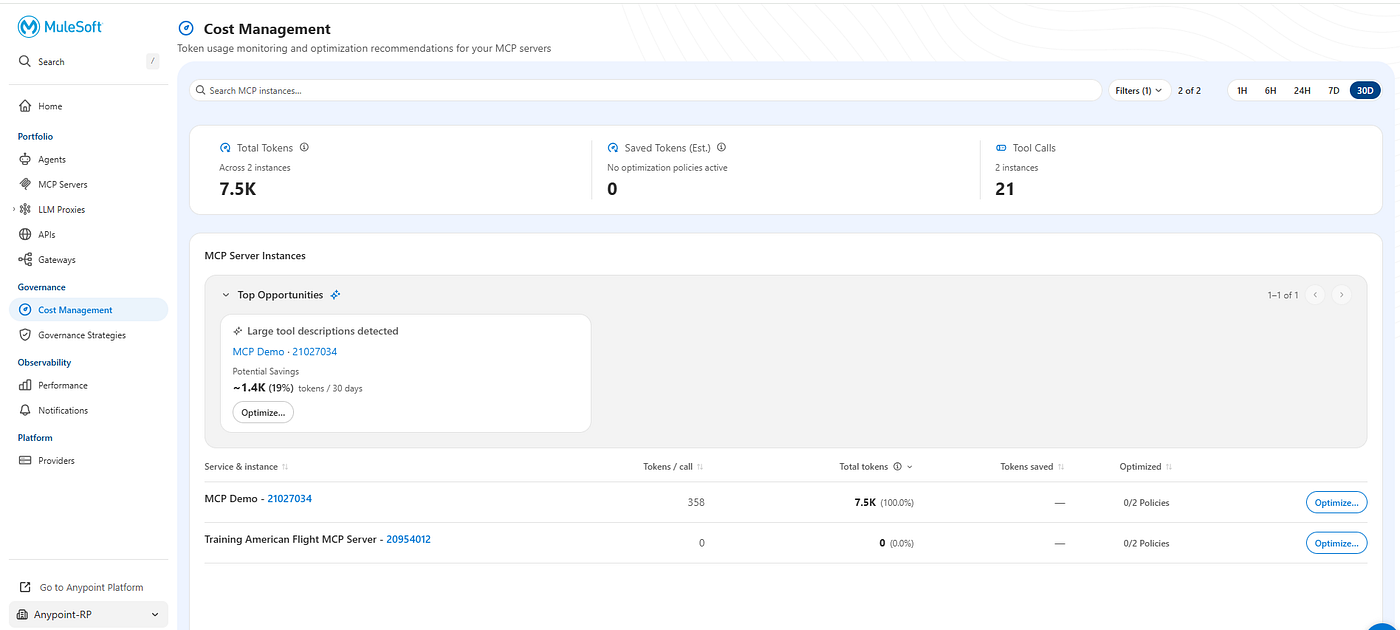
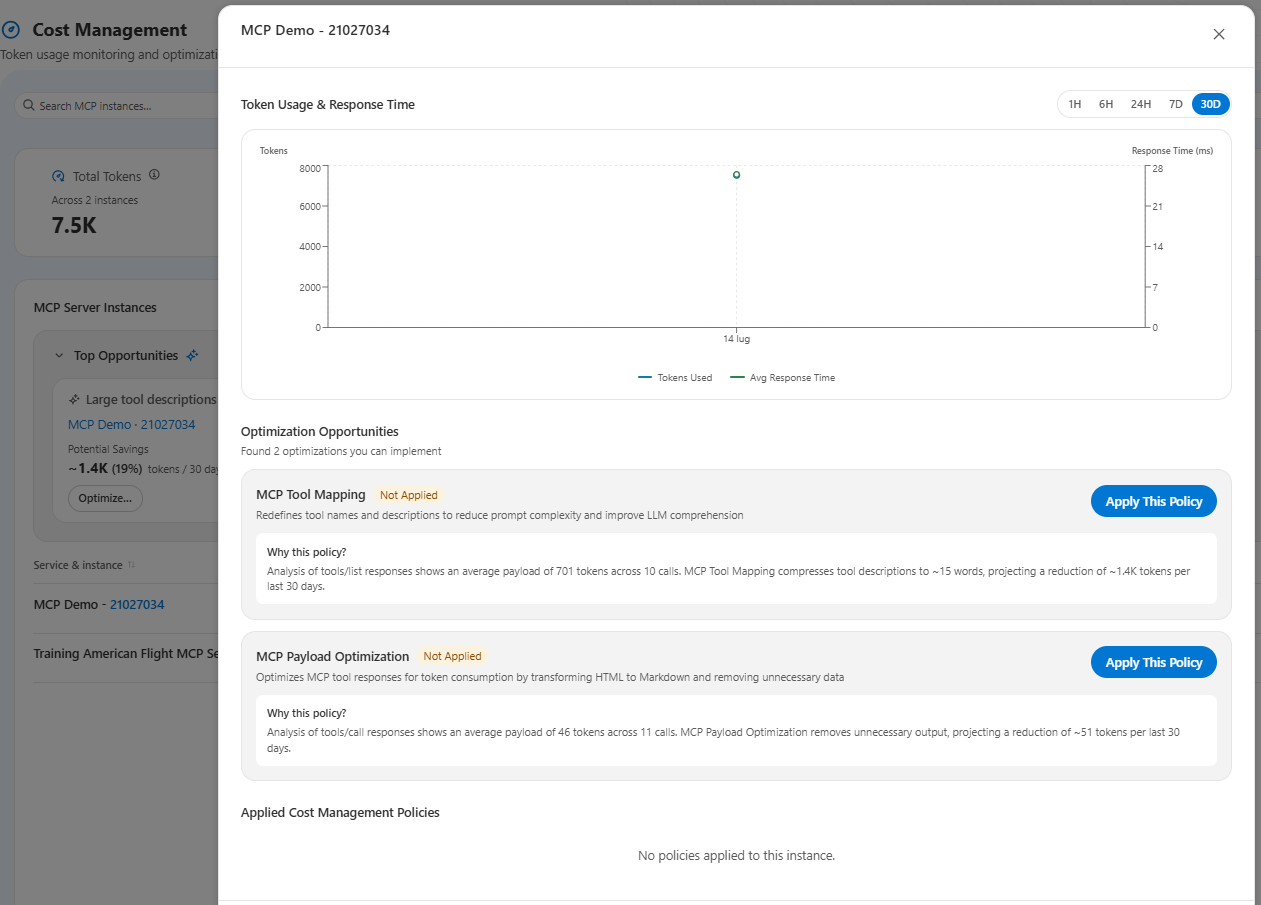
This enhanced view provides us also some optimization suggestions (below an example)
Conclusions
As we saw and described in this article, MuleSoft provided an easy way to trasform our standard REST APIs to be readable and usable by Agents without developing any code line to reach this goal.
References
- https://blogs.mulesoft.com/agentic-perspectives/enterprise-mcp-strategy/
- https://blogs.mulesoft.com/news/mcp-bridge/
- https://www.mulesoft.com/platform/omni-api-gateway
- https://blogs.mulesoft.com/dev-guides/ai-gateway-tutorial/
- https://app.arcade.software/share/krzTPsjoJdgE2Ho9X9tH?ref=share-link
- https://www.mulesoft.com/platform/ai-gateway/tour
메타데이터
- post_id
- 3db2b4e082a4
- slug
- from-rest-apis-to-mcp-tools-governed-secured-and-cost-effective-3db2b4e082a4
- url
- https://medium.com/another-integration-blog/from-rest-apis-to-mcp-tools-governed-secured-and-cost-effective-3db2b4e082a4
- canonical_url
- https://medium.com/another-integration-blog/from-rest-apis-to-mcp-tools-governed-secured-and-cost-effective-3db2b4e082a4
- author_url
- https://medium.com/@robertopetraglia1983
- status
- ok
- fetched_at
- 2026-07-17 04:06:05