What Actually Happens When You Type python app.py — I Went Inside My Laptop to Find Out
Hi everyone, I think in the last three days my brain has been completely obsessed with hardware. I started feeling like I am living inside…
What Actually Happens When You Type python app.py — I Went Inside My Laptop to Find Out
Hi everyone, I think in the last three days my brain has been completely obsessed with hardware. I started feeling like I am living inside my laptop. Today I thought of taking you all inside with me to explore what is really happening every time I write a program and hit Enter after typing python app.py in the terminal.
All these days I was only looking at the application — how my logic is working, how the output appears. I never once thought about what is happening underneath. Today I spent some time digging deeper and honestly it changed how I see every line of code I write.
The Terminal Is Also a Program
The first thing I realised today is that the terminal itself is just a program running on my machine. Its instructions are already loaded into RAM when I open it. When I type python app.py, the terminal does not know how to run my application. All it understands is: “The user wants me to start another program.”
From there a syscall is made — a system call. Think of a syscall as the only proper way to speak with the OS Kernel, which is a special program that acts as a bridge between software and hardware. Only the OS Kernel can touch the hardware — allocating memory, reading from SSD, writing to the display. We cannot do that directly from our code. We have to ask the Kernel politely through a syscall.
Finding and Loading the Python Executable
After the syscall is made, the Kernel goes looking for the Python executable file on the SSD. As a kid when I downloaded a game I always looked for the .exe file to set it up first— today I finally understand what that is. An executable file holds machine code — a set of instructions telling the CPU exactly what to do: start the program, initialise memory, parse the arguments like app.py, and so on.
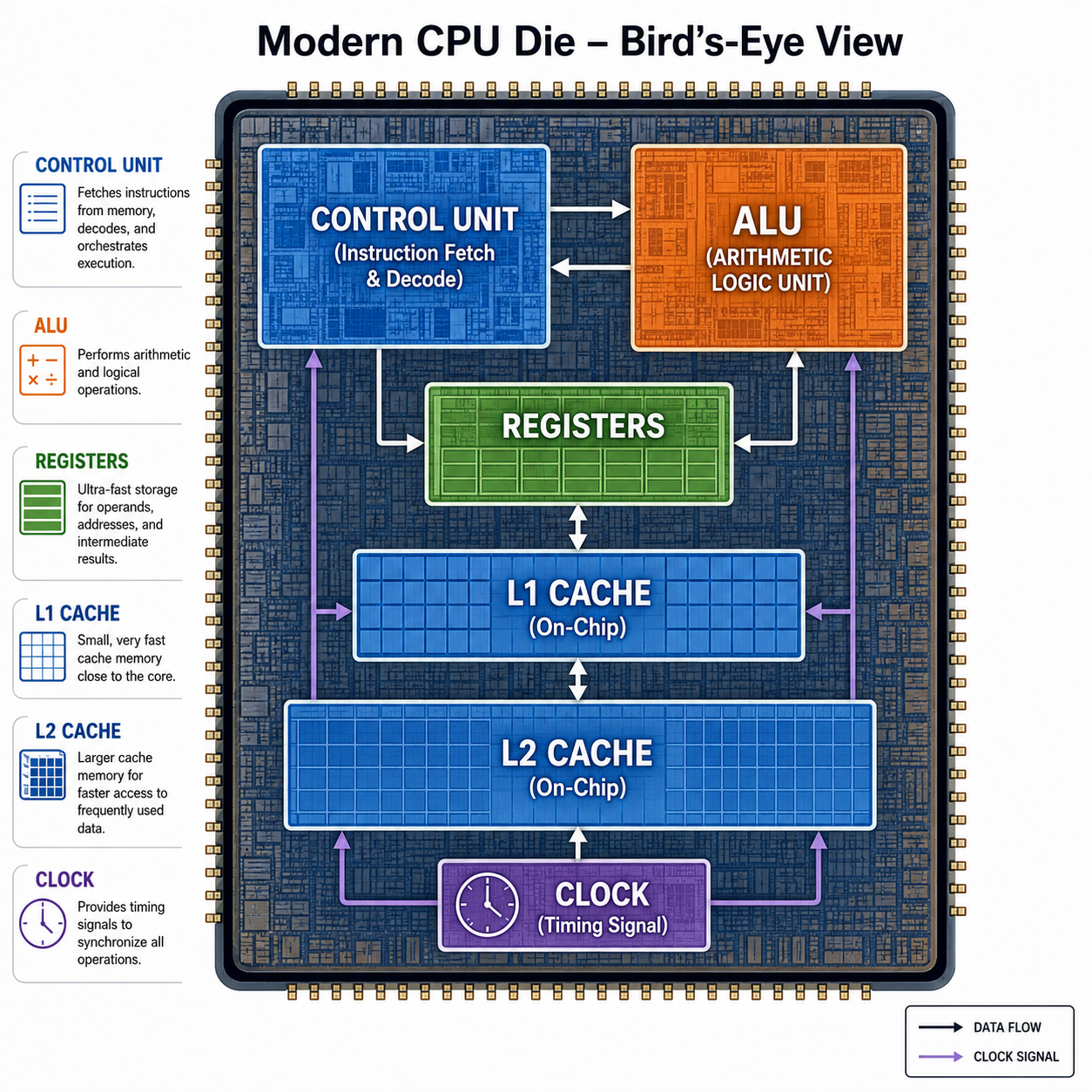
The CPU picks this up and starts its Fetch, Decode, Execute cycle — exactly as I described in my first blog — going through the Python executable instructions one by one.
app .py File Is Just Sleeping
Here is something that hit me. Until I type that command in the terminal, my app.py file is just sleeping on the SSD as a plain text file storing hexadecimal characters. There is no compilation, no interpretation, no execution. Just a file sitting quietly.
The moment I press Enter, everything wakes up.
As part of executing the Python executable, the interpreter kicks in and compiles my source code into bytecode — a simpler intermediate form stored in memory (you may have seen .pyc files). Then the interpreter enters what is called the Bytecode Evaluation Loop, reading and executing that bytecode instruction by instruction, converting it into machine code the CPU can actually run.

The OS Creates a Virtual Address Space
Now here is the most interesting part — where does my code actually live while it is running?
When I run python app.py, the OS Kernel creates a process and with it a virtual address space — a structured region that lives in RAM. I say virtual because the OS does not give Python real RAM addresses directly. It gives Python a virtual map, and a hardware unit called the MMU (Memory Management Unit) sitting between the CPU and RAM translates those virtual addresses into real ones using something called Page Tables. For the CPU, it just fetches from addresses — it does not know or care about stack or heap. That is all managed above it.
This virtual address space is divided into four clean sections:
Code Section — The compiled Python machine code lives here. The CPU fetches instructions from this section.
Data Section — Global variables and static data that exist for the entire lifetime of the program are stored here.
Stack — Every time a function is called, a stack frame is created — a small block holding the function’s local variables and return address. The CPU has a special register called the RSP (Stack Pointer) that always points to the current stack frame. This is why accessing the stack is very fast.
Heap — This is where things get dynamic. If inside a function I create a large list or an object whose size is not known at the start, that data goes into the Heap. The Stack holds a reference — a pointer — that points to where the actual data lives in the Heap. The Heap is for anything created dynamically during execution whose size cannot be predicted upfront.

All the Way to the Screen — print(5 + 2)
Let us trace the full journey of something as simple as print(5 + 2).
The CPU computes the addition in the ALU, stores the result, and when print is called it makes a syscall named write. At this moment the CPU flips from user mode into kernel mode — a protected state where the OS Kernel takes over. The Kernel passes the text “7” to the terminal program, which then draws the pixels on our display. That number you see on screen went through all of this to get there.
Once the program finishes, the OS Kernel reclaims everything — clears the stack, the heap, the virtual address space — like wiping a blackboard clean.
What I Am Learning Next
In the next blog I am planning to go deeper into how the MMU actually works — how virtual addresses get translated into real RAM addresses through Page Tables, and what happens when RAM runs out. I will also try to run some experiments around memory to make it more visual.
Still going deeper. See you in the next one.
메타데이터
- post_id
- 3e708ffcd81e
- slug
- what-actually-happens-when-you-type-python-app-py-i-went-inside-my-laptop-to-find-out-3e708ffcd81e
- url
- https://medium.com/@sairavi1999/what-actually-happens-when-you-type-python-app-py-i-went-inside-my-laptop-to-find-out-3e708ffcd81e
- canonical_url
- https://medium.com/@sairavi1999/what-actually-happens-when-you-type-python-app-py-i-went-inside-my-laptop-to-find-out-3e708ffcd81e
- author_url
- https://medium.com/@sairavi1999
- status
- ok
- fetched_at
- 2026-06-21 07:44:09