How to update SSL certificate for AWS Load Balance
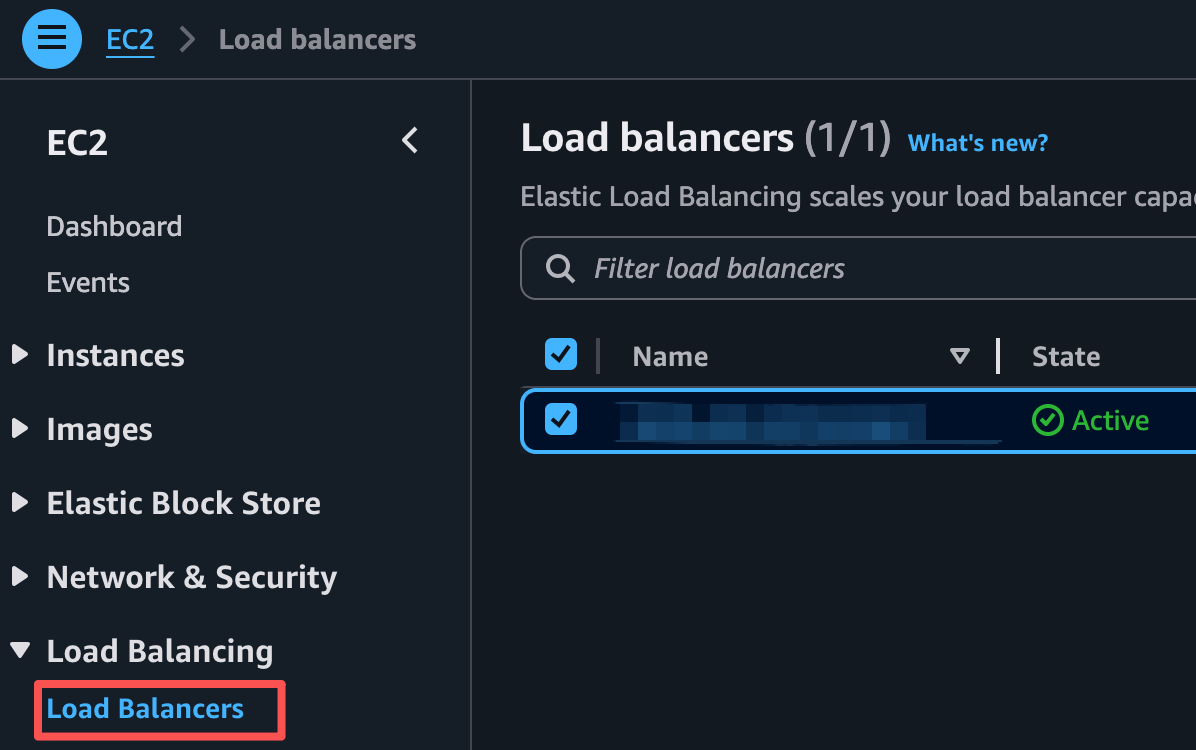
1, find the Load balancers in EC2
Wiki topics:
☁️ · DevOps & Cloud
How to update SSL certificate for AWS Load Balance
1, find the Load balancers in EC2
2,Choose the load balance you want to update SSL cert. In the Listeners and rules tab, there must be a 443 Port row. In this row the Default SSL/TLS certificate show your SSL Certificate

3, Click the Default SSL/TLS certificate link, AWS will show you the Reimport Certificate page
4, in this page, Certificate body coresspond .pem file first part which start with — — -BEGIN CERTIFICATE — — — and end with — — -END CERTIFICATE — — -, if your pem file have four part.
The rest part in pem file fill into Certificate chain
Certificate private key should contain .key file whole content
That’s the all operation, thanks
메타데이터
- post_id
- 3e9cbd5a9732
- slug
- how-to-update-ssl-certificate-for-aws-load-balance-3e9cbd5a9732
- url
- https://medium.com/@liang.feng/how-to-update-ssl-certificate-for-aws-load-balance-3e9cbd5a9732
- canonical_url
- https://medium.com/@liang.feng/how-to-update-ssl-certificate-for-aws-load-balance-3e9cbd5a9732
- author_url
- https://medium.com/@liang.feng
- status
- ok
- fetched_at
- 2026-06-21 07:44:09


