ARITHMETIC AND AGGREGATE OPERATIONS IN SQL QUERIES
In Structured Query Language (SQL), we can not only retrieve data but also perform simple arithmetic calculations directly within a query.
ARITHMETIC AND AGGREGATE OPERATIONS IN SQL QUERIES
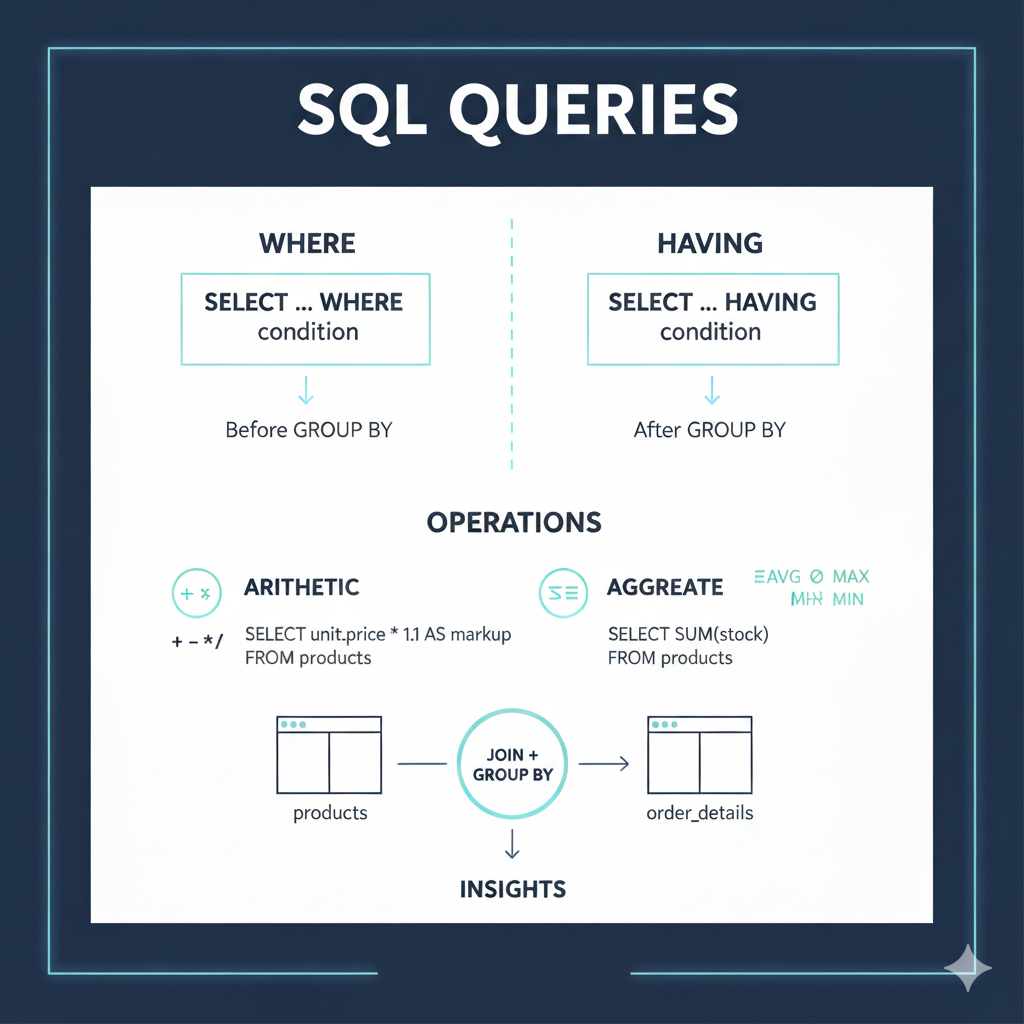
In Structured Query Language (SQL), we can not only retrieve data but also perform simple arithmetic calculations directly within a query.
In this section, we’ll also combine it with the HAVING clause. HAVING in SQL is used to filter results from data that has been grouped (GROUP BY). HAVING is similar to the WHERE condition — the main difference is that WHERE is used before grouping, while HAVING is applied after grouping is complete.
We can also create new column names from arithmetic calculations using the AS clause.
Commonly used arithmetic operators in SQL :

Basic Arithmetic Operators
Commonly used aggregate functions in SQL :

Common Mathematical Aggregate Functions
Below are two tables that we’ll use for the SQL query case study on arithmetic operators and mathematical aggregates :

products table

order_details table
Case Studies Using Arithmetic and Aggregate Functions
Below are several examples of SQL queries using these two tables.
Each example will help you understand how arithmetic operators and aggregate functions can be used in real scenarios.
- Calculate the price after adding 10% markup for all products.
SELECT
  product_name,
  unit_price,
  unit_price * 1.1 AS price_with_markup
FROM products;
2. Show the total number of products available in stock.
SELECT
  SUM(stock) AS total_stock
FROM products;
3. Find the average price of all products.
SELECT
  AVG(unit_price) AS average_price
FROM products;
4. Display all products that have stock less than 100 units.
SELECT
 product_name,
 stock AS Stock_Under_100
FROM
 products
WHERE
 stock < 100;
5. Count how many types of products are available.
SELECT
 COUNT(product_id) AS product_available
FROM
 products;
6. Find the most expensive and cheapest product.
SELECT
  MAX(unit_price) AS highest_price,
  MIN(unit_price) AS lowest_price
FROM products;
7. Show the total quantity ordered for each product.
SELECT
  product_id,
  SUM(quantity) AS total_ordered
FROM order_details
GROUP BY product_id;
Note: When using non-aggregate (regular) columns together with aggregate functions, you must include a GROUP BY clause. The example case study above combines the non-aggregate column product_id with the aggregate function SUM.
8. Combine both tables and display the total order value (price × quantity) for each product.
SELECT
  p.product_name,
  SUM(p.unit_price * o.quantity) AS total_order_value
FROM products p
JOIN order_details o
  ON p.product_id = o.product_id
GROUP BY p.product_name;
9. Display only products whose total order value is greater than 50000.
SELECT
  p.product_name,
  SUM(p.unit_price * o.quantity) AS total_order_value
FROM products p
JOIN order_details o
  ON p.product_id = o.product_id
GROUP BY p.product_name
HAVING SUM(p.unit_price * o.quantity) > 50000;
At this point, you’ll understand the difference between HAVING and WHERE : HAVING → filters aggregate results. WHERE → filters rows before aggregation.
WHERE cannot be used with aggregate functions, while HAVING can.
If you want to experiment, you can use WHERE and see the results.
Here’s an example if you try to use WHERE instead :
SELECT *
FROM (
  SELECT
    p.product_name,
    SUM(o.quantity * p.unit_price) AS total
  FROM products p
  JOIN order_details o
    ON p.product_id = o.product_id
  GROUP BY p.product_name
) t
WHERE total > 50000;
10. Calculate the average stock for products priced above 10,000.
SELECT
  AVG(stock) AS avg_stock
FROM products
WHERE unit_price > 10000;
11. Show each product and how much total stock value it represents (price × stock).
SELECT
  product_name,
  unit_price,
  stock,
  unit_price * stock AS total_stock_value
FROM products;
12. Find the percentage contribution of each product’s stock to total stock.
SELECT
  product_name,
  (stock * 100.0 / (SELECT SUM(stock) FROM products)) AS stock_percentage
FROM products;
13. Display all products whose total order quantity is below the average order quantity.
SELECT
  o.product_id,
  SUM(o.quantity) AS total_quantity
FROM order_details o
GROUP BY o.product_id
HAVING SUM(o.quantity) < (SELECT AVG(quantity) FROM order_details);
14. Show total revenue from all orders combined.
SELECT
  SUM(p.unit_price * o.quantity) AS total_revenue
FROM products p
JOIN order_details o
  ON p.product_id = o.product_id;
15. Display all orders along with product names and total value per order.
SELECT
  o.order_id,
  p.product_name,
  (p.unit_price * o.quantity) AS order_value
FROM order_details o
JOIN products p
  ON o.product_id = p.product_id;
16. Display the total number of products ordered (not distinct) across all orders.
SELECT
  SUM(quantity) AS total_products_ordered
FROM order_details;
This article provides a brief explanation and case study of arithmetic and aggregate operations, and how they can be combined with clauses such as HAVING and WHERE in SQL queries.
Here’s the database file link that you can download and import into your own database. For details on the import process, please refer to the previous article below:
- Database File Link :
https://github.com/bagaskara0506/DB_product-order.git
- Previous Article Link :
Soon, I’ll include the database link in this section once it’s ready to share.
Date Created : October 23, 2025 Author : Satria Bagaskara
메타데이터
- post_id
- 3fd9f18a09e3
- slug
- arithmetic-and-aggregate-operations-in-sql-queries-3fd9f18a09e3
- url
- https://medium.com/@satriadevopsindonesia/arithmetic-and-aggregate-operations-in-sql-queries-3fd9f18a09e3
- canonical_url
- https://medium.com/@satriadevopsindonesia/arithmetic-and-aggregate-operations-in-sql-queries-3fd9f18a09e3
- author_url
- https://medium.com/@satriadevopsindonesia
- status
- ok
- fetched_at
- 2026-08-16 03:06:27