Storing and Retrieving Secrets in Azure Key Vault for Azure App Service
Secrets in code refers to sensitive information such as API keys ,passwords ,credentials and other confidential information that are…
Storing and Retrieving Secrets in Azure Key Vault for Azure App Service
Secrets in code refers to sensitive information such as API keys ,passwords ,credentials and other confidential information that are embedded with software code. These secrets are used by the application to authenticate with external services. Keeping secrets secure within code is crucial to protect sensitive data from unauthorized access or misuse.
Azure Key Vault is one service provided by Azure that helps to store and retrieve secrets securely.
Storing Secrets
- In the Key Vault resource, go to the “Secrets” section.
- Click on “+ Generate/Import” to add a new secret.
- Provide a name for the secret and enter the secret value. Optionally, you can add tags, set expiration dates, and enable/disable the secret.
- If the firewall is turned on for the key vault then go to browser and search “whatsmyip”. Whitelist this ip address in the key vault.
Retrieving Secrets
Follow the steps below to retrieve secrets in Azure App Service:
- Enable system identity for your application.
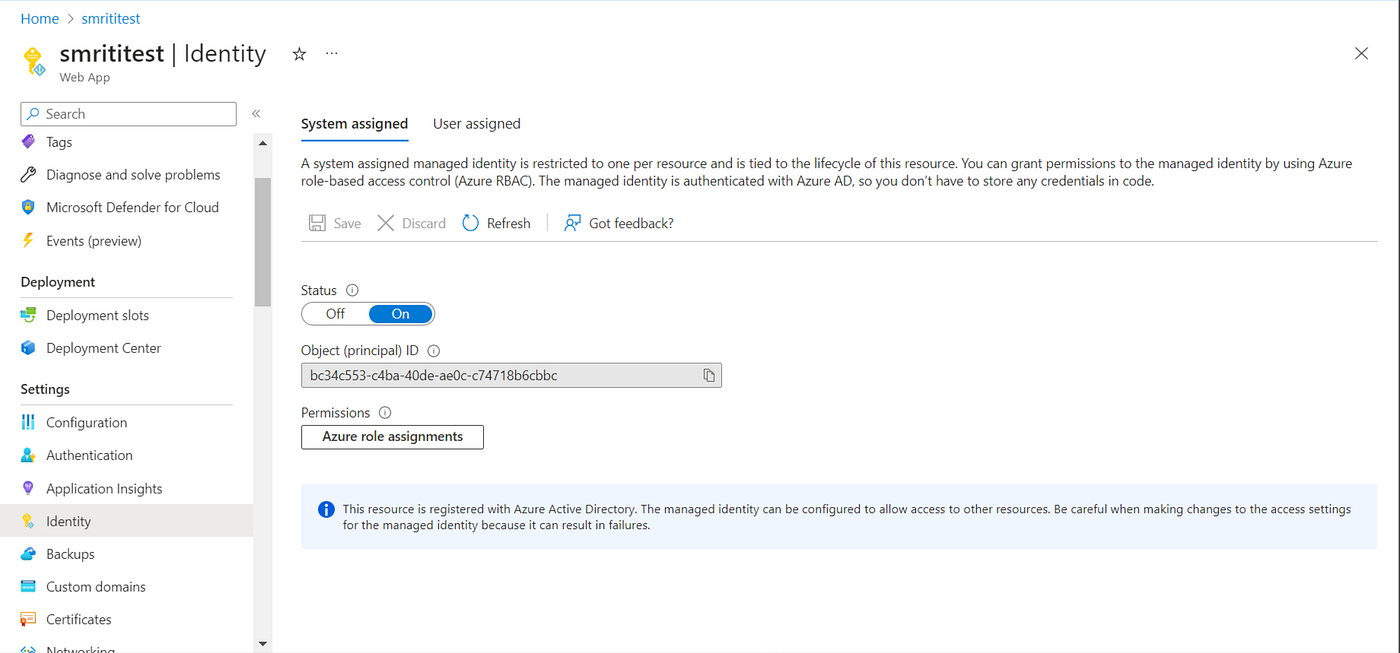
Enable system identity for your application
- Set access policies
Under “Settings” in the Key Vault resource, select “Access policies.”
Click on “+ Add Access Policy” to grant access to your application or users.
Specify the appropriate permissions (e.g., Get, List, Set) for accessing secret.

Access policy for key vault
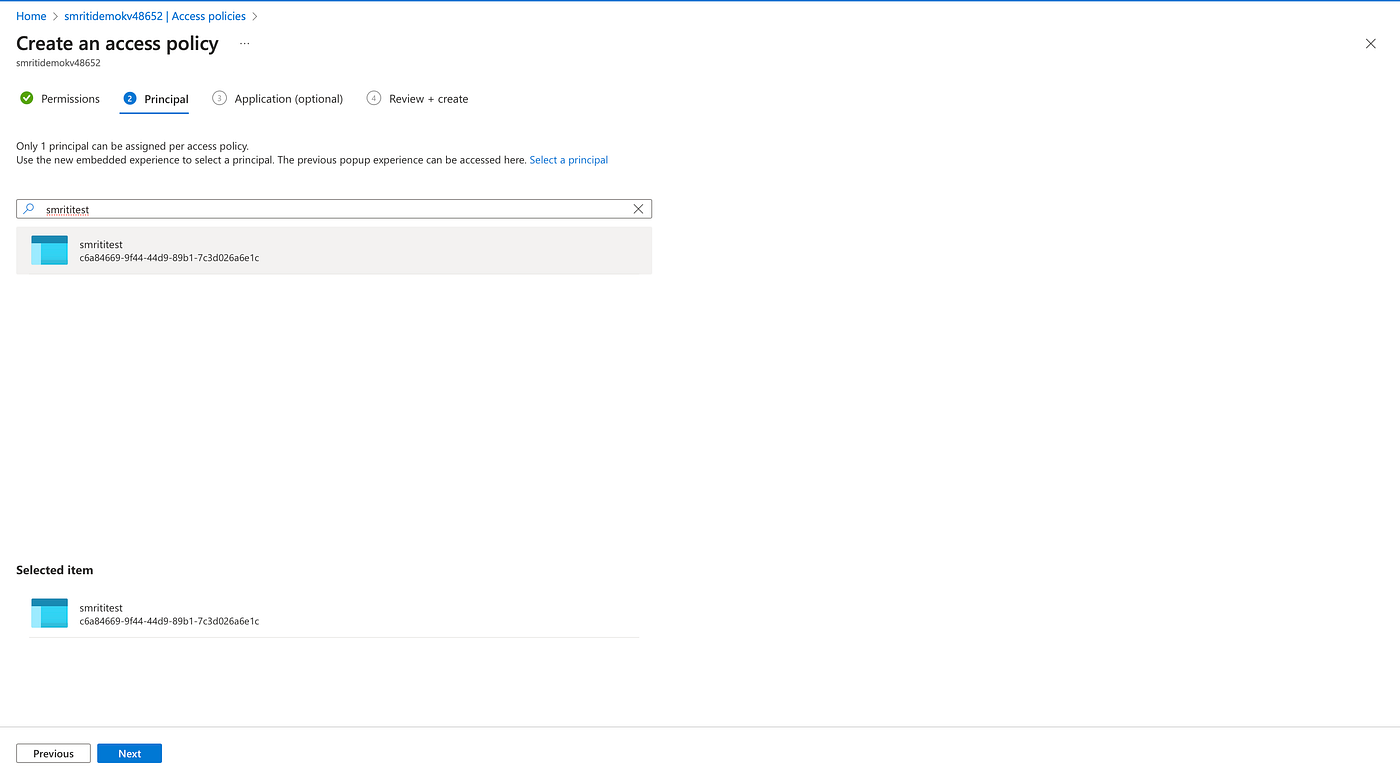
Select the application either by name or by system identity
- Retrieve secrets in your Azure App Service
- In your App Service, navigate to “Configuration” or “Application settings.” Add a new setting or update an existing one.
- Set the name of the secret as the key and the Key Vault URL and secret version as the value. Example: key : API_KEY , value : @Microsoft.KeyVault(SecretUri=**https://your-key-vault.vault.azure.net/secrets/your-secret-name/your-secret-version**)
- Use the appropriate Azure Key Vault SDK or client library for your programming language to interact with the Key Vault and retrieve the secret value. For Node applications these configuration settings can be accessed in the code using dotenv library and then loading these secrets as process.env.KEYNAME ( process.env.APIKEY) .
If the firewall is turned on for Azure Key Vault you will have to whitelist the ip address of the application.
메타데이터
- post_id
- 4074ff7ac4bb
- slug
- storing-and-retrieving-secrets-in-azure-key-vault-for-azure-app-service-4074ff7ac4bb
- url
- https://medium.com/devmap/storing-and-retrieving-secrets-in-azure-key-vault-for-azure-app-service-4074ff7ac4bb
- canonical_url
- https://medium.com/devmap/storing-and-retrieving-secrets-in-azure-key-vault-for-azure-app-service-4074ff7ac4bb
- author_url
- https://medium.com/@smritirastogi33
- status
- ok
- fetched_at
- 2026-06-10 08:17:25