From Zero to Certified: How I Learned Workflow Orchestration with Kestra.
I’ll be honest — I had no idea what workflow orchestration meant when I started today. I came across Kunal Kushwaha’s WeMakeDevs x Kestra…
From Zero to Certified: How I Learned Workflow Orchestration with Kestra.
I’ll be honest — I had no idea what workflow orchestration meant when I started today. I came across Kunal Kushwaha’s WeMakeDevs x Kestra challenge, saw “free certification” and “win a MacBook,” and thought — why not?
What followed was one of the most productive days I’ve had as a CS student.
So what even is Workflow Orchestration?
Think of a symphony orchestra. Dozens of musicians, each playing different parts. The violins enter early, the brass builds later. Without a conductor coordinating everything — wrong timing, wrong order, total chaos.
Your software systems are exactly the same. APIs that need calling, databases that need syncing, reports that need generating — all at different times, all depending on each other. A workflow orchestrator is the conductor.
Kestra is that conductor. It’s open-source, runs locally with Docker, and lets you define automated workflows in simple YAML. No complex setup, no vendor lock-in.
Getting Started — Easier Than I Expected
I installed Docker Desktop, ran two commands in terminal, and Kestra was live at localhost:8080. That’s it.
bash
curl -o docker-compose.yml \
https://raw.githubusercontent.com/kestra-io/kestra/develop/docker-compose.yml
docker compose up -d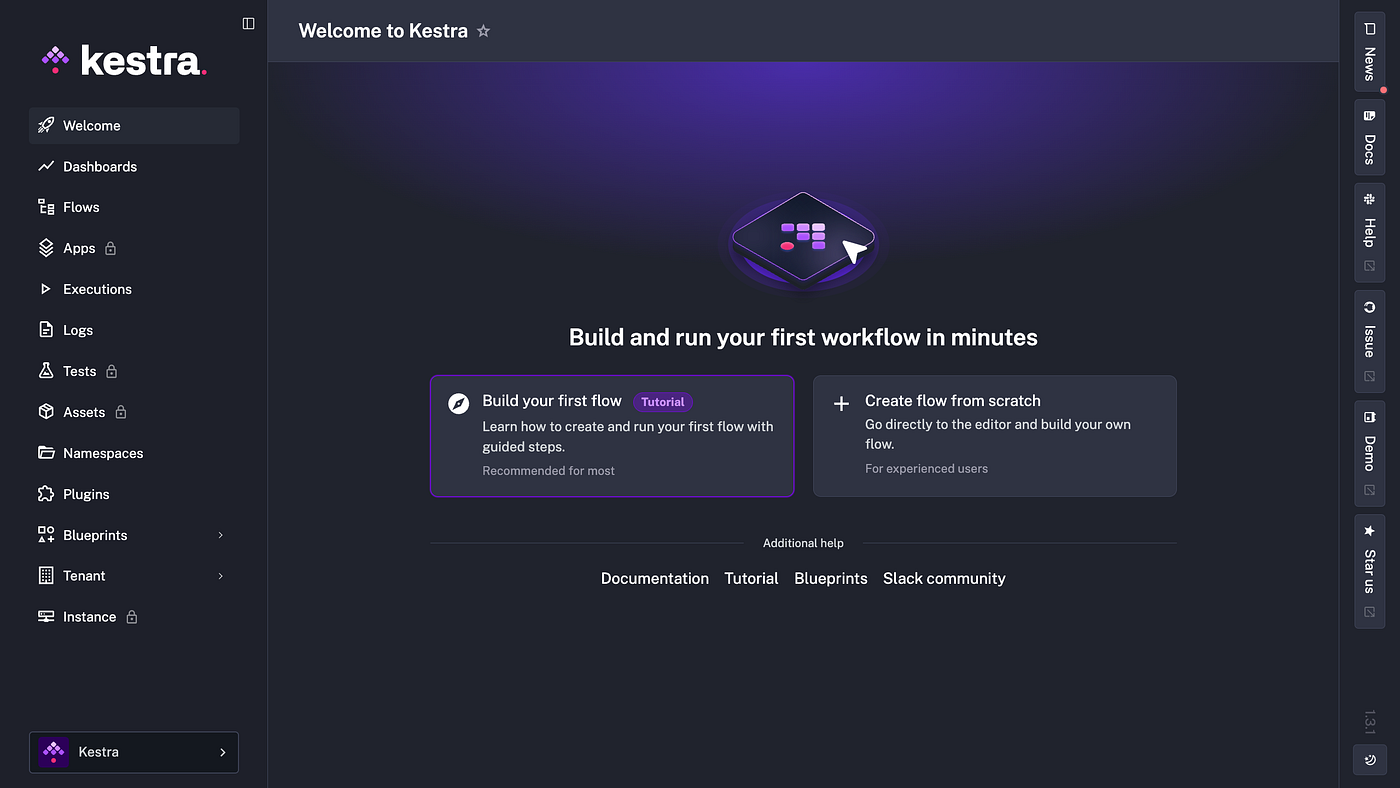
Kestra dashboard running locally — first flow tutorial
The guided tutorial walked me through building my first flow step by step. By the end of it I had a flow with an ID, namespace, Python task, dynamic input and a cron trigger — all in about 20 minutes.
Building My First Real Flows
Hello Vinayak — Dynamic Inputs
My first flow took a name as input and logged a greeting. Simple, but the moment I changed the default from “Will” to “Vinayak” and saw “Hello Vinayak” in the execution logs — something clicked.
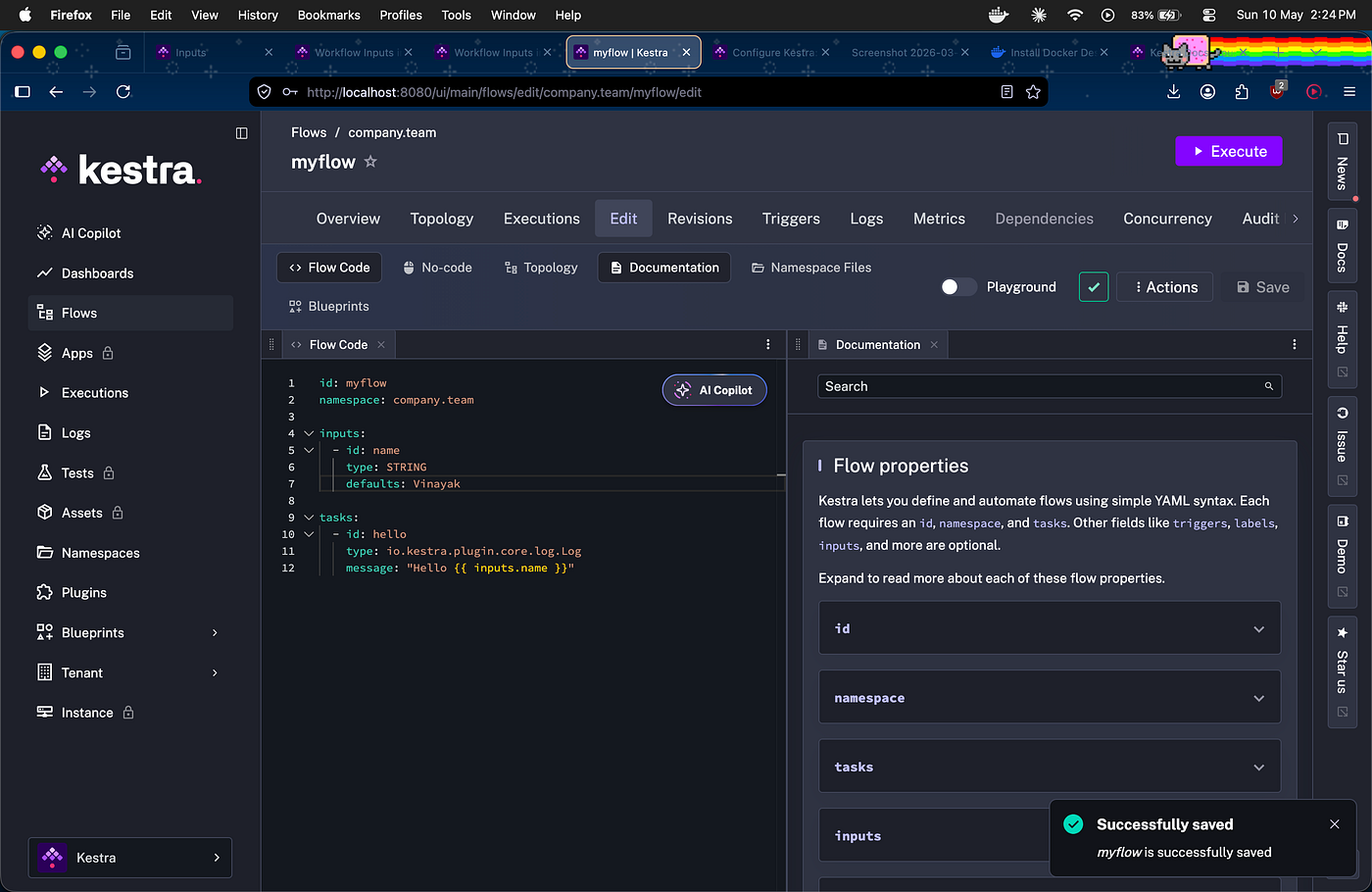
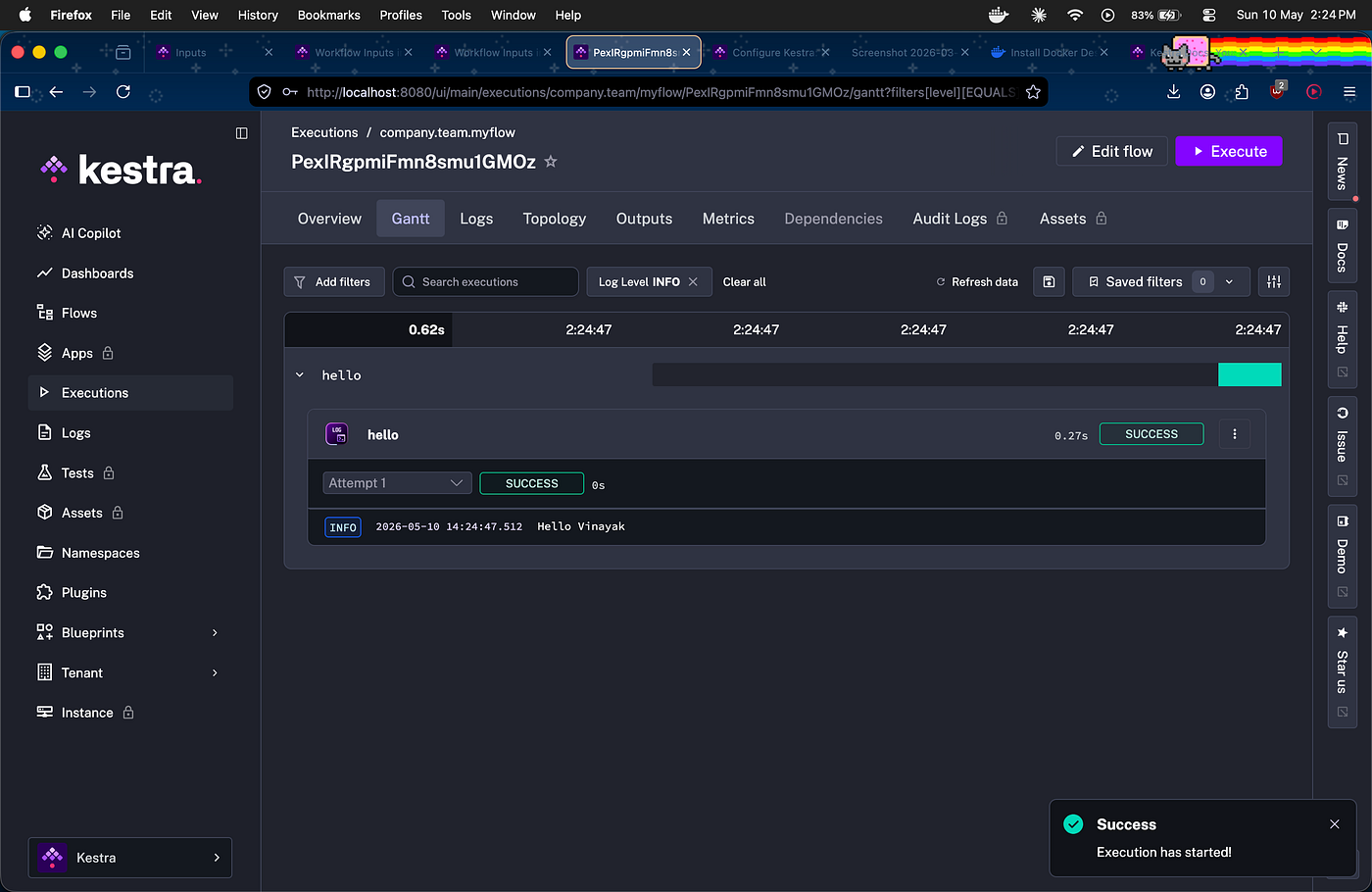
Execution showing “Hello Vinayak” in logs
This is what inputs do — the same flow, different data every time. No code changes needed.
HTTP Health Check with Conditional Logic
Next I built a flow that checks if a website is alive:
yaml
- id: check_status
  type: io.kestra.plugin.core.flow.If
  condition: "{{ outputs.make_request.code == 200 }}"
  then:
    - id: log_success
      type: io.kestra.plugin.core.log.Log
      message: "Request successful"
  else:
    - id: log_error
      type: io.kestra.plugin.core.log.Log
      message: "Request was not successful: {{ outputs.make_request.code }}"
I tested it with a real URL and a broken one. The If task evaluated the status code and took different branches. You can see both paths in the execution Gantt view.
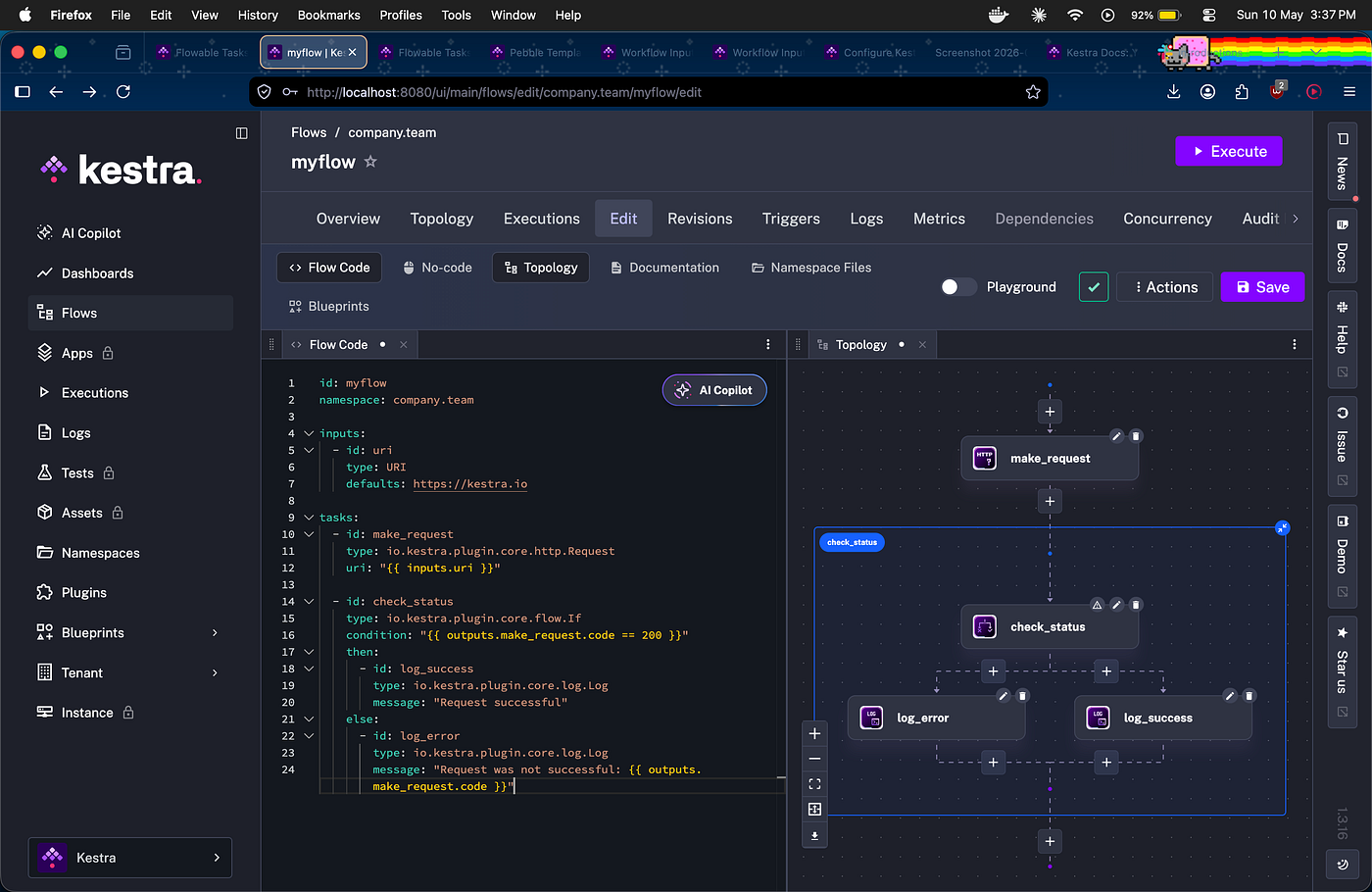
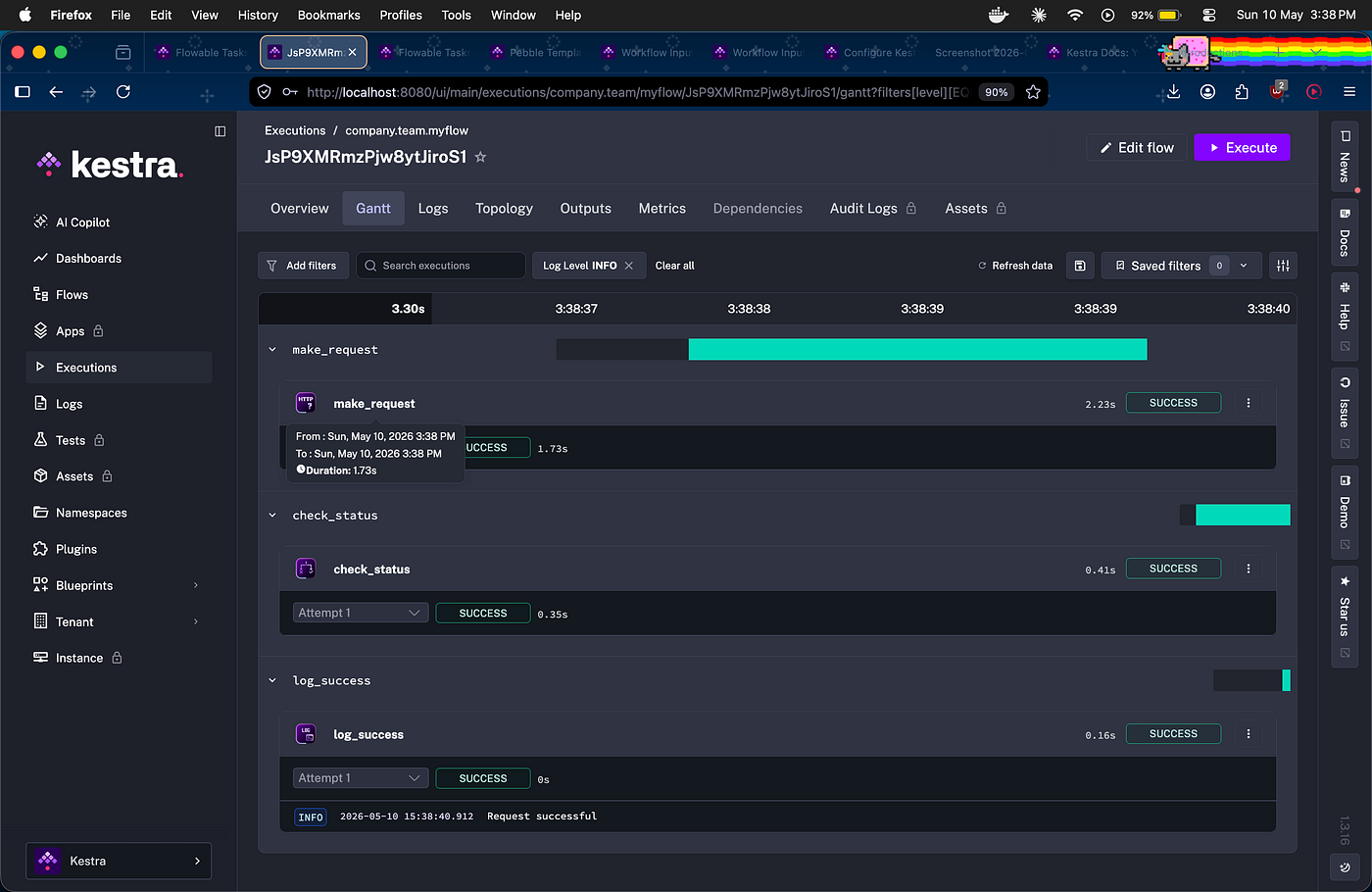
Execution showing make_request → check_status → log_success all green
I also tested with a bad URL — got a FAILED execution with the full HTML error response in logs. Real debugging, real learning.
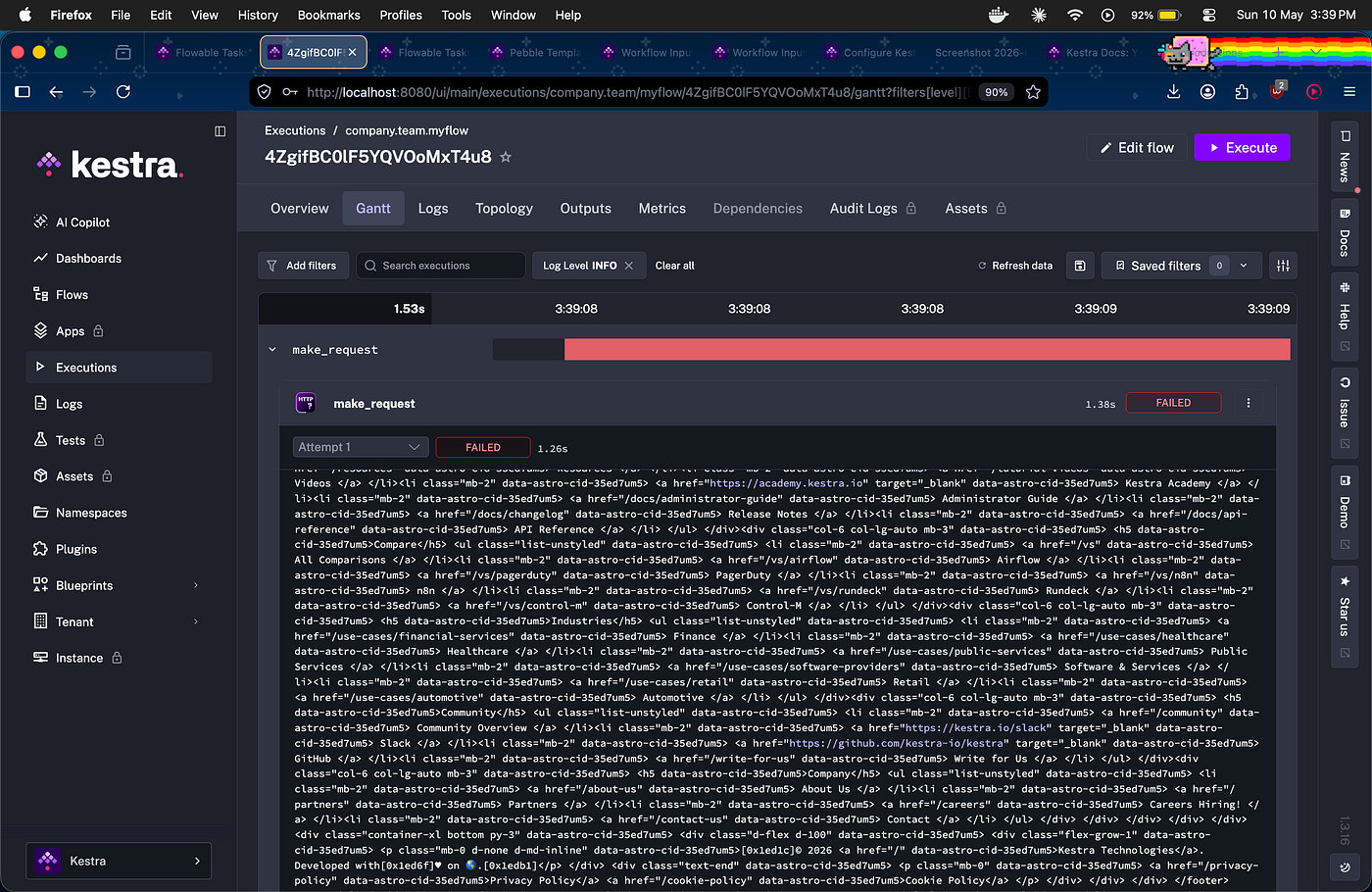
Failed execution with HTML error output
ForEach Loop — Processing Arrays
The loop flow ran the same task five times automatically for each number in [1,2,3,4,5]. In the Gantt view you can see log_data 1, log_data 2… all the way to 5 running sequentially.
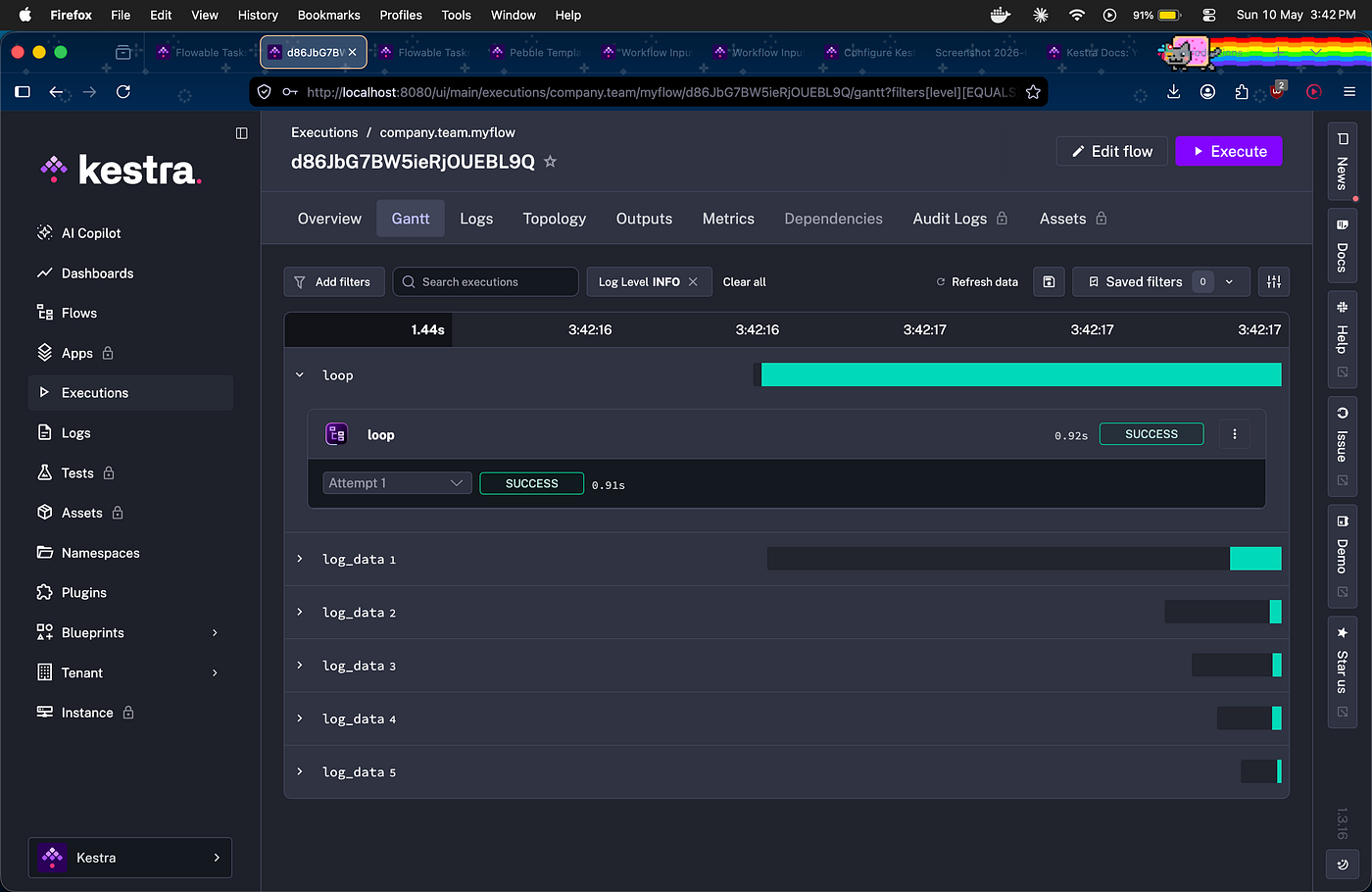
ForEach execution showing log_data 1 through 5
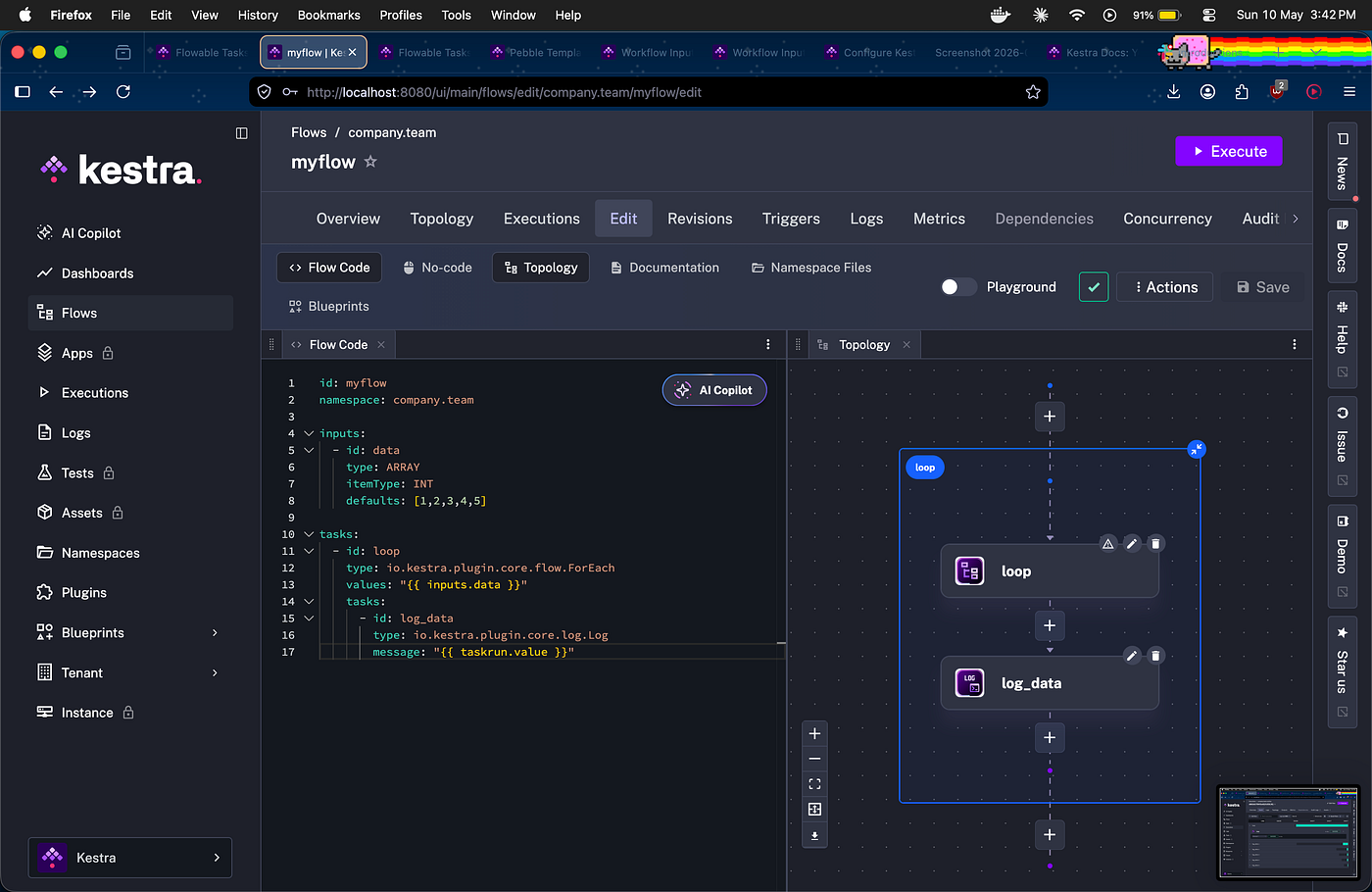
Topology view showing loop → log_data structure
Subflows and Dependencies — The Really Cool Part
This is where it got interesting. I created a mysubflow that handles HTTP requests and returns the status code as an output. Then myflow calls it like a function:
yaml
- id: subflow
  type: io.kestra.plugin.core.flow.Subflow
  namespace: company.team
  flowId: mysubflow
  inputs:
    uri: https://kestra.io
The execution log shows exactly what happened — “Created new execution for flow company.team.mysubflow” — the parent triggered the child automatically.
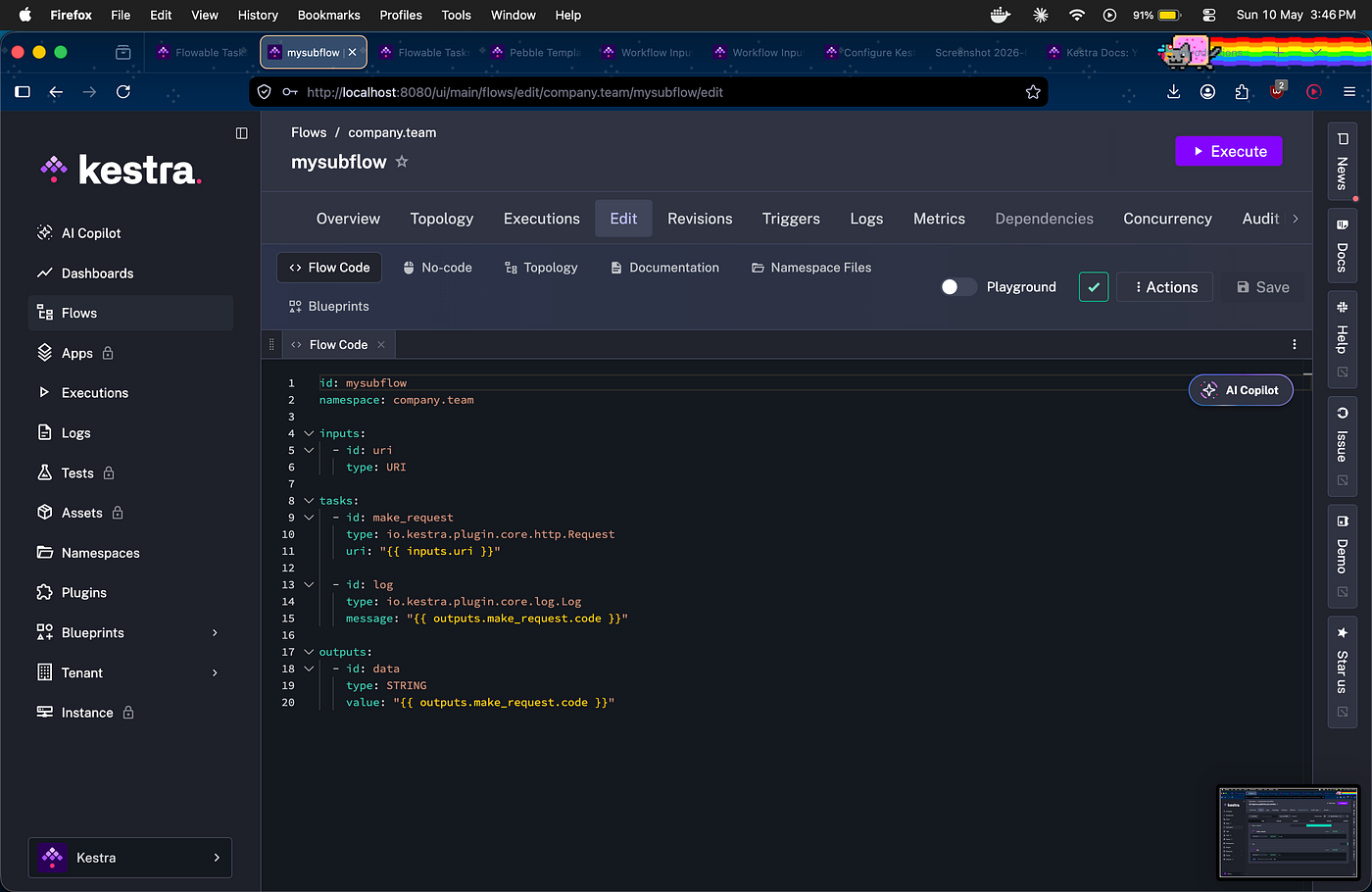
mysubflow YAML code
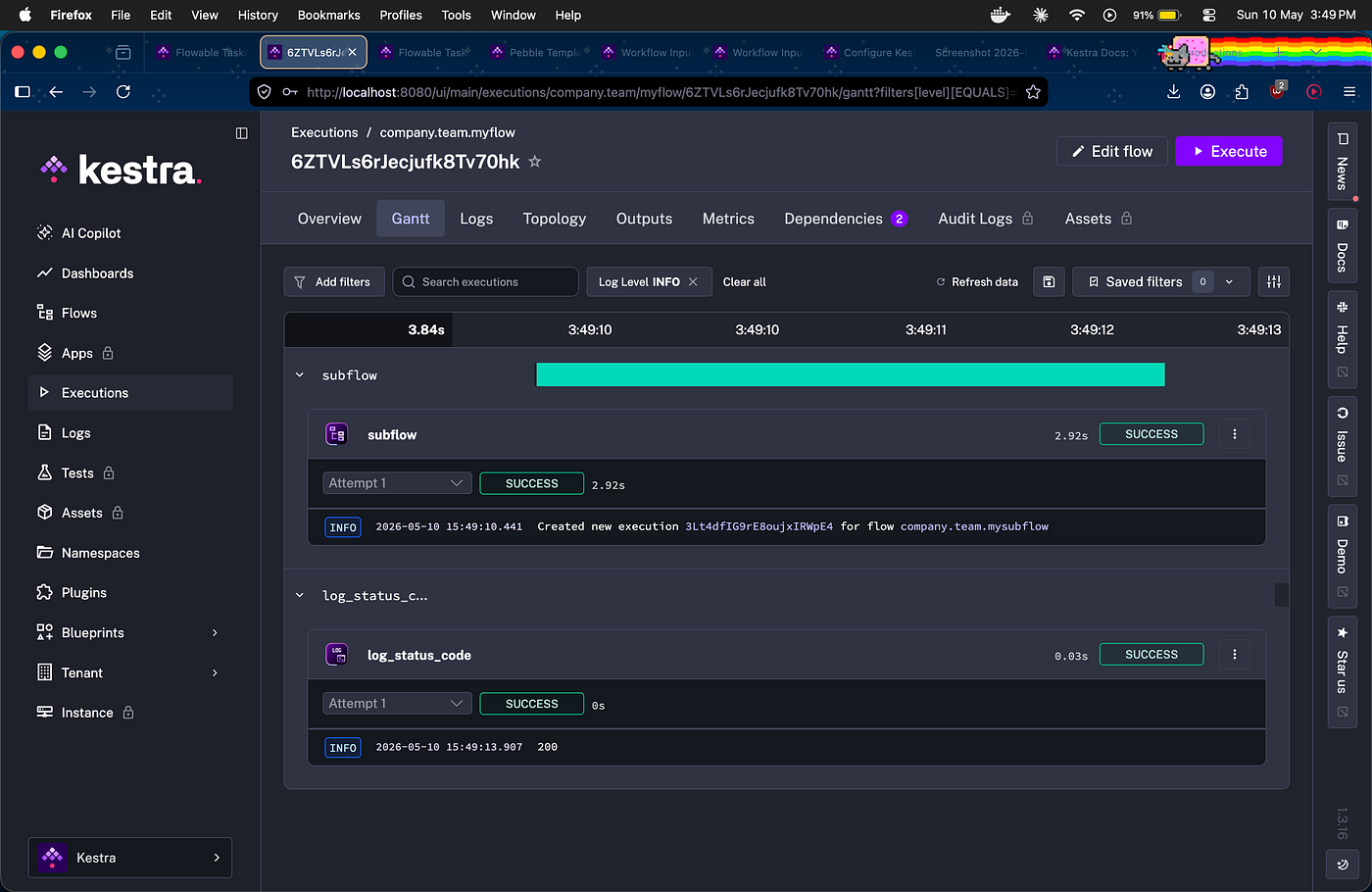
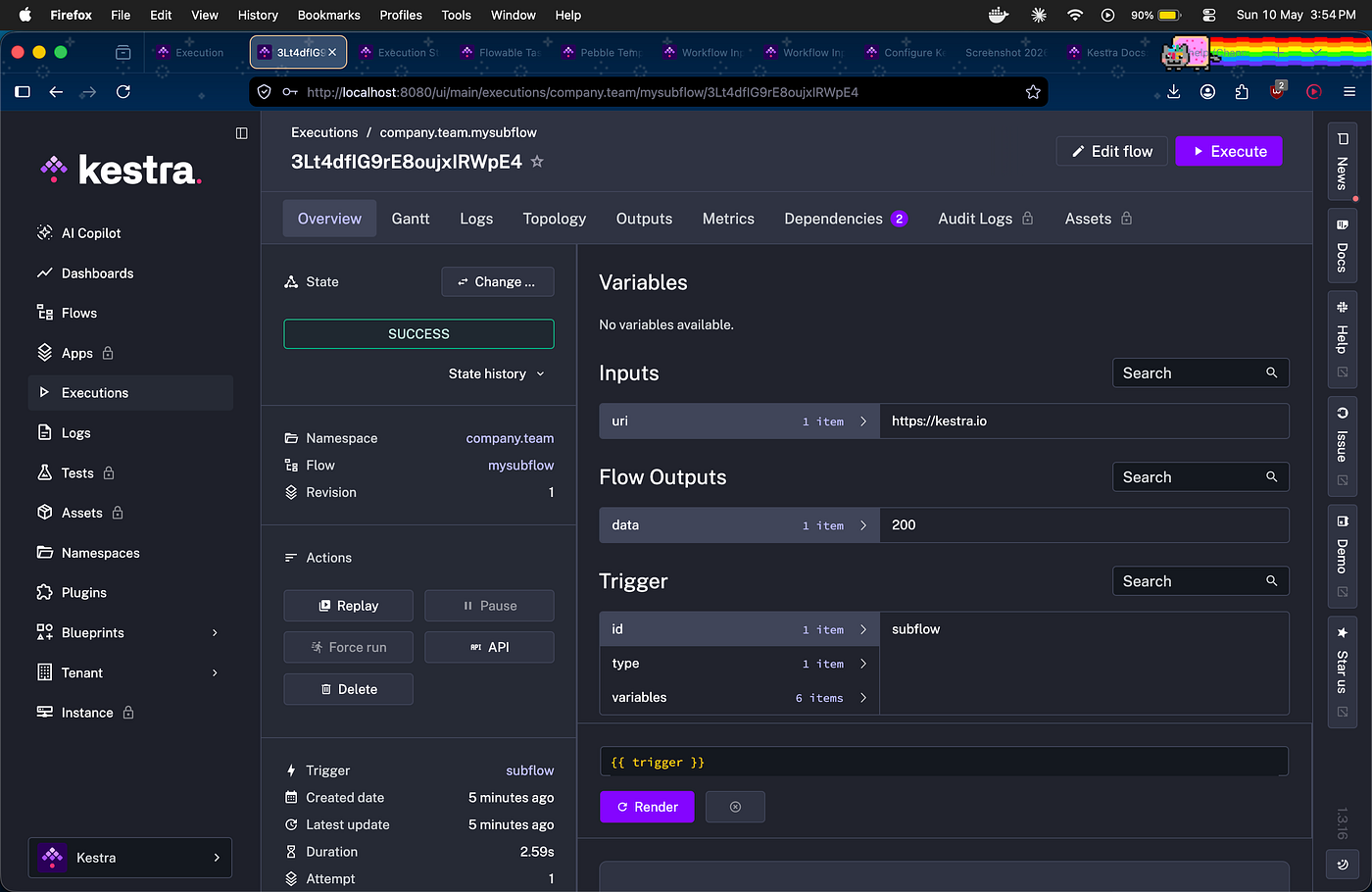
mysubflow execution overview showing input uri and output data: 200
The Dependencies tab shows the relationship visually — myflow → mysubflow connected by a dotted line. In a real system with 50 flows calling each other, this view becomes essential.
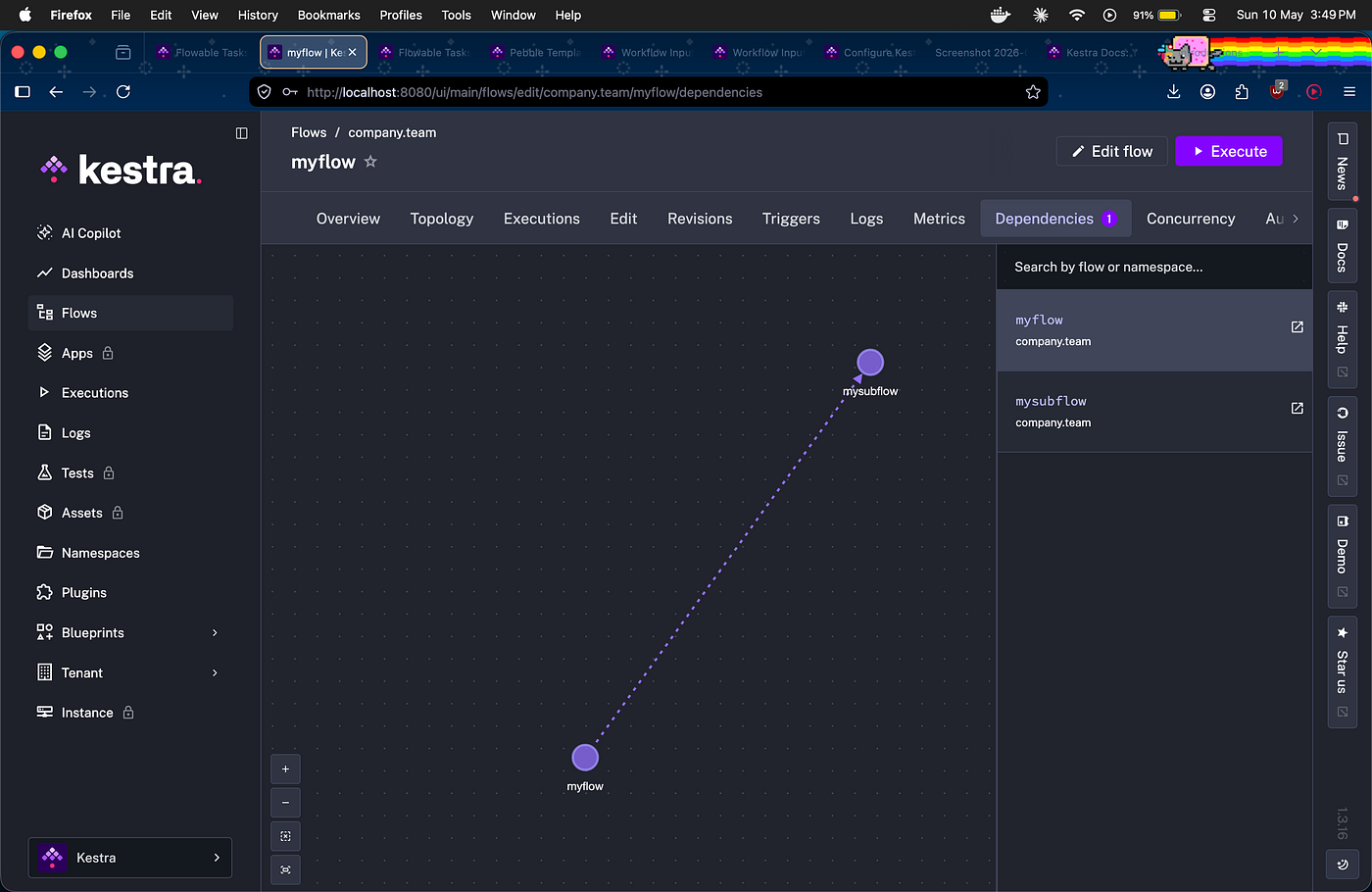
Dependencies graph showing myflow → mysubflow
Multiple Triggers — Same Flow, Different Schedules
I set up two schedule triggers on the same flow — morning checks kestra.io/docs, evening checks kestra.io/plugins. The Topology view showed both triggers feeding into the same task chain.
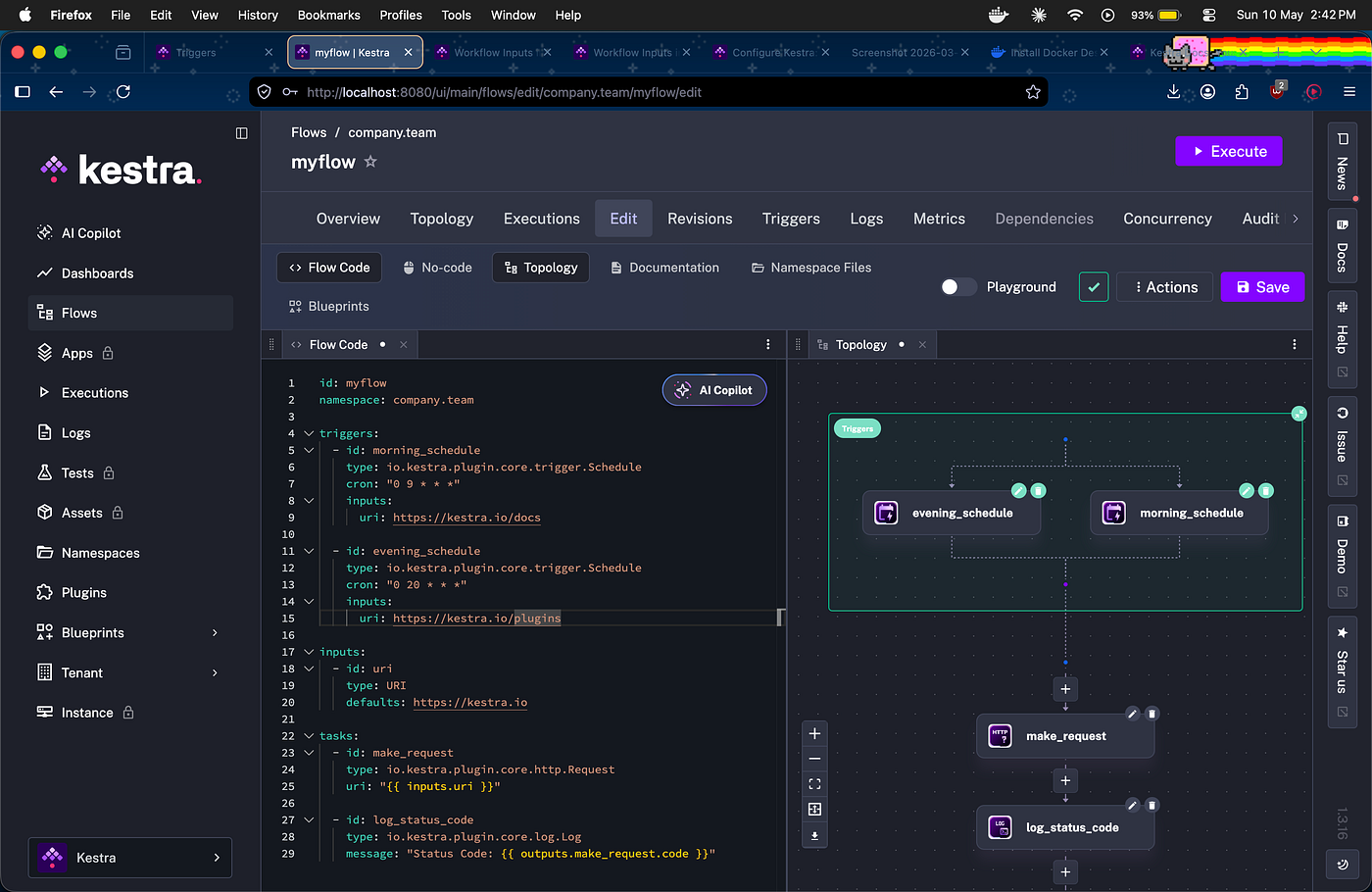
Topology with morning_schedule and evening_schedule
The ETL Pipeline — Real Data Engineering
The most impressive thing I built — a complete data pipeline from a Blueprint:
- Extract: fetched product JSON from a public API (1.17s)
- Transform: Python script filtered and cleaned the data (14.49s)
- Query: DuckDB ran SQL analytics on the result (11.51s)
Total time: 27.47 seconds for a complete data engineering workflow.
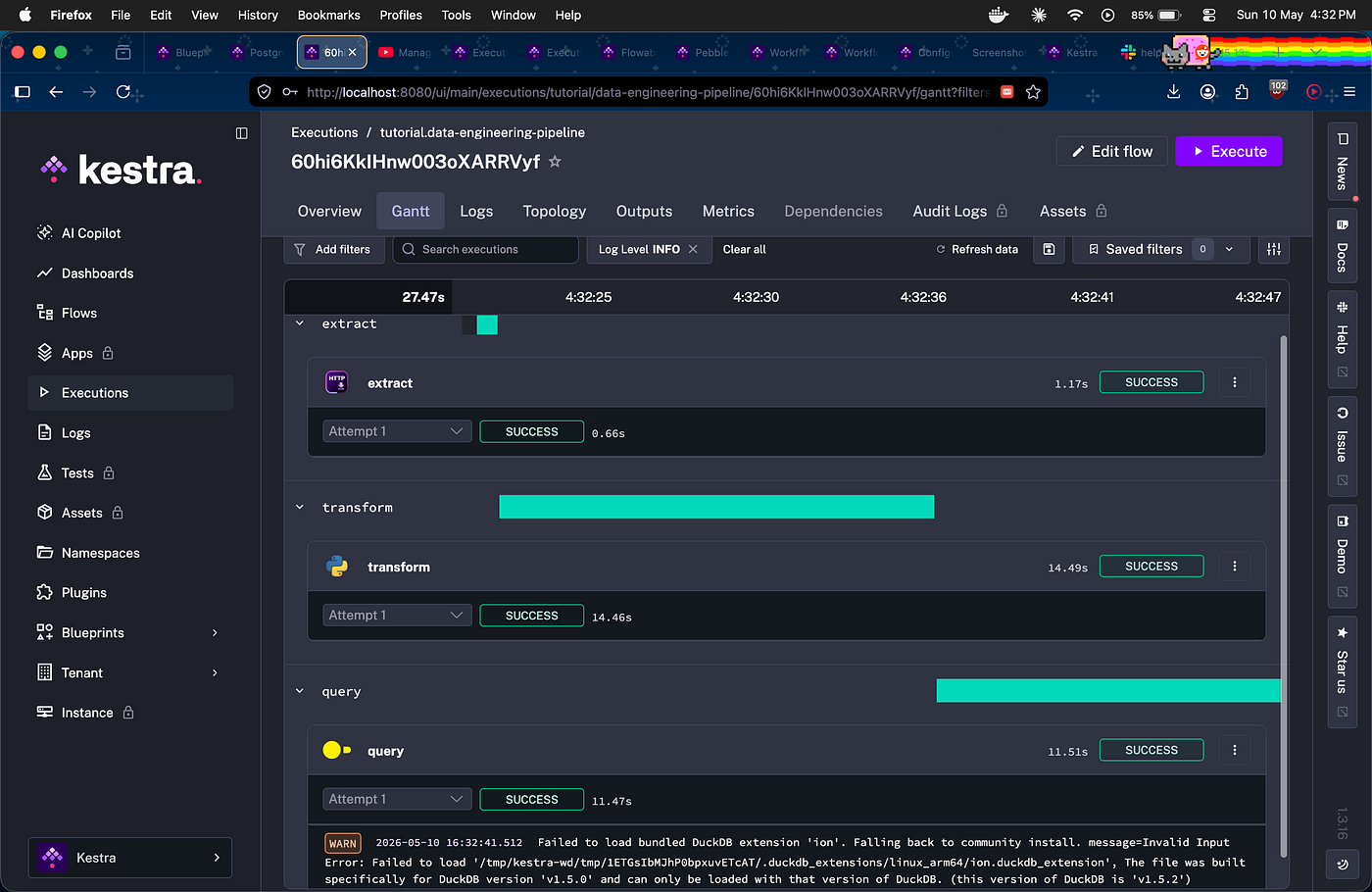
ETL pipeline Gantt showing extract → transform → query all SUCCESS
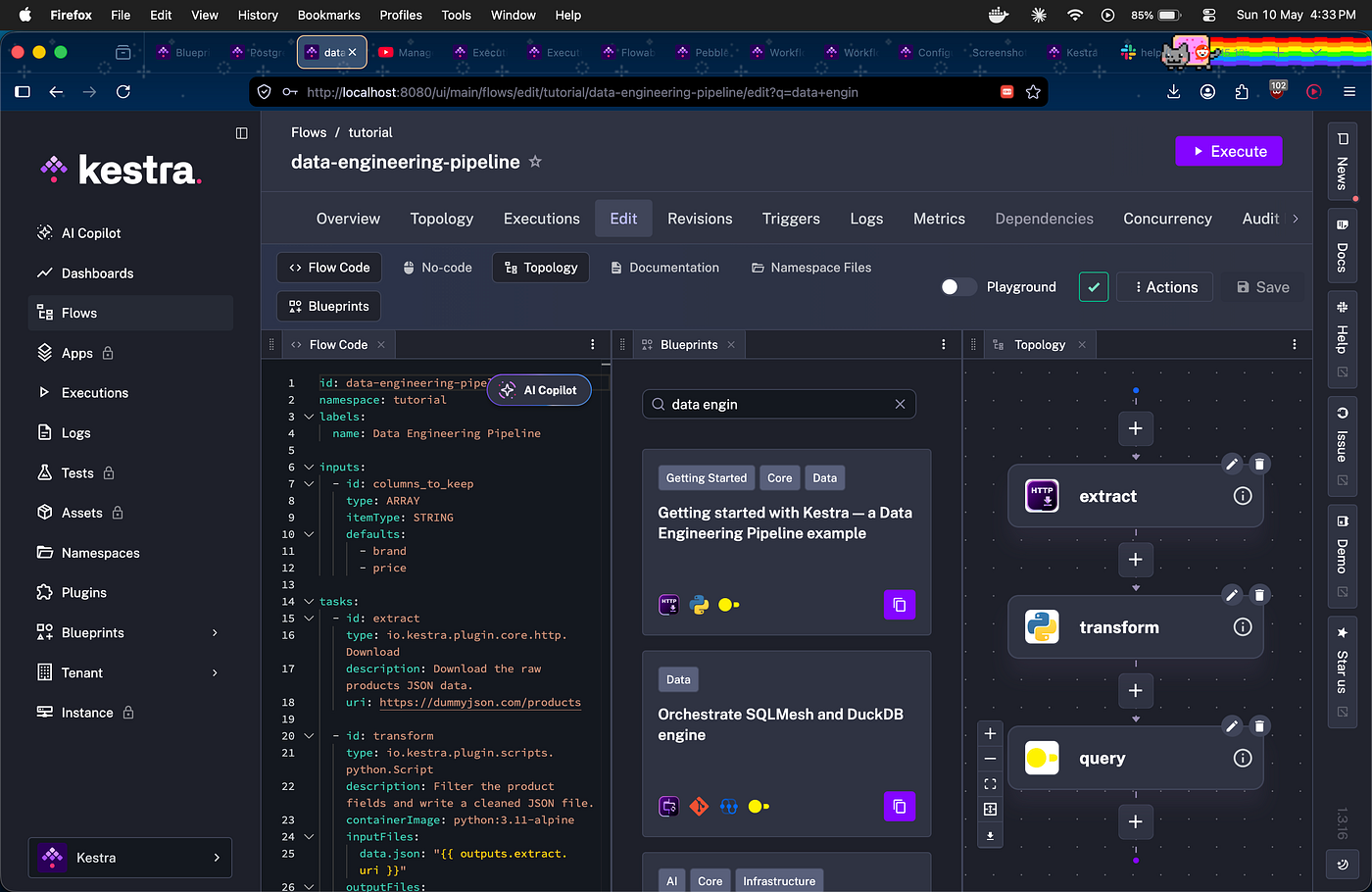
Blueprint panel showing the data engineering pipeline template
This is what companies do at scale — thousands of these pipelines running daily, orchestrated automatically.
What I Actually Learned
YAML is not scary. It’s just structured instructions. id, type, properties — once you see the pattern it becomes natural.
Outputs chain tasks together. {{ outputs.make_request.code }} is how task 1 passes data to task 2. That's the whole pipeline concept.
Blueprints save hours. Don’t start from scratch. Find a blueprint close to your use case, click Use, customize. That’s how real developers work.
Subflows prevent copy-paste hell. Define once, call from anywhere. Update in one place, everything updates.
The Gantt view tells the whole story. After every execution, the Gantt shows you exactly what ran, in what order, how long each task took, and where things failed.
More Things I Discovered
Then add these three:
Replay — Fix Without Rerunning Everything If a flow fails at task 7 out of 10, you fix the bug, save a new revision, then replay just that failed task. Not the whole flow from beginning. In real pipelines where earlier tasks take hours — this saves massive time.
Secrets — Keeping Credentials Safe Never hardcode API keys in your flow. Kestra’s secret() function retrieves sensitive values at runtime and masks them in logs. {{ secret('MY_API_KEY') }} — your credentials never appear in code, revisions or execution outputs.
The Programming Parallel Everything in Kestra maps to things you already know as a developer:
- Inputs = function parameters
- Outputs = return values
- Subflows = functions you call
- Secrets = private variables
- Namespaces = packages/modules
- Replay = hot reload / debug mode
Once that clicked, everything made sense instantly.
What’s Next
Kestra is open source — their GitHub has real issues to contribute to. The WeMakeDevs community also runs an Open Source Fest where you can make contributions with mentorship. That’s my next step.
If you’re a student looking for a free, genuinely useful certification that teaches real industry skills — the Kestra Fundamentals course at academy.kestra.io is worth every minute.
Links
- Free certification: academy.kestra.io/kestra-fundamentals
- WeMakeDevs challenge: wemakedevs.org/orchestration
- Kestra GitHub: github.com/kestra-io/kestra
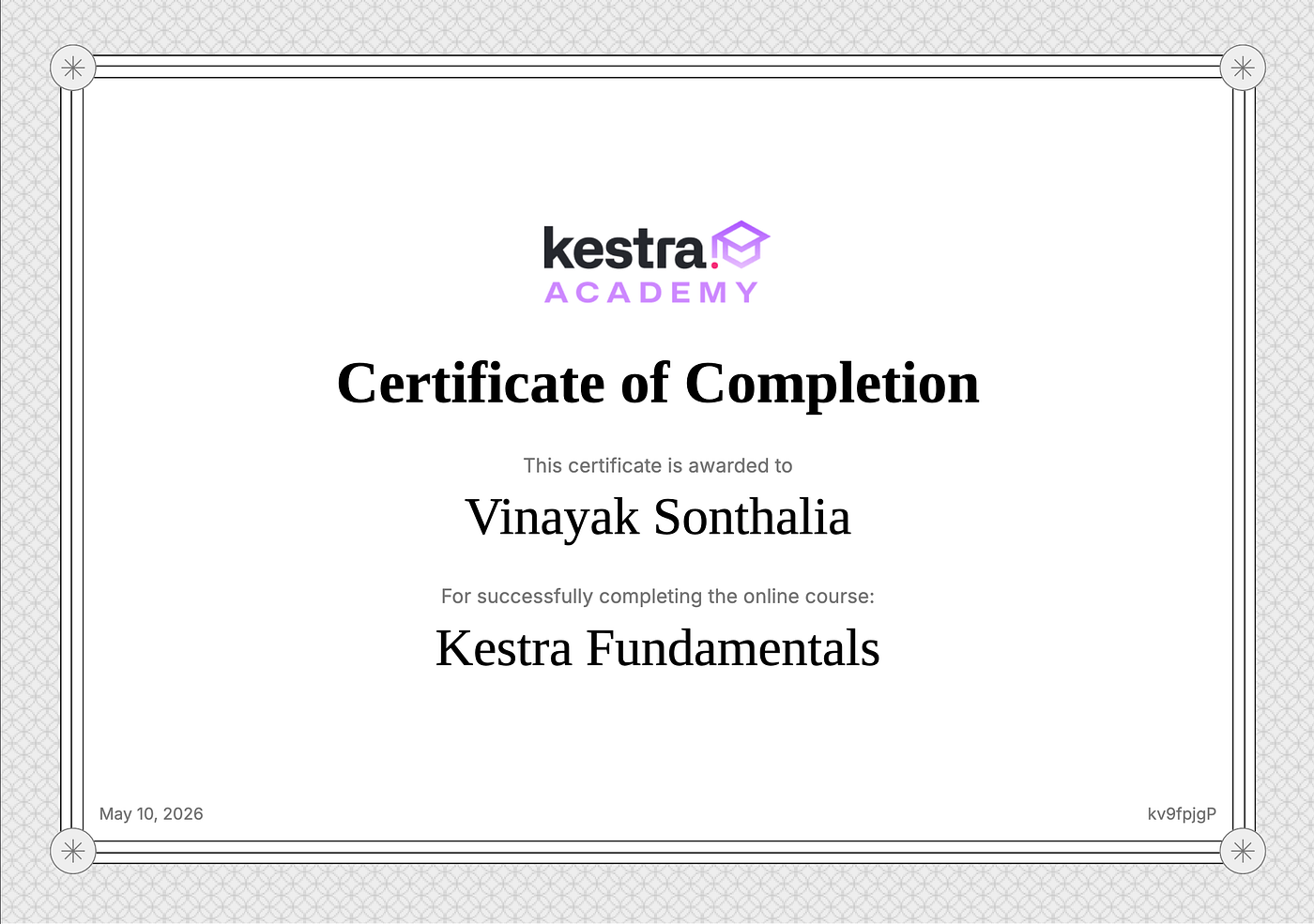
Certification of Completion — Kestra Fundamentals
#KestraAcademy #WeMakeDevs #OpenSource #WorkflowOrchestration #StudentDeveloper
메타데이터
- post_id
- 419cf7e91b19
- slug
- from-zero-to-certified-how-i-learned-workflow-orchestration-with-kestra-419cf7e91b19
- url
- https://medium.com/@vinayaksonthalia/from-zero-to-certified-how-i-learned-workflow-orchestration-with-kestra-419cf7e91b19
- canonical_url
- https://medium.com/@vinayaksonthalia/from-zero-to-certified-how-i-learned-workflow-orchestration-with-kestra-419cf7e91b19
- author_url
- https://medium.com/@vinayaksonthalia
- status
- ok
- fetched_at
- 2026-06-09 15:37:30


