n8n vs Zapier: We Migrated 47 Workflows. Here’s What Actually Happened.
Note: This case study combines patterns from multiple client migrations we’ve completed. The workflow types, timelines, and technical…
n8n vs Zapier: We Migrated 47 Workflows. Here’s What Actually Happened.
Note: This case study combines patterns from multiple client migrations we’ve completed. The workflow types, timelines, and technical trade-offs reflect real projects, while specific figures and implementation details have been adjusted to protect client confidentiality.
The client’s Zapier bill had quietly climbed to $612 a month before anyone noticed. Over two years, a new automation here, another Path there, and a handful of extra integrations gradually pushed the monthly cost higher until finance flagged it during a routine SaaS spend review.
The bill wasn’t the real problem. It was the first sign that the automation stack had become too complex to manage confidently.
Behind that subscription were 47 active Zaps built by three different people over two years. No one fully understood how they worked together or what might break if a single workflow changed.
That’s why the team asked us to migrate everything to n8n with the support of an **n8n workflow automation agency** experienced in rebuilding complex business automations.
This isn’t a feature comparison or a theoretical migration guide. It’s a practical look at what happened during the migration: which workflows moved over in minutes, which had to be rebuilt, where the biggest technical surprises appeared, and what we’d do differently if we tackled the project again.
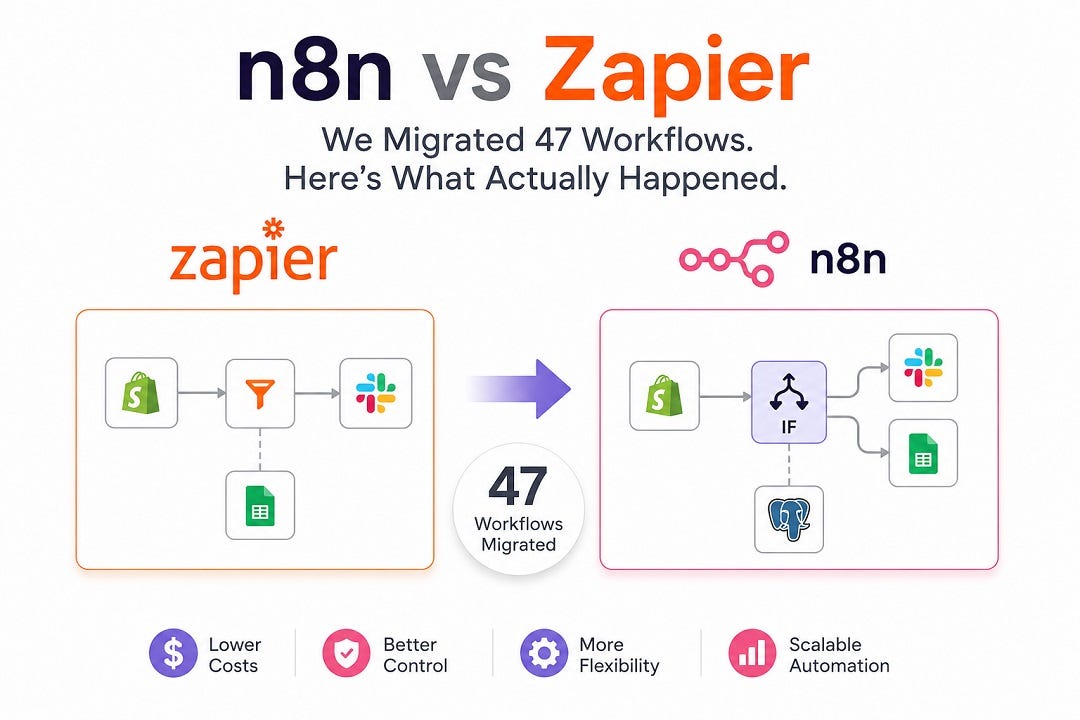
Clean infographic comparing Zapier and n8n, illustrating the migration of 47 business automation workflows. The visual shows a transition from Zapier’s linear workflow to n8n’s node-based workflow, highlighting improved flexibility, lower costs, better control, and scalable workflow automation.
Why They Pulled the Trigger
Cost was the headline reason, but it wasn’t what ultimately drove the migration. The bigger problem was that nobody could safely modify the Zapier setup anymore.
Three different Zaps were triggered by the same Shopify webhook, and no one was completely sure which one executed first. Another Zap had grown to 14 steps and cost more to run than the value of the product it was processing.
The $612 monthly bill made it easy to secure budget approval. The real pain was operational. Over time, the automation stack had become a black box that no one wanted to touch because nobody could predict what might break.
The Three Buckets Every Migration Falls Into
Once we reviewed all 47 Zaps, a clear pattern emerged. Every workflow fit into one of three categories. Knowing which bucket a workflow belongs to is one of the easiest ways to estimate migration effort before any rebuilding begins.
Straightforward Migrations (26 of 47)
These were simple trigger-to-action workflows, such as sending a Slack notification for a new Shopify order or creating an Airtable record from a form submission. The logic stayed the same, so rebuilding them in n8n typically took 10–15 minutes.
Rebuilt Workflows (16 of 47)
These relied on Paths, Filters, and Formatter steps. Since those don’t translate directly into n8n, the logic had to be rebuilt using IF, Switch, Set, or Code nodes. Most took 1–3 hours, often because the original workflow had little or no documentation.
Redesigned Workflows (5 of 47)
These weren’t true migrations. They existed as workarounds for limitations in the original platform. In situations like these, **custom n8n workflow development** often delivers a better long-term outcome than trying to recreate every existing workflow step by step. One process used three separate Zaps and a Google Sheet to move data between steps. In n8n, it became a single workflow with a reusable sub-workflow, making it significantly easier to maintain.
The Two We Had to Redesign, Not Migrate
Most workflows could be rebuilt with the same business logic. Two couldn’t. They required a redesign because n8n handles workflow execution differently from Zapier.
Order Reconciliation
This workflow depended on Zapier’s built-in retry behaviour. In n8n, retries have to be configured explicitly at the node level. We added an Error Trigger workflow, retry logic for rate-limited API calls, and a PostgreSQL dead-letter log for failed executions. The redesign took longer than the migration itself, but it also made failures visible instead of happening silently in the background.
Inventory Synchronisation
This process had been split across four separate Zaps because batching was difficult to manage. We rebuilt it as a single n8n workflow using the Split In Batches node. The biggest improvement wasn’t a dramatic reduction in errors — it was replacing four separate execution paths with one workflow that’s much easier to monitor, debug, and maintain.
What the Bill Looked Like After the Migration
The migration delivered meaningful cost savings, but the subscription price was only part of the outcome.
Before
- Zapier: $612/month, with costs increasing as task volume grew.
- Additional operational overhead from investigating failed or undocumented workflows.
After
- n8n Cloud: A flat monthly subscription at roughly one-third of the previous Zapier cost.
- Self-hosting was an option, but the team chose n8n Cloud to avoid managing infrastructure, updates, and uptime.
The lower subscription cost didn’t come without effort. While the straightforward workflows were migrated quickly, rebuilding the more complex automations and redesigning two critical workflows required two to three weeks of engineering time, including discovery, implementation, and parallel-run testing.
That’s why we don’t evaluate migrations on software costs alone. The more meaningful comparison is a one-time engineering investment versus the ongoing cost, complexity, and maintenance burden of an automation stack that’s becoming increasingly difficult to manage.
What We’d Do Differently
If we repeated this migration, we’d extend the parallel-run phase from one week to at least two.
The one-week overlap was enough to validate most workflows, but it missed an edge case in the inventory synchronisation process that only appeared during a high-volume sales event. The discrepancy was spotted by the client’s operations lead rather than our testing, allowing us to correct it before the migration was fully complete.
That experience reinforced an important lesson: production-like testing isn’t just about checking whether workflows run — it’s about validating how they behave under real business conditions.
The Takeaway
Migrating from Zapier to n8n isn’t a simple lift-and-shift. Some workflows move across in minutes, others need to be rebuilt, and a small number require a completely different design because the two platforms handle execution differently.
The biggest lesson wasn’t the lower subscription cost. It was the years of accumulated automation decisions that had created unnecessary complexity, something that only became visible once every workflow was reviewed. that had created unnecessary complexity, which only became apparent once every workflow was reviewed. The migration provided an opportunity to simplify, document, and make the automation stack easier to maintain.
At Fullestop, that’s how we approach **Zapier to n8n migration services**. Before discussing platforms or timelines, we focus on understanding existing workflows, identifying unnecessary complexity, and deciding what to migrate, rebuild, or redesign. In our experience, planning has a greater impact on long-term success than the migration itself.
Every migration is different, but the questions below are the ones we hear most often from teams evaluating a move from Zapier to n8n.
Frequently Asked Questions
1. Is n8n actually cheaper than Zapier?
In many cases, yes. For teams running complex or high-volume automations, n8n often costs less because its pricing model is generally more efficient than Zapier’s for multi-step workflows. Self-hosting can reduce software costs further, although it also requires managing infrastructure and maintenance.
2. Can every Zapier workflow be migrated directly to n8n?
No. Simple trigger-to-action workflows usually migrate with minimal changes, while workflows using advanced branching, formatting, or platform-specific workarounds often need to be rebuilt or redesigned. The migration effort depends more on workflow complexity than on the total number of Zaps.
3. Does n8n handle retries and error handling the same way as Zapier?
No. Zapier automatically retries many failed tasks behind the scenes, whereas n8n requires retry logic and error handling to be configured explicitly. Although this requires additional setup, it gives teams greater visibility and control over workflow failures.
4. How long does a Zapier-to-n8n migration usually take?
It depends on the size and complexity of your automation environment. For a setup with around 40–50 workflows, a migration typically takes two to three weeks, including discovery, rebuilding complex workflows, testing, and production cutover.
5. Should I choose n8n Cloud or self-hosted n8n?
Choose n8n Cloud if you want managed infrastructure with minimal operational overhead. Choose self-hosted n8n if your team has the technical resources to manage servers and wants greater control over deployment and operating costs.
6. When does it make sense to migrate from Zapier to n8n?
A migration is worth considering when automation costs continue to grow, workflows become difficult to maintain, or you need more flexibility than Zapier can provide. Smaller environments with only a few simple automations may work well on Zapier, while larger or more complex workflows often benefit from n8n.
About the Author
Rajesh Sen is a technology strategist specializing in workflow automation, AI-powered systems, enterprise integration, and digital transformation. He helps organizations streamline operations, implement scalable automation frameworks, and adopt emerging technologies that improve efficiency, reduce complexity, and support long-term business growth.
About the Company — Fullestop
**Fullestop** is a global technology and digital transformation company specializing in custom software development, AI solutions, enterprise applications, and n8n automation services. With more than two decades of experience, Fullestop helps businesses modernize operations through secure, scalable, and high-performance technology solutions. The company partners with organizations to accelerate innovation, improve efficiency, and achieve sustainable growth through technology-driven transformation.
메타데이터
- post_id
- 41f44be4a1d9
- slug
- n8n-vs-zapier-we-migrated-47-workflows-heres-what-actually-happened-41f44be4a1d9
- url
- https://medium.com/@fullestopusa/n8n-vs-zapier-we-migrated-47-workflows-heres-what-actually-happened-41f44be4a1d9
- canonical_url
- https://medium.com/@fullestopusa/n8n-vs-zapier-we-migrated-47-workflows-heres-what-actually-happened-41f44be4a1d9
- author_url
- https://medium.com/@fullestopusa
- status
- ok
- fetched_at
- 2026-07-16 00:09:14