Claude Code Today
A working map of what Claude Code has become.
Claude Code Today
A working map of what Claude Code has become.
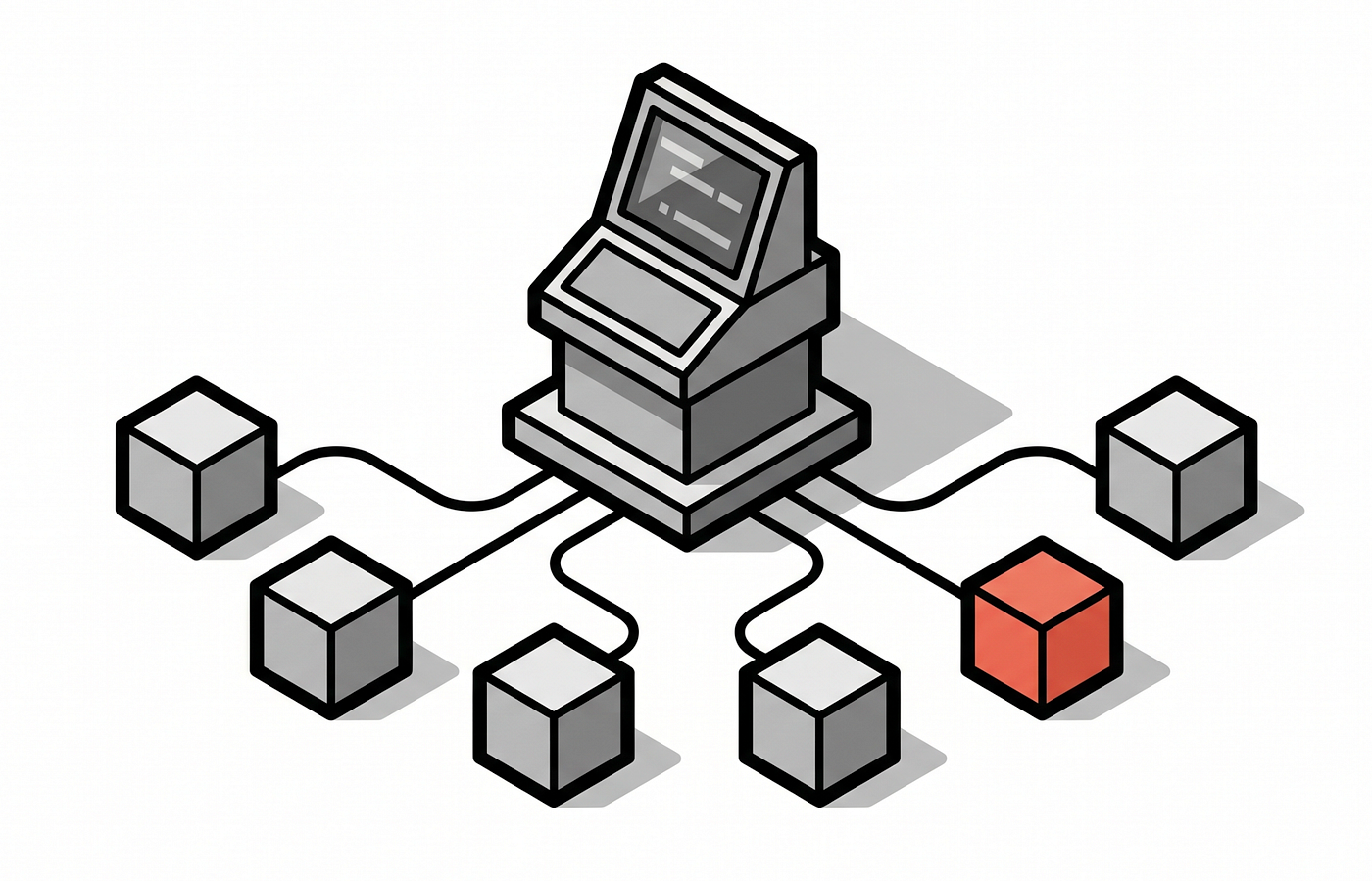
Not a CLI that finishes your line, a platform that runs surfaces, agent teams, scheduled jobs, and parallel fleets. Here is every piece that matters and when to actually reach for it.
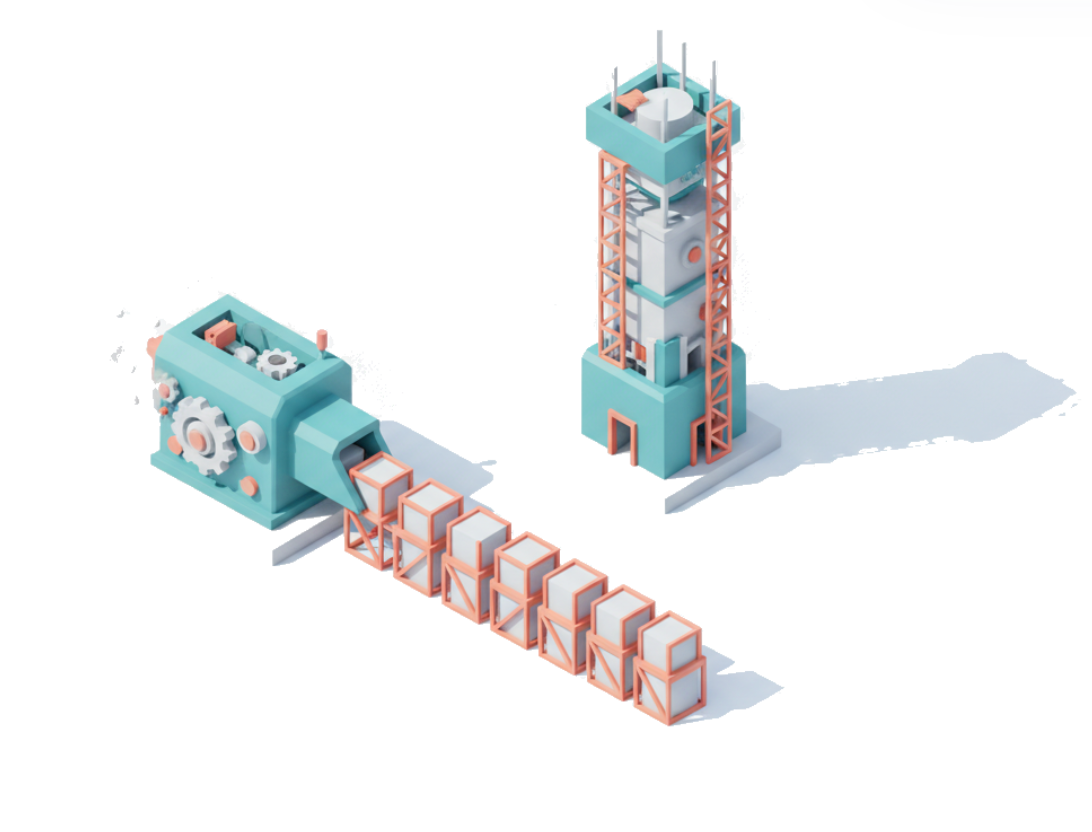
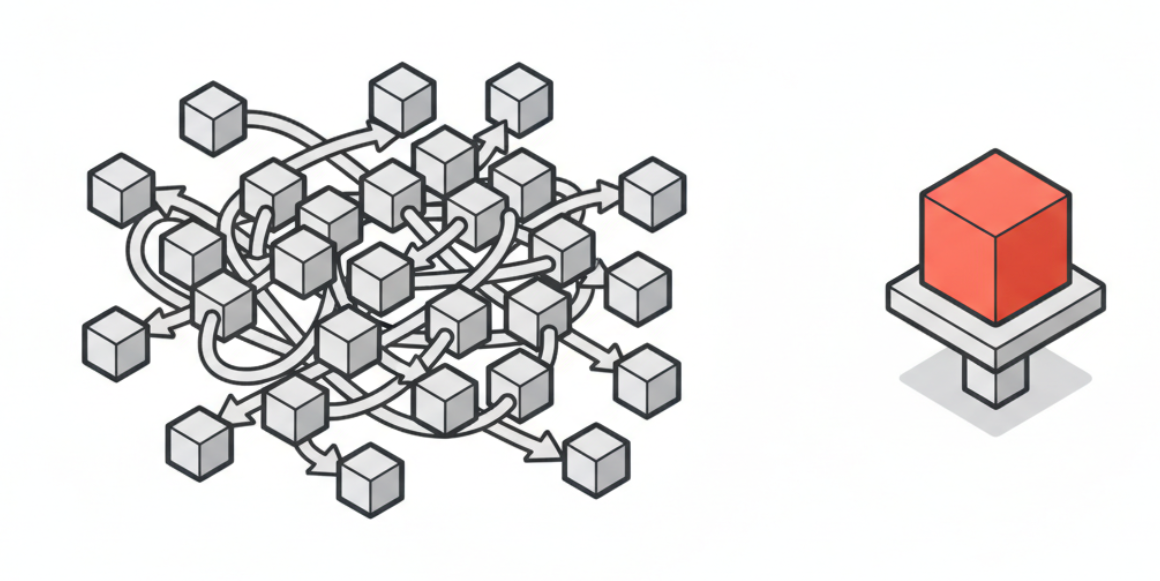
A year ago I gave Claude Code a task and reviewed every single edit it made, walking it through each small decision. That is not how I or most people use it now. Now you delegate, and you check in after it has already tested its changes and opened a pull request for review. The tool did not just get smarter. It grew into a platform, and most people are still using one corner of it.
This is the full map. For each capability I will tell you what it is and when it earns its place in your workflow, because the point is not to use all of it. The point is to know which piece fits which job.
Three things to take away:
- Claude Code is now four surfaces over one engine: a terminal, an IDE extension, a graphical desktop app, and your phone. They share the same agent underneath, so you pick the surface that fits the moment, not the one you got stuck with.
- The features that matter most are the ones that run without you sitting there: automatic code review on your PRs, an overnight security scan, scheduled routines, and dynamic workflows that fan out across hundreds of agents. The job shifted from typing to supervising.
- The way to adopt this is in order. Auto mode first, then code review, then routines for recurring toil, then dynamic workflows for the big mechanical jobs. Each step moves you from doing the work to setting it up and checking it.
The shift: from reviewing edits to reviewing outcomes
Start with the mental change, because the features only make sense once you have made it. The old loop was you in the driver’s seat, approving each edit. The new loop is auto mode, where you delegate permissions to Claude and it works until it has something worth your attention, usually a tested change and a PR ready to read.
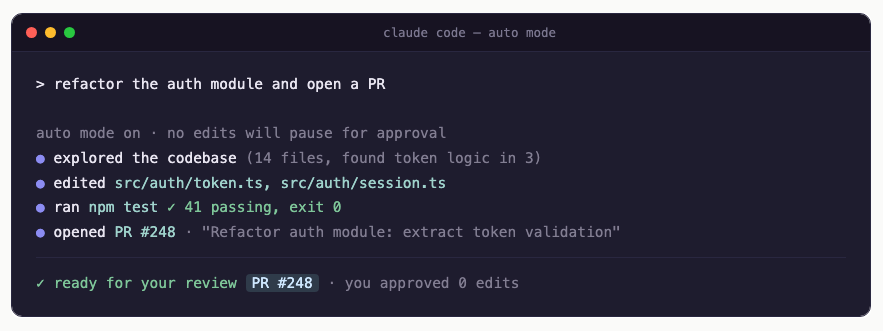
This is not a small convenience. At Anthropic, engineers report shipping roughly 8 times more code than in past years, even as the team grew, and the average developer there now spends around 20 hours a week working with Claude. Those numbers come from people who moved their hands off the keyboard and onto the review. The features below are all built for that posture.
The four surfaces, and which one to use
Claude Code started in the terminal, and the CLI is still home for power users who want a minimal interface and the most control. Then came the IDE extension for VS Code, for when you want the same agent but want to follow the code changes as they land. Both of those you probably know.
The two newer surfaces are the ones worth trying this week. Claude Code on the desktop app is a full graphical interface with built-in previews, a sidebar control plane, and the ability to render images and rich output. It gives you a single view across all your local and cloud sessions, with clear indicators of which agents are working and which are waiting on you. And there is the agents view inside the CLI, a control plane that never makes you leave the terminal: you see what is waiting on you, what is running, and what is already done, and you can reply inline to unblock a session or jump in and out without losing your place.
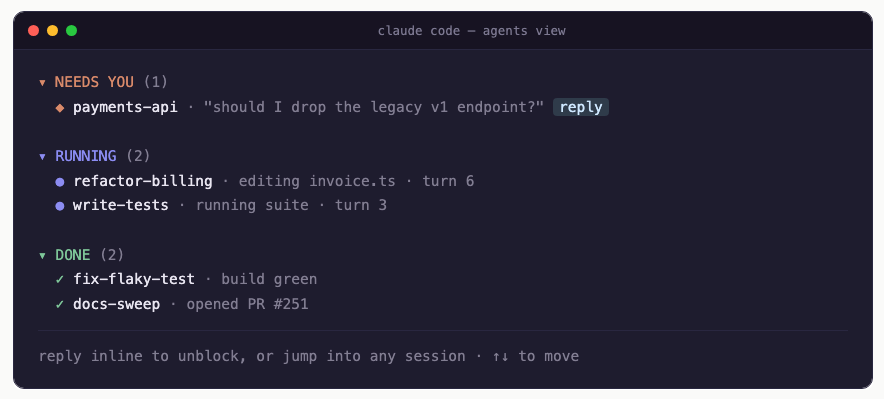
That last one matters because of a habit people backed into and named multi-clauding, running several Claude Code sessions at once. Once you are running three or four agents in parallel, you need a control plane more than you need another editor pane. Both the desktop app and the CLI agents view exist to give you that. All of these surfaces, including the IDE extension and the desktop app, are built on the same Claude Agent SDK that you can build on yourself.
When to use which surface
The CLI is for control and customization, the deep work where you want to see and shape everything. The IDE extension is for when you are still in the code yourself and want to watch the diffs. The desktop app is for running many things at once and wanting a real dashboard, previews, and rich output in front of you. The phone, through remote control and the Claude Code mobile apps on iOS and Android, is for the times you want to kick off or unblock a task away from your desk. None of these is the “right” one. They are four doors into the same room, and the skill is matching the door to the moment.
The agent teams that run without you
Here is where Claude Code stops being a tool you operate and starts being a team you direct. Each of these came from a real complaint developers had, and each one runs on its own once configured.
Code review. Anthropic shipped a code review product that deploys a team of agents to catch critical bugs in your pull requests. Thousands of companies use it daily, including every internal Anthropic team. Reach for it the moment you are merging more code than your humans can carefully read, which, if you have adopted auto mode, is almost immediately.
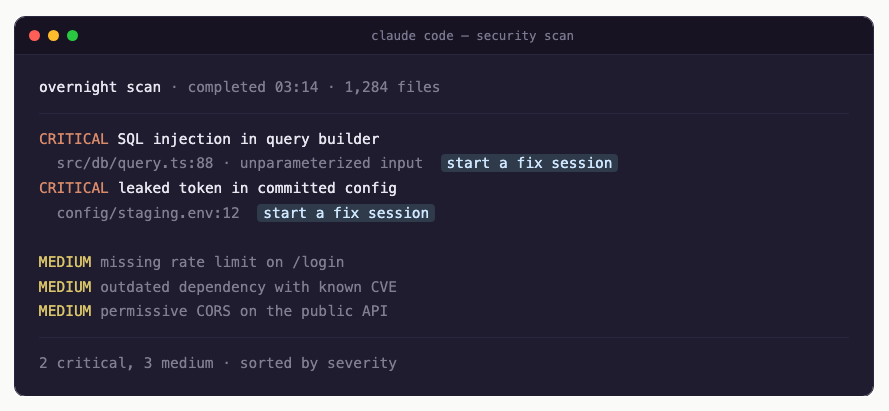
Claude security. It scans your codebase overnight and flags a range of vulnerabilities, calling out the ones it judges most critical, and lets you kick off a Claude Code session to fix each one. Use it when the volume of shipped code has outrun your security team’s ability to keep up. That is a real failure mode now, not a hypothetical.
Routines. You configure a task once and it runs on a schedule, a webhook, or an API call, kicking off Claude Code on the right work without a human to start it. This is the home for recurring toil: the weekly dependency bump, the nightly check, the cleanup that always slips. Anything you find yourself manually kicking off on a rhythm belongs here.
Dynamic workflows: the parallel fleet
This is the most powerful piece and the one fewest people have tried. Dynamic workflows let you kick off Claude Code across tens or hundreds of agents at once, in a deterministic structure, to finish your most ambitious jobs: large migrations, codebase-wide audits, performance passes, anything that means doing the same shaped work many times.
The example that makes it click is localization. Say your marketing site is English only and you want to launch in a dozen more markets. One agent translates the site to one language in about three minutes. Done sequentially, with manual prompting between each, that is the better part of an hour. With a dynamic workflow, you give one prompt, Claude builds a repeatable process, and you watch twelve translation agents run at the same time. When they finish, it spins up twelve more agents to verify the work across the new languages. One prompt, instead of twelve separate tasks. And you can save the whole thing as JavaScript and reuse it next time.
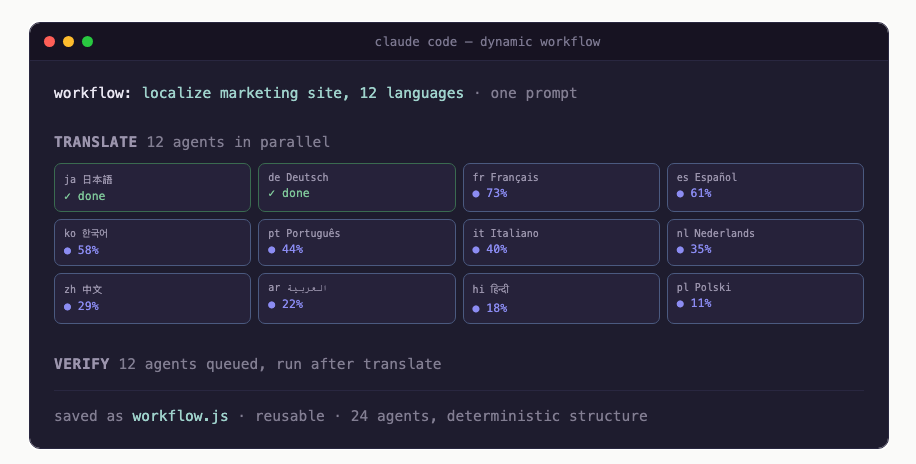
That pattern generalizes far past translation. Any large job with a repeatable unit, a migration across thousands of repos, an audit of every service, a performance sweep, is a dynamic workflow. Spotify built a background agent on the Agent SDK that reads a migration plan in plain English and dispatches a fleet of agents that open PRs, and they now merge over a thousand PRs a month into production, with migration time cut by about 90 percent. Mercari, running their whole engineering team on Claude Code, reports engineering output up 90 percent year over year. These are not demos. They are production fleets.
The playbook: adopt it in this order
You do not turn all of this on at once. The sequence that works:
- Switch to auto mode. Stop approving every edit. Let Claude work to a tested change and a PR, and move your attention to the review. This single change is what unlocks the value of everything else.
- Turn on code review. Once you are merging more than you can read, put the agent team on your PRs. It catches the critical bugs your faster pace will otherwise let through.
- Run the overnight security scan. Let it work the hours you do not, and wake up to a prioritized list with a fix session one click away.
- Move recurring work into routines. Every task you kick off on a rhythm becomes a scheduled job. This is where you reclaim the most time for the least effort.
- Reach for dynamic workflows on the big mechanical jobs. When a task is large and repetitive, a migration, an audit, a sweep, fan it out across a fleet and save the workflow for next time.
- Pick your surface per moment. Terminal for control, IDE to follow along, desktop for the dashboard, phone to unblock from a park bench.
And underneath all of it, the newest model, Fable 5, is available to every Claude Code user, so the intelligence driving these features is the strongest Anthropic has shipped for agentic work.
The real change
The features are worth learning, but the shift they add up to is the thing to internalize. Claude Code is no longer where you write code faster. It is where you assign code, review it, schedule it, and fan it out, while staying the person who decides what good looks like and whether the work met it. The terminal is still there for when you want to drive. Most of the time now, you are running the control room instead.
The developers pulling ahead are the ones who already moved their hands from the keyboard to the dashboard, and started directing the room.
Marco Kotrotsos, specializing in practical AI implementation for organizations ready to close the gap between AI hype and AI value. With 30 years of IT experience now focused purely on AI deployment, he works hands-on with companies to turn AI potential into measurable business outcomes.
This article is published in Autocomplete, a Medium publication about real-world AI for practitioners and decision-makers. We’re always looking for writers. If you’re building with AI and have something worth sharing, reach out.
My free Substack newsletter, also called Autocomplete, can be found here: https://acdigest.substack.com.
My books on Amazon: Claude Code for Everyone Else and From Vibe to Production.
I also take on a small number of mentees one-on-one on MentorCruise.
메타데이터
- post_id
- 423b80dfb3d7
- slug
- claude-code-today-423b80dfb3d7
- url
- https://medium.com/autocomplete-real-world-ai/claude-code-today-423b80dfb3d7
- canonical_url
- https://medium.com/autocomplete-real-world-ai/claude-code-today-423b80dfb3d7
- author_url
- https://medium.com/@kotrotsos
- status
- ok
- fetched_at
- 2026-06-15 20:49:13