How to get maximum from your Asus router — Part 1
In Part 1 we will be talking about flashing your router with custom ASUSWRT-MERLIN firmware.
How to get maximum from your Asus router — Part 1
In Part 1 we will be talking about flashing your router with custom ASUSWRT-MERLIN firmware.
Photo by Stephen Phillips - Hostreviews.co.uk on Unsplash
Why update to custom firmware?
Updating your router to custom firmware might open a world of possibilities turning your router to a small home server capable of doing much more than what manufacturer originally intended for. Some of things might be ad filtering, file sharing, network monitoring, and so on.
In this guide I will be showing how to install and use ASUSWRT-MERLIN (Merlin in further text) firmware. Merlin firmware is extension of original Asus firmware providing additional functionality, while promising to preserve original manufacturer’s features.
Word of caution
While something that is fairly straight-forward and easy to do, author of this article is not responsible for any damage to data or hardware to your self and others caused by following this guide. I am not familiar with your setup and environment, and however rare, problems can happen.
How to upgrade to Merlin firmware?
Now with disclaimer out of the way let’s start. First you will need to download firmware for your specific router model from https://www.asuswrt-merlin.net. Once downloaded navigate to your router’s homepage and log in. Next, go to Administration -> Firmware Upgrade menu, upload firmware you just downloaded and flash your router.
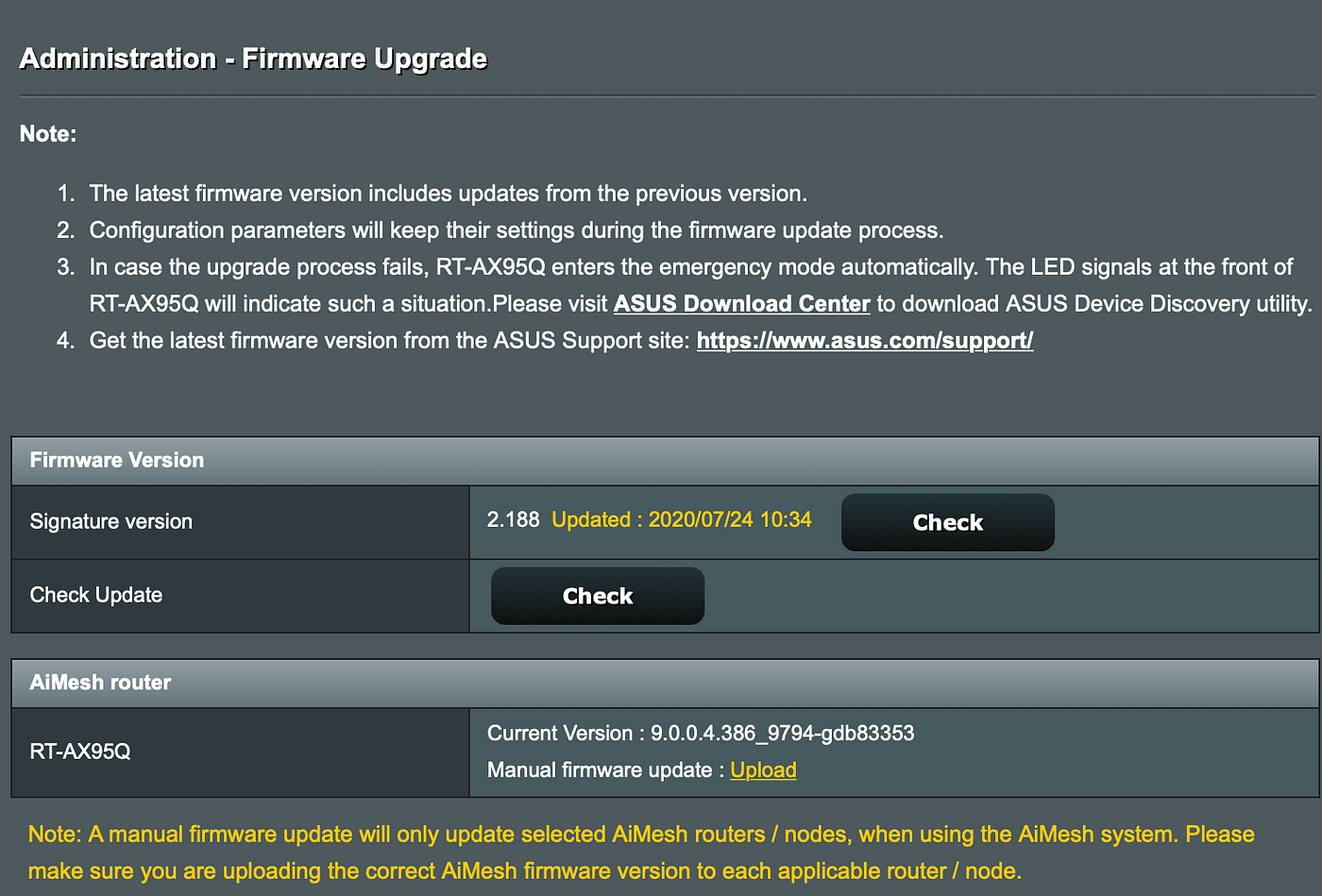
Upgrading Asus router to ASUSWRT-MERLIN firmware
This might take a few minutes and once done your router will reset. Note: As part of this process you might lose some or all of your router configuration settings, so make sure you save your configuration.
What’s next?
That’s it now you are running latest and greatest Merlin firmware on your router. With basics out of the way we are ready for Part 2 and setting up SSH connection to our router.
PS. I try to make these articles perfect, and I put lot of effort in them. It really motivates me seeing people like them. So if you enjoyed it, it would be awesome if you can follow me, and subscribe!
메타데이터
- post_id
- 427f991e35c7
- slug
- how-to-get-maximum-from-your-asus-router-part-1-427f991e35c7
- url
- https://levelup.gitconnected.com/how-to-get-maximum-from-your-asus-router-part-1-427f991e35c7
- canonical_url
- https://levelup.gitconnected.com/how-to-get-maximum-from-your-asus-router-part-1-427f991e35c7
- author_url
- https://medium.com/@astrujic
- status
- ok
- fetched_at
- 2026-06-17 08:20:12