ext4 Demystified: From On-Disk Layout to Hands-On Inspection
ext4 is the default filesystem for most Linux distributions, yet many developers and sysadmins use it daily without truly understanding how…
ext4 Demystified: From On-Disk Layout to Hands-On Inspection
ext4 is the default filesystem for most Linux distributions, yet many developers and sysadmins use it daily without truly understanding how it works.
This article explains what ext4 is, how it stores data on disk, how journaling protects your files, and — most importantly — how to inspect each structure yourself on a real Linux system.
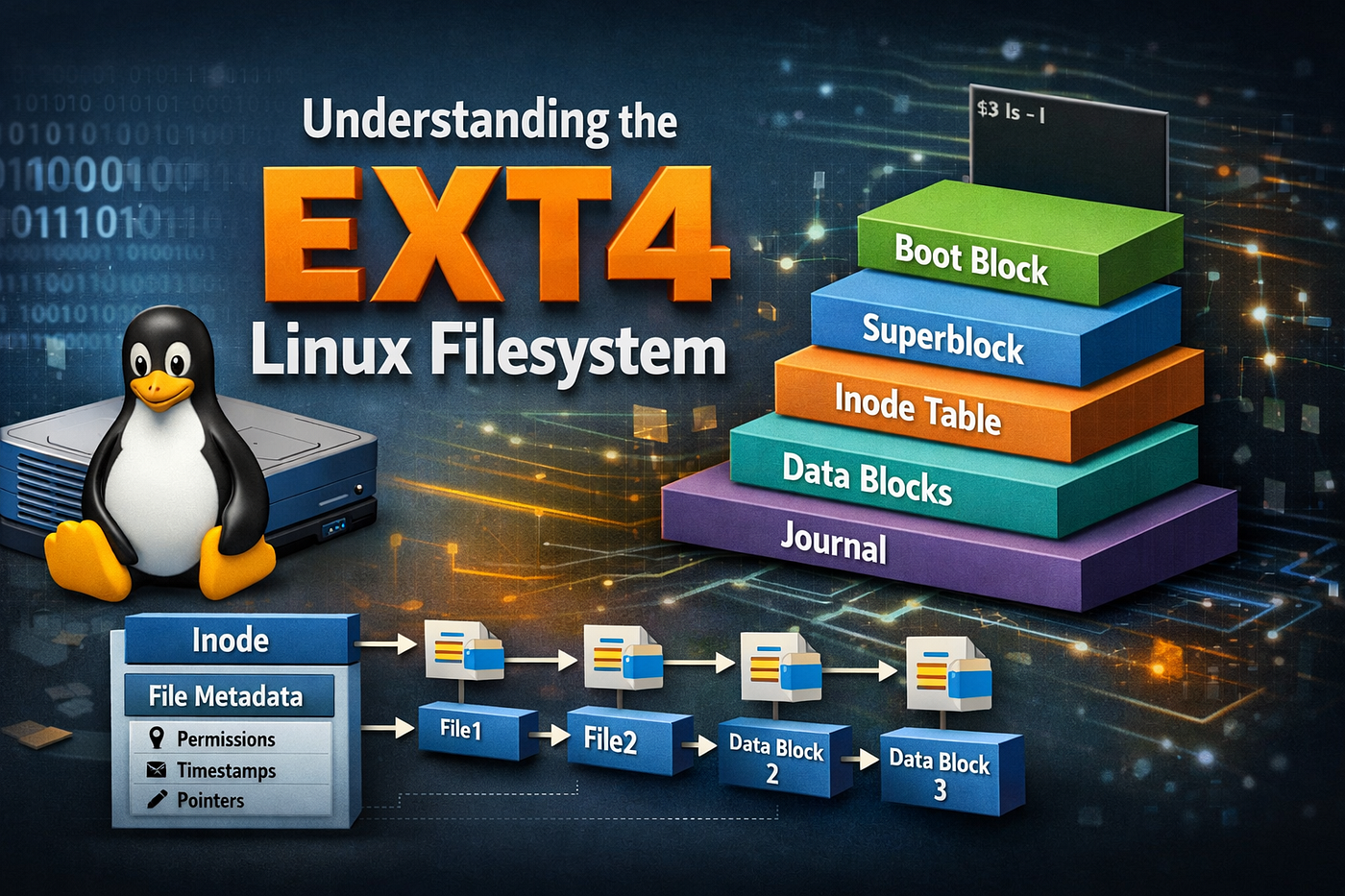
1. What ext4 Is (and Why It Exists)
ext4 (Fourth Extended Filesystem) is the evolutionary successor to ext2 and ext3. It was designed to solve real problems encountered as disks grew larger and workloads became more demanding.
Why ext4 replaced ext3
- ext3 relied on block-based mapping, which scaled poorly for large files
- Fragmentation became common
- Filesystem checks (
fsck) were slow on large volumes - Maximum file and filesystem sizes were limiting
ext4 addressed these issues while remaining backward compatible, making adoption safe and gradual.
2. The Big Picture: How ext4 Is Organized on Disk
At the highest level, an ext4 filesystem is divided into block groups.
Disk
┌──────────┬──────────┬──────────┬──────────┐
│ Group 0  │ Group 1  │ Group 2  │ Group N  │
└──────────┴──────────┴──────────┴──────────┘
Each block group contains metadata and data, improving locality and performance.
3. Block Group Layout (On-Disk Structure)
A typical block group looks like this:
┌───────────────────────────────┐
│ Superblock (group 0 or backup)│
├───────────────────────────────┤
│ Group Descriptor Table (GDT)  │
├───────────────────────────────┤
│ Reserved GDT Blocks           │
├───────────────────────────────┤
│ Block Bitmap                  │
├───────────────────────────────┤
│ Inode Bitmap                  │
├───────────────────────────────┤
│ Inode Table                   │
├───────────────────────────────┤
│ Data Blocks                   │
└───────────────────────────────┘
ext4 allows flexibility (via
flex_bg), but this layout reflects the logical organization.
4. The Superblock: The Filesystem’s Control Center
The superblock contains global metadata describing the filesystem:
- Total blocks and inodes
- Block size
- Inodes per group
- Feature flags (extents, journaling, 64-bit, etc.)
- Mount count and last check time
📌 Why it matters
If the superblock is corrupted and no backup exists, the filesystem is unrecoverable.
🔍 Hands-On: Inspect the Superblock
Create a test filesystem first:
dd if=/dev/zero of=ext4.img bs=1M count=512
mkfs.ext4 ext4.img
Inspect the superblock:
sudo dumpe2fs ext4.img | lessOr with debugfs:
sudo debugfs ext4.img
debugfs: stats
5. Group Descriptor Table (GDT)
The Group Descriptor Table contains one entry per block group.
Each entry stores:
- Location of the block bitmap
- Location of the inode bitmap
- Location of the inode table
- Free block and inode counts
Group Descriptor
┌───────────────────────┐
│ Block bitmap pointer  │
│ Inode bitmap pointer  │
│ Inode table pointer   │
│ Free blocks count     │
│ Free inodes count     │
└───────────────────────┘
🔍 Hands-On: View Group Descriptors
sudo dumpe2fs -g ext4.img6. Block Bitmap: Tracking Free Space
The block bitmap uses 1 bit per block:
0 = free block
1 = allocated block
This allows fast allocation without scanning the entire filesystem.
🔍 Hands-On: Locate the Block Bitmap
sudo dumpe2fs ext4.img | grep -i "Block bitmap"7. Inodes and the Inode Table
Every file and directory is represented by an inode.
What an inode contains
- File type and permissions
- Owner and group
- Size
- Timestamps
- Extent tree (not block pointers)
The inode table is a contiguous region storing all inodes for the group.
Filename → Inode → Extents → Data Blocks🔍 Hands-On: Inspect an Inode
Mount the filesystem:
mkdir ~/ext4_lab
sudo mount -o loop ext4.img ~/ext4_lab
Create a file:
echo "hello ext4" > ~/ext4_lab/file.txtFind the inode number:
ls -i ~/ext4_lab/file.txtInspect it:
sudo debugfs ext4.img
debugfs: stat <inode_number>
Direct and Indirect Blocks: How Files Were Stored Before extents
Before ext4 introduced extents, Linux filesystems like ext2 and ext3 stored file data using direct and indirect block pointers. Understanding this model explains both its limitations and why ext4 moved away from it.
The Inode as a Block Map
In ext2/ext3, each inode contains a fixed set of block pointers:
Inode
├── Direct block pointers (12)
├── Single indirect block pointer (1)
├── Double indirect block pointer (1)
└── Triple indirect block pointer (1)
These pointers describe where the file’s data blocks live on disk.
Direct Blocks
Direct blocks point directly to data blocks.
Inode → Data BlockCharacteristics
- Stored directly in the inode
- Fastest possible access (no extra lookups)
- Limited in number (usually 12)
Example
A small file (e.g., 10 KB) may be stored entirely using direct blocks:
Inode
├── Block 100
├── Block 101
├── Block 102
└── ...
Single Indirect Blocks
When a file grows beyond the available direct blocks, the filesystem uses a single indirect block.
Inode → Indirect Block → Data BlocksHow it works
- The inode points to a block
- That block contains a list of block numbers
- Each entry points to a data block
Indirect Block
├── Block 200
├── Block 201
├── Block 202
└── ...
Cost
- One extra disk read per lookup
- More metadata overhead
Double Indirect Blocks
For even larger files, ext2/ext3 use double indirect blocks.
Inode → Double Indirect → Indirect → Data BlocksDouble Indirect Block
├── Indirect Block A → Data Blocks
├── Indirect Block B → Data Blocks
└── ...Cost
- Two additional metadata reads
- Increased seek overhead
- Fragmentation becomes more likely
Triple Indirect Blocks
For very large files, triple indirect blocks are used.
Inode → Triple Indirect → Double → Indirect → Data BlocksThis allows large file sizes, but at a very high metadata cost.
Why This Model Became a Problem
While flexible, this design had serious drawbacks:
1. Metadata Explosion
Large files required:
- Thousands of block pointers
- Many indirect blocks
- Extra disk reads just to find data
2. Fragmentation
Blocks were allocated incrementally:
- Early allocations scattered blocks
- Files became fragmented over time
3. Performance Degradation
Reading large files meant:
- Multiple metadata lookups
- Cache misses
- Increased seek time
Enter ext4 Extents
ext4 replaced block pointers with extents.
Extent = [ start_block | length ]Instead of listing every block:
Block → Block → Block → Blockext4 stores:
Blocks 1000–1999 → One extentHow Extents Replace Direct and Indirect Blocks
Old Model (ext3)ext4 ModelDirect blocksInline extentsIndirect blocksExtent tree nodesBlock pointersBlock ranges
Small files still benefit from direct-style access, because:
- Small extents live directly in the inode
- No tree traversal required
Large files benefit from:
- Shallow extent trees
- Fewer metadata reads
- Large contiguous allocations
Hands-On: Seeing the Difference
On ext3 (conceptually):
Many block pointers
Many indirect blocks
On ext4:
filefrag -v ~/ext4_lab/bigfileOutput shows:
- Few extents
- Large contiguous ranges
- Minimal fragmentation
Mental Model Summary
ext2/ext3:
Inode → Direct → Indirect → Double → Triple → Data
ext4:
Inode → Extent → DataOne-Sentence Takeaway
Direct and indirect blocks allowed early Linux filesystems to scale, but extents replaced them with a more compact, efficient, and scalable way to map file data on disk.
9. Data Blocks: Where File Contents Live
Data blocks store:
- File contents
- Directory entries
- Extent trees
- Extended attributes (if large)
They occupy the majority of disk space.
🔍 Hands-On: See Allocation on Disk
df -h ~/ext4_lab
df -i ~/ext4_lab
10. Journaling: Crash Consistency in ext4
ext4 uses write-ahead logging to protect filesystem metadata.
Journaling workflow
Write request
   ↓
Journal transaction
   ↓
Commit
   ↓
Apply to filesystem
Journaling modes
- ordered (default): metadata journaled, data written first
- writeback: fastest, least safe
- journal: data + metadata journaled
🔍 Hands-On: Inspect the Journal
sudo tune2fs -l ext4.img | grep -i journalUsing debugfs:
sudo debugfs ext4.img
debugfs: logdump
Crash-Recovery Experiment (Safe and Reproducible)
This experiment demonstrates how ext4 recovers after an unclean shutdown.
Step 1: Prepare Continuous Writes
dd if=/dev/urandom of=~/mnt/ext4/bigfile bs=1M count=200 &Step 2: Force an Unclean Unmount (Simulation)
Force a crash and reboot
# Force a crash
echo c > /proc/sysrq-trigger
# Then reboot your vm manually
⚠️ ONLY DO THIS IN A SAFE ENVIRONMENT!
Step 3: Remount and Observe Recovery
sudo mount -o loop ext4.img /mmt/ext4Check kernel logs:
dmesg | tailYou’ll see journal replay messages similar to:
EXT4-fs (loop0): recovery completeStep 4: Verify Consistency
sudo fsck.ext4 -n ext4.imgNo repairs should be required — the journal already handled it.
11. Delayed Allocation & Multiblock Allocation
ext4 delays block allocation until data is flushed to disk:
Application write
   ↓
Page cache
   ↓
Delayed allocation
   ↓
Large contiguous extent
This improves:
- Sequential I/O
- Fragmentation
- SSD performance
12. Putting It All Together (Mental Model)
User writes file
   ↓
Inode updated
   ↓
Extents allocated
   ↓
Journal records metadata
   ↓
Data blocks written
   ↓
Journal committed
13. Why ext4 Is Still Relevant
Despite newer filesystems (XFS, Btrfs, ZFS), ext4 remains:
- Stable
- Predictable
- Fast
- Extremely well understood
That reliability is why ext4 still backs:
- Servers
- Cloud images
- Embedded systems
- Desktop Linux installs
14. ext4 in Context: Other Linux Filesystems
ext4 is not the only option in Linux today:
- XFS — Excellent for large files and parallel I/O
- Btrfs — Copy-on-write, snapshots, checksums
- ZFS — Integrated volume management, strong data integrity
- F2FS — Optimized for flash storage
Despite these alternatives, ext4 remains the default due to its:
- Predictability
- Low overhead
- Mature tooling
- Proven reliability
Conclusion
ext4 isn’t just “the default filesystem.” It’s a carefully engineered balance of performance, safety, and simplicity, refined over decades.
Once you understand its on-disk layout, extents, and journaling, ext4 stops being a black box — and starts being a tool you can reason about.
메타데이터
- post_id
- 42bb0df3b24d
- slug
- ext4-demystified-from-on-disk-layout-to-hands-on-inspection-42bb0df3b24d
- url
- https://medium.com/@devOpsIsRil/ext4-demystified-from-on-disk-layout-to-hands-on-inspection-42bb0df3b24d
- canonical_url
- https://medium.com/@devOpsIsRil/ext4-demystified-from-on-disk-layout-to-hands-on-inspection-42bb0df3b24d
- author_url
- https://medium.com/@devOpsIsRil
- status
- ok
- fetched_at
- 2026-06-16 19:09:56


