I Built a Trip Planner Two Ways — and the Results Made Me Rethink What “AI Agent” Actually Means
A hands-on comparison of LangChain ReAct agents vs. LangGraph agentic workflows — with real numbers
I Built a Trip Planner Two Ways — and the Results Made Me Rethink What “AI Agent” Actually Means
A hands-on comparison of LangChain ReAct agents vs. LangGraph agentic workflows — with real numbers
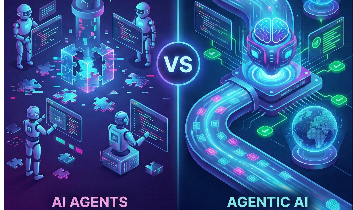
There’s a terminology war happening in AI right now, and it’s quietly causing engineers to make expensive architectural mistakes.
“AI Agent.” “Agentic AI.” “Agentic Workflow.” People use them interchangeably. I did too — until I built the same trip planning app twice, in two completely different architectures, and watched one consume 8x more tokens and take 4x longer to produce roughly the same output.
This post is about what I learned.
The Setup: A Trip Planning Agent
The premise was simple: take a user input like ”Plan a trip to Paris for 3 days, medium budget, I like museums and cafes” and produce a structured travel plan with hotels, transport options, and a day-by-day itinerary.
The workflow required:
-
Searching for attractions
-
Fetching hotel options
-
Finding transport
-
Composing a final itinerary
Four clear steps. Deterministic order. A defined final output.
Before writing a single line of code, I hit the first real decision of the project — and it turned out to be the most important one.
The Architecture Decision Nobody Talks About
Here’s the question I should have asked up front:
Do I need an AI agent, or do I need agentic AI?
These sound like the same thing. They’re not.
AI Agent (ReAct Pattern)
A ReAct agent gives the LLM full control over orchestration. The model decides what to do next, which tools to call, in what order, and when to stop. It looks like this:
User request
↓
LLM decides:
- what tool to call
- in what order
- when to stop
In practice, the loop looks something like:
Thought: I should search attractions
Action: search_attractions("Paris", "museums")

Thought: Now I need hotels
Action: search_hotels("Paris", "medium")

Thought: I should also check transport
Action: get_transport("Paris")

Thought: I have enough to write the plan
Action: compose_itinerary(…)
The LLM is the orchestrator. It’s also the thinker, the planner, the decision-maker. Every step goes through inference.
Agentic AI (LangGraph Workflow)
LangGraph flips this around. You define the graph. The LLM is a component inside specific nodes — used for intelligence where you need it, bypassed where you don’t.

LangGraph Agentic Workflow
You control orchestration. The LLM shows up inside individual nodes to do the thinking within each step.
I Built Both. Here’s What Happened.
I implemented both architectures against the same dummy APIs and ran them with identical inputs. The results were stark:

Comparison of traces using LangSmith

Performance Comparison
LangGraph used 8x fewer tokens, cost 4x less, and ran 4x faster.
Both produced valid travel plans. The outputs were comparable in quality. But the path to get there was wildly different.
Why ReAct Was So Much More Expensive
The ReAct agent didn’t just call each tool once and move on. It reasoned. Repeatedly. Between every single tool call, it generated a Thought: — a full inference pass just to decide what to do next. For a four-step workflow I already knew was deterministic, the model was burning tokens figuring out what I could have told it in a graph definition.
It also showed the classic failure modes I’d read about but not felt until now:
-
Overthinking: The agent sometimes re-checked attractions after fetching hotels, apparently unsure it had gathered enough
-
Redundant calls: I saw tool invocations I hadn’t expected, adding latency with no output benefit
-
Unpredictable sequencing: The order of operations shifted between runs
The Realization: Agents Are Often Overkill
After running this experiment, I came to a conclusion that felt uncomfortable at first:
For most structured workflows, a ReAct agent is the wrong tool.
That’s a strong claim in a world where “build an agent for everything” is the default advice. But here’s the test I now apply:
Use a ReAct agent when:
- The task is genuinely open-ended
- You can’t define the steps upfront
- Tool usage needs to be exploratory
- You want chatbot-style dynamic autonomy
Use a LangGraph (agentic) workflow when:
- The sequence of steps is known
- The workflow is multi-step and stateful
- You need retries, fallbacks, or conditional branching
- You need a predictable, structured final output
- You need to debug specific steps in isolation
A trip planner is not an autonomous agent problem. It’s a workflow problem with intelligent steps. Forcing a ReAct agent onto it is like hiring a consultant to decide what order to read a checklist.
What the Code Actually Looks Like
Here’s a simplified version of the LangGraph approach that illustrates the structure:
from langchain.tools...

# ===================================
# Step 1: Define state
# ===================================
class UserInput(BaseModel):

class TripPlannerState(BaseModel):

# ===================================
# Step 2: Define nodes and model
# ===================================

model = init_chat_model(

def extract_info(state: TripPlannerState):
    """ Use LLM to extract info from messages"""

def synthesize_response(state: TripPlannerState) -> dict:
    """Use LLM to Synthesize response: use itenarary, hotels and travel in the state"""

def search_accomodation(state: TripPlannerState) -> dict:
    """Use web search to search for availiability of accomodation: give 3 options based on budget"""

def search_travel(state: TripPlannerState) -> dict:
    """Use web search to search for availability of travel: give 2 options quickest and cheapest"""

def search_attractions(state: TripPlannerState) -> dict:
    """Use web search to search for attractions: prepare itenary based on no. of days & prefs"""

# ===================================
# Step 3: Build langgraph workflow
# ===================================

agent_builder = StateGraph(TripPlannerState)

# Add nodes
agent_builder.add_node("extract_info", extract_info)
agent_builder.add_node("synthesize", synthesize_response)
agent_builder.add_node("search_accomodation", search_accomodation)
agent_builder.add_node("search_travel", search_travel)
agent_builder.add_node("search_attractions", search_attractions)

# Add edges to connect nodes
agent_builder.add_edge(START, "extract_info")
agent_builder.add_edge("extract_info", "search_accomodation")
agent_builder.add_edge("search_accomodation", "search_travel")
agent_builder.add_edge("search_travel", "search_attractions")
agent_builder.add_edge("search_attractions", "synthesize")
agent_builder.add_edge("synthesize", END)

# Compile the agent
memory = MemorySaver()
agent = agent_builder.compile(checkpointer=memory, name="LangGraphTripPlanner")

# ===================================
# Step 4: Invoke graph
# ===================================
config = {"configurable": {"thread_id": "customer_123"}}
initial_state = {
    "messages" : [
        HumanMessage(
            content=(
                "Plan a 3-day trip to Paris with medium budget. "
                "I love museums and cafes."
            )
        )
    ],
}

response = agent.invoke(input=initial_state, config=config)

print("\n========== FINAL RESPONSE ==========")
print(response["final_plan"])
Notice: The three data-gathering nodes are pure Python — fast, cheap, deterministic. This is the key insight. You don’t need the LLM to decide to search for hotels. You know it needs to search for hotels. Just build that into the graph.
The Mental Model That Changed How I Think About This
Think of LangChain ReAct as hiring a smart person and saying: ”Figure out how to plan this trip.”
Think of LangGraph as building a system where a smart person handles the creative parts: ”Here’s our process. Step 3 is where I need you to think.”
Both use intelligence. One uses it everywhere. The other uses it surgically.
For production systems — especially ones that need to be predictable, debuggable, and cost-efficient — surgical almost always wins.
What I’d Do Differently
A few things I’d change if I built this again:
-
Start with the graph, not the agent. Draw the workflow on paper first. If you can draw it as a flowchart, you should probably use LangGraph.
-
Add cost/token logging from day one. I only added instrumentation after I was surprised by the ReAct numbers. Should have been there from the start.
-
Test failure modes explicitly. What happens when
search_hotelsreturns empty? I didn’t build fallback nodes initially and had to retrofit them. -
Keep LangChain agents for genuinely open-ended tasks. I’m not saying ReAct is bad. I now use it for a research assistant that explores unknown territory dynamically. It’s the right tool there. Just not here.
Takeaway
The difference between an AI agent and agentic AI isn’t about capability — it’s about who controls the orchestration.
When the LLM controls orchestration (ReAct), you get flexibility and dynamism at the cost of predictability and efficiency. When you control orchestration and the LLM handles specific intelligent steps (LangGraph), you get structured, debuggable, cost-effective workflows.
Most real-world use cases are workflows in disguise. Before you reach for a ReAct agent, ask yourself: do I actually need the LLM to decide what to do next, or do I already know?
If you already know — build a graph.
If you’re building with LLMs and want to dig into agentic architectures, memory systems, or RAG — I write about all of it from real experiments. Follow along.
메타데이터
- post_id
- 4354cfb7c4ea
- slug
- i-built-a-trip-planner-two-ways-and-the-results-made-me-rethink-what-ai-agent-actually-means-4354cfb7c4ea
- url
- https://medium.com/@aswarada.uk/i-built-a-trip-planner-two-ways-and-the-results-made-me-rethink-what-ai-agent-actually-means-4354cfb7c4ea
- canonical_url
- https://medium.com/@aswarada.uk/i-built-a-trip-planner-two-ways-and-the-results-made-me-rethink-what-ai-agent-actually-means-4354cfb7c4ea
- author_url
- https://medium.com/@aswarada.uk
- status
- ok
- fetched_at
- 2026-06-09 15:37:30




